
Budget Tracker - Brim
Spending, Bills & Savings
How much does Budget Tracker - Brim cost?
Prices are current as of 8 Oct 2026.
2 subscriptions from $4.99
In the United States, Budget Tracker - Brim has 2 subscriptions priced $4.99 – 39.99. It comes with a 7 days free trial.
| Subscription | Period | Price |
|---|---|---|
| Brim Pro | Monthly | $4.99 |
| Brim Pro | AnnualTrial: 7 days | $39.99 |
1 one-time purchase from $59.99
In the United States, Budget Tracker - Brim has 1 one-time purchase priced $59.99.
| Product | Price |
|---|---|
| Brim Pro Lifetime | $59.99 |
10+ alternatives to Budget Tracker - Brim
| Budget Tracker - Brim |   Subo - Subscription Manager Subo - Subscription Manager |   Qalta: Budget, Expense Tracker Qalta: Budget, Expense Tracker | 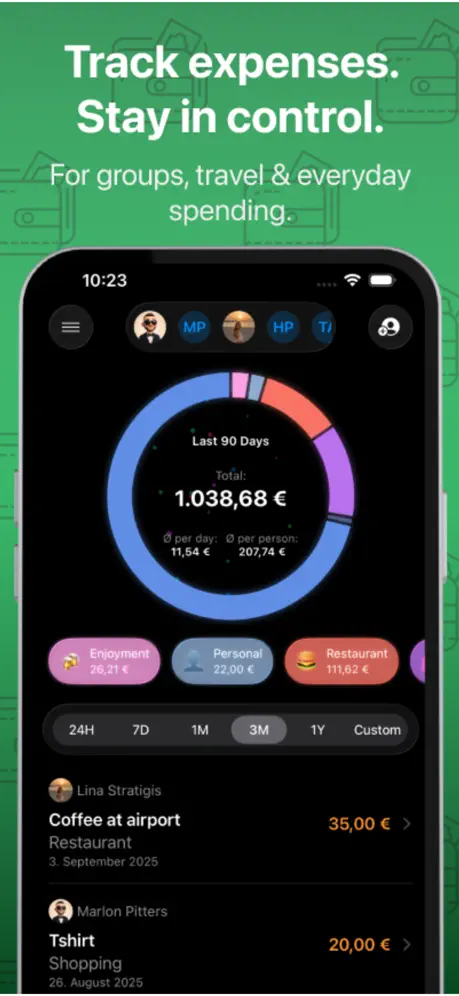  Costify: Expense Tracker Costify: Expense Tracker | 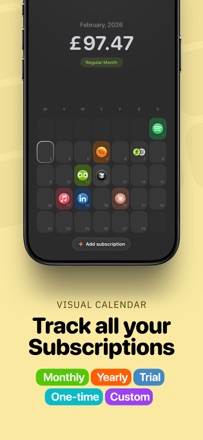  Subscription Day. Calendar Subscription Day. Calendar |   Smart Budget: WalletPal Smart Budget: WalletPal |   Kelo: Expense Tracker & Budget Kelo: Expense Tracker & Budget |   Finny: AI Money Manager Finny: AI Money Manager |   Expensa: AI Expense Tracker Expensa: AI Expense Tracker |   Control: Budget Tracker Control: Budget Tracker | 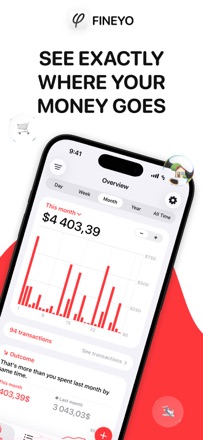  Fineyo: Expense Tracker Fineyo: Expense Tracker | |
|---|---|---|---|---|---|---|---|---|---|---|---|
| Rating / 5 | 4.3 | 4.8 | 4.6 | 4.3 | 4.8 | 4.5 | 4.6 | 4.4 | 4.7 | 4.7 | 4.7 |
| Reviews | 116 | 555 | 270 | 115 | 106 | 96 | 96 | 89 | 81 | 79 | 66 |
| Released | 2026 | 2025 | 2025 | 2026 | 2025 | 2024 | 2025 | 2025 | 2026 | 2026 | 2023 |
| Monthly price | $4.99 | — | $3.99 | $3.99 | — | — | — | — | — | — | — |
| Annual price | $39.99 | — | $29.99 | $22.99 | — | — | — | — | — | — | — |
| One-time price | $59.99 | $3.99 | — | $79.99 | — | — | — | — | — | — | — |
The going rate for each plan in United States, in its own currency, shaded from the cheapest price on the row to the dearest.
Budget Tracker - Brim reviews
4.3 out of 5, based on 116 reviews.
What people like
- Clean and minimal user interface
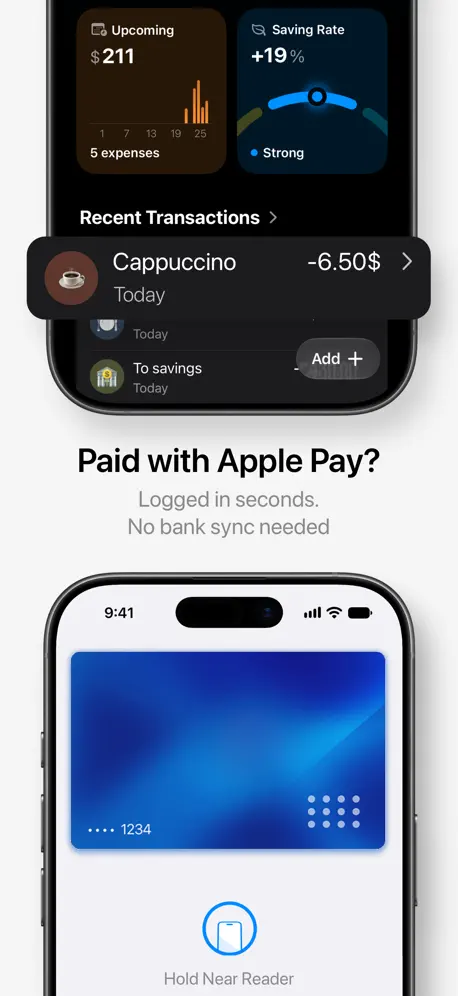
- Works great with Apple Pay
- Easy to use daily tracking
What they complain about
- Requires subscription to do anything
- No automatic bank connection feature
- Forces you to create an account
To the developers, please don’t go bald
Smoothest budget tracking app ever. Seeing my bank account balance in dark mode hits different. 10/10 no notes.
Login somente com Google ou Apple.
Prefiro sempre ter um login de e-mail em tudo que uso.
Multicurrency please
Its not comfortable to exchange everything in one currency every time
Collegamento ai conti
App molto ben fatta, ma risulta complicato tenere traccia di tutte le transazioni se non avviene il collegamento automatico con i conti correnti. Se aggiungete questa funzionalità, l’app risulterà perfetta. Risposta: no, con il comando rapido non é stessa cosa. Ogni tanto funziona, ogni tanto no. Alcune transazioni usano Apple Pay, altre no. Purtroppo senza il collegamento diretto al conto, non è la stessa cosa…
Falta PTBR
Aplicativo muito bom mas precisa trazer o idioma ptbr, contando ainda que não dá para utilizar o app sem pagar e não ter tradução fica ruim.
Best budgeting app so far
This is the first time I really wanna use this app. I have downloaded and tried to use tens of budgeting apps, all of them were over complicated and i ended up deleting them. This one I am pretty sure will stick with me for a long time.
Me gustó, pero una cosa más…
Me gustó la aplicación, si cuenta con apartados llamativos, es muy simple de usar hasta cierto punto comparado con otras apps, sin embargo algo que siento que me gusta a mí y posiblemente a más público es tener un fácil acceso o vista a tu dinero actual, ya que se enfoca mucho en el dinero del mes, sería interesante se le añadiera así como los apartados de ahorro, pagos recurrentes, entre otros dos más que tiene, un apartado donde se menciona el dinero de cada cuenta que registraste y se vea un si total ya quitando los gastos de tarjetas de crédito o deudas que se tengan algo como tarjeta 1+ tarjeta 2 - tarjeta de crédito= total de dinero que realmente se cuenta. Una nota que dejó para los desarrolladores, me gustó sin embargo encuentro ese punto a mi gusto requerido para tener mejor vista y control de mi dinero, y si otras apps lo tienen de las cuales no mencionara para no dar publicidad, si llega a implementarse si sería capaz de volver a esta app.
Requires subscription
Cannot do anything without subscribing. And when you hit the paywall, you don‘t even see all the options unless you discover a hidden swipe gesture.
Excellent
I’m amazed with how effortlessly the app does everything I’ve wanted in a financial app, which is doing a lot with a handful of great features. The developer really thought of everything and it can only get better from here. The Apple Pay integration alone is genius and perfect for someone like me who never liked connecting banks with Plaid. Give it a try!
Buon inizio ci sono margini di miglioramento
L’app permette di avere una traccia costante dei proprio budget, la UI è ben fatta, se si configurano i Comandi Rapidi del wallet si può anche automaticamente gestire il portafoglio, basterebbe anche settare il counter del budget ad una certa data e non solo al fine mese in automatico ma l’inizio é molto meglio di molte app complesse.
Why should I sign up?
Creating an account is rally unnecessary. The data could be stored locally and synched in iCloud. That’s the way it should be done.
Best Money management app
This is best money management app i have ever used.
Davvero ben fatta
Applicazione molto bella, efficace e rapida. Scorciatoia tramite Comandi Rapidi molto utile per non dimenticarsi le spese. Sto valutando l’abbonamento a vita, ma bisogna capire se continuerà ad essere supportata
Best app for budgeting
Been using this since testflight phase…i love the UI/UX
Enfin une app budget utile et belle !
Cette application répond aux questions qu'on se pose sur son budget et aide à le gérer facilement, au quotidien. En plus, elle est belle et facile à utiliser, ce qui rend la gestion de l'argent moins pénible et plus agréable.
Great App !
Amazing app, with clear design and interface.
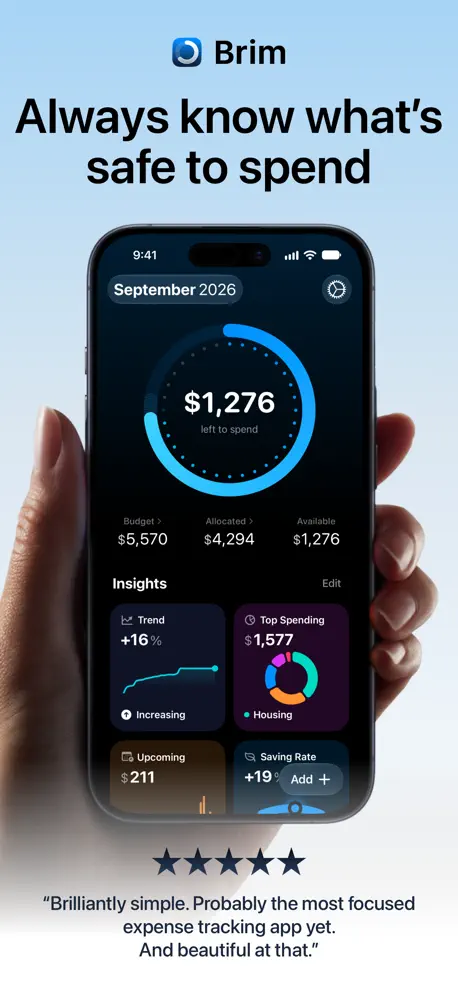
Brilliantly simple
Probably the most focused expense tracking app yet. And beautiful at that.
Best budgeting app I’ve used so far
Tried this app first through TestFlight and was eagerly waiting for the stable release, and it was absolutely worth it. The UI is super clean and minimal, yet very easy to use, and the widgets make tracking expenses and budgets effortless. What I like most is that budgeting finally feels clear and manageable instead of overwhelming, and I can actually see where my money is going. The app feels thoughtfully built, and the developer updates it regularly, which gives a lot of confidence going forward. If you’re looking for a simple, well-designed budgeting app that actually helps you understand your finances, this one is an easy recommendation.
Budget Tracker - Brim price by country
A monthly subscription costs $0.83 in Pakistan and $6.93 in Ireland — 8× more for the same thing. Below is the going rate for each plan in every country that sells it — the middle price of what the app charges there, in the country's own currency with the dollar equivalent beneath it.
| Country | Monthly | Annual | One-time |
|---|---|---|---|
| Afghanistan | $2.59 | $20.90 | $31.00 |
| Albania | $3.39 | $27.99 | $39.00 |
| Algeria | $2.59 | $20.90 | $31.00 |
| Angola | $2.59 | $20.90 | $31.00 |
| Anguilla | $4.19 | $33.49 | $50.00 |
| Antigua And Barbuda | $4.19 | $33.49 | $50.00 |
| Argentina | $1.19 | $9.19 | $13.90 |
| Armenia | $4.09 | $34.49 | $48.49 |
| Australia | A$5.79$4.02 | A$43.00$29.86 | A$71.99$49.99 |
| Austria | €5.39$6.04 | €40.49$45.34 | €62.99$70.54 |
| Azerbaijan | $4.09 | $34.49 | $48.49 |
| Bahamas | $4.19 | $33.49 | $58.90 |
| Bahrain | $3.39 | $27.00 | $47.49 |
| Barbados | $5.95 | $49.49 | $69.00 |
| Belarus | $4.09 | $34.49 | $48.49 |
| Belgium | €5.59$6.26 | €42.49$47.58 | €65.90$73.80 |
| Belize | $1.95 | $15.49 | $23.49 |
| Benin | $3.09 | $25.99 | $36.49 |
| Bermuda | $4.19 | $33.49 | $50.00 |
| Bhutan | $2.59 | $20.90 | $31.00 |
| Bolivia | $1.95 | $15.49 | $23.49 |
| Bosnia & Herzegovina | €3.39$3.80 | €25.00$28.00 | €39.00$43.67 |
| Botswana | $2.59 | $20.90 | $31.00 |
| Brazil | R$15.50$3.10 | R$129.90$25.98 | R$209.00$41.80 |
| British Virgin Islands | $4.19 | $33.49 | $50.00 |
| Brunei Darussalam | $3.89 | $30.90 | $46.00 |
| Bulgaria | €3.39$3.80 | €25.00$28.00 | €39.00$43.67 |
| Burkina Faso | $2.59 | $20.90 | $31.00 |
| Cambodia | $2.59 | $20.90 | $36.49 |
| Cameroon | $3.09 | $25.99 | $36.49 |
| Canada | CA$5.49$3.87 | CA$38.99$27.46 | CA$62.00$43.66 |
| Cape Verde | $2.59 | $20.90 | $31.00 |
| Cayman Islands | $4.19 | $33.49 | $50.00 |
| Chad | $2.59 | $20.90 | $31.00 |
| Chile | CLP 3,700$3.80 | CLP 30,990$31.80 | CLP 43,490$44.63 |
| China | CN¥22.80$3.40 | CN¥176.00$26.23 | CN¥233.00$34.72 |
| Colombia | COP 11,000$3.40 | COP 87,900$27.16 | COP 131,900$40.75 |
| Congo | $2.59 | $20.90 | $31.00 |
| Congo, Democratic Republic | $2.59 | $20.90 | $31.00 |
| Costa Rica | $4.19 | $33.49 | $50.00 |
| Cote Divoire | $3.09 | $25.99 | $36.49 |
| Croatia | €3.39$3.80 | €25.00$28.00 | €39.00$43.67 |
| Cyprus | €4.59$5.14 | €34.00$38.07 | €53.00$59.35 |
| Czech Republic | CZK 95.00$4.36 | CZK 739.00$33.88 | CZK 1,100.00$50.44 |
| Denmark | DKK 41.00$6.14 | DKK 370.00$55.39 | DKK 529.00$79.19 |
| Dominica | $1.95 | $15.49 | $23.49 |
| Dominican Republic | $2.59 | $20.90 | $31.00 |
| Ecuador | $2.59 | $20.90 | $31.00 |
| Egypt | EGP 62.99$1.20 | EGP 500.00$9.55 | EGP 750.00$14.32 |
| El Salvador | $2.59 | $20.90 | $31.00 |
| Estonia | €4.09$4.58 | €31.00$34.71 | €48.49$54.30 |
| Fiji | $2.59 | $20.90 | $31.00 |
| Finland | €4.99$5.59 | €37.49$41.98 | €58.00$64.95 |
| France | €5.59$6.26 | €42.49$47.58 | €65.90$73.80 |
| Gabon | $2.59 | $20.90 | $31.00 |
| Gambia | $2.59 | $20.90 | $31.00 |
| Georgia | $4.90 | $40.99 | $57.00 |
| Germany | €5.39$6.04 | €40.49$45.34 | €62.99$70.54 |
| Ghana | $3.09 | $25.99 | $36.49 |
| Greece | €4.59$5.14 | €34.00$38.07 | €53.00$59.35 |
| Grenada | $1.95 | $15.49 | $23.49 |
| Guatemala | $2.59 | $20.90 | $31.00 |
| Guinea-bissau | $2.59 | $20.90 | $31.00 |
| Guyana | $1.95 | $15.49 | $23.49 |
| Honduras | $2.59 | $20.90 | $31.00 |
| Hong Kong | HK$25.00$3.18 | HK$188.00$23.95 | HK$318.00$40.51 |
| Hungary | HUF 1,290$3.95 | HUF 11,490$35.14 | HUF 15,990$48.91 |
| Iceland | $5.39 | $44.99 | $62.99 |
| India | ₹195.00$2.01 | ₹1,550.00$16.01 | ₹2,300.00$23.75 |
| Indonesia | IDR 39,000$2.18 | IDR 249,000$13.93 | IDR 299,000$16.73 |
| Iraq | $2.59 | $20.90 | $31.00 |
| Ireland | €6.19$6.93 | €46.90$52.52 | €72.90$81.63 |
| Israel | ₪14.50$4.72 | ₪122.90$40.03 | ₪163.90$53.39 |
| Italy | €5.39$6.04 | €40.49$45.34 | €62.99$70.54 |
| Jamaica | $1.95 | $15.49 | $23.49 |
| Japan | ¥530$3.35 | ¥3,980$25.17 | ¥6,600$41.75 |
| Jordan | $2.59 | $20.90 | $31.00 |
| Kazakhstan | KZT 2,050.00$4.58 | KZT 15,890.00$35.53 | KZT 24,000.00$53.67 |
| Kenya | $1.69 | $14.49 | $20.49 |
| Kosovo | €3.39$3.80 | €25.00$28.00 | €39.00$43.67 |
| Kuwait | $3.29 | $25.99 | $38.99 |
| Kyrgyzstan | $2.59 | $20.90 | $36.49 |
| Lao Peoples Democratic Republic | $2.59 | $20.90 | $36.49 |
| Latvia | €4.09$4.58 | €31.00$34.71 | €48.49$54.30 |
| Lebanon | $2.59 | $20.90 | $31.00 |
| Liberia | $2.59 | $20.90 | $31.00 |
| Libya | $2.59 | $20.90 | $31.00 |
| Lithuania | €4.09$4.58 | €31.00$34.71 | €48.49$54.30 |
| Luxembourg | €5.59$6.26 | €42.49$47.58 | €65.90$73.80 |
| Macao | $3.29 | $25.99 | $38.99 |
| Macedonia | $2.79 | $22.49 | $33.49 |
| Madagascar | $2.59 | $20.90 | $31.00 |
| Malawi | $2.59 | $20.90 | $31.00 |
| Malaysia | MYR 13.99$3.42 | MYR 123.90$30.29 | MYR 185.90$45.45 |
| Maldives | $3.89 | $30.90 | $46.00 |
| Mali | $2.59 | $20.90 | $31.00 |
| Malta | €5.39$6.04 | €40.49$45.34 | €62.99$70.54 |
| Mauritania | $2.49 | $20.00 | $30.00 |
| Mauritius | $2.59 | $20.90 | $31.00 |
| Mexico | MX$80.00$4.44 | MX$729.00$40.48 | MX$1,050.00$58.30 |
| Micronesia | $4.99 | $39.99 | $59.99 |
| Moldova | $4.09 | $34.49 | $48.49 |
| Mongolia | $2.59 | $20.90 | $31.00 |
| Montenegro | €2.79$3.12 | €22.49$25.18 | €33.49$37.50 |
| Montserrat | $4.19 | $33.49 | $50.00 |
| Morocco | $2.09 | $16.49 | $24.49 |
| Mozambique | $2.59 | $20.90 | $31.00 |
| Myanmar | $2.59 | $20.90 | $31.00 |
| Namibia | $2.59 | $20.90 | $31.00 |
| Nauru | $3.89 | $30.90 | $46.00 |
| Nepal | $3.09 | $25.99 | $36.49 |
| Netherlands | €4.99$5.59 | €37.49$41.98 | €58.00$64.95 |
| New Zealand | NZ$7.29$4.07 | NZ$51.00$28.49 | NZ$72.99$40.78 |
| Nicaragua | $1.95 | $15.49 | $23.49 |
| Niger | $2.59 | $20.90 | $31.00 |
| Nigeria | NGN 2,300.00$1.73 | NGN 20,300.00$15.26 | NGN 29,000.00$21.80 |
| Norway | NOK 38.00$3.97 | NOK 325.00$33.92 | NOK 519.00$54.18 |
| Oman | $3.39 | $27.00 | $40.90 |
| Pakistan | PKR 230$0.83 | PKR 1,799$6.49 | PKR 2,699$9.74 |
| Palau | $4.99 | $39.99 | $59.99 |
| Panama | $2.89 | $23.00 | $34.90 |
| Papua New Guinea | $2.59 | $20.90 | $31.00 |
| Paraguay | $1.95 | $15.49 | $23.49 |
| Peru | PEN 13.90$4.04 | PEN 107.90$31.37 | PEN 149.90$43.58 |
| Philippines | ₱139.00$2.21 | ₱1,150.00$18.31 | ₱1,840.00$29.29 |
| Poland | PLN 17.00$4.35 | PLN 137.99$35.29 | PLN 204.99$52.43 |
| Portugal | €4.99$5.59 | €37.49$41.98 | €58.00$64.95 |
| Qatar | QAR 12.99$3.57 | QAR 97.95$26.91 | QAR 129.99$35.71 |
| Romania | RON 20.49$4.29 | RON 137.99$28.87 | RON 204.99$42.88 |
| Russia | RUB 235.00$2.75 | RUB 1,800.00$21.06 | RUB 2,590.00$30.31 |
| Rwanda | $2.59 | $20.90 | $31.00 |
| Sao Tome & Principe | $2.59 | $20.90 | $31.00 |
| Saudi Arabia | SAR 14.95$3.99 | SAR 132.99$35.46 | SAR 184.99$49.33 |
| Senegal | $3.09 | $25.99 | $36.49 |
| Serbia | €3.39$3.80 | €25.00$28.00 | €39.00$43.67 |
| Seychelles | $2.59 | $20.90 | $31.00 |
| Sierra Leone | $2.59 | $20.90 | $31.00 |
| Singapore | SGD 5.88$4.59 | SGD 50.00$39.06 | SGD 75.90$59.30 |
| Slovakia | €4.09$4.58 | €31.00$34.71 | €48.49$54.30 |
| Slovenia | €3.39$3.80 | €25.00$28.00 | €39.00$43.67 |
| Solomon Islands | $2.59 | $20.90 | $31.00 |
| South Africa | ZAR 53.99$3.24 | ZAR 429.99$25.84 | ZAR 649.00$39.00 |
| South Korea | ₩4,400$3.29 | ₩36,500$27.26 | ₩58,000$43.31 |
| Spain | €5.39$6.04 | €40.49$45.34 | €62.99$70.54 |
| Sri Lanka | $2.59 | $20.90 | $31.00 |
| St. Kitts and Nevis | $4.19 | $33.49 | $50.00 |
| St. Lucia | $1.95 | $15.49 | $23.49 |
| St. Vincent & The Grenadines | $1.95 | $15.49 | $23.49 |
| Suriname | $1.95 | $15.49 | $27.49 |
| Swaziland | $2.59 | $20.90 | $31.00 |
| Sweden | SEK 55.00$5.49 | SEK 399.00$39.86 | SEK 639.00$63.84 |
| Switzerland | CHF 5.60$6.72 | CHF 48.50$58.22 | CHF 69.90$83.91 |
| Taiwan | NT$100.00$3.14 | NT$875.00$27.46 | NT$1,350.00$42.36 |
| Tajikistan | $4.09 | $32.90 | $57.00 |
| Tanzania | TZS 7,700.00$2.92 | TZS 51,900.00$19.67 | TZS 93,900.00$35.59 |
| Thailand | THB 129.00$3.83 | THB 950.00$28.22 | THB 1,270.00$37.73 |
| Tonga | $2.59 | $20.90 | $31.00 |
| Trinidad and Tobago | $4.19 | $33.49 | $50.00 |
| Tunisia | $2.59 | $20.90 | $31.00 |
| Turkey | TRY 55.00$1.12 | TRY 439.99$8.94 | TRY 659.99$13.41 |
| Turkmenistan | $3.49 | $27.49 | $41.49 |
| Turks and Caicos | $4.19 | $33.49 | $50.00 |
| Uganda | $3.09 | $25.99 | $36.49 |
| Ukraine | $3.09 | $25.99 | $36.49 |
| United Arab Emirates | AED 13.99$3.81 | AED 103.99$28.34 | AED 158.99$43.32 |
| United Kingdom | £4.49$5.93 | £35.49$46.88 | £53.00$70.01 |
| United States | $4.99 | $39.99 | $59.99 |
| Uruguay | $4.19 | $33.49 | $50.00 |
| Uzbekistan | $3.49 | $27.49 | $48.49 |
| Vanuatu | $2.59 | $20.90 | $31.00 |
| Venezuela | $1.95 | $15.49 | $23.49 |
| Vietnam | ₫88,000$3.39 | ₫709,000$27.32 | ₫1,179,000$45.43 |
| Yemen | $2.59 | $20.90 | $31.00 |
| Zambia | $3.09 | $25.99 | $36.49 |
| Zimbabwe | $3.09 | $25.99 | $36.49 |
Budget Tracker - Brim FAQ
- Is Budget Tracker - Brim free?
- Yes. The app and its basic features are free, in all 175 countries it sells in. Premium features are paid: they start from $4.99 (US), across 2 subscriptions and 1 one-time purchase.
- How much does Budget Tracker - Brim cost per month?
- Brim Pro is $4.99 (US). The annual plan works out cheaper per month: $39.99 a year.
- Does Budget Tracker - Brim have a free trial?
- Yes — a 7 days free trial (US).
- Where is Budget Tracker - Brim cheapest?
- A monthly subscription costs PKR 230 (≈$0.83) in Pakistan and €6.19 (≈$6.93) in Ireland, its cheapest and dearest countries.
- What are the best alternatives to Budget Tracker - Brim?
- Subo - Subscription Manager (4.8 from 555 reviews, premium from $1.99), Qalta: Budget, Expense Tracker (4.6 from 270 reviews, premium from $3.99) and Costify: Expense Tracker (4.3 from 115 reviews, premium from $3.99).
Budget Tracker - Brim download
Last updated 4 days ago.
Budget Tracker - Brim sells in 175 countries. It was released 8 months ago, on 24 Jan 2026. It holds a 4.3 rating from 116 reviews.
Supports 19 languages: English, Arabic, Czech, Dutch, French, German, Greek, Hindi, Indonesian, Italian, Japanese, Malay, Persian, Portuguese, Russian, Chinese, Spanish, Ukrainian, Vietnamese.
How much does Budget Tracker - Brim make?
Third-party estimates for the last 30 days, worldwide — not the store's own figures, which Apple publishes for nobody.
Revenue by plan
- Annual 66%
- Monthly 27%
- One-time 7%
Revenue by country
- Belgium 12%
- Germany 10%
- United States 9%
- Italy 7%