PDF Editor & Scanner:PDF Tools
ProductivityUtilities

PDF Editor & Scanner:PDF Tools
Mohamed Lotfi · released 16 Sept 2025 · Open in App Store ↗

Revenue 30d not estimated
Downloads 30d not estimated
Rating 4.70 467 reviews

No in-app products collected for this app.

Rating
Egypt34%1604.73
United States20%944.74
Saudi Arabia9%414.63
Vietnam5%244.96
Hong Kong4%204.20
Taiwan4%174.88
Kuwait2%114.55
United Arab Emirates2%95.00
United Kingdom2%83.88
Iraq2%84.50
Germany1%74.86
China1%64.33
Canada1%54.20
Singapore1%55.00

The store shows a different set in every country

Description

Professional PDF Editor and Document Management Solution

PDF Editing | PDF Scanner is the ultimate all-in-one PDF application for iOS, designed to help you scan, edit, annotate, convert, and manage PDF documents with complete ease. Whether you are digitizing paper documents, editing existing PDFs, or extracting text with OCR, this app provides professional-grade functionality in a clean, intuitive interface.

Advanced PDF Scanning and Conversion

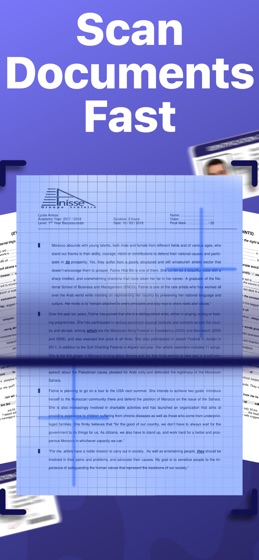
High-quality PDF scanning with automatic edge detection

Multi-page scanning with instant PDF creation

Import existing PDFs from Files, iCloud, Google Drive, Dropbox, and other cloud services

Organize pages efficiently with smart document management tools

Batch scanning and processing for multiple documents at once

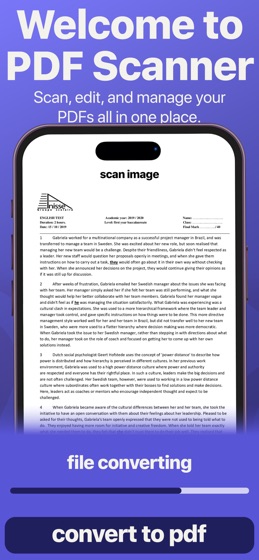
Convert images or photos into PDF format for easy archiving

Comprehensive PDF Editing Tools

Add, delete, rotate, reorder, or duplicate PDF pages effortlessly

Merge multiple PDFs into a single document

Professional page management controls for precise editing

Real-time preview of all edits before saving

Support for multiple file formats including PDF, JPG, and PNG

Powerful Annotation and Markup

Highlight, underline, or strikethrough text with custom colors

Insert text, shapes, and digital signatures for professional documents

Resize, reposition, or format annotations with complete flexibility

Ideal for contracts, reports, assignments, and other professional documents

OCR Text Extraction and Search

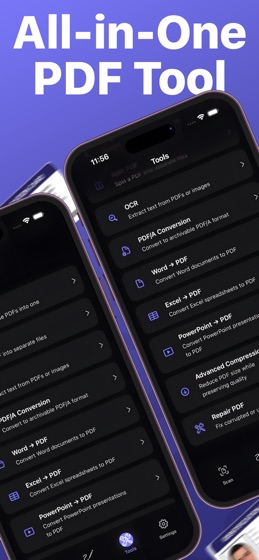
Convert scanned PDFs into searchable and editable text

Quickly search through extracted content within your PDFs

Export text for use in other applications or workflows

Essential for students, educators, and professionals managing documents

Professional Features for Every User

High-resolution PDF output for crisp, clear documents

Advanced PDF editing, annotation, and text extraction tools

Merge, compress, and convert PDFs with professional efficiency

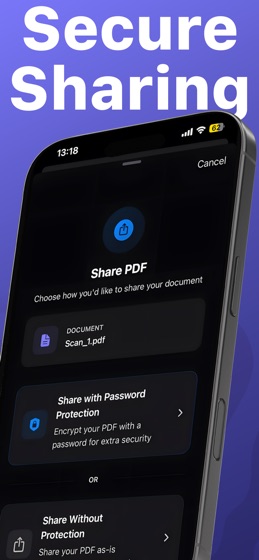
Secure and private handling of sensitive files

Designed for business professionals, students, and anyone needing robust PDF tools

Why Choose PDF Editing | PDF Scanner?

All-in-one PDF solution: scan, edit, annotate, and manage documents

Professional-grade PDF editor and OCR text extraction

Intuitive interface that is easy to navigate

Comprehensive annotation and markup capabilities

Seamless cloud backup and multi-device synchronization

Streamline your document workflow with a single, reliable app

Download PDF Editing | PDF Scanner today and transform your document workflow. Whether you need a PDF editor, PDF scanner, OCR tool, document organizer, or annotation app, this solution provides everything you need to manage, edit, and optimize your PDF documents efficiently and professionally.

you need a paid subscription. Prices may vary by country and are subject to change without notice. Prices are clearly displayed in the app.

Payment will be charged to your iTunes account at confirmation of purchase.

Your subscription will automatically renew unless auto-renew is turned off at least 24 hours before the end of the current period.

Your account will be charged for renewal within 24 hours before the end of the current period.

You can manage your subscriptions and turn off auto-renewal by going to your Account Settings in the iTunes Store.

If offered, if you choose to use our free trial, any unused portion of the free trial period will be forfeited when you purchase a subscription to that publication, where applicable.

Privacy Policy : https://sites.google.com/view/mohamed-lotfi-pp/home

Terms of Use: https://sites.google.com/view/mohamedlotfi-terms/home