GamerPad: Phone Gamepad
UtilitiesEntertainment

GamerPad: Phone Gamepad

Osman Furkan Guney · released 3 Nov 2025 · Open in App Store ↗

Revenue 30d not estimated
Downloads 30d not estimated
Rating 3.64 14 reviews

No in-app products collected for this app.

Rating
Turkey29%44.00
United States21%32.67
Cameroon7%15.00
Ghana7%15.00
Morocco7%15.00
Russia7%15.00
Slovakia7%11.00
Uganda7%11.00
Vietnam7%15.00
United Arab Emirates<1%0

The store shows a different set in every country

Description

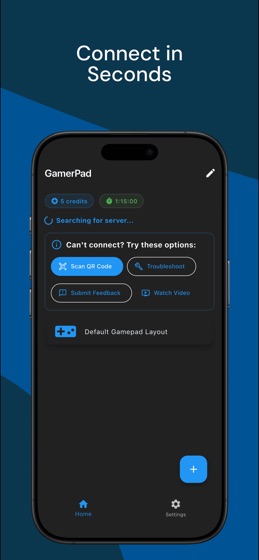
GamerPad turns your iPhone or iPad into a wireless gamepad for Windows PCs and supported Macs.

Unlike keyboard/mouse mapping tools, GamerPad is built for controller-supported games that expect gamepad input. Install the desktop companion, connect your phone and computer to the same Wi-Fi network, and start playing with a controller layout on your screen.

Key features:

Real virtual gamepad approach for Windows and supported Macs

Multiple phones can connect as separate controllers

Automatic desktop discovery on the same local network

QR code fallback when discovery is blocked by network settings

Dual joysticks, triggers, D-pad, and ABXY buttons

Custom layouts for different game genres

Forgiving touch controls that help trigger the intended button

Floating joystick behavior that starts where your thumb lands

Haptic feedback for button and game vibration where supported

Great for:

Steam games with controller support

Emulators and retro games

Racing games and platformers

Couch co-op and local multiplayer

Players who need an extra controller without buying hardware

Requirements:

GamerPad mobile app

GamerPad desktop companion for Windows or supported Macs

Phone and computer on the same local network

A game that accepts controller input

Gameplay input stays on your local network during pairing and play. Analytics, crash reporting, ads, and purchases are handled as described in the privacy policy.