Genie Strings
No in-app products collected for this app.
| Rating | |||
|---|---|---|---|
| India | 50%2 | 3.50 | |
| Ireland | 25%1 | 5.00 | |
| United States | 25%1 | 1.00 | |
| United Arab Emirates | <1%0 | — | |
| Afghanistan | <1%0 | — | |
| Antigua And Barbuda | <1%0 | — | |
| Anguilla | <1%0 | — | |
| Albania | <1%0 | — | |
| Armenia | <1%0 | — | |
| Angola | <1%0 | — |
Description
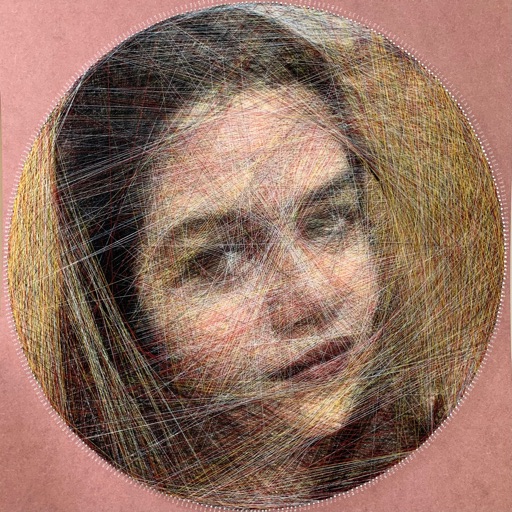
Transform any photo into stunning string art with AI enabled app Genie Strings — the most complete string portrait generator available. Whether you are creating a gift, a wall piece, or a craft project, Genie Strings calculates every thread path for you and delivers a precise nail-by-nail guide ready to follow.
Three Portrait Modes
Choose from Monochrome (single black thread), Greyscale (black and white for richer tones), or Color (up to 8 thread colours from the CMYK and RGB palette). Every mode produces a professional result from any photo.
Smart Image Editor
Prepare your photo before rendering with built-in brightness, contrast, sharpness, and saturation controls. Remove the background in one tap using on-device machine learning, then set a custom background colour with the HSV colour wheel. Pinch and drag to position your image precisely within the board frame before generating.
Three Board Shapes
Circle, Square, and Rectangle boards are all supported. Enter your board dimensions and nail spacing in centimetres and the app calculates the exact nail count automatically. Portrait and landscape orientations are both available for rectangle boards.
Advanced Monochrome Controls
Four precision controls give you complete creative command: Darkness sets overall portrait depth, Person Focus concentrates thread on dark areas, Shadow Richness layers depth into hair and shadows, and Fine Detail captures subtle mid-tones. The app analyses your photo and suggests starting values automatically.
Nail Layout PDF
Every purchase includes a to-scale nail layout PDF showing your board shape with every nail numbered and positioned exactly. Print at Actual Size and use it directly as your drilling or pinning guide — no measuring required.
Step-by-Step Thread Instructions
Your nail sequence is exported as a text file with clear colour-change instructions. Use it alongside the Genie Reader companion app to have your instructions read aloud while you string, keeping your hands free throughout the process.
My Templates
Every exported template and nail layout PDF is saved locally and in iCloud, accessible from My Templates at any time for resharing or reprinting.