Pulsy - Heart Rate & BP Log
No in-app products collected for this app.
| Rating | |||
|---|---|---|---|
| United States | 54%34 | 4.41 | |
| Australia | 8%5 | 4.60 | |
| Canada | 8%5 | 4.40 | |
| Brazil | 6%4 | 4.75 | |
| Italy | 5%3 | 5.00 | |
| Germany | 3%2 | 4.50 | |
| France | 3%2 | 5.00 | |
| Mexico | 3%2 | 5.00 | |
| Tonga | 3%2 | 4.50 | |
| Albania | 2%1 | 5.00 | |
| Egypt | 2%1 | 5.00 | |
| United Kingdom | 2%1 | 5.00 | |
| Mongolia | 2%1 | 5.00 |
Description
Pulsy helps you track your blood pressure, measure your heart rate, and stay on top of your cardiovascular health with detailed insights and trends.
HOW IT WORKS
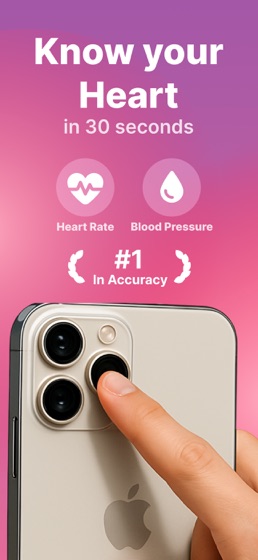
1. Measure your heart rate by placing your fingertip on the iPhone camera
2. Log your blood pressure readings (systolic, diastolic, and pulse)
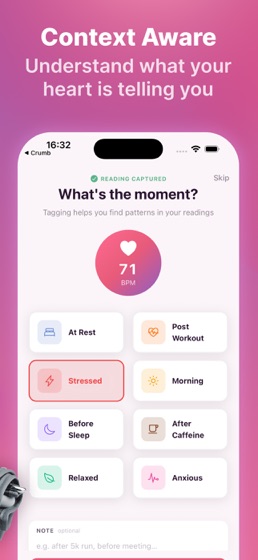
3. Add context to each recording — resting, post-workout, stressed, and more
4. Track your history over time and monitor trends
PERFECT FOR
Anyone who wants to track blood pressure and heart rate together
People managing hypertension with regular blood pressure monitoring
Fitness enthusiasts monitoring cardiovascular health after workouts
Anyone looking for a simple, clean tool to log and understand their vitals
KEY FEATURES
Heart Rate Measurement: Measure your pulse using your iPhone camera and fingertip
Blood Pressure Logging: Record systolic, diastolic, and pulse with intuitive input
Contextual Tags: Label each recording as resting, post-workout, stressed, morning, and more
Notes: Add personal notes to any recording for extra context
Trend Analysis: Visual charts to spot patterns over days, weeks, and months
Learn Section: Articles and guides to better understand your heart health
Daily Reminders: Set reminders so you never miss a reading
Recording History: Browse and review all your past measurements
Clean, easy-to-use interface
IMPORTANT
Pulsy is not a medical device and does not provide medical advice or diagnosis. The app is intended for informational and personal record-keeping purposes only.
Terms of Use: https://www.apple.com/legal/internet-services/itunes/dev/stdeula/