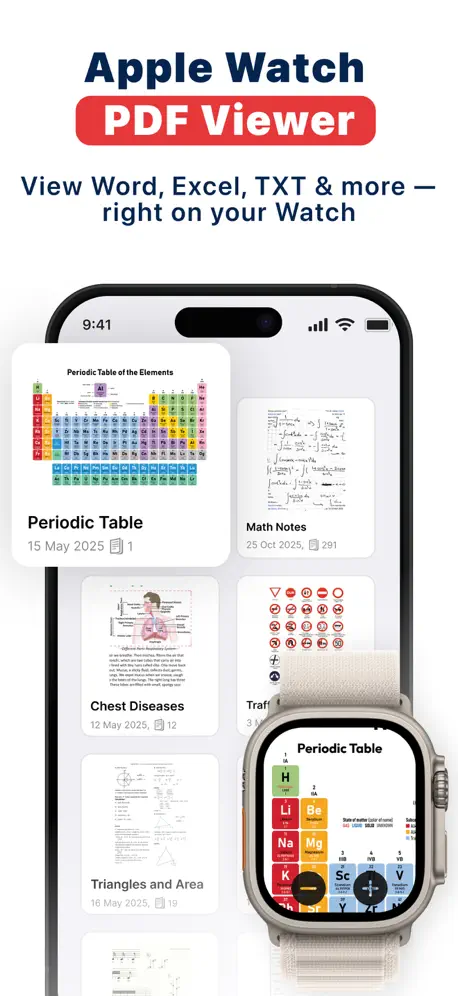
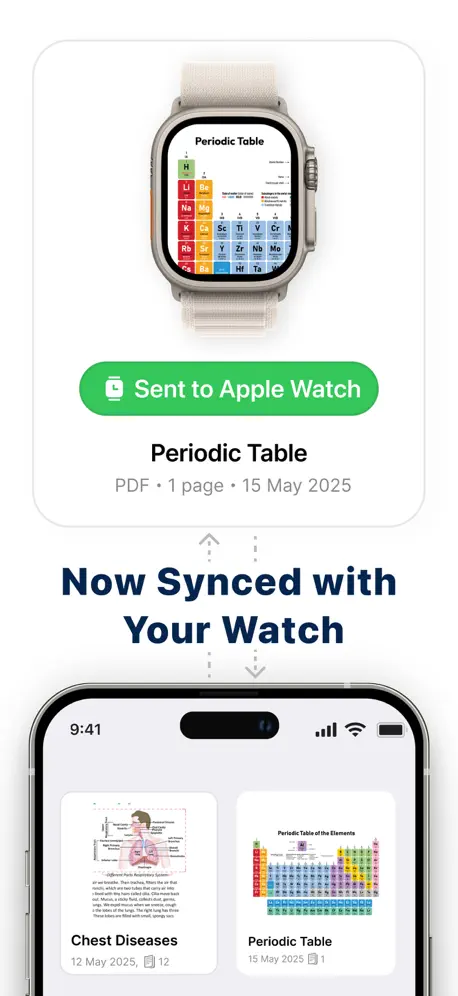
PDF Watch Viewer : WristDocs
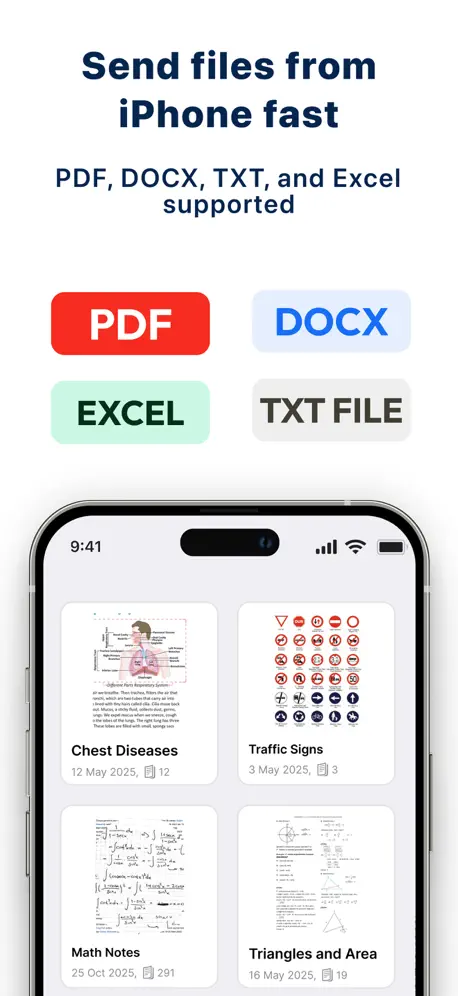
View & Read DOCX, TXT & Excel
How much does PDF Watch Viewer : WristDocs cost?
Prices are current as of 1 Oct 2026.
5 subscriptions from $4.99
In the United States, PDF Watch Viewer : WristDocs has 5 subscriptions priced $4.99 – 29.99. It comes with a 3 days free trial.
| Subscription | Period | Price |
|---|---|---|
| Weekly Subscription | WeeklyTrial: 3 days | $4.99 – 6.99 |
| Monthly Subscription | Monthly | $9.99 |
| WristDocs Six Months Premium | 6 months | $9.99 |
| 6-Month Premium | 6 months | $14.99 |
| Annual Subscription | Annual | $19.99 – 29.99 |
2 one-time purchases from $29.99
In the United States, PDF Watch Viewer : WristDocs has 2 one-time purchases priced $29.99 – 59.99.
| Product | Price |
|---|---|
| Lifetime Access | $29.99 |
| Lifetime Premium Access | $59.99 |
See what PDF Watch Viewer : WristDocs costs in all 174 countries →
10+ alternatives to PDF Watch Viewer : WristDocs
| PDF Watch Viewer : WristDocs |   Introvert: self-development Introvert: self-development |   Weeklie: Class Timetable Weeklie: Class Timetable |   Кампус - Расписание занятий Кампус - Расписание занятий |   EZsheet — Exam Answers EZsheet — Exam Answers |   ЕГЭ Тренажер: задания и ответы ЕГЭ Тренажер: задания и ответы | 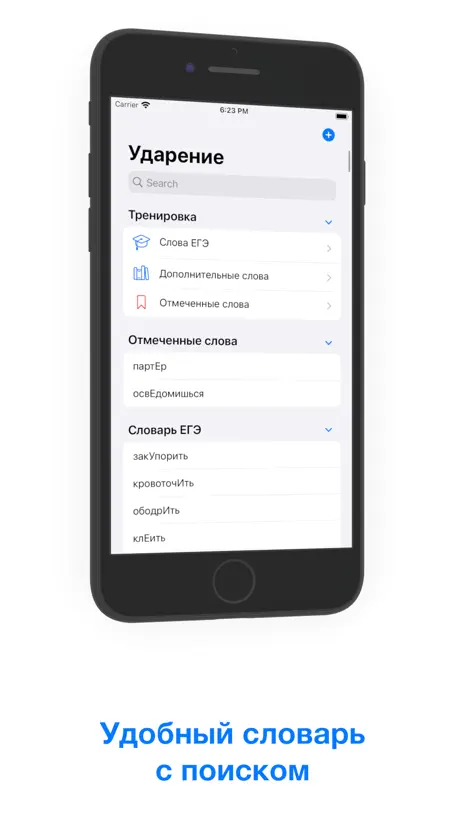  Ударение – подготовка к ЕГЭ Ударение – подготовка к ЕГЭ | 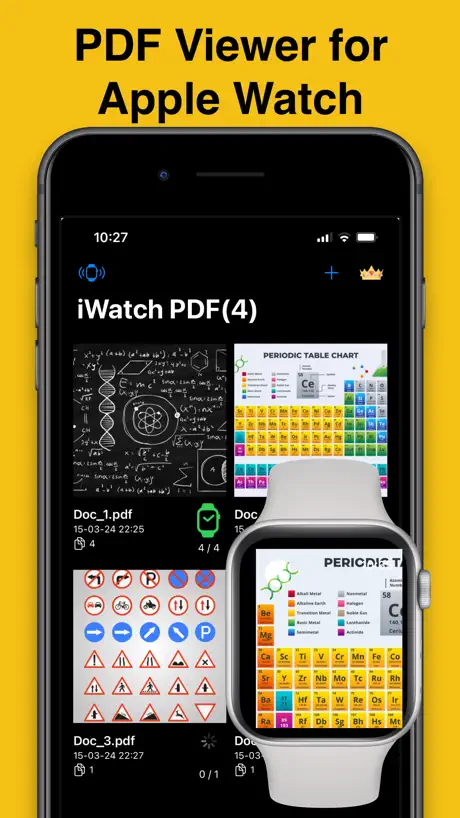  iWatch PDF - Viewer & Reader iWatch PDF - Viewer & Reader | 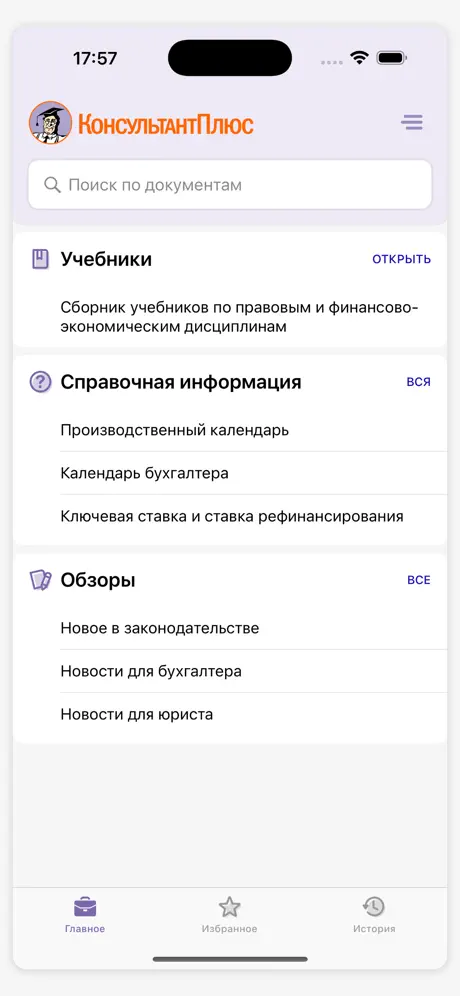  КонсультантПлюс: Студент КонсультантПлюс: Студент |   iMathematics - Math Solver iMathematics - Math Solver |   Дневач - Расписание занятий Дневач - Расписание занятий | |
|---|---|---|---|---|---|---|---|---|---|---|---|
| Rating / 5 | 4.5 | 4.7 | 4.6 | 4.3 | 4.8 | 4.7 | 4.8 | 3.6 | 4.7 | 3.6 | 4.0 |
| Reviews | 3K | 21K | 7.3K | 3.4K | 3.4K | 1.2K | 1.1K | 707 | 693 | 681 | 242 |
| Released | 2025 | 2021 | 2014 | 2020 | 2020 | 2024 | 2020 | 2024 | 2012 | 2010 | 2021 |
| Weekly price | $4.99 | — | — | — | $0.99 | — | — | $3.99 | — | — | — |
| Monthly price | $9.99 | $6.99 | — | — | $1.99 | — | — | $7.99 | — | $1.49 | — |
| 3-month price | — | — | — | — | $4.99 | — | — | — | — | $5.99 | — |
| Annual price | $19.99 | $49.99 | — | — | — | — | — | $34.99 | — | $11.99 | — |
| One-time price | $29.99 | $9.99 | $1.99 | — | $0.99 | — | — | $29.99 | — | $26.99 | — |
The going rate for each plan in United States, in its own currency, shaded from the cheapest price on the row to the dearest. Plans fewer than four in ten of the priced apps sell are left out.
PDF Watch Viewer : WristDocs reviews
4.5 out of 5, based on 3,036 reviews.
What people like
- Support actually helps when you ask
- Great for quick study on watch
- Loads PDFs very speedily
What they complain about
- Paywalls hide features after one use
- App crashes and loses your files
- Subscription charges keep reappearing daily
Решение поддержкой проблем
Здравствуйте! Хотелось бы поделиться своим мнением об этом приложении. Недавно мне понадобилось найти способ перекинуть PDF-файл на Apple Watch. И тут у меня возникли некоторые трудности 😅 Я перепробовала все доступные приложения на своих часах, но оказалось, что часть из них была с платной подпиской: можно было бесплатно отправить только 3 или 10 страниц, а для большего количества требовалась подписка. Другая часть приложений попросту не работала. С этим приложением у меня тоже сначала возникла проблема: никак не получалось перекинуть файл - загрузка длилась слишком долго, а процент загруженного файла вообще не менялся. Я уже думала удалить приложение, но решила попробовать обратиться в поддержку. Мне ответили не сразу, но спустя пару часов помогли решить проблему, и файл успешно загрузился на часы 😊 Спасибо большое за помощь и за такое полезное приложение! 🙏🏻
Бессмысленное и некачественное приложение
В самый важный момент приложение вам напишет «ошибка переноса», даже если вы будете подключены к интернету, даже если вы заранее проверите постранично все перенесенные документы, даже если вы купите платный доступ. Абсолютно не советую тратить на это деньги, у вас не получится воспользоваться этим приложением, если тут же вы не сможете зайти в телефон и что-то попытаться поправить. Обнуляет память и все забывает. Выброшенные деньги
Gratuità
Fino ad ora ho caricato due pdf e funzionano
Денежные средства
Сегодня установила приложение, оплатила Подписку доступа навсегда, деньги Списались, прошло меньше суток, это вообще как так?) поддержка не отвечает, не выходит на связь. Очередные мошенники?
Esta bien pero podría ser mejor
Es una muy buena aplicación para lectura de archivos en el reloj, lo malo que es de paga y eso le resta muchos puntos
Все хорошо работает
Очень хорошее приложение, на экзамене в вузах если телефоны собирают, увеличивает очень хорошо документы, желаю лишь процветания!!!
Невозможно использовать
Невозможно использовать приложение с акком рф. Подписку оформить вариантов нет, и просматривать файлы тоже нельзя без нее)))
Обман
Оплатил подписку на 6 месяцев, захожу через день требует снова оплатить подписку
Не работает часть функционала
Доброго времени суток созидатель этого приложения и все люди читающие этот отзыв. Хвалить тут почти нечего, радует что модно хотя бы пдф бесплатно на часы отправлять. На этом все, купил подписку сразу на весь период и очень жалею, поиск текста в файле не работает (точнее работает, но больше похоже на иллюзию, что то грузит как будто что то ищет, а на деле ноль). Пытался загрузить вордовский файл весит больше 40 мб и приложение просто не дает его загрузить пишет что возникла проблема и уже решается, а по сути ничего не происходит. Верните деньги за подписку, эти 2000 вообще себя не оправдали
bugs
used to work fantastically, now when i go to upload photos, it only lets me do 1 instead of 5, even though it says i can upload up to 5 videos. the app doesn’t need an update & neither does my phone or watch, so this is not an issue on my end! very frustrating.
Отличное приложение
Большое спасибо тех поддержке, очень быстро помогают, все отлично работает, можно смотреть файлы на часах
Бесполезно
За любой функционал просит деньги
Poderia ser melhor
Gostei do app, mas tenho duas sugestões: 1) façam que a Digital Crown possa passar as páginas, e não só dar zoom no documento; 2) quando for procurar uma palavra no documento, que essa palavra fique destacada no texto.
لازم تشترك عشان تفتح الملف مرة ثانيه على الساعة
٢
Качество
По братский сделайте нормальное качество фотки когда увеличиваю документ то качество теряется
Useful
Finally i found something than i can upload my files and i can search as well to find specific part of my note
Без подписки делать нечего
Все дорого
Nice app
.
Странно работает
Перенёс файлы на Apple watch, пытаюсь открыть, вылазит предложение покупки подписки. Попробовать видимо нельзя(пробовал перенести PDF файл)
Лучшее приложение на рынке
Вы лучше , ваши конкуренты отстой
Power user
Ok hi , so im a heavy user of this app. I purchased it to test it out but i face 2 main issues The restore purchase needs to be hit daily And most important of all… a pdf once sent to you device will not send all the pages… it sends many 10 random pages and then youll have to keep refreshing so the offline capability is non existent. Keep in mind the reload time is very slow. I will change my review upon your kind acknowledgment of my review , till then its not worked as desired.
Хорошее, но нестабильное
После нескольких использований приложения, стало вылетать из него при входе. Лечится только переустановкой, но при этом теряешь все файлы закаченные на часы, а на это уходил час. Кароче приложение нестабильное на одно использование с последующей переустановкой всегда. К тому же было бы удобно если можно было менять название слайдов, чтобы проще ориентироваться
ممتاز | Excellent
⭐️⭐️⭐️⭐️⭐️ التطبيق ممتاز ويعمل مع الايفون وساعة ابل فقط في الاستخدام بالساعة فقط عند تكبير الصورة في الساعة تختلف اتجاهات التنقل يمين ، يسار ، اعلى ، اسفل تصبح جميها عكس الاتجاه اتمنى من المطورين حل هذي الملاحظة باسرع وقت ممكن وشكراً. ⭐️⭐️⭐️⭐️⭐️ The app is excellent and works with iPhone and Apple Watch Just In Apple Watch use only When the image is enlarged Apple Watch, the directions of the movement are different right, left, up, down All of them become the opposite direction I hope the developers solve this note as soon as possible And thank you.
waste of time
it wants you to subscribe to view the PDF even if only one PDF is uploaded. the PDF gets uploaded but when you open it on the watch it asks you to subscribe
без преувеличений, я в восторге
раньше списывала через фотки или вк, но было не удобно; это приложение- пророоосто открытие; жалею, что не знала о нем раньше
Not transparent
You might as well just have to pay for the app. You can only do one file before they make you pay for it. And they’re not clear on what exactly is in the premium vs non premium features
Лучше приложение для чтение PDF на рынке
Отличное приложение, очень порадовала тех.поддержка которая прислушивается к пользователям!
Does not work - Fake marketing
Does not transfer the documents to watch even after purchasing premium. Refund my money back, you fraudsters…
Great app
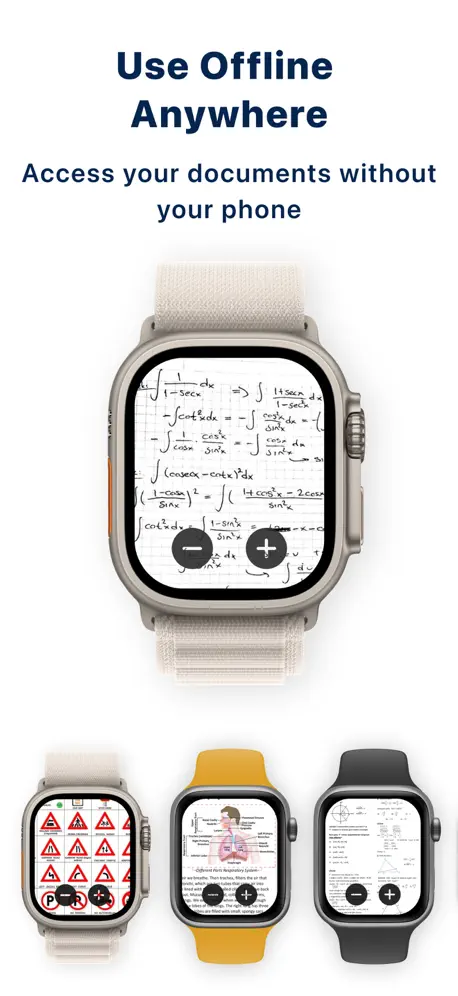
I didn’t usually download random apps before but this is fantastic and does what it says, got it today and has loaded pdfs very speedily. Niche case for a power user and learning aficionado like me. So I can learn on my watch instead of looking rude and pulling out my phone in public
Issue with subscription
After opting for lifetime subscription it’s again asking for subscribe.
Полезно и просто
Все замечательно работает, пользуюсь пару дней. Без проблем перенес файлы с телефона на часы, удобно получается, когда нужно что-то быстро посмотреть. Спасибо
Даже не скачивайте
Хотят 50 баксов в неделю
PDF Watch Viewer : WristDocs price by country
A weekly subscription costs $2.71 in the Philippines and $7.55 in Switzerland — 3× more for the same thing. Below is the going rate for each plan in every country that sells it — the middle price of what the app charges there, in the country's own currency with the dollar equivalent beneath it.
| Country | Weekly | Monthly | 6 months | Annual | One-time |
|---|---|---|---|---|---|
| Afghanistan | $2.99 | $5.99 | $8.99 | $11.99 | $20.99 |
| Albania | $3.99 | $5.99 | $9.99 | $11.99 | $17.99 |
| Algeria | $2.99 | $4.99 | $7.99 | $9.99 | $14.99 |
| Angola | $2.99 | $4.99 | $7.99 | $9.99 | $14.99 |
| Anguilla | $2.99 | $5.99 | $8.99 | $11.99 | $20.99 |
| Antigua And Barbuda | $2.99 | $4.99 | $7.99 | $9.99 | $14.99 |
| Argentina | $2.99 | $5.99 | $8.99 | $12.99 | $20.99 |
| Armenia | $4.99 | $9.99 | $11.99 | $19.99 | $34.99 |
| Australia | A$5.99$4.19 | A$11.99$8.38 | A$14.99$10.48 | A$23.99$16.78 | A$40.99$28.66 |
| Austria | €4.99$5.66 | €9.99$11.33 | €9.99$11.33 | €19.99$22.66 | €34.99$39.67 |
| Azerbaijan | $4.99 | $9.99 | $11.99 | $19.99 | $34.99 |
| Bahamas | $2.99 | $5.99 | $8.99 | $11.99 | $20.99 |
| Bahrain | $2.99 | $4.99 | $6.99 | $9.99 | $19.99 |
| Barbados | $2.99 | $5.99 | $8.99 | $11.99 | $20.99 |
| Belarus | $2.99 | $4.99 | $7.99 | $10.99 | $19.99 |
| Belgium | €4.99$5.66 | €9.99$11.33 | €9.99$11.33 | €19.99$22.66 | €34.99$39.67 |
| Belize | $2.99 | $5.99 | $8.99 | $11.99 | $20.99 |
| Benin | $3.99 | $5.99 | $9.99 | $11.99 | $17.99 |
| Bermuda | $2.99 | $5.99 | $8.99 | $11.99 | $20.99 |
| Bhutan | $2.99 | $4.99 | $7.99 | $9.99 | $14.99 |
| Bolivia | $2.99 | $5.99 | $8.99 | $11.99 | $20.99 |
| Bosnia & Herzegovina | €2.99$3.39 | €5.99$6.79 | €8.99$10.19 | €9.99$11.33 | €17.99$20.40 |
| Botswana | $4.99 | $9.99 | $9.99 | $19.99 | $34.99 |
| Brazil | R$15.99$3.09 | R$26.99$5.21 | R$37.99$7.33 | R$64.99$12.55 | R$109.00$21.04 |
| British Virgin Islands | $2.99 | $5.99 | $8.99 | $11.99 | $20.99 |
| Brunei Darussalam | $2.99 | $4.99 | $7.99 | $9.99 | $14.99 |
| Bulgaria | €3.99$4.52 | €8.49$9.63 | €9.99$11.33 | €8.19$9.29 | €29.99$34.00 |
| Burkina Faso | $2.99 | $4.99 | $7.99 | $9.99 | $14.99 |
| Cambodia | $2.99 | $4.99 | $8.99 | $9.99 | $14.99 |
| Cameroon | $4.99 | $9.99 | $11.99 | $19.99 | $34.99 |
| Canada | CA$4.99$3.51 | CA$9.99$7.04 | CA$12.99$9.15 | CA$19.99$14.08 | CA$34.99$24.64 |
| Cape Verde | $2.99 | $4.99 | $7.99 | $9.99 | $14.99 |
| Cayman Islands | $2.99 | $5.99 | $8.99 | $11.99 | $20.99 |
| Chad | $2.99 | $4.99 | $7.99 | $9.99 | $14.99 |
| Chile | CLP 2,890$2.99 | CLP 4,700$4.86 | CLP 6,590$6.81 | CLP 9,500$9.82 | CLP 19,490$20.15 |
| China | CN¥21.00$3.13 | CN¥35.80$5.33 | CN¥50.00$7.44 | CN¥67.00$9.97 | CN¥98.00$14.58 |
| Colombia | COP 11,900$3.53 | COP 20,000$5.94 | COP 28,000$8.32 | COP 31,500$9.36 | COP 80,000$23.76 |
| Congo | $2.99 | $4.99 | $7.99 | $11.99 | $14.99 |
| Congo, Democratic Republic | $2.99 | $4.99 | $7.99 | $9.99 | $14.99 |
| Costa Rica | $2.99 | $5.99 | $8.99 | $11.99 | $20.99 |
| Cote Divoire | $4.99 | $9.99 | $11.99 | $19.99 | $34.99 |
| Croatia | €3.99$4.63 | €8.99$10.44 | €9.99$11.60 | €16.99$19.73 | €29.99$34.83 |
| Cyprus | €2.99$3.39 | €5.99$6.79 | €8.99$10.19 | €9.99$11.33 | €17.99$20.40 |
| Czech Republic | CZK 74.99$3.61 | CZK 149.99$7.21 | CZK 229.00$11.01 | CZK 299.99$14.42 | CZK 549.99$26.44 |
| Denmark | DKK 49.00$7.44 | DKK 99.00$15.02 | DKK 89.00$13.51 | DKK 199.00$30.20 | DKK 349.00$52.96 |
| Dominica | $2.99 | $5.99 | $8.99 | $11.99 | $20.99 |
| Dominican Republic | $2.99 | $5.99 | $8.99 | $11.99 | $20.99 |
| Ecuador | $2.99 | $5.99 | $8.99 | $11.99 | $20.99 |
| Egypt | EGP 144.99$2.85 | EGP 249.99$4.91 | EGP 349.99$6.88 | EGP 679.99$13.37 | EGP 969.99$19.07 |
| El Salvador | $2.99 | $5.99 | $8.99 | $11.99 | $20.99 |
| Estonia | €3.99$4.52 | €8.99$10.19 | €9.99$11.33 | €16.99$19.26 | €29.99$34.00 |
| Fiji | $2.99 | $4.99 | $7.99 | $9.99 | $14.99 |
| Finland | €4.99$5.66 | €10.99$12.46 | €9.99$11.33 | €21.99$24.93 | €37.99$43.07 |
| France | €4.99$5.66 | €9.99$11.33 | €9.99$11.33 | €19.99$22.66 | €34.99$39.67 |
| Gabon | $2.99 | $4.99 | $7.99 | $9.99 | $14.99 |
| Gambia | $2.99 | $4.99 | $7.99 | $9.99 | $14.99 |
| Georgia | $4.99 | $9.99 | $11.99 | $19.99 | $34.99 |
| Germany | €4.99$5.66 | €9.99$11.33 | €9.99$11.33 | €19.99$22.66 | €34.99$39.67 |
| Ghana | $3.99 | $5.99 | $9.99 | $11.99 | $17.99 |
| Greece | €3.99$4.52 | €8.99$10.19 | €9.99$11.33 | €16.99$19.26 | €29.99$34.00 |
| Grenada | $2.99 | $5.99 | $8.99 | $11.99 | $20.99 |
| Guatemala | $2.99 | $5.99 | $8.99 | $11.99 | $20.99 |
| Guinea-bissau | $4.99 | $9.99 | $9.99 | $19.99 | $34.99 |
| Guyana | $2.99 | $5.99 | $8.99 | $11.99 | $20.99 |
| Honduras | $2.99 | $5.99 | $8.99 | $11.99 | $20.99 |
| Hong Kong | HK$29.00$3.69 | HK$57.00$7.26 | HK$86.00$10.96 | HK$113.00$14.39 | HK$200.00$25.48 |
| Hungary | HUF 1,000$3.09 | HUF 1,700$5.25 | HUF 2,450$7.57 | HUF 3,250$10.05 | HUF 6,790$20.99 |
| Iceland | $3.99 | $5.99 | $9.99 | $11.99 | $17.99 |
| India | ₹265.00$2.76 | ₹429.00$4.47 | ₹599.00$6.24 | ₹959.00$9.98 | ₹1,750.00$18.22 |
| Indonesia | IDR 49,000$2.73 | IDR 81,000$4.51 | IDR 113,000$6.30 | IDR 178,000$9.92 | IDR 329,000$18.33 |
| Iraq | $2.99 | $4.99 | $7.99 | $9.99 | $14.99 |
| Ireland | €4.99$5.66 | €9.99$11.33 | €9.99$11.33 | €19.99$22.66 | €34.99$39.67 |
| Israel | ₪16.90$5.50 | ₪33.50$10.91 | ₪34.90$11.37 | ₪60.90$19.84 | ₪117.90$38.40 |
| Italy | €4.99$5.66 | €9.99$11.33 | €9.99$11.33 | €19.99$22.66 | €34.99$39.67 |
| Jamaica | $2.99 | $5.99 | $8.99 | $11.99 | $20.99 |
| Japan | ¥490$3.11 | ¥980$6.23 | ¥1,470$9.34 | ¥1,960$12.45 | ¥3,400$21.60 |
| Jordan | $2.99 | $4.99 | $6.99 | $9.99 | $19.99 |
| Kazakhstan | KZT 1,790.00$4.07 | KZT 2,990.00$6.80 | KZT 4,990.00$11.35 | KZT 5,990.00$13.63 | KZT 8,990.00$20.45 |
| Kenya | $4.99 | $9.99 | $11.99 | $19.99 | $34.99 |
| Kosovo | €2.99$3.39 | €5.99$6.79 | €8.99$10.19 | €9.99$11.33 | €17.99$20.40 |
| Kuwait | $2.99 | $4.99 | $6.99 | $9.99 | $19.99 |
| Kyrgyzstan | $4.99 | $9.99 | $9.99 | $19.99 | $34.99 |
| Lao Peoples Democratic Republic | $2.99 | $5.99 | $8.99 | $11.99 | $20.99 |
| Latvia | €3.99$4.52 | €8.99$10.19 | €9.99$11.33 | €16.99$19.26 | €29.99$34.00 |
| Lebanon | $2.99 | $4.99 | $7.99 | $9.99 | $14.99 |
| Liberia | $2.99 | $4.99 | $7.99 | $9.99 | $14.99 |
| Libya | $2.99 | $4.99 | $7.99 | $9.99 | $14.99 |
| Lithuania | €3.99$4.52 | €8.99$10.19 | €9.99$11.33 | €16.99$19.26 | €29.99$34.00 |
| Luxembourg | €4.99$5.66 | €9.99$11.33 | €9.99$11.33 | €19.99$22.66 | €34.99$39.67 |
| Macao | $2.99 | $6.99 | $9.99 | $13.99 | $23.99 |
| Macedonia | $4.99 | $9.99 | $9.99 | $19.99 | $34.99 |
| Madagascar | $4.99 | $9.99 | $9.99 | $19.99 | $34.99 |
| Malawi | $2.99 | $4.99 | $7.99 | $9.99 | $14.99 |
| Malaysia | MYR 12.99$3.18 | MYR 20.99$5.14 | MYR 29.99$7.35 | MYR 40.99$10.05 | MYR 84.90$20.81 |
| Maldives | $2.99 | $4.99 | $7.99 | $9.99 | $14.99 |
| Mali | $4.99 | $9.99 | $9.99 | $19.99 | $34.99 |
| Malta | €3.99$4.52 | €8.99$10.19 | €9.99$11.33 | €16.99$19.26 | €29.99$34.00 |
| Mauritania | $2.99 | $4.99 | $7.99 | $9.99 | $14.99 |
| Mauritius | $4.99 | $9.99 | $11.99 | $19.99 | $34.99 |
| Mexico | MX$59.00$3.27 | MX$117.00$6.49 | MX$176.00$9.77 | MX$235.00$13.04 | MX$410.00$22.75 |
| Micronesia | $2.99 | $4.99 | $7.99 | $9.99 | $14.99 |
| Moldova | $4.99 | $9.99 | $11.99 | $19.99 | $34.99 |
| Mongolia | $2.99 | $4.99 | $7.99 | $9.99 | $14.99 |
| Montenegro | €3.99$4.52 | €8.99$10.19 | €9.99$11.33 | €16.99$19.26 | €29.99$34.00 |
| Montserrat | $2.99 | $4.99 | $7.99 | $9.99 | $14.99 |
| Morocco | $4.99 | $9.99 | $9.99 | $19.99 | $34.99 |
| Mozambique | $4.99 | $9.99 | $9.99 | $19.99 | $34.99 |
| Myanmar | $2.99 | $4.99 | $7.99 | $9.99 | $14.99 |
| Namibia | $2.99 | $4.99 | $7.99 | $9.99 | $14.99 |
| Nauru | $2.99 | $4.99 | $7.99 | $9.99 | $14.99 |
| Nepal | $3.99 | $5.99 | $9.99 | $11.99 | $17.99 |
| Netherlands | €4.99$5.66 | €9.99$11.33 | €9.99$11.33 | €19.99$22.66 | €34.99$39.67 |
| New Zealand | NZ$7.99$4.51 | NZ$14.99$8.47 | NZ$19.99$11.29 | NZ$30.99$17.51 | NZ$53.99$30.50 |
| Nicaragua | $2.99 | $5.99 | $8.99 | $11.99 | $20.99 |
| Niger | $4.99 | $9.99 | $9.99 | $19.99 | $34.99 |
| Nigeria | NGN 4,900.00$3.69 | NGN 7,900.00$5.95 | NGN 12,900.00$9.72 | NGN 14,900.00$11.23 | NGN 24,900.00$18.76 |
| Norway | NOK 63.00$6.56 | NOK 125.00$13.02 | NOK 129.00$13.44 | NOK 255.00$26.56 | NOK 445.00$46.35 |
| Oman | $2.99 | $4.99 | $6.99 | $9.99 | $19.99 |
| Pakistan | PKR 900$3.25 | PKR 1,300$4.70 | PKR 2,200$7.95 | PKR 2,900$10.47 | PKR 3,900$14.09 |
| Palau | $2.99 | $4.99 | $7.99 | $9.99 | $14.99 |
| Panama | $2.99 | $5.99 | $8.99 | $11.99 | $20.99 |
| Papua New Guinea | $2.99 | $4.99 | $7.99 | $9.99 | $14.99 |
| Paraguay | $2.99 | $5.99 | $8.99 | $11.99 | $20.99 |
| Peru | PEN 9.99$2.90 | PEN 20.99$6.10 | PEN 30.99$9.01 | PEN 39.99$11.63 | PEN 74.99$21.80 |
| Philippines | ₱170.00$2.71 | ₱280.00$4.46 | ₱395.00$6.30 | ₱779.00$12.42 | ₱1,140.00$18.17 |
| Poland | PLN 10.99$2.85 | PLN 19.99$5.19 | PLN 29.99$7.79 | PLN 39.99$10.39 | PLN 72.99$18.96 |
| Portugal | €2.99$3.39 | €6.99$7.93 | €9.99$11.33 | €13.99$15.86 | €23.99$27.20 |
| Qatar | QAR 10.99$3.02 | QAR 17.99$4.94 | QAR 26.99$7.41 | QAR 35.99$9.89 | QAR 72.99$20.05 |
| Romania | RON 21.99$4.73 | RON 42.99$9.25 | RON 49.99$10.75 | RON 91.99$19.78 | RON 151.99$32.69 |
| Russia | RUB 249.00$2.96 | RUB 449.00$5.34 | RUB 699.00$8.32 | RUB 899.00$10.69 | RUB 1,290.00$15.35 |
| Rwanda | $2.99 | $4.99 | $7.99 | $9.99 | $14.99 |
| Sao Tome & Principe | $2.99 | $4.99 | $7.99 | $9.99 | $14.99 |
| Saudi Arabia | SAR 10.99$2.93 | SAR 19.99$5.33 | SAR 29.99$8.00 | SAR 39.99$10.66 | SAR 74.99$20.00 |
| Senegal | $4.99 | $9.99 | $11.99 | $19.99 | $34.99 |
| Serbia | €2.99$3.39 | €5.99$6.79 | €8.99$10.19 | €9.99$11.33 | €17.99$20.40 |
| Seychelles | $2.99 | $4.99 | $7.99 | $9.99 | $14.99 |
| Sierra Leone | $2.99 | $4.99 | $7.99 | $9.99 | $14.99 |
| Singapore | SGD 4.99$3.90 | SGD 9.99$7.80 | SGD 14.98$11.70 | SGD 19.99$15.62 | SGD 34.95$27.30 |
| Slovakia | €3.99$4.52 | €8.99$10.19 | €9.99$11.33 | €16.99$19.26 | €29.99$34.00 |
| Slovenia | €3.99$4.52 | €8.99$10.19 | €9.99$11.33 | €16.99$19.26 | €29.99$34.00 |
| Solomon Islands | $2.99 | $4.99 | $7.99 | $9.99 | $14.99 |
| South Africa | ZAR 59.99$3.76 | ZAR 99.99$6.27 | ZAR 149.99$9.40 | ZAR 199.99$12.53 | ZAR 299.99$18.80 |
| South Korea | ₩4,100$3.03 | ₩8,100$5.98 | ₩12,100$8.94 | ₩16,200$11.97 | ₩28,500$21.05 |
| Spain | €4.99$5.66 | €9.99$11.33 | €9.99$11.33 | €19.99$22.66 | €34.99$39.67 |
| Sri Lanka | $2.99 | $4.99 | $7.99 | $9.99 | $14.99 |
| St. Kitts and Nevis | $2.99 | $4.99 | $7.99 | $9.99 | $14.99 |
| St. Lucia | $2.99 | $4.99 | $7.99 | $9.99 | $14.99 |
| St. Vincent & The Grenadines | $2.99 | $5.99 | $8.99 | $11.99 | $20.99 |
| Suriname | $2.99 | $4.99 | $8.99 | $9.99 | $14.99 |
| Swaziland | $2.99 | $4.99 | $7.99 | $9.99 | $14.99 |
| Sweden | SEK 54.00$5.41 | SEK 109.00$10.91 | SEK 129.00$12.91 | SEK 215.00$21.52 | SEK 379.00$37.94 |
| Switzerland | CHF 6.30$7.55 | CHF 12.50$14.99 | CHF 9.00$10.79 | CHF 25.50$30.58 | CHF 44.50$53.36 |
| Taiwan | NT$90.00$2.83 | NT$150.00$4.71 | NT$225.00$7.07 | NT$320.00$10.05 | NT$610.00$19.16 |
| Tajikistan | $4.99 | $9.99 | $9.99 | $19.99 | $34.99 |
| Tanzania | TZS 9,900.00$3.79 | TZS 14,900.00$5.70 | TZS 22,900.00$8.76 | TZS 29,900.00$11.43 | TZS 39,900.00$15.26 |
| Thailand | THB 95.00$2.83 | THB 160.00$4.77 | THB 229.00$6.82 | THB 335.00$9.98 | THB 649.00$19.33 |
| Tonga | $2.99 | $4.99 | $7.99 | $9.99 | $14.99 |
| Trinidad and Tobago | $2.99 | $5.99 | $8.99 | $11.99 | $20.99 |
| Tunisia | $4.99 | $9.99 | $9.99 | $19.99 | $34.99 |
| Turkmenistan | $4.99 | $9.99 | $9.99 | $19.99 | $34.99 |
| Turks and Caicos | $2.99 | $4.99 | $7.99 | $9.99 | $14.99 |
| Uganda | $4.99 | $9.99 | $11.99 | $19.99 | $34.99 |
| Ukraine | $4.99 | $9.99 | $11.99 | $19.99 | $34.99 |
| United Arab Emirates | AED 10.99$2.99 | AED 19.99$5.45 | AED 29.99$8.17 | AED 39.99$10.90 | AED 72.99$19.89 |
| United Kingdom | £4.99$6.60 | £9.99$13.21 | £9.99$13.21 | £19.99$26.44 | £34.99$46.28 |
| United States | $4.99 | $9.99 | $9.99 | $19.99 | $29.99 |
| Uruguay | $2.99 | $5.99 | $8.99 | $11.99 | $20.99 |
| Uzbekistan | $4.99 | $9.99 | $9.99 | $19.99 | $34.99 |
| Vanuatu | $2.99 | $4.99 | $7.99 | $9.99 | $14.99 |
| Venezuela | $2.99 | $5.99 | $8.99 | $11.99 | $20.99 |
| Vietnam | ₫79,000$3.05 | ₫130,000$5.01 | ₫180,000$6.94 | ₫260,000$10.03 | ₫529,000$20.40 |
| Yemen | $2.99 | $4.99 | $7.99 | $9.99 | $14.99 |
| Zambia | $3.99 | $5.99 | $9.99 | $11.99 | $17.99 |
| Zimbabwe | $3.99 | $5.99 | $9.99 | $11.99 | $17.99 |
PDF Watch Viewer : WristDocs FAQ
- Is PDF Watch Viewer : WristDocs free?
- Yes. The app and its basic features are free, in all 174 countries it sells in. Premium features are paid: they start from $4.99 (US), across 5 subscriptions and 2 one-time purchases.
- How much does PDF Watch Viewer : WristDocs cost per month?
- Monthly Subscription is $9.99 (US). The annual plan works out cheaper per month: $19.99 – 29.99 a year.
- Does PDF Watch Viewer : WristDocs have a free trial?
- Yes — a 3 days free trial (US).
- Where is PDF Watch Viewer : WristDocs cheapest?
- A weekly subscription costs ₱170.00 (≈$2.71) in the Philippines and CHF 6.30 (≈$7.55) in Switzerland, its cheapest and dearest countries.
- What are the best alternatives to PDF Watch Viewer : WristDocs?
- Introvert: self-development (4.7 from 21,465 reviews, premium from $0.99), Weeklie: Class Timetable (4.6 from 7,343 reviews, premium from $1.99) and Кампус - Расписание занятий (4.3 from 3,406 reviews).
PDF Watch Viewer : WristDocs download
Last updated 21 days ago.
PDF Watch Viewer : WristDocs sells in 174 countries. It was released 1 year and 5 months ago, on 9 May 2025. It holds a 4.5 rating from 3,036 reviews.
Supports 40 languages: English, Arabic, Bangla, Bulgarian, Catalan, Croatian, Czech, Danish, Dutch, Finnish, French, German, Greek, Hebrew, Hindi, Hungarian, Indonesian, Italian, Japanese, Kazakh, Korean, Malay, Malayalam, Marathi, Polish, Portuguese, Romanian, Russian, Chinese, Slovak, Slovenian, Spanish, Swedish, Tamil, Telugu, Thai, Turkish, Ukrainian, Urdu, Vietnamese.
How much does PDF Watch Viewer : WristDocs make?
Third-party estimates for the last 30 days, worldwide — not the store's own figures, which Apple publishes for nobody.
Revenue by plan
- Weekly 35%
- Annual 30%
- 6 months 17%
- One-time 11%
- Monthly 8%
Revenue by country
- United States 23%
- Russia 15%
- Italy 7%
- Mexico 4%