PDF Converter: Editor, Scanner
Utilities

PDF Converter: Editor, Scanner
DONNA REAHLEEN FREEMAN · released 21 Apr 2025 · Open in App Store ↗

Revenue 30d not estimated
Downloads 30d not estimated
Rating 4.47 148 reviews

No in-app products collected for this app.

Rating
United States22%334.39
Mexico21%314.26
Brazil20%294.83
France13%194.58
Australia7%114.09
Italy6%94.56
United Kingdom5%73.86
Canada3%45.00
Switzerland1%25.00
Germany<1%15.00

The store shows a different set in every country

Description

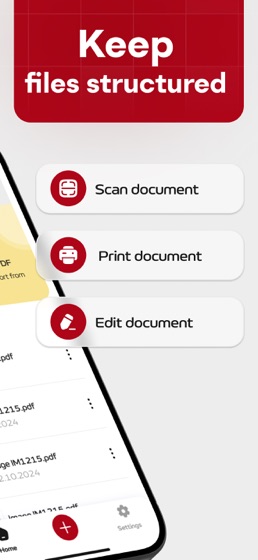
Use app to edit or sign documents. Easily import PDF files into the app to read, annotate, edit, and share them. You can also scan physical documents and convert them into PDFs with just a few taps.

Essential PDF Features:

Instantly open and view PDF files

Search within documents, scroll smoothly, and zoom in or out

Adjust document perspective

Modify colors

Use auto-cropping tools for clean scans

Annotate PDFs with Ease:

Add comments using sticky notes and drawing tools

Highlight text and make annotations with a variety of tools

View and reply to comments through the annotation panel

Sign and Fill Forms:

Quickly complete PDF forms by typing directly into fields

Sign documents using your finger or Apple Pencil

All files are stored locally on your device — they’re not accessible to us or any third parties. You can easily share your PDFs using the export feature.

Subscription Information:

Payment. Charges apply to your iTunes Account at purchase confirmation.

Auto-Renewal. Subscriptions renew automatically unless canceled at least 24 hours before the current period ends.

Renewal Charges. Your account will be charged for renewal within 24 hours prior to the end of the current period, based on the selected plan.

Manage Your Subscription. Go to your Account Settings after purchase to handle auto-renewal and other preferences.

Privacy Policy:https://telegra.ph/Privacy-Policy-04-18-64

Terms Of Use: https://telegra.ph/Terms-of-Use-04-18-3