
Authenticator 2FA-MFA,TOTP
Multi Factor Authentication
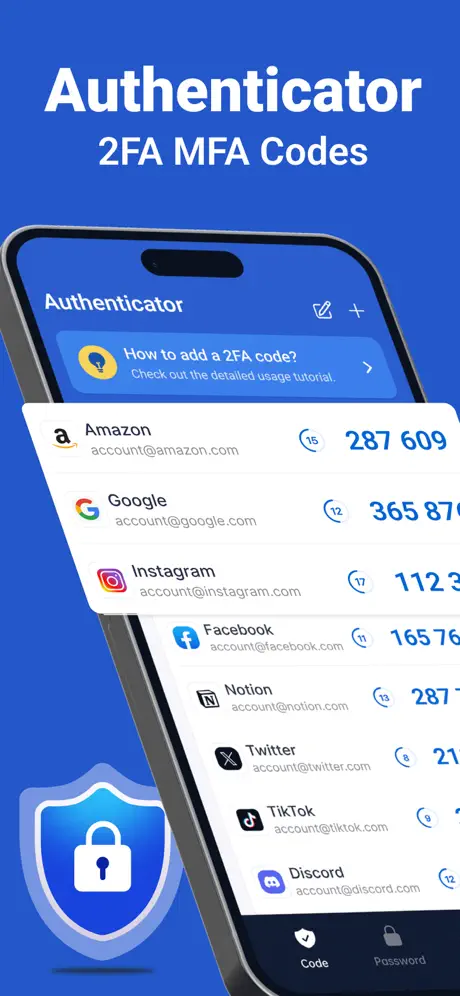
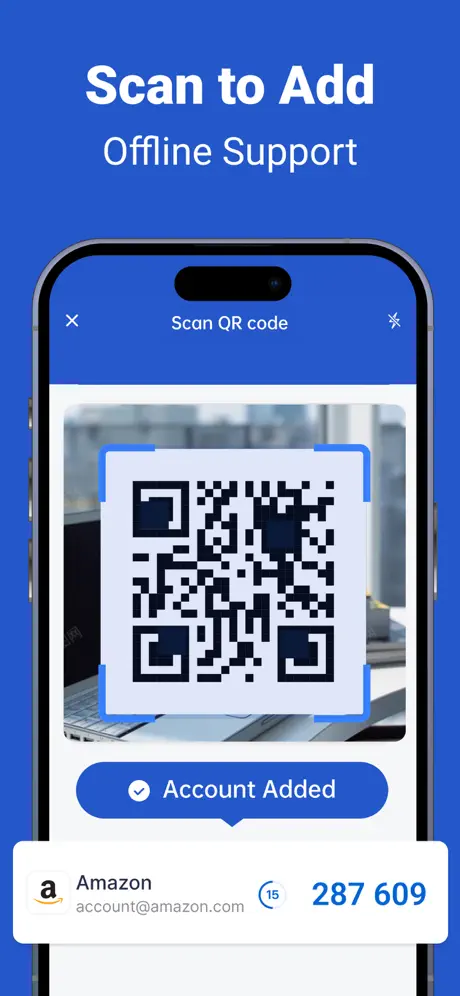
How much does Authenticator 2FA-MFA,TOTP cost?
Prices are current as of 8 Oct 2026.
2 subscriptions from $4.99
In the United States, Authenticator 2FA-MFA,TOTP has 2 subscriptions priced $4.99 – 29.99. It comes with a 3 days free trial.
| Subscription | Period | Price |
|---|---|---|
| Authenticator - Weekly | WeeklyTrial: 3 days | $4.99 |
| Authenticator - Yearly | Annual | $29.99 |
1 one-time purchase from $39.99
In the United States, Authenticator 2FA-MFA,TOTP has 1 one-time purchase priced $39.99.
| Product | Price |
|---|---|
| Authenticator - Lifetime | $39.99 |
See what Authenticator 2FA-MFA,TOTP costs in all 175 countries →
10+ alternatives to Authenticator 2FA-MFA,TOTP
| Authenticator 2FA-MFA,TOTP |   NetClash-Network's Vital Signs NetClash-Network's Vital Signs |   Authenticator App: 2FA & Cloud Authenticator App: 2FA & Cloud | 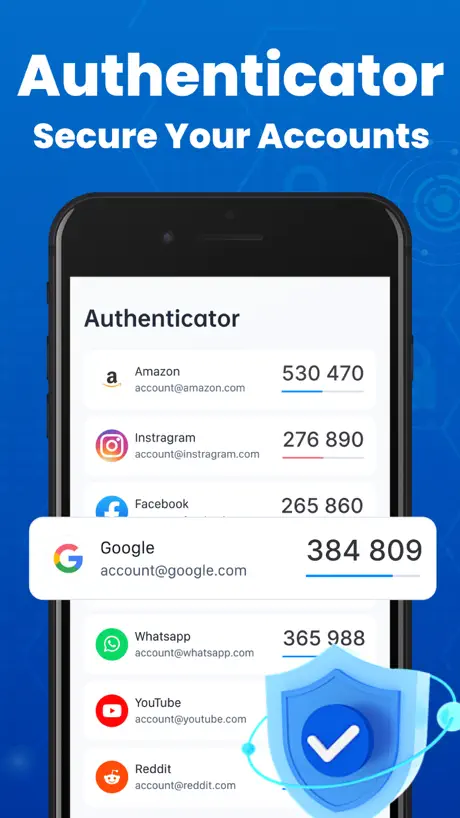  2FA Authenticator-MFA,OTP,Auth 2FA Authenticator-MFA,OTP,Auth | 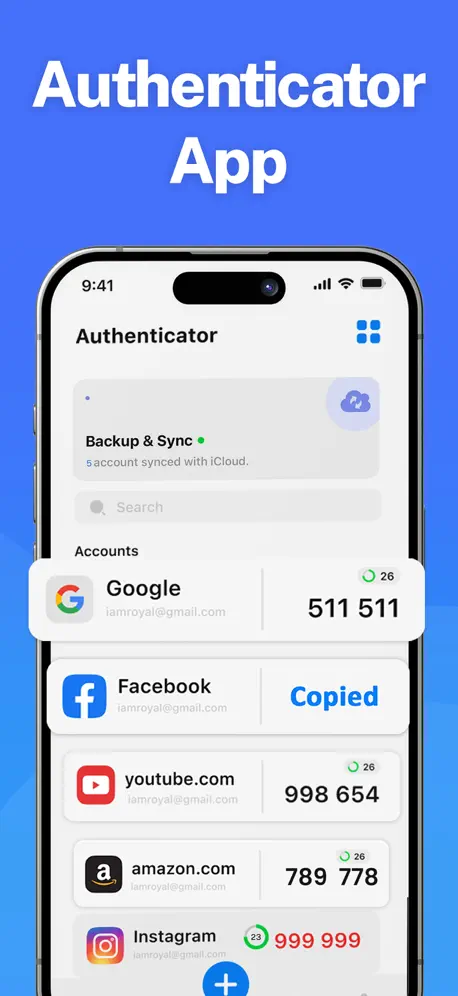  Authenticator App : 2FA & MFA Authenticator App : 2FA & MFA | 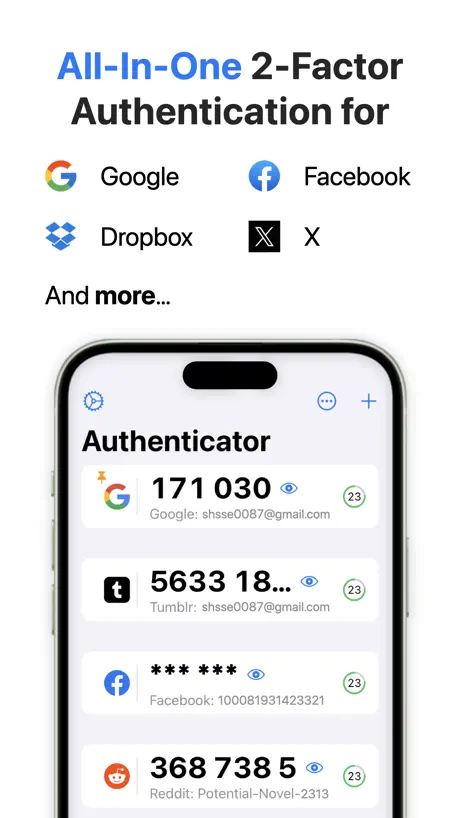  App for Google Authenticator ® App for Google Authenticator ® | 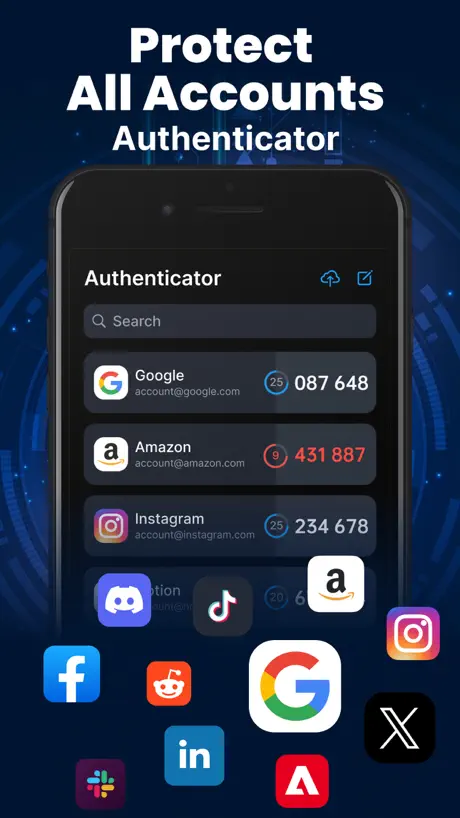  Authenticator-2FA Code Authenticator-2FA Code |   Authenticator App: 2FA, MFA Authenticator App: 2FA, MFA |   Authenticator App - 2FA / OTP Authenticator App - 2FA / OTP |   Authenticator App: 2FA・MFA・OTP Authenticator App: 2FA・MFA・OTP |   Authenticator : 动态密码令牌App Authenticator : 动态密码令牌App | |
|---|---|---|---|---|---|---|---|---|---|---|---|
| Rating / 5 | 4.2 | 4.7 | 4.4 | 4.5 | 4.5 | 4.2 | 4.6 | 4.3 | 4.7 | 4.3 | 4.0 |
| Reviews | 577 | 2.3K | 1.5K | 1.4K | 1.2K | 1.1K | 1.1K | 915 | 755 | 423 | 421 |
| Released | 2025 | 2024 | 2024 | 2024 | 2023 | 2024 | 2024 | 2023 | 2026 | 2024 | 2025 |
| Weekly price | $4.99 | — | $6.99 | $4.99 | $4.99 | $4.99 | $4.99 | $5.99 | $8.99 | $5.99 | $6.99 |
| Monthly price | — | — | $6.99 | — | $7.99 | — | $9.99 | $9.99 | — | $19.99 | $9.99 |
| Annual price | $29.99 | — | $49.99 | $39.99 | $39.99 | $39.99 | $29.99 | $39.99 | $49.99 | $49.99 | — |
| One-time price | $39.99 | — | $99.99 | $39.99 | $59.99 | $69.99 | $39.99 | $49.99 | — | — | $24.99 |
The going rate for each plan in United States, in its own currency, shaded from the cheapest price on the row to the dearest. Plans fewer than four in ten of the priced apps sell are left out.
Authenticator 2FA-MFA,TOTP reviews
4.2 out of 5, based on 577 reviews.
What people like
- Simple and easy to use
- Very practical for daily needs
- Keeps your account information safe
What they complain about
- Hidden subscription charges you later
- Difficult to cancel the subscription
- Deceptive interface tricks you into paying
乱扣费
安装的时候说试用三天不扣费,后续不定阅不会扣费,然后设置面板里面还故意弄了个恢复扣费的按钮来误导人,让人以为已经取消订阅了,结果三天后自动扣我38。 已经举报了!
流氓软件
sb
很好
很实用
骗人软件
大家换官方的验证软件,不要被这个骗人软件名字骗了。订阅乱收费,搞个周会员坑钱
天堂
天堂
乱扣费
乱扣费怎么取消
1
非常的实用,真心不错。
乱扣费
不晓得怎么弄的刘扣费了
666
666
避雷
还未使用就扣费,根本不是官方app
666
666
乱扣费司马
乱扣费司马
简单好用
这个app简单好用,账户信息有保障
强盗土匪,违规扣费
扣费不提醒,每周38块恶心
乱扣费还没取消订阅界面
纯粹垃圾流氓软件,骗人不小心订阅然后无法取消
垃圾,不是谷歌官方
收费,不是官方,不要受骗
骗人垃圾app
乱扣费 安装的时候不说,一周扣费38,举报
Authenticator 2FA-MFA,TOTP price by country
A weekly subscription costs $4.70 in Pakistan and $10.02 in Brazil — 2× more for the same thing. Below is the going rate for each plan in every country that sells it — the middle price of what the app charges there, in the country's own currency with the dollar equivalent beneath it.
| Country | Weekly | Annual | One-time |
|---|---|---|---|
| Afghanistan | $4.99 | $29.99 | $39.99 |
| Albania | $5.99 | $34.99 | $49.99 |
| Algeria | $4.99 | $29.99 | $39.99 |
| Angola | $4.99 | $29.99 | $39.99 |
| Anguilla | $4.99 | $29.99 | $39.99 |
| Antigua And Barbuda | $4.99 | $29.99 | $39.99 |
| Argentina | $4.99 | $29.99 | $39.99 |
| Armenia | $5.99 | $34.99 | $49.99 |
| Australia | A$7.99$5.59 | A$49.99$34.96 | A$59.99$41.95 |
| Austria | €5.99$6.74 | €34.99$39.36 | €44.99$50.61 |
| Azerbaijan | $5.99 | $34.99 | $49.99 |
| Bahamas | $4.99 | $29.99 | $39.99 |
| Bahrain | $4.99 | $29.99 | $39.99 |
| Barbados | $5.99 | $34.99 | $49.99 |
| Belarus | $5.99 | $34.99 | $49.99 |
| Belgium | €5.99$6.74 | €34.99$39.36 | €44.99$50.61 |
| Belize | $4.99 | $29.99 | $39.99 |
| Benin | $5.99 | $34.99 | $49.99 |
| Bermuda | $4.99 | $29.99 | $39.99 |
| Bhutan | $4.99 | $29.99 | $39.99 |
| Bolivia | $4.99 | $29.99 | $39.99 |
| Bosnia & Herzegovina | €5.99$6.74 | €34.99$39.36 | €44.99$50.61 |
| Botswana | $4.99 | $29.99 | $39.99 |
| Brazil | R$49.90$10.02 | R$149.90$30.10 | R$249.90$50.18 |
| British Virgin Islands | $4.99 | $29.99 | $39.99 |
| Brunei Darussalam | $4.99 | $29.99 | $39.99 |
| Bulgaria | €4.99$5.61 | €34.99$39.36 | €44.99$50.61 |
| Burkina Faso | $4.99 | $29.99 | $39.99 |
| Cambodia | $4.99 | $29.99 | $39.99 |
| Cameroon | $5.99 | $34.99 | $49.99 |
| Canada | CA$6.99$4.92 | CA$39.99$28.16 | CA$49.99$35.20 |
| Cape Verde | $4.99 | $29.99 | $39.99 |
| Cayman Islands | $4.99 | $29.99 | $39.99 |
| Chad | $4.99 | $29.99 | $39.99 |
| Chile | CLP 5,990$6.16 | CLP 34,990$35.99 | CLP 49,990$51.42 |
| China | CN¥38.00$5.66 | CN¥228.00$33.98 | CN¥298.00$44.41 |
| Colombia | COP 24,900$7.78 | COP 129,900$40.60 | COP 199,900$62.48 |
| Congo | $4.99 | $29.99 | $49.99 |
| Congo, Democratic Republic | $4.99 | $29.99 | $39.99 |
| Costa Rica | $4.99 | $29.99 | $39.99 |
| Cote Divoire | $5.99 | $34.99 | $49.99 |
| Croatia | €5.99$6.74 | €34.99$39.36 | €44.99$50.61 |
| Cyprus | €5.99$6.74 | €34.99$39.36 | €44.99$50.61 |
| Czech Republic | CZK 129.00$5.95 | CZK 799.00$36.85 | CZK 999.00$46.08 |
| Denmark | DKK 39.00$5.87 | DKK 249.00$37.50 | DKK 349.00$52.56 |
| Dominica | $4.99 | $29.99 | $39.99 |
| Dominican Republic | $4.99 | $29.99 | $39.99 |
| Ecuador | $4.99 | $29.99 | $39.99 |
| Egypt | EGP 249.99$4.78 | EGP 1,499.99$28.68 | EGP 1,999.99$38.23 |
| El Salvador | $4.99 | $29.99 | $39.99 |
| Estonia | €5.99$6.74 | €34.99$39.36 | €44.99$50.61 |
| Fiji | $4.99 | $29.99 | $39.99 |
| Finland | €5.99$6.74 | €34.99$39.36 | €44.99$50.61 |
| France | €5.99$6.74 | €34.99$39.36 | €44.99$50.61 |
| Gabon | $4.99 | $29.99 | $39.99 |
| Gambia | $4.99 | $29.99 | $39.99 |
| Georgia | $5.99 | $34.99 | $49.99 |
| Germany | €5.99$6.74 | €34.99$39.36 | €44.99$50.61 |
| Ghana | $5.99 | $34.99 | $49.99 |
| Greece | €5.99$6.74 | €34.99$39.36 | €44.99$50.61 |
| Grenada | $4.99 | $29.99 | $39.99 |
| Guatemala | $4.99 | $29.99 | $39.99 |
| Guinea-bissau | $4.99 | $29.99 | $39.99 |
| Guyana | $4.99 | $29.99 | $39.99 |
| Honduras | $4.99 | $29.99 | $39.99 |
| Hong Kong | HK$38.00$4.84 | HK$228.00$29.04 | HK$288.00$36.69 |
| Hungary | HUF 1,990$6.13 | HUF 12,990$40.00 | HUF 17,990$55.40 |
| Iceland | $5.99 | $34.99 | $49.99 |
| India | ₹499.00$5.17 | ₹2,999.00$31.09 | ₹3,999.00$41.45 |
| Indonesia | IDR 89,000$4.97 | IDR 499,000$27.87 | IDR 799,000$44.63 |
| Iraq | $4.99 | $29.99 | $39.99 |
| Ireland | €5.99$6.74 | €34.99$39.36 | €44.99$50.61 |
| Israel | ₪17.90$5.89 | ₪99.90$32.86 | ₪119.90$39.44 |
| Italy | €5.99$6.74 | €34.99$39.36 | €44.99$50.61 |
| Jamaica | $4.99 | $29.99 | $39.99 |
| Japan | ¥800$5.06 | ¥5,000$31.62 | ¥6,000$37.94 |
| Jordan | $4.99 | $29.99 | $39.99 |
| Kazakhstan | KZT 2,990.00$6.62 | KZT 14,990.00$33.18 | KZT 22,990.00$50.89 |
| Kenya | $5.99 | $34.99 | $49.99 |
| Kosovo | €5.99$6.74 | €34.99$39.36 | €44.99$50.61 |
| Kuwait | $4.99 | $29.99 | $39.99 |
| Kyrgyzstan | $4.99 | $29.99 | $39.99 |
| Lao Peoples Democratic Republic | $4.99 | $29.99 | $39.99 |
| Latvia | €5.99$6.74 | €34.99$39.36 | €44.99$50.61 |
| Lebanon | $4.99 | $29.99 | $39.99 |
| Liberia | $4.99 | $29.99 | $39.99 |
| Libya | $4.99 | $29.99 | $39.99 |
| Lithuania | €5.99$6.74 | €34.99$39.36 | €44.99$50.61 |
| Luxembourg | €5.99$6.74 | €34.99$39.36 | €44.99$50.61 |
| Macao | $4.99 | $29.99 | $39.99 |
| Macedonia | $4.99 | $29.99 | $39.99 |
| Madagascar | $4.99 | $29.99 | $39.99 |
| Malawi | $4.99 | $29.99 | $39.99 |
| Malaysia | MYR 22.90$5.60 | MYR 129.90$31.76 | MYR 199.90$48.88 |
| Maldives | $4.99 | $29.99 | $39.99 |
| Mali | $4.99 | $29.99 | $39.99 |
| Malta | €5.99$6.74 | €34.99$39.36 | €44.99$50.61 |
| Mauritania | $4.99 | $29.99 | $39.99 |
| Mauritius | $4.99 | $29.99 | $49.99 |
| Mexico | MX$99.00$5.51 | MX$599.00$33.31 | MX$899.00$50.00 |
| Micronesia | $4.99 | $29.99 | $39.99 |
| Moldova | $5.99 | $34.99 | $49.99 |
| Mongolia | $4.99 | $29.99 | $39.99 |
| Montenegro | €4.99$5.61 | €29.99$33.73 | €39.99$44.98 |
| Montserrat | $4.99 | $29.99 | $39.99 |
| Morocco | $4.99 | $29.99 | $49.99 |
| Mozambique | $4.99 | $29.99 | $39.99 |
| Myanmar | $4.99 | $29.99 | $39.99 |
| Namibia | $4.99 | $29.99 | $39.99 |
| Nauru | $4.99 | $29.99 | $39.99 |
| Nepal | $5.99 | $34.99 | $49.99 |
| Netherlands | €5.99$6.74 | €34.99$39.36 | €44.99$50.61 |
| New Zealand | NZ$9.99$5.61 | NZ$49.99$28.08 | NZ$69.99$39.32 |
| Nicaragua | $4.99 | $29.99 | $39.99 |
| Niger | $4.99 | $29.99 | $39.99 |
| Nigeria | NGN 7,900.00$5.95 | NGN 49,900.00$37.57 | NGN 69,900.00$52.63 |
| Norway | NOK 59.00$6.17 | NOK 399.00$41.74 | NOK 499.00$52.20 |
| Oman | $4.99 | $29.99 | $39.99 |
| Pakistan | PKR 1,300$4.70 | PKR 7,900$28.55 | PKR 9,900$35.77 |
| Palau | $4.99 | $29.99 | $39.99 |
| Panama | $4.99 | $29.99 | $39.99 |
| Papua New Guinea | $4.99 | $29.99 | $39.99 |
| Paraguay | $4.99 | $29.99 | $39.99 |
| Peru | PEN 22.90$6.66 | PEN 129.90$37.76 | PEN 179.90$52.30 |
| Philippines | ₱299.00$4.76 | ₱1,790.00$28.51 | ₱2,490.00$39.66 |
| Poland | PLN 24.99$6.44 | PLN 149.99$38.66 | PLN 199.99$51.54 |
| Portugal | €5.99$6.74 | €34.99$39.36 | €44.99$50.61 |
| Qatar | QAR 19.99$5.49 | QAR 99.99$27.47 | QAR 149.99$41.21 |
| Romania | RON 29.99$6.31 | RON 149.99$31.58 | RON 199.99$42.10 |
| Russia | RUB 449.00$5.29 | RUB 2,490.00$29.31 | RUB 3,490.00$41.08 |
| Rwanda | $4.99 | $29.99 | $39.99 |
| Sao Tome & Principe | $4.99 | $29.99 | $39.99 |
| Saudi Arabia | SAR 19.99$5.33 | SAR 129.99$34.66 | SAR 179.99$48.00 |
| Senegal | $5.99 | $34.99 | $49.99 |
| Serbia | €5.99$6.74 | €34.99$39.36 | €44.99$50.61 |
| Seychelles | $4.99 | $29.99 | $39.99 |
| Sierra Leone | $4.99 | $29.99 | $39.99 |
| Singapore | SGD 6.98$5.45 | SGD 39.98$31.23 | SGD 59.98$46.86 |
| Slovakia | €5.99$6.74 | €34.99$39.36 | €44.99$50.61 |
| Slovenia | €5.99$6.74 | €34.99$39.36 | €44.99$50.61 |
| Solomon Islands | $4.99 | $29.99 | $39.99 |
| South Africa | ZAR 99.99$6.05 | ZAR 599.99$36.30 | ZAR 799.99$48.40 |
| South Korea | ₩6,600$4.93 | ₩44,000$32.86 | ₩66,000$49.29 |
| Spain | €5.99$6.74 | €34.99$39.36 | €44.99$50.61 |
| Sri Lanka | $4.99 | $29.99 | $39.99 |
| St. Kitts and Nevis | $4.99 | $29.99 | $39.99 |
| St. Lucia | $4.99 | $29.99 | $39.99 |
| St. Vincent & The Grenadines | $4.99 | $29.99 | $39.99 |
| Suriname | $4.99 | $29.99 | $39.99 |
| Swaziland | $4.99 | $29.99 | $39.99 |
| Sweden | SEK 69.00$6.91 | SEK 399.00$39.94 | SEK 499.00$49.95 |
| Switzerland | CHF 4.00$4.81 | CHF 30.00$36.06 | CHF 35.00$42.07 |
| Taiwan | NT$150.00$4.72 | NT$990.00$31.13 | NT$1,290.00$40.57 |
| Tajikistan | $4.99 | $29.99 | $39.99 |
| Tanzania | TZS 14,900.00$5.63 | TZS 89,900.00$33.98 | TZS 99,900.00$37.76 |
| Thailand | THB 199.00$5.92 | THB 999.00$29.72 | THB 1,490.00$44.33 |
| Tonga | $4.99 | $29.99 | $39.99 |
| Trinidad and Tobago | $4.99 | $29.99 | $39.99 |
| Tunisia | $4.99 | $29.99 | $39.99 |
| Turkey | TRY 249.99$5.08 | TRY 1,299.99$26.43 | TRY 1,999.99$40.66 |
| Turkmenistan | $4.99 | $29.99 | $39.99 |
| Turks and Caicos | $4.99 | $29.99 | $39.99 |
| Uganda | $5.99 | $34.99 | $49.99 |
| Ukraine | $5.99 | $34.99 | $49.99 |
| United Arab Emirates | AED 19.99$5.45 | AED 119.99$32.69 | AED 149.99$40.87 |
| United Kingdom | £4.99$6.62 | £29.99$39.77 | £39.99$53.04 |
| United States | $4.99 | $29.99 | $39.99 |
| Uruguay | $4.99 | $29.99 | $39.99 |
| Uzbekistan | $4.99 | $29.99 | $39.99 |
| Vanuatu | $4.99 | $29.99 | $39.99 |
| Venezuela | $4.99 | $29.99 | $39.99 |
| Vietnam | ₫149,000$5.74 | ₫799,000$30.81 | ₫1,199,000$46.23 |
| Yemen | $4.99 | $29.99 | $39.99 |
| Zambia | $5.99 | $34.99 | $49.99 |
| Zimbabwe | $5.99 | $34.99 | $49.99 |
Authenticator 2FA-MFA,TOTP FAQ
- Is Authenticator 2FA-MFA,TOTP free?
- Yes. The app and its basic features are free, in all 175 countries it sells in. Premium features are paid: they start from $4.99 (US), across 2 subscriptions and 1 one-time purchase.
- Does Authenticator 2FA-MFA,TOTP have a free trial?
- Yes — a 3 days free trial (US).
- Where is Authenticator 2FA-MFA,TOTP cheapest?
- A weekly subscription costs PKR 1,300 (≈$4.70) in Pakistan and R$49.90 (≈$10.02) in Brazil, its cheapest and dearest countries.
- What are the best alternatives to Authenticator 2FA-MFA,TOTP?
- NetClash-Network's Vital Signs (4.7 from 2,274 reviews), Authenticator App: 2FA & Cloud (4.4 from 1,458 reviews, premium from $5.99) and 2FA Authenticator-MFA,OTP,Auth (4.5 from 1,394 reviews, premium from $4.99).
Authenticator 2FA-MFA,TOTP download
Last updated 2 months ago.
Authenticator 2FA-MFA,TOTP sells in 175 countries. It was released 1 year and 5 months ago, on 16 Apr 2025. It holds a 4.2 rating from 577 reviews.
Supports 3 languages: English, Portuguese, Chinese.
How much does Authenticator 2FA-MFA,TOTP make?
Third-party estimates for the last 30 days, worldwide — not the store's own figures, which Apple publishes for nobody.
Revenue by plan
- Weekly 88%
- One-time 10%
- Annual 2%
Revenue by country
- China 100%
- Kenya 0%