
Photo Organizer: FocusClean
Photo Organize, Video Compress



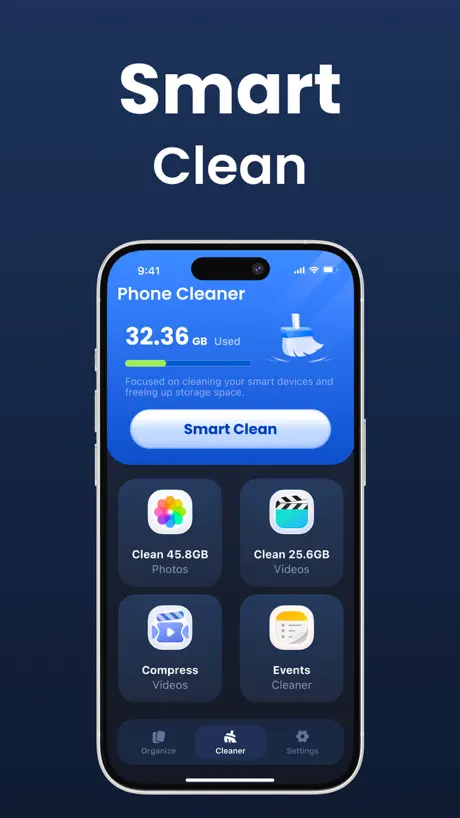
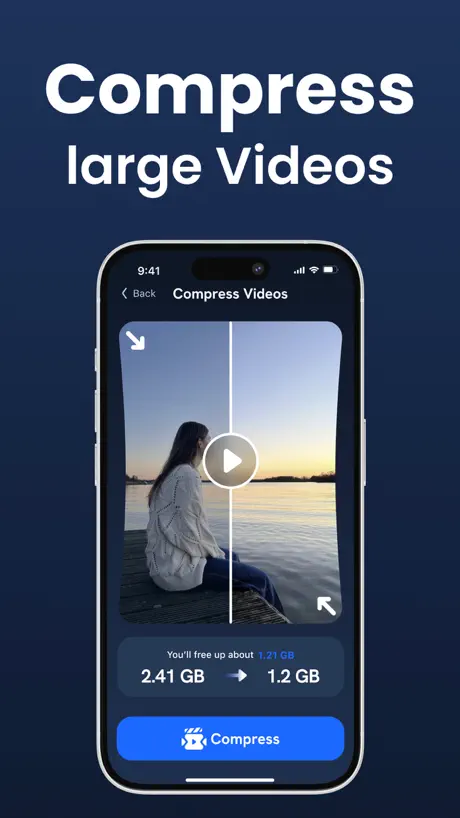


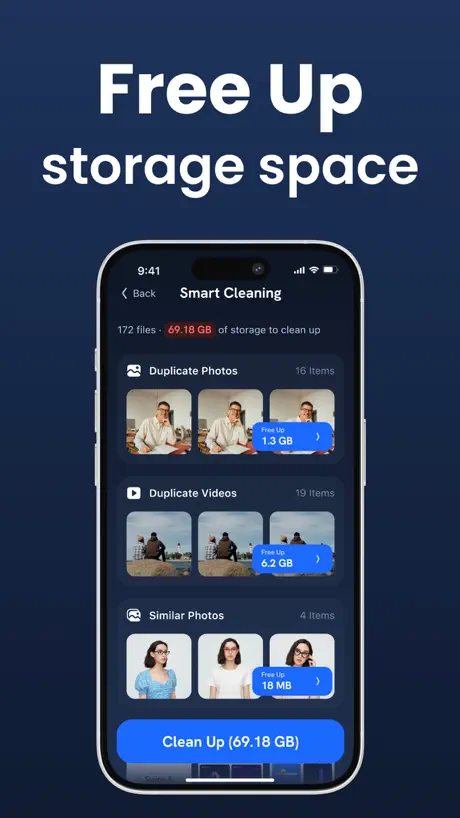
How much does Photo Organizer: FocusClean cost?
Prices are current as of 28 Sept 2026.
2 subscriptions from $5.99
In the United States, Photo Organizer: FocusClean has 2 subscriptions priced $5.99 – 39.99. It comes with a 7 days free trial.
| Subscription | Period | Price |
|---|---|---|
| Premium - 1 Week | WeeklyTrial: 7 days | $5.99 – 7.99 |
| Premium - 1 Year | AnnualTrial: 7 days | $39.99 |
See what Photo Organizer: FocusClean costs in all 175 countries →
10+ alternatives to Photo Organizer: FocusClean
| Photo Organizer: FocusClean |   Cleaner: Phone Cleanup App Cleaner: Phone Cleanup App |   Clean Storage Now:AI Cleanup Clean Storage Now:AI Cleanup |   Smart Cleaner:Clean Up Storage Smart Cleaner:Clean Up Storage |   Easy Cleaner: Clean Up Storage Easy Cleaner: Clean Up Storage |   PDF Reader Pro: Scan & Convert PDF Reader Pro: Scan & Convert |   CleanCraft: Clean Up Storage CleanCraft: Clean Up Storage |   Cleaner Kit: Free up Storage Cleaner Kit: Free up Storage |   QR Code Scanner Master QR Code Scanner Master |   Clean Storage Now: Cleanup App Clean Storage Now: Cleanup App | 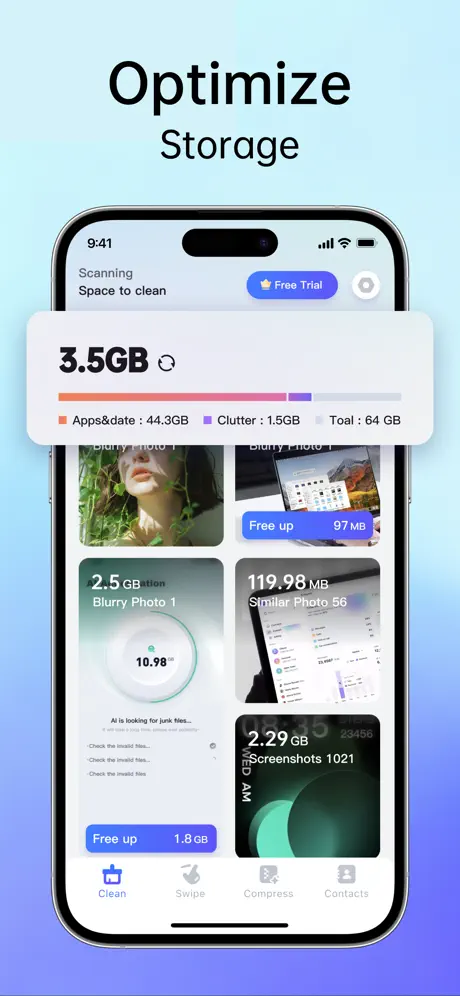  Clean Up : AI Phone Cleaner Clean Up : AI Phone Cleaner | |
|---|---|---|---|---|---|---|---|---|---|---|---|
| Rating / 5 | 4.4 | 4.2 | 4.4 | 4.1 | 4.1 | 4.5 | 4.4 | 3.9 | 4.6 | 3.6 | 3.6 |
| Reviews | 21K | 15K | 13K | 13K | 9.7K | 9.4K | 6.7K | 5.8K | 1.1K | 1.1K | 596 |
| Released | 2025 | 2025 | 2023 | 2025 | 2024 | 2025 | 2025 | 2024 | 2025 | 2022 | 2025 |
| Weekly price | $5.99 | $7.99 | $7.99 | $9.99 | $9.99 | $3.99 | $9.99 | $9.99 | $9.99 | $9.99 | $9.99 |
| Monthly price | — | $12.99 | — | $12.99 | $12.99 | — | — | $15.99 | — | $9.99 | — |
| Annual price | $39.99 | $39.99 | $39.99 | $39.99 | $39.99 | $39.99 | $39.99 | $39.99 | — | $39.99 | $39.99 |
The going rate for each plan in United States, in its own currency, shaded from the cheapest price on the row to the dearest. Plans fewer than four in ten of the priced apps sell are left out.
Photo Organizer: FocusClean reviews
4.4 out of 5, based on 20,899 reviews.
What people like
- Successfully cleaned up the iPhone storage
- Keeps things simple for the user
- Great for organizing memories
What they complain about
- Annoying pop-ups block you from leaving
- Money gets deducted automatically without warning
- Hard to understand how to clean up
Efektif
Hemat lingkup
Stop Blocking Me of using my phone
I Do NOT want to purchase your amp. I have one already. You keep popping up and won’t let me leave when I press CANCEL. What is wrong with you. Are you that desperate. You have to block someone. It’s Very Very Annoying and frustrating. Pam Pavlicek. P.S. please reply back.
CheatEER
Hoping to keep things simple
Clean-up
I really don’t understand what to do here with cleaning up my phone!!
𝓜𝔂 𝓶𝓮𝓶𝓸𝓻𝓲𝓮𝓼
𝓜𝔂 𝓶𝓮𝓶𝓸𝓻𝓲𝓮𝓼
Good
Good
Aplikasi yg bagus
Terima kasih telah melakukan pembersihan di iphone sya
Saya menyesal
Gara2 aplikasi ini dana saya kesedot otomatis dan tidak bisa kembali
Pembersihan
Ok
Đánh giá
Tuyệt vời 🫶
Photo Organizer: FocusClean price by country
A weekly subscription costs $5.49 in Qatar and $9.18 in Colombia — 1.7× more for the same thing. Below is the going rate for each plan in every country that sells it — the middle price of what the app charges there, in the country's own currency with the dollar equivalent beneath it.
| Country | Weekly | Annual |
|---|---|---|
| Afghanistan | $5.99 | $39.99 |
| Albania | $6.99 | $49.99 |
| Algeria | $5.99 | $39.99 |
| Angola | $5.99 | $39.99 |
| Anguilla | $5.99 | $39.99 |
| Antigua And Barbuda | $5.99 | $39.99 |
| Argentina | $5.99 | $39.99 |
| Armenia | $6.99 | $49.99 |
| Australia | A$9.99$7.04 | A$59.99$42.25 |
| Austria | €6.99$7.96 | €44.99$51.24 |
| Azerbaijan | $6.99 | $39.99 |
| Bahamas | $6.99 | $39.99 |
| Bahrain | $6.99 | $39.99 |
| Barbados | $6.99 | $49.99 |
| Belarus | $6.99 | $49.99 |
| Belgium | €6.99$7.96 | €44.99$51.24 |
| Belize | $5.99 | $39.99 |
| Benin | $6.99 | $49.99 |
| Bermuda | $5.99 | $39.99 |
| Bhutan | $5.99 | $39.99 |
| Bolivia | $5.99 | $39.99 |
| Bosnia & Herzegovina | €6.99$7.96 | €44.99$51.24 |
| Botswana | $5.99 | $39.99 |
| Brazil | R$39.90$7.69 | R$199.90$38.52 |
| British Virgin Islands | $5.99 | $39.99 |
| Brunei Darussalam | $5.99 | $39.99 |
| Bulgaria | €6.99$7.96 | €44.99$51.24 |
| Burkina Faso | $5.99 | $39.99 |
| Cambodia | $6.99 | $39.99 |
| Cameroon | $6.99 | $49.99 |
| Canada | CA$7.99$5.67 | CA$49.99$35.45 |
| Cape Verde | $5.99 | $39.99 |
| Cayman Islands | $5.99 | $39.99 |
| Chad | $5.99 | $39.99 |
| Chile | CLP 6,990$7.26 | CLP 49,990$51.91 |
| China | CN¥38.00$5.65 | CN¥298.00$44.28 |
| Colombia | COP 29,900$9.18 | COP 199,900$61.37 |
| Congo | $5.99 | $39.99 |
| Congo, Democratic Republic | $5.99 | $39.99 |
| Costa Rica | $5.99 | $39.99 |
| Cote Divoire | $6.99 | $49.99 |
| Croatia | €6.99$7.96 | €44.99$51.24 |
| Cyprus | €6.99$7.96 | €44.99$51.24 |
| Czech Republic | CZK 149.00$7.15 | CZK 999.00$47.96 |
| Denmark | DKK 49.00$7.47 | DKK 349.00$53.20 |
| Dominica | $5.99 | $39.99 |
| Dominican Republic | $5.99 | $39.99 |
| Ecuador | $5.99 | $39.99 |
| Egypt | EGP 299.99$5.80 | EGP 1,999.99$38.65 |
| El Salvador | $5.99 | $39.99 |
| Estonia | €6.99$7.96 | €44.99$51.24 |
| Fiji | $5.99 | $39.99 |
| Finland | €6.99$7.96 | €44.99$51.24 |
| France | €6.99$8.11 | €44.99$52.19 |
| Gabon | $5.99 | $39.99 |
| Gambia | $5.99 | $39.99 |
| Georgia | $6.99 | $49.99 |
| Germany | €6.99$7.96 | €44.99$51.24 |
| Ghana | $6.99 | $49.99 |
| Greece | €6.99$7.96 | €44.99$51.24 |
| Grenada | $5.99 | $39.99 |
| Guatemala | $5.99 | $39.99 |
| Guinea-bissau | $5.99 | $39.99 |
| Guyana | $5.99 | $39.99 |
| Honduras | $5.99 | $39.99 |
| Hong Kong | HK$48.00$6.12 | HK$288.00$36.73 |
| Hungary | HUF 2,490$7.98 | HUF 17,990$57.65 |
| Iceland | $6.99 | $49.99 |
| India | ₹599.00$6.25 | ₹3,999.00$41.71 |
| Indonesia | IDR 99,000$5.53 | IDR 699,000$39.05 |
| Iraq | $5.99 | $39.99 |
| Ireland | €6.99$7.96 | €44.99$51.24 |
| Israel | ₪19.90$6.55 | ₪149.90$49.31 |
| Italy | €6.99$7.96 | €44.99$51.24 |
| Jamaica | $5.99 | $39.99 |
| Japan | ¥1,000$6.35 | ¥6,800$43.19 |
| Jordan | $5.99 | $39.99 |
| Kazakhstan | KZT 3,490.00$7.88 | KZT 19,990.00$45.11 |
| Kenya | $6.99 | $49.99 |
| Kosovo | €6.99$7.96 | €44.99$51.24 |
| Kuwait | $5.99 | $39.99 |
| Kyrgyzstan | $6.99 | $39.99 |
| Lao Peoples Democratic Republic | $6.99 | $39.99 |
| Latvia | €6.99$7.96 | €44.99$51.24 |
| Lebanon | $5.99 | $39.99 |
| Liberia | $5.99 | $39.99 |
| Libya | $5.99 | $39.99 |
| Lithuania | €6.99$7.96 | €44.99$51.24 |
| Luxembourg | €6.99$7.96 | €44.99$51.24 |
| Macao | $5.99 | $39.99 |
| Macedonia | $5.99 | $39.99 |
| Madagascar | $5.99 | $39.99 |
| Malawi | $5.99 | $39.99 |
| Malaysia | MYR 29.90$7.33 | MYR 199.90$49.00 |
| Maldives | $5.99 | $39.99 |
| Mali | $5.99 | $39.99 |
| Malta | €6.99$7.96 | €44.99$51.24 |
| Mauritania | $5.99 | $39.99 |
| Mauritius | $6.99 | $39.99 |
| Mexico | MX$129.00$7.29 | MX$899.00$50.82 |
| Micronesia | $5.99 | $39.99 |
| Moldova | $6.99 | $49.99 |
| Mongolia | $5.99 | $39.99 |
| Montenegro | €5.99$6.82 | €39.99$45.55 |
| Montserrat | $5.99 | $39.99 |
| Morocco | $5.99 | $39.99 |
| Mozambique | $5.99 | $39.99 |
| Myanmar | $5.99 | $39.99 |
| Namibia | $5.99 | $39.99 |
| Nauru | $5.99 | $39.99 |
| Nepal | $6.99 | $49.99 |
| Netherlands | €6.99$7.96 | €44.99$51.24 |
| New Zealand | NZ$9.99$5.64 | NZ$69.99$39.54 |
| Nicaragua | $5.99 | $39.99 |
| Niger | $5.99 | $39.99 |
| Nigeria | NGN 9,900.00$7.45 | NGN 69,900.00$52.60 |
| Norway | NOK 79.00$8.31 | NOK 499.00$52.47 |
| Oman | $5.99 | $39.99 |
| Pakistan | PKR 1,700$6.14 | PKR 9,900$35.74 |
| Palau | $5.99 | $39.99 |
| Panama | $5.99 | $39.99 |
| Papua New Guinea | $5.99 | $39.99 |
| Paraguay | $5.99 | $39.99 |
| Peru | PEN 24.90$7.32 | PEN 149.90$44.09 |
| Philippines | ₱399.00$6.37 | ₱2,290.00$36.54 |
| Poland | PLN 29.99$8.02 | PLN 199.99$53.47 |
| Portugal | €6.99$7.96 | €44.99$51.24 |
| Qatar | QAR 19.99$5.49 | QAR 149.99$41.21 |
| Romania | RON 29.99$6.48 | RON 199.99$43.19 |
| Russia | RUB 499.00$5.92 | RUB 3,490.00$41.41 |
| Rwanda | $5.99 | $39.99 |
| Sao Tome & Principe | $5.99 | $39.99 |
| Saudi Arabia | SAR 24.99$6.66 | SAR 179.99$48.00 |
| Senegal | $6.99 | $49.99 |
| Serbia | €6.99$7.96 | €44.99$51.24 |
| Seychelles | $5.99 | $39.99 |
| Sierra Leone | $5.99 | $39.99 |
| Singapore | SGD 8.98$7.02 | SGD 59.98$46.86 |
| Slovakia | €6.99$7.96 | €44.99$51.24 |
| Slovenia | €6.99$7.96 | €44.99$51.24 |
| Solomon Islands | $5.99 | $39.99 |
| South Africa | ZAR 119.99$7.36 | ZAR 799.99$49.05 |
| South Korea | ₩8,800$6.48 | ₩55,000$40.53 |
| Spain | €6.99$7.96 | €44.99$51.24 |
| Sri Lanka | $5.99 | $39.99 |
| St. Kitts and Nevis | $5.99 | $39.99 |
| St. Lucia | $5.99 | $39.99 |
| St. Vincent & The Grenadines | $5.99 | $39.99 |
| Suriname | $6.99 | $39.99 |
| Swaziland | $5.99 | $39.99 |
| Sweden | SEK 79.00$7.97 | SEK 499.00$50.35 |
| Switzerland | CHF 5.00$6.03 | CHF 40.00$48.25 |
| Taiwan | NT$190.00$5.98 | NT$1,290.00$40.62 |
| Tajikistan | $6.99 | $39.99 |
| Tanzania | TZS 17,900.00$6.74 | TZS 99,900.00$37.61 |
| Thailand | THB 199.00$5.96 | THB 1,490.00$44.62 |
| Tonga | $5.99 | $39.99 |
| Trinidad and Tobago | $5.99 | $39.99 |
| Tunisia | $5.99 | $39.99 |
| Turkey | TRY 299.99$6.13 | TRY 1,799.99$36.80 |
| Turkmenistan | $5.99 | $39.99 |
| Turks and Caicos | $5.99 | $39.99 |
| Uganda | $6.99 | $49.99 |
| Ukraine | $6.99 | $49.99 |
| United Arab Emirates | AED 22.99$6.26 | AED 149.99$40.87 |
| United Kingdom | £5.99$7.93 | £39.99$52.97 |
| United States | $5.99 | $39.99 |
| Uruguay | $5.99 | $39.99 |
| Uzbekistan | $6.99 | $39.99 |
| Vanuatu | $5.99 | $39.99 |
| Venezuela | $5.99 | $39.99 |
| Vietnam | ₫199,000$7.67 | ₫999,000$38.49 |
| Yemen | $5.99 | $39.99 |
| Zambia | $6.99 | $49.99 |
| Zimbabwe | $6.99 | $49.99 |
Photo Organizer: FocusClean FAQ
- Is Photo Organizer: FocusClean free?
- Yes. The app and its basic features are free, in all 175 countries it sells in. Premium features are paid: they start from $5.99 (US), across 2 subscriptions.
- Does Photo Organizer: FocusClean have a free trial?
- Yes — a 7 days free trial (US).
- Where is Photo Organizer: FocusClean cheapest?
- A weekly subscription costs QAR 19.99 (≈$5.49) in Qatar and COP 29,900 (≈$9.18) in Colombia, its cheapest and dearest countries.
- What are the best alternatives to Photo Organizer: FocusClean?
- Cleaner: Phone Cleanup App (4.2 from 15,481 reviews, premium from $7.99), Clean Storage Now:AI Cleanup (4.4 from 13,432 reviews, premium from $3.99) and Smart Cleaner:Clean Up Storage (4.1 from 12,639 reviews, premium from $9.99).
Photo Organizer: FocusClean download
Last updated 7 months ago.
Photo Organizer: FocusClean sells in 175 countries. It was released 1 year and 7 months ago, on 5 Mar 2025. It holds a 4.4 rating from 20,899 reviews.
Supports 32 languages: English, Arabic, Catalan, Croatian, Czech, Danish, Dutch, Finnish, French, German, Greek, Hebrew, Hindi, Hungarian, Indonesian, Italian, Japanese, Korean, Malay, Norwegian Bokmål, Polish, Portuguese, Romanian, Russian, Chinese, Slovak, Spanish, Swedish, Thai, Turkish, Ukrainian, Vietnamese.
How much does Photo Organizer: FocusClean make?
Third-party estimates for the last 30 days, worldwide — not the store's own figures, which Apple publishes for nobody.
Revenue by plan
- Weekly 70%
- Annual 30%
Revenue by country
- Brazil 30%
- United States 29%
- Vietnam 14%
- Japan 8%