
UWACAM
Leading underwater camera app
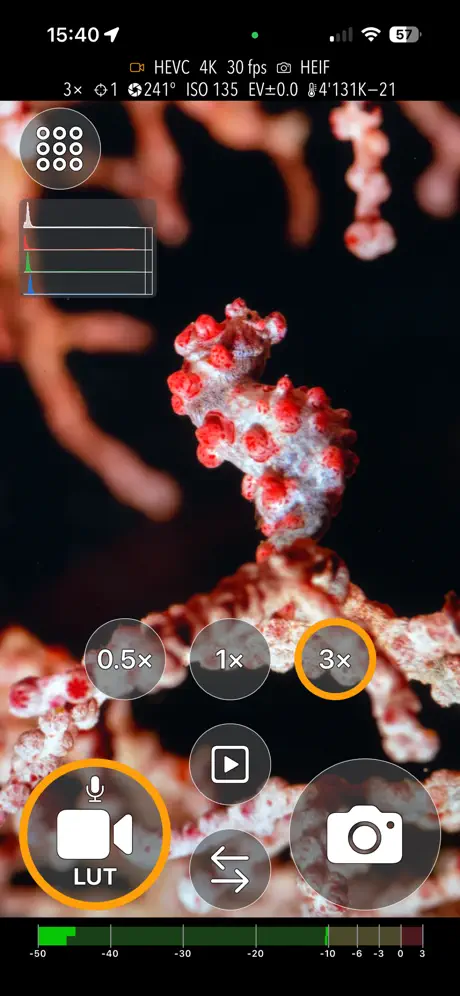
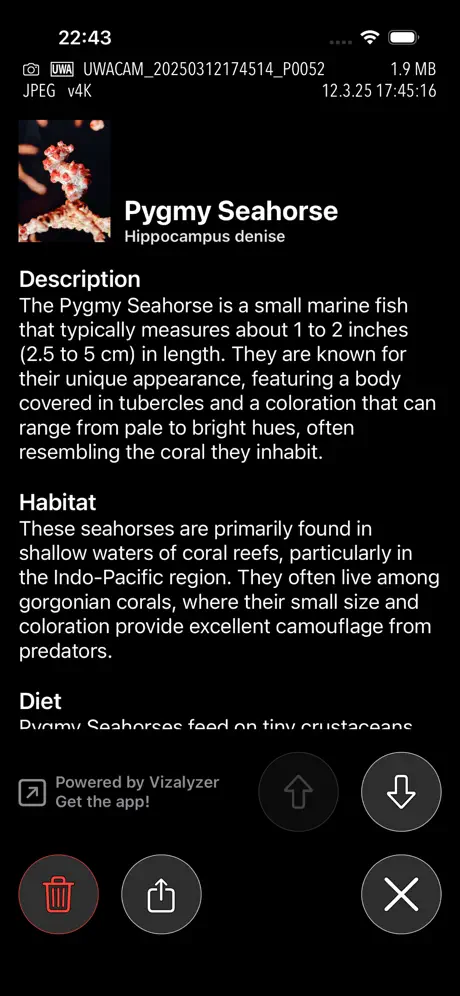
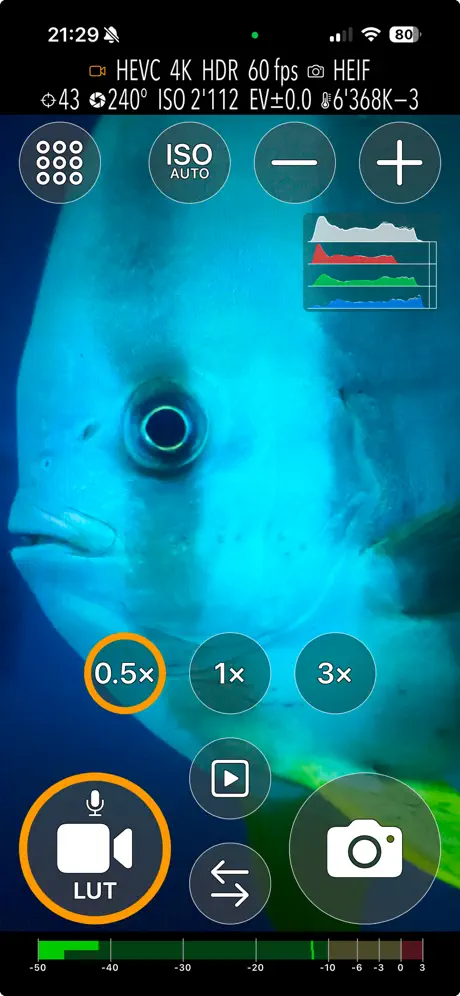
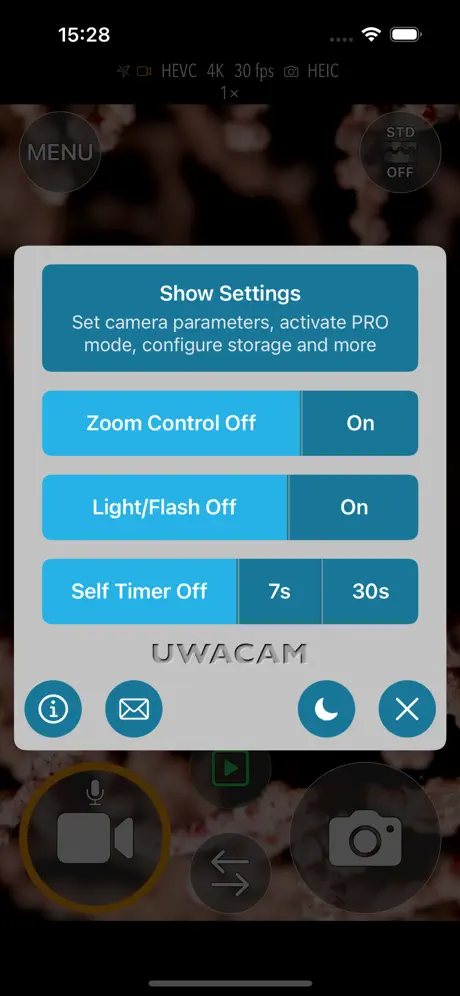
How much does UWACAM cost?
Prices are current as of 7 Oct 2026.
3 subscriptions from $9.99
In the United States, UWACAM has 3 subscriptions priced $9.99 – 49.99. It comes with a 3 days free trial.
| Subscription | Period | Price |
|---|---|---|
| Weekly | WeeklyTrial: 3 days | $9.99 |
| Monthly | MonthlyTrial: 3 days | $29.99 |
| Yearly | AnnualTrial: 3 days | $49.99 |
10+ alternatives to UWACAM
| UWACAM |   AquaColorFix - Photo & Video AquaColorFix - Photo & Video |   SportDiver SportDiver |   QRControl QRControl |   ProShotCase ProShotCase |   SeaLife Micro 3+ SeaLife Micro 3+ |   DiveClick DiveClick |   DiveColor - Underwater Editor DiveColor - Underwater Editor |   DeepColors: Dive Photo & Video DeepColors: Dive Photo & Video |   DiveIT, smart buddy DiveIT, smart buddy |   ScubAI: Underwater Photo AI ScubAI: Underwater Photo AI | |
|---|---|---|---|---|---|---|---|---|---|---|---|
| Rating / 5 | 4.7 | 4.8 | 3.2 | 4.5 | 3.3 | 2.0 | 3.1 | 4.7 | 4.6 | 3.9 | 5.0 |
| Reviews | 213 | 2.8K | 604 | 376 | 93 | 57 | 53 | 40 | 29 | 16 | 5 |
| Released | 2025 | 2021 | 2020 | 2020 | 2015 | 2020 | 2026 | 2026 | 2025 | 2024 | 2025 |
| Monthly price | $29.99 | $3.99 | — | — | — | — | — | — | — | — | — |
| Annual price | $49.99 | $14.99 | — | — | — | — | — | — | — | — | — |
| One-time price | — | $34.99 | — | — | — | — | — | — | — | — | — |
The going rate for each plan in United States, in its own currency, shaded from the cheapest price on the row to the dearest. Plans fewer than four in ten of the priced apps sell are left out.
UWACAM reviews
4.7 out of 5, based on 213 reviews.
What people like
- Big buttons work great underwater
- Support team is super fast
- Easy to use and simple
- Great color grading for videos
What they complain about
- Support ignores emails for months
- Watermark ruins your photos
- Subscription feels too expensive
- Color correction looks very blue
Just the ticket
I’ve only just tried this app one one dive with my new divevolk housing, and for the sake of limiting new things all at once, I left it in simple mode. Already, that was a great experience - this app is designed for underwater touch screen operation, and it’s fantastic at that. The experience was so much more comfortable and fun than diving with a GoPro. Back on the surface playing around a little more, I realized there are a few things I’d like to do differently, or maybe control underwater. Sure enough, I turned off simple mode and the app supports all of them and more. The price is pretty steep, but for how well this works and how much it enhances my dive video experience, I’ll happily be subscribing before each dive! I might even have to go back and reprocess previous GoPro video.
0 for customer service
A mail made few months ago (September 2025 and we’re in April 2026) and no response. But no problem for taking yearly paiement 👍
Nice App
Love the convenient billing option (week, month or year) depending upon your needs . I am of a different generation and hate the subscription model. I purchased Lightroom, until Adobe converted to the subscription model, but obviously that has sent people packing and buying other software. With this software, I like the results and don’t mind paying the $9.99 for the week dive vacation.
Potential
This might be a great app but I’ll never know because after it ask for permission it doesn’t require (full photo access and microphone) it throws a giant watermark right in the middle, i immediately uninstalled. I’m not going to waste my time underwater testing an app to produce no usable images, sorry. How about a number of non watermarked images first or some other way to trial.
Hideous watermark even not using UWACOLOR
What’s good: The interface is nice in either full auto or Pro mode - there seems to be genuine consideration as to the ergonomics of the app through a diving case. What’s not: Watermark & pricing model. I was hoping to find a camera interface more suited to snorkelling - I don’t have this specific case, just wanted a camera app with standard features that’s more usable underwater than the stock Apple app. I’d pay a few bucks for a PERMANENT license for this - I don’t need pro features, I don’t want correction and absolutely have no interest in any visual intelligence features while underwater. If you made a simple “big buttons” app without all the unnecessary features and made it a one-time purchase for $10 I’d buy it now. Instead my options here are to either pay a ludicrous subscription for something I’ll likely use twice a year or have a gargantuan, hideous watermark that is present at all times - yes, even with UWACOLOR turned off. Frustrating.
Best in class
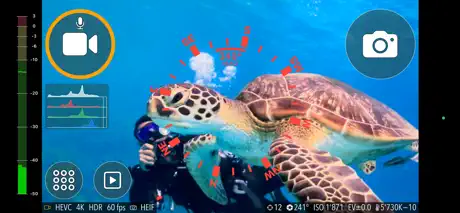
I do a lot spur of the moment picture taking and underwater photography and videography. I have been using the trial version and find this app allows you access to both photos and videos from one app. No more need for multiple apps to capture the moment. This app has lots of features for every level of photographer beginner to professional. One feature for scuba divers using their smartphone is the ability to see a compass on the screen. I can tell that this app was designed by both land and sea photographers. So far I haven’t come across any glitches. I recommend this app for everyone to replace your phone’s camera. Update: I have used this app for a couple of years now. This app is how all apps should be developed and maintained. I enjoy the features and especially the app information section. This app is for those who take a lot of land and underwater pictures and videos. If you are looking for something a little better than the iPhone camera then this isn’t for you. As long as the developers continue to put out this app at the level they have I’m fine with the pricing.
Easy use and great results
The app is very easy to use, big buttons and ‘simple’ menu which makes usage intuitive. Camera in video mode switches between lenses at some point but is presumably a IPhone issue. Could be improved. The subscription are a bit steep but multiple options in duration of periodes makes it affordable. Diving is a expensive hobby anyway 😉 Try to improve reaction speed and small bugs. Don’t overdo with adding unnecessary features. Well done.
Digitale Filter unbrauchbar
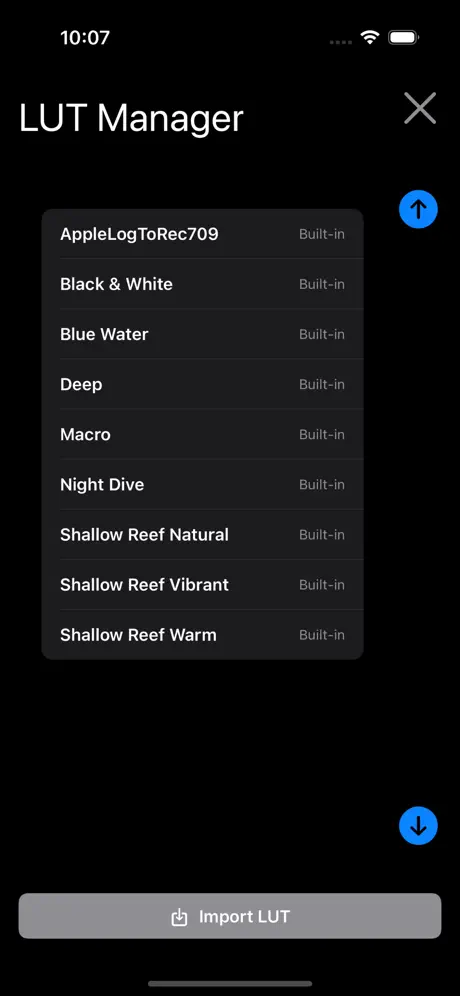
Leider sind die integrierten LUT im Pro-Modus und der Automatikmodus unbrauchbar. Es wird alles viel zu blaustichig aufgenommen. Am besten im Pro-Modus ohne LUT und mit oder ohne Rotfilter, dann ist es ok. Habe wirklich alle LUT‘s probiert mit dem Rec.709, alles sehr schlecht. Meine alte Canon G7x Mark is mit Unterwasserprogramm war deutlich besser. Hier sollte dringend nachgebessert werden.
Nettement perfectible
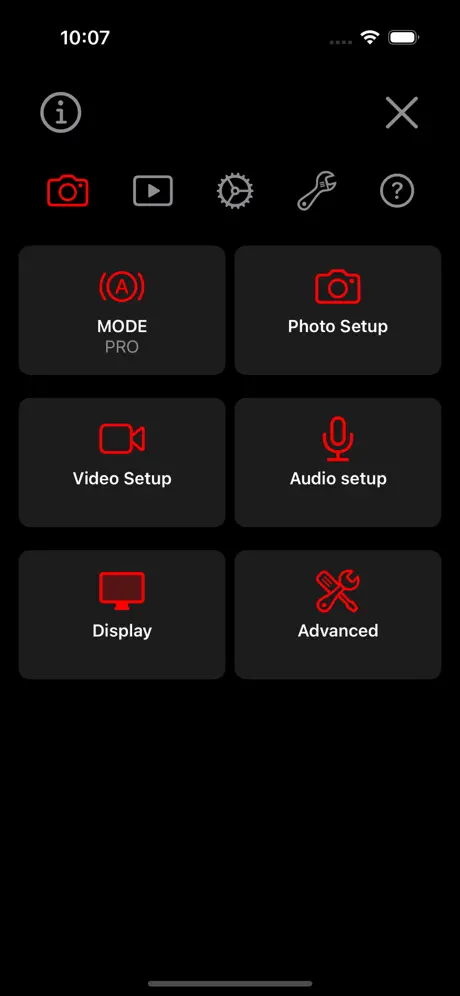
Testé avec la correction de couleur en direct, le rendu n’est pas au rendez-vous. En post production seulement 3 niveaux accessibles sans possibilité d’ajuster les parametres. Tout cela à 10€ la semaine, contre 3 ou 4 € par MOIS pour aquacolorfix qui propose plein de reglages, y’a pas photo… si je puis dire ! Je retourne direct sur aquacolorfix, meme si cela necessite de le faire uniquement en post production. De plus il manque un outil ( ou alors je ne l’ai pas vu) quand on fille avec l’appli appareil photo de l’iphone on peut prendre des photos pendant qu’on filme, avec uwacam je n’ai pas vu cette possibilité. Et enfin, en mode pro, il y a plein de menus et sous-menus mais j’avoue que je m’y suis un peu perdu…
Die mit Abstand beste Foto-App für Divevolk Besitzer
Die mit UWACAM gemachten Aufnahmen haben extrem gute Qualität und sind vor allem vom Color-Grading deutlich Aufahmen aus anderen Foto -Apps überlegen. Die Benutzerführung Unterwasser ist dank der großen Schaltflächen perfekt für die Touch-Bedienung der Divevolk Gehäuse. Funktionsvielfalt - mehr geht nicht und trotzdem noch relativ einfach bedienbar Häufige Updates. Für mich die perfekte App
Ottima ma da migliorare
Applicazione ben fatta per portare il nostro cellulare e fare splendide foto. L’applicazione funziona molto bene senza inceppamenti, chiederei ai programmatori di migliorare la messa a fuoco e la stabilizzazione dell’immagine. A 40 metri con illuminatori a 18000lmn a volte ci impiega tanto tempo a mettere a fuoco, e con foto ripetute escono tutte sfuocate. Lo zoom di iPhone 14pro con macro 8x di divevolk non lavora bene fa bene fa effetto aureola. Grazie
Not quite ready
This app is going to be perfect for the divevolk system but there is, what I feel a pretty significant bug in the version I have. If you are recording and then hit the camera button, it locks in record requiring a restart of the app that may or may not help. Not a bug deal at the surface, but a huge PITA at depth. I also learned that you need to start the app at the surface.
Das einzige UW foto + video App dass es braucht
Ich liebe die UWACAM App! Am Anfang war ich dem Abo-Modell gegenüber skeptisch, habe mich dann aber für den Jahresplan entschieden – und es keine Sekunde bereut. Die App wird extrem schnell weiterentwickelt, bekommt laufend neue Features und liefert fantastische Resultate – nicht nur im Meer, sondern auch in Schweizer Seen und sogar in Flüssen.
Neuer Goldstandard
Nicht nur die App ist der Hammer, der Support ebenso. Hatte einen Fehler gemeldet, Sonntagnachmittag. Wenige Minuten (!) später kam schon eine Antwort, kurz danach die Bestätigung und Update-Ankündigung. Das Update wiederum war dann tatsächlich auch schon verfügbar und der Fehler behoben. Besseren Support noch nie erlebt, vielen Dank.
What we’ve been waiting for.
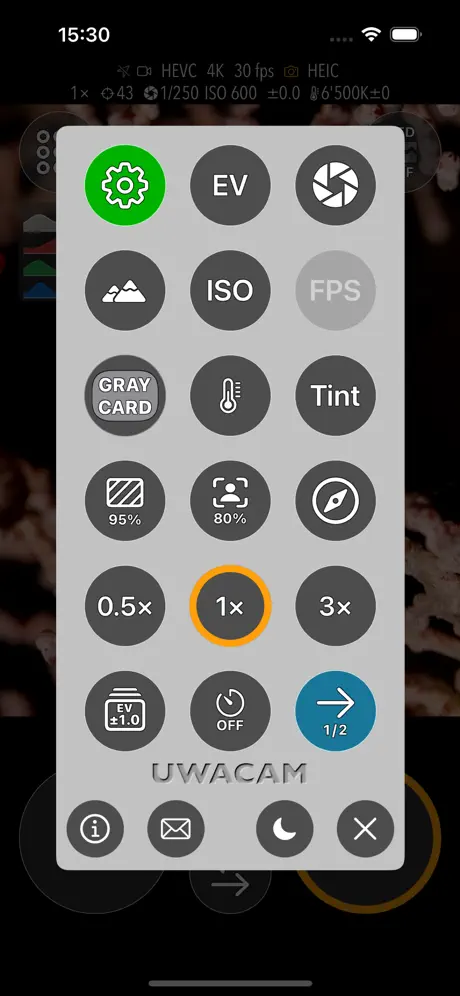
I have been using the Divevolk housing for several years now (mostly for video), and the new UWACAM app so far looks like the best camera app for underwater use. Like my previous favorite from BlackMagic, it has powerful manual controls and allows you to combine the H.265 codec with the Apple Log color space, which I think is the best balance between image quality and file size. All other camera apps that I am aware of, including the native iPhone app, only make Log available when using the ProRes codec, which is impractical for underwater videography. On the other hand, the BlackMagic app makes extensive use of control sliders, which are difficult to operate through the Divevolk membrane, whereas the UWACAM app relies entirely on buttons. The UWACAM app also works for both photos and video, whereas BlackMagic is video only. And the UWACAM app has a feature that as far as I know is unique, which is the ability to tap to sleep and tap to wake, which allows you to turn off the screen to conserve the battery without locking the phone. This is a big deal to me. All the other apps, including the native camera app, require a bunch of setting changes to be useable in the Divevolk housing, when you cannot access the external buttons on the phone, and entering a passcode is inconvenient. For example, you need to turn on Raise to Wake, and turn off the Passcode. To turn off the Passcode, you have to first turn off Stolen Device Protection or else there will be a one hour delay. And when you turn off the Passcode, the iPhone automatically removes all credit cards from the Apple Wallet. All this rigamarole has to be undone when you're back on land. Regarding the subscription model, I understand the aversion when a big company like Adobe switches from one-time payment to subscription. But UWACAM is a specialized app for a niche market, and I don't see how the developers could finance the development of this app any other way, and I want that development to continue. If they sold a thousand annual subscriptions, the total revenue would be $50,000. I don't think anyone is gouging or getting rich from this app. And, finally, I can attest to the outstanding customer service from the development team. I emailed them about a bug I found in the tap-to-focus feature, and Andi responded four hours later, from Switzerland on a Sunday evening, to say they had reproduced my issue, and would issue a fix within three days. Which they did. Let’s support these folks and the continued development of the app!
Making things much easier.
A very well-thought-out and useful app for underwater photography that makes operating the camera much easier!
Great
This is something that was definitely missing in underwater photo and video shooting using divevolk phone case. Thanks.
UWACAM App
I recently bought the DiveVolk casing from my iPhone 16 pro. Great casing. Using the phone’s camera with no camera app is far from ideal. I tried Black Magic and looked others and ended up with green footage of Komodo Indonesia which should have been spectacular. I found this UWACAM App and was blown away by its functionality and simplicity I wrote the support team and got Andi in Switzerland who was an amazing and very responsive support. Imagine, I reached a human and not just a tech nerd, an actual diver developing an app for divers. It’s super intuitive, does colour grading for all conditions and more. That combined with a lens should get you professional quality whether a beginner or pro with a camera. Diving Raja Ampat tho week and can’t wait to see the footage. Bar none the beat app out there. Give it a whirl. Eric Claus from Canada
Well thought through
Love having the big simplified buttons and still remaining in control of all the cameras settings! 👍
UWACAM price by country
A weekly subscription costs $7.98 in the Philippines and $16.06 in Colombia — 2× more for the same thing. Below is the going rate for each plan in every country that sells it — the middle price of what the app charges there, in the country's own currency with the dollar equivalent beneath it.
| Country | Weekly | Monthly | Annual |
|---|---|---|---|
| Afghanistan | $9.99 | $29.99 | $49.99 |
| Albania | $11.99 | $34.99 | $59.99 |
| Algeria | $9.99 | $29.99 | $49.99 |
| Angola | $9.99 | $29.99 | $49.99 |
| Anguilla | $9.99 | $29.99 | $49.99 |
| Antigua And Barbuda | $9.99 | $29.99 | $49.99 |
| Argentina | $9.99 | $29.99 | $49.99 |
| Armenia | $11.99 | $34.99 | $59.99 |
| Australia | A$14.99$10.41 | A$49.99$34.72 | A$79.99$55.55 |
| Austria | €9.99$11.20 | €34.99$39.23 | €59.99$67.25 |
| Azerbaijan | $9.99 | $29.99 | $49.99 |
| Bahamas | $9.99 | $29.99 | $49.99 |
| Bahrain | $9.99 | $29.99 | $49.99 |
| Barbados | $11.99 | $34.99 | $59.99 |
| Belarus | $11.99 | $34.99 | $59.99 |
| Belgium | €9.99$11.62 | €34.99$40.69 | €59.99$69.76 |
| Belize | $9.99 | $29.99 | $49.99 |
| Benin | $11.99 | $34.99 | $59.99 |
| Bermuda | $9.99 | $29.99 | $49.99 |
| Bhutan | $9.99 | $29.99 | $49.99 |
| Bolivia | $9.99 | $29.99 | $49.99 |
| Bosnia & Herzegovina | €9.99$11.62 | €34.99$40.69 | €59.99$69.76 |
| Botswana | $9.99 | $29.99 | $49.99 |
| Brazil | R$49.90$9.78 | R$149.90$29.39 | R$249.90$49.00 |
| British Virgin Islands | $9.99 | $29.99 | $49.99 |
| Brunei Darussalam | $9.99 | $29.99 | $49.99 |
| Bulgaria | €9.99$11.62 | €34.99$40.69 | €49.99$58.13 |
| Burkina Faso | $9.99 | $29.99 | $49.99 |
| Cambodia | $9.99 | $29.99 | $49.99 |
| Cameroon | $11.99 | $34.99 | $59.99 |
| Canada | CA$12.99$9.41 | CA$39.99$28.98 | CA$69.99$50.72 |
| Cape Verde | $9.99 | $29.99 | $49.99 |
| Cayman Islands | $9.99 | $29.99 | $49.99 |
| Chad | $9.99 | $29.99 | $49.99 |
| Chile | CLP 9,990$10.81 | CLP 34,990$37.88 | CLP 59,990$64.94 |
| China | CN¥68.00$10.10 | CN¥198.00$29.42 | CN¥328.00$48.74 |
| Colombia | COP 49,900$16.06 | COP 129,900$41.81 | COP 229,900$74.00 |
| Congo | $9.99 | $29.99 | $49.99 |
| Congo, Democratic Republic | $9.99 | $29.99 | $49.99 |
| Costa Rica | $9.99 | $29.99 | $49.99 |
| Cote Divoire | $11.99 | $34.99 | $59.99 |
| Croatia | €9.99$11.62 | €34.99$40.69 | €59.99$69.76 |
| Cyprus | €9.99$11.62 | €34.99$40.69 | €59.99$69.76 |
| Czech Republic | CZK 249.00$11.95 | CZK 799.00$38.34 | CZK 1,290.00$61.90 |
| Denmark | DKK 89.00$13.84 | DKK 249.00$38.72 | DKK 399.00$62.05 |
| Dominica | $9.99 | $29.99 | $49.99 |
| Dominican Republic | $9.99 | $29.99 | $49.99 |
| Ecuador | $9.99 | $29.99 | $49.99 |
| Egypt | EGP 499.99$9.77 | EGP 1,499.99$29.30 | EGP 2,499.99$48.83 |
| El Salvador | $9.99 | $29.99 | $49.99 |
| Estonia | €9.99$11.62 | €34.99$40.69 | €59.99$69.76 |
| Fiji | $9.99 | $29.99 | $49.99 |
| Finland | €9.99$11.62 | €34.99$40.69 | €59.99$69.76 |
| France | €9.99$11.62 | €34.99$40.69 | €59.99$69.76 |
| Gabon | $9.99 | $29.99 | $49.99 |
| Gambia | $9.99 | $29.99 | $49.99 |
| Georgia | $11.99 | $34.99 | $59.99 |
| Germany | €9.99$11.20 | €34.99$39.23 | €59.99$67.25 |
| Ghana | $11.99 | $34.99 | $59.99 |
| Greece | €9.99$11.62 | €34.99$40.69 | €59.99$69.76 |
| Grenada | $9.99 | $29.99 | $49.99 |
| Guatemala | $9.99 | $29.99 | $49.99 |
| Guinea-bissau | $9.99 | $29.99 | $49.99 |
| Guyana | $9.99 | $29.99 | $49.99 |
| Honduras | $9.99 | $29.99 | $49.99 |
| Hong Kong | HK$88.00$11.21 | HK$228.00$29.04 | HK$388.00$49.43 |
| Hungary | HUF 4,490$14.36 | HUF 12,990$41.55 | HUF 22,990$73.54 |
| Iceland | $11.99 | $34.99 | $59.99 |
| India | ₹999.00$10.50 | ₹2,999.00$31.53 | ₹4,999.00$52.55 |
| Indonesia | IDR 169,000$9.65 | IDR 499,000$28.51 | IDR 799,000$45.64 |
| Iraq | $9.99 | $29.99 | $49.99 |
| Ireland | €9.99$11.62 | €34.99$40.69 | €59.99$69.76 |
| Israel | ₪34.90$11.56 | ₪99.90$33.08 | ₪179.90$59.57 |
| Italy | €9.99$11.62 | €34.99$40.69 | €59.99$69.76 |
| Jamaica | $9.99 | $29.99 | $49.99 |
| Japan | ¥1,500$9.77 | ¥5,000$32.55 | ¥8,000$52.09 |
| Jordan | $9.99 | $29.99 | $49.99 |
| Kazakhstan | KZT 4,990.00$10.98 | KZT 14,990.00$32.98 | KZT 24,990.00$54.99 |
| Kenya | $11.99 | $34.99 | $59.99 |
| Kosovo | €9.99$11.62 | €34.99$40.69 | €59.99$69.76 |
| Kuwait | $9.99 | $29.99 | $49.99 |
| Kyrgyzstan | $9.99 | $29.99 | $49.99 |
| Lao Peoples Democratic Republic | $9.99 | $29.99 | $49.99 |
| Latvia | €9.99$11.62 | €34.99$40.69 | €59.99$69.76 |
| Lebanon | $9.99 | $29.99 | $49.99 |
| Liberia | $9.99 | $29.99 | $49.99 |
| Libya | $9.99 | $29.99 | $49.99 |
| Lithuania | €9.99$11.62 | €34.99$40.69 | €59.99$69.76 |
| Luxembourg | €9.99$11.62 | €34.99$40.69 | €59.99$69.76 |
| Macao | $9.99 | $29.99 | $49.99 |
| Macedonia | $9.99 | $29.99 | $49.99 |
| Madagascar | $9.99 | $29.99 | $49.99 |
| Malawi | $9.99 | $29.99 | $49.99 |
| Malaysia | MYR 49.90$12.26 | MYR 129.90$31.92 | MYR 229.90$56.49 |
| Maldives | $9.99 | $29.99 | $49.99 |
| Mali | $9.99 | $29.99 | $49.99 |
| Malta | €9.99$11.20 | €34.99$39.23 | €59.99$67.25 |
| Mauritania | $9.99 | $29.99 | $49.99 |
| Mauritius | $9.99 | $29.99 | $49.99 |
| Mexico | MX$199.00$11.78 | MX$599.00$35.44 | MX$999.00$59.11 |
| Micronesia | $9.99 | $29.99 | $49.99 |
| Moldova | $11.99 | $34.99 | $59.99 |
| Mongolia | $9.99 | $29.99 | $49.99 |
| Montenegro | €9.99$11.62 | €29.99$34.87 | €49.99$58.13 |
| Montserrat | $9.99 | $29.99 | $49.99 |
| Morocco | $9.99 | $29.99 | $49.99 |
| Mozambique | $9.99 | $29.99 | $49.99 |
| Myanmar | $9.99 | $29.99 | $49.99 |
| Namibia | $9.99 | $29.99 | $49.99 |
| Nauru | $9.99 | $29.99 | $49.99 |
| Nepal | $11.99 | $34.99 | $59.99 |
| Netherlands | €9.99$11.62 | €34.99$40.69 | €59.99$69.76 |
| New Zealand | NZ$19.99$11.69 | NZ$49.99$29.23 | NZ$99.99$58.47 |
| Nicaragua | $9.99 | $29.99 | $49.99 |
| Niger | $9.99 | $29.99 | $49.99 |
| Nigeria | NGN 14,900.00$11.24 | NGN 49,900.00$37.63 | NGN 79,900.00$60.26 |
| Norway | NOK 129.00$14.02 | NOK 399.00$43.37 | NOK 599.00$65.11 |
| Oman | $9.99 | $29.99 | $49.99 |
| Pakistan | PKR 2,900$10.46 | PKR 7,900$28.49 | PKR 12,900$46.52 |
| Palau | $9.99 | $29.99 | $49.99 |
| Panama | $9.99 | $29.99 | $49.99 |
| Papua New Guinea | $9.99 | $29.99 | $49.99 |
| Paraguay | $9.99 | $29.99 | $49.99 |
| Peru | PEN 39.90$11.91 | PEN 119.90$35.79 | PEN 199.90$59.67 |
| Philippines | ₱499.00$7.98 | ₱1,790.00$28.63 | ₱2,990.00$47.82 |
| Poland | PLN 49.99$13.47 | PLN 149.99$40.43 | PLN 299.99$80.86 |
| Portugal | €9.99$11.20 | €34.99$39.23 | €59.99$67.25 |
| Qatar | QAR 39.99$10.99 | QAR 99.99$27.47 | QAR 199.99$54.94 |
| Romania | RON 49.99$11.06 | RON 149.99$33.18 | RON 299.99$66.37 |
| Russia | RUB 899.00$10.53 | RUB 2,490.00$29.18 | RUB 4,490.00$52.61 |
| Rwanda | $9.99 | $29.99 | $49.99 |
| Sao Tome & Principe | $9.99 | $29.99 | $49.99 |
| Saudi Arabia | SAR 39.99$10.66 | SAR 129.99$34.66 | SAR 199.99$53.33 |
| Senegal | $11.99 | $34.99 | $59.99 |
| Serbia | €9.99$11.62 | €34.99$40.69 | €59.99$69.76 |
| Seychelles | $9.99 | $29.99 | $49.99 |
| Sierra Leone | $9.99 | $29.99 | $49.99 |
| Singapore | SGD 14.98$11.89 | SGD 39.98$31.73 | SGD 69.98$55.54 |
| Slovakia | €9.99$11.62 | €34.99$40.69 | €59.99$69.76 |
| Slovenia | €9.99$11.62 | €34.99$40.69 | €59.99$69.76 |
| Solomon Islands | $9.99 | $29.99 | $49.99 |
| South Africa | ZAR 199.99$12.47 | ZAR 599.99$37.41 | ZAR 999.99$62.34 |
| South Korea | ₩14,000$10.46 | ₩44,000$32.86 | ₩66,000$49.29 |
| Spain | €9.99$11.20 | €34.99$39.23 | €59.99$67.25 |
| Sri Lanka | $9.99 | $29.99 | $49.99 |
| St. Kitts and Nevis | $9.99 | $29.99 | $49.99 |
| St. Lucia | $9.99 | $29.99 | $49.99 |
| St. Vincent & The Grenadines | $9.99 | $29.99 | $49.99 |
| Suriname | $9.99 | $29.99 | $49.99 |
| Swaziland | $9.99 | $29.99 | $49.99 |
| Sweden | SEK 129.00$13.45 | SEK 399.00$41.61 | SEK 599.00$62.46 |
| Switzerland | CHF 9.00$10.83 | CHF 29.00$34.90 | CHF 49.50$59.57 |
| Taiwan | NT$320.00$10.17 | NT$990.00$31.46 | NT$1,490.00$47.35 |
| Tajikistan | $9.99 | $29.99 | $49.99 |
| Tanzania | TZS 29,900.00$11.31 | TZS 89,900.00$33.99 | TZS 149,900.00$56.68 |
| Thailand | THB 399.00$12.13 | THB 999.00$30.36 | THB 1,990.00$60.49 |
| Tonga | $9.99 | $29.99 | $49.99 |
| Trinidad and Tobago | $9.99 | $29.99 | $49.99 |
| Tunisia | $9.99 | $29.99 | $49.99 |
| Turkey | TRY 449.99$9.28 | TRY 1,299.99$26.80 | TRY 2,299.99$47.41 |
| Turkmenistan | $9.99 | $29.99 | $49.99 |
| Turks and Caicos | $9.99 | $29.99 | $49.99 |
| Uganda | $11.99 | $34.99 | $59.99 |
| Ukraine | $11.99 | $34.99 | $59.99 |
| United Arab Emirates | AED 39.99$10.90 | AED 119.99$32.69 | AED 199.99$54.49 |
| United Kingdom | £9.99$13.21 | £29.99$39.67 | £49.99$66.12 |
| United States | $9.99 | $29.99 | $49.99 |
| Uruguay | $9.99 | $29.99 | $49.99 |
| Uzbekistan | $9.99 | $29.99 | $49.99 |
| Vanuatu | $9.99 | $29.99 | $49.99 |
| Venezuela | $9.99 | $29.99 | $49.99 |
| Vietnam | ₫249,000$9.63 | ₫799,000$30.90 | ₫1,299,000$50.24 |
| Yemen | $9.99 | $29.99 | $49.99 |
| Zambia | $11.99 | $34.99 | $59.99 |
| Zimbabwe | $11.99 | $34.99 | $59.99 |
UWACAM FAQ
- Is UWACAM free?
- Yes. The app and its basic features are free, in all 175 countries it sells in. Premium features are paid: they start from $9.99 (US), across 3 subscriptions.
- How much does UWACAM cost per month?
- Monthly is $29.99 (US). The annual plan works out cheaper per month: $49.99 a year.
- Does UWACAM have a free trial?
- Yes — a 3 days free trial (US).
- Where is UWACAM cheapest?
- A weekly subscription costs ₱499.00 (≈$7.98) in the Philippines and COP 49,900 (≈$16.06) in Colombia, its cheapest and dearest countries.
- What are the best alternatives to UWACAM?
- AquaColorFix - Photo & Video (4.8 from 2,794 reviews, premium from $3.99), SportDiver (3.2 from 604 reviews) and QRControl (4.5 from 376 reviews).
UWACAM download
Last updated 18 days ago.
UWACAM sells in 175 countries. It was released 1 year and 8 months ago, on 10 Jan 2025. It holds a 4.7 rating from 213 reviews.
Supports 6 languages: English, French, German, Italian, Portuguese, Spanish.
How much does UWACAM make?
Third-party estimates for the last 30 days, worldwide — not the store's own figures, which Apple publishes for nobody.
Revenue by plan
- Weekly 68%
- Annual 26%
- Monthly 6%
Revenue by country
- United States 32%
- Germany 15%
- Switzerland 9%
- United Kingdom 6%