Notate PDF for BlackBerry
PDF Workspace for Enterprise
How much does Notate PDF for BlackBerry cost?
Prices are current as of 15 Nov 2026.
Notate PDF for BlackBerry has no in-app products on record in the United States.
10+ alternatives to Notate PDF for BlackBerry
| Notate PDF for BlackBerry |   POLARIS Office for BlackBerry |   BlackBerry Edit |   iAnnotate for BlackBerry |   BlackBerry Notes |   Workspaces Dynamics |   BlackBerry Enterprise BRIDGE |   Intapp Time Legacy BlackBerry |   iManage Work 10 For BlackBerry |   ResearchMonitor ResearchHub |   Intapp Legacy for BlackBerry | |
|---|---|---|---|---|---|---|---|---|---|---|---|
| Rating / 5 | 4.2 | 2.8 | 2.5 | 2.4 | 2.5 | 4.3 | 5.0 | 3.4 | 4.7 | 3.5 | — |
| Reviews | 492 | 74 | 70 | 57 | 31 | 17 | 14 | 8 | 3 | 2 | — |
| Released | 2013 | 2013 | 2016 | 2016 | 2017 | 2015 | 2018 | 2015 | 2018 | 2014 | 2022 |
Notate PDF for BlackBerry reviews
4.2 out of 5, based on 492 reviews.
What people like
- Customer support is quick and helpful.
- Syncs nicely with Outlook notes.
- Keeps notes safe on company servers.
What they complain about
- Crashes constantly and deletes your work.
- Stylus highlights the whole page instead of words.
- Overheats your iPad while you use it.
More than a note taking app
I have loved using Notate. The recent updates have been very helpful. I have had a couple times where I’ve had to email customer support for issues, and they’ve always been prompt. 5/5
Unworkable
The application crashes almost every hour of use, and overheats the iPad. Unfortunately it’s far from being fit for purpose. I wonder if it’s been actively maintained still.
Useful Work Notetaking App
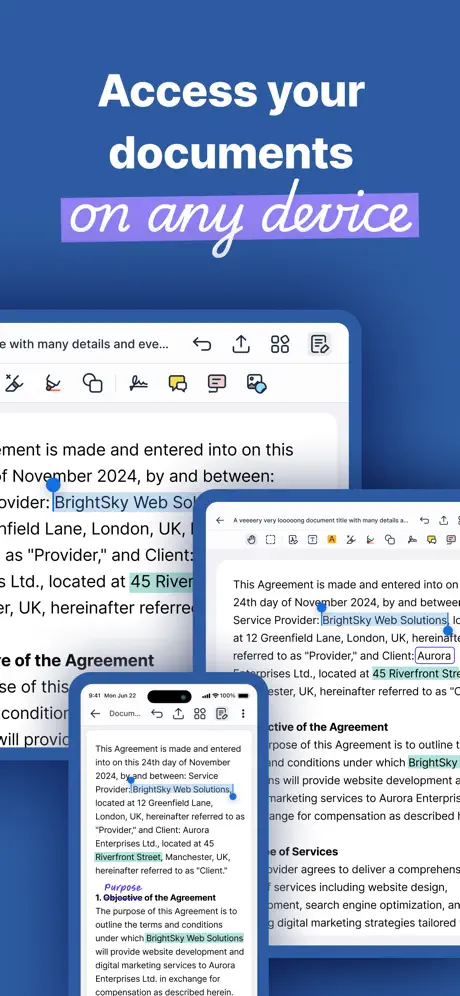
The app is used in how it allows for notating and notetaking in traditional text format as well as in a drawing format that is synced to corporate servers. This makes it much better for keeping notes from having to be kept on home storage devices. One of the issues I have with the app is that it is buggy and sometimes crashes without warning. It generally is fixed after a start up. The other area of improvement is with the drawing app. It should be updated to have the latest iPad pencil 2.0 functionality like tap twice to change to eraser or palate, and it should allow for the color of a drawing to be changed after I draw it with an existing color.
Reliability
The app is highly unstable and unreliable - too often it closes suddenly and i lose all my annotations on an open document
Crashes too frequently
When it works its great but you only have to experience a crash of the app after making many annotates and lose everything to get very frustrated. It’s been happening for a few months now. Plus the highlighting often will not simply highlight a word or sentence with the apple pen - instead you will get the entire section or page. That bug is rather new but equally frustrating. I am using the latest ipad with updates software. Please address otherwise need to consider more stable alternatives.
Finally
Good is the closest vendor to get the user involved. Everyone focuses on security and good has made an effort to introduce an ecosystem that gave us options when it came to secure productivity apps. Great work good.
Only app ever to make my iPad crash
This app has done something few if any apps have ever done. I tried to type into a note, but apparently thats not something this note taking app can do. I tried to have my notes side by side with my emails, but apparently whilst that is basic functionality for the ipad, it isnt for this app. I’m impressed by how terrible this app is, and how little it works.
Needs a slight tweak to Apple Pencil support
I use this for work and notability for personal, the pen support in that app is much better where you cannot draw with your fingers until you disconnect Apple Pencil. Something similar should be brought into this app
Junk
Was working fine for a while, then crashed the last time after I entered my password and now it's reset itself and requires reactivation. Seriously?
Great but needs handwriting to Text conversion
Would really compete if this was available.
Nice app
I needed to be able to leave my laptop at home. This app gets me one step closer!!!
Too thick to annotate
The pen functionality does not work well, as it too thick. Also same issue with highlights. No ability to reduce thickness.
Didn't receive a key
Didn't receive the key so unable to say if it's working well.
Decent app, uses a lot of resources in background
Not quite on a par with OneNote for example, but a decent note taking app with the integrations I need for work. One annoying thing which I have just tracked down though is that when the app is in the background it causes my home screen to stutter when scrolling, or jabber video chats to lag - likely trying to do too much in the background. When I force close it, everything’s back to being silky smooth
update for IOS 14?
Doesn’t seem to work anymore with the latest IOS update. Crashes immediately when I try to open it. Please update, I use this for work, so it is very important!
Still unstable
After the last update, I can't use the 'paste' functionality anymore... Also the app still crashes randomly.
Good but missing features
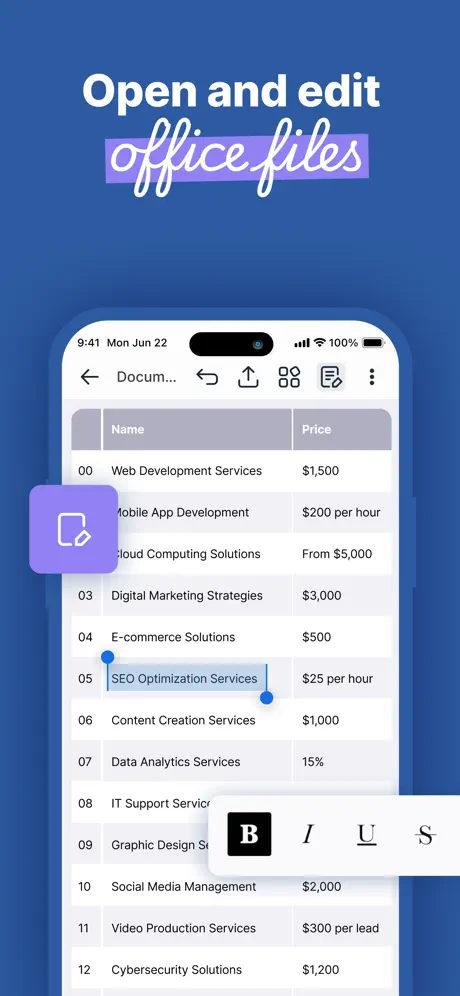
As an avid Evernote fan, I like this and use it regularly but it is missing a couple of features: - Hyperlinks - Tables - A desktop client that has the same features as the iPhone app - Encrypted notes - Linux app (not going to happen but a web app would be nice) At the moment I am stuck with a combination of Notate & OneNote for work and Evernote for personal. This has most of my notes for work for things that I need to access from my phone.
Could not use it at all
It required an access key to even start using it, that it claims should have been sent to my email (presumably it means my icloud email that was used to download it?) but no email from Notes For Good was in my inbox. I don't want to wait possibly days for the developer to email me an access key! Fail. Promptly uninstalled it.
iPad Multitasking is Needed
I like the application and the fact it syncs with Outlook Notes. It would become much more usable if the developer would enable multitasking (split screen) support on the iPad Pro.
Lots of bugs and missing features
Quite annoying bugs with BB Work interface, barely manage to transfer and work documents most of the time (blank screen is what I get most) When it works is quite annoying managing mark-ups and PDF annotations, which tend to disappear if then exported into BB Work. Similarly with the sister app Docs, the annotation cannot be seen if receiving the file on a BB Work device / smartphone but only from a PC / laptop - very annoying Other apps work much better
Almost Perfect
Has nice features but unable to use a stylus to take notes, must type the notes.
Keeps switching out when typing
This app is virtually unusable as it keeps automatically switching to Good email whilst in use.
Totally useless
This app is completely worthless as a companion to Outlook. Horrible. Horrible. I'm mad it even exists in my cloud.
Can't annotate PDF documents
Useless.
Notate PDF for BlackBerry FAQ
- Is Notate PDF for BlackBerry free?
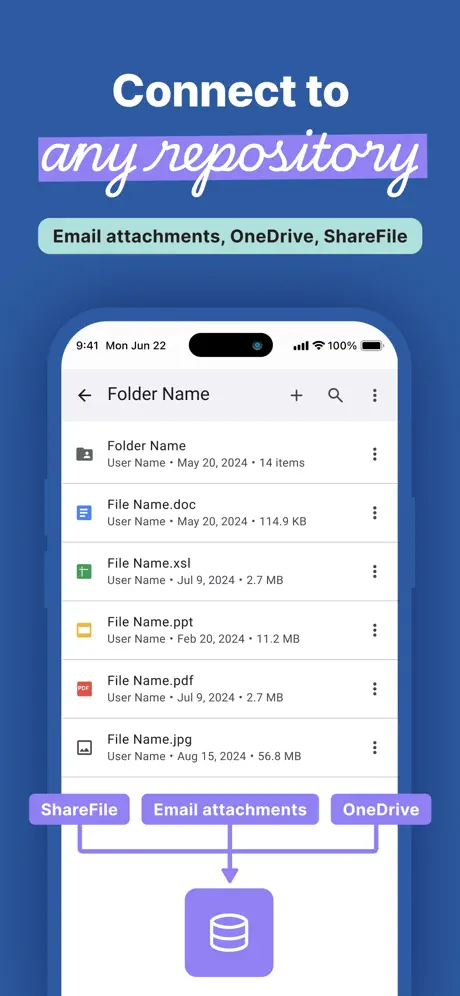
- Yes. The app is free, in all 175 countries it sells in, and it sells nothing inside it.
- Does Notate PDF for BlackBerry have a free trial?
- No. None of its offers (US) come with a free trial.
- What are the best alternatives to Notate PDF for BlackBerry?
- POLARIS Office for BlackBerry (2.8 from 74 reviews), BlackBerry Edit (2.5 from 70 reviews) and iAnnotate for BlackBerry (2.4 from 57 reviews).
Notate PDF for BlackBerry download
Last updated 22 days ago.
Notate PDF for BlackBerry sells in 175 countries. It was released 13 years and 6 months ago, on 22 May 2013. It holds a 4.2 rating from 492 reviews.
Supports 10 languages: English, Dutch, French, German, Italian, Japanese, Portuguese, Russian, Chinese, Spanish.
How much does Notate PDF for BlackBerry make?
Third-party estimates for the last 30 days, worldwide — not the store's own figures, which Apple publishes for nobody.