
YouTube Create
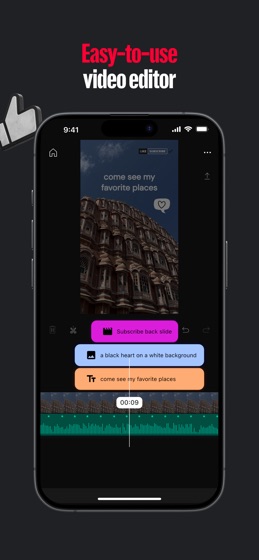


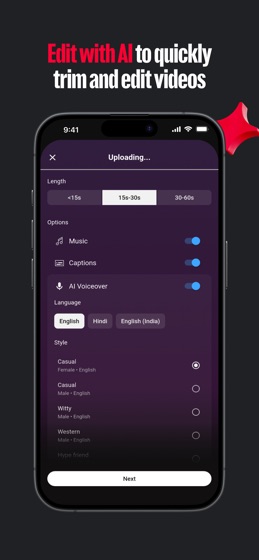
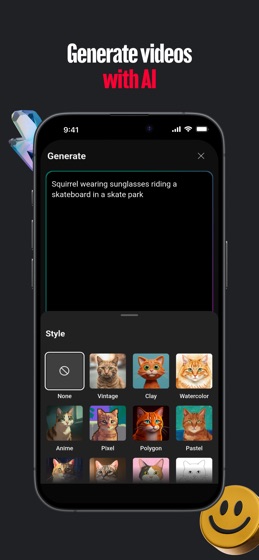
How much does YouTube Create cost?
Prices are current as of 18 Aug 2026.
YouTube Create has no in-app products on record in the United States.
10+ alternatives to YouTube Create
 YouTube Create YouTube Create |   Tracker for YouTube | Creatipi Tracker for YouTube | Creatipi |   vidIQ for YouTube & Instagram vidIQ for YouTube & Instagram |   Thumbnail Maker For YT Studio! Thumbnail Maker For YT Studio! |   Thumbnail Maker For YT studios Thumbnail Maker For YT studios |   TubeBuddy TubeBuddy |   Thumbnail Maker Studio Editor Thumbnail Maker Studio Editor |   MagicClip: AI video clipping MagicClip: AI video clipping |   Zesta.ai – AI Script & Video Zesta.ai – AI Script & Video |   Viewstats by MrBeast Viewstats by MrBeast |   Spice: AI Video Maker & More Spice: AI Video Maker & More | |
|---|---|---|---|---|---|---|---|---|---|---|---|
| Rating / 5 | 4.6 | 4.7 | 4.7 | 4.3 | 4.5 | 3.0 | 4.4 | 4.5 | 4.4 | 3.5 | 4.2 |
| Reviews | 14K | 85K | 64K | 20K | 1.3K | 1.2K | 1K | 712 | 113 | 99 | 78 |
| Released | 2025 | 2018 | 2020 | 2018 | 2024 | 2018 | 2018 | 2025 | 2025 | 2025 | 2025 |
| Weekly price | — | $2.99 | — | $4.99 | $3.99 | — | $3.99 | — | — | — | — |
| Monthly price | — | $8.99 | $24.99 | $9.99 | — | $2.99 | $9.99 | — | — | — | — |
| Annual price | — | $39.99 | $99.00 | $24.99 | $24.99 | — | — | — | — | — | — |
| One-time price | — | $6.99 | — | $3.99 | $9.99 | — | $29.99 | — | — | — | — |
The going rate for each plan in United States, in its own currency, shaded from the cheapest price on the row to the dearest.
YouTube Create reviews
4.6 out of 5, based on 14,272 reviews.
YouTube Create FAQ
- Is YouTube Create free?
- Yes. The app is free, in all 21 countries it sells in, and it sells nothing inside it.
- Does YouTube Create have a free trial?
- No. None of its offers (US) come with a free trial.
- What are the best alternatives to YouTube Create?
- Tracker for YouTube | Creatipi (4.7 from 85,149 reviews, premium from $2.99), vidIQ for YouTube & Instagram (4.7 from 64,213 reviews, premium from $8.99) and Thumbnail Maker For YT Studio! (4.3 from 20,424 reviews, premium from $3.99).
YouTube Create download
Last updated 1 month ago.
YouTube Create sells in 21 countries. It was released 1 year and 1 month ago, on 27 Aug 2025. It holds a 4.6 rating from 14,272 reviews.
Supports 74 languages: English, Afrikaans, Albanian, Amharic, Arabic, Armenian, Assamese, Azerbaijani, Basque, Belarusian, Bangla, Bosnian, Bulgarian, Burmese, Khmer, Catalan, Croatian, Czech, Danish, Dutch, Estonian, Finnish, French, Galician, Georgian, German, Greek, Gujarati, Hebrew, Hindi, Hungarian, Icelandic, Indonesian, Italian, Japanese, Kannada, Kazakh, Korean, Kyrgyz, Lao, Latvian, Lithuanian, Macedonian, Malay, Malayalam, Marathi, Mongolian, Nepali, Norwegian Bokmål, Odia, Persian, Polish, Portuguese, Punjabi, Romanian, Russian, Serbian, Chinese, Sinhala, Slovak, Slovenian, Spanish, Swahili, Swedish, Filipino, Tamil, Telugu, Thai, Turkish, Ukrainian, Urdu, Uzbek, Vietnamese, Zulu.
How much does YouTube Create make?
Third-party estimates for the last 30 days, worldwide — not the store's own figures, which Apple publishes for nobody.