
Voice Remover: Music Separator
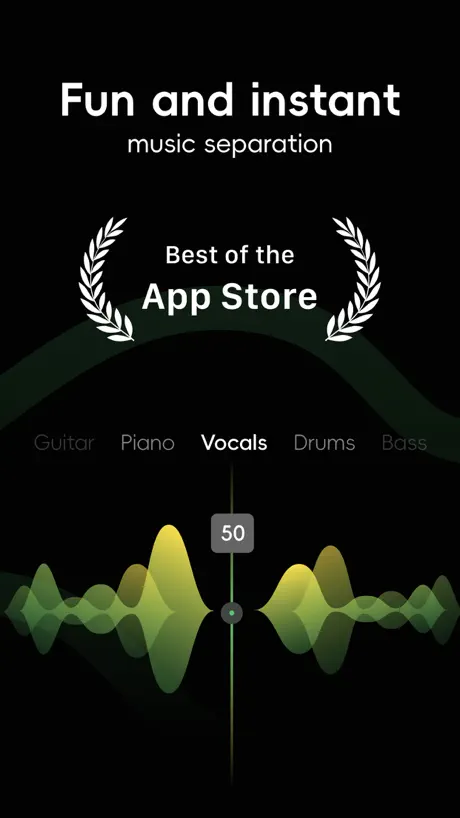
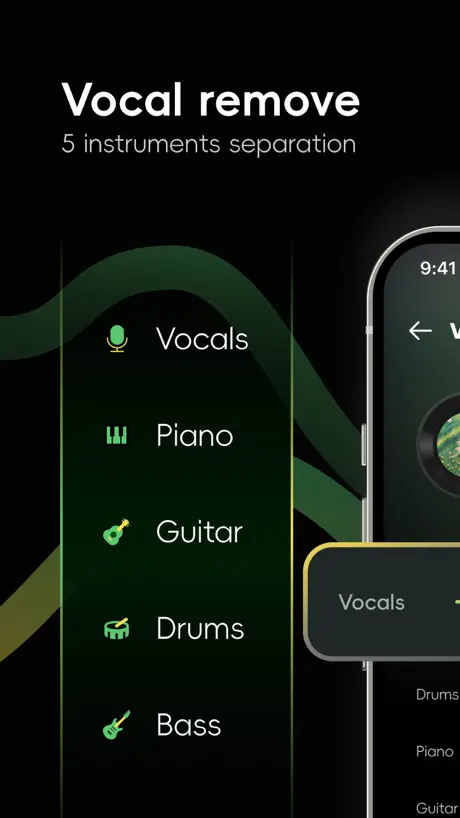
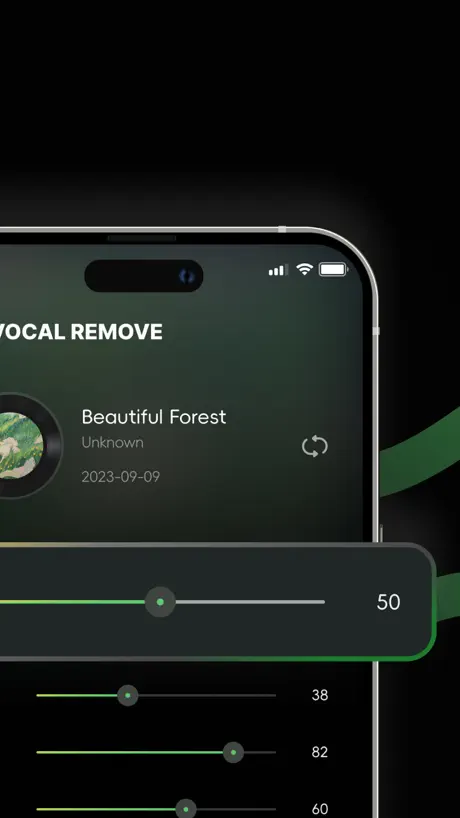
Remove Vocals, Extact Voice
How much does Voice Remover: Music Separator cost?
Prices are current as of 6 Oct 2026.
1 subscription from $7.99
In the United States, Voice Remover: Music Separator has 1 subscription priced $7.99.
| Subscription | Period | Price |
|---|---|---|
| Voice Remover Week | Weekly | $7.99 |
See what Voice Remover: Music Separator costs in all 175 countries →
10+ alternatives to Voice Remover: Music Separator
| Voice Remover: Music Separator |   Unmix AI Voice Drums Extractor Unmix AI Voice Drums Extractor |   Camera Detector: hacker detect Camera Detector: hacker detect |   Camera & Spy Device Detector Camera & Spy Device Detector |   Spy and Hidden Camera Detector Spy and Hidden Camera Detector |   RokMote: Remote for Roku TV RokMote: Remote for Roku TV |   Resume & CV Builder: Templates Resume & CV Builder: Templates |   Find My: Air Headphone Phone Find My: Air Headphone Phone |   Find Air: Tag & Device Tracker Find Air: Tag & Device Tracker |   2FA Authenticator • MFA Verify 2FA Authenticator • MFA Verify |   Hidden & Secret Device Scan Hidden & Secret Device Scan | |
|---|---|---|---|---|---|---|---|---|---|---|---|
| Rating / 5 | 4.3 | 4.3 | 4.5 | 4.4 | 4.4 | 4.6 | 4.6 | 4.5 | 4.5 | 4.7 | 4.5 |
| Reviews | 300 | 1.1K | 465 | 439 | 269 | 180 | 146 | 145 | 128 | 79 | 73 |
| Released | 2023 | 2021 | 2024 | 2024 | 2024 | 2024 | 2024 | 2024 | 2024 | 2024 | 2024 |
| Weekly price | $7.99 | $2.99 | — | — | — | — | — | — | $5.99 | — | — |
The going rate for each plan in United States, in its own currency, shaded from the cheapest price on the row to the dearest.
Voice Remover: Music Separator reviews
4.3 out of 5, based on 300 reviews.
Problem
I purchased the pro and I can’t not use it
Don’t waste your time
This thing won’t even let you use it for free, you have to pay to use it. If you’re that desperate for money just make the app itself cost money. No hate towards the developers, they have to make money somehow, but this isn’t how you do it.
付费58一周真的不值
付费服务 有的时候却不能很好滴分离歌曲 比如前面一首文件分离完 以后后面有相同文件名字但歌曲不一样 分离完这个文件却还是之前那个歌曲的分离结果,离谱。
only giving it 5 stars so it can show up
it’s a good app only thing is when i did one song it worked when i tried doing another song it saved as the one i previously did and tried once again still did the same idk how to fix it hopefully it will fix if not im uninstalling the app
I think you have to buy premium to do the point of the app
I have to buy premium to do the whole point of the app i think that’s why I don’t like it
Muito ruim
Só tem como tirar a voz com prêmio
Payant
Autant mettre l’application directement payante. Il faut s’abonner directement. Si on met continuer avec les possibilités limitées, on ne peut en réalité rien faire. A fuir.
Voice Remover: Music Separator price by country
A weekly subscription costs $4.46 in Nigeria and $15.96 in Colombia — 4× more for the same thing. Below is the going rate for each plan in every country that sells it — the middle price of what the app charges there, in the country's own currency with the dollar equivalent beneath it.
| Country | Weekly |
|---|---|
| Afghanistan | $7.99 |
| Albania | $9.99 |
| Algeria | $7.99 |
| Angola | $7.99 |
| Anguilla | $7.99 |
| Antigua And Barbuda | $7.99 |
| Argentina | $7.99 |
| Armenia | $9.99 |
| Australia | A$12.99$9.35 |
| Austria | €8.99$10.45 |
| Azerbaijan | $7.99 |
| Bahamas | $8.99 |
| Bahrain | $8.99 |
| Barbados | $9.99 |
| Belarus | $9.99 |
| Belgium | €8.99$10.45 |
| Belize | $7.99 |
| Benin | $7.99 |
| Bermuda | $7.99 |
| Bhutan | $7.99 |
| Bolivia | $7.99 |
| Bosnia & Herzegovina | €8.99$10.45 |
| Botswana | $7.99 |
| Brazil | R$39.90$7.64 |
| British Virgin Islands | $7.99 |
| Brunei Darussalam | $7.99 |
| Bulgaria | €8.99$10.45 |
| Burkina Faso | $7.99 |
| Cambodia | $8.99 |
| Cameroon | $9.99 |
| Canada | CA$9.99$7.24 |
| Cape Verde | $7.99 |
| Cayman Islands | $7.99 |
| Chad | $7.99 |
| Chile | CLP 6,990$7.48 |
| China | CN¥58.00$8.62 |
| Colombia | COP 49,900$15.96 |
| Congo | $7.99 |
| Congo, Democratic Republic | $7.99 |
| Costa Rica | $7.99 |
| Cote Divoire | $7.99 |
| Croatia | €8.99$10.45 |
| Cyprus | €8.99$10.45 |
| Czech Republic | CZK 199.00$9.56 |
| Denmark | DKK 69.00$10.73 |
| Dominica | $7.99 |
| Dominican Republic | $7.99 |
| Ecuador | $7.99 |
| Egypt | EGP 299.99$5.88 |
| El Salvador | $7.99 |
| Estonia | €8.99$10.45 |
| Fiji | $7.99 |
| Finland | €8.99$10.45 |
| France | €8.99$10.45 |
| Gabon | $7.99 |
| Gambia | $7.99 |
| Georgia | $9.99 |
| Germany | €8.99$10.45 |
| Ghana | $9.99 |
| Greece | €8.99$10.45 |
| Grenada | $7.99 |
| Guatemala | $7.99 |
| Guinea-bissau | $7.99 |
| Guyana | $7.99 |
| Honduras | $7.99 |
| Hong Kong | HK$58.00$7.40 |
| Hungary | HUF 3,490$11.16 |
| Iceland | $9.99 |
| India | ₹799.00$8.42 |
| Indonesia | IDR 129,000$7.32 |
| Iraq | $7.99 |
| Ireland | €8.99$10.45 |
| Israel | ₪29.90$9.90 |
| Italy | €8.99$10.45 |
| Jamaica | $7.99 |
| Japan | ¥1,200$7.80 |
| Jordan | $7.99 |
| Kazakhstan | KZT 3,990.00$8.78 |
| Kenya | $9.99 |
| Kosovo | €8.99$10.45 |
| Kuwait | $7.99 |
| Kyrgyzstan | $8.99 |
| Lao Peoples Democratic Republic | $7.99 |
| Latvia | €8.99$10.45 |
| Lebanon | $7.99 |
| Liberia | $7.99 |
| Libya | $7.99 |
| Lithuania | €8.99$10.45 |
| Luxembourg | €8.99$10.45 |
| Macao | $7.99 |
| Macedonia | $7.99 |
| Madagascar | $7.99 |
| Malawi | $7.99 |
| Malaysia | MYR 39.90$9.83 |
| Maldives | $7.99 |
| Mali | $7.99 |
| Malta | €8.99$10.45 |
| Mauritania | $7.99 |
| Mauritius | $7.99 |
| Mexico | MX$179.00$9.84 |
| Micronesia | $7.99 |
| Moldova | $9.99 |
| Mongolia | $7.99 |
| Montenegro | €6.99$8.13 |
| Montserrat | $7.99 |
| Morocco | $7.99 |
| Mozambique | $7.99 |
| Myanmar | $7.99 |
| Namibia | $7.99 |
| Nauru | $7.99 |
| Nepal | $7.99 |
| Netherlands | €8.99$10.45 |
| New Zealand | NZ$14.99$8.77 |
| Nicaragua | $7.99 |
| Niger | $7.99 |
| Nigeria | NGN 5,900.00$4.46 |
| Norway | NOK 99.00$10.71 |
| Oman | $7.99 |
| Pakistan | PKR 2,200$7.93 |
| Palau | $7.99 |
| Panama | $7.99 |
| Papua New Guinea | $7.99 |
| Paraguay | $7.99 |
| Peru | PEN 29.90$8.93 |
| Philippines | ₱399.00$6.38 |
| Poland | PLN 39.99$10.78 |
| Portugal | €8.99$10.45 |
| Qatar | QAR 29.99$8.24 |
| Romania | RON 39.99$8.85 |
| Russia | RUB 699.00$8.09 |
| Rwanda | $7.99 |
| Sao Tome & Principe | $7.99 |
| Saudi Arabia | SAR 34.99$9.33 |
| Senegal | $7.99 |
| Serbia | €8.99$10.45 |
| Seychelles | $7.99 |
| Sierra Leone | $7.99 |
| Singapore | SGD 9.98$7.92 |
| Slovakia | €8.99$10.45 |
| Slovenia | €8.99$10.45 |
| Solomon Islands | $7.99 |
| South Africa | ZAR 149.99$9.37 |
| South Korea | ₩11,000$8.18 |
| Spain | €8.99$10.45 |
| Sri Lanka | $7.99 |
| St. Kitts and Nevis | $7.99 |
| St. Lucia | $7.99 |
| St. Vincent & The Grenadines | $7.99 |
| Suriname | $7.99 |
| Swaziland | $7.99 |
| Sweden | SEK 99.00$10.32 |
| Switzerland | CHF 8.00$9.88 |
| Taiwan | NT$290.00$9.21 |
| Tajikistan | $9.99 |
| Tanzania | TZS 22,900.00$8.66 |
| Thailand | THB 299.00$9.09 |
| Tonga | $7.99 |
| Trinidad and Tobago | $7.99 |
| Tunisia | $7.99 |
| Turkey | TRY 249.99$5.16 |
| Turkmenistan | $7.99 |
| Turks and Caicos | $7.99 |
| Uganda | $9.99 |
| Ukraine | $9.99 |
| United Arab Emirates | AED 29.99$8.17 |
| United Kingdom | £7.99$10.83 |
| United States | $7.99 |
| Uruguay | $7.99 |
| Uzbekistan | $8.99 |
| Vanuatu | $7.99 |
| Venezuela | $7.99 |
| Vietnam | ₫199,000$7.67 |
| Yemen | $7.99 |
| Zambia | $7.99 |
| Zimbabwe | $9.99 |
Voice Remover: Music Separator FAQ
- Is Voice Remover: Music Separator free?
- Yes. The app and its basic features are free, in all 175 countries it sells in. Premium features are paid: they start from $7.99 (US), across 1 subscription.
- Does Voice Remover: Music Separator have a free trial?
- No. None of its offers (US) come with a free trial.
- Where is Voice Remover: Music Separator cheapest?
- A weekly subscription costs NGN 5,900.00 (≈$4.46) in Nigeria and COP 49,900 (≈$15.96) in Colombia, its cheapest and dearest countries.
- What are the best alternatives to Voice Remover: Music Separator?
- Unmix AI Voice Drums Extractor (4.3 from 1,069 reviews, premium from $2.99), Camera Detector: hacker detect (4.5 from 465 reviews) and Camera & Spy Device Detector (4.4 from 439 reviews).
Voice Remover: Music Separator download
Last updated 2 years ago.
Voice Remover: Music Separator sells in 175 countries. It was released 2 years and 9 months ago, on 27 Dec 2023. It holds a 4.3 rating from 300 reviews.
Supports 1 language: English.
How much does Voice Remover: Music Separator make?
Third-party estimates for the last 30 days, worldwide — not the store's own figures, which Apple publishes for nobody.
Revenue by plan
- Weekly 100%
Revenue by country
- United States 39%
- Canada 7%
- Japan 6%
- France 5%