
쿠키키보드
How much does 쿠키키보드 cost?
Prices are current as of 7 Nov 2026.
쿠키키보드 has no in-app products on record in the United States.
10+ alternatives to 쿠키키보드
| 쿠키키보드 | 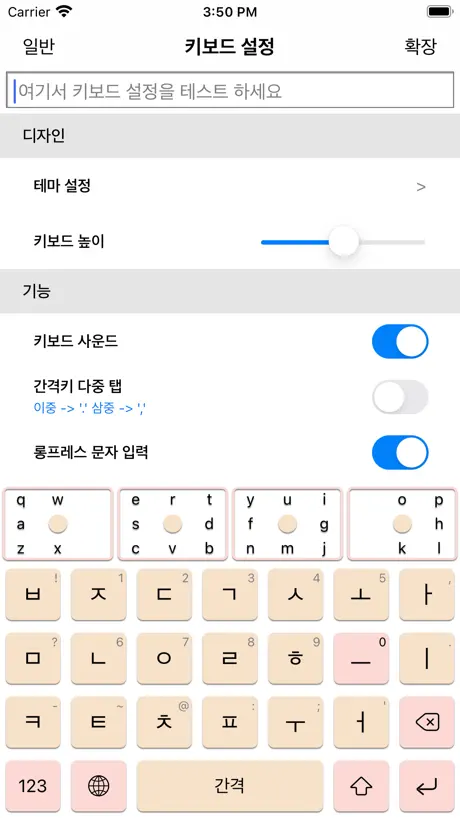  으키 | 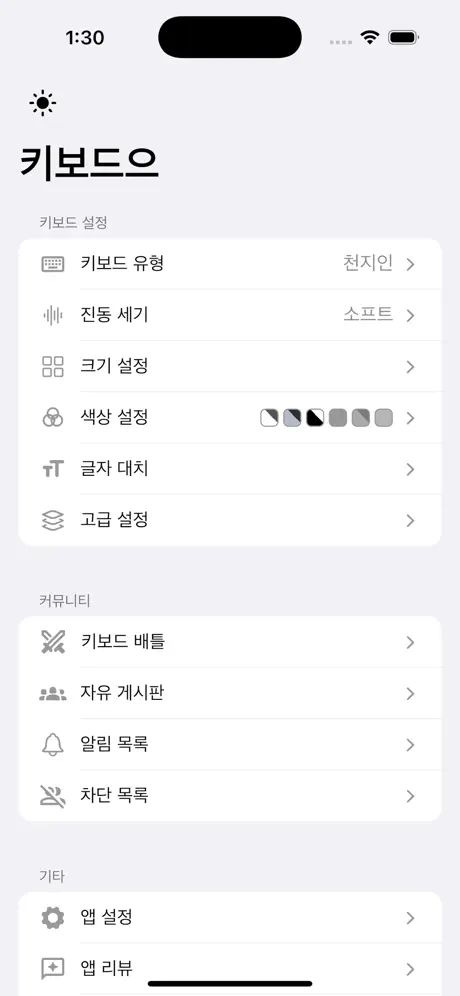  키보드으 | 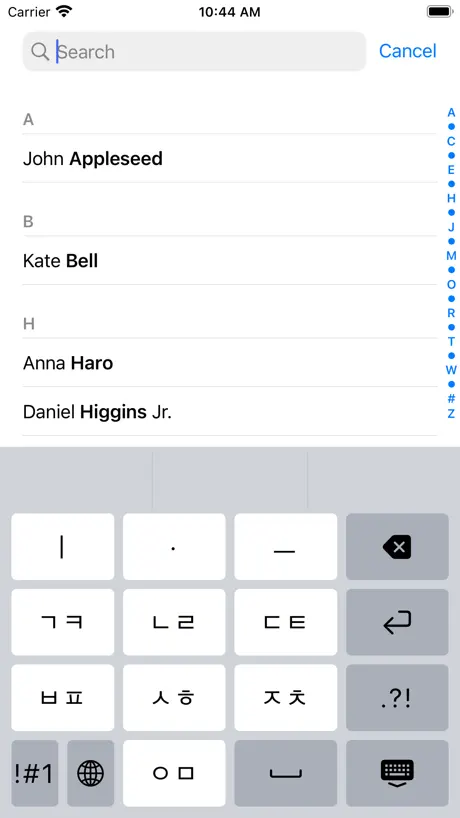  하늘땅사람 |   모아+ 키보드 |   HanKey - Korean Keyboard |   SYKeyboard |   단자음키 |   줌 키보드 - zum keyboard |   건디키 |   Han Keyboard | |
|---|---|---|---|---|---|---|---|---|---|---|---|
| Rating / 5 | 4.8 | 4.7 | 4.9 | 4.8 | 4.8 | 4.7 | 4.8 | 5.0 | 4.8 | 4.4 | 4.6 |
| Reviews | 259 | 599 | 450 | 200 | 66 | 59 | 33 | 23 | 17 | 11 | 11 |
| Released | 2023 | 2016 | 2025 | 2023 | 2026 | 2026 | 2025 | 2025 | 2024 | 2023 | 2025 |
| One-time price | — | — | $5.99 | — | — | — | — | — | — | — | — |
The going rate for each plan in United States, in its own currency, shaded from the cheapest price on the row to the dearest.
쿠키키보드 reviews
4.8 out of 5, based on 259 reviews.
What people like
- Completely free with no ads
- Great for Korean learners
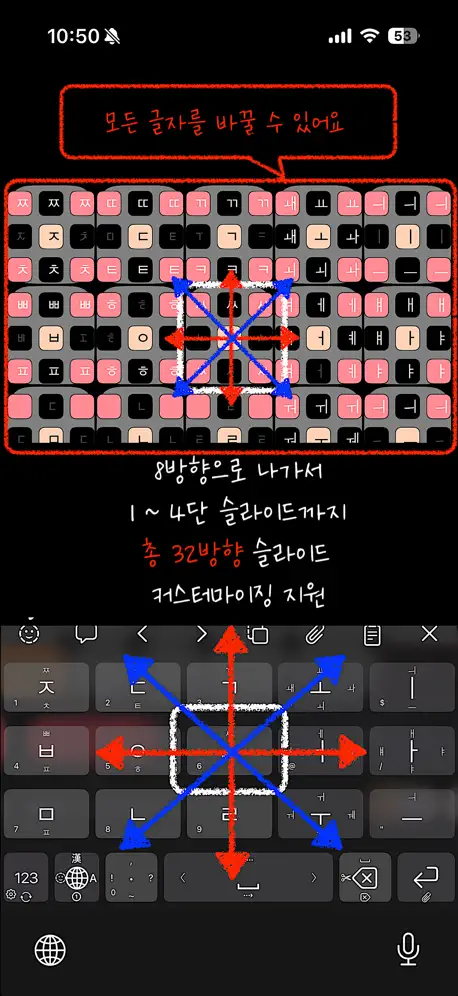
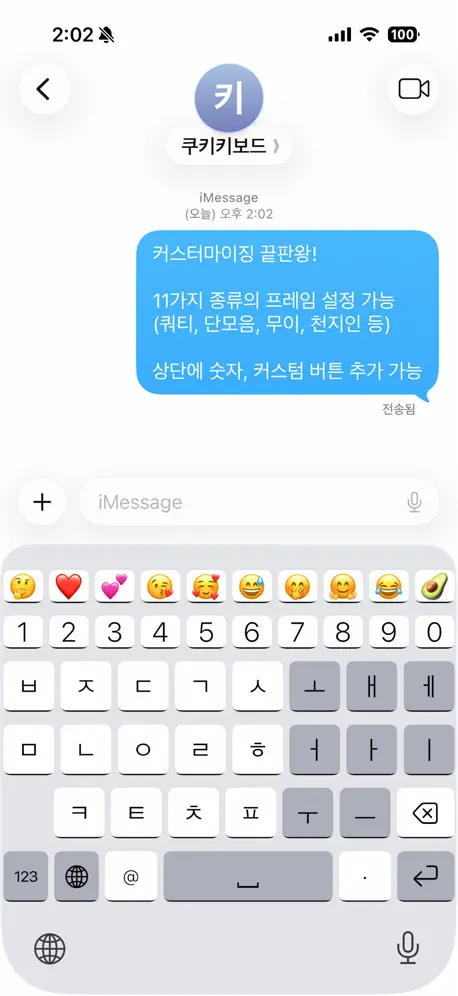
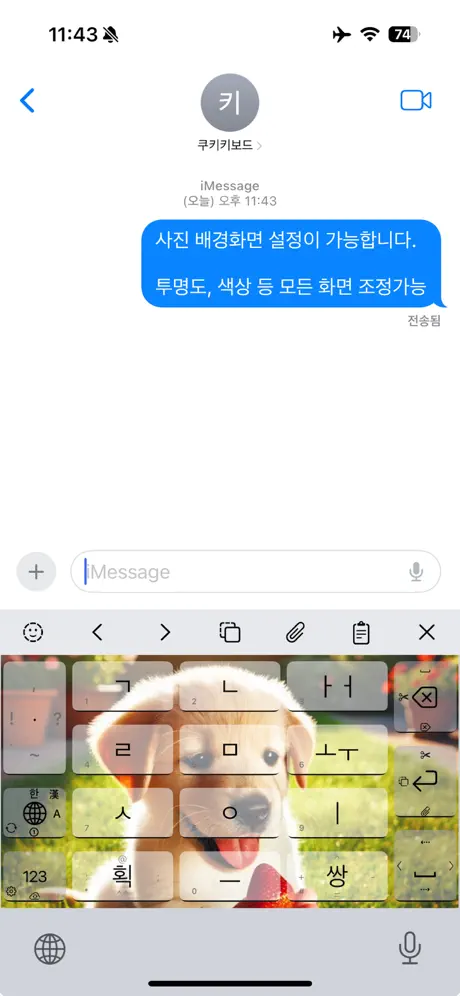
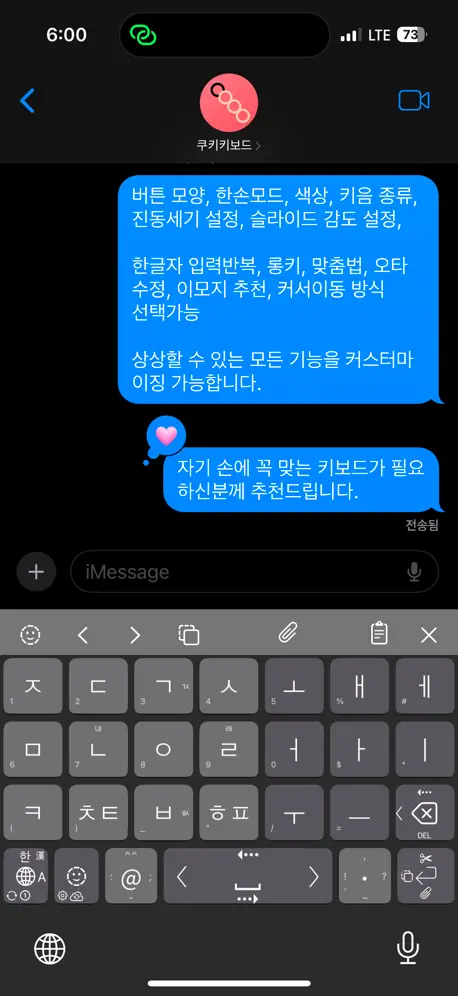
- Highly customizable settings available
- Smooth and reliable performance
What they complain about
- Cursor insertion feels weird sometimes
- Needs more accessibility permissions
- UI needs improvement badly
- Confusing number key layout
슬라이더 버리고 왔습니다
이대로면 앱을 2만원에 파셔도 삽니다 대신 구독제는 제발 변치 말아주세요
전체접근이 왜필요한데?
짜증나는 것들이네… 전체 접근이 왜 필요하냐?
정말 좋은데
자모삭제모드에서 너무 랜덤하게 자모가 삭제되네요 ㅠㅠ 이것만 고쳐지면 완벽할듯!!!
기호키가......
그냥기호만 넣어도될걸 숫자키를 뭐하러넣었는지 이해가 안가는앱......
영문 키보드 오류
오픈채팅에 쿠키키보드 검색이 안되어 리뷰로 오류 제보 남깁니다. 가장 최신 버전으로 업데이트 후 영문 키보드에 설정해놓은 기호들이 뜨지 않고 슬라이드를 해서 타자를 쳐봐도 해도 알파벳만 입력이 되고 설정해놓은 기호들이 입력이 안됩니다.
처음으로 이렇게 리뷰 남깁니다.
너무 감사합니다. 잘 사용하겠습니다. 이렇게 무료로 제공해도 괜찮은지 싶을 정도입니다. 유료버전 출사하시더라도 구매 의사 다분합니다! 혹시 간헐적으로, 키보드 치다보면 갑자기 키보드 배열이 빈 화면으로 바뀌는 경우가 있는데 해결 가능하실까요?ㅠㅠ
기본나눔 ㅇㅈㄹㅋㅋ
꼬우면 돈받고 팔등가ㅋㅋㅋ
제미나이 충돌
제미나이 앱실행시 쿠키키보드와 충돌이 나서 먹통이 됩니다. 어떻게 해야할지 모르겠어요
딩굴 자판에서 모아치기 지원 해 주세요
ui도 개선이 필요 해 보입니다
자유도 및 설정법이 편리한 키보드
한글 키보드 앱 중에 완성도가 뛰어나며,편리성이 가장 좋다고 생각됩니다. 추천합니다.
아이폰에서 치면 보통의 앱에서 이상하게 쳐지는 버그가 있습니다
너무 좋은데.. ios 키보드 서브앱의 한계인거 같기도 합니다. 기본 ios 키보드에서는 안 일어나는데 다른 키보드 서브앱에서 일어납니다. 오류 안녕하세요 쿠키앱 이용자입니다. 를 쳤을 때 1. 녀핫하세오쿠쿠키용ㅈ입ㄴ니.닏니다 (ㄴ진짜 이렇게 나옴 in 크롬 사이트 작성창 외 다수 앱) 2. 안녕하세요 쿠키 키보드 용자입니다. (최근 발견한 것- 2~3문장 입력 시 특정 단어의 앞글자 사라짐 in 옵시디언 메모앱) 그냥 이 정도의 오류들이 있다 정도입니다 그래서 기본 키보드 앱이랑 번갈아서 사용하는데요... 이 정도의 불편함이 있다 입니다... 아쉽긴 합니다
딩굴에서 갈아탔습니다
지구본이랑 숫자변환키도 편집 가능하면 좋을것 같습니다. 혹시 클립보드 복사된 글자를 클립보드로 붙여넣을 수 있습니다. 혹시 클립키에 저장된것들 삭제도 가능한가요?
한문 상 👈이거 아무글자도 안됨
전반적으로 다른 어설픈.키보드보단 낫다고봄
사라져선 안 될 키보드
딩굴 키보드 쓰다가 뻑나고 업뎃 안 돼서 넘어왔는데 너무 좋고요 제발 사라지지말아주세요 어플에 광고라도 넣고 영원히 함께해줘요
수정안됨
키보드 수정안되는 부분이 있어서 요청드립니다 4x4 한글 십자가 위치 문자가 수정이안돼요 ㄷ ㅌ ㄸ ㅂ ㅍ ㅃ 위치 변경하고싶어서요 그외에는 햅틱도 되고 너무 맘에 듭니다!!
강추
이거로 정착
I love the customizabilty of this bilingual keyboard!
I'm really enjoying this keyboard so far! I am a native English speaker and Korean language learner, so I always appreciate a quality 한/영 keyboard integration, and the fact that there is greater English support-ability than a lot of other available apps is a huge plus with this one. I've tried many other keyboard apps before, and this actually has a lot of potential to be a daily-use keyboard for me. I'm a huge fan of keyboard clipboard event handling, as well as cursor movement capability. The amount of features that come with this keyboard is amazing. I really love how much customizability there is for a lot of the features, as well. I only just downloaded this yesterday, so I'm still figuring some things out, but I do have some questions and feedback already: -Caps Lock seems to be missing for the Shift key currently, is that something that can be corrected or implemented if it hasn't been included yet? -It would be nice to have the ability to designate the target pane for switching between displays when using the bottom left switching keys. Currently, it forces me into the 한 view when trying to switch back from numbers view, no matter which of the switching keys I press (globe key or emoji/number key). For the emoji screen, it will only send me back to the English keyboard if i press the toolbar emoji button again to close it, but not with the globe key. Also, it seems that the globe key's swipe right to English mode will only open to uppercase view, not lowercase, even though I have the first letter auto-capitalization setting turned off. -I do love that it shows my text replacement choices from the settings app, but is it possible to connect it to the system autocorrect replacement behavior versus just the toolbar predictions? -Is there anything in the works for allowing position or placement customizing for the toolbar buttons? Being right-handed, I wish I could choose to move the cursor keys closer to the right side of the screen. -I like having the uppercase letters accessible via swipe up the lowercase keys, and the long-press characters when swiping down, but could it be possible to customize the left and right swipe options for English like you can for the 한 view? -I'm not sure how the spacebar's vertical movements are supposed to act, but it doesn't seem to be doing much currently. It also frequently inserts spaces while I'm trying to use the sideways cursor swipe function, but I have yet to attempt adjusting the sensitivity to see how that affects it. -I do believe there is something mixed up in the code currently, because the English view still displays the default emojis in the custom bar instead of the custom keys I set up, but it does let me access the custom set characters via long-press, at least. The custom bar does display properly in 한 and numbers views, though. Another thing I noticed with the custom bar is that it won't save the Line Feed character (U+000A) within a string properly. It keeps converting it to a space (U+0020) instead. I was able to save the Tab character (U+0009) correctly, so I had hoped it would allow for Line Feed as well. -I know I did experience a bug a couple times while typing this out -- suddenly the keyboard was missing the swipe character access on just the '@' and '.' keys in lowercase view. The function info icons weren't visible and it would only type the base characters. I switched to the 한 view and back a couple of times and the functions seem to be available again, but I'm not sure what happened. Please let me know if you need further details on any of this. I hope to continue enjoying using this keyboard going forward. 감사합니다!
최고의 키보드
4x4 레이아웃을 너무 잘 쓰고있습니다. 혹시 중간 간격 부분을 슬라이드하거나 터치하면 한손 모드로 바뀌는 기능을 넣어주실 수 있으실까요?
감동적이어서 눈물이 나와요
눈물 흘리다가 실수로 1점을 남긴것같은데 수정했어요. 인앱결제도 없는 무료 앱이라 피드백 남기기가 조금 조심스럽지만 남겨볼게요. - 비슷한 모 키보드의 경우 단어 중간에 커서를 두고 자음을 입력하면 앞 글자가 수정되는데 쿠키키보드는 새 글자가 작성되는 것 같아요 예를 들어, 가방 에서 가 와 방 사이에 커 서를 두고 ㅅ를 입력하면 그 키보드를 쓰면 갓방이 되는데 쿠키키보드는 가ㅅ방이 돼요. 모음도 마찬가지로 고기 사이에 ㅣ를 입력하면 괴기가 되면 좋을 것 같은데 고ㅣ기가 돼요 (근데 이건 그 키보드가 특이한 것 같긴 해요) - 길게누르기 시간을 0.2초에서 더 짧게 설정할 수도 있었으면 좋겠어요 - 프레스했을 때 키가 커지는 효과를 끌 수 있으면 좋겠어요 너무 감사합니다. 이건 정말로 한국어 키보드의 빛이에요
👍
말이 필요없다❤️
아주 우수한 앱같음 개발자의 노력과 정성이 들어감 추천!!!!
그동안 아이폰 기본 자판이 작아서 불편했는데 이제는 마음대로 설정 가능해서 너무나 좋음!!! 이런걸 개발하다니 아주 칭찬해요!!!
쿠키키보드 FAQ
- Is 쿠키키보드 free?
- Yes. The app is free, in all 175 countries it sells in, and it sells nothing inside it.
- Does 쿠키키보드 have a free trial?
- No. None of its offers (US) come with a free trial.
- What are the best alternatives to 쿠키키보드?
- 으키 (4.7 from 599 reviews), 키보드으 (4.9 from 450 reviews, premium from $0.49) and 하늘땅사람 (4.8 from 200 reviews).
쿠키키보드 download
Last updated 3 months ago.
쿠키키보드 sells in 175 countries. It was released 3 years and 2 months ago, on 16 Sept 2023. It holds a 4.8 rating from 259 reviews.
Supports 2 languages: English, Korean.
How much does 쿠키키보드 make?
Third-party estimates for the last 30 days, worldwide — not the store's own figures, which Apple publishes for nobody.