Pace TripCheck
TravelNavigation

Pace TripCheck

Pace Suburban Bus Service · released 21 Jan 2024 · Open in App Store ↗

Revenue 30d not estimated
Downloads 30d not estimated
Rating 1.92 24 reviews

No in-app products collected for this app.

Rating
United States100%241.92
Canada<1%0

The store shows a different set in every country

Description

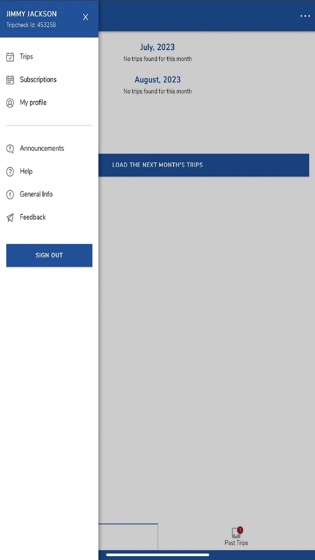
The TripCheck app from Pace Paratransit helps passengers keep track of their paratransit rides by allowing you to view trip information, cancel trips, and opt in and out of email, text and phone call alerts. This app offers similar functionality to the web version of TripCheck at www.PaceBus.com/TripCheck.

Chicago and Suburban ADA Paratransit riders, as well as users of Pace-operated Dial-a-Ride services, can use TripCheck. To get started, all you need is your TripCheck ID and password.

Customers can view trip information in the app at any time by logging in and clicking “Trips”. Customers can also cancel a reservation using the app. The Trips section contains a calendar in which all your scheduled trips appear. By clicking on any given trip, you’ll be able to see the scheduled pickup time, the pickup address, and the dropoff address. Riders with a subscription trip can also see the details of and request to change that subscription.

The TripCheck app allows you to manage some of your contact information as well as opt in and out of email and text message alerts. This can be done on the My Profile page. Those automatic email and text message alerts include:

Trip booking (sent whenever you book a trip)

Trip cancellation (sent whenever you cancel a trip)

Imminent arrival (sent 20 minutes prior to scheduled pickup time)

Next-day itinerary (sent nightly with scheduled trips for the next day)

To set your preferences on receiving alerts from the Trip Check system, click "My Profile" on the left navigation bar. Here, you can update some personal information and set alert preferences.