
Very Long Screenshot Maker
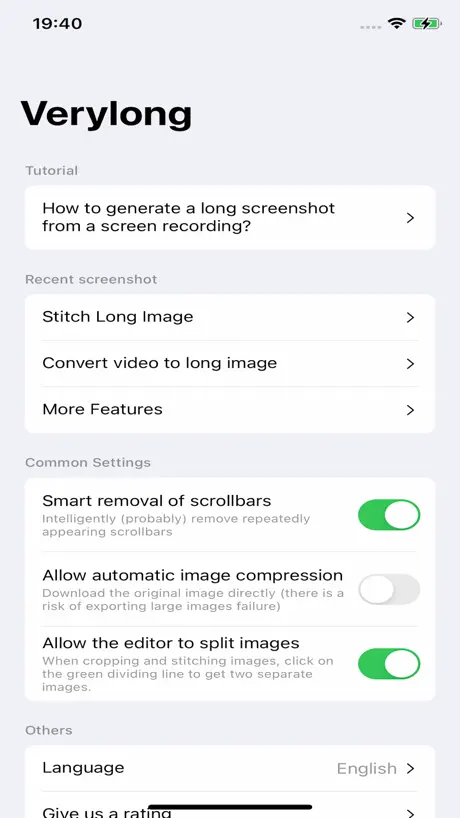
How much does Very Long Screenshot Maker cost?
Prices are current as of 12 Sept 2026.
Very Long Screenshot Maker has no in-app products on record in the United States.
Very Long Screenshot Maker download price by country
| Country | Price |
|---|---|
| China | CN¥48.00 |
| United States | $6.99 |
| Taiwan | NT$220.00 |
| Canada | CA$9.99 |
| Germany | €7.99 |
| United Kingdom | £6.99 |
| Hong Kong | HK$58.00 |
| India | ₹699.00 |
| Russia | RUB 599.00 |
| Spain | €7.99 |
| France | €7.99 |
| Italy | €7.99 |
| Malaysia | MYR 29.90 |
| New Zealand | NZ$12.99 |
| Philippines | ₱449.00 |
| United Arab Emirates | AED 24.99 |
| Afghanistan | $6.99 |
| Antigua And Barbuda | $6.99 |
| Anguilla | $6.99 |
| Albania | $7.99 |
| Armenia | $7.99 |
| Angola | $6.99 |
| Argentina | $6.99 |
| Austria | €7.99 |
| Australia | A$9.99 |
| Azerbaijan | $7.99 |
| Bosnia & Herzegovina | €7.99 |
| Barbados | $7.99 |
| Belgium | €7.99 |
| Burkina Faso | $6.99 |
| Bulgaria | €7.99 |
| Bahrain | $7.99 |
| Benin | $7.99 |
| Bermuda | $6.99 |
| Brunei Darussalam | $6.99 |
| Bolivia | $6.99 |
| Brazil | R$49.90 |
| Bahamas | $7.99 |
| Bhutan | $6.99 |
| Botswana | $6.99 |
| Belarus | $7.99 |
| Belize | $6.99 |
| Congo, Democratic Republic | $6.99 |
| Congo | $6.99 |
| Switzerland | CHF 6.00 |
| Cote Divoire | $7.99 |
| Chile | CLP 7,990 |
| Cameroon | $7.99 |
| Colombia | COP 29,900 |
| Costa Rica | $6.99 |
| Cape Verde | $6.99 |
| Cyprus | €7.99 |
| Czech Republic | CZK 199.00 |
| Denmark | DKK 59.00 |
| Dominica | $6.99 |
| Dominican Republic | $6.99 |
| Algeria | $6.99 |
| Ecuador | $6.99 |
| Estonia | €7.99 |
| Egypt | EGP 399.99 |
| Finland | €7.99 |
| Fiji | $6.99 |
| Micronesia | $6.99 |
| Gabon | $6.99 |
| Grenada | $6.99 |
| Georgia | $7.99 |
| Ghana | $7.99 |
| Gambia | $6.99 |
| Greece | €7.99 |
| Guatemala | $6.99 |
| Guinea-bissau | $6.99 |
| Guyana | $6.99 |
| Honduras | $6.99 |
| Croatia | €7.99 |
| Hungary | HUF 2,990 |
| Indonesia | IDR 119,000 |
| Ireland | €7.99 |
| Israel | ₪24.90 |
| Iraq | $6.99 |
| Iceland | $7.99 |
| Jamaica | $6.99 |
| Jordan | $6.99 |
| Japan | ¥1,100 |
| Kenya | $7.99 |
| Kyrgyzstan | $7.99 |
| Cambodia | $7.99 |
| St. Kitts and Nevis | $6.99 |
| South Korea | ₩11,000 |
| Kuwait | $6.99 |
| Cayman Islands | $6.99 |
| Kazakhstan | KZT 3,990.00 |
| Lao Peoples Democratic Republic | $7.99 |
| Lebanon | $6.99 |
| St. Lucia | $6.99 |
| Sri Lanka | $6.99 |
| Liberia | $6.99 |
| Lithuania | €7.99 |
| Luxembourg | €7.99 |
| Latvia | €7.99 |
| Libya | $6.99 |
| Morocco | $6.99 |
| Moldova | $7.99 |
| Montenegro | €6.99 |
| Madagascar | $6.99 |
| Macedonia | $6.99 |
| Mali | $6.99 |
| Myanmar | $6.99 |
| Mongolia | $6.99 |
| Macao | $6.99 |
| Mauritania | $6.99 |
| Montserrat | $6.99 |
| Malta | €7.99 |
| Mauritius | $7.99 |
| Maldives | $6.99 |
| Malawi | $6.99 |
| Mexico | MX$149.00 |
| Mozambique | $6.99 |
| Namibia | $6.99 |
| Niger | $6.99 |
| Nigeria | NGN 9,900.00 |
| Nicaragua | $6.99 |
| Netherlands | €7.99 |
| Norway | NOK 89.00 |
| Nepal | $7.99 |
| Nauru | $6.99 |
| Oman | $6.99 |
| Panama | $6.99 |
| Peru | PEN 29.90 |
| Papua New Guinea | $6.99 |
| Pakistan | PKR 1,900 |
| Poland | PLN 29.99 |
| Portugal | €7.99 |
| Palau | $6.99 |
| Paraguay | $6.99 |
| Qatar | QAR 24.99 |
| Romania | RON 39.99 |
| Serbia | €7.99 |
| Rwanda | $6.99 |
| Saudi Arabia | SAR 29.99 |
| Solomon Islands | $6.99 |
| Seychelles | $6.99 |
| Sweden | SEK 99.00 |
| Singapore | SGD 9.98 |
| Slovenia | €7.99 |
| Slovakia | €7.99 |
| Sierra Leone | $6.99 |
| Senegal | $7.99 |
| Suriname | $7.99 |
| Sao Tome & Principe | $6.99 |
| El Salvador | $6.99 |
| Swaziland | $6.99 |
| Turks and Caicos | $6.99 |
| Chad | $6.99 |
| Thailand | THB 249.00 |
| Tajikistan | $7.99 |
| Turkmenistan | $6.99 |
| Tunisia | $6.99 |
| Tonga | $6.99 |
| Turkey | TRY 399.99 |
| Trinidad and Tobago | $6.99 |
| Tanzania | TZS 19,900.00 |
| Ukraine | $7.99 |
| Uganda | $7.99 |
| Uruguay | $6.99 |
| Uzbekistan | $7.99 |
| St. Vincent & The Grenadines | $6.99 |
| Venezuela | $6.99 |
| British Virgin Islands | $6.99 |
| Vietnam | ₫199,000 |
| Vanuatu | $6.99 |
| Kosovo | €7.99 |
| Yemen | $6.99 |
| South Africa | ZAR 149.99 |
| Zambia | $7.99 |
| Zimbabwe | $7.99 |
10+ alternatives to Very Long Screenshot Maker
| Very Long Screenshot Maker |   Xmart Calculator Pro Xmart Calculator Pro |   LineGet LineGet | 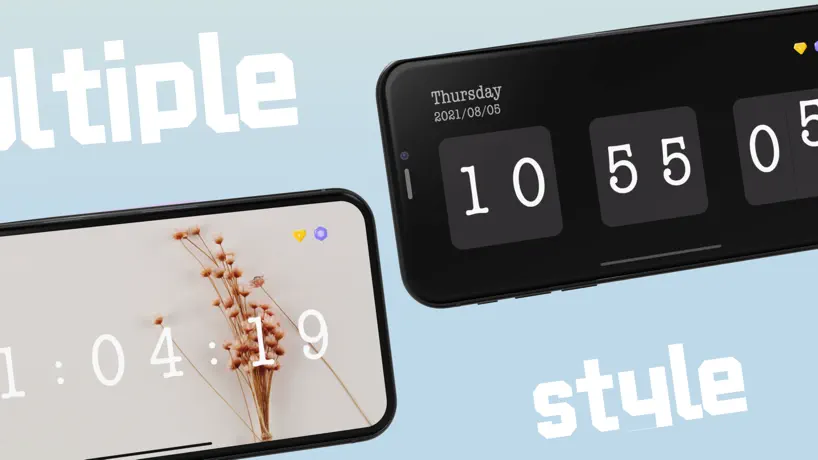  Focus Clock Focus Clock | 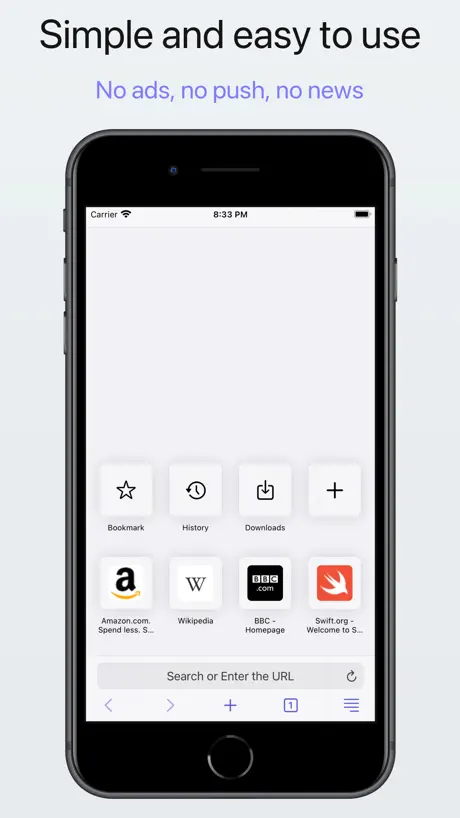  Teak Browser: Extensions Teak Browser: Extensions |   指尖小组件 指尖小组件 | 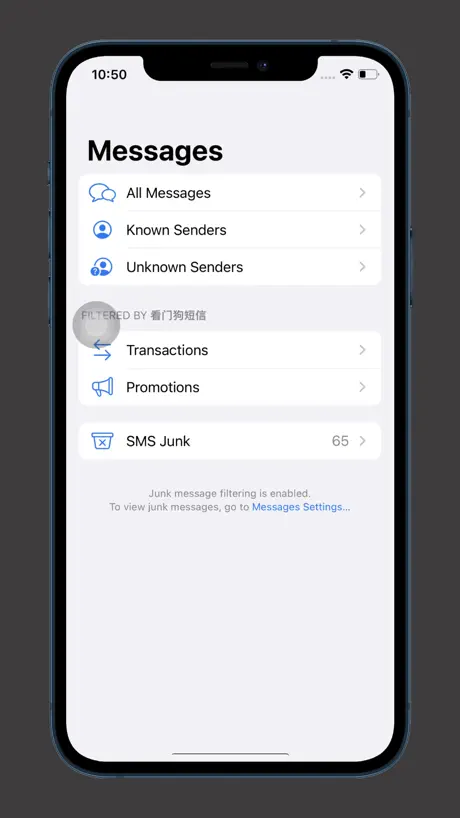  SMS Filter for Doge SMS Filter for Doge |   MessageCat MessageCat |   小鱼短信 小鱼短信 |   全能工具箱 - 多合一效率工具 全能工具箱 - 多合一效率工具 |   invsi invsi | |
|---|---|---|---|---|---|---|---|---|---|---|---|
| Rating / 5 | 3.9 | 4.5 | 2.9 | 4.6 | 4.3 | 3.5 | 4.4 | 4.3 | 4.7 | 4.4 | 4.5 |
| Reviews | 104 | 703 | 607 | 580 | 354 | 318 | 292 | 252 | 204 | 187 | 165 |
| Released | 2024 | 2014 | 2022 | 2020 | 2022 | 2023 | 2021 | 2024 | 2020 | 2019 | 2022 |
| Monthly price | — | — | — | — | $0.99 | — | — | — | — | — | — |
| 3-month price | — | — | — | $0.99 | — | — | — | — | — | — | — |
| Annual price | — | — | — | — | $3.99 | — | — | — | — | — | — |
| One-time price | — | — | — | $1.99 | $6.99 | — | — | — | — | — | — |
The going rate for each plan in United States, in its own currency, shaded from the cheapest price on the row to the dearest.
Very Long Screenshot Maker reviews
3.9 out of 5, based on 104 reviews.
What people like
- Works well on iOS devices
- Developer updates it frequently
- Easy to use and clean
- Better than Android stock tools
What they complain about
- Does not work in landscape mode
- Forces you to watch ads to save
- Charges money without clear warning
- Often loses or duplicates content
Crazy how much I use this.
Way better than I expected. And also surprised to see so many updates. Solid job to the developer people. Others could learn lots from your ways. I had an android and it was stock on it. But this works even better than that. Thanks!
太垃圾了
这是什么东西,还有脸收费?
一年没有更新版本了
是不是跑路了?
长滚动截屏 截出来数据不准确 好多重复的。
长滚动截屏 截出来数据不准确 好多重复的,能不能跟安卓系统一样 自动滚动截图呢。
长按录屏没有出现滚动截屏选项(已可以打开)
15promax,希望作者快点修复(多点开几次软件才会出来选项)❤️
太坑人
点下载就自动扣费,坑人
My
Tu b
Looks good but improvement requires
The app looks good but only vertical screenshot is possible. Horizontal screenshot is not possible e.g. excel sheet’s screenshot. After taking screenshot on pressing ok the screenshot vanished. In application where screenshots are saved can’t find or screenshots are not saved in application. iOS native screenshot feature does the better job without scrolling.
Good good
Gets the job done
ios18.5无法使用?
ios18.5无法使用?录屏那里没有显示这个软件
凯迪
可以的好看
軟體名稱在手機螢幕上的繁體不正確
軟體名稱在手機螢幕上的繁體不正確
Great App 1 Request
This is a wonderful app! Is there a way to add ocr? From someone that uses image to text features, that would make this app amazing, or at the least a pdf export so we don’t lose the text image quality please! Please add feature: 1. OCR image to text function. 2. PDF export. Thanks for the work you’ve done here!
滚动截屏
真差劲,四十多块钱买的,滚动截屏完之后还要看视频60秒才能保存。真费劲
Не понятна работа приложения
Выбираю 3 скриншота, а он в рабочую область добавляет 2… почему так?
好评
好评非常满意
不好用
就是骗人
郁闷
每页有丢失内容的现象
好评
平时放在资源库,用的时候点录制图标,转回软件导出,简单方便
录屏之后,长时间 10 多秒不出现红色提示
录屏之后,长时间 10 多秒不出现红色提示
Love it. Use it often
Where has this been hiding for so long.
The most usefull app ever 😂
The most usefull app ever
总是录不到金刚区,啥意思,还花钱买的
给个解决方案
Still some things written in Japanese.
There are still some buttons and text in the app written in Japanese or Chinese and I don’t understand it.
It works!
Don't follow the instructions and it will work (screen record to Camera Roll, not VeryLong). UI is rather difficult, but it is capable of saving LONG screenshots of webpages. Very impressed!
添加图片顺序总是错的
如题
Pls fix?
The app works very well in portrait but no landscape.
good
Very nice and very cool Easy to use and easy to clean
啥也不是,垃圾
啥也不是。还扣老子48块钱
好用,替代了安卓的长截屏
能让苹果用户也体会到长截屏
?
垃圾。
Very Long Screenshot Maker FAQ
- Is Very Long Screenshot Maker free?
- No. Very Long Screenshot Maker costs $6.99 (US) to download.
- Does Very Long Screenshot Maker have a free trial?
- No. None of its offers (US) come with a free trial.
- What are the best alternatives to Very Long Screenshot Maker?
- Xmart Calculator Pro (4.5 from 703 reviews), LineGet (2.9 from 607 reviews) and Focus Clock (4.6 from 580 reviews, premium from $0.99).
Very Long Screenshot Maker download
Last updated 7 months ago.
Very Long Screenshot Maker sells in 175 countries. It was released 2 years and 9 months ago, on 2 Jan 2024. It holds a 3.9 rating from 104 reviews.
Supports 32 languages: English, Arabic, Catalan, Croatian, Czech, Danish, Dutch, Finnish, French, German, Greek, Hebrew, Hindi, Hungarian, Indonesian, Italian, Japanese, Korean, Malay, Norwegian Bokmål, Polish, Portuguese, Romanian, Russian, Chinese, Slovak, Spanish, Swedish, Thai, Turkish, Ukrainian, Vietnamese.
How much does Very Long Screenshot Maker make?
Third-party estimates for the last 30 days, worldwide — not the store's own figures, which Apple publishes for nobody.