
Microsoft Designer
Design & Edit Photos with AI

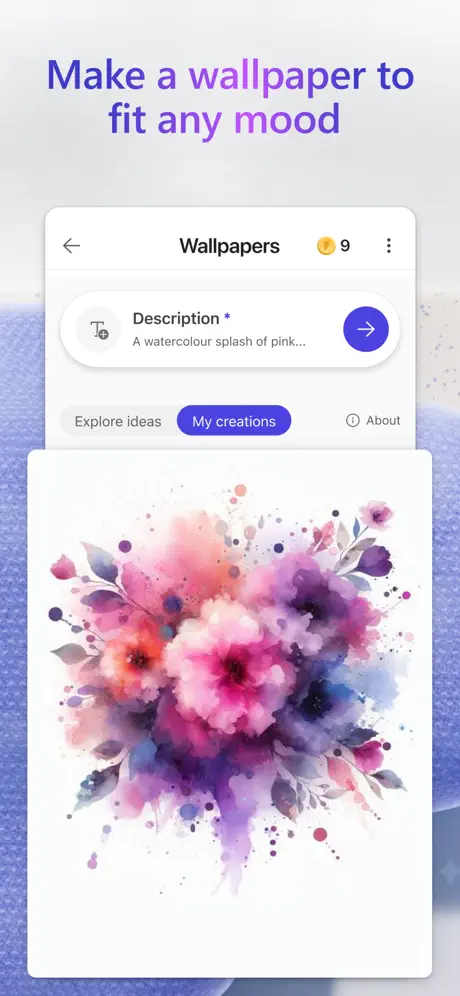
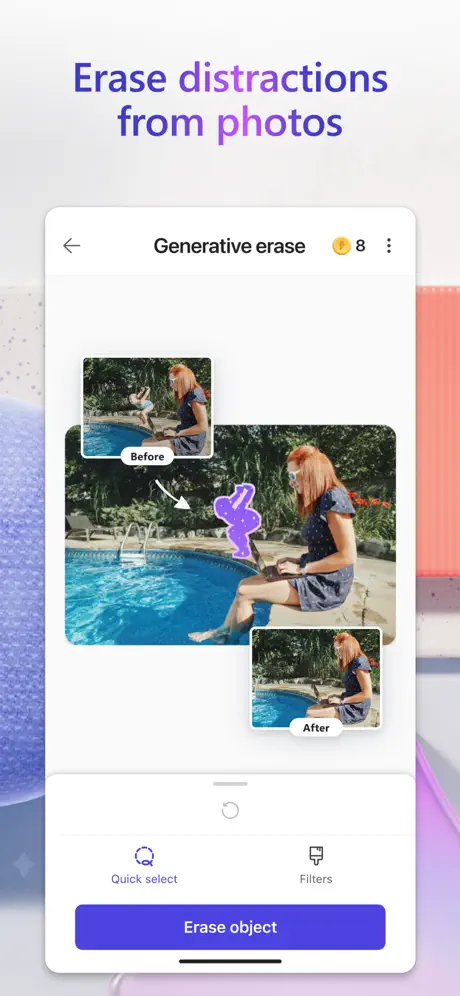
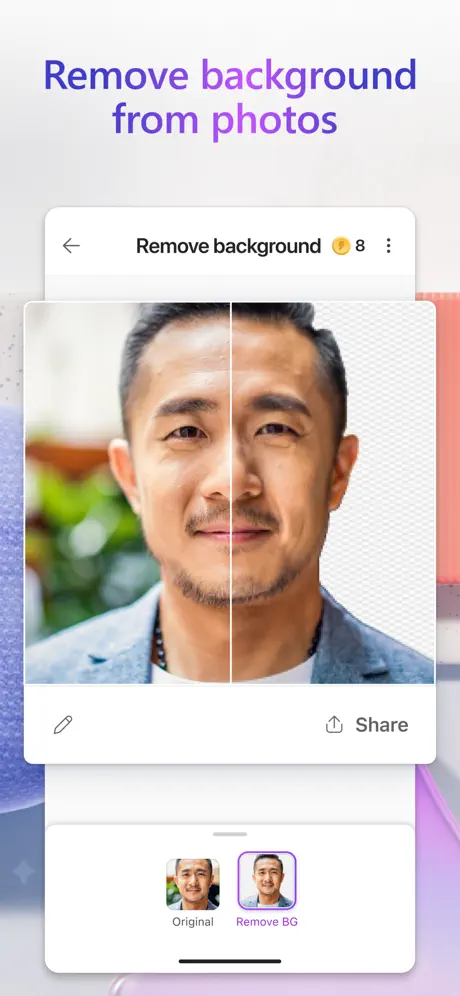

How much does Microsoft Designer cost?
Prices are current as of 29 Sept 2026.
6 subscriptions from $1.99
In the United States, Microsoft Designer has 6 subscriptions priced $1.99 – 129.99. It comes with a 1 month free trial.
| Subscription | Period | Price |
|---|---|---|
| Microsoft 365 Basic Monthly | Monthly | $1.99 |
| Microsoft 365 Personal Monthly | MonthlyTrial: 1 month | $9.99 |
| Microsoft 365 Family Monthly | MonthlyTrial: 1 month | $12.99 |
| Microsoft 365 Premium Monthly | MonthlyTrial: 1 month | $19.99 |
| Microsoft 365 Personal Yearly | AnnualTrial: 1 month | $99.99 |
| Microsoft 365 Family Yearly | AnnualTrial: 1 month | $129.99 |
10+ alternatives to Microsoft Designer
| Microsoft Designer |   AR Projector Tracing & Drawing AR Projector Tracing & Drawing |   Leonardo.Ai - Image Generator Leonardo.Ai - Image Generator |   AI Generator - Photo Revive AI Generator - Photo Revive |   Adobe Firefly AI Video & Photo Adobe Firefly AI Video & Photo |   DALL E 3 AI Art Generator DALL E 3 AI Art Generator |   Pika - AI Video Pika - AI Video |   Playground: AI Design & Editor Playground: AI Design & Editor |   AI Video Generator - Vidmor AI Video Generator - Vidmor |   Ideogram AI - Image Generator Ideogram AI - Image Generator |   Magnific - AI Video & Image Magnific - AI Video & Image | |
|---|---|---|---|---|---|---|---|---|---|---|---|
| Rating / 5 | 4.5 | 4.3 | 4.8 | 4.6 | 4.6 | 4.6 | 4.7 | 4.9 | 4.4 | 4.7 | 4.7 |
| Reviews | 1.9K | 44K | 40K | 35K | 28K | 16K | 14K | 12K | 11K | 10K | 9.8K |
| Released | 2024 | 2023 | 2023 | 2024 | 2025 | 2022 | 2024 | 2024 | 2024 | 2024 | 2023 |
| Weekly price | — | $4.99 | — | $9.99 | — | $9.99 | $14.99 | — | $9.99 | — | — |
| Monthly price | $9.99 | — | $39.99 | — | $14.99 | $19.99 | $35.00 | $14.99 | — | $28.99 | $26.00 |
| Annual price | $99.99 | $39.99 | $384.99 | $39.99 | $149.99 | $99.99 | $199.00 | $119.00 | $39.99 | $274.99 | $234.99 |
| One-time price | — | $8.99 | $65.00 | — | — | $29.99 | — | — | $19.99 | — | — |
The going rate for each plan in United States, in its own currency, shaded from the cheapest price on the row to the dearest.
Microsoft Designer reviews
4.5 out of 5, based on 1,932 reviews.
What people like
- Very simple and easy to use
- Generates beautiful images in seconds
- Background removal tool works well
- Fun for creating imaginative designs
What they complain about
- Daily credit limits run out fast
- No native iPad app available yet
- App crashes or fails to open
- AI makes people look white incorrectly
Seems broken at the moment
The app is wonderful don’t get me wrong but it just started not generating what I typed in about 30 minutes ago and I don’t know how to fix it I have good wifi and a good cellphone signal
Used to be great
The latest update uses a different creator than Dall-E 3. It also no longer imports your images to Bing image creator so I can't save to my portfolio. This is the first time I've opened it in the past 3 weeks, then came here to see if you guys unbroke what didn't need fixed. You haven't. I previously used the app numerous times per day. EDIT: I held on and hoped. But just cancelled my subscription today. Pretty sad about it, really. I spent more time on this app than any other app on my tablet. ☹️
Absolutely love the generative erase!
Designer usually does an excellent job of taking out a background or generatively erasing someone or something out of a picture. I’m still toying around with it, but I really like it so far.
Only for Paid Personal Accounts
Asks to sign in with a Microsoft Account, but then error saying it can’t be a ‘work’ account. MS just having Copilot vibe code any old app idea and throw it up on App Stores with zero quality control. Or, MS don’t want small businesses paying for business licences clearly. Fine, I’ll save a lot of money by sticking to a PERSONAL licence for my business! Seriously, zero intelligence in Microsoft product managers.
iPad?
Why is this iPhone only and not also iPad native?
The best
For the images best ai, thank you
Changed the way it creates images just like the other apps I used to use.
I hate the new update. It changed everything I liked about the app. I won’t be using it anymore unless the old version is brought back.
Bad on iPad
On iPad the screen looks too small.
Gone down in quality
Used to love using this app, but the image quality has downgraded with the update. I usually make images of Manhwa style characters.
Not worth subscribing
Even if you subscribe it will give only 60 credits and even with free version u will get 15 credits. 60 is very low if you create image it will runout in just one day because it will take 2-3 or even more generation to make correct image as you want. So go for better Site for image generation.
Underrated app!
Helps complete image creations. I enjoy the fonts, it’s easy to put a wide variety of fonts on any image.
What did you do?!
There was an update and you ruined this app for me. I pay for credits and now I only get one horrible image instead of 3. It takes forever to load and it’s NOTHING like it use to build for me. I’m canceling my payment plan for credits. HORRIBLE UPDATE!
Edit black and white
Fun and does a good job,I need to learn how to use it
App is behind
Used to be my go to app for designs but it is now so behind in the C AI game that I forget to use it sometimes. Now that I tried it, I realize how limited this app is. Why is the video feature not on the app? There's still bugs like most Microsoft products... like taking credits and not generating anything. This was cool 2 years ago but now it's a weaker version of Whisk by Google.
Designer
Pretty good AI creation app. It used to be much better when you could upload a photo and then modify the photo.
It save my life
I’m so happy to find and use this app. I can do any design for my own and business. And it is super easy to use
I want the old designer back
What happened the images are horrible it won’t create anything it tells me it’s not aloud fix it I spend to much money !!!
Design space
I am loving this app
Here’s an idea.
Why not give the option for people to buy credits? Literally every other AI app lets you do this. It’s literally the most common sense way to make money, and in a high demand. Everyone wants it. The upgrade thing is scaring people away, and doing the opposite of getting customers. Just let people buy more credits, and give them more when they upgrade. It’s like MS is allergic to easy money. Even a 5 year old would know to do this. And please fix the glitch that the app will sometimes take credits without making anything.
Could be better.
I’m enjoying this app but I keep reaching the daily limit as soon as it resets itself. I’m a sci fi designer and I have the free trial going, but it doesn’t seem to let me have a lot of artwork before telling me to wait 24 hours. Remove the limit, or better yet, raise it to a thousand images something like that. I’m paying a Microsoft Office subscription so I should have better privileges with this app.
Designer
Great
Great app, disappointing price
I really like the app and the quality of the ai pictures. My only disappointment is the price for the amount of credits. I payed 9.99 a month plus added copilot just to have limited credits that renew only once per month. Too pricey for the amount of credits. I was very sad to cancel my subscription after almost a year.
Still Can’t do Anime, but love it.
There are still anime images I can’t make (some can only be made once too), but the app is getting better, and I can make more than I use to be able to. Here’s hoping for the future.
iPad?
This is an App way better suited to the tablet format the than for the phone. The fact that we have still not got an iPad specific app is a big miss Microsoft. Until we get this I'm not going to really use it for anything worth my time. Come on Microsoft for goodness sake!!
Tiros da moedinhas
Quando os coin acabavam mas podia continuar era melhor
It nice
Thank you
App won’t open
The app keeps closing
Its great and gorgeous
It gives powerful beautiful images in just a matter of seconds and makes the impossible possible. It takes one to the wonderful land of fantasy. I could work with it… but sometimes wont take whole of text, directions, prompts i mean and wont take the exact number think it has a limit. Except for that it just works beautiful.
Crédit insuffisant
Seulement 15 images générées par mois, c’est vraiment peu par rapport à avant, dommage. Et puis cette faute persistante de « Acceuil » , il faudrait vraiment penser à la corriger…
Racism with the AI
Almost every time I ask the AI to restyle an image that includes a person of colour it will make them white
Designer
Having fun creating
No funciona en iPad 6
Desinstalar
Loving it do far
Happy with beautiful Radha Krishna’s images it creates as per our descriptions. 🫠
Ich bin durch das Update enttäuscht
Die App ist unglaublich cool. Wie für KI normal sind ein paar Biases drin, die man lieber nicht hätte, aber alles in allem ist es eine wundervolle App um seine Ideen in ein Artwork zu bringen. Leider kann man seit Kurzem kaum noch etwas kostenlos generieren lassen. Bisher hatte man täglich 15 Tokens und danach konnte man Bilder nur noch langsamer generieren. Jetzt hat man nur noch 15 Tokens im Monat und danach ist Schluss.
Schade
die App ist gut, aber leider nur auf dem Telefon verwendbar. Bleibt nur zu hoffen, dass sich das noch ändert.
Love it!
I create very imaginative images. I will generate prompts using AI to craft the perfect prompts, and I will reuse the prompts repeatedly to achieve the image I want.
Microsoft Designer won’t open on my iPhone 11 anymore. I have a subscription to MS 365.
It was fine until it wasn’t. I’ve deleted & reinstalled several times & it still won’t open. It may have started after the last update. Please fix this.
Fantastic App
Honestly I have been looking for an app like this and I’ve gotten so many that just don’t live up to the standard that this one does. It’s so simple and easy to use and it’s free of charge unless you want to pay for boosts. Would definitely recommend to others that like this kind of this!!!
Editing images
When it was part of copilot, I used to be able to add further prompts to redraw or edit the produced images. I can’t seem to do that with this app.
keine iPad Version
Bitte fügt eine Version für das iPad hinzu.
Excelent!
Excelent app!
Sooooo bad
هذا التطبيق غبي وسيء وفاشل كل الأوصاف السيئه مناسبه له
Bem legal
Ferramentas boas de IA mas acaba sendo simples nas ferramentas de edição
insanely strict guidelines and creepy sexualizing of women
microsoft has made it extremely clear from the guidelines warnings that pop up that they view feminine people as purely sexual objects. you cannot generate ANYTHING that MIGHT be considered sexual, including a woman crying on the floor while alone, apparently. you can’t even generate a cleaning lady tidying up a bedroom…… microsoft why are you sexualizing every single thing women do?
Leider keine iPad Version
Ich finde die App ganz okay aber ich finde es schade dass die App nicht fürs iPad optimiert wurde aber solange nutzte ich die Web Version
这种重中之重重中之重
在重中之重重中之重重中之重
Useless.
Could not be worse
É funcional
Bom
Funktioniert ständig nicht
Eine tolle App. Nur seit gestern funktioniert es ständig nicht. Man kann keine Bilder mehr generieren und Boosts bekomme ich auch nicht mehr trotz 1 Monat Probeabo. Wirklich sehr schade
Não concorre com o Canvas
funções extremamente basicas, não é um editor apenas um gerador de imagens, nada diferente que o bing já faça. a parte de criar modelos não tem as opções para criação.
Microsoft Designer price by country
A monthly subscription costs $4.59 in Egypt and $14.01 in Israel — 3× more for the same thing. Below is the going rate for each plan in every country that sells it — the middle price of what the app charges there, in the country's own currency with the dollar equivalent beneath it.
| Country | Monthly | Annual |
|---|---|---|
| Afghanistan | $8.49 | $84.99 |
| Albania | $9.99 | $99.99 |
| Algeria | $8.49 | $84.99 |
| Angola | $8.49 | $84.99 |
| Anguilla | $8.49 | $84.99 |
| Antigua And Barbuda | $8.49 | $84.99 |
| Argentina | $6.99 | $69.99 |
| Armenia | $9.99 | $99.99 |
| Australia | A$16.00$11.19 | A$159.00$111.19 |
| Austria | €10.00$11.38 | €99.00$112.63 |
| Azerbaijan | $8.49 | $84.99 |
| Bahamas | $9.99 | $99.99 |
| Bahrain | $10.99 | $109.99 |
| Barbados | $9.99 | $99.99 |
| Belgium | €10.00$11.38 | €99.00$112.63 |
| Belize | $8.49 | $84.99 |
| Benin | $8.49 | $84.99 |
| Bermuda | $8.49 | $84.99 |
| Bhutan | $8.49 | $84.99 |
| Bolivia | $8.49 | $84.99 |
| Bosnia & Herzegovina | €8.99$10.23 | €89.99$102.38 |
| Botswana | $8.49 | $84.99 |
| Brazil | R$50.90$9.77 | R$509.00$97.70 |
| British Virgin Islands | $8.49 | $84.99 |
| Brunei Darussalam | $9.99 | $99.99 |
| Bulgaria | €9.99$11.37 | €99.99$113.75 |
| Burkina Faso | $11.49 | $114.99 |
| Cambodia | $9.49 | $93.00 |
| Cameroon | $8.49 | $84.99 |
| Canada | CA$11.49$8.09 | CA$114.99$80.98 |
| Cape Verde | $8.49 | $84.99 |
| Cayman Islands | $8.49 | $84.99 |
| Chad | $8.49 | $84.99 |
| Chile | CLP 8,490$8.83 | CLP 84,990$88.39 |
| Colombia | COP 36,900$11.18 | COP 369,900$112.06 |
| Congo | $8.49 | $84.99 |
| Congo, Democratic Republic | $8.49 | $84.99 |
| Costa Rica | $9.99 | $99.99 |
| Cote Divoire | $8.49 | $84.99 |
| Croatia | €10.00$11.38 | €99.00$112.63 |
| Cyprus | €10.00$11.38 | €99.00$112.63 |
| Czech Republic | CZK 269.00$12.54 | CZK 2,699.00$125.83 |
| Denmark | DKK 79.00$12.02 | DKK 789.00$120.09 |
| Dominica | $8.49 | $84.99 |
| Dominican Republic | $8.49 | $84.99 |
| Ecuador | $8.49 | $84.99 |
| Egypt | EGP 239.00$4.59 | EGP 2,399.00$46.07 |
| El Salvador | $8.49 | $84.99 |
| Estonia | €10.00$11.38 | €99.00$112.63 |
| Fiji | $9.99 | $99.99 |
| Finland | €10.00$11.61 | €99.00$114.98 |
| France | €10.00$11.38 | €99.00$112.63 |
| Gabon | $11.49 | $114.99 |
| Gambia | $8.49 | $84.99 |
| Georgia | $9.99 | $99.99 |
| Germany | €10.00$11.38 | €99.00$112.63 |
| Ghana | $11.49 | $114.99 |
| Greece | €10.00$11.38 | €99.00$112.63 |
| Grenada | $8.49 | $84.99 |
| Guatemala | $8.99 | $89.99 |
| Guinea-bissau | $8.49 | $84.99 |
| Guyana | $8.49 | $84.99 |
| Honduras | $8.49 | $84.99 |
| Hong Kong | HK$78.00$9.95 | HK$780.00$99.49 |
| Hungary | HUF 3,550$11.00 | HUF 35,900$111.23 |
| Iceland | $9.99 | $99.99 |
| India | ₹689.00$7.24 | ₹6,899.00$72.47 |
| Indonesia | IDR 136,000$7.56 | IDR 1,359,000$75.56 |
| Iraq | $9.49 | $94.00 |
| Ireland | €10.00$11.38 | €99.00$112.63 |
| Israel | ₪43.00$14.01 | ₪429.00$139.74 |
| Italy | €10.00$11.38 | €99.00$112.63 |
| Jamaica | $8.49 | $84.99 |
| Japan | ¥2,100$13.35 | ¥21,000$133.49 |
| Jordan | $7.99 | $79.99 |
| Kazakhstan | KZT 4,090.00$9.28 | KZT 40,990.00$93.02 |
| Kenya | $9.99 | $99.99 |
| Kosovo | €10.00$11.38 | €99.00$112.63 |
| Kuwait | $6.99 | $89.99 |
| Kyrgyzstan | $8.49 | $84.99 |
| Lao Peoples Democratic Republic | $8.49 | $84.99 |
| Latvia | €10.00$11.38 | €99.00$112.63 |
| Lebanon | $9.99 | $99.99 |
| Liberia | $8.49 | $84.99 |
| Libya | $8.49 | $84.99 |
| Lithuania | €10.00$11.38 | €99.00$112.63 |
| Luxembourg | €10.00$11.38 | €99.00$112.63 |
| Macao | $6.99 | $69.99 |
| Macedonia | $9.99 | $99.99 |
| Madagascar | $10.99 | $109.99 |
| Malawi | $8.49 | $84.99 |
| Malaysia | MYR 43.99$10.78 | MYR 439.90$107.82 |
| Maldives | $8.49 | $84.99 |
| Mali | $9.99 | $99.99 |
| Malta | €10.00$11.38 | €99.00$112.63 |
| Mauritania | $10.99 | $109.99 |
| Mauritius | $9.99 | $99.99 |
| Mexico | MX$184.00$10.28 | MX$1,849.00$103.30 |
| Micronesia | $9.99 | $99.99 |
| Moldova | $9.99 | $99.99 |
| Mongolia | $8.49 | $84.99 |
| Montenegro | €6.99$7.95 | €69.99$79.62 |
| Montserrat | $8.49 | $84.99 |
| Morocco | $8.49 | $85.99 |
| Mozambique | $8.49 | $84.99 |
| Myanmar | $8.49 | $84.99 |
| Namibia | $8.49 | $84.99 |
| Nauru | $9.99 | $99.99 |
| Nepal | $7.99 | $79.99 |
| Netherlands | €10.00$11.38 | €99.00$112.63 |
| New Zealand | NZ$17.00$9.60 | NZ$179.00$101.13 |
| Nicaragua | $8.49 | $84.99 |
| Niger | $8.49 | $84.99 |
| Nigeria | NGN 7,200.00$5.42 | NGN 71,900.00$54.09 |
| Norway | NOK 120.00$12.59 | NOK 1,189.00$124.76 |
| Oman | $10.99 | $109.99 |
| Pakistan | PKR 2,299$8.30 | PKR 22,999$83.04 |
| Palau | $9.99 | $99.99 |
| Panama | $8.49 | $84.99 |
| Papua New Guinea | $9.99 | $99.99 |
| Paraguay | $8.99 | $89.99 |
| Peru | PEN 30.99$9.06 | PEN 309.00$90.35 |
| Philippines | ₱489.00$7.82 | ₱4,890.00$78.24 |
| Poland | PLN 42.99$11.53 | PLN 429.99$115.28 |
| Portugal | €10.00$11.38 | €99.00$112.63 |
| Qatar | QAR 35.99$9.89 | QAR 359.99$98.90 |
| Romania | RON 48.49$10.45 | RON 484.99$104.52 |
| Rwanda | $9.99 | $99.99 |
| Sao Tome & Principe | $8.49 | $84.99 |
| Saudi Arabia | SAR 42.99$11.46 | SAR 429.99$114.66 |
| Senegal | $11.49 | $114.99 |
| Serbia | €9.99$11.37 | €99.99$113.75 |
| Seychelles | $8.49 | $84.99 |
| Sierra Leone | $8.49 | $84.99 |
| Singapore | SGD 15.48$12.09 | SGD 154.98$121.08 |
| Slovakia | €10.00$11.38 | €99.00$112.63 |
| Slovenia | €10.00$11.38 | €99.00$112.63 |
| Solomon Islands | $9.99 | $99.99 |
| South Africa | ZAR 159.00$9.69 | ZAR 1,599.00$97.44 |
| South Korea | ₩12,500$9.20 | ₩125,000$91.98 |
| Spain | €10.00$11.61 | €99.00$114.98 |
| Sri Lanka | $9.99 | $99.99 |
| St. Kitts and Nevis | $8.49 | $84.99 |
| St. Lucia | $8.49 | $84.99 |
| St. Vincent & The Grenadines | $8.49 | $84.99 |
| Suriname | $8.49 | $84.99 |
| Swaziland | $8.49 | $84.99 |
| Sweden | SEK 115.00$11.55 | SEK 1,199.00$120.38 |
| Switzerland | CHF 9.95$11.96 | CHF 99.95$120.13 |
| Taiwan | NT$310.00$9.75 | NT$3,090.00$97.14 |
| Tajikistan | $9.99 | $99.99 |
| Tanzania | TZS 31,000.00$11.71 | TZS 309,900.00$117.09 |
| Thailand | THB 299.00$8.90 | THB 2,999.00$89.28 |
| Tonga | $9.99 | $99.99 |
| Trinidad and Tobago | $7.99 | $79.99 |
| Tunisia | $8.99 | $89.99 |
| Turkey | TRY 329.99$6.73 | TRY 3,299.99$67.35 |
| Turkmenistan | $7.99 | $79.99 |
| Turks and Caicos | $8.49 | $84.99 |
| Uganda | $11.49 | $114.99 |
| Ukraine | $6.99 | $69.99 |
| United Arab Emirates | AED 36.99$10.08 | AED 369.99$100.81 |
| United Kingdom | £8.49$11.26 | £84.99$112.72 |
| United States | $9.99 | $99.99 |
| Uruguay | $8.99 | $91.99 |
| Uzbekistan | $7.99 | $79.99 |
| Vanuatu | $9.99 | $99.99 |
| Venezuela | $9.99 | $99.99 |
| Vietnam | ₫210,000$8.10 | ₫2,099,000$80.99 |
| Yemen | $9.99 | $99.99 |
| Zambia | $8.49 | $84.99 |
| Zimbabwe | $8.49 | $84.99 |
Microsoft Designer FAQ
- Is Microsoft Designer free?
- Yes. The app and its basic features are free, in all 172 countries it sells in. Premium features are paid: they start from $1.99 (US), across 6 subscriptions.
- How much does Microsoft Designer cost per month?
- Microsoft 365 Basic Monthly is $1.99 – 19.99 (US). The annual plan works out cheaper per month: $99.99 – 129.99 a year.
- Does Microsoft Designer have a free trial?
- Yes — a 1 month free trial (US).
- Where is Microsoft Designer cheapest?
- A monthly subscription costs EGP 239.00 (≈$4.59) in Egypt and ₪43.00 (≈$14.01) in Israel, its cheapest and dearest countries.
- What are the best alternatives to Microsoft Designer?
- AR Projector Tracing & Drawing (4.3 from 44,120 reviews, premium from $3.99), Leonardo.Ai - Image Generator (4.8 from 39,894 reviews, premium from $13.00) and AI Generator - Photo Revive (4.6 from 34,927 reviews, premium from $8.99).
Microsoft Designer download
Last updated 1 month ago.
Microsoft Designer sells in 172 countries. It was released 2 years and 3 months ago, on 11 Jun 2024. It holds a 4.5 rating from 1,932 reviews.
Supports 32 languages: English, Arabic, Catalan, Croatian, Czech, Danish, Dutch, Finnish, French, German, Greek, Hebrew, Hindi, Hungarian, Indonesian, Italian, Japanese, Korean, Malay, Norwegian Bokmål, Polish, Portuguese, Romanian, Russian, Chinese, Slovak, Spanish, Swedish, Thai, Turkish, Ukrainian, Vietnamese.
How much does Microsoft Designer make?
Third-party estimates for the last 30 days, worldwide — not the store's own figures, which Apple publishes for nobody.
Revenue by plan
- Monthly 95%
- Annual 5%
Revenue by country
- United States 43%
- Germany 6%
- United Kingdom 4%
- Spain 3%