Click Counter: Tap Counter
Tally counter, counter app
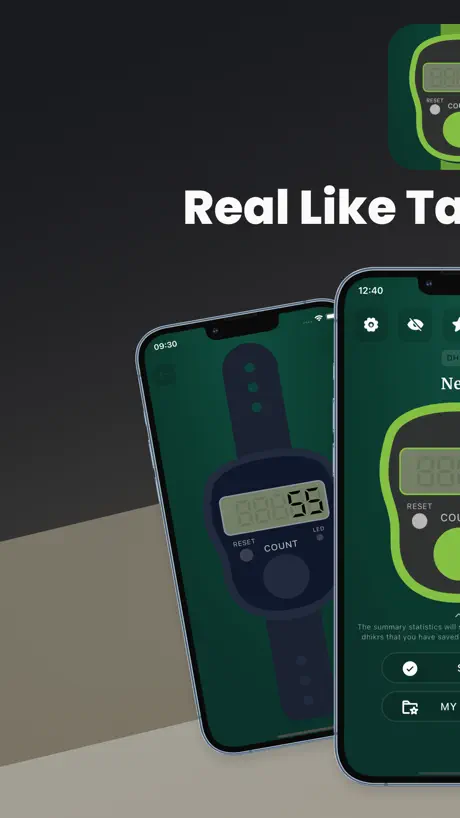
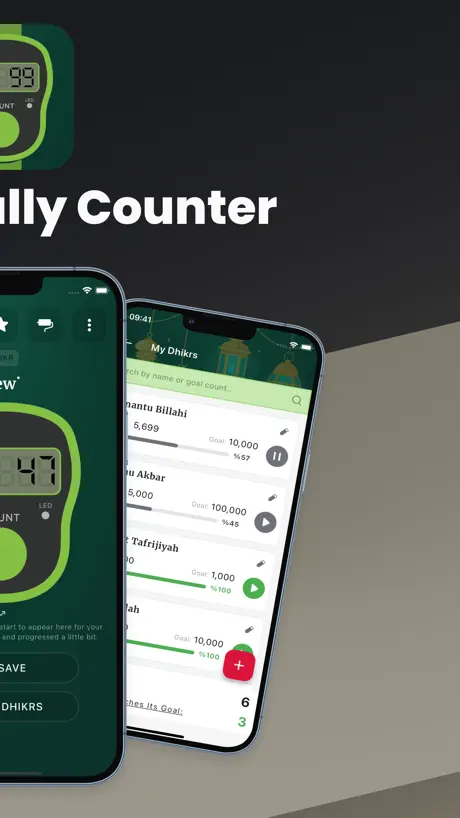
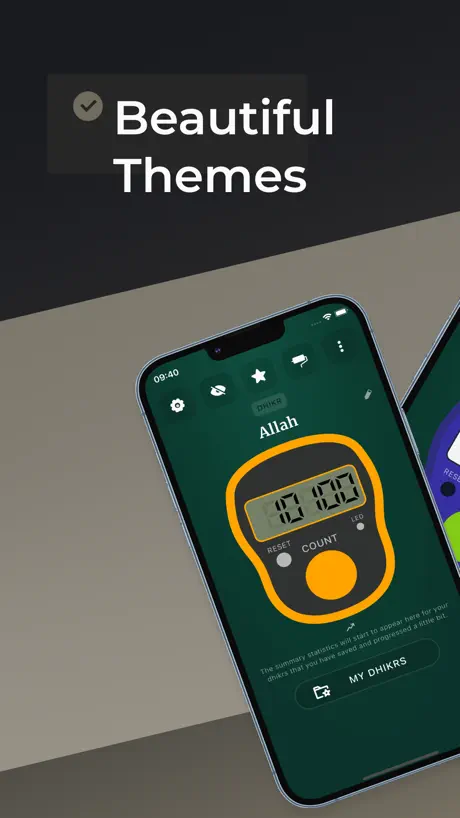
How much does Click Counter: Tap Counter cost?
Prices are current as of 30 Sept 2026.
1 one-time purchase from $1.99
In the United States, Click Counter: Tap Counter has 1 one-time purchase priced $1.99.
| Product | Price |
|---|---|
| Unlimited Access | $1.99 |
See what Click Counter: Tap Counter costs in all 175 countries →
10+ alternatives to Click Counter: Tap Counter
| Click Counter: Tap Counter |   Real Tasbih Counter: Misbaha Real Tasbih Counter: Misbaha |   Tap Tap Counter Tap Tap Counter |   Zikirmatik - Tesbih sayaç Zikirmatik - Tesbih sayaç |   Dhikr Counter - Qibla Finder Dhikr Counter - Qibla Finder |   Tally Counter - Clicker Tally Counter - Clicker |   Tally Counter: Tap & Track Tally Counter: Tap & Track |   Zikirmatik! Zikirmatik! |   Tally Counter ۬ Tally Counter ۬ | 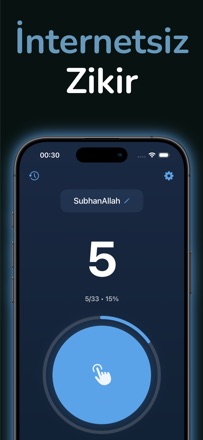  Basit Zikirmatik Basit Zikirmatik |   3D Tasbih: Prayer Times 3D Tasbih: Prayer Times | |
|---|---|---|---|---|---|---|---|---|---|---|---|
| Rating / 5 | 4.6 | 4.7 | 4.5 | 4.7 | 4.6 | 4.2 | 4.5 | 3.6 | 4.4 | 4.5 | 3.1 |
| Reviews | 649 | 3.8K | 2.6K | 1.2K | 619 | 485 | 304 | 247 | 129 | 33 | 9 |
| Released | 2023 | 2021 | 2009 | 2020 | 2014 | 2023 | 2015 | 2013 | 2023 | 2021 | 2022 |
| One-time price | $1.99 | — | $0.99 | $3.99 | — | — | — | $9.99 | — | — | — |
The going rate for each plan in United States, in its own currency, shaded from the cheapest price on the row to the dearest.
Click Counter: Tap Counter reviews
4.6 out of 5, based on 649 reviews.
What people like
- It is super easy and straightforward.
- Saves your count so you don't lose progress.
- You can customize it to look nice.
What they complain about
- Ads interrupt you constantly while counting.
- Many features are locked behind a paywall.
- Inappropriate ads ruin the serious experience.
I loved it so much
I love this idea and I’m so happy for the new game
…
Uygulama genel olarak güzel ancak o kadar çok reklam var ki ve reklamlar çoğunlukla teşhirci içerikte, zikir uygulamasının nasıl böyle reklamları olur. Yani ya uygulamayı reklamsız yapın ya da düzenleyebiliyorsanız düzenleyin insanlar zikir çekerken saçma şeyler görmek zorunda değil
Güncelleme tavsiye
Merhaba öncelikle böyle bir hizmet için teşekkür ederiz. Bu uygulama da günlük tespihlerini belirleme var şu kadar sayı çek belirleyebiliyoruz yalnız bunun yanında hergün çekilecek tespihler için bugün tespihinizi çektiğiniz mi ? Gibi geri dönüş olan bildirimler gönderseniz ve o gün çektiniz tespihinizi sayıya ulaşınca otomatik olarak sıfırlanmalı çünkü dün mü çekmiştim bugün mü çektim diye kafa karışıklığı olmaz ve çektiğin gün takvim gibi güne tik atılsa zincir oluşturulsa O zinciri kırmamaya çalışılsa ve böylece hergün Zikirmatik aktif olarak kullanılır. Kullanıcı içinde motive edici olur.
Counting
Easy to count
Gerçek gibi değil!
Sayacı geriye getirme butonu da eklenmeli. Why is there no rewind button?
Gooooooooooooooooooooooooooooooooooooooooooood
It goooooooooooooooooooooooooooooooooooooooooooooooooooood
إشهارات حرام
نحن نريد أن نسبح الله و نستغفره و نحمده حتى تخرج لنا إشهارات تداول و قِمار و الطامة الكبرى إشهارات مواعدة … غريب أمرك
Reklam çok fazla
Tam huşu ile zikir çekerken reklam çıkıyor
Yorum
Daha çok güncellemeye ihtiyaç var, her şey para değil bu arada, bütün özelliklere pro pro pro engeli çıkıyor.insaf yani. Led özelliği bile pro olman lazım o derece yani. Hizmetten ziyade para kazanma amaçlı yapılmış çok belli.
Loved it
40 times Masallah😀
Werbung
Zu viel Werbung, langsam ayip
Good app
Good app
.
Zikir başına reklam alıyo resmen şaka gibi ibadete bile mani oluyorsunuz insanın yapası varsa bile sırf reklamlar yüzünden heves kalmıyor yazık gerçekten…
Love it
Very nice counting app
Dolandırıcılar dikkat
Ulan dün sizden pro satın aldım. Bugün bilyoner sitesinden onay mailleri gelmeye başladı. Allah sizin belanızı versin. Adi pislikler
Zikirmatik
Uygulama güzel sevdim kaydedip not etmek çok rahatlık sadece geri gelme tuşunu göremedim
Dr404dr
İdare eder
Use
Good
+18 reklam
Zikir için indirilen bir uygulamaya +18 reklamlar koymak neyin kafası ya
Thank you for making this game so good
This is just so good and it’s very fun
Ok
Ok
Easy and straightforward
I love how easy and straightforward this app is
Merhaba
Ücret iadesi alabilirmiyim
Alhamdulillah
May the creator(s) of this app be blessed inshallah. I never leave reviews but I’m grateful for this app. The customization is a really cute touch. This helps you not stress about buying a physical one. It’s super portable and hassle free since your phone is with you. I enjoy its convenience & personalization, thank you!
Tally counter
I LOVE THIS APP SO NICE
Great counter app
Very handy and you do not have to keep looking for the tally counter. It saves your count also.
Works well
Easy to use
Click Counter: Tap Counter price by country
A one-time purchase costs $1.64 in Indonesia and $3.20 in Hungary — 2× more for the same thing. Below is the going rate for each plan in every country that sells it — the middle price of what the app charges there, in the country's own currency with the dollar equivalent beneath it.
| Country | One-time |
|---|---|
| Afghanistan | $1.99 |
| Albania | $1.99 |
| Algeria | $1.99 |
| Angola | $1.99 |
| Anguilla | $1.99 |
| Antigua And Barbuda | $1.99 |
| Argentina | $1.99 |
| Armenia | $1.99 |
| Australia | A$2.99$2.15 |
| Austria | €1.99$2.31 |
| Azerbaijan | $1.99 |
| Bahamas | $1.99 |
| Bahrain | $1.99 |
| Barbados | $1.99 |
| Belarus | $1.99 |
| Belgium | €1.99$2.31 |
| Belize | $1.99 |
| Benin | $1.99 |
| Bermuda | $1.99 |
| Bhutan | $1.99 |
| Bolivia | $1.99 |
| Bosnia & Herzegovina | €1.99$2.31 |
| Botswana | $1.99 |
| Brazil | R$12.90$2.52 |
| British Virgin Islands | $1.99 |
| Brunei Darussalam | $1.99 |
| Bulgaria | €1.99$2.31 |
| Burkina Faso | $1.99 |
| Cambodia | $1.99 |
| Cameroon | $1.99 |
| Canada | CA$2.99$2.17 |
| Cape Verde | $1.99 |
| Cayman Islands | $1.99 |
| Chad | $1.99 |
| Chile | CLP 1,990$2.13 |
| China | CN¥15.00$2.23 |
| Colombia | COP 9,900$3.15 |
| Congo | $1.99 |
| Congo, Democratic Republic | $1.99 |
| Costa Rica | $1.99 |
| Cote Divoire | $1.99 |
| Croatia | €1.99$2.31 |
| Cyprus | €1.99$2.31 |
| Czech Republic | CZK 49.00$2.35 |
| Denmark | DKK 19.00$2.95 |
| Dominica | $1.99 |
| Dominican Republic | $1.99 |
| Ecuador | $1.99 |
| Egypt | EGP 99.99$1.96 |
| El Salvador | $1.99 |
| Estonia | €1.99$2.31 |
| Fiji | $1.99 |
| Finland | €1.99$2.31 |
| France | €1.99$2.26 |
| Gabon | $1.99 |
| Gambia | $1.99 |
| Georgia | $1.99 |
| Germany | €1.99$2.31 |
| Ghana | $1.99 |
| Greece | €1.99$2.31 |
| Grenada | $1.99 |
| Guatemala | $1.99 |
| Guinea-bissau | $1.99 |
| Guyana | $1.99 |
| Honduras | $1.99 |
| Hong Kong | HK$18.00$2.30 |
| Hungary | HUF 999$3.20 |
| Iceland | $1.99 |
| India | ₹199.00$2.10 |
| Indonesia | IDR 29,000$1.64 |
| Iraq | $1.99 |
| Ireland | €1.99$2.31 |
| Israel | ₪7.90$2.62 |
| Italy | €1.99$2.31 |
| Jamaica | $1.99 |
| Japan | ¥300$1.92 |
| Jordan | $1.99 |
| Kazakhstan | KZT 999.00$2.19 |
| Kenya | $1.99 |
| Kosovo | €1.99$2.31 |
| Kuwait | $1.99 |
| Kyrgyzstan | $1.99 |
| Lao Peoples Democratic Republic | $1.99 |
| Latvia | €1.99$2.31 |
| Lebanon | $1.99 |
| Liberia | $1.99 |
| Libya | $1.99 |
| Lithuania | €1.99$2.31 |
| Luxembourg | €1.99$2.31 |
| Macao | $1.99 |
| Macedonia | $1.99 |
| Madagascar | $1.99 |
| Malawi | $1.99 |
| Malaysia | MYR 9.90$2.45 |
| Maldives | $1.99 |
| Mali | $1.99 |
| Malta | €1.99$2.31 |
| Mauritania | $1.99 |
| Mauritius | $1.99 |
| Mexico | MX$39.00$2.31 |
| Micronesia | $1.99 |
| Moldova | $1.99 |
| Mongolia | $1.99 |
| Montenegro | €1.99$2.31 |
| Montserrat | $1.99 |
| Morocco | $1.99 |
| Mozambique | $1.99 |
| Myanmar | $1.99 |
| Namibia | $1.99 |
| Nauru | $1.99 |
| Nepal | $1.99 |
| Netherlands | €1.99$2.31 |
| New Zealand | NZ$3.99$2.35 |
| Nicaragua | $1.99 |
| Niger | $1.99 |
| Nigeria | NGN 3,200.00$2.42 |
| Norway | NOK 29.00$3.12 |
| Oman | $1.99 |
| Pakistan | PKR 500$1.80 |
| Palau | $1.99 |
| Panama | $1.99 |
| Papua New Guinea | $1.99 |
| Paraguay | $1.99 |
| Peru | PEN 9.90$2.95 |
| Philippines | ₱129.00$2.06 |
| Poland | PLN 9.99$2.69 |
| Portugal | €1.99$2.31 |
| Qatar | QAR 7.99$2.20 |
| Romania | RON 9.99$2.21 |
| Russia | RUB 199.00$2.31 |
| Rwanda | $1.99 |
| Sao Tome & Principe | $1.99 |
| Saudi Arabia | SAR 9.99$2.66 |
| Senegal | $1.99 |
| Serbia | €1.99$2.31 |
| Seychelles | $1.99 |
| Sierra Leone | $1.99 |
| Singapore | SGD 2.98$2.33 |
| Slovakia | €1.99$2.31 |
| Slovenia | €1.99$2.31 |
| Solomon Islands | $1.99 |
| South Africa | ZAR 39.99$2.51 |
| South Korea | ₩3,300$2.45 |
| Spain | €1.99$2.31 |
| Sri Lanka | $1.99 |
| St. Kitts and Nevis | $1.99 |
| St. Lucia | $1.99 |
| St. Vincent & The Grenadines | $1.99 |
| Suriname | $1.99 |
| Swaziland | $1.99 |
| Sweden | SEK 29.00$3.03 |
| Switzerland | CHF 2.00$2.47 |
| Taiwan | NT$60.00$1.90 |
| Tajikistan | $1.99 |
| Tanzania | TZS 5,900.00$2.23 |
| Thailand | THB 79.00$2.40 |
| Tonga | $1.99 |
| Trinidad and Tobago | $1.99 |
| Tunisia | $1.99 |
| Turkey | TRY 99.99$2.04 |
| Turkmenistan | $1.99 |
| Turks and Caicos | $1.99 |
| Uganda | $1.99 |
| Ukraine | $1.99 |
| United Arab Emirates | AED 7.99$2.18 |
| United Kingdom | £1.99$2.69 |
| United States | $1.99 |
| Uruguay | $1.99 |
| Uzbekistan | $1.99 |
| Vanuatu | $1.99 |
| Venezuela | $1.99 |
| Vietnam | ₫59,000$2.27 |
| Yemen | $1.99 |
| Zambia | $1.99 |
| Zimbabwe | $1.99 |
Click Counter: Tap Counter FAQ
- Is Click Counter: Tap Counter free?
- Yes. The app and its basic features are free, in all 175 countries it sells in. Premium features are paid: they start from $1.99 (US), across 1 one-time purchase.
- Does Click Counter: Tap Counter have a free trial?
- No. None of its offers (US) come with a free trial.
- Where is Click Counter: Tap Counter cheapest?
- A one-time purchase costs IDR 29,000 (≈$1.64) in Indonesia and HUF 999 (≈$3.20) in Hungary, its cheapest and dearest countries.
- What are the best alternatives to Click Counter: Tap Counter?
- Real Tasbih Counter: Misbaha (4.7 from 3,777 reviews), Tap Tap Counter (4.5 from 2,585 reviews, premium from $0.99) and Zikirmatik - Tesbih sayaç (4.7 from 1,210 reviews, premium from $3.99).
Click Counter: Tap Counter download
Last updated 2 months ago.
Click Counter: Tap Counter sells in 175 countries. It was released 3 years and 6 months ago, on 4 Apr 2023. It holds a 4.6 rating from 649 reviews.
Supports 4 languages: English, Arabic, German, Turkish.
How much does Click Counter: Tap Counter make?
Third-party estimates for the last 30 days, worldwide — not the store's own figures, which Apple publishes for nobody.
Revenue by plan
- One-time 100%
Revenue by country
- United States 30%
- Turkey 22%
- Singapore 12%
- France 5%