ZY Vega
How much does ZY Vega cost?
Prices are current as of 13 Nov 2026.
ZY Vega has no in-app products on record in the United States.
10+ alternatives to ZY Vega
| ZY Vega | 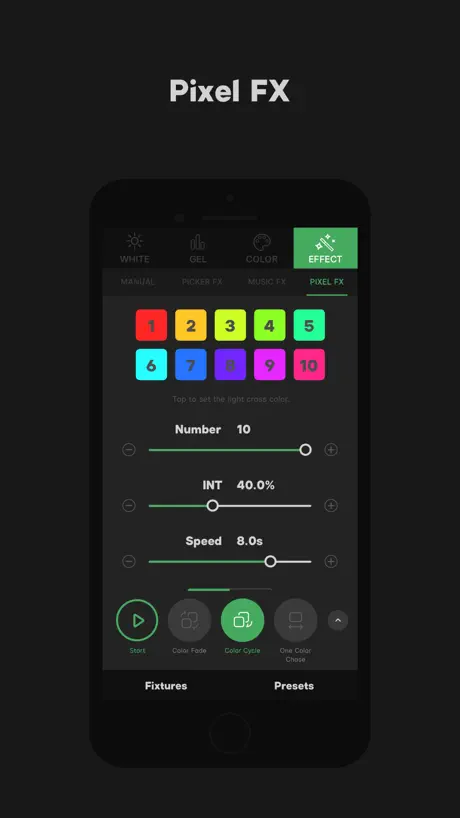  Sidus Link |   NANLINK | 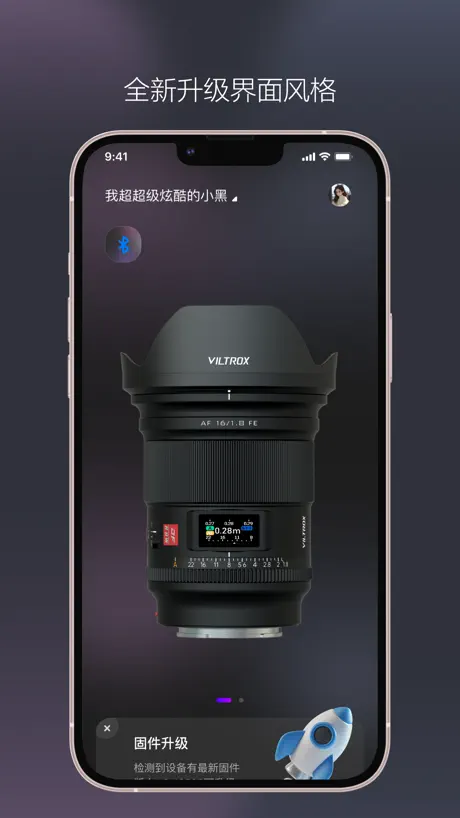  VILTROX Lens |   amaran |   Godox Flash |   COLBOR STUDIO |   Sidus Audio |   Godox Light |   Ulanzi Creator |   SmallGoGo | |
|---|---|---|---|---|---|---|---|---|---|---|---|
| Rating / 5 | 2.6 | 4.0 | 2.4 | 1.6 | 3.8 | 1.9 | 2.1 | 4.3 | 2.6 | 3.8 | 1.3 |
| Reviews | 204 | 1.3K | 283 | 117 | 113 | 100 | 61 | 59 | 34 | 24 | 13 |
| Released | 2023 | 2019 | 2021 | 2023 | 2024 | 2022 | 2021 | 2022 | 2020 | 2024 | 2021 |
ZY Vega reviews
2.6 out of 5, based on 204 reviews.
What people like
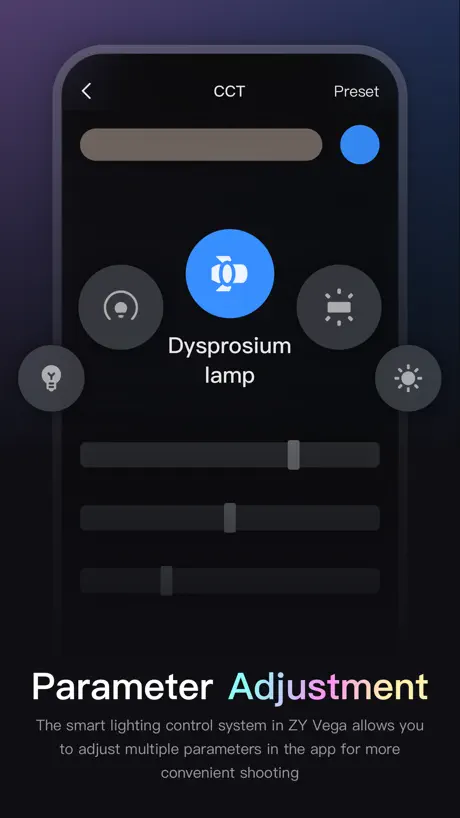
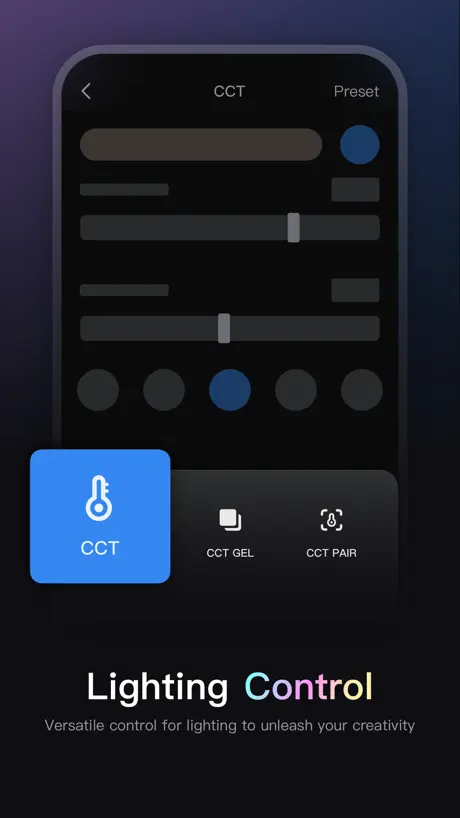
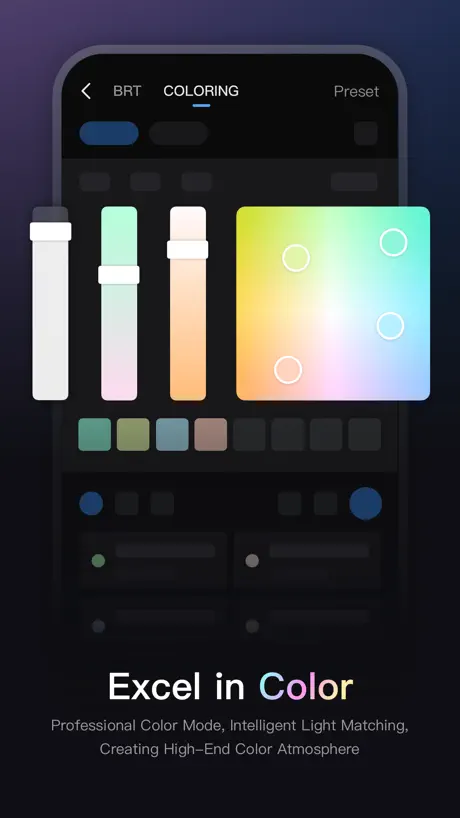
- Controls brightness and color temperature well
- You can group lights together easily
- Light quality is exceptional and powerful
What they complain about
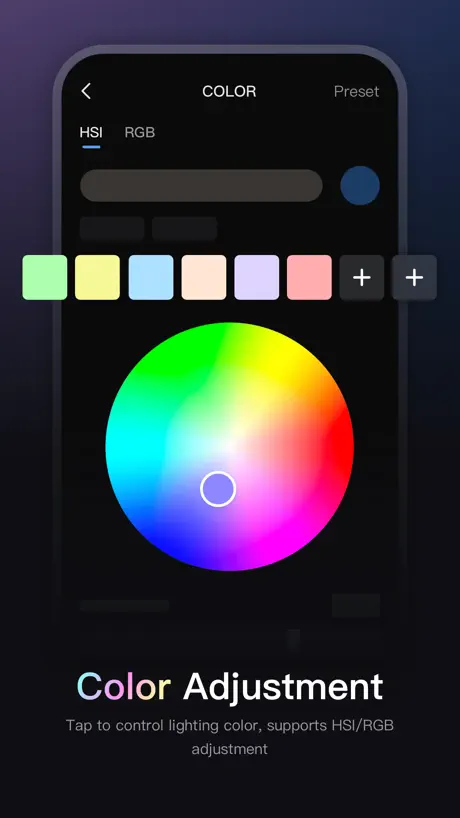
- RGB colors often fail to change
- Bluetooth connection drops when adjusting light
- Special effects not controllable via app
De momento genial
Me ha sorprendido la funcionalidad general y las pequeñas joyas que esconde , como la que permite sincronizar colores con la realidad. Me encanta.
Videographer
Bluetooth does not work tried 2 different units iPhone and iPad useless
This light is unbelievable!
I love this light. It has so many functions and very powerful. The only thing the app can’t do is set the strobe functions as far as I know. That’s the reason for the 4 out of 5 stars
Leider sehr eingeschränkt
Egal ob Molus B Serie oder Cinepeer bei keinem kann man die Licht Effekte über die App steuern. Sehr schade, gerade wenn die Lampen an Stellen platziert sind wo man nicht so leicht ran kommt.
Good Connection, but Incomplete Features for the M60 Ultra
The app connects quickly and reliably to my Zhiyun FIVERAY M60 Ultra and allows control of basic functions such as brightness, color temperature, and RGB modes. However, it does not take full advantage of the light’s capabilities. The special effects (FX), such as Lightning, Police Car, Fire, and other built-in effects available on the M60 Ultra, do not appear in the app and cannot be controlled remotely. This forces users to adjust these settings directly on the device, limiting the usefulness of the app as a remote control solution. I hope Zhiyun continues improving ZY Vega and adds full support for FX control in future updates, allowing users to fully utilize the capabilities of the M60 Ultra.
Ignore Dumb People
On a Molus G200 you need to press the Dim button 3 times while pairing.
Can’t connect to Molus from I phone 17pro
Can’t connect to Molus from I phone 17pro
casi perfecta
Me falta que los colores de RGB pueda graduarlos mate y más oscuros. La calidad de la luz es excepcional; por el peso y tamaño ya son mis compañeras donde voy, hace falta una traducción al español , en cuanto al diseño y más.. Bravo Zhiyun!.
Great lights, poor application.
Difficult to connect in a consistent manner; the app requires the removal and addition of the devices.
使い勝手はいいですが
このアプリをMacから使えるようにして欲しいです。 希望能推出支持Mac版本的这款应用。
Works great!
Using with Molus 100x rgb and the Fiveray M20C. Can control individually and in a group. Very cool!
Won connect to my light
The light shows up in app, but will no connect. I reset the Bluetooth in the light numerous times, and the same issue exists. I have not had a good experience with the app.
Bien 👌
La app funciona bien para mi tras actualizar. -A los que les falla, intenten actualizar sus luces -Creo que puede seguir mejorando
初期接続方法、リセット
スマホに繋がらない場合、電源ボタン3回押すと設定とかがリセットされてつながります、ここまじて分かりづらい。これだけ探すのにめちゃくちゃ時間かかりました。
Works as a basic app, needs more functionality
Subsequent updates have made the app more reliable, but why can’t I pick RGB and bi-color effects from the app? The screen on one of my M20c lights died and I need to use the app to control it but I can’t select any FX.
The who
This is good news for this project
return it
Doesn’t connect to Bluetooth and will not let you update firmware Completely useless
Fast connectivity but rgb for m20c does not work
I was thrilled that the m20c quickly connected to the app but I was highly disappointed to find the rgb section not working correctly at all. It stays in a normal 5200 looking temperature no matter where I set it on the color wheel. I tried other options for color but they did not work. Tungsten and temperature settings do work, however. Update: The developer responded and had a fix a couple days later. Everything is working at the moment.
Big issue after update
After the update the molus 100 doesn't work. I have try several time to delete and add the two devices i own but they doesn't respond
Needs more options
No problems connecting, but the unit has options for fx, which are only visible on the device and not through the app. Like, police car, lightning, etc. The app should be able to control the device 100%, not just for basics.
Works great but rgb issues
Great app. Only problem: with my x60 rgb it’s not possible to change the Colour. The app shows changes but the light Colour is constant even if cct mode works.
Bluetooth connectivity
Horrible app. Cannot connect at all after multiple attempts to reset Bluetooth on device as well as powering off and on the Bluetooth on the phone. I can’t say I’m not surprised, what do you expect from a Chinese company.
Bluetooth connects when you update firmware via Computer
My light appears on the app for the first attempt at connecting via bluetooth, fails, then disappears. Update: Looks like if you cannot connect to the app via bluetooth, you need to update the firmware of the light via computer. Go to their website to find the firmware and the update software tools. Use a compatible usb-c cable to connect your light to the computer. Navigate to the firmware update file and hit upgrade. After that, the light connects as it supposed to.
Really need remote power on and off
Really need a way to use the app to turn the lights on and off
Simple & works
Full control including on / off of the M20C have not tried it with multiple lights -yet
Does not connect to lights
Does not connect to G60 lights
Not working
The app is blocked on the user agreement and it’s impossible to continue
1.0.11版本不能调整rgb灯颜色的问题什么时候能解决好?
如题
Disappointing
The RGB/HSI part of app does not work at all with Molus X60. So disappointing.
No tiene soporte en español la app
Introduzcan más idiomas
Not working for my phone.
I ‘m not sure why but this app isn’t working on my iPhone 12 Pro. I registered my account but there is no Bluetooth connectivity.
Bluetoothが繋がりません
G200は接続 出来たのですが、X100は Bluetoothを見つけているのですが 接続 出来ません。 (「retry」と表示) 本体の電源ボタン3プッシュも アプリの再インストールもしましたがダメです。どうすれば繋がりますか?
Keeps disconnecting
Not a great experience with this app. The lights are fine but using this app is brutal
Standard Light Control App
This App is just like Aputure and Nanlite. You can group lights and create sets. Very good App for their new lighting systems.
Connection
Drops BT connection as soon as you try to adjust the light (molus x100)
ZY Vega FAQ
- Is ZY Vega free?
- Yes. The app is free, in all 175 countries it sells in, and it sells nothing inside it.
- Does ZY Vega have a free trial?
- No. None of its offers (US) come with a free trial.
- What are the best alternatives to ZY Vega?
- Sidus Link (4.0 from 1,322 reviews), NANLINK (2.4 from 283 reviews) and VILTROX Lens (1.6 from 117 reviews).
ZY Vega download
Last updated 7 months ago.
ZY Vega sells in 175 countries. It was released 3 years and 9 months ago, on 7 Feb 2023. It holds a 2.6 rating from 204 reviews.
Supports 2 languages: English, Chinese.
How much does ZY Vega make?
Third-party estimates for the last 30 days, worldwide — not the store's own figures, which Apple publishes for nobody.