Smart Printer: Print Scan
No in-app products collected for this app.
| Rating | |||
|---|---|---|---|
| United States | 28%127 | 4.18 | |
| France | 17%78 | 4.19 | |
| United Kingdom | 13%57 | 4.30 | |
| Canada | 9%39 | 4.51 | |
| Germany | 7%29 | 4.10 | |
| Australia | 5%21 | 4.00 | |
| Switzerland | <1%4 | 5.00 | |
| Israel | <1%4 | 5.00 | |
| India | <1%4 | 3.00 | |
| Italy | <1%4 | 4.75 |
Description
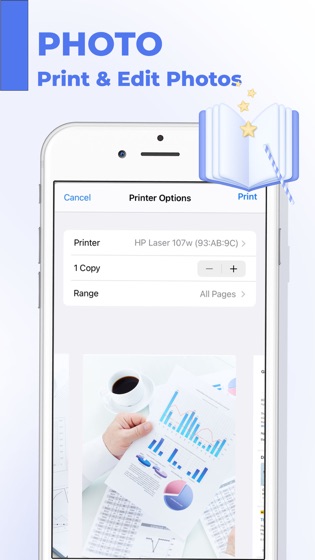
Photos to PDF Printer in 3 easy steps:
1. Open App
2. Select images or take pictures
3. Press Print
Printer App & Scan PDF will turn your iPhone or iPad into a powerful mobile printer. Quickly scan, edit, save, print and share any document in PDF or JPEG format.
KEY FEATURES:
Multipage scanning & printing
Scan to high-quality PDF or JPEG
Scan with a camera or choose photos from Camera Roll to print
Share data with friends, with just a few taps
You can choose a weekly subscription or yearly subscription (3 days trial).
Payment will be charged to iTunes Account at confirmation of purchase (After free trial period if offered).
Subscription automatically renews unless auto-renew is turned off at least 24-hours before the end of the current period.
Account will be charged for renewal within 24-hours prior to the end of the current period, and identify the cost of the renewal.
Subscriptions may be managed by the user and auto-renewal may be turned off by going to the user’s Account Settings after purchase.
Any unused portion of a free trial period, if offered, will be forfeited when the user purchases a subscription to that publication, where applicable.
Privacy Policy:
https://sites.google.com/view/printer-app-policy/
Terms of Use:
https://sites.google.com/view/printer-app-terms/