ICN SMARTPASS (인천공항 스마트패스)
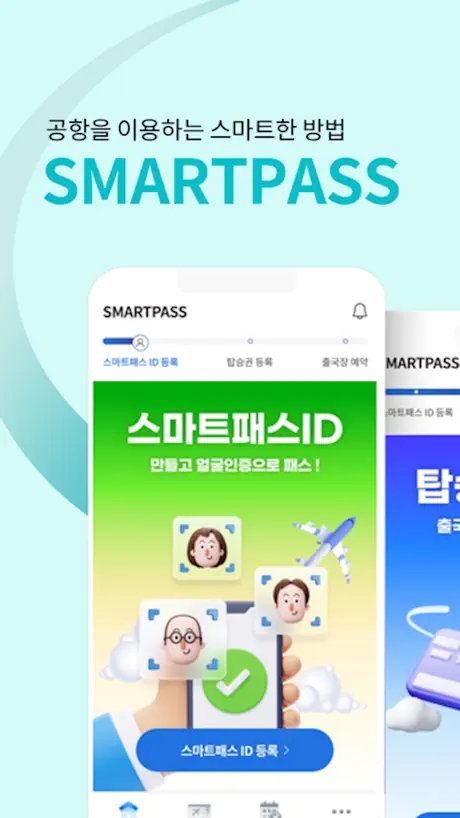
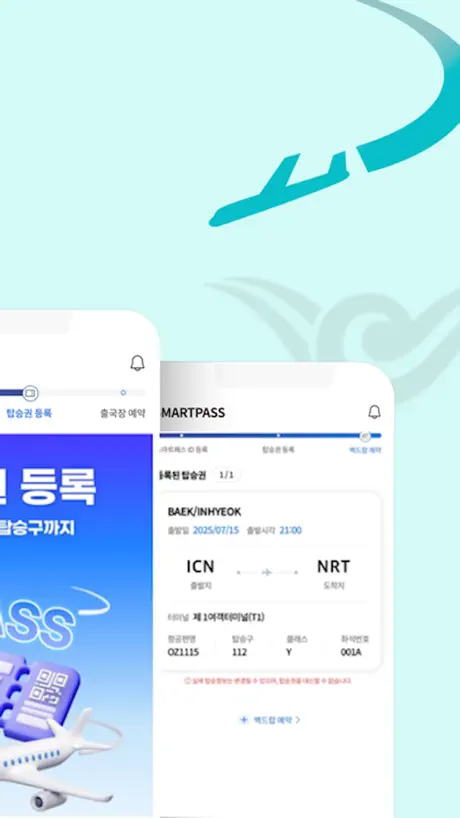
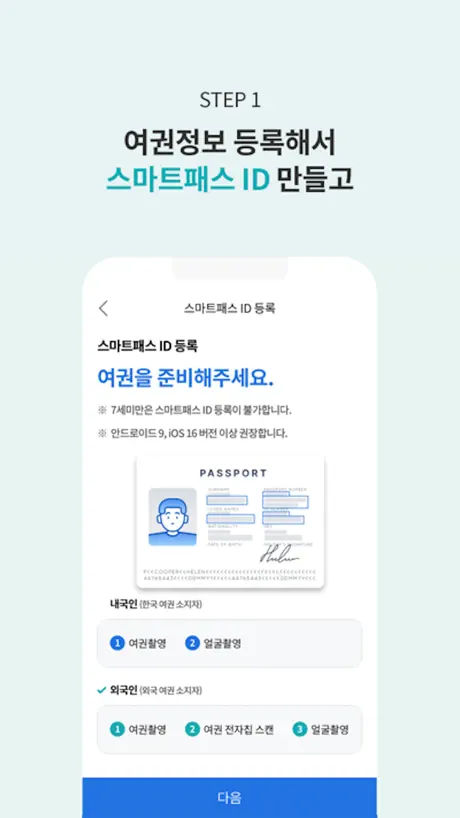
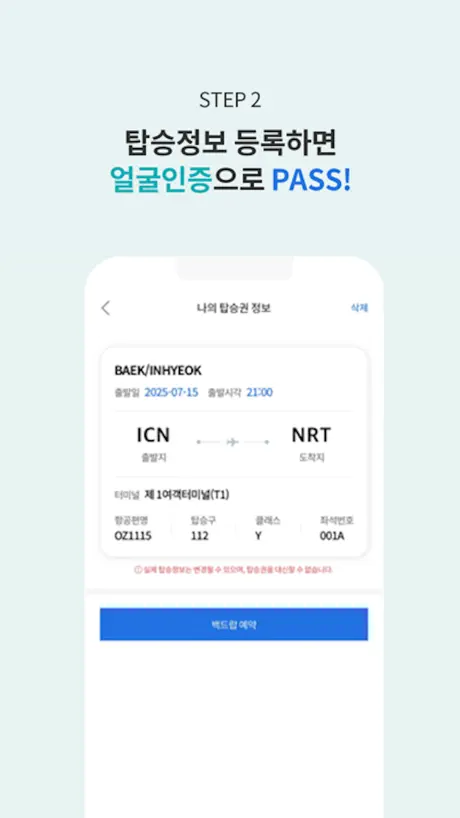
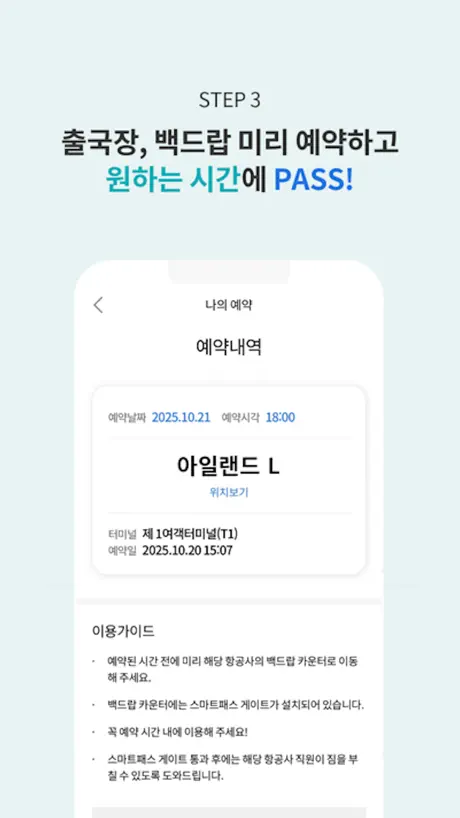
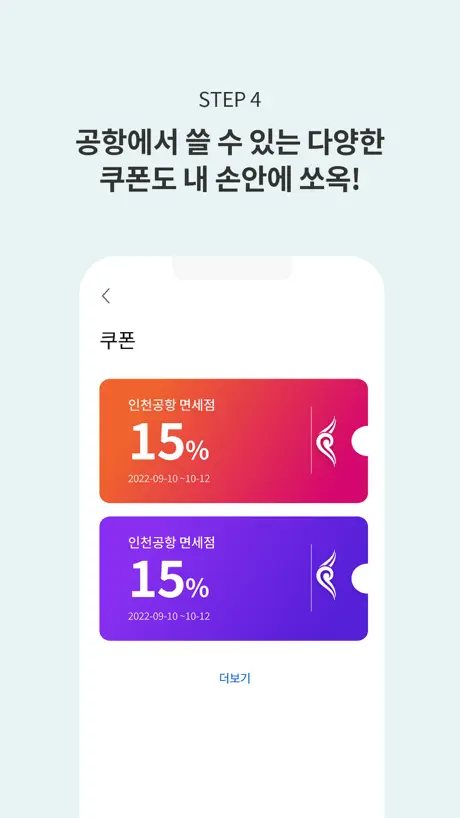
How much does ICN SMARTPASS (인천공항 스마트패스) cost?
Prices are current as of 8 Sept 2026.
ICN SMARTPASS (인천공항 스마트패스) has no in-app products on record in the United States.
10+ alternatives to ICN SMARTPASS (인천공항 스마트패스)
| ICN SMARTPASS (인천공항 스마트패스) |   더치트 - 사기피해 정보공유 공식 앱 더치트 - 사기피해 정보공유 공식 앱 |   Mobile IDentification App Mobile IDentification App |   VestMail VestMail | |
|---|---|---|---|---|
| Rating / 5 | 1.5 | 4.5 | 2.6 | 1.9 |
| Reviews | 1.8K | 8.1K | 2.9K | 113 |
| Released | 2023 | 2013 | 2022 | 2013 |
| Monthly price | — | $2.99 | — | — |
| Annual price | — | $29.99 | — | — |
| One-time price | — | $3.99 | — | — |
The going rate for each plan in United States, in its own currency, shaded from the cheapest price on the row to the dearest.
ICN SMARTPASS (인천공항 스마트패스) reviews
1.5 out of 5, based on 1,846 reviews.
What people like
- Can save you a long wait in line
- Works fine if you update the app first
- Setup is quick once you figure it out
What they complain about
- Hard to find the right spot for scanning
- App crashes or fails to read chips
- Loads take forever and feel very slow
全く使えない
パスポートの読み取りもできないし、パスポートのチップも全く読み取れない。何度やっても無理でみんなどうやって登録したんだろうと思う…もうやめる
Very difficult to scan and set up
I think it is a great concept and very useful tool. But it keeps closing on you and doesn’t scan or read information correctly. Simply not user friendly
Keeps crashing on the latest iOS
My own acc is successfully created. Am trying to load my son’s acc (13yo) and app keeps crashing after scan of the chip. Super frustrating.
Trash
Hard to use and understand, staff is too busy to answer questions
Meh
It’s alright I guess
잘만되는데
50번 시도하면서 안될때까지 이것만 붙잡고 있느라 비행기 놓친 사람은 본인 지능을 의심해야할 듯 안되면 그냥 일반 출국게이트로 가야지 뭐하냐? ㅋㅋㅋ 어이가 없어서 리뷰남김
Garbage
Cannot read my EU passport …. Useless app , shameful for Korea who a leader in technology… an African 10 years old can make a working app, but you not capable…
携帯ケースは外して
パスポートの顔面のスキャンは紙面を光らせないようにやや暗いとこで認証させる。 パスポートの磁気データ読み込みは、携帯ケースは外してやや上側を磁気ページにあてると、画面に読み込み中みたいな英文が出たらキープすればなんとかできます。とにかく根気よくやれば登録できるかと。
Difficult to work
Did this while I was waiting in line to get my boarding pass scanned. Took about 20 minutes to get the passport scanned, chip read which required research and lastly picture taken. By the time I got it working, I was at the front of the line. Maybe useful for next time
App funktioniert nicht ohne Online Ausweisfunktion
Auch ich habe das gleiche Problem wie alle anderen (keine Chiperkennung). Das liegt aber daran, dass ich bei der Ausstellung auf die Online-Funktion meines Passes verzichtet habe. Diese muss wohl erst aktiv sein, dann wird der Chip auch erkannt. Darauf kann man in der App verweisen denke ich.
根本沒法用
根本沒法用
Terrible app
This app is useless. Does not work, does not scan us passport and does not work on IOS Don’t bother with it not needed.
It’s not perfect but it works.
Don’t know what’s with all the negative reviews but it works for me and most importantly I managed to skip that long Q @ airport. The registration was quite seamless although the scanner needs to be improved (kinda like it’s far sighted) but it worked. I recommend it and if it saves you 30 min or an hour waiting in the queue then it’s worth it.
Garbage
Read the comments for US older passports. The NFC is on back page inside cover.
Passport scan (USA )
Updating my review: I read through the reviews because the passport reader was getting frustrating; if you have a USA passport the chip is in the back cover I held my phone at 30 degeee angle pointed at the middle right of the passport it automatically started to say reading and I held still and it was complete
相当楽
空港着いて時間があったので好奇心からダウンロードして登録しました。歩きながらでも登録できてかなり楽。
Terrible and Slow
Nothing ever loads
Read reviews!!
Sometimes the app is a little glitchy with scanning your passport, and reading app reviews helped. My US passport scanned by opening the back cover and scanning it from the inside. I tried like 100 other ways ajd didnt work lol
顔認証が難しすぎる
仁川空港専用の出国時間が短くなるアプリです。IC登録は場所少しずつずらして反応する所を探せば何とかなりましたが、顔認証が酷い。円の中に顔をちょうど良く配置した状態で顔の角度を変えて一周撮影します。少しでも枠を外すと円が赤くなり1秒くらいで遮断されてやり直しです。目を開けた状態はまだ良いのですが、目を閉じて同じ事をするのがとても困難です。コツは目を開け撮影時にカメラと顔の距離を固定する事です。角度を決めて脇をしめ、腕を伸ばし気味にしてしっかり固定して、顔を振る角度を覚えてください。そのまま同じ動きで目を閉じた撮影をします。これで何とか登録しました。ここまで30分以上かかってます。 当日の使い方ですが、まだ試験運用中の為か案内も手作りっぽい立て看板があるのみで配置された人員も3名程度。デジタルネイティブ世代でも無い外見だった為かアプリを見せるまで案内も無く、結局対面での出国検査もあり、皆が使ってないから空いていて、 出国が早かったと言う結果でした
改善されたようです
iPhoneユーザー 昨年何度やっても登録できなかったのですがupdateされすぐに出来ました 次は空港で試すだけです
Smart Pass (Korea) – My Experience & Tips for Scanning a U.S. Passport
I had a good experience using the Smart Pass app. Overall, I didn’t have any major issues with it. The only part that took me a few tries was scanning the NFC chip in my U.S. passport with my iPhone. Once I figured out the correct position, everything worked perfectly. Here are a few tips that may save you some time. iPhone Users Hold your passport in your left hand with the inside back cover open. With your right hand, hold your iPhone horizontally and press the top of the phone firmly against the back of the passport. The NFC antenna on iPhones is located near the top of the device. Don’t move the phone. Hold it steady and wait for the check mark to appear. Once you see the check mark, continue with the remaining steps and you’re done. Android Users The process is very similar. Open the passport to the inside back cover and place the back of your Android phone against the back of the passport. The NFC antenna is usually located on the back of most Android phones (though the exact location may vary by model). Again, don’t move the phone. Hold it steady until the check mark appears, then continue with the rest of the setup. One Recommendation For both iPhone and Android users, I highly recommend removing your phone case before scanning. It may help the NFC connection, especially if you have a thicker case. One Small Thing I Noticed During the initial setup, the app asks which language you’d like to use. I selected English and continued through the setup. However, when the main screen loaded, the app was still in Korean. It wasn’t a big deal. I simply went into Settings, selected English again, saved it, and the entire app switched to English. Overall Once I got past the passport scan, the rest of the process was quick, straightforward, and easy to follow. As soon as I completed the setup, my boarding information appeared automatically without any problems. I hope these tips help someone else avoid the trial and error I went through. Good luck, and safe travels! 😊
Complete waste of time
this app sucks so much
建議加入繁體語言搜尋
Apps好用,建議加入繁體語言,就更加好!
Apps crash after scan NFC
Hi, I tried multiples times, iPhone promax16 IOS26, fail and crash after scan NFC. Unable to key in passport details manually also.
人多的时候有区别吗我请问
仁川机场效率能不能高一点
ㅅㅂㅋㅋ
앱좋같이만드네
Never works
This app never works and need to be seriously from ground up. It baffles me that they are not iterating on this given dismal reviews and terrible user experience
iPhone 掃描
掃描晶片在正面並非背面喔 把護照正面放到 iphone 的正面 第一次使用有點搞不太懂,也是研究很久
🙈
没什么鸡毛用感觉
气鼠
一点也不快 气鼠 感觉前面有两万人在排队 堵的水泄不通 给我道歉
お勧め!4分で登録完了。シニア世代でも登録簡単。
①パスポート写真→明るい所だと1回で読み込む終了 ②パスポートICチップ( パスポートの硬いページにICチップ有り )→硬いページだけスマホを置けば勝手に読み込むでくれる ③本人写真→すぐに認証終了眼を開いている写真と眼を閉じてる写真 ④後は搭乗券はチェックインした時に登録します
App crashed after NFC scan
Bad experience, bad app!!!
It works
People need to look online for where their nfc is- on a us passport it’s on the inside back of the passport. It worked once I scanned accurately. The app could use more support on this issue to guide users
잘만되는데
ㅋㅋㅋㅋㅋ
App will fight you every step of the way
This is not a convenient app to use. The load times take forever, the phone tells you to move around your iPhone when scanning the passport and then tells you it couldn’t scan your passport because you moved your phone. QR code scan for registering your boarding pass is janky and hasn’t worked for me either. Would rather just have to show my passport and boarding pass at the airport at this point
ありえないくらい簡単
レビュー低すぎて期待してなかったけど、2分くらいで登録できた。iPhone11でパスポートは2024年発行のものです。
READ THIS FOR US CITIZENS
For the passport scan (iPhone) 1. Take off phone case 2. Open passport and flip all the way to the back COVER 3. When prompted to scan, hold the top of your iPhone in the middle of the INSIDE back cover until you see the text “reading passport” 4. Hold until successful
So bad
Made with stupid, never go through the scan passport part
護照頁資訊照上面要求就能成功感應晶片
成功申請! 我前面試了幾十次都沒成功,但我發現 護照頁掃描完後,出現的「生日」和「護照到期日」維持app上面要求的「YY」/MM /DD,也就是年的部分只要留最後兩個數字就好! 舉例:2025/01/31 2025只要留25就好,所以資料上就是照app原本掃描上的填 -> 25/01/31 這樣我後面下一步就有成功感應到護照晶片,成功申請!
핸드폰번호나 카드없으면 등록불가
아직 미성년자라 전번이랑 카드없는데 본인인증못함
Most painful app ever used
It is almost unusable. I do not know why it is put out for others to use. I cannot get the chip scanned, very frustrated. It is the opposite of “smart”.
Can’t work
Cannot login the apps
ICN SMARTPASS (인천공항 스마트패스) FAQ
- Is ICN SMARTPASS (인천공항 스마트패스) free?
- Yes. The app is free, in all 175 countries it sells in, and it sells nothing inside it.
- Does ICN SMARTPASS (인천공항 스마트패스) have a free trial?
- No. None of its offers (US) come with a free trial.
- What are the best alternatives to ICN SMARTPASS (인천공항 스마트패스)?
- 더치트 - 사기피해 정보공유 공식 앱 (4.5 from 8,140 reviews, premium from $0.49), Mobile IDentification App (2.6 from 2,876 reviews) and VestMail (1.9 from 113 reviews).
ICN SMARTPASS (인천공항 스마트패스) download
Last updated 1 month ago.
ICN SMARTPASS (인천공항 스마트패스) sells in 175 countries. It was released 3 years and 3 months ago, on 5 Jul 2023. It holds a 1.5 rating from 1,846 reviews.
Supports 6 languages: English, Japanese, Korean, Chinese, Thai, Vietnamese.
How much does ICN SMARTPASS (인천공항 스마트패스) make?
Third-party estimates for the last 30 days, worldwide — not the store's own figures, which Apple publishes for nobody.