QuickPlan, Project Gantt Chart
Task Schedule Plan Management
How much does QuickPlan, Project Gantt Chart cost?
Prices are current as of 16 Nov 2026.
QuickPlan, Project Gantt Chart has no in-app products on record in the United States.
QuickPlan, Project Gantt Chart download price by country
| Country | Price |
|---|---|
| United States | $19.99 |
| United Kingdom | £19.99 |
| Germany | €22.99 |
| Japan | ¥3,000 |
| Australia | A$29.99 |
| Canada | CA$24.99 |
| Thailand | THB 699.00 |
| France | €22.99 |
| South Korea | ₩33,000 |
| Netherlands | €22.99 |
| Italy | €22.99 |
| Mexico | MX$399.00 |
| Spain | €22.99 |
| Switzerland | CHF 18.00 |
| Brazil | R$129.90 |
| Taiwan | NT$690.00 |
| Hong Kong | HK$148.00 |
| South Africa | ZAR 399.99 |
| Colombia | COP 99,900 |
| Czech Republic | CZK 499.00 |
| Russia | RUB 1,790.00 |
| Belgium | €22.99 |
| Chile | CLP 22,990 |
| Indonesia | IDR 399,000 |
| Austria | €22.99 |
| India | ₹1,999.00 |
| Vietnam | ₫599,000 |
| Philippines | ₱1,290.00 |
| New Zealand | NZ$39.99 |
| Turkey | TRY 999.99 |
| Malaysia | MYR 99.90 |
| Singapore | SGD 29.98 |
| United Arab Emirates | AED 79.99 |
| Poland | PLN 99.99 |
| Greece | €22.99 |
| Portugal | €22.99 |
| Sweden | SEK 249.00 |
| Costa Rica | $19.99 |
| Hungary | HUF 8,990 |
| Norway | NOK 249.00 |
| Ireland | €22.99 |
| Romania | RON 99.99 |
| Panama | $19.99 |
| Argentina | $19.99 |
| Denmark | DKK 179.00 |
| Israel | ₪59.90 |
| Cambodia | $19.99 |
| Peru | PEN 89.90 |
| Slovakia | €22.99 |
| Ecuador | $19.99 |
| Croatia | €22.99 |
| Luxembourg | €22.99 |
| Saudi Arabia | SAR 89.99 |
| Slovenia | €22.99 |
| Ukraine | $22.99 |
| Bulgaria | €22.99 |
| Egypt | EGP 999.99 |
| Finland | €22.99 |
| Jamaica | $19.99 |
| Latvia | €22.99 |
| Mozambique | $19.99 |
| El Salvador | $19.99 |
| Ghana | $22.99 |
| Nigeria | NGN 29,900.00 |
| Oman | $19.99 |
| Trinidad and Tobago | $19.99 |
| Azerbaijan | $22.99 |
| Brunei Darussalam | $19.99 |
| Bolivia | $19.99 |
| Bahamas | $19.99 |
| Cyprus | €22.99 |
| Dominican Republic | $19.99 |
| Estonia | €22.99 |
| Guatemala | $19.99 |
| Kuwait | $19.99 |
| Kazakhstan | KZT 11,990.00 |
| Lithuania | €22.99 |
| Morocco | $22.99 |
| Myanmar | $19.99 |
| Macao | $19.99 |
| Malta | €22.99 |
| Maldives | $19.99 |
| Paraguay | $19.99 |
| Qatar | QAR 69.99 |
| Senegal | $22.99 |
| Tanzania | TZS 59,900.00 |
| Afghanistan | $19.99 |
| Antigua And Barbuda | $19.99 |
| Anguilla | $19.99 |
| Albania | $22.99 |
| Armenia | $22.99 |
| Angola | $19.99 |
| Bosnia & Herzegovina | €22.99 |
| Barbados | $22.99 |
| Burkina Faso | $19.99 |
| Bahrain | $19.99 |
| Benin | $22.99 |
| Bermuda | $19.99 |
| Bhutan | $19.99 |
| Botswana | $19.99 |
| Belarus | $22.99 |
| Belize | $19.99 |
| Congo, Democratic Republic | $19.99 |
| Congo | $22.99 |
| Cote Divoire | $22.99 |
| Cameroon | $22.99 |
| Cape Verde | $19.99 |
| Dominica | $19.99 |
| Algeria | $19.99 |
| Fiji | $19.99 |
| Micronesia | $19.99 |
| Gabon | $19.99 |
| Grenada | $19.99 |
| Georgia | $22.99 |
| Gambia | $19.99 |
| Guinea-bissau | $19.99 |
| Guyana | $19.99 |
| Honduras | $19.99 |
| Iraq | $19.99 |
| Iceland | $22.99 |
| Jordan | $19.99 |
| Kenya | $22.99 |
| Kyrgyzstan | $19.99 |
| St. Kitts and Nevis | $19.99 |
| Cayman Islands | $19.99 |
| Lao Peoples Democratic Republic | $19.99 |
| Lebanon | $19.99 |
| St. Lucia | $19.99 |
| Sri Lanka | $19.99 |
| Liberia | $19.99 |
| Libya | $19.99 |
| Moldova | $22.99 |
| Montenegro | €19.99 |
| Madagascar | $19.99 |
| Macedonia | $19.99 |
| Mali | $19.99 |
| Mongolia | $19.99 |
| Mauritania | $19.99 |
| Montserrat | $19.99 |
| Mauritius | $22.99 |
| Malawi | $19.99 |
| Namibia | $19.99 |
| Niger | $19.99 |
| Nicaragua | $19.99 |
| Nepal | $22.99 |
| Nauru | $19.99 |
| Papua New Guinea | $19.99 |
| Pakistan | PKR 4,900 |
| Palau | $19.99 |
| Serbia | €22.99 |
| Rwanda | $19.99 |
| Solomon Islands | $19.99 |
| Seychelles | $19.99 |
| Sierra Leone | $19.99 |
| Suriname | $19.99 |
| Sao Tome & Principe | $19.99 |
| Swaziland | $19.99 |
| Turks and Caicos | $19.99 |
| Chad | $19.99 |
| Tajikistan | $19.99 |
| Turkmenistan | $19.99 |
| Tunisia | $19.99 |
| Tonga | $19.99 |
| Uganda | $22.99 |
| Uruguay | $19.99 |
| Uzbekistan | $19.99 |
| St. Vincent & The Grenadines | $19.99 |
| Venezuela | $19.99 |
| British Virgin Islands | $19.99 |
| Vanuatu | $19.99 |
| Kosovo | €22.99 |
| Yemen | $19.99 |
| Zambia | $22.99 |
| Zimbabwe | $22.99 |
10+ alternatives to QuickPlan, Project Gantt Chart
| QuickPlan, Project Gantt Chart |  QuickPlan 3D - Floor plans | 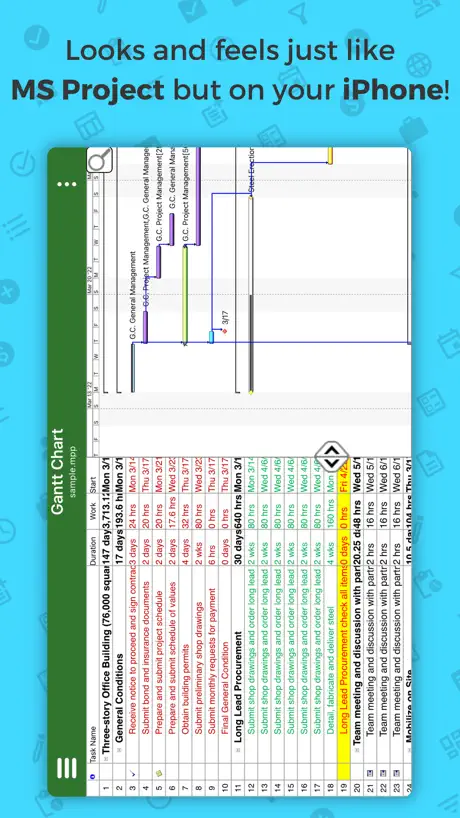  Project Plan 365 |   Site Diary - Construction | 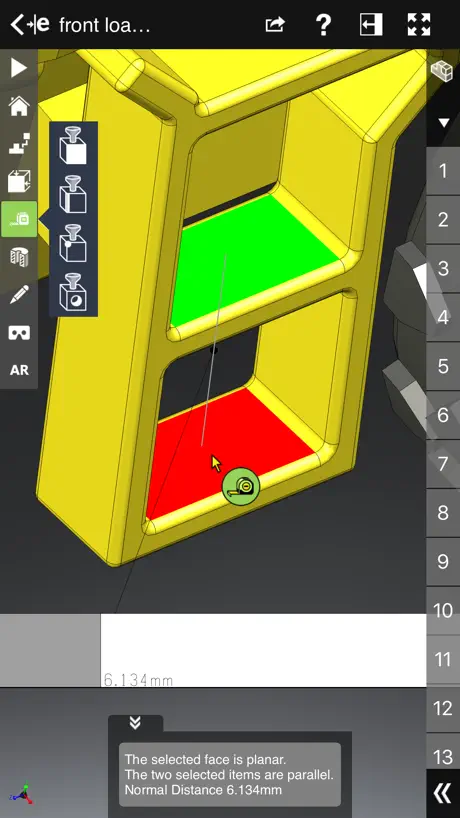  eDrawings Pro | 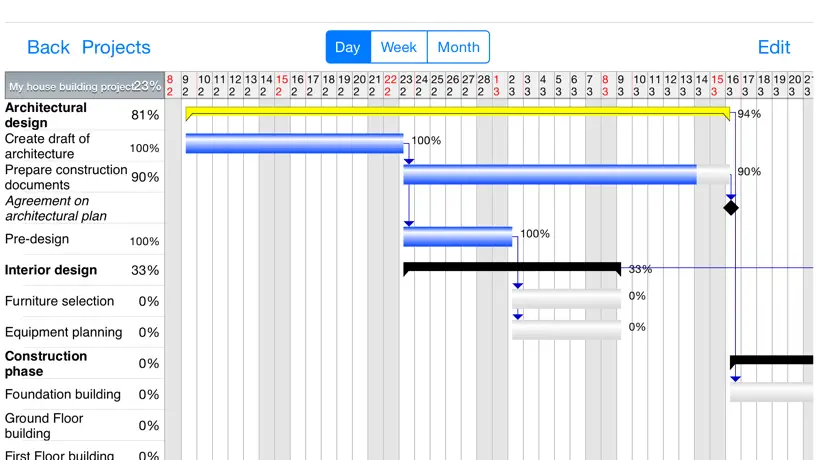  Project Planner - Gantt app | 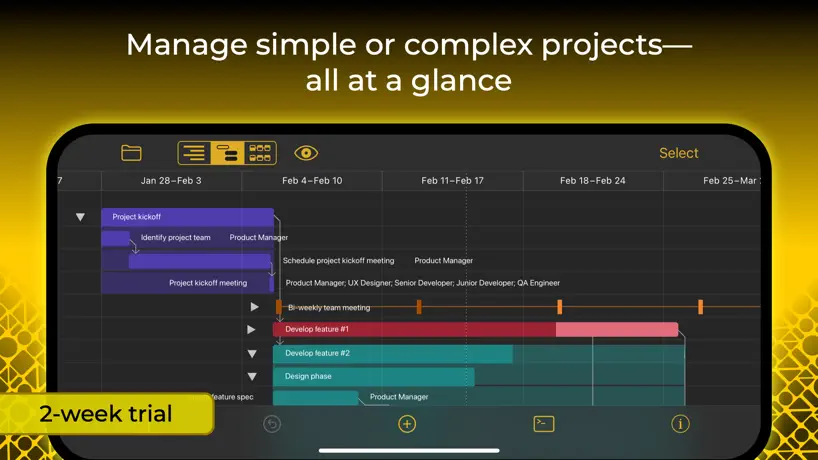  OmniPlan 4 |   TimeStory: Timeline Maker |  Outbuild Field |   TeamGantt |  Autodesk BIM 360 Plan v2 | |
|---|---|---|---|---|---|---|---|---|---|---|---|
| Rating / 5 | 4.7 | 4.3 | 3.4 | 4.2 | 2.4 | 3.3 | 3.3 | 3.8 | 5.0 | 5.0 | 5.0 |
| Reviews | 3.1K | 549 | 270 | 217 | 138 | 123 | 118 | 12 | 10 | 2 | 2 |
| Released | 2013 | 2015 | 2013 | 2019 | 2012 | 2009 | 2020 | 2024 | 2023 | 2017 | 2022 |
| Monthly price | — | — | — | — | — | — | $19.99 | — | — | — | — |
| Annual price | — | — | $129.99 | — | — | — | $199.99 | — | — | — | — |
| One-time price | — | — | — | — | — | — | $199.99 | — | — | — | — |
The going rate for each plan in United States, in its own currency, shaded from the cheapest price on the row to the dearest.
QuickPlan, Project Gantt Chart reviews
4.7 out of 5, based on 3,050 reviews.
What people like
- The interface is simple and easy to use.
- The developer responds quickly to support requests.
- It creates clear visual timelines easily.
- It works great for high-level planning.
What they complain about
- Syncing between devices is often terrible.
- It only allows task durations of whole days.
- Dates sometimes change randomly without warning.
- There are no critical path calculations.
Very productive software
I have used the software for more than 3 years now on iPad. It is very handy and productive. It is better than those Calendar, Quick Note , or Task List app of iPhone or Android, because the Gantt charts give me a visual sense of time line milestones. In the hyper AI agents for every software, I still confirm believe beautiful GUI like this software will work forever, since our eyes are the best and quickest way to sense strategic time-information. I wish the software could do some change : Every time I changed a sub task item into a Milestone under a parent Task, the time lapse of parent task will be automatically constrained to the beginning time of the Milestone, which is annoying. I wish the Milestone is just an independent sub item, not affect parent level tasks. I think it is bug.
Green task bar WILL NOT STAY OPEN
Spinning my wheels for hours trying to make it work. If I don’t hear back from the developer by EOD, requesting refund.
Good app
Easy to use interface works well overall. An important issue I’ve noticed and also noticed other reviews mention is dates randomly changing by themselves. Every day or 2 I notice dates for all tasks have moved to the right by one day. Could understand if I were a single group changing as could easily be done but every single task doesn’t make sense. Wonder if there’s an explanation for this as it’s annoying and obviously could cause serious issues when planning if gone unnoticed. Easy fix would be to add allow user to lock date columns.
Great but NEEDS improvement
Wonderful interface once you get used to it. But it’s not fully functional schedule app yet. 1) Needs real links just like MS PROJECT. Not just Finish Start. With Lead Lag. 2) Needs Task and Group Selectable Baselines. Archive is all or none. not really industry standard. 3) Needs way to “Hide” task that are over or in the past or too far in future. Maybe use archive for this purpose along with good filters and adjustable print timeframes. 4) I lost a lot of work because it is unclear when this thing actually saves. Or does it have a save as you go BUG?
Good tool but…
Great tool,for scheduling however, with the ability to add resources per task there needs to be a way to identify over allocating resources (iOS specific, may be available on Mac)
Apprenticeship School
I was looking for a better to put my Class Schedule together and Quick Plan is making it happen. Thank you
typische 5 Sterne
Die Andwendung ist sehr intuitiv und funktioniert sehr gut. Die verdient voll und ganz 5 Sterne.
Really good, but need more flexibility in dealing with time
I really liked my first few minutes with the app, but I had to abandon it really quickly. As far as I can tell it will not support a task’s work time of less than 1 day. I deal with projects that have lots of moving functions and they are managed and billed by the hour. Some projects are less than a day long so you just end up with a task list. I know there are good reasons to stick to one day timeframes, but business needs don’t always allow that. It would be ideal if I could enter minutes. I could manage if I were limited to hours. Requiring days, wont work for me. It is not fo me, but if you deal in longer timeframe projects, than this could be a really great app.
Needs Week Numbers
This app looks like it could be quite good. However, it is useless without the ability to use week numbers. All my work is done in week numbers. On the MacOS app there is very limited ability to use week numbers. You can display the week number INSTEAD of the week of the year. This is not really very good but better than nothing. However, there is no such option on the iPAD or iPhone app. This renders it useless for me. If you need to use week numbers, this is not the app for you! ALSO - I cannot set the plan tasks to show the resource instead of the task name like I can in the MAC app? This is important to me.
Ok for high-level/quick planning
The app provides pretty good functionality for high-level “quick planning” that can be exported to different formats. What could be better is are the options for customizing exports (to export exactly the columns you want in the order that you want them), there are no custom fields to capture data you may need for grouping or filtering and you can’t change the sequence of the columns, and the URL fields that are provided don’t support call-back links so you can’t link to content in other apps on your iPad (for example to an EverNote note or a NotePlan note, etc.). Last, you can’t hide the gantt view - so there is no option to just work in a tabular format. I can see the app being used for initial planning but I could not see myself effectively running a complex project given the functionality limitations.
Excellent Tool
I have been a project engineer for over 20 years and this tool is excellent. It is easy to use and does what is needed to create a meaningful gannt chart. Only down side is it is available only on an apple device. However, it has excellent export capabilities. All smiles!
Buy twice
You buy the app on IPad then when you try and download onto mac it try’s to charge you £49.99, very disappointed
Excellent app...
Really, absolutely excellent. However, syncing between devices is horrible. Lots of excuses and 'best practices' but the reality is that many others have nailed it but for now at least, QuickPlan has not.
Keine Rückwärtsplanung möglich
Leider ist keine Rückwärtsplanung möglich. Das ist aus meiner Sicht eine Basisfunktion modernem Projektmanagements. Ansonsten ist die App nicht schlecht.
Great App But One Thing Missing
I enjoy using this app. It is user friendly and there are a lot of tutorials to help expand your horizon. Unfortunately there is not a way to export a specified date range within a larger schedule. It is capable of doing so from desktop but not from IPad. I work in the field and all of my correspondence is done through my IPad. This would be the perfect program if it had that function.
Tracer
Please get this app on Microsoft
I no longer trust this app
I loved this app and have used it a lot but, I have just had half of a complex house renovation project removed with apparently no way to recover…. How can I trust an app that does that
QuickPlan
Commercial and high end Luxury homes QuickPlan has been the acknowledged MacProject successor. It retains the former’s ease of use intuitive UX while extending functionality beyond Gantt charting. It lacks print control over cell sizes which means a project >300 cells can occupy an entire 8x8’ wall space after printing. It is the best solution for Gantt charting…if critical path analysis is not important to your timeline. And you have wall space! You buy this app for ease of use, speed and convenience. It just works without forcing you to sit at a desktop for hours!
Paid for the 3 apps suite - deleted them all
While at first glance these look like very useful apps and the reviews seem good, reality is after I paid for them and really started to try to use them, I ran into road blocks on the basics for PLANs. Org Chart was basic. I am glad many out there find these useful. I’m okay eating the $24.99US as it took me a couple of weeks to find enough time to really give these apps a second, third and fourth chance. I went thru tutorials and tried my best (wasting a LOT of evenings and weekend hours in the process). Just as a reference for perspective… I’m a wizard with Visio, MS Project and MS365 overall. Been using MS Project for decades on my work PC; can wiz thru a very complex plan with resources, allocations, predecessors/successors, WBS’s if needed, GANTT’s, etc. I was so hopeful this suite would give me the capability to use my iPad Pro a lot more in lieu of the PC. All these have done is convinced me to stick with my old PC until something new arrives in the App Store.
Happy
Works great on iPad.
Extremely Efficient and User Friendly
I will easily admit this is the most user friendly Gantt chart on the market. Building project timelines is a breeze. Right out of the box; this program is packed with useful tools, easy shortcuts, and equally pleasing graphics. To top it off, if you reach out to the developer; THEY RESPOND! I am very impressed. Thanks!
Used to be great but not anymore
App no longer working as it used to. Randomly seems to change dates and timelines. Real shame as this used to be my default project management software. Will keep looking….
Darn near perfect!
As with many folks I don't often script reviews but I'm drafting this just 3-days post total knee replacement. As a stand-alone App I think QPP is thet good. Additionally, QPP fits quite nicely with most all of my non-professionally based projects and integrates just as well with my professionally based projects. The integration with other Project and GTD Apps as well as email is certainly an appreciated feature. And' the 'sub-project' feature was well thought-out. Since your team has raised the bar of QPP this far, go-forward enhancements I hope the development team will also consider are: 1. A breakout TimeLine for Milestone or Other Summary (IES) or a Project Summary Level Road-Map View, if you will. 2. The ability to move a Task/Milestone under an indented project structured without the given having to be indented first. 3. Aside from being 'Project' guy I'm also a Mind-Mapper and a creature who likes features! My last recommendation is a big-stretch without a doubt, I know but here it goes. As not all projects are waterfall by nature, provide an option to build the Project Plan or WBS via a mind-mapping-like front end and provide an option for some portion of a project's functionality to include project methods that are iterative or short structured-runs. It seems like this would further broaden your appeal to those who engage in a wide-range of project management methodologies. Bill56
Task Duration limitation
I thought we had found a great solution to assist us with planning the many and varied IT migration projects we have to deal with and spent some time reading the overview in the App Store. Many of the critical tasks in projects involve shorter durations than 1 day or larger durations such as 1.5 days. Unfortunately we found out, after purchasing the product that the Quick Plan Pro app only allows Task Durations of whole days or weeks. It does not allow minutes, hours or even parts of days or weeks such as 1.25 days or 0.2 days to try and get around this limitation. I cannot say that I have EVER found project planning software with this restriction. This functionality is critical to us as many of these tasks and their dependent successors are significant to the success of our projects. This makes their application, QuickPlan pro, absolutely useless for our purposes. I note from the App Store and forum, the following: There is no mention of this limitation despite there being many user requests over a number of years for this functionality. This is deception given the typical expectation of project software in this regard; The work around proposed by the developer is to use another app, iAgenda, that in his own words in not a project management app and does not integrate in any perceivable manner with QuickPlan Pro. This is simply misdirection; There is no means to test before you buy. There is a link to a test for iPhone which is a different app in the App Store and presents quite differently.
Critical shortfalls - not a serious tool
App looks good and the user interface works well. Unfortunately the scheduling logic is sorely lacking some basic features for a project management tool. First, while the app allows you to assign resources to a task, it doesn’t prevent you from having multiple simultaneous tasks all using the same resource. App provides no indication that there’s a conflict, and no way to auto-schedule activities to remove the conflict. Second, the app does not respect task dependencies. If you create a two tasks and make one a predecessor of the other then the app won’t properly enforce start-before-finish when start or duration changes, and won’t remove float if predecessor duration shortens or task finishes early. Critical path calculations become meaningless. Third, app assumes that you have a known start and want to compute the finish. No provision to specify end and compute latest start date. No way to set tasks to start as early as possible vs. start as late as possible. Finally, metrics and project stats are really lacking. No float computation or reporting. Poor resource usage metrics. It’s okay if you are satisfied with manually managing task dependencies and resource conflicts. But don’t expect the app to create an optimal (or even feasible) project schedule for you, or to report when your handcrafted schedule is unworkable.
User friendly
Been using it for two years and have tried others along the way but this one is the best.
Terrible collaboration
Very difficult to share and collaborate. Paid the money and am unable to use. Piece of crap.
Good app, with more potential
Easy to use app, with potential to get better with future updates. The UI is well designed and simple to use, and works really well for updating & modifying projects on mobile devices, however with the recent update it has lost some key features on the PDF output options. 4 stars for now, however will change to 5 if the next update brings back the ability to output tasks & gantt on the same page of PDF outputs ....so far the developer has been helpful & responsive.
Man-month
Please support to make a chart for man-month by using resources utilization. If it already support, it’s not easy to find out where is the button to enable to see the chart for man-month.
.
...
Simple to Use, but Powerful Gantt Chart app
Much simpler and faster to use than MS Project. The chart output is also easier to read.
Minimum task duration 1 day
I like a lot of the features of QuickPlan and the developer’s other apps, but QuickPlan only handles task durations of one day or more. I found ways to force more than one task in a day, but that made the app much more work than it should be. To be useful at all to me, it must be able to schedule subtasks within a day—it is impossible to sum up a day’s work as one task. The developer’s suggestion of using iAgenda for more granularity again makes the app more work than it should be, thus useless for serious project management. I will come back to this suite if the developer will add the capability for breaking a day down into subtasks. Until then, I have a expensive apps I cannot use for anything.
Great little app
taken a few hours to get myself even slightly productive. The only guides I have found on the website are organised by release and not function and the search keywords haven't been created properly to get you easily to where you want
Please German Language
Es ist sehr kompliziert, wenn man kein Englisch kann. It's very complicated, if you can't speak English. Ich kann mich meinem Vorredner, der die App hier für iPad und Mac so hoch lobt, nicht anschließen. Intuitiv geht definitiv anders, zumal ich auch keine Englischkenntisse habe. Aber bei Intuitiv braucht man die normalerweise auch nicht. Das Handbuch ist nur Online und hat viele Unterseiten. Da ist nichts, mit schnell mal nachschlagen. Soviel zu intuitiv.
Icloud sync
So hoping I can just create a project file that would sync automatically across all my devices. Wasn’t expecting that I’ll have to create iCloud specific project file
Fantastic
My favorite scheduling app ever! 5 Stars!
ซื้อสินค้าแล้ว ใช้งานไม่ได้
ซื้อสินค้าแล้วไม่สามารถใช้งานได้ ควรทำยังไงดีครับ…เปิดเข้าไม่ได้เลยเด้งออกตลอดเลย ช่วยแก้ปัญหาให้ผมด้วย
For the Price
Very Excellent & Easy to use. Haven't had any crashes or faults thus far. Have quick created action task list micro plans (10 linked tasks) and emailed to attendees even before the meeting has finished. Micro Task list have now superseded minute taking in meeting making time more productive and focused towards task completion and ownership via contacts attribute.
5 étoiles quand il sera en Français
5 étoiles quand il sera en Français
please allow it to work with MS Project MPP files
Does it open MPP files from MS Project?
Great program!
I bought this program on my iPad several years ago. I work full time, and give violin lessons in the evenings. I have two community orchestras, one adult and one youth, that I direct. I am a member of a band that plays gigs on mostly weekend evenings. I am also involved in my church. Needless to say, I am very busy. At the time I bought it, I I did not have enough time to really sit down and learn QuickPlan in a way that would really help me. It was placed on the back burner. A few weeks ago, I came across the icon on my iPad again and decided to take the time to learn how to use its features. I’m still learning some best practices for ME, but I have to say I am obsessed! Thank you for a great productivity tool!
Startet nicht auf iPAD pro
War sehr gut, nur startet es leider nicht mehr, seit ich auf iPAD-pro umgestiegen bin. Bei mehrmaligen Startversuchen friert das iPAD sogar ein.
Quickplan
This is a great app, I don't use it frequently enough to get the best from it but it is very useful
Would be ok but....
Keeps crashing when adding contacts into the task list, Crashes every time I try to export multiple formats to either email or Dropbox All in all a good idea but a bit clunky to use, a little tricky at first to move the tasks about, could do with a wider range of colours to match other applications ie keynote Would get more stars if they fix this
Like it!
Great app. Great support. Works well.
An app that does what it says, simple easy for project management
Tried multiple free apps, they weren’t easy to use or had the flexibility. I have 20 projects that I entered in an hour and how use it to manage. Well worth the paid price.
No import capability
The description fails to mention that this app will not import from any of the formats that it exports to. Dishonestly represents that sharing can be done by email. Neglects to say the app only allows one way "share" outgoing, not incoming. Not worth any payment.
Just one thing missing
If it can't sync up with what I do with email on my PC or iPhone, organization is right out the window
No resources or contingencies, so don't bother
I don't know why the developer bothered implementing completion ahead of assigning resources to tasks and identifying contingent tasks. Without the latter two this program is worthless for anything more than the most simple of projects - say 10 tasks performed by only one person. If the developer implements these two things then this is a 5 star product given the price.
Really good for planning
Really good planning tool from planning a wedding to planning tasks.
QuickPlan, Project Gantt Chart FAQ
- Is QuickPlan, Project Gantt Chart free?
- No. QuickPlan, Project Gantt Chart costs $19.99 (US) to download.
- Does QuickPlan, Project Gantt Chart have a free trial?
- No. None of its offers (US) come with a free trial.
- What are the best alternatives to QuickPlan, Project Gantt Chart?
- QuickPlan 3D - Floor plans (4.3 from 549 reviews), Project Plan 365 (3.4 from 270 reviews, premium from $129.99) and Site Diary - Construction (4.2 from 217 reviews).
QuickPlan, Project Gantt Chart download
Last updated 6 months ago.
QuickPlan, Project Gantt Chart sells in 174 countries. It was released 13 years and 7 months ago, on 22 Mar 2013. It holds a 4.7 rating from 3,050 reviews.
Supports 7 languages: English, Dutch, French, German, Japanese, Chinese, Spanish.
How much does QuickPlan, Project Gantt Chart make?
Third-party estimates for the last 30 days, worldwide — not the store's own figures, which Apple publishes for nobody.