WeVideo - Video Editor & Maker
Edit videos quickly & easily
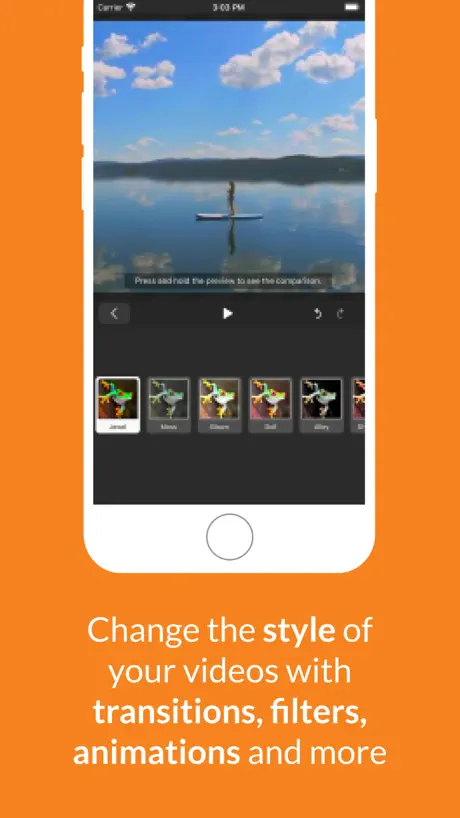
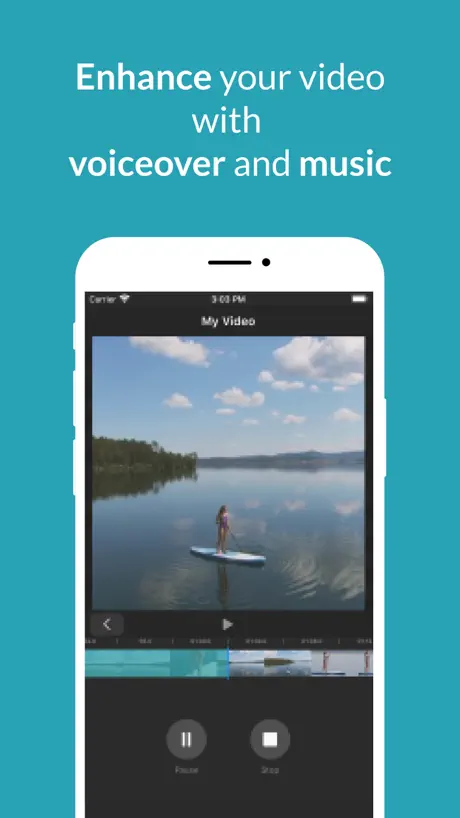
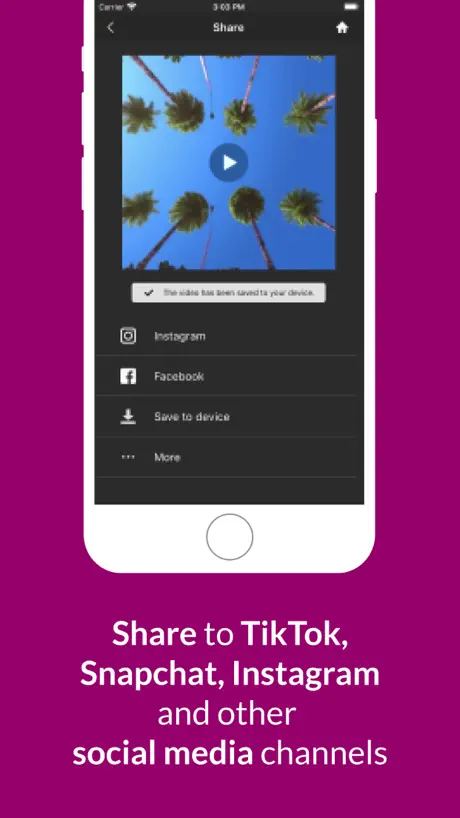
How much does WeVideo - Video Editor & Maker cost?
Prices are current as of 3 Oct 2026.
10 subscriptions from $5.99
In the United States, WeVideo - Video Editor & Maker has 10 subscriptions priced $5.99 – 449.99. It comes with a 7 days free trial.
| Subscription | Period | Price |
|---|---|---|
| WeVideo Mobile Subscription | MonthlyTrial: 7 days | $5.99 |
| WeVideo Power Subscription | Monthly | $9.99 |
| WeVideo Unlimited Subscription | Monthly | $15.99 |
| WeVideo Professional | Monthly | $39.99 |
| Annual Mobile Subscription | AnnualTrial: 7 days | $49.99 |
| WeVideo Power Subscription | Annual | $59.99 |
| WeVideo Business Subscription | Monthly | $73.99 |
| WeVideo Unlimited Subscription | Annual | $95.99 |
| Professional Subscription | Annual | $214.99 |
| WeVideo Business Subscription | Annual | $449.99 |
See what WeVideo - Video Editor & Maker costs in all 175 countries →
10+ alternatives to WeVideo - Video Editor & Maker
| WeVideo - Video Editor & Maker |   Filmmaker Pro - Video Editor Filmmaker Pro - Video Editor |   Videoshop - Video Editor Videoshop - Video Editor |   Magisto Video Editor & Maker Magisto Video Editor & Maker |   Beatleap by Lightricks Beatleap by Lightricks |   Stop Motion Studio Stop Motion Studio |   Vimeo Create Vimeo Create |   Filmr - Pro Video Editor Filmr - Pro Video Editor |   Vlogr - Video Editor & Maker Vlogr - Video Editor & Maker |   Video Editor - Vlog Star Video Editor - Vlog Star |   Lumeo - Video Effects Editor Lumeo - Video Effects Editor | |
|---|---|---|---|---|---|---|---|---|---|---|---|
| Rating / 5 | 4.5 | 4.6 | 4.9 | 4.6 | 4.8 | 4.6 | 4.7 | 4.6 | 4.6 | 4.6 | 4.7 |
| Reviews | 68K | 533K | 507K | 362K | 238K | 177K | 128K | 50K | 25K | 14K | 6.3K |
| Released | 2013 | 2016 | 2013 | 2012 | 2020 | 2011 | 2020 | 2017 | 2017 | 2018 | 2020 |
| Weekly price | — | $7.99 | — | — | $9.99 | — | — | $6.99 | — | — | $4.99 |
| Monthly price | $15.99 | $15.99 | $3.99 | $6.99 | $7.99 | — | $24.99 | $11.49 | $4.99 | $2.99 | $10.99 |
| Annual price | $95.99 | $59.99 | $23.99 | $19.99 | $35.99 | — | $59.99 | $79.99 | $39.99 | $8.99 | $35.99 |
| One-time price | — | $4.99 | $2.99 | $0.99 | $199.99 | $5.99 | — | $169.99 | — | $5.99 | $2.99 |
The going rate for each plan in United States, in its own currency, shaded from the cheapest price on the row to the dearest.
WeVideo - Video Editor & Maker reviews
4.5 out of 5, based on 68,014 reviews.
What people like
- Very easy to use for beginners
- Good for simple school projects
- Nice selection of background options
What they complain about
- App crashes constantly and loses work
- Many features locked behind paid subscription
- Login issues keep you out of app
- Free version limits video length heavily
😍
I love this app and I can make content from it
1 star doesn’t work
I can’t layer any of my clips and now I can’t finish the video I have been working on. I use iPad and don’t have a computer to use to make it easier.
WeVideo review:
I have found this sight extremely helpful. However, I did have to use other apps for a time because WeVideo does not allow gifs to be added (they will not move, and appear as just a photo.)
Not working at all
I’m trying to make a video and I use videos from the stock, and as soon as I chose all the videos I want to use, it crashes and it takes me out of the app. Then I go back in, and if I use any Button, it crashes. I’ve sent several emails to the help and support, and they still have not responded or fixed it at all. I don’t understand what the problem is.
Big problem
This app is very easy to download. It is fun. I made one video so far and I’ve had some problems. These problems are the camera being very glitchy which is so annoying so of course I load in the app and I have to swipe it out 1000 times. Stillwood recommend also the fake green screen background is very glitchy developers. Please edit that and please fix the background green screen because I hate it. It needs being fixed still worth getting and needs a little fix so still you can get it also there’s tons of things that you have to buy to get some things and there’s so many things and everything is so expensive and I’m not going to pay for that.
Usage in school
I used it to make a book club book trailer in reading class in 5th Grade, and the name was The Wild Robot #1 Also, I used it to make a fake game named BFS Crashy 2 (I used Car Parking Multiplayer for the fictional names.)
Glitch
Sometimes a clip would glitch randomly and it annoyed me.
Phone vs computer
I love WeVideo, and I use it on my computer all the time, but on my phone, I just can’t figure out how to layer things on top of each other, which makes it way harder to use. Other than that it’s good
Um, help?
Hey WeVideo, I really like your app but a few months ago it refused to let me in, it just loads and then crashes and kicks me out…every time. I can’t get in and can’t get to my past videos- please fix this!
WeVideo review
It’s so easy to film and use pics and blend them together or just either one, it also is super cool with all the features, but I don’t like that I have to upgrade for more songs, texts, effects, etc
Cool
I use this app for my friends, I can do stuff and publish videos
Audio
The audio wasn’t working.
Easy to use
Limited options but fun to use for simple video effects.
Not for me
I really like the feel for this one. The layout and interface jumped out at me right away. Very easy to navigate. But the app is very much on the simple side compared to other competitors. I cannot add overlay tracks, color corrections or adjustments, keyframe animation, nor any of that. The Capture Media option doesn’t even work. The screen freezes, and I can’t even exit. I have to close the app in order to exit.
Videos get cut off near the ending
It’s a good app but lately it cuts off the sound of video voices about 3 to 4 seconds before the video ends. You don’t get to hear the whole video. It needs to be fixed. This is the only app that I know that does this.
I love this app
I use this app for my sister’s volleyball videos for colleges. I am so proud of her. This app make it possible to make the perfect video for all of this.
If you want music, it cost money.
Just plane silly. Everything cost money.
Mean
It’s a reall Y good and useful app but when I try to record on it always makes the video turn upside down so I have to record the video in my Camera app then put it in WeVideo but other than that it’s really good
Computer is better don’t use mobile
I can’t use green screen or use video sample and pictures I can’t even use transitions and many things are for those that use premium even for the quality, at this point just use iMovie. But I really like the effects.
Good news and bad news
The good news is that it’s a fun game, but the bad news is it doesn’t open when I click on it. But I’ve heard good reviews about it.
Totally recommend 😀
This is the perfect video making/editing app. I was making a short film with my friends and didn't want something too complicated with limited features. I'm not very tach savvy, so I needed something simple. I wanted the ability to cut and delete scenes, retake certain scenes, add voiceover as well as add two scenes together from different times. This app has all of that as well as so many amazing background options to choose from. I have done the sunset and farm background for my film. This app has no ads, no subscriptions needed, and best of all it's so simple to use!! No secret buttons, just clear instructions. This app creates clear audio and visual, and you can rearrange scenes and name videos, and nothing ever gets deleted or not saved as a glitch. This app is not glitchy and works very well. I seriously can't recommend WeVideo enough. So helpful, simple and well designed. Definitely 5 stars ⭐️⭐️ ⭐️ ⭐️ ⭐️
This app sucks balls
Stupid app won’t load on my phone. Ever. Never had this issue with anything else but this trash app
Pretty Decent!
I like it. It’s pretty easy to use and there is backdrops I can use to make my story’s better. Just the backdrops cut out parts of me sometimes but otherwise it’s fun and useful. 🙂
not great
this app is pretty glitchy and frustrating. the videos often glitch and i’ve experienced lots of problems when using it on two different devices. the videos on my phone somehow never download to my computer, which is really annoying. plus, there aren’t as many effects as other apps. overall, it works, for the most part, but i wouldn’t recommend it.
We video
It’s a really cool program and can do really cool stuff but the only reason it’s cheap is because they charge you for all sorts of texts and effects, and that’s it.
Amazing rating from a 9 year old
Amazing the best editor app ever made take it from me it is amazing you have to download this if I gave it a 5 star that means you’ll love it it is so easy to use I can easily share my creations
This app sucks
I can’t collaborate with anyone. It won’t let me upload anything from the device I have recordings on. So difficult to work with don’t use this app.
Not good
This app is not good. It was working until one day it just stopped letting me in. My entire project was ruined because of this app. I may not get a good grade, thanks to this app.
Not enough effects
Not enough cute effects, and I can only use one filter? That’s dumb
It’s ok
It’s ok but it won’t let me get my videos from my computer
🙂
Amazing but I wish the videos could go faster
New Update?
What happened to being able to filter just videos when uploading media? Now I have to sort through hundreds of photos just to find a video. An inconvenience. And I didn’t pay for inconvenience.
Good app <3
I like the app just I’d like to make it so that there are other apps to get songs like Spotify and other apps
5.8.7 Update issues
The latest update 12-12-24 is problematic. The upload media button only allows media to be uploaded from my albums— not recents—so I have had to create an album to move photos I want to use in WeVideo before I can access my recent pictures to upload them into the app. Unacceptable. I’ve used this app everyday for almost 2 years but this is a deal breaker. Plus, I miss the stickers. They are now gone. Why??
Pay to publish?
I really liked editing this app but it was so annoying to find out you only get 5mins of publish time a month! And it only tells me this after spending around a week on my edit. I just wish they had made it more clear that you only get 5 mins before letting me send other versions of the video out.The worst part is that I need this edit and it won’t even let me transfer anything any where. Other than that though, this is a very good free editing app
WeVideo
Love this app, use it a lot. Would love to see an audio level indicator while recording
I hate this app
Anytime I try to do anything it either glitches or the feature does not exist. Only reason I use it is because my school forces me to. If you want to use it, I recommend the website version because it has more features, just search “WeVideo” and it is the first one I think.
Great app
It is a very good app, but i hope they add some backgrounds and not on the subject. Other then that, it is very good for gifs
PLEASE READ
So I downloaded this app to my iPad thinking it was a great app Because I have it on my school computer, so I go to log in with google, I enter in my email then it asked for my email passcode I type in the correct passcode and I knew it was the correct one because I have it write down in my notes, so once that didn’t work I entered in at least 5 other passwords and none of them worked, I even clicked for got password and did everything that asked and it still didn’t work. I even tried signing in with a different account. I have been trying for over an hour and still haven’t yet been able to log in. Now instead of enjoying the app it has left me confused and VERY frustrated. Thank you for taking your time to read my review
It crashes on new 2020 iPad Air
It’s great on pc but I can’t even add text on my iPad. It freezes and then crashes.
Confused
How do you add photos
Not worth it
Kept cutting out audio and getting videos from who knows where. Probably works for others but there were way too many issues for me, and I will not be using this again
Litttle bug
I have had this app for 2 years and it has worked great hence the 4 stars but now there is a small bug where it will not let me add captions to my videos please fix this and in turn I will give the 5 stars this app deserves
Why do we have to pay for everything
Comme onnn
Won’t let me make the editing😡
It won’t let me put the photos in one of the videos or anything it just terrible The reason why I give this app three stars at the beginning it started to work but then all of a sudden two days later it won’t even let me put any photos in please let me do it please😡😡😡😡😡
No
Yes
I love it but,
I love it, but it keeps crashing on me and it won’t even let me access the app
Decent
It is good but ya it’s ok
Please Fix these Crashes :(
I like WeVideo— it has a lot of good features and is fairly straightforward to understand— but I HATE when it crashes (which is extremely often). It’s so frustrating to work with a program that can’t handle a 1 min video with background music. Every time it crashes, I have to do everything again because the app won’t autosave my work. Definitely not using this program again until these crashes are fixed.
It’s an aright app
The app is good, you don’t have to pay for making a video and it’s quick and reliable. But with that in mind because it’s free you won’t get nice and easy options to help improve your video but this is in your phone. For example, in my video the last 2 seconds I was trying to cut it off but there is no way you can do that. Also when putting a text message which I put by accident there was also no way to take it off.
WeVideo - Video Editor & Maker price by country
A monthly subscription costs $1.34 in Turkey and $20.90 in Denmark — 16× more for the same thing. Below is the going rate for each plan in every country that sells it — the middle price of what the app charges there, in the country's own currency with the dollar equivalent beneath it.
| Country | Monthly | Annual |
|---|---|---|
| Afghanistan | $15.99 | $95.99 |
| Albania | $19.19 | $115.19 |
| Algeria | $15.99 | $95.99 |
| Angola | $15.99 | $95.99 |
| Anguilla | $15.99 | $95.99 |
| Antigua And Barbuda | $15.99 | $95.99 |
| Argentina | $15.99 | $95.99 |
| Armenia | $15.99 | $95.99 |
| Australia | A$22.99$16.54 | A$139.99$100.71 |
| Austria | €17.99$20.24 | €106.99$120.35 |
| Azerbaijan | $15.99 | $95.99 |
| Bahamas | $15.99 | $95.99 |
| Bahrain | $15.99 | $95.99 |
| Barbados | $15.99 | $95.99 |
| Belarus | $15.99 | $95.99 |
| Belgium | €17.99$20.24 | €106.99$120.35 |
| Belize | $15.99 | $95.99 |
| Benin | $15.99 | $95.99 |
| Bermuda | $15.99 | $95.99 |
| Bhutan | $15.99 | $95.99 |
| Bolivia | $15.99 | $95.99 |
| Bosnia & Herzegovina | €17.99$20.24 | €106.99$120.35 |
| Botswana | $15.99 | $95.99 |
| Brazil | R$51.90$9.94 | R$309.90$59.37 |
| British Virgin Islands | $15.99 | $95.99 |
| Brunei Darussalam | $15.99 | $95.99 |
| Bulgaria | €15.49$17.42 | €94.99$106.85 |
| Burkina Faso | $15.99 | $95.99 |
| Cambodia | $15.99 | $95.99 |
| Cameroon | $15.99 | $95.99 |
| Canada | CA$20.99$14.78 | CA$124.99$88.02 |
| Cape Verde | $15.99 | $95.99 |
| Cayman Islands | $15.99 | $95.99 |
| Chad | $15.99 | $95.99 |
| Chile | CLP 10,500$10.69 | CLP 63,900$65.07 |
| China | CN¥113.00$16.84 | CN¥678.00$101.04 |
| Colombia | COP 45,900$13.86 | COP 274,900$83.00 |
| Congo | $15.99 | $95.99 |
| Congo, Democratic Republic | $15.99 | $95.99 |
| Costa Rica | $15.99 | $95.99 |
| Cote Divoire | $15.99 | $95.99 |
| Croatia | €17.25$19.40 | €106.18$119.44 |
| Cyprus | €17.99$20.24 | €106.99$120.35 |
| Czech Republic | CZK 419.00$19.29 | CZK 2,490.00$114.64 |
| Denmark | DKK 139.00$20.90 | DKK 829.00$124.66 |
| Dominica | $15.99 | $95.99 |
| Dominican Republic | $15.99 | $95.99 |
| Ecuador | $15.99 | $95.99 |
| Egypt | EGP 339.99$6.50 | EGP 1,999.99$38.26 |
| El Salvador | $15.99 | $95.99 |
| Estonia | €17.99$20.24 | €106.99$120.35 |
| Fiji | $15.99 | $95.99 |
| Finland | €17.99$20.24 | €106.99$120.35 |
| France | €17.99$20.24 | €106.99$120.35 |
| Gabon | $15.99 | $95.99 |
| Gambia | $15.99 | $95.99 |
| Georgia | $15.99 | $95.99 |
| Germany | €17.99$20.24 | €106.99$120.35 |
| Ghana | $15.99 | $95.99 |
| Greece | €17.99$20.24 | €106.99$120.35 |
| Grenada | $15.99 | $95.99 |
| Guatemala | $15.99 | $95.99 |
| Guinea-bissau | $15.99 | $95.99 |
| Guyana | $15.99 | $95.99 |
| Honduras | $15.99 | $95.99 |
| Hong Kong | HK$123.00$15.67 | HK$748.00$95.29 |
| Hungary | HUF 4,990$15.24 | HUF 28,990$88.53 |
| Iceland | $19.83 | $119.03 |
| India | ₹1,249.00$12.96 | ₹7,500.00$77.83 |
| Indonesia | IDR 209,000$11.69 | IDR 1,299,000$72.64 |
| Iraq | $15.99 | $95.99 |
| Ireland | €17.99$20.24 | €106.99$120.35 |
| Israel | ₪59.90$19.64 | ₪359.90$118.00 |
| Italy | €17.99$20.24 | €106.99$120.35 |
| Jamaica | $15.99 | $95.99 |
| Japan | ¥1,800$11.41 | ¥10,800$68.43 |
| Jordan | $15.99 | $95.99 |
| Kazakhstan | KZT 5,290.00$11.91 | KZT 30,990.00$69.78 |
| Kenya | $15.99 | $95.99 |
| Kosovo | €17.99$20.24 | €106.99$120.35 |
| Kuwait | $15.99 | $95.99 |
| Kyrgyzstan | $15.99 | $95.99 |
| Lao Peoples Democratic Republic | $15.99 | $95.99 |
| Latvia | €17.99$20.24 | €106.99$120.35 |
| Lebanon | $15.99 | $95.99 |
| Liberia | $15.99 | $95.99 |
| Libya | $15.99 | $95.99 |
| Lithuania | €17.99$20.24 | €106.99$120.35 |
| Luxembourg | €17.99$20.24 | €106.99$120.35 |
| Macao | $15.99 | $95.99 |
| Macedonia | $15.99 | $95.99 |
| Madagascar | $15.99 | $95.99 |
| Malawi | $15.99 | $95.99 |
| Malaysia | MYR 69.90$17.13 | MYR 419.90$102.92 |
| Maldives | $15.99 | $95.99 |
| Mali | $15.99 | $95.99 |
| Malta | €17.99$20.24 | €106.99$120.35 |
| Mauritania | $15.99 | $95.99 |
| Mauritius | $15.99 | $95.99 |
| Mexico | MX$329.00$18.07 | MX$1,949.00$107.03 |
| Micronesia | $15.99 | $95.99 |
| Moldova | $15.99 | $95.99 |
| Mongolia | $15.99 | $95.99 |
| Montenegro | €17.99$20.24 | €106.99$120.35 |
| Montserrat | $15.99 | $95.99 |
| Morocco | $15.99 | $95.99 |
| Mozambique | $15.99 | $95.99 |
| Myanmar | $15.99 | $95.99 |
| Namibia | $15.99 | $95.99 |
| Nauru | $15.99 | $95.99 |
| Nepal | $15.99 | $95.99 |
| Netherlands | €17.99$20.24 | €106.99$120.35 |
| New Zealand | NZ$24.99$14.04 | NZ$149.99$84.26 |
| Nicaragua | $15.99 | $95.99 |
| Niger | $15.99 | $95.99 |
| Nigeria | NGN 4,900.00$3.68 | NGN 29,900.00$22.47 |
| Norway | NOK 165.00$17.15 | NOK 999.00$103.85 |
| Oman | $15.99 | $95.99 |
| Pakistan | PKR 1,700$6.12 | PKR 9,900$35.66 |
| Palau | $15.99 | $95.99 |
| Panama | $15.99 | $95.99 |
| Papua New Guinea | $15.99 | $95.99 |
| Paraguay | $15.99 | $95.99 |
| Peru | PEN 51.90$15.09 | PEN 309.90$90.09 |
| Philippines | ₱799.00$12.76 | ₱4,790.00$76.51 |
| Poland | PLN 64.99$16.71 | PLN 399.99$102.83 |
| Portugal | €17.99$20.24 | €106.99$120.35 |
| Qatar | QAR 57.99$15.93 | QAR 349.99$96.15 |
| Romania | RON 72.99$15.40 | RON 429.99$90.72 |
| Russia | RUB 1,150.00$13.77 | RUB 6,690.00$80.12 |
| Rwanda | $15.99 | $95.99 |
| Sao Tome & Principe | $15.99 | $95.99 |
| Saudi Arabia | SAR 59.99$16.00 | SAR 359.99$96.00 |
| Senegal | $15.99 | $95.99 |
| Serbia | €17.99$20.24 | €106.99$120.35 |
| Seychelles | $15.99 | $95.99 |
| Sierra Leone | $15.99 | $95.99 |
| Singapore | SGD 22.98$17.95 | SGD 134.98$105.45 |
| Slovakia | €17.99$20.24 | €106.99$120.35 |
| Slovenia | €17.99$20.24 | €106.99$120.35 |
| Solomon Islands | $15.99 | $95.99 |
| South Africa | ZAR 239.99$14.41 | ZAR 1,449.99$87.03 |
| South Korea | ₩19,500$14.47 | ₩115,000$85.35 |
| Spain | €17.99$20.24 | €106.99$120.35 |
| Sri Lanka | $15.99 | $95.99 |
| St. Kitts and Nevis | $15.99 | $95.99 |
| St. Lucia | $15.99 | $95.99 |
| St. Vincent & The Grenadines | $15.99 | $95.99 |
| Suriname | $15.99 | $95.99 |
| Swaziland | $15.99 | $95.99 |
| Sweden | SEK 175.00$18.23 | SEK 1,049.00$109.27 |
| Switzerland | CHF 17.00$20.51 | CHF 103.00$124.25 |
| Taiwan | NT$500.00$15.69 | NT$2,990.00$93.85 |
| Tajikistan | $15.99 | $95.99 |
| Tanzania | TZS 35,900.00$13.56 | TZS 214,900.00$81.15 |
| Thailand | THB 559.00$16.66 | THB 3,400.00$101.31 |
| Tonga | $15.99 | $95.99 |
| Trinidad and Tobago | $15.99 | $95.99 |
| Tunisia | $15.99 | $95.99 |
| Turkey | TRY 65.99$1.34 | TRY 549.99$11.19 |
| Turkmenistan | $15.99 | $95.99 |
| Turks and Caicos | $15.99 | $95.99 |
| Uganda | $15.99 | $95.99 |
| Ukraine | $15.99 | $95.99 |
| United Arab Emirates | AED 57.99$15.80 | AED 354.99$96.73 |
| United Kingdom | £15.49$20.49 | £91.99$121.68 |
| United States | $15.99 | $95.99 |
| Uruguay | $15.99 | $95.99 |
| Uzbekistan | $15.99 | $95.99 |
| Vanuatu | $15.99 | $95.99 |
| Venezuela | $15.99 | $95.99 |
| Vietnam | ₫359,000$13.83 | ₫2,199,000$84.73 |
| Yemen | $15.99 | $95.99 |
| Zambia | $15.99 | $95.99 |
| Zimbabwe | $15.99 | $95.99 |
WeVideo - Video Editor & Maker FAQ
- Is WeVideo - Video Editor & Maker free?
- Yes. The app and its basic features are free, in all 175 countries it sells in. Premium features are paid: they start from $5.99 (US), across 10 subscriptions.
- How much does WeVideo - Video Editor & Maker cost per month?
- WeVideo Business Subscription is $5.99 – 73.99 (US). The annual plan works out cheaper per month: $49.99 – 449.99 a year.
- Does WeVideo - Video Editor & Maker have a free trial?
- Yes — a 7 days free trial (US).
- Where is WeVideo - Video Editor & Maker cheapest?
- A monthly subscription costs TRY 65.99 (≈$1.34) in Turkey and DKK 139.00 (≈$20.90) in Denmark, its cheapest and dearest countries.
- What are the best alternatives to WeVideo - Video Editor & Maker?
- Filmmaker Pro - Video Editor (4.6 from 533,447 reviews, premium from $0.99), Videoshop - Video Editor (4.9 from 506,928 reviews, premium from $0.99) and Magisto Video Editor & Maker (4.6 from 361,979 reviews, premium from $0.99).
WeVideo - Video Editor & Maker download
Last updated 1 year ago.
WeVideo - Video Editor & Maker sells in 175 countries. It was released 13 years and 6 months ago, on 22 Mar 2013. It holds a 4.5 rating from 68,014 reviews.
Supports 1 language: English.
How much does WeVideo - Video Editor & Maker make?
Third-party estimates for the last 30 days, worldwide — not the store's own figures, which Apple publishes for nobody.
Revenue by plan
- Monthly 77%
- Annual 23%
Revenue by country
- United States 70%
- Canada 5%
- Denmark 4%
- Saudi Arabia 3%