
Coupa Mobile
Business Spend Management
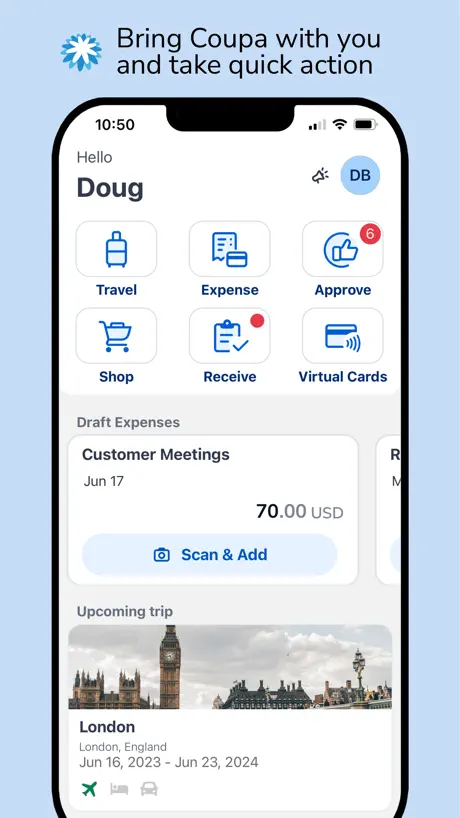
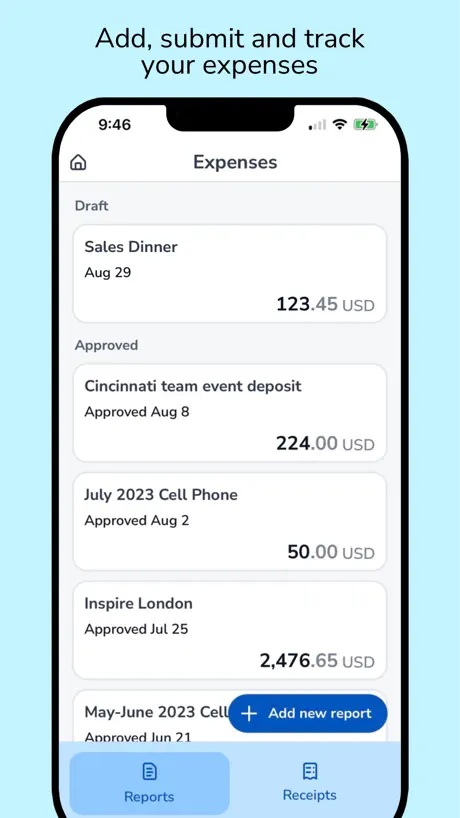
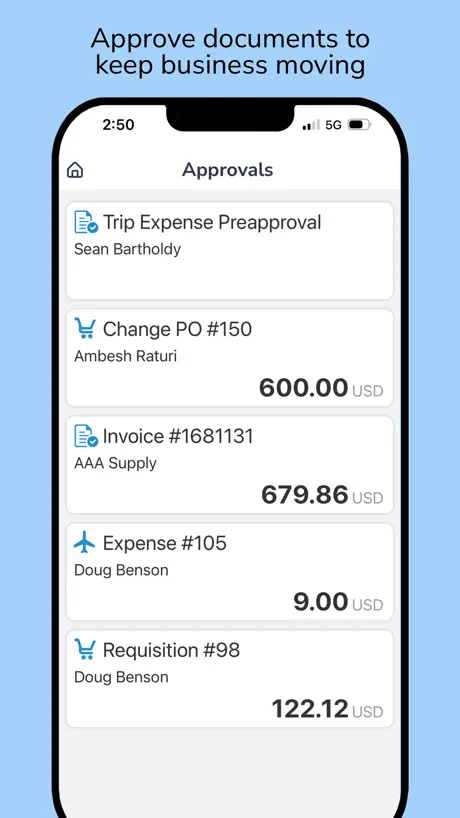
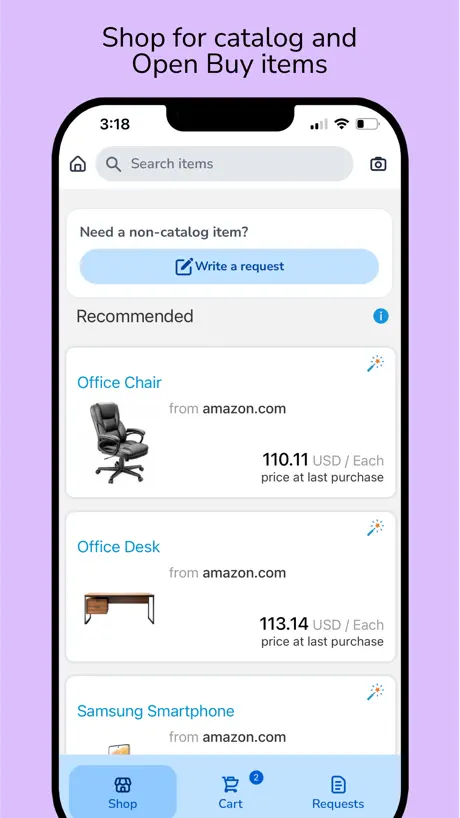
How much does Coupa Mobile cost?
Prices are current as of 8 Nov 2026.
Coupa Mobile has no in-app products on record in the United States.
10+ alternatives to Coupa Mobile
| Coupa Mobile |   Salesforce |   Egencia |   Navan |   GoSpotCheck Team |   Emburse Professional |   Brex |   Tableau Mobile |   Confluence Data Center |   Gong.io |   Glean Work | |
|---|---|---|---|---|---|---|---|---|---|---|---|
| Rating / 5 | 4.6 | 4.7 | 4.6 | 4.8 | 4.4 | 4.6 | 4.8 | 4.6 | 3.2 | 4.0 | 4.5 |
| Reviews | 9.9K | 783K | 119K | 68K | 26K | 14K | 11K | 5.7K | 413 | 174 | 88 |
| Released | 2013 | 2010 | 2011 | 2015 | 2013 | 2012 | 2019 | 2011 | 2018 | 2017 | 2021 |
Coupa Mobile reviews
4.6 out of 5, based on 9,867 reviews.
What people like
- Easy to take photos of receipts
- Great for quick expense approvals
- Works well on Apple Watch
- Simple and intuitive to use
What they complain about
- App freezes and runs very slow
- Crashes constantly when you open it
- Cannot upload PDF files from phone
- Very bad user interface design
Good but could be better
Coupa needs to work on the UI and better user experience. App is good but needs to be made better in terms of user experience and have ability to open contracts as lot of times the legal agreement attached to the request form are not visible. Add AI and spell check in the comment Add better OCR for receipts scanning for T&E
Terrible user experience
Hard to do anything on mobile - just like on the desktop version.
Missing history
It would be good to see history of approved items
Inadequate and slow
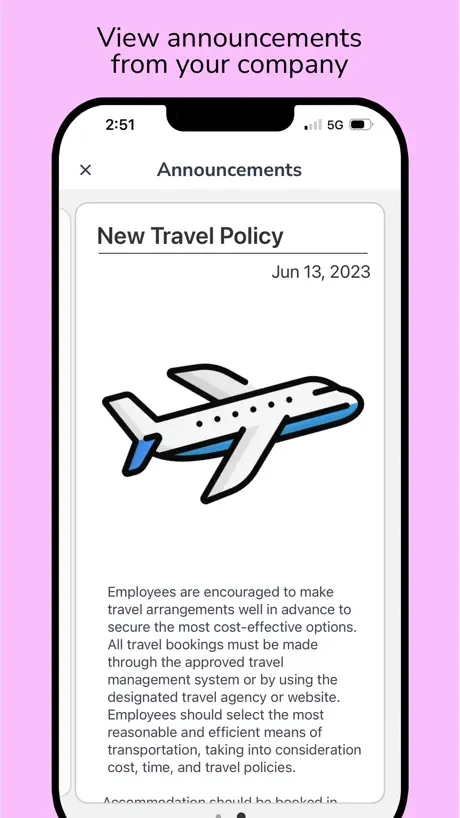
If you want to review and approve PO’sthoroughly, the app does not allow you. If you click on a line item to review cost centre and SIOR, the page does not load. If you have announcements to read, it’s a 50:50 chance they will display.
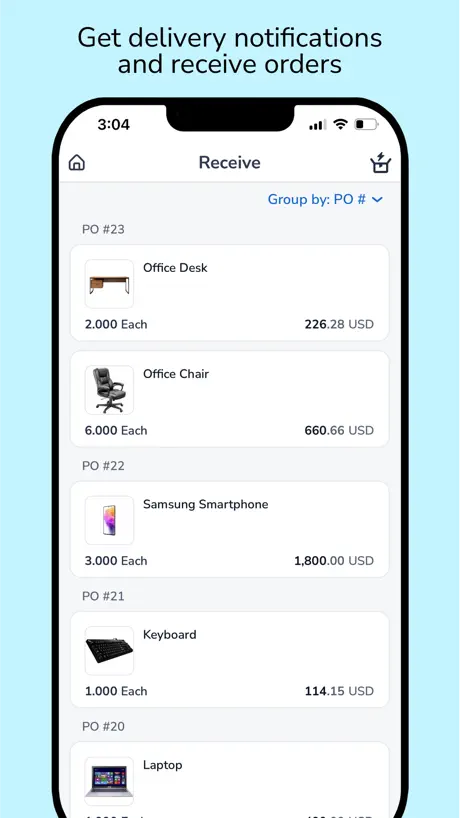
Wareneingang
Seit ein paar Wochen ist der Wareneingang sehr langsam, pro Artikel ca 1 min, bitte fixen
Coupa Mobile
User friendly app. Very reliable and easy to use
Coupa
Do away with the scoring of one’s expense report!!! When I receive a 22 when everything is completed correctly, it makes a perfectionist like myself very angry.
Almost Great
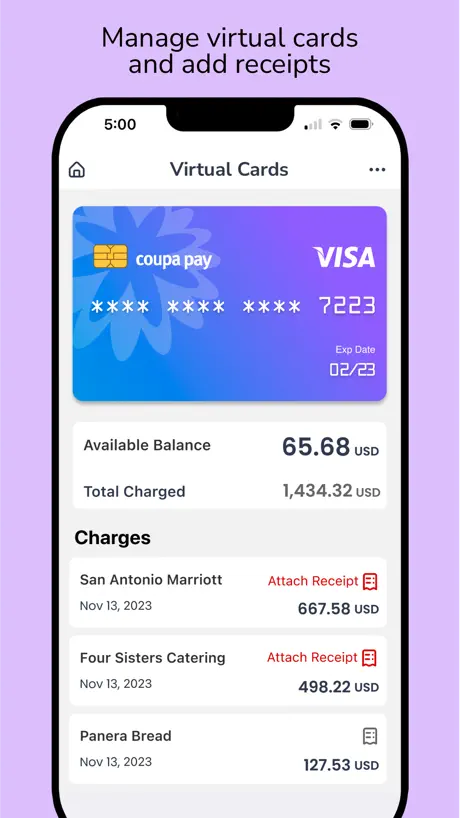
I like the functionality of being able to take pictures of my receipts. Once I was able to submit all my receipts and submit my expense report all on my phone in the Coupa app. The only thing missing for me is being able to upload PDF files from my phone. I prefer downloading my Uber/Lyft receipts to my phone but there is no way to upload them to Coupa from my phone unless I take a screenshot but it can be blurry when viewing from a computer. Please add the ability to upload files as receipts!!!
Formatação IPad
Utilizar o APP no iPad não é uma boa experiencia. A formatação e para móbile.
Coding of Inv
I would like to also see the inv’s that requires coding. Please advise if that possible as current approval gets done on the app and we still need to login to Coup to do the coding on the inv.
Helpful for POs and Expenses
It’s a good tool
Worst app
Not user friendly. Can only see half a page. Very frustrating 😖
Overall a good app but missing an essential capability to manage expenses
I’ve used many apps for managing expenses and this is one is pretty good. However there’s a capability that’s missing that would make this one of the best… including an option to confirm the reimbursement has been received. Thanks
Things I’d wish they’d change
The search bar is very frustrating, you have to click the very left, you just click anywhere on it, so small, so frustrating. Secondly, it never remembers or learns from previous expenses, it never auto assigns the right details, I have to manually do everything.
New update
The new update makes the whole screen blackout when I go into receive folder. Please fix!
Love it
Thanks for your service
Downloaded the latest update and……..
Just updated the app and now it will not open. Deleted the app and downloaded the app again. The app still will not open.
Avis partagé.
Très pratique quand ça marche mais pas toujours très fiable. Les photos des tickets ne sont pas toujours enregistrés (un comble) La devise czk n’est pas disponible. Bref des bugs chiants a l’usage.
Не работает после обновления
Черный экран при запуске
Peterz
Super friendly
Arcane
Capabilities are outdated and not flexible. Should enable easy direct upload from any standard cloud app like so many competitors. Direct creation of expenses from mobile is lacking in capability and reliability.
Slow, clunky, no automations
The app is slow and clunky. Make a change? Wait for the “saving expense line” dialog box. Open up the app for the first time in a while? Your latest expenses will not be shown until you manually refresh. Navigating between expenses is slow and painful. It won’t remember your albums on iOS, so good luck navigating to that Receipts album EVERY TIME, for EVERY EXPENSE. The only thing it does automatically is crop images - that’s it. Using this app makes me want to abolish all computers and go back to hunting and gathering. Painful and absurd.
More Options for File Attachments
For the love of god, WHY does this app only give you two options for attachments: camera or photos? I have to attach receipts for my expense reports, which are automatically generated but not for several days after purchases. I scan all of my receipts to PDF, but this aren't stored in the Photos app... they are either in cloud documents or in Evernote. So essentially, I have to hang on to the paper receipt until the expense shows up in Coupa and then take a photo. So inconvenient! Otherwise, the camera works well and I like the options to convert to B&W, etc. I just wish I could do this when I get the receipt so I don't have to hang onto it.
Great usability updates
I’m really like the efficiency gains with the new UI. Showing the reports and offering scan and add seems so logical and intuitive. 9 times out of 10 it’s why I’m in the App, thanks for making it even easier!!
Coupa Sucks
If you want additional administrative burden and a horrible customer experience, then Coupa is for you.
Severely limited functionality in App
The app is stripped down and doesn’t allow you to accomplish half of what you’ll need to do. You’ll have to resort to using the desktop version which is frustration, especially if the whole point is “on the go” expense management. For example: you cannot delete something from your wallet if you accidentally added something twice. You cannot edit the currency. You cannot add additional photos per receipt (ie second page). And viewing existing photos is difficult.
App Won’t Refresh
When it works, this app is great. However I have had to delete and re download the app several times because it does not update with the new expense reports. After reinstalling the new reports will come up. Is this a bug? Does it happen to anyone else ?
Just what I need
Love this app, it provides me with the exact functionalities I require to hand in expenses on the go and to snap pictures instantly. The connection between mobil and desktop works extremely well.
Crashes constantly
Cannot use it since about two months. Crashes basically every time i start it.
Limited functionality, announcement notifications remain
Can’t complete full reports only via app, app is best for approvals, announcements still show as notifications even after being read (needs a fix)
Convenient but very slow
I find the app freezes a lot and then is extremely slow. Would love to see an update to make this easier to use.
Contracts module approvals do not exist
Sadly the app does not support notifications and approvals of their Contracts module.
So cumbersome
Not intuitive. Clunky and dumb things 10 steps to do one receipt submission
How is it so bad?
I don’t get how a company has made it this far and has this bad of an app. I don’t know what people’s benchmark but terrible UX/UI for just trying to take a photo of a receipt and add an expense line. I’m sticking to emailing receipts 1-1 because I can’t for the life of me figure out what the designers were thinking with the flow. Please do better because I’m stuck using you!!
It doesn’t have a search
I have a lot of approvals and it’s hard to find one in specific
Mobile at its finest
Absolutely love the ease in which I can create my expense reports! Best APP I’ve used for this purpose hands down.
Sales
Worst expense platform I’ve used to date. UI is dreadful and the photos don’t load quickly, and very often unsuccessfully.
Love the convenience
I love the convenience of the Coupa app to get receipts into the wallet, but I find the camera won’t focus on longer receipts.
I’m a fan
The interface is very smooth, especially the voice entry option. I usually track my expenses on the fly, which means that I submit my report as soon as I land home
Login is a problem
The integration with Octa is awful. Even after a successful login, it says I’m not logged in. I have to close the app and reopen it to finally get in.
Needs more polish
Works well and notifications to Apple Watch users is great for approvals. iOS app needs to be manually refreshed as it only displays so many approvals per load. Tapping the complete tab crashes app. App has promise, web interface is solid.
Coupa Mobile FAQ
- Is Coupa Mobile free?
- Yes. The app is free, in all 175 countries it sells in, and it sells nothing inside it.
- Does Coupa Mobile have a free trial?
- No. None of its offers (US) come with a free trial.
- What are the best alternatives to Coupa Mobile?
- Salesforce (4.7 from 782,766 reviews), Egencia (4.6 from 119,410 reviews) and Navan (4.8 from 67,988 reviews).
Coupa Mobile download
Last updated 17 days ago.
Coupa Mobile sells in 175 countries. It was released 13 years and 8 months ago, on 9 Mar 2013. It holds a 4.6 rating from 9,867 reviews.
Supports 24 languages: English, Croatian, Czech, Danish, Dutch, Finnish, French, German, Greek, Hungarian, Italian, Japanese, Korean, Norwegian Bokmål, Polish, Portuguese, Romanian, Russian, Chinese, Spanish, Swedish, Thai, Turkish, Vietnamese.
How much does Coupa Mobile make?
Third-party estimates for the last 30 days, worldwide — not the store's own figures, which Apple publishes for nobody.