CamRanger Wireless DSLR Camera
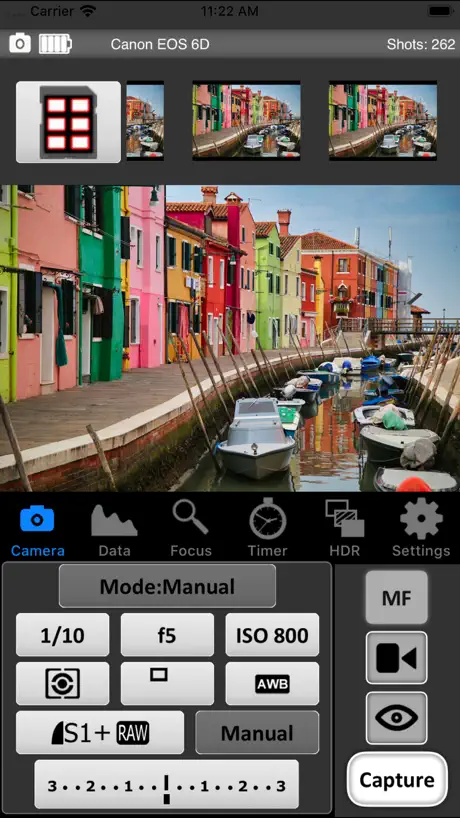
How much does CamRanger Wireless DSLR Camera cost?
Prices are current as of 18 Nov 2026.
CamRanger Wireless DSLR Camera has no in-app products on record in the United Kingdom.
10+ alternatives to CamRanger Wireless DSLR Camera
| CamRanger Wireless DSLR Camera |   Camera Connect & Control |   Wifibooth the PRO photo booth |   Cascable Studio: Camera Tether |   ShutterSnitch |   Capture Pilot |   Unleashed - Camera Remote | 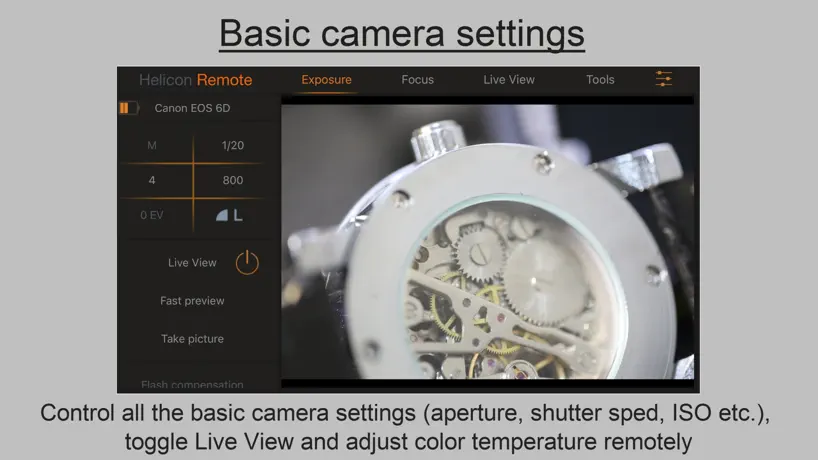  Helicon Remote | 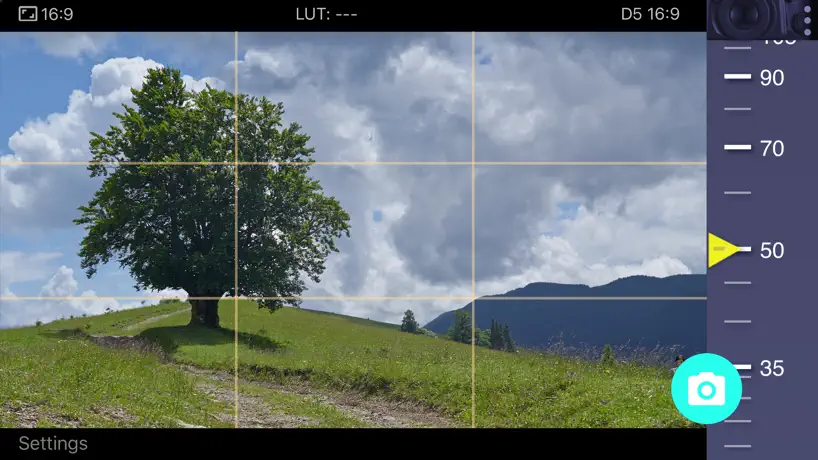  Magic Nikonian ViewFinder |   Canon Multi-Camera Control |   NX Field | |
|---|---|---|---|---|---|---|---|---|---|---|---|
| Rating / 5 | 3.3 | 4.0 | 4.2 | 4.0 | 3.2 | 2.8 | 4.4 | 2.6 | 4.7 | 3.0 | 3.3 |
| Reviews | 169 | 2K | 1.4K | 1.2K | 431 | 393 | 177 | 177 | 116 | 46 | 42 |
| Released | 2012 | 2019 | 2015 | 2015 | 2010 | 2010 | 2018 | 2015 | 2018 | 2023 | 2021 |
| Monthly price | — | £3.99 | £48.99 | £7.99 | £2.79 | — | — | — | £1.49 | — | — |
| Annual price | — | £17.99 | £199.99 | £49.99 | £27.49 | — | — | — | — | — | — |
| One-time price | — | £22.99 | £9.99 | £99.99 | £8.99 | £14.99 | — | £49.99 | £4.99 | — | — |
The going rate for each plan in United Kingdom, in its own currency, shaded from the cheapest price on the row to the dearest. Plans fewer than four in ten of the priced apps sell are left out.
CamRanger Wireless DSLR Camera reviews
3.3 out of 5, based on 169 reviews.
What people like
- Support team responds quickly and helps
- Lets clients see shots instantly
- Great for remote camera control
- Works well with many DSLR models
What they complain about
- App crashes constantly during use
- Connection drops to the camera often
- Updates break functionality on new iOS
- Video feed lags behind real action
Great for Weddings
Used this before the CamRanger 2 came out. Loved it but the 2 has great new features faster speed.
Does not work with 1DX
New update might have fixed an issue with the 1DX II, but it created issues with the fist generation 1DX. Does not read images from the second card at all, and now it doesn’t read new images from the first card either. There are issues with live mode freezing the app also.
Awesome on iPad
I've had my CamRanger for many years. So this review is really regarding the original Cam Ranger. Over all I like it. Tech Support was good to me and responded quickly back when I was having an issue connecting to my Canon Ti3. So far it has work without issue on my 7D MK2. Because I hadn't used it since up grading my iPhone, it needed to register again. I was in the field and wasn't able to register via cellular which was frustrating at the time. On a iPad the app is great. You can zoom in by double tapping. Nice for tweaking in the focus. Pinch zoom would be nice, perhaps this is more of a limitation of the camera than the app. Haven't been able to do rapid shooting, only allows single shot. I would like to try out Cam Ranger 2, on day perhaps.
iOS 10 update makes product ct unusable
I've used this product quite a bit with still photos and videos. It is great to work with a large screen on an iPad as well as touch focusing on the subject matter. However with iOS 10 and the product patches have rendered the product useless. The iOS 10 version looses communication with the camera and a subsequent reboot of the product results and a camera busy error message. The crash also affects the audio recording function of my D750, where a loud hiss and crackling occurs on the audio track. The crash and subsequent camera reboot caused my recording settings to change from 1080p 30fps to 1080p 60fps, which reduced my scene recording time fro 20 minutes to 9 minutes.
iPad Pro (12,9 Zoll, 3. Generation)
Hallo, Könnte es sein das ist beim iPad Pro (12,9 Zoll, 3. Generation) es nicht mehr funktioniert ? ich bekomme nämlich keine Verbindung mehr. Bei meinen alten iPads funktioniert alles noch einwandfrei.
T5i?
Can you use this app if you manually hook up your iPhone via cord to camera then use as a monitor??
Garbage
This is garbage for $300+ this should be a smooth process with trying to connect.
Love the product. But needs an urgent update
I use it every day for work. Downloaded iOS13 yesterday. You need to fix the app now. Crashes every time I open the app.
can’t use live view horizontal
I would LOVE this app if I could use the live view mode with my iphone/ipod sideways. You can only use live view in landscape mode on an iPad, which is not practical for travel purposes. I really want a solution to monitor my DSLR while its recording video on my gimbal stabilizer. However I am stuck with the live view in portrait mode on my phone (i.e. you can only see a tiny view of the image using only about half of your iphone's screen). Really wish the developers could find a way to make this possible :( I don’t care about all the other controls, if I did I’d just switch back to portrait mode. I just want to see what my camera sees without having to squint!!
Needs urgent update
I love the features but the user interface of this application is outdated to say the least. I hope that the prográmese design a new interface
Works right out of the box
I have Nikon D750 everything works perfectly. Love it for night, macro and weird angle shots when i cant see the view finder or live view. Thank you.
Used to work
Having same issues as other user stated about loosing connection with the camera and crashing since IOS 10 except I'm using a Canon, but I also am receiving the busy message on my camera.
Love app but needs updated
Overall this is a good app and program. Love to see it keep up with new cameras, at least the Canon M50, which has been out over a year.
iOS 9!
Come on guys! How long have you had since iOS 9 was announced to get this updated. You know perfectly well that pros rely on this to get their jobs done. This is unacceptable and unprofessional!
Works well but is super dated
This app looks like it was designed for the first version of iOS it is well overdue a re-design. Other than that it works well for still photography, it has proved to be an important part of my workflow especially as my Canon EOS 5D mkiii does not have WiFi built in. If this app is re-designed I would not hesitate to give it a 4 or 5 star review.
Works as advertised, never failed
Works great with the camranger hardware. Latest update (for iPhone 8, current update as of 11/1/17) has messed with the icons in the upper right corner (hdr, focus, etc) on my iPad Air.
NO
It just gets you to buy there product which is complete waste of time considering you can just plug SD card into your computer to send photos
Practice makes perfect
I’ve had the ranger for a few years now, and just updated the software. It works fine with my Nikon D800 with an iPhone 7 Plus. One glitch is I had to go into settings and turn off wifi then turn it back on again so CamRanger can pickup the transmitter-receiver at the camera. Once you do that, open the App. It may take 20-30 seconds to connect as it does the “handshake”. I have taken one star off because when shooting videos or photos, live view on the back of the cam is disabled. It would be nice to have this option even if it uses more battery. And the battery that came with the unit had died. For now I am powering the on camera receiver with a power block connected to the mini USB charging port. Works fine this way too. NOTE: No charger is supplied, just a mini USB to USB 2.0 cable so you can power it off another power supply or the USB port on your computer. Hope this helps! Frederic Hore, Montreal, Canada
Mit jeder Version mehr bugs
Seit 2 Jahren habe ich die App und die hardware. Tendenz ist derzeit eindeutig zum schlechteren hin. Hab's grad mit der D750 probiert, in 20 Minuten 5 freezes, ich weiss gar nicht, mit was beginnen zum Aufzählen. Natürlich, die App kostet nix - aber die Hardware ist schon ziemlicher Ramsch. Drahtlose Fernsteuerung? Hahaha, mit dem Motorkopf PT Hub sind es 3 Kabel und zwei billige Plastikkästchen, die man nirgends gescheit befestigen kann. Egal, es geht um die App: Unzuverlässig, steigt dauernd aus, die behauptete Parallelverbindung von CamRanger und Internet WLAN gleichzeitig, viel Spass damit… Im LiveView manuell fokussieren? App friert ein (iPad Mini) Overlays einstellen? App friert ein. DropBox-Konto editieren? App friert ein Thumbnails ausschalten? App friert ein. Will viel, kann (zuverlässig) wenig. Gut gemeint, schlecht gemacht. Diese aktuelle Version (Mitte Juni 2015) ist eine der schlechtesten, und das will was heissen.
Cool idea
Great idea but there should also be another button to be able to see all the files after turning on the Camranger share app not just from the point of when you open the share app and then view only the files from then on -from the camranger app. Also, neither the camranger app or the share app are up to date with the new iPhones. Very large text at the top for the time and battery info. Needs to get that up and running. Until that is fixed, the outrageous price for something I could make myself, I'll give you a 3. Until then, make it worth me spending $300 for this mediocre product. A little disappointed in the high price and the not up to date software.
Powerful Tool for the Pro
I've used CamRanger for years now. I have to say that it is an incredible product and while I have suggestions that would make it better for my use it is still a 5 star product. If the developers monitor their reviews, if the bracketing menu automatically set the starting point at the shutter speed you select on the camera this would make our lives much easier.
It's an advertisement.
Don't bother downloading it. Very misleading.
Perfect tool for architecture and landscape
I used to drag my laptop and shoot tethered with CaptureOne in the field. I can now control my Nikon D810 with my IPad wirelessly. Easy to set up and use, I also have the app on my iPhone and MacBook. I would give it 5 stars but I haven't got focus stacking for macro shots to work to my liking but it just may be a learning curve. The Optional USB cable for Nikon is a must as it has a right-angle connection to the body and is significantly better than the crappy one supplied by Nikon
Unstable (Canon EOS 5D MK3 user)
I was really hopeful that this would work but so far it keeps losing connection to camera, no matter how close I am to the CamRanger, so unless it improves then not worth the money.
Great app
Great app but after all these years I really just don't know why we have to register the devices every time. Should just be a silent thing in the background.
Awesome updates!
I bought the Cam Ranger when it first came out, what a great product! And the app is constantly being updated to add new features!
Misleading
Misleading and therefore useless!
CamRanger
Le système CamRanger est excellent et fonctionne très bien et offre beaucoup de possibilité. Je l’utilise avec un Canon 5D et un 7D et sa fonctionne très bien. Le Focus Stacking, HDR et Longue exposition vraiment bien fait.
It's alright, a real minor issues.
Does the job it advertises, but could use a bit of work. Works fine if you set it and forget it. But while shooting a Time lapse, it keeps dropping out. Had to restart the time lapse numerous time after I checked the exposure and histogram of an image. Still one of the best options out there (only because it's one of the only options)
Amazing app
Too good, wish I could connect straight to it via my camera's built-in wi-fi. All other apps fall short!
Doesn't download photos properly
After selecting my photos to download, it will say "download complete" but when checking the album, nothing is there. Not only this - when selecting the "more" option in the social media upload menu - the app crashes. Please fix.
Mostly works…
No crashes anymore, but lots of hiccups and gotchas. Almost returned the thing when focus stacking wouldn't work. After a lot of fiddling, I figured out that I had to turn off image review on my camera. Then I got a call on my phone and it canceled the focus stack. I'll put it on airplane mode next time. So, with some tinkering, most things seem to work well. And it does do a lot of things I have no other way of doing. Not a perfect app or hardware, but seems to get the job done. Oh, and one MAJOR oversight: the button to enlarge the viewing area disappears as soon as you enter live view! Seems like an obvious feature. Would really change its usability.
Great device, but app has flaws
I am a filmmaker and photographer. I love this device, I bought it for use on set when I'm shooting films as a cheap wireless monitoring solution that allows me to also control the camera as well as see the shot. However, this app lags a little, this can be very frustrating in takes with high amounts of movement. Also, the app does not let me watch back my recorded video files anywhere. These two features area essential for what I use it for and would make the £300 I spent a lot more worth it. Finally, I feel like the app is geared more towards photographers than filmmakers. I know a lot of directors that crave a cheap wireless monitoring solution to use on set, to which this device would be perfect. I also know a lot of photographers, none of which would find much practical use in the CamRanger as there are cheaper photographic alternatives, that don't lag. This is the cheapest and the best monitoring solution for filmmakers, yet it misses out a couple of essential features. I love the ability to control the camera and be able to show actors the way the shot looks without having to move the camera and on a bigger screen. If these features are implemented in the future I will definitely rate 5 stars.
Works as advertised
Use it with D800 & D300. D800 connection not solid due to stupidly flimsy USB connection On Nikon body. Use Lockport to solve that problem. I've use the ranger for about 3-4 yr and it works well. Perfect for location shoots so client can view and select images. Also good for portable studio setup I use-giving instant feed back. I don't use it for remote control, but all the functions for that work as specified IN THE MANUAL--read it! Some cameras have limitations due to the way camera manufacturer has implemented certain features. Read the manual more than once. It's all there.
Crashes
Continually crashes every couple of minutes, requiring a complete restart of the app AND the camera as it will not connect to the camera in the mode the camera was las in. This makes the product unusable. I’e searched for a cure for this but can find none.
works like it should
Found my issue and it works like it should.
Mixed feelings
I like and use CamRanger, but I am disappointed by the lack of timely support for IOS 9 as well as several emails to customer support going unanswered. I have to hold off upgrading my iPad until CamRanger will run on the new system. Not a good way to run the business, as the updates are predictable.
It's changed the way I shoot
If you do a lot of shoots using a tripod, this app and hardware is a must have. It allows me to leave the camera in place while I tweak the lights or the elements I'm shooting. Its also a miracle tool for someone like me that does many types of exposures for the same shot. There is no danger of touching and moving the camera. The software is sometimes a little quirky, but if you restart the ipad before use, it's mostly solid.
Junk
I've had this for some time. Trying to use it tonight for the eclipse. Loses connection all the time. Either to the camera or the wifi. I gave up in the end and threw it in my junk bag.
Using with Canon 5D iii
Just bought this and will primarily will use it for landscape photography. Very pleased with it. Combines the strength of iPad screen and adds to the iPad's functionality by allowing images to be wirelessly viewed and saved to the iPad. Although the app is free it does require the Camranger hardware which is expensive when you break down the cost of the propriety TP Link transmitter which means the app is effectively very expensive. I have seen a retail price of £50 for the hardware which by inference suggests the app costs the remainder of the retail £260. There have been a couple of instances where I have had to reconnect to the wireless network for some reason (even though using it within 2 metres of the transmitter). Overall I would recommend the system and when Canon update their top-end cameras to have built in wireless the app will still be useful.
iOS 9 support?
Really need it! Any eta?
Satisfied thus far
CAMRANGER is awesome! Ever since I got the app and the unit, the support has been priceless. At first it didn't work with my MacBook for some reason. I contact the developer and they instantly responded and help get me a version that worked. Working in photography and videographer experience tells you never to update to the new version immediately. Every Apple iOS update has had bugs. Every OS X has had bugs that's why there are batches XX.9.5 version. Actually that is technology in general. So why update to he new iOS 9 blindly. It takes time to get an app updated. Large companies update their apps with bugs and a dedicated team of developers. The new ios9 CAMRANGER will come. Just dont update blindly and blame them for your impatience.
No iOS 9 support
Why do you you so clearly state that this app has NO IOS 9 support??? Did the previous version have iOS 9 support?? Or is this a mistake that no one picked up when writing the description of the new version of this app??
Works on Nikon D4
Tested it out on my iPad. Almost perfect except for running into errors on my camera, but after updating the firmware, emptying the card slot, flipping it into LV and back to take a photo, the camera returned back to normal and I could carry on making videos for the next 2 hours. It works great, it can't tweak the white balance though, only toggle between presets. My suspicion for the cause of the camera error was me being too hasty with the start/stop recording button when I was doing video takes. I think the camera just needs a few seconds to finish saving to the card; no problems since. Frame rate is higher than I thought, from 1-2m distance, and it really helps NAIL focus when doing self videos at large apertures. I just successfully shot tack sharp footage of myself in a chair at f3.5, and will be trying f2.8 in the near future.
Don't update with Nikon?
I don't understand...I am a Nikon user D7000...can I update or not? Love the app. I only wish there was a faster connection between camera and iPad. Mine lags too much to be able to use it all the time when I do a shoot.
CamRanger Wireless DSLR Camera FAQ
- Is CamRanger Wireless DSLR Camera free?
- Yes. The app is free, in all 175 countries it sells in, and it sells nothing inside it.
- Does CamRanger Wireless DSLR Camera have a free trial?
- No. None of its offers (GB) come with a free trial.
- What are the best alternatives to CamRanger Wireless DSLR Camera?
- Camera Connect & Control (4.0 from 1,991 reviews, premium from $5.33), Wifibooth the PRO photo booth (4.2 from 1,419 reviews, premium from $13.37) and Cascable Studio: Camera Tether (4.0 from 1,194 reviews, premium from $10.68).
CamRanger Wireless DSLR Camera download
Last updated 1 year ago.
CamRanger Wireless DSLR Camera sells in 175 countries. It was released 14 years and 2 months ago, on 21 Sept 2012. It holds a 3.3 rating from 169 reviews.
Supports 1 language: English.
How much does CamRanger Wireless DSLR Camera make?
Third-party estimates for the last 30 days, worldwide — not the store's own figures, which Apple publishes for nobody.