StitchSketch
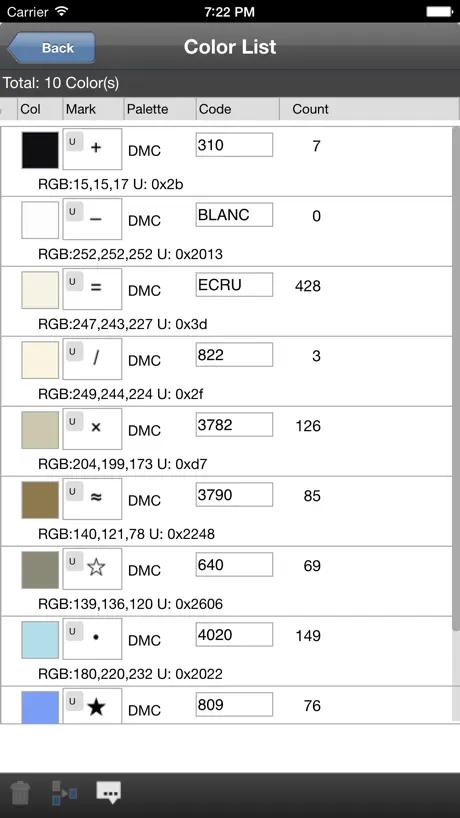
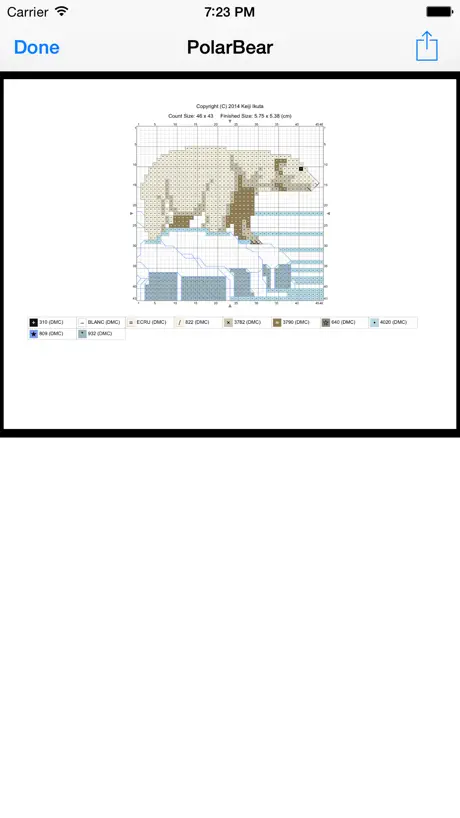
How much does StitchSketch cost?
Prices are current as of 5 Nov 2026.
StitchSketch has no in-app products on record in the United States.
StitchSketch download price by country
| Country | Price |
|---|---|
| Japan | ¥1,500 |
| United States | $9.99 |
| United Kingdom | £9.99 |
| Canada | CA$12.99 |
| Australia | A$14.99 |
| Norway | NOK 129.00 |
| Denmark | DKK 89.00 |
| Germany | €9.99 |
| Russia | RUB 899.00 |
| Chile | CLP 9,990 |
| Italy | €9.99 |
| New Zealand | NZ$19.99 |
| Brazil | R$59.90 |
| Spain | €9.99 |
| Mexico | MX$199.00 |
| Netherlands | €9.99 |
| Turkey | TRY 499.99 |
| Switzerland | CHF 9.00 |
| China | CN¥68.00 |
| Thailand | THB 399.00 |
| South Africa | ZAR 199.99 |
| France | €9.99 |
| Sweden | SEK 129.00 |
| Ukraine | $11.99 |
| Colombia | COP 49,900 |
| Estonia | €9.99 |
| Finland | €9.99 |
| Hong Kong | HK$88.00 |
| Indonesia | IDR 199,000 |
| Ireland | €9.99 |
| Iceland | $11.99 |
| Portugal | €9.99 |
| Belgium | €9.99 |
| Hungary | HUF 4,490 |
| South Korea | ₩17,000 |
| Malaysia | MYR 49.90 |
| Panama | $9.99 |
| Saudi Arabia | SAR 39.99 |
| Taiwan | NT$320.00 |
| Austria | €9.99 |
| Belarus | $11.99 |
| Costa Rica | $9.99 |
| Dominican Republic | $9.99 |
| Greece | €9.99 |
| Croatia | €9.99 |
| Israel | ₪29.90 |
| India | ₹999.00 |
| Luxembourg | €9.99 |
| Latvia | €9.99 |
| Moldova | $11.99 |
| Peru | PEN 44.90 |
| Poland | PLN 49.99 |
| Romania | RON 49.99 |
| Singapore | SGD 14.98 |
| United Arab Emirates | AED 39.99 |
| Afghanistan | $9.99 |
| Antigua And Barbuda | $9.99 |
| Anguilla | $9.99 |
| Albania | $11.99 |
| Armenia | $11.99 |
| Angola | $9.99 |
| Argentina | $9.99 |
| Azerbaijan | $11.99 |
| Bosnia & Herzegovina | €9.99 |
| Barbados | $11.99 |
| Burkina Faso | $9.99 |
| Bulgaria | €9.99 |
| Bahrain | $9.99 |
| Benin | $11.99 |
| Bermuda | $9.99 |
| Brunei Darussalam | $9.99 |
| Bolivia | $9.99 |
| Bahamas | $9.99 |
| Bhutan | $9.99 |
| Botswana | $9.99 |
| Belize | $9.99 |
| Congo, Democratic Republic | $9.99 |
| Congo | $11.99 |
| Cote Divoire | $11.99 |
| Cameroon | $11.99 |
| Cape Verde | $9.99 |
| Cyprus | €9.99 |
| Czech Republic | CZK 249.00 |
| Dominica | $9.99 |
| Algeria | $9.99 |
| Ecuador | $9.99 |
| Egypt | EGP 499.99 |
| Fiji | $9.99 |
| Micronesia | $9.99 |
| Gabon | $9.99 |
| Grenada | $9.99 |
| Georgia | $11.99 |
| Ghana | $11.99 |
| Gambia | $9.99 |
| Guatemala | $9.99 |
| Guinea-bissau | $9.99 |
| Guyana | $9.99 |
| Honduras | $9.99 |
| Iraq | $9.99 |
| Jamaica | $9.99 |
| Jordan | $9.99 |
| Kenya | $11.99 |
| Kyrgyzstan | $9.99 |
| Cambodia | $9.99 |
| St. Kitts and Nevis | $9.99 |
| Kuwait | $9.99 |
| Cayman Islands | $9.99 |
| Kazakhstan | KZT 5,990.00 |
| Lao Peoples Democratic Republic | $9.99 |
| Lebanon | $9.99 |
| St. Lucia | $9.99 |
| Sri Lanka | $9.99 |
| Liberia | $9.99 |
| Lithuania | €9.99 |
| Libya | $9.99 |
| Morocco | $11.99 |
| Montenegro | €9.99 |
| Madagascar | $9.99 |
| Macedonia | $9.99 |
| Mali | $9.99 |
| Myanmar | $9.99 |
| Mongolia | $9.99 |
| Macao | $9.99 |
| Mauritania | $9.99 |
| Montserrat | $9.99 |
| Malta | €9.99 |
| Mauritius | $11.99 |
| Maldives | $9.99 |
| Malawi | $9.99 |
| Mozambique | $9.99 |
| Namibia | $9.99 |
| Niger | $9.99 |
| Nigeria | NGN 14,900.00 |
| Nicaragua | $9.99 |
| Nepal | $11.99 |
| Nauru | $9.99 |
| Oman | $9.99 |
| Papua New Guinea | $9.99 |
| Philippines | ₱599.00 |
| Pakistan | PKR 2,900 |
| Palau | $9.99 |
| Paraguay | $9.99 |
| Qatar | QAR 39.99 |
| Serbia | €9.99 |
| Rwanda | $9.99 |
| Solomon Islands | $9.99 |
| Seychelles | $9.99 |
| Slovenia | €9.99 |
| Slovakia | €9.99 |
| Sierra Leone | $9.99 |
| Senegal | $11.99 |
| Suriname | $9.99 |
| Sao Tome & Principe | $9.99 |
| El Salvador | $9.99 |
| Swaziland | $9.99 |
| Turks and Caicos | $9.99 |
| Chad | $9.99 |
| Tajikistan | $9.99 |
| Turkmenistan | $9.99 |
| Tunisia | $9.99 |
| Tonga | $9.99 |
| Trinidad and Tobago | $9.99 |
| Tanzania | TZS 29,900.00 |
| Uganda | $11.99 |
| Uruguay | $9.99 |
| Uzbekistan | $9.99 |
| St. Vincent & The Grenadines | $9.99 |
| Venezuela | $9.99 |
| British Virgin Islands | $9.99 |
| Vietnam | ₫299,000 |
| Vanuatu | $9.99 |
| Kosovo | €9.99 |
| Yemen | $9.99 |
| Zambia | $11.99 |
| Zimbabwe | $11.99 |
10+ alternatives to StitchSketch
| StitchSketch | 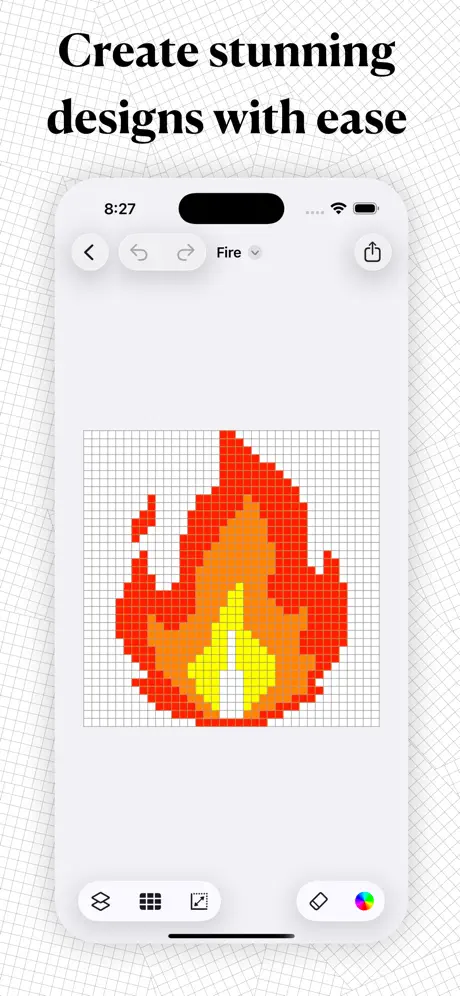  Stitcher Pixel Art | 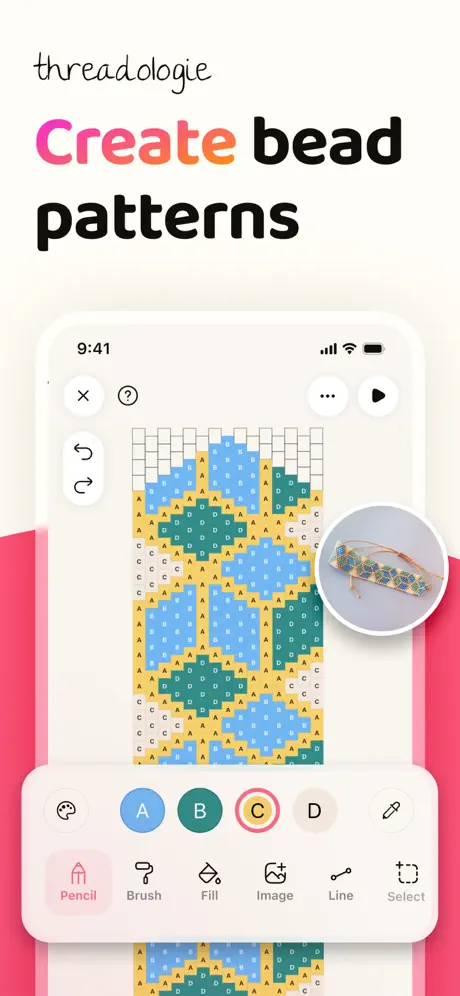  Threadologie: Bead Pattern | 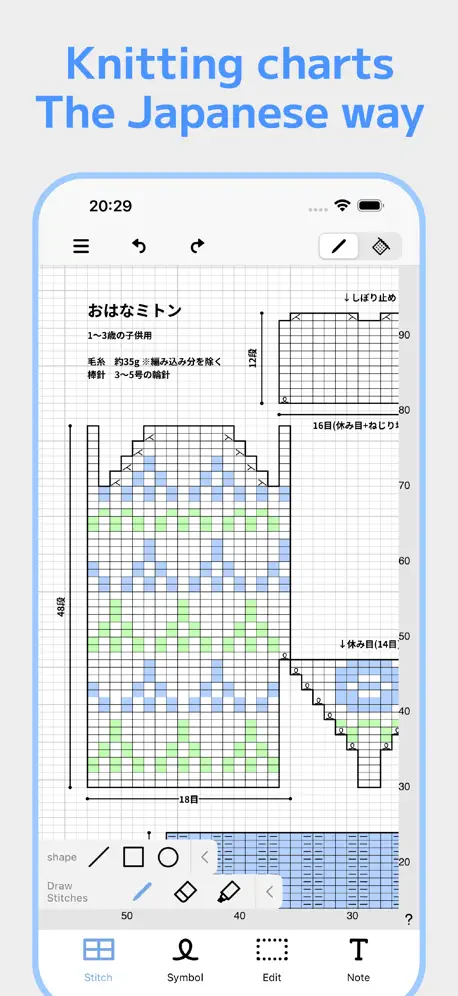  Knit Design - Japanese pattern |   Dot Marker - Stitch, Pixel art |   StitchHub: Cross Stitch |  mobistitch |  StitchALot Studio |   Cross Stitch Pattern Creator |   BeadPatternCreator |   Bead Loom | |
|---|---|---|---|---|---|---|---|---|---|---|---|
| Rating / 5 | 4.1 | 4.3 | 4.7 | 4.1 | 4.2 | 3.3 | 3.6 | 3.0 | 5.0 | — | — |
| Reviews | 1.2K | 373 | 287 | 172 | 31 | 11 | 8 | 2 | 1 | — | — |
| Released | 2012 | 2019 | 2026 | 2025 | 2022 | 2026 | 2021 | 2026 | 2024 | 2023 | 2023 |
| Monthly price | — | — | $2.99 | — | — | — | — | — | — | — | — |
| Annual price | — | — | $29.99 | — | — | — | — | — | — | — | — |
| One-time price | — | — | — | $9.99 | — | — | — | — | — | — | — |
The going rate for each plan in United States, in its own currency, shaded from the cheapest price on the row to the dearest.
StitchSketch reviews
4.1 out of 5, based on 1,198 reviews.
What people like
- Great for creating cross-stitch patterns on iPad.
- Includes Delica bead options other apps lack.
- Exports designs to PDF very easily.
- Does not collect any user data.
What they complain about
- No auto-save; work gets lost easily.
- Crashes often and freezes unexpectedly.
- Hard to use with a steep learning curve.
- Adding colors is slow and confusing.
Absolutely Fabulous Counted Cross-Stitch app
I have been using this app for many years and it is by far the easiest and most straightforward app for creating counted Cross-Stitch patterns. Super bonus, it doesn5 collect any data; it simply does its job with perfection.
Wish I didn’t purchase
This does not take files only photos to “convert”. It does an awful job at this. After I purchased found out there was a newer version anyway. What a waste.
Overall good app
I like having a design app for my ipad; it’s handy if I don’t feel like going to my pc to create something quickly. However, the developers left this app untouched and not updated for years and instead created a new app. I’m not buying a new version of the app after I’ve already paid for the original. They finally had a few minor updates about a year ago. The app isn’t always intuitive and the user’s guide isn’t always helpful but I will keep using it.
使い方の説明が足りない
トレーシング機能は良いのですが、数ミリずらせばピッタリハマるのに!という時も拡大や移動が出来ず、結局使えなかったです。 これなら安い方で良かったのかなぁと後悔。
Pay for another app?!
Ive had this app for many many years. It really irritates me that I need to pay for ANOTHER app to have the updates.It was probably easier to create an entirely new app, but it would have been a nice gesture to allow, current paying customers, access to the app for free.
Still learning, but Awesome!
I’m new to the app and it definitely been a learning curve. I’m able to create a pattern but not sure in advance of what dimensions will be so I’m not sure how accurate my pattern is until I start beading it. When I do start it’s very helpful for keeping to the pattern!
IOS UPDATE 18.1
Locks up
Indispensable
Love this app for my tatreez work and I even use it for making fun pixel posters. It works great with my iPad pencil. Docking a star because it does not automatically save your work and I have lost many valuable design hours that way. Makes me feel like I am in high school again and have to constantly remind myself to save my work.
Confusion
This is super difficult to use
No up-to-date user manual
I am having hard time figuring some stuff and the link for user manual takes me to release notes… have a user manual where you put everything together so people wouldn’t have to go through all release notes. Also I think there needs to be an option to hide/unhide symbols. I can’t tell how my design actually looks like because of all the symbols
I’ts the perfect app
I love this app because it helps you a lot in what you’ll do.
Waste of money
Accidentally downloaded not realizing they had one for mobile, which is also not good. Tried to contact someone, to see if I can get a refund for my accident and for the fact I bought the mobile one anyways, seems I keep getting disconnected.
More symbols please
I have to improvise on symbols a lot. I use app to take my patterns from paper to pattern keeper. Works well. Giving it 4 stars because of lack of symbols. At times color is hard to add with symbol. Would also like mill hill bead option. Thank you.
Could be better…
Choosing the colour is one annoying job, as the layout doesn’t makes sense. It goes sideways and up and down at the same time in a small window. Also, a function of storing the colours you already own would be a great advantage…
Big learning curve, no auto save?
There is a big learning curve to this app. I consider myself good at picking up technology quickly, but this app has been difficult to get used to. I’ve also run into some glitches where the app stops working and I’ve had to close out, the issue with that is I loose all my work since there doesn’t seem to be auto save...seems like auto save would be a default (My app and device are up to date)
Love this app
Easy to use this app
F This
I used to love this app, now it’s unusable.
Wish it had better grid lines
Love this app! Its close to perfect except those pesky grid lines. Please add an option to thicken lines every 10 squares and export with darker lines every 10 squares. We really need this when counting during stitching. Ive tried a bunch of cross stitch apps and so far this one has the most features.
So far, very glitchy
I downloaded the app recently and already I’m having trouble with some lag time between clicking and having the menu show up. I’m using it for bead design. It’s nice that it has the Delica color options, but the color chart is not showing up for me, it’s just a blank screen. So far, I’m disappointed.
Better tutorials
The app is hard to use, it takes a lot of hours trying to figure it out. I download it weeks ago, still haven’t been able to use it the right way.
So useful
I was using excel but this is so much better
Not good
It freezes all the time and when you open your document again, it’s all warped and you have to start all over. Very disappointing.
Love this application
I love using this app for my cross stitch charts. I wanted something I could use on my iPad that was more of a drawing feel because it’s far easier to write backstitching like that than on a computer. My only complaint is that I can’t seem to get the color palette on my pdf’s anymore, which is a bummer. It’s not the end of the world but it is a bit annoying and I can’t find any links to reach out to the developer about this issue. Other than that, though, I love this app so much!
Disappointing but……….
I WILL UPDATE MY REVIEW WHEN FIXED. so I just bought this app today 8/26/21. I read all of the reviews and information I could find it sounded like it was the maker for me. It does really good in design your own grids. BUT BUT BUT…… Every time I try to get a photo from my camera roll it completely closes the whole app. And as this is one of the features that made me chose this app. I am very disappointed ☹️ to see that I paid 7.99 for something I can’t use the way I wanted. Please fix so I can update my review
Color numbers
Some of my delica colors / numbers are not listed. Also I went to read the user Manual and I am not sure of which one to use. For the most part I like it but I guess I need practice. It would also be nice if we could design peyote stitch on this tool, it would be so helpful. I would even pay a small upgrade fee for it. So I guess I should bump up the stars to 4 not 3.
Cross stitch pattern maker
Love the app, but please update the current DMC floss charts. It’s currently using some DMC floss that has been discontinued. Thanks
Glitches Galore
So many issues for an app that is intuitive and has a fast learning curve. Crashes and failing to do a function. Forget text or more than a few colors.
Solid app!
This is a pretty great app for pattern designing! A bit glitchy on occasion but nothing that can’t be worked around. Honestly this is the best pattern app for the iPad that I’ve found A few recommendations: larger than 250x250 for patterns (pro iPads should be able to handle it fine) Partial stitches that aren’t weird lines, it makes it difficult to follow the pattern when half/quarter stitches are designated by backstitch colors rather than normal color + icon
Not easy to add colors to palette
I’ll say right off the bat that this is NOT an intuitive app to use if you’re using it for cross-stitch. The user manual is basic at best. My biggest complaint is that it is unnecessarily and frustratingly difficult to add colors to the palette that you’re using. When you want to use a new color, the app doesn’t allow a smooth transition. In fact, what does happen is the most recent stitches change to the new color. Erasing can also be difficult. It only allows a few “undos” of your most recent marks. If you want to erase stitches that were done much earlier, you’re out of luck. At least that’s how I’m finding using this app. The developer needs to work on the above issues for this app to be fully worthwhile.
Needs Update
Pretty good for what it does, but it’s kind of limited, and it hasn’t been updated in years. I wish it would get some developer attention; it’s useful.
Great for Crochet
I use this app to import pictures that I want to Crochet. I’ve done Movie Posters and other Collector Themed Items.
Trash
This thing is worthless, they need to hire some UX researchers badly. The “users manual” online is a joke, it only goes over updates, not actually how to use anything, add colors, etc.
Great, but a couple suggestions
I’m loving this app so far for my cross stitch projects, but I have a couple suggestions. I would like to be able to make the grid lines darker, especially the ones where it marks the every ten squares. They are very hard to tell apart from the rest of the lines, especially if I’m using a dark color. Another thing I would like made easier is adding colors. Right now, I have to click at the bottom, search for the color I want, apply it, then do it all over again. I’d like to be able to just create a list of colors I’m going to be using. Also, it would be great if we could sort the colors in numerical order. Other than that, I’m greatly enjoying the app!
codeがでません、、、
図案自体は簡単に作れてとてもいいなと思いますが、選択色一覧にcodeが表示されずません。どうしたら表示されるのでしょうか、、、。
Clunky
As compared to my desktop pc software that I've used for over 20 years. But, so far, StitchSketch is the most versatile cross stitch app to use on an iPad.
Go To App
I also do bead patterns and I believe this is the ONLY app that includes Delica beads. For that purpose, this gets 5 stars. And oh, I also do cross-stitch so it’s a win-win!
Free apps work better than this
Wooltasia and stitch wizard are free and create 10000 times better charts with way more definition. Very disappointed in this application.
Good for designing, not so much for details
I do my basic designs on SS, then add details as I stitch. Using the text feature rarely works out. I wish there was a way to write notes on the design. Copy/paste feature works well!
むずかしい
画像や写真を取り込んで図案を作りたかったのですが使い方が分からず全然使えません。1000円近くするし息の長いアプリのようなのでもう少しマニュアルを充実させて欲しいです。
Half stitches need a better option
Overall I enjoy better than hand charting. I’d love the half stitches to be filled as opposed to lines. It’s hard to keep track if there’s a ton of half stitches. An option for a filled half stitch would be great.
Great for beading designs
I use this app on my iPad for designing seed bead bracelets. The pdf file of my design is so helpful. I no longer need to use graph paper and colored pencils
Not user friendly
This app is not user friendly. I am good with technology, use complicated photo editing software daily. This app is bland, it is hard to find tutorials and I wish I didn’t buy it. I tried to use it for about two hours and I have already deleted it from my phone. Props for having DMC numbers but that is my only prop for this app.
Great, but the UI could use some love
This is my go-to app for creating new cross stitch patterns and it’s wonderful. I’ve used it for years and it does exactly what I need it to do—I love the tracing paper feature and exporting patterns to PDF is a breeze. My only hang up is the UI. It’s not exactly intuitive and it could use a facelift. We’re talking stuck in 2013/still looks like it belongs on iOS 6 vibes. I’d love to see a refresh but the lack of attention to updates for two years makes me worried that the software will be obsolete before long.
Please fix!
Cross stitch has really grown and the ability to design on an iPad would be so helpful! I have my colors all selected and when I try to switch colors, it's not letting me select with righter my finger or Apple Pencil.
Colors won’t select...
The program itself is pretty easy to use. However, once I made a pattern, deleted a few colors I decided not to use, and went back to the main screen, it will not allow me to select any colors than the first four. I have tried saving, tapping all over the color icons...nothing. For a program that’s $8, I would expect to not have little bugs like this. If this gets fixed, I’ll give it 5 stars for sure!
No other app like it!
I downloaded several other cross stitch pattern apps and this is by far the best one, and I’m not just saying that because it’s free. Thank you!
Free the colors
Seriously, I need to be able to use more than 4 colors in one chart. What is the point of cutting us off?
Awesome
I really like it so far. I can’t backstitch on it though
Okay, but expensive
Drawing lines is a pain, draw, deselect, undo the inevitable new line, start next line. Can’t select the bottom colour in the right-hand list. The latest issue, saved a file ‘Cat&Goldfish’, accepted it fine, then app froze, seems that an ampersand kills the program, lost the lot. No way to recover so I have to start again, no warning, nothing to say that an ampersand will cause the program to self destruct. Not cheap and I expect better. Oh, and cloud save/load, could you not somehow remember the directory! Update:restarted and the bottom 3 colours won’t select now.
I love it. But it needs MAJOR UPDATES!
A little ridiculous to not be a free app when it need so many improvements. Need to be able to have updated dmc colors, need to be able to fill in a half stitch etc
StitchSketch FAQ
- Is StitchSketch free?
- No. StitchSketch costs $9.99 (US) to download.
- Does StitchSketch have a free trial?
- No. None of its offers (US) come with a free trial.
- What are the best alternatives to StitchSketch?
- Stitcher Pixel Art (4.3 from 373 reviews), Threadologie: Bead Pattern (4.7 from 287 reviews, premium from $2.99) and Knit Design - Japanese pattern (4.1 from 172 reviews, premium from $5.99).
StitchSketch download
Last updated 2 years ago.
StitchSketch sells in 175 countries. It was released 14 years and 6 months ago, on 15 May 2012. It holds a 4.1 rating from 1,198 reviews.
Supports 2 languages: English, Japanese.
How much does StitchSketch make?
Third-party estimates for the last 30 days, worldwide — not the store's own figures, which Apple publishes for nobody.