Lighting Designer
Film, TV, Theater, and Events
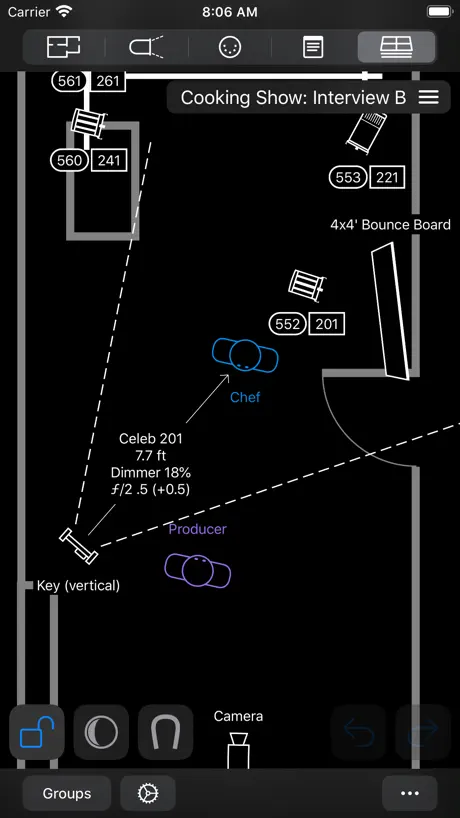
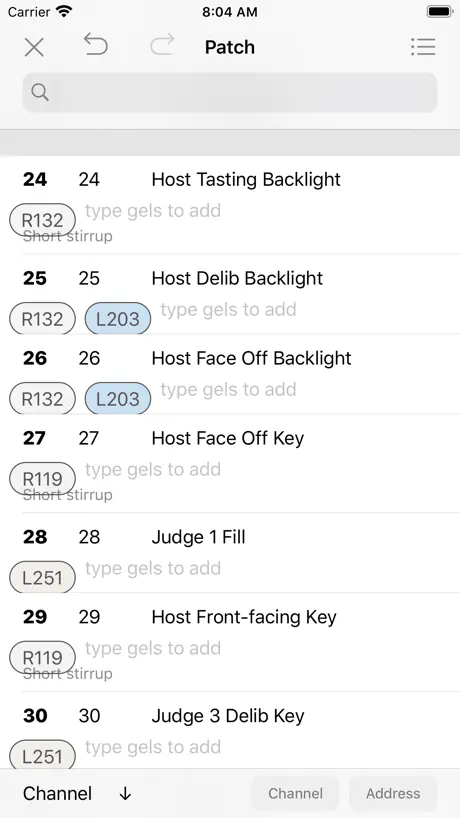
How much does Lighting Designer cost?
Prices are current as of 8 Oct 2026.
Lighting Designer has no in-app products on record in the United States.
Lighting Designer download price by country
| Country | Price |
|---|---|
| United States | $24.99 |
| United Kingdom | £24.99 |
| Canada | CA$34.99 |
| Australia | A$39.99 |
| Brazil | R$149.90 |
| France | €29.99 |
| Mexico | MX$499.00 |
| Germany | €29.99 |
| Italy | €29.99 |
| Spain | €29.99 |
| Russia | RUB 2,290.00 |
| Japan | ¥4,000 |
| Netherlands | €29.99 |
| India | ₹2,499.00 |
| South Korea | ₩44,000 |
| South Africa | ZAR 499.99 |
| China | CN¥168.00 |
| Czech Republic | CZK 699.00 |
| Finland | €29.99 |
| New Zealand | NZ$49.99 |
| Vietnam | ₫799,000 |
| Argentina | $24.99 |
| Switzerland | CHF 20.00 |
| Denmark | DKK 199.00 |
| Hungary | HUF 9,990 |
| Romania | RON 129.99 |
| Sweden | SEK 299.00 |
| Taiwan | NT$790.00 |
| Ireland | €29.99 |
| Slovakia | €29.99 |
| Thailand | THB 999.00 |
| Ukraine | $29.99 |
| United Arab Emirates | AED 99.99 |
| Austria | €29.99 |
| Belgium | €29.99 |
| Greece | €29.99 |
| Croatia | €29.99 |
| Indonesia | IDR 499,000 |
| Israel | ₪79.90 |
| Iceland | $29.99 |
| Philippines | ₱1,490.00 |
| Poland | PLN 99.99 |
| Turkey | TRY 1,299.99 |
| Barbados | $29.99 |
| Bolivia | $24.99 |
| Chile | CLP 29,990 |
| Colombia | COP 119,900 |
| Dominican Republic | $24.99 |
| Luxembourg | €29.99 |
| Malaysia | MYR 119.90 |
| Nigeria | NGN 39,900.00 |
| Norway | NOK 299.00 |
| Portugal | €29.99 |
| Singapore | SGD 34.98 |
| Senegal | $29.99 |
| Uruguay | $24.99 |
| Afghanistan | $24.99 |
| Antigua And Barbuda | $24.99 |
| Anguilla | $24.99 |
| Albania | $29.99 |
| Armenia | $29.99 |
| Angola | $24.99 |
| Azerbaijan | $29.99 |
| Bosnia & Herzegovina | €29.99 |
| Burkina Faso | $24.99 |
| Bulgaria | €29.99 |
| Bahrain | $29.99 |
| Benin | $29.99 |
| Bermuda | $24.99 |
| Brunei Darussalam | $24.99 |
| Bahamas | $29.99 |
| Bhutan | $24.99 |
| Botswana | $24.99 |
| Belarus | $29.99 |
| Belize | $24.99 |
| Congo, Democratic Republic | $24.99 |
| Congo | $29.99 |
| Cote Divoire | $29.99 |
| Cameroon | $29.99 |
| Costa Rica | $24.99 |
| Cape Verde | $24.99 |
| Cyprus | €29.99 |
| Dominica | $24.99 |
| Algeria | $24.99 |
| Ecuador | $24.99 |
| Estonia | €29.99 |
| Egypt | EGP 1,299.99 |
| Fiji | $24.99 |
| Micronesia | $24.99 |
| Gabon | $24.99 |
| Grenada | $24.99 |
| Georgia | $29.99 |
| Ghana | $29.99 |
| Gambia | $24.99 |
| Guatemala | $24.99 |
| Guinea-bissau | $24.99 |
| Guyana | $24.99 |
| Hong Kong | HK$188.00 |
| Honduras | $24.99 |
| Iraq | $24.99 |
| Jamaica | $24.99 |
| Jordan | $24.99 |
| Kenya | $29.99 |
| Kyrgyzstan | $29.99 |
| Cambodia | $29.99 |
| St. Kitts and Nevis | $24.99 |
| Kuwait | $24.99 |
| Cayman Islands | $24.99 |
| Kazakhstan | KZT 14,990.00 |
| Lao Peoples Democratic Republic | $29.99 |
| Lebanon | $24.99 |
| St. Lucia | $24.99 |
| Sri Lanka | $24.99 |
| Liberia | $24.99 |
| Lithuania | €29.99 |
| Latvia | €29.99 |
| Libya | $24.99 |
| Morocco | $29.99 |
| Moldova | $29.99 |
| Montenegro | €22.99 |
| Madagascar | $24.99 |
| Macedonia | $24.99 |
| Mali | $24.99 |
| Myanmar | $24.99 |
| Mongolia | $24.99 |
| Macao | $24.99 |
| Mauritania | $24.99 |
| Montserrat | $24.99 |
| Malta | €29.99 |
| Mauritius | $29.99 |
| Maldives | $24.99 |
| Malawi | $24.99 |
| Mozambique | $24.99 |
| Namibia | $24.99 |
| Niger | $24.99 |
| Nicaragua | $24.99 |
| Nepal | $29.99 |
| Nauru | $24.99 |
| Oman | $24.99 |
| Panama | $24.99 |
| Peru | PEN 99.90 |
| Papua New Guinea | $24.99 |
| Pakistan | PKR 6,900 |
| Palau | $24.99 |
| Paraguay | $24.99 |
| Qatar | QAR 99.99 |
| Serbia | €29.99 |
| Rwanda | $24.99 |
| Saudi Arabia | SAR 99.99 |
| Solomon Islands | $24.99 |
| Seychelles | $24.99 |
| Slovenia | €29.99 |
| Sierra Leone | $24.99 |
| Suriname | $29.99 |
| Sao Tome & Principe | $24.99 |
| El Salvador | $24.99 |
| Swaziland | $24.99 |
| Turks and Caicos | $24.99 |
| Chad | $24.99 |
| Tajikistan | $29.99 |
| Turkmenistan | $24.99 |
| Tunisia | $24.99 |
| Tonga | $24.99 |
| Trinidad and Tobago | $24.99 |
| Tanzania | TZS 69,900.00 |
| Uganda | $29.99 |
| Uzbekistan | $29.99 |
| St. Vincent & The Grenadines | $24.99 |
| Venezuela | $24.99 |
| British Virgin Islands | $24.99 |
| Vanuatu | $24.99 |
| Kosovo | €29.99 |
| Yemen | $24.99 |
| Zambia | $29.99 |
| Zimbabwe | $29.99 |
10+ alternatives to Lighting Designer
| Lighting Designer | 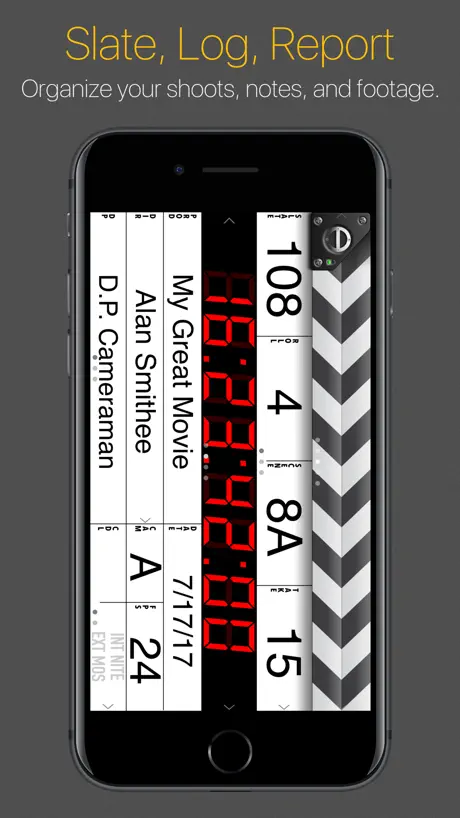  MovieSlate® 8 MovieSlate® 8 | 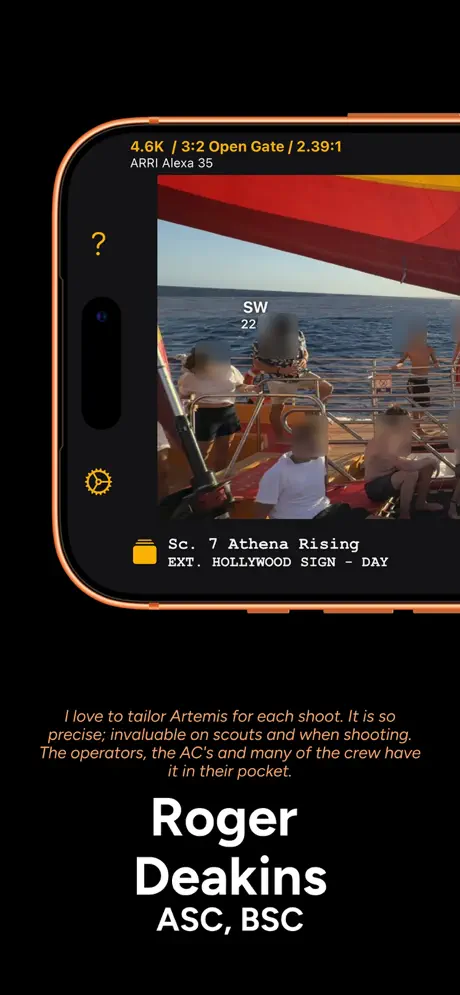  Artemis Director's Viewfinder Artemis Director's Viewfinder | 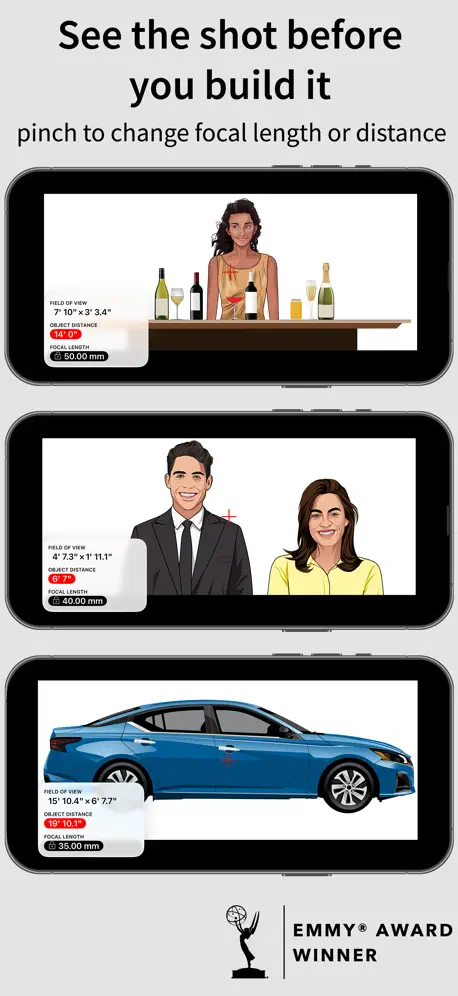  pCAM Pro - Camera Tools pCAM Pro - Camera Tools | 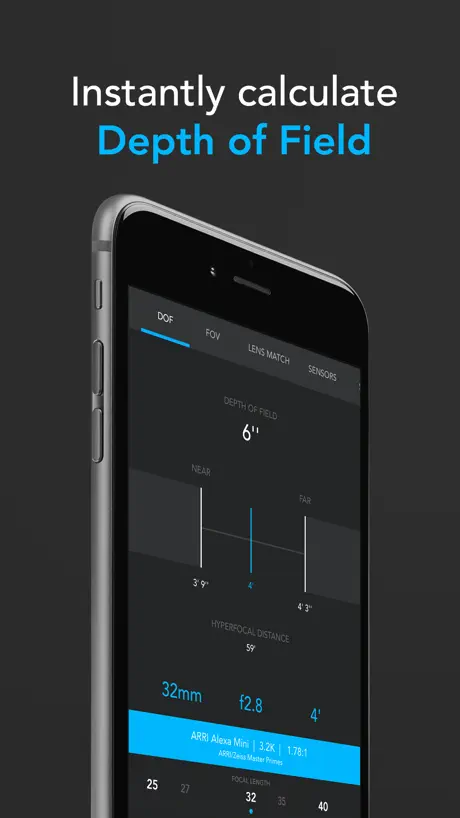  f8 Lens Toolkit f8 Lens Toolkit |   ChromaCalc ChromaCalc |   Freefly Ember Freefly Ember |   Pixelview Player Pixelview Player |   ARRI ECS ARRI ECS |   Photo Studio Light Setup Photo Studio Light Setup |   Lightframer Pro Lightframer Pro | |
|---|---|---|---|---|---|---|---|---|---|---|---|
| Rating / 5 | 4.1 | 4.6 | 4.1 | 4.9 | 4.8 | 4.7 | 3.8 | 4.7 | 3.2 | 3.4 | 4.7 |
| Reviews | 476 | 1.1K | 748 | 618 | 173 | 18 | 15 | 14 | 13 | 11 | 7 |
| Released | 2012 | 2015 | 2018 | 2018 | 2014 | 2021 | 2023 | 2021 | 2021 | 2013 | 2026 |
| Monthly price | — | $9.99 | $3.99 | — | — | — | — | — | — | — | — |
| One-time price | — | $299.99 | $9.99 | $4.99 | — | — | — | — | — | — | — |
The going rate for each plan in United States, in its own currency, shaded from the cheapest price on the row to the dearest. Plans fewer than four in ten of the priced apps sell are left out.
Lighting Designer reviews
4.1 out of 5, based on 476 reviews.
What people like
- Saves tons of time on plots.
- Developer listens and fixes bugs fast.
- Great for quick on-site sketches.
What they complain about
- App crashes constantly and loses work.
- Hard to select or move objects.
- Limited universes for large lighting rigs.
It’s great
Makes camera positioning easy
Crashes
This app keeps crashing just like others have stated
Excellent but still doesn’t have all of the basics
I love this for making plots super quick BUT, it is limited to 4 universes. When rigs now have way beyond that. So I cannot do this for larger rigs or even distributed rigs. Such a bummer I had to put this app on the back burner for now.
Do NOT waste your money
App barely works. Yes the idea is great but the interface is fiddly, whole thing is buggy, and it crashes when you do basically anything. Can’t even render a simple lighting plot. App just keeps crashing every couple things I do. Paid way too much for an app that I can’t even use.
Crashes too much…. I really want it to work!
There is so much to like about this app. The. Layout, user interface, simplicity of design. I’ve used it for over 5 years on and off, and I would use it more but it crashes too often for me to trust it for all my work. If it were more stable I would use it on every job.
Great program, very helpful
Just started using this program and thus far, I’m a huge fan. I feel like a laptop version is critical, but small steps... I really appreciate the level of control and the density of the functionality and detail you can add and manipulate. Clearly a lot of time and thought went into this. Haven’t gotten deep enough to add truck/ crews / contact info but am looking forward to seeing how that works. Having done my plots and layouts by hand previously this is a huge help. Bry Thomas Sanders Director of Photography
Crashes when trying to render large plots
The app crashes when rendering plots larger than 36 pieces on my iPhone 12. Not a good choice for event lighting design if you’re trying to draw plans to scale.
Idea
I think having some templates or demo shows might help make it easier to understand at first
Great App In Theory
This app is really cool in the sense that I can create really organized lighting plots for my crew. However, it crashes so frequently that it becomes borderline un-usable. If the developer fixes the bugs this app would make a great tool, however it has a long way to go.
Love the app and its potential but it’s BUGGY
I’ve used the app on and off for a few years. Unfortunately each time I give it a shot the crashes and frozen screens put me off and a number of times, I resorted back to hand-drawn lighting diagrams rather than dealing with the issues of this app. While it offers so many possibilities, I’d love for it to be more stable.
Great app with dedicated developer
Update: The developer has now introduced the ability to share plot files which is very useful! The developer is clearly very dedicated to the app's development and is very happy to take onboard suggestions from users. As long as the developer continues to work on developing features and stability then it will continue to be a vital tool. --------------------------- Previous: Easy to use, even if a little buggy on my iPhone! One feature I would like to see is the ability to email plots so the can be opened in LD on another device! Overall gives a nice plan though!!
App keeps on crashing and I keep on losing my work
Spent quite some time on different diagrams then the app decided to crash and back to square one. I wouldn’t recommend this app for any use in a professional setting.
Awesome App
Love this App, as a pro stage designer I used this app to communicate with my LDs and Technical Staff for show setups. Love the import and send to crew staff for the job design
Clunky
Really regret wasting my cash on this app. It’s incredibly clunky and counter intuitive. Having to link things (like a gel) to a light by going into another menu as opposed to just writing it in a box is insane. Why can we select a 12x12 solid, for example, but if we want to show a 12x12 grid we need to “attach” another object? Where are the reports of total units and total watts/amps? It also seems the units are not to scale
Crashes
This App could really be fantastic, there’s a lot of useful features and I found it reasonably simple to work out. The crashing gets ridiculous though. Once I’d reached a certain point in putting together quite a simple plan, it started closing itself down literally every five minutes. The result is that it’s really too slow to be of much use, even on an ipad pro with pencil.
Newer versions are much improved
If you're a lighting designer or board op and looking for a way to do a quick sketch of a plot look no further. Despite the other reviews which are a year old I decided to take the risk and buy the app. It was WELL WORTH IT, the app is amazing and saves me a ton of time erasing and re-drawing plots when something needs to get changed. I've been using the app for almost a month and have used it extensively during tech-weeks and it very rarely crashes. I highly recommend it to anyone who doesn't mind taking the time to learn the software (it doesn't take that long) and could use a more efficient way to create plots on location. Even if you're not an LD or board op but deal with logistics of set and equipment lists this is a great app everything is easy to send or print. (made even easier with the addition of a crew list)
Crash app
Crashes and crashes and crashes, don't waste your time
An amazing app!!!
I can't speak on the older version, but the most recent version is awesome! I'm a dimmer board operator for an ABC TV show, I showed this app to the gaffer and he was blown away. It does have some bugs, (crashes when you hit undo at certain times)but they are manageable. Over all it's an awesome app, simple and fast to use. I was able to learn the program, and build a lighting diagram with around 100 lights and over 1000 channels, in 4 hours. Saved the image and the production office print out copies for everyone on set. If you need a light plotting tool that's reasonable in price, this is a pretty good deal!
Buggy to the point of being unusable
Yup that’s it
Potentially great but buggy
I love the app for doing my overheads. Would however love desktop / laptop support and synchronization so I’m not stuck with only using my iPad. Also the recent update is extremely buggy, ‘LD’ is constantly asking for permission to let others look me up my email and when I say don’t allow or allow it just pops up over and over again. This forced me to restart my iPad multiple times and im extremely concerned if I have to reinstall the app if it keeps happening, would I potentially lose my plots ?!
Love it
This app is amazing. I now plot out most set ups so I can duplicate them later. I've been looking for this app ever since I got my first iPad.
Can't Recommend
Been using this app for a number of years now. Thought it showed promise at first, but issues with constant crashing which cropped up a couple years back have not been resolved. The new twist this year, and the final deal breaker: along with what appears to be a makeover of the app comes this new feature where my files from last year will no longer open leaving me without access to data which could have made my current production work significantly easier. I've been forced to look for a more stable and trustworthy option elsewhere and am having to rebuild my work along the way.
Crash Happy
This app could be great but it crashes a lot. 3 in ten minutes today. Also it doesn't do real time saves so I lost the work I just did a minute ago. Also it's not easy to move stuff around. Not sure if there is layer depth either. Lots of work needed before I'd consider using it.
Keeps crashing while naming fixtures
K
I life the potential of this app.
I do like the potential that this app has but one thing that i feel is missing, maybe i just cant figure it out, is the ability to type in room measurements instead of dragging. For instance when adding a rectangle shape it would be nice in the measurement bubble to type in the measurement when i tap it.
A solid tool for any DP/Gaffer
Being a pencil and paper guy, I was reluctant to spend the $30.00 on this app. Immediately after reading the manual I was plotting designs with ease. And FAST. As a DP embracing some of these cine-based apps I can confidently say this is an essential for my tool bag. This app is worth the cash. One big note is the support is GREAT. My questions were answered with a fast and friendly response.
Save your money.
App crashes constantly and many of the functions don't work. App was a good idea that wasn't well executed. Would rather have my money back.
Great app
I wrote an email to the developer asking him to look into adding certain equipment. He answered me a few minutes later letting me know that he will be looking into it. Great customer service. I am only giving 4 stars because the app is not yet fully mature. This app is now part of my production tools.
Severely needs updating!
PLEASE PLEASE PLEASE!!!!
Still buggy and crashes too much
Yea, if the devs could fix this, that’d be great. It’s a solid app for LD’s and Board Ops but it’s becoming a real hassle. And for $25 bucks....not worth the buy atm. *iPad Pro 12.9*
A great tool for the tool chest
I’ve been following this app since it’s initial release. The early versions were interesting and somewhat useful, depending on the size of your project. With the latest update this program is crossing over to a serious light plot drafting machine. As a film light board op, it’s not uncommon for me to show up to a set the day of shoot with little to no documentation for the rig I’m controlling. With this app I’m able to stand on set and quickly create a rough layout of lights that can be refined into a good looking plot to share with the crew. While the serous drafting program on my laptop will always out perform this app. Where this app fits in is for quickly generating a small to medium set that looks professional from the beginning. I look forward to see where this app goes from here.
Waste of Money
Please, please, please stay away from this app. The pictures make it look very professional and efficient and it is non of the above. Many users complain about it crashing, but that is the least of it's problems. Many of the elements are unresponsive, stacking of elements is on a whatever the app feels like basis, and the user guide has very little info to navigate the app. This app is not worth downloading even if it was free. I will be trying to get my money back.
Good could be GREAT
This app is good. If it included just a few more features it would be the go-to lighting design app. Dimmers, channel numbers, gel color, and rotation for groundplan objects would make this app awesome. Maybe a way to turn off labels and measurements for a less cluttered work in progress plot, and a few more lighting instruments. But it is a good app and worth getting. It's also very easy to use.
Terrible app
A truly terrible app. Super buggy. Often can't select shapes that I've drawn. Way behind on current, common fixtures, and no ability to create/save custom fixtures from your kit. Bought it to make some detailed diagrams of rooms I lit on a feature but had a lot of trouble merging lines to plot out a room (it rotates everything 90 degrees when you flatten everything to a single layer?!?!?!) Huge waste if money
Buggy
Spent 2 hours building a lighting diagram for a job, for this program to irreversibly undo an hour of my work like it was the cool thing to do. Buggy as hell. Freezes and crashes, doesn't save your work, awful awful app. EDIT: Gave this another try- still crashes unexpectedly from time to time, but it’s not losing my work anymore, which is a solid step in the right direction. Really cool features being added since last I tried the app, but I think a stable app should be highest priority over features.
Great
Great app. With an update to include dimmer, channel numbers and gel color it would be perfect.
Super glitchy
I thought I found the ultimate mobile plotting app until I tried it more and more. I found that it crashes non stop, moving around a lot is extremely difficult to do cause, it jumps around when you try to make a small movement. It also is extremely glitchy, naming fixtures, and channels is hard because it works on one fixture, but crashes on the next. Definitely will not be using this app until some updates are made.
Continues to get better
New improvements make it easier to rotate fixtures, have larger stages and more objects. I finally figured out how to scale a photo to use as a stage. Designer works closely with customers to improve future versions and add objects that they may need.
Troppi crash
L’applicazione chrasha troppo spesso, rendendo quasi impossibile l'utilizzo
So much potential
Love how well thought out this app is but it crashes so frequently. Will update my review if this problem is solved in a future update.
Best lighting layout app for film
This is my go to app when putting together my lighting gear list and setup. The way LD is designed to handle various projects at the same time is really helpful and powerful it will generate gear lists, contact lists from the lighting plots you create that you can send via email as well as an image for that plot helping you maintain your Director's sanity as well as your own. To me one of the things that caught my eye is that you can tell the developer cares about the app just browse their social media outlets and you'll see open open discussions about it. Also and very important as well is that the app gets constant upgrades to comply with the latest iOS and apple devices. Although at first glance the price might seem steep for an app, you get more than what you pay for. You get a professional level tool that makes you stand from the crowd while at the same time getting organized during your preproduction stage. So Imagine it, plan it and have fun shooting it.
LDoes not
Simply does not work on ipad 3. 25$ gone.
Good App, still learning
I had problems with crashing. The developer says there is a known bug when opening this program in Portrait orientation. The crashes went away when I rotated to Landscape and then launched the app. Having fun now creating my lighting setups.
Promising, but fiddly
I quite like what this app tries to do, and it's getting there, but it's too fiddly for me to use without some tweaks: 1. Object selection can be quite fickle: i can't select object A that is near object B because app thinks i want to select object B - my fingers aren't that fat! 2. I have to be very careful about using gestures as the app will interpret it as select and move object - don't swipe to change apps! 3. It's hard to avoid unintentionally moving objects when working near them - would be great to be able to lock an object 4. It resists zooming and scrolling -usually takes 2-3 attempts to centre the plot on the area i want to work 5. The 'undo' button is actually the 'crash' button, cause that's what it does. Overall, the app looks promising, but I can't use it yet to actually do work.
Could be so much better
Don't get me wrong I dig this app even though it feels a little over priced for what it does. As a rigging key grip I was hoping that there would be more grip objects such as truss, chain motors, more frame sizes, and some hardware options. Also some lift options with add ons like 18k's and fly swatters so I don't have to draw them. The set lighting end of this app is great but a little more balance would make it a complete app.
The app
The app is amazing. I am so happy with what it's able to do. I'm able to create plots on the fly and give clients an idea of the show. I also enjoy the email feature. The email feature helps me easily pass my plots to my ME with an extensive inventory list. It's exciting. Thanks.
Waste Of Money
I was hopeful in purchasing this app, however after working with the app for just a few hours I e had myriad difficulties... The app crashes all the time which caused me to lose work and when creating new shows the app defaults to Show 2 and will not allow me to name my show. I design several shows at once and not being able to label them is hugely annoying. Fix this app for two reasons... I don't like to have my money or time wasted, and if you're going to sell so,etching don't violate people's trust by selling a sub par product. Fix it.
Excellent, and getting better!
I rated this app 4 stars only because it has a few minor crashing issues left to fix, most of which are gone in the recent update. This is the fastest and easiest way of creating a listing plot and I can prep for a show in a matter of minutes instead of hours. Keep the updates coming!
Horribly UNintuitive
Difficult to maneuver and figure out plots, floor plans and the such. Could be a great app. however it needs to be better thought out.
Frustrating
I find the interface for creating even just floor plans to be outrageously frustrating. Tap tap and tap again, attempt to rotate, try to resize a line... all very unintuitive. Lacks windows, and the snapping and layering functions leave much to be desired. All in all, not worth $25 yet. Would love to see the developer actively make the interface better as this could be very powerful.
Lighting Designer FAQ
- Is Lighting Designer free?
- No. Lighting Designer costs $24.99 (US) to download.
- Does Lighting Designer have a free trial?
- No. None of its offers (US) come with a free trial.
- What are the best alternatives to Lighting Designer?
- MovieSlate® 8 (4.6 from 1,079 reviews, premium from $9.99), Artemis Director's Viewfinder (4.1 from 748 reviews, premium from $3.99) and pCAM Pro - Camera Tools (4.9 from 618 reviews, premium from $1.99).
Lighting Designer download
Last updated 7 months ago.
Lighting Designer sells in 175 countries. It was released 14 years and 5 months ago, on 24 Apr 2012. It holds a 4.1 rating from 476 reviews.
Supports 1 language: English.