
iDoceo - Planner and gradebook
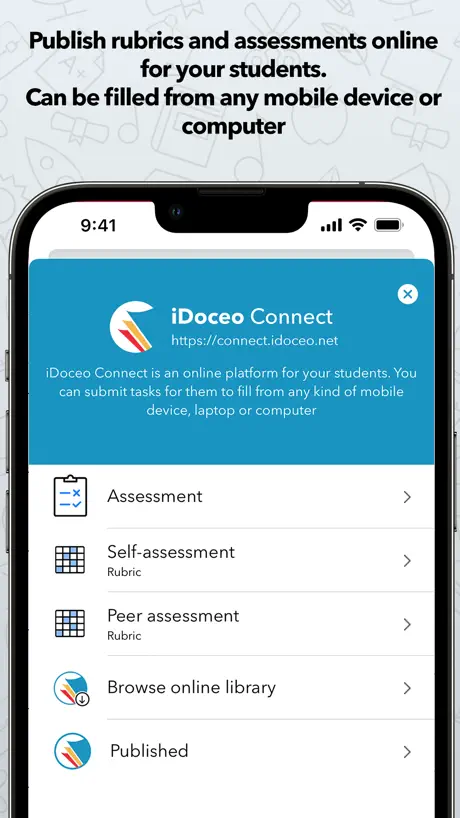
How much does iDoceo - Planner and gradebook cost?
Prices are current as of 11 Sept 2026.
iDoceo - Planner and gradebook has no in-app products on record in the United States.
iDoceo - Planner and gradebook download price by country
| Country | Price |
|---|---|
| Spain | €19.99 |
| Germany | €19.99 |
| France | €19.99 |
| Mexico | MX$249.00 |
| Canada | CA$19.99 |
| United States | $19.99 |
| United Kingdom | £19.99 |
| Australia | A$19.99 |
| Belgium | €19.99 |
| Italy | €14.99 |
| Switzerland | CHF 15.00 |
| Chile | CLP 19,990 |
| Austria | €19.99 |
| Portugal | €19.99 |
| Saudi Arabia | SAR 79.99 |
| Colombia | COP 49,900 |
| Japan | ¥1,800 |
| Netherlands | €19.99 |
| Ireland | €19.99 |
| Ecuador | $9.99 |
| Luxembourg | €19.99 |
| Turkey | TRY 299.99 |
| Kuwait | $17.99 |
| Brazil | R$49.90 |
| Peru | PEN 34.90 |
| Costa Rica | $9.99 |
| Thailand | THB 699.00 |
| Argentina | $8.99 |
| Singapore | SGD 24.98 |
| Norway | NOK 229.00 |
| United Arab Emirates | AED 69.99 |
| Bolivia | $17.99 |
| Sweden | SEK 229.00 |
| China | CN¥128.00 |
| Dominican Republic | $17.99 |
| Malaysia | MYR 79.90 |
| Philippines | ₱999.00 |
| South Africa | ZAR 299.99 |
| New Zealand | NZ$29.99 |
| Greece | €12.99 |
| Hong Kong | HK$148.00 |
| Nicaragua | $17.99 |
| Russia | RUB 999.00 |
| Denmark | DKK 149.00 |
| South Korea | ₩15,000 |
| Romania | RON 99.99 |
| Cyprus | €19.99 |
| Guatemala | $17.99 |
| Panama | $17.99 |
| Finland | €19.99 |
| Honduras | $17.99 |
| Bahrain | $19.99 |
| Czech Republic | CZK 499.00 |
| Egypt | EGP 299.99 |
| Hungary | HUF 7,990 |
| India | ₹999.00 |
| Oman | $17.99 |
| Poland | PLN 69.99 |
| Taiwan | NT$590.00 |
| Indonesia | IDR 299,000 |
| Qatar | QAR 69.99 |
| Uruguay | $17.99 |
| Croatia | €19.99 |
| Israel | ₪59.90 |
| Morocco | $17.99 |
| Slovakia | €19.99 |
| Trinidad and Tobago | $17.99 |
| Barbados | $19.99 |
| Kenya | $19.99 |
| Cambodia | $19.99 |
| St. Lucia | $17.99 |
| Malta | €19.99 |
| Paraguay | $17.99 |
| Serbia | €19.99 |
| Slovenia | €19.99 |
| El Salvador | $17.99 |
| Vietnam | ₫499,000 |
| Angola | $17.99 |
| Bulgaria | €19.99 |
| Brunei Darussalam | $17.99 |
| Algeria | $17.99 |
| Estonia | €19.99 |
| Kazakhstan | KZT 9,990.00 |
| Lebanon | $17.99 |
| Latvia | €19.99 |
| Macedonia | $17.99 |
| Mauritius | $19.99 |
| Pakistan | PKR 4,900 |
| Ukraine | $12.99 |
| Venezuela | $17.99 |
| Kosovo | €19.99 |
| Afghanistan | $17.99 |
| Antigua And Barbuda | $17.99 |
| Anguilla | $17.99 |
| Albania | $19.99 |
| Armenia | $19.99 |
| Azerbaijan | $9.99 |
| Bosnia & Herzegovina | €19.99 |
| Burkina Faso | $17.99 |
| Benin | $19.99 |
| Bermuda | $17.99 |
| Bahamas | $19.99 |
| Bhutan | $17.99 |
| Botswana | $17.99 |
| Belarus | $19.99 |
| Belize | $17.99 |
| Congo, Democratic Republic | $17.99 |
| Congo | $17.99 |
| Cote Divoire | $14.99 |
| Cameroon | $19.99 |
| Cape Verde | $17.99 |
| Dominica | $17.99 |
| Fiji | $17.99 |
| Micronesia | $17.99 |
| Gabon | $17.99 |
| Grenada | $17.99 |
| Georgia | $19.99 |
| Ghana | $19.99 |
| Gambia | $17.99 |
| Guinea-bissau | $17.99 |
| Guyana | $17.99 |
| Iraq | $12.99 |
| Iceland | $19.99 |
| Jamaica | $17.99 |
| Jordan | $17.99 |
| Kyrgyzstan | $19.99 |
| St. Kitts and Nevis | $17.99 |
| Cayman Islands | $17.99 |
| Lao Peoples Democratic Republic | $19.99 |
| Sri Lanka | $17.99 |
| Liberia | $17.99 |
| Lithuania | €19.99 |
| Libya | $17.99 |
| Moldova | $19.99 |
| Montenegro | €17.99 |
| Madagascar | $17.99 |
| Mali | $17.99 |
| Myanmar | $17.99 |
| Mongolia | $17.99 |
| Macao | $17.99 |
| Mauritania | $17.99 |
| Montserrat | $17.99 |
| Maldives | $17.99 |
| Malawi | $17.99 |
| Mozambique | $17.99 |
| Namibia | $17.99 |
| Niger | $17.99 |
| Nigeria | NGN 29,900.00 |
| Nepal | $19.99 |
| Nauru | $17.99 |
| Papua New Guinea | $17.99 |
| Palau | $17.99 |
| Rwanda | $17.99 |
| Solomon Islands | $17.99 |
| Seychelles | $17.99 |
| Sierra Leone | $17.99 |
| Senegal | $19.99 |
| Suriname | $19.99 |
| Sao Tome & Principe | $17.99 |
| Swaziland | $17.99 |
| Turks and Caicos | $17.99 |
| Chad | $17.99 |
| Tajikistan | $19.99 |
| Turkmenistan | $17.99 |
| Tunisia | $17.99 |
| Tonga | $17.99 |
| Tanzania | TZS 49,900.00 |
| Uganda | $19.99 |
| Uzbekistan | $19.99 |
| St. Vincent & The Grenadines | $17.99 |
| British Virgin Islands | $17.99 |
| Vanuatu | $17.99 |
| Yemen | $17.99 |
| Zambia | $19.99 |
| Zimbabwe | $19.99 |
10+ alternatives to iDoceo - Planner and gradebook
| iDoceo - Planner and gradebook | 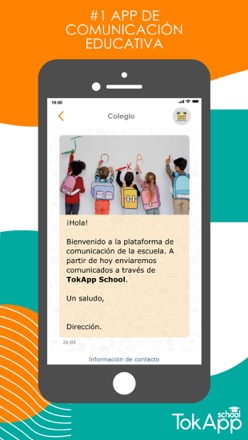  TokApp School TokApp School | 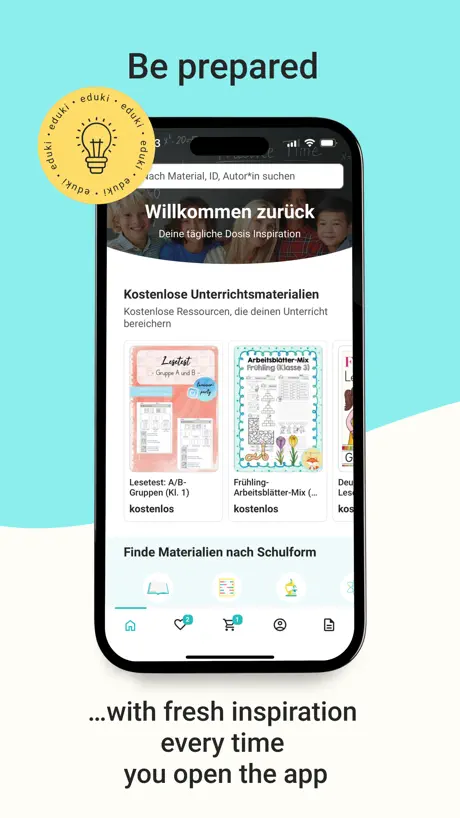  eduki: Teaching materials eduki: Teaching materials | 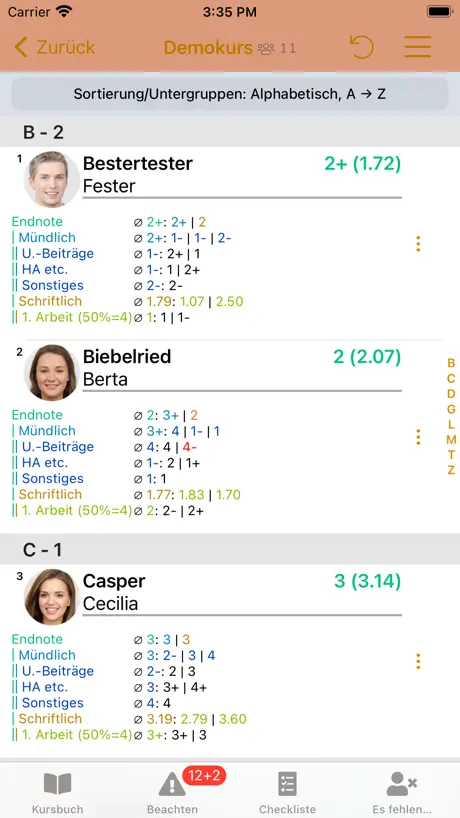  TeacherTool Complete TeacherTool Complete |   Additio App, Teacher gradebook Additio App, Teacher gradebook |   Blinklearning Blinklearning |   iSéneca iSéneca |   Interinos CV Interinos CV |   APP Docente APP Docente |   Educamos Docentes Educamos Docentes | |
|---|---|---|---|---|---|---|---|---|---|---|
| Rating / 5 | 4.7 | 4.5 | 4.9 | 4.3 | 4.3 | 1.7 | 1.8 | 4.4 | 2.1 | 3.7 |
| Reviews | 44K | 24K | 9.6K | 2.7K | 2.3K | 309 | 206 | 84 | 52 | 3 |
| Released | 2011 | 2013 | 2020 | 2017 | 2014 | 2012 | 2012 | 2022 | 2018 | 2022 |
| 6-month price | — | — | — | $17.49 | — | — | — | — | — | — |
| Annual price | — | — | — | $26.49 | $13.99 | — | — | — | — | — |
| One-time price | — | — | — | — | $8.99 | — | — | — | — | — |
The going rate for each plan in United States, in its own currency, shaded from the cheapest price on the row to the dearest.
iDoceo - Planner and gradebook reviews
4.7 out of 5, based on 44,242 reviews.
What people like
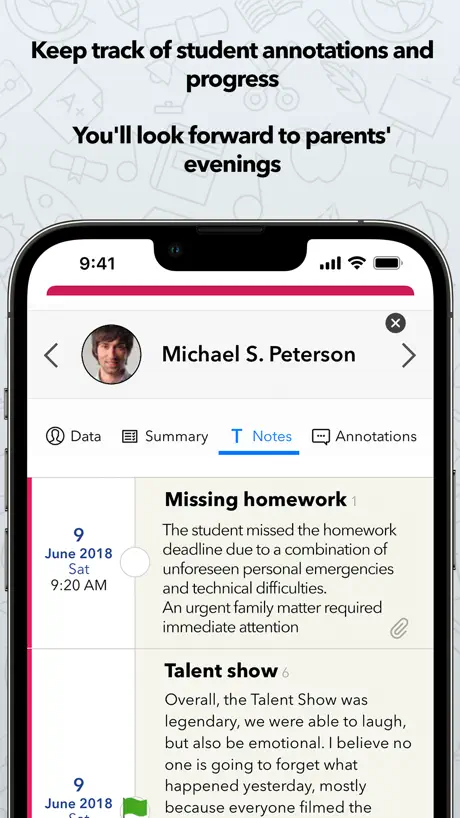
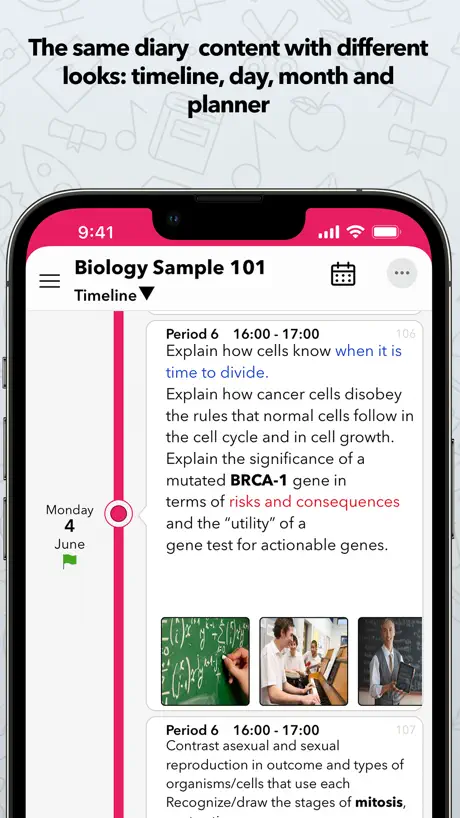
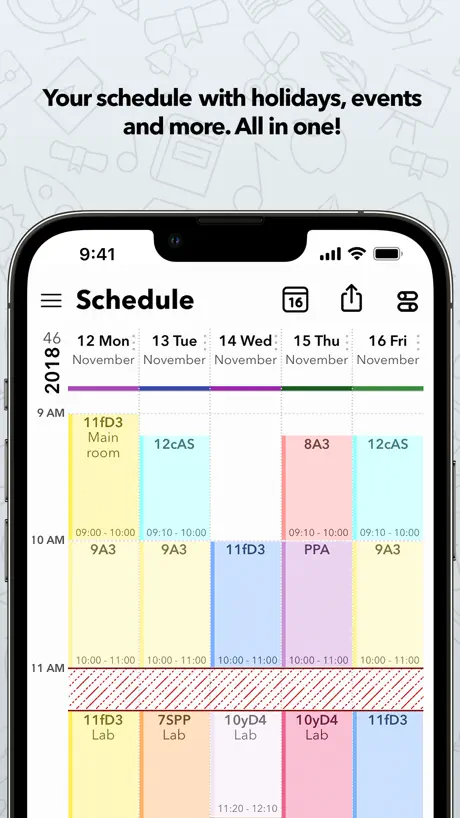
- Saves hours of planning time.
- Highly customizable for different needs.
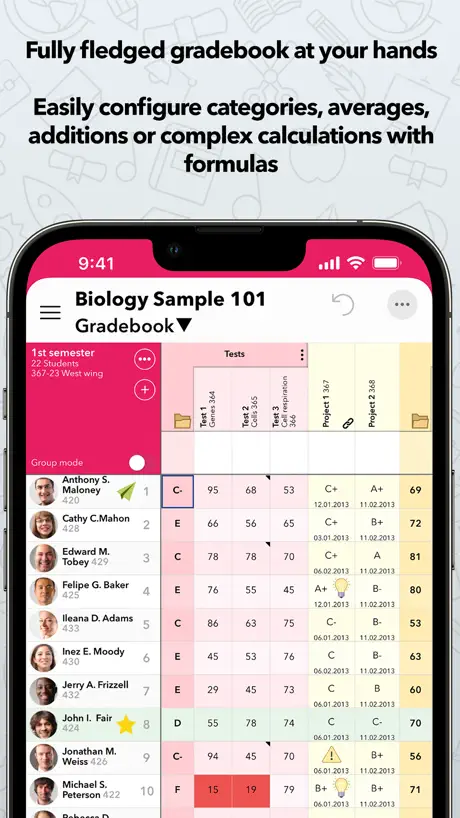
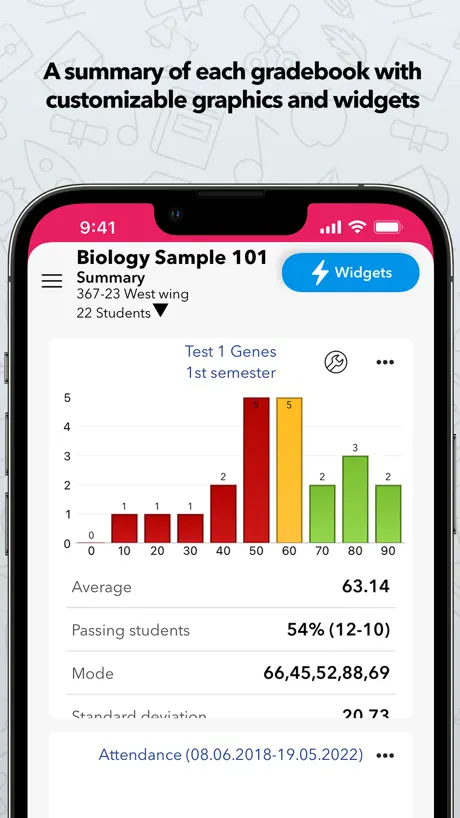
- Great features for tracking grades.
- Developers add new improvements often.
What they complain about
- Syncing between devices is unreliable.
- Steep learning curve with no tutorials.
- Customer service is slow and unhelpful.
- No web app for desktop use.
Parfait pour les enseignants
Cette application est tout simplement génial
contains malware
fraudulent scam developer
Application complète mais non intuitive
L’application est extraordinaire. Cependant, il est difficile de se l’approprier et de comprendre les fonctions. L’interface n’est pas intuitif.
NOT FOR PRIMARY TEACHERS
This is a wonderful wonderful resource - for high school or uni teachers! If I was a high school/university teacher with many different classes and students, this would be opportune. I was hoping for something more like a ‘Planbook’ app, but this is not that!
iDoceo Improvements
There is so much potential in this App but you have to have the ability to figure things out yourself. So many people ask me to help them and are amazed at what the App can do but there is no dedicated video tutorial series provided either through the App or on the Website. I have trained many many teachers and the best way they learn tech is to be shown or video tutorials.
Seriously all in one!
This is the hub for everything in my classroom.
Absolutely terrible
Overpriced garbage and the developers are rude.
Good
App is pretty good. Customer service is EXCELLENT!
Disappointing
I was so looking forward to using an intuitive tool but found the opposite unfortunately. Setting up the two-week cycle was difficult and I wasn’t able to see my week with all planned lessons on a page. Nice and colourful and well laid out though.
Good…I used to think so.
This is a great app, or was until you now try to upload an excel file to form a class list, then it adds the columns but not the kids. I have no idea why it is no longer adding students when you upload an excel file, but I’m now thoroughly annoyed that I have to add students manually that I may not actually bother with the app any more. Hopefully this will be sorted soon.
Suppléance
Parfait pour bien organiser mes remplacements et ma planification
Garbage
Have used for three years, its just gets worse year after year. Always Glitchy, Very iCloud dependent! If you don’t use iCloud or have minimal space in your cloud you WILL have issues with the APP.
Awesome for Robust Attendance and Notes
We use this primarily for taking attendance and tracking notes, reports, and other student details at our three different locations. The ability to sync across different devices is wonderful! One of the things I would love to see supported is the ability to freeze a folder category. Similarly, it would be very helpful to filter by students present on the latest attendance date (not just those present today); I do understand that I could filter by column, but that doesn’t filter out absences. App is great!
It WAS a great app... Not sure what happened
I am super dissapointed. This app work great for me for the first few weeks of school. I then swicthed job's which lead to me needing to erase all data on my Idoceo and now it hasn't been the same... I am not able to sync with my other devices, it continously glitches and shows old data... I miss when it was good.
Planner doesn't display or print enough info
This could be such a helpful app! It does do some really neat things, and I love how easy it makes it to plan. However, you can't print out the lessons for the week for all your classes. You can print the Gradebook with a lot of modifications to make it how you want the printout, but you can't in the Planner. You can display one thing at a time, both on the screen and on a printout - I really want to see the lesson AND the homework.
Toujours mis à jour
Malgré quelques bogues parfois, l’application est tellement complète et me sauve tellement de temps. Toujours de nouvelles fonctionnalités ajoutés et vraiment bien pensé que ce soit pour les enseignants titulaires ou spécialistes.
Very Dissatified
I purchased the app, because the reviews were great. I was shocked at the price, but assumed it would be worth it to save the hassle of juggling and lugging papers, schedules, notes and other things to all my classes. I teach at 16 class in 3 locations so this was going to be amazing. Sad to say the Sync never worked, missing information and it always seems to shut down on its won. This was the one time that I paid for an app in since the “old day” of under a buck apps. I have to say that I will switch back to my paper books, back pack and lugging around books… Im very disappointed. Not worth the money at all.
Design Update?
I love this app! It is indispensable for my teaching — and it’s completely free, which is a dream come true. However, it’s so cluttered that it makes it hard to read and navigate on my phone. Please consider overhauling the design and making it more minimal/simplistic. Thanks for everything you do!
Music Teacher, pre-K through 8
I love the app and have used it for over 10 years now. I had a serious problem when I got a new iPad and a new iDoceo app, and couldn’t connect my calendars or set up a new iDoceo calendar for last school year, 2024-2025. I had purchased the iPad with personal funds in order to make my school life easier, but it sat in-used all year because the customer service at iDoceo was horrible! I kept meaning my phone number because a simple call would have allowed us to trouble shoot, but instead, I would wait days between emails for the one single woman in CS to return my requests for help, and I sent her so many screenshots (which barely send with our school WiFi) that never amounted to any help at all. I was so disappointed and disgusted after being a loyal user of this app for over a decade. I spent the whole year NOT using my iPad the way I had for so long, that the classroom management piece really suffered. Eventually, I called Apple and begged them to help me with the app set up, even though it is not their business. Apple tech support was unfamiliar with the app, but felt my sadness and frustration of losing an entire school year of great record keeping that the CS rep at Apple actually helped me figure out the problem. Now I am using the app again on the new iPad, now two years old. There is simply NO excuse, iDoceo, for having such terrible CS after so many wonderful years of this amazing app. The problem could have been fixed quickly with a great person at the helm, and with immediate follow through and a phone call. There was no reason why it needed to go unresolved for over a year. That was a very unfortunate year.
Attendance
No daily attendance system
IDoceo Planner
Amazing…wish I had this sooner…I would 100 percent recommend…so many features and so easy to use!
High hopes turn to disappointment
I had high hopes for this app, but I’m so frustrated that it won’t import my xls. files for my class lists. I don’t have the time to enter almost 700 student’s information into this app. It would be great if I could though. I have written to support and got advice that didn’t work at all. I feel like I have wasted my hard earned money.
Healthcare Workbook
I’m not a Teacher, but I do manage a large group of Healthcare facilities. In my role I need to track clinical outcomes for specific metrics, survey readiness, policy and procedure update completion and the completion of other company wide and regional initiatives. This app is extremely useful, and with it being completely customizable, I’m really able to Taylor it to my specific needs. I love the fact that I’m able to sync my outlook calendar, however I’ve noticed that not everything rolls over. With all that said, I only gave it four stars because of the aforementioned email issue and because the grade styles aren’t easily explained. Additionally, I wish there was a way to copy things to the tabs within each class, but without the student names rolling over. I also wish there were a way to type a numerical value without that value automatically hitting the overall grade. I can’t complain much, though….primarily because I know I’m using this app for something well outside of it’s intended design and planned use! I would certainly recommend this to Teachers and other professionals who manage multiple things or locations like I do…
confusion
finding directions for how to use the app are terrible. Directions given are brief and don't explain it in any clear way.
Great app, no web version
Loved the functionality, but now our school has moved over to PCs from Mac I can’t access any of my planning on my laptop as iDoceo offers no web app. This lack access has rendered the app redundant for me as I’m not meant to use iPads or phones in class. Very unfortunate. Hopefully they’ll develop a web app soon.
J'adore!
Je suis une fan finie d'iDoceo, je ne m'en passerais plus!
Not intuitive, newbies may struggle
I am really struggling to get up to speed quickly. Wish there was a “set up for dummies” walk-through process
Excellent! Not optimized for desktop, though
As far as what's available in the education space, this app simply has no peer. It's phenomenal. However, I do have one nitpick: it is optimized for iOS mobile, not desktop. All of the things that make it a breeze to navigate on a touchscreen make it pretty clunky on desktop--lots of drop-down menus that are a breeze using your finger, and a nightmare when navigating with a mouse. Which is unfortunate, because as a teacher I do a lot of the heavy lifting for my work--grade entry, behavior logging, on a desktop computer. That's something i would like to see improved, perhaps with a few more keyboard shortcuts here and there in the desktop version. But overall, a very powerful app that provides untold value to me as an educator.
Challenging to use
I consider myself a fairly tech-abled teacher, and I find this app very challenging and non-user friendly to use. There are no shortcuts, so it can make data input very tedious. When inputting class lists, a simple enter command to move to the next field or student would make this task much easier. Making my schedule presents challenges as I find many things in the menu aren't where I expect them to be, there are no shortcuts (tab, enter, esc..) and no ability to resize font. I've barely used the grading function again for the same reasons. Input is tedious, would be much faster with keyboard shortcuts, and I find the layout/menus are a huge learning curve that feel clunky and I've never gotten used to. Maybe this app would be easier for a teacher that sees the same students everyday, but as a specialist that sees over a hundred students a week, this app does not work for me.
Good grade book
I looked at some of the free apps for grade books and didn’t find any that was very useful nor did what I wanted. Even though I had to pay for this app, I have been very happy about it so far. The only thing that I haven’t been able to figure out yet is if I am able to put a certain weight per assignment. Other than that, this is exactly what I was looking for.
Reliable versatile gradebook and more
I have been using Idoceo for more than 5 years. It saves me hours of work. It is reliable, very versatile, and easy to use.
Not user friendly
This is just a spreadsheet made MUCH more complicated to use and the features do not work as they should. Students with 90s are being letter graded as an F. waste of $$$!
Great app
It has great options and modalities super easy to use. It’s intuitive and simple. Not 5 stars simply because a desktop mode that links with the app would be ideal.
Syncing issues and not the quickest help
This app is so highly rated and the features do look incredible. But so far a few things are worrying me. I teach 500 students between 2 buildings with some variations in bell schedule and it was difficult to reflect this in the planner - the time setting is very unweildy. I made it work for now. I wanted write lessons with all the attachments, etc. on a Macbook at home and sync it all to the ipad I take to school. I have followed every step I can find, but my Macbook entries don't show up on the iPad, but anything I write on the iPad instantly shows up on the MacBook. I've emailed for help three times, done the troubleshooting, and all that did was ERASE the three days of work I put in entering data to the MacBook. So I had no planner for the first day of school (fortunately I have been teaching for years and all the acutal lesson files are in Google Drive). I was hoping to have an easy streamlined way to keep track of everything. Because of these syncing issues I'm just a tad concerned that if one device has issues and I attemt to backup from Google Drive (my school drive), I may find I lose everything. That wouldn't be so good in the middle of the year! If I get this working I'll revise my review, but I am now on day 3 waiting for any response from my multiple requests for assistance.
Have overcomplicated it
I used to be a massive fan but over the years the upgrades have overcomplicated it and the online video explanations have not been updated to reflect the current screen views. Adding student photos to seating plans is now not intuitive and, frankly, a nightmare!
Très complet
C’est un outil très complet pour un enseignant
$15 for a grade book that doesn't even have a current grade column
I spent the money on this to find out that it doesn't even have the most basic function of all grade books and the one I needed the most! The actual GRADE!! You have to add one in youself AND tell it what to calculate which means if you want a running grade you have to either change it EVERY TIME or update a column EVERY time. Nope,not for me. What a waste of my money. Wish I'd noticed it before I bought it.
The best period!!
I have tried many apps in the past decade. Idoceo is the best out there! Please keep it subsciption free. The only reasons why I don't give it five stars are 1: I'm missing a general attendance tab separated from the grades. 2: Since I'm also supervising students in work training, it would be great to have an iphone app to be able to take attendances and write comments on the fly.
Not a planner
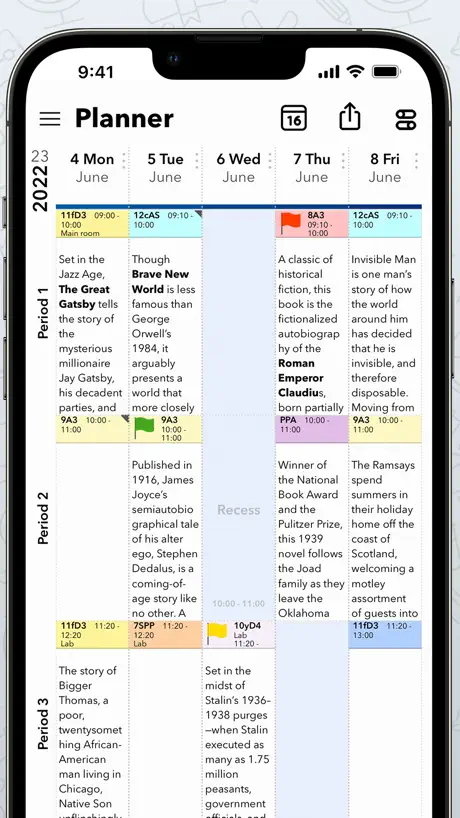
This was described as an assistant for teachers but in reality it is a grade book. Waste of $20
Super application!
J’adore l’application et j’étais impatiente d’avoir l’application sur mon cellulaire… Je suis actuellement déçue qu’on nous redemande de payer le montant total alors que nous avons payé pour l’avoir sur le iPad :(
Excellent
Super outil de travail ! Cela prend un certain temps avant de s'approprier toutes fonctions, mais une fois que tu maitrises les fonctions qui t'intéressent , c'est une économie de temps. Les développeurs ajoutent constamment des améliorations. c'est Un outil auquel que tous les enseignants devraient avoir accès. J'adore !
Not User Friendly
This application is not user friendly.
Lots a useful features
Some thinks are difficult to access and customize the gradebook is tricky. I don't like that you have to 'X' when finished some things. It should say 'save'. 'X' means "forget it and let me out" in most programs.
Mac App
I recently transferred from a PC to Mac and was super excited to find the Mac app for iDoceo. It took so long to get it connected to my iPad by the time I worked out that I needed to have both my backup and synchronising apps connected to both for anything to happen. Once connected I have some good and some bad days. Sometimes it works perfectly and sometimes, like today, half of my grades are missing half of their information. There is a tick at the top that says it has synchronised but it's asking me to set up new classes which have been there since the start of the year and has lost all of Term 1's information. Such a useful tool for teachers, especially those in specialist subject areas that move around and change subjects regularly, just hoping for a bit more reliability in the near future.
Excellent
I really enjoy this app; I have used it for several years now. However, I wish that there was an iPhone app to accompany it so that I could more easily view my day plans from my phone rather than carting around my iPad. Other teacher planner/grade book apps (i.e., Planboard) have created an app and I am contemplating making the switch simply due to the greater accessibility.
Fantastic
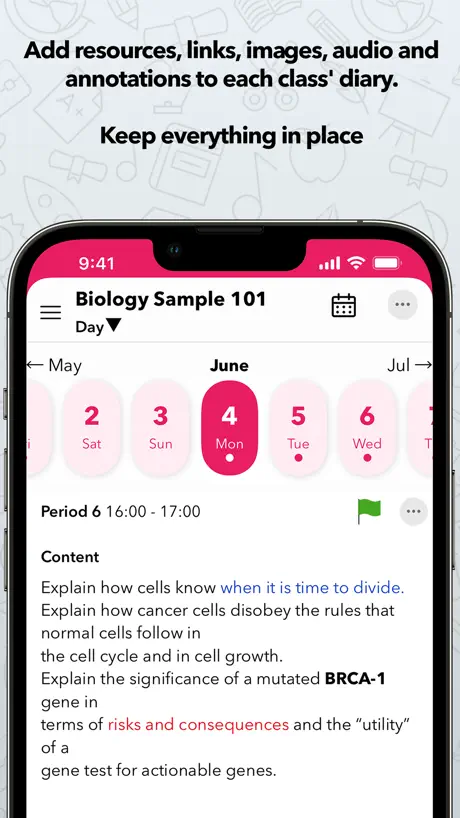
I couldn't ask for a better program that allows me to keep track of all my student's grades! I am also able to add notes, pictures, etc. which helps when I will be creating my grades reports
Don't waste your time
This is one of the worst apps that i have ever used. I used Gradekeeper for 20 years so I know my way around a gradebook. Idoceo has an a manual with some topics in English and some in Spanish. I needed to change gradebooks since Gradekeepeer was no longer supported on my Mac. I need to start over agian since the learniong curve has me totally frustrated. Worst purchase ever.
Efficace!
Cette application à changer ma façon d’enseigner. Étant enseignant spécialiste, j’apprécie beaucoup le plan de classe avec photo ainsi que le carnet pour les évaluations. J’utilise l’ajout des notes sous formes d’icônes (rapide et très simple). Je peux montrer mes « évaluations sommatives » sous forme de dessins aux élèves. La progression de l’élève peut s’envoyer aux parents. P.s. J’ai fait des onglets Évaluations Sommatives, Évaluations Formatives, Comportements et Bonus. Pour «Évaluations » j’ai créé des dossiers: Étape 1,2,3 puis des sous dossiers, le tout avec des calculs automatiques. La copie pour d’autres classes est facile. Certaines commandes pourraient être automatisées, ce qui rendrait la tâche de la conception de notre carnet plus rapide.
Now saving class name or anything
Every time I go to input a class name year and description it does not save the class
Pretty good but needs a couple more features to be truly excellent
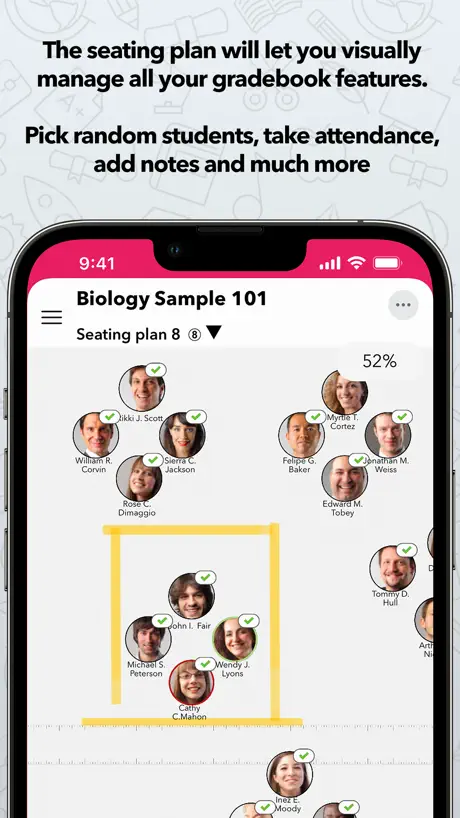
Firstly, this is a great replacement for a teacher's planner. It replicates all the standard features of paper planners and adds in a couple of handy things like random name selectors, movable seating plans, rubrics and more. However, there are a couple of glaring omissions. Firstly, you can import calendar events to iDoceo but there's no way of syncing or exporting iDoceo events to your other calendar apps. This is very frustrating as a music teacher whose work and personal life are intertwined. Secondly, they need a scheme of work and assessment planner that is independent of classes, with the ability to link between lessons and attainment targets, easily assign template lessons to a class, etc. Currently everything has to be linked to a class which makes no sense as classes change year to year. Basically, a good replacement for a planner but it takes little advantage of connectivity and multimedia features of portable devices, and is therefore not much better than a regular paper planner.
iDoceo - Planner and gradebook FAQ
- Is iDoceo - Planner and gradebook free?
- No. iDoceo - Planner and gradebook costs $19.99 (US) to download.
- Does iDoceo - Planner and gradebook have a free trial?
- No. None of its offers (US) come with a free trial.
- What are the best alternatives to iDoceo - Planner and gradebook?
- TokApp School (4.5 from 23,600 reviews), eduki: Teaching materials (4.9 from 9,619 reviews) and TeacherTool Complete (4.3 from 2,729 reviews, premium from $17.49).
iDoceo - Planner and gradebook download
Last updated 2 years ago.
iDoceo - Planner and gradebook sells in 175 countries. It was released 14 years and 11 months ago, on 7 Nov 2011. It holds a 4.7 rating from 44,242 reviews.
Supports 16 languages: English, Basque, Catalan, Dutch, French, Galician, German, Italian, Japanese, Korean, Norwegian Bokmål, Polish, Portuguese, Chinese, Spanish, Turkish.
How much does iDoceo - Planner and gradebook make?
Third-party estimates for the last 30 days, worldwide — not the store's own figures, which Apple publishes for nobody.