AllCast Screen Mirroring to TV
Photo & VideoUtilities

AllCast Screen Mirroring to TV

SPM Studios · released 30 Nov 2011 · Open in App Store ↗

Revenue 30d not estimated
Downloads 30d not estimated
Rating 4.02 50 reviews

No in-app products collected for this app.

Rating
United States26%134.38
United Kingdom8%44.25
Brazil6%34.00
France6%34.67
Russia6%33.67
Canada4%25.00
Switzerland4%21.50
Spain4%25.00
Netherlands4%21.50
Romania4%25.00
Albania2%15.00
Australia2%14.00
China2%15.00
Czech Republic2%15.00
Germany2%13.00
Egypt2%15.00
Greece2%15.00
Hong Kong2%11.00
Israel2%11.00
Latvia2%11.00
Mexico2%15.00
Uzbekistan2%15.00
Vietnam2%15.00
South Africa2%14.00

The store shows a different set in every country

Description

Mirror your iPhone to any Smart TV and cast your favorite content in seconds.

AllCast lets you screen mirror your iPhone or iPad in real time and stream photos, videos, IPTV channels, web videos, and media from Plex or DLNA servers — all wirelessly, with no cables or extra hardware required.

Compatible with Samsung, LG, Sony, Philips, TCL, Roku, Chromecast, and most DLNA-enabled TVs, including many older models.

WHAT YOU CAN DO WITH ALLCAST

Screen Mirroring — mirror your entire iPhone or iPad display to your TV in real time, with audio and low latency

Photos & Videos — share memories from your camera roll on the big screen

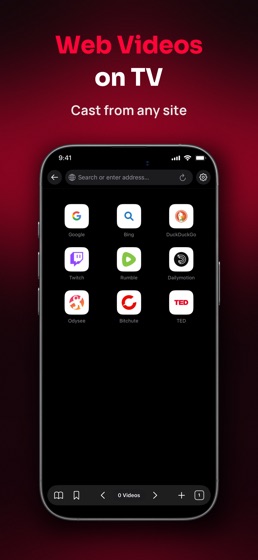
Web Video Cast — browse the web and cast videos directly to your TV

Live TV (IPTV) — load your own M3U playlists and watch live channels on your television

Media Servers — stream content from Plex, NAS devices, and DLNA servers on your home network

Local Files — cast videos and photos stored on your device or shared from compatible apps

FEATURES

Real-time screen mirroring with audio support

Full HD 1080p streaming quality

Supports 4K HDR playback for compatible videos and TVs

Broad DLNA compatibility, including many older Smart TVs

No cables, dongles, or additional hardware required

Quick setup — connect and start casting in seconds

Built-in browser for discovering and streaming online videos

Widgets — shortcuts to screen mirroring or recent casts

HOW IT WORKS

Connect your iPhone or iPad and your TV to the same Wi-Fi network.

Open AllCast and tap Connect.

Select your TV from the available devices.

Choose Screen Mirroring or another casting option and enjoy your content on the big screen.

AllCast is ideal for:

Family movie and photo nights

Watching web videos and IPTV channels on TV

Streaming your Plex or NAS media library

Business presentations and classroom demonstrations

Enjoying your favorite content on a larger screen

Transform your TV into an extension of your iPhone and enjoy a simple, reliable casting experience at home, at work, or on the go.

ALLCAST SUBSCRIPTION

Payment will be charged to your Apple ID account upon confirmation of purchase. Subscriptions renew automatically unless canceled at least 24 hours before the end of the current billing period. You can manage or cancel your subscription at any time in your App Store account settings.

Terms of Use: http://www.allcast.tv/terms.html

Privacy Policy: http://www.allcast.tv/privacy.html