
Proclaim Remote
How much does Proclaim Remote cost?
Prices are current as of 16 Nov 2026.
Proclaim Remote has no in-app products on record in the United States.
10+ alternatives to Proclaim Remote
| Proclaim Remote |   Text In Church |   Mixing Station |   NDI HX Camera - Stream Capture |   ChurchTrac Connect App |   Wireless Workbench Mobile |   ProPresenter Remote |   Slipity |   Gloo Messaging |   Logitech Mevo Go |   Presenter Remote | |
|---|---|---|---|---|---|---|---|---|---|---|---|
| Rating / 5 | 3.2 | 4.8 | 4.4 | 4.5 | 4.7 | 4.5 | 2.7 | 4.8 | 2.3 | 2.9 | 2.7 |
| Reviews | 108 | 5.1K | 2.7K | 1.7K | 349 | 141 | 96 | 66 | 66 | 20 | 12 |
| Released | 2011 | 2016 | 2019 | 2024 | 2025 | 2014 | 2025 | 2020 | 2021 | 2019 | 2021 |
| Monthly price | — | — | $6.99 | $4.99 | — | — | — | — | — | — | — |
| 3-month price | — | — | — | $9.99 | — | — | — | — | — | — | — |
| 6-month price | — | — | — | $14.99 | — | — | — | — | — | — | — |
| Annual price | — | — | — | $19.99 | — | — | — | — | — | — | — |
| One-time price | — | — | $6.99 | — | — | — | — | — | — | — | — |
The going rate for each plan in United States, in its own currency, shaded from the cheapest price on the row to the dearest.
Proclaim Remote reviews
3.2 out of 5, based on 108 reviews.
What people like
- App crashes constantly during use
- Connection drops frequently and randomly
- Cannot edit slides or create new ones
- Slow response time when changing slides
What they complain about
- Simple to learn and use
- Works well on iPad and iPhone
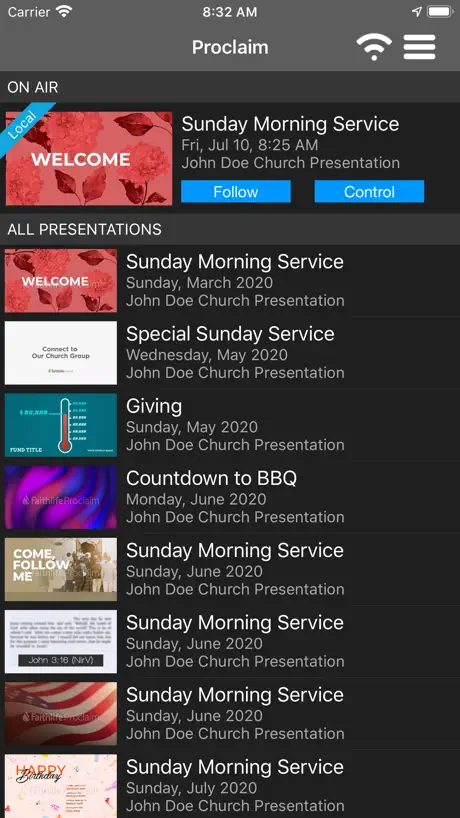
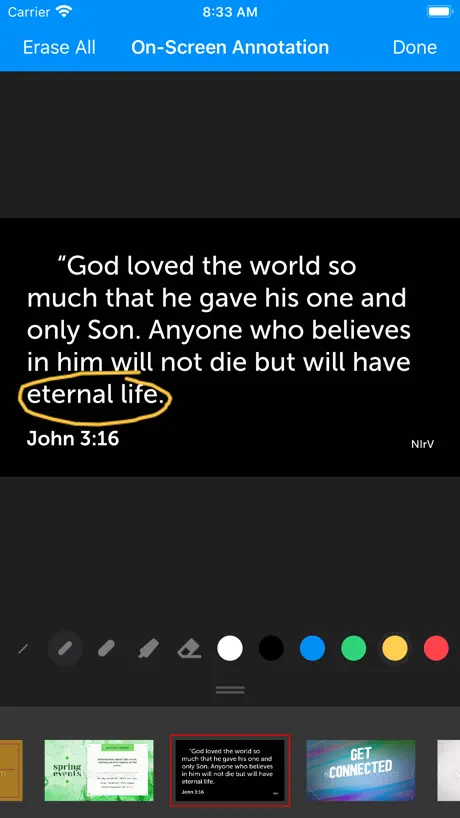
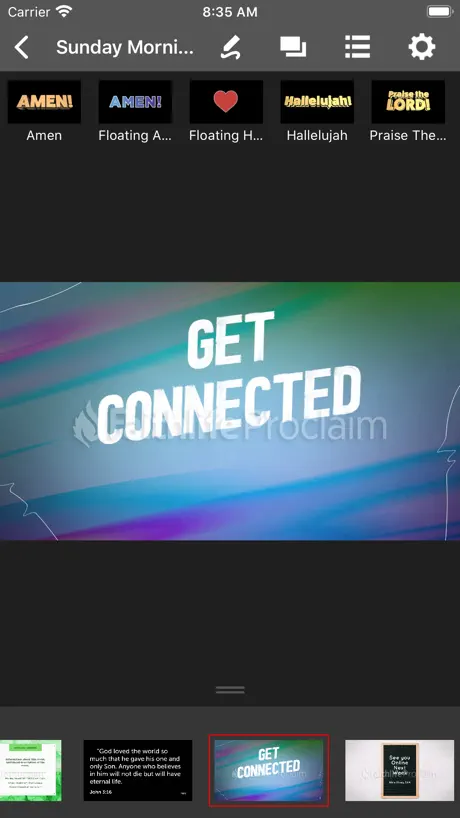
- Great for previewing presentations remotely
Amazing
Used this 2 years ago and at first the app didn’t work but recently downloaded it and it makes running the slides easier and allows me to take care of more of our media 5 stars
Does not work
It closes
Not Same as Desktop
The app works just fine as a controller, but I am curious, do y’all have an app that is similar to the one for desktop? I have since switched over to using iPad only and now I cannot edit slides in collaboration mode with fellow church staff. Is there in alternative to this issue? I could really use help.
Needs a rebuild.
In 2020 we were forced to leave Proclaim to use pro presenter for its Live streaming capability. We’re returning back to Proclaim, but are very disappointed W/Remote control app. Would be better if it mirrored the desktop. Colored coordinated;verses, chorus, Bridge, etc. Easy to get lost swiping left, and right during songs if there’s any changes made in real time. Were a semi-remote Church and unable to wire in desktop in back so we rely on apps/iPads UI24 etc.. It has some great features, but Please try again!
Update for iOS
I have been using proclaim for a few years now and although the remote app works fine for what it’s for, I just don’t understand why there isn’t a full version of proclaim for tablets. I hate that sometimes I want to make a change to the presentation and I can’t do it without my laptop. iPads can function like a laptop and should have a version of proclaim that is formatted for it.
Developers hear us
The idea is very cool, the program is very cool, BUT DEVELOPERS HEAR US you can do it faster to switch slides, thank you, may God bless you
Not able to login
I’m not able to Login and it’s saying error when I try to put in forgot password to see if that’s the issue.
Editing Support
This app has been a saviour when it comes to wireless functionality and on the go notes. I think it’s time to take this app even further with editing capability. It’s 2023. No more do we exist in the era of iPads being used to view pictures. They are now becoming powerful tools that professionals are using across the globe. I really would love to see support for editing either on a different app altogether, or a modified existing version.
Does not load all the slides
Does not load all of the slides even if I have everything synchronized from the computer.
Needs Improvement
We love Proclaim, and the remote app has been great, but lately it has not been working as it should. If there are multiple screens on one slide it will only allow me to go to the first screen from my iPad. It only does this some of the time (now, most of the time) which adds to the frustration. I never know if it’s going to work until I get up front to preach.
Excellent And Easy To Use
I use this app regularly and find it is excellent for what I require. I use it both on iPad and iPhone and it works very well every time.
Would Be Great If It Worked Reliably
I’ve never been able to rely on this app because it fails to connect of looses it’s connection so often. I would love something like the Keynote app for my iPad that allows me to control my presentation with confidence. When you’re in front of 300 people running a service, there isn’t room for app crashes or loss of activity. The only thing I use this for occasionally is to look up a slide in advance using the Follow feature, but even that isn’t always reliable. This basic level of dependability would be necessary for me to seriously use this app. Next level would be to let me edit slides from my iPad (as I can in Keynote). My iPad is my main computer. It would be great to not have to run to my Mac just to make a small edit to a slide.
Great app
I believe people that are having connectivity issues are mainly due to networking and not the app itself. It works flawlessly for us but we have a robust wireless network. A few things I’d like to suggest or be able to help if this became open source since it’s just the remote and not the paid for app itself - slides to have banners like they do in the app, ex. chorus has a c and color, verse 1 has 1, etc, just like the app - change the preview mode, on a tablet, it be nice to have the tiles instead of a giant preview and a slider of tiles - the ability of On screen Bible to show the text in the preview Love that app (the main app and the remote)! Keep it up. More API commands would be great too!
Come on
You have to uninstall and reinstall the app to change accounts?!
Works in a pinch
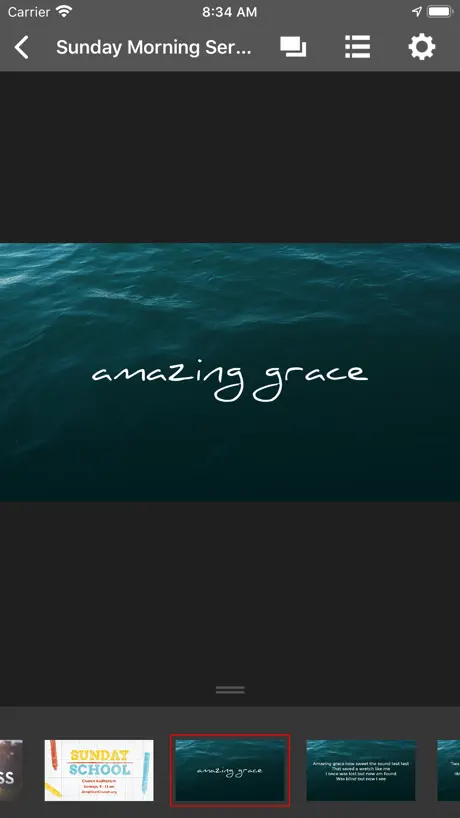
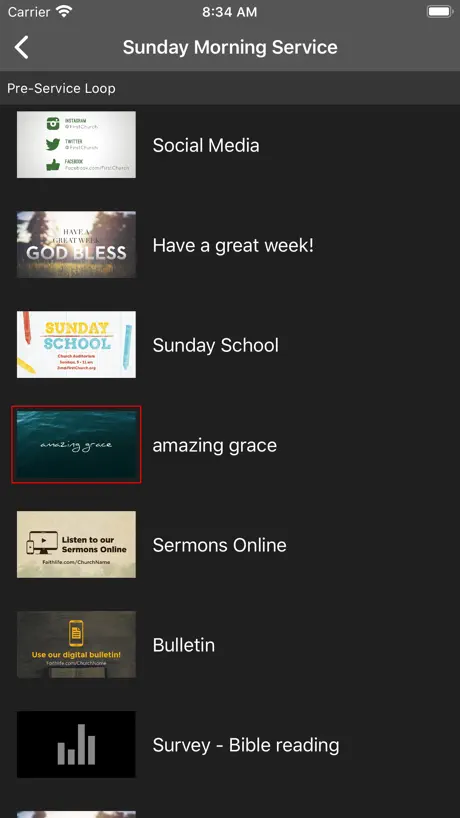
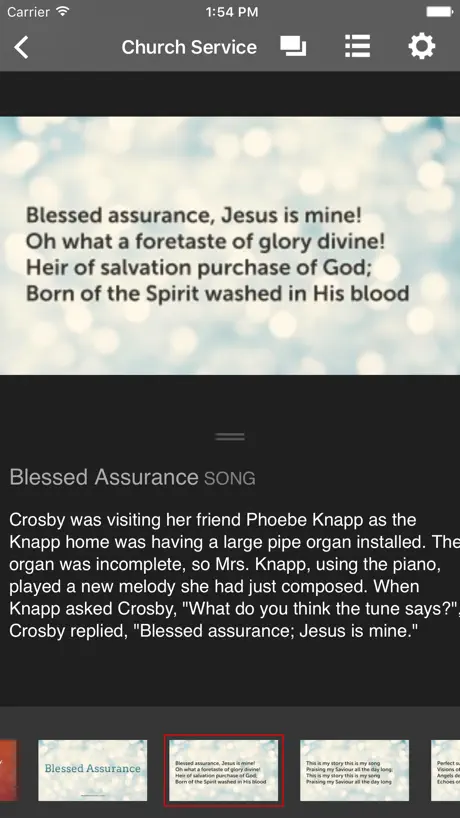
I wish it had a better view to control slides than carousel view. And they should also identify slides with verse numbers, chorus, etc...
Review
This was one of the first cloud based presentation apps. It is being constantly improved. I love the the web based sign screens. Simplicity itself. We have several screens around the church and they work flawlessly. Such a great feature! I recommend this to all my friends who don’t have trained staffs who operate their technical equipment because the program is simple to learn and use but has tons of features you can use as your skills grow, such as integration with logos, or CCI. I really love this program and our team does as well. I have eliminated several other programs because of all this does.
Not so great
The remote apps rarely work. If the remote app doesn’t work correctly then why is the church having to pay for the program
Remote works great
This app does exactly what it says it will do. It would be that much better if it allowed you to edit or create new presentations as well.
Needs an update
More and more I’m having problems connecting to the presentation, even using the local WiFi option. Won’t load the slide previews or respond to advance slide commands. Switching between apps often interrupts the connection as well, and our sound system is also controlled by app so that is necessary. Currently using my phone for proclaim and the iPad for sound. It works, but not ideal. Please update!!!
Need to be able to edit on the app!
The desktop installation version works very well and is light years head of what we used to use, no complaints there. But seriously, make slides editable on the iOS app! This ability has been available in nearly every other program for how many years now, and I still have to install a full-blown program on a desktop computer? Time to join the 2000s…
Works Great!
I see a lot of previous bad reviews talking about the the app crashing. I guess the problems are now fixed because I am not having those issues.
De lo peor
De las peores apps que he usado. La app no funciona como control.
Good, but needs to have chorus or bridge buttons
Works fine for going to the next slide, but for song lyrics it really needs to have a button to go straight to the chorus and bridge like the hot keys do on the desktop version The buttons would fit perfectly above the bottom slides preview Thanks
Remote app not always reliable
As a pastor of a small church who uses it to move through my scriptures and presentation it leave me hanging quite often and someone has to advance the slides for me from the sound booth. I love the concept just needs the bugs fixed.
Great concept but lacks stability
The concept is great but sometimes the slides don't load on my phone even with local connection
Use to work
I’m not sure what happen. Everything is to work fine but now it’s absolutely terrible. Please fix the remote feature
Good... But
App is simple enough to use. The only improvement needed is for the motion backgrounds to work on this app. Then it would a nice star. If this app still in its early stages, please consider this suggestion. I love this app and the Proclaim software itself.
Layout
Would prefer if you could make a grid option that mimics the desktop version to select a slide. The layout just is too limited.
“Needed” Additions
This app would be great, however I may be asking for a lot here. I think this would be even better if it had the ability to add things like scriptures or photos. I understand songs and videos may be difficult as you almost need a computer to make the necessary changes to them. Bible verses and photos are simplistic however. 3 out of 5 for now until this happens.
What a Joke
This app rarely every works to control the presentation. We have a new MacBook Pro with an up to date iPad Mini. We have the option of a local WiFi network with no internet or a school WiFi system with internet. It works on neither of those. When it does connect, it’ll time out, lag, or completely freeze. Resetting the app, the iPad, the computer, the routers. Nothing works. Our church will be looking into a better presentation software where the app control is more consistent and reliable.
Good app. Could do with a few tweaks
I use proclaim weekly and our church have bought into it for a yearly subscription. It's great to have a dedicated app to push out our services using an idevice. It would be even better if the following were able to happen in a future update: - videos also play on iPad when controlling/following a service. The leader at the front of the service can't see what's going on. - when following a service the ability to see the next screen: frustrating that the service leader doesn't know what's happening next! - italics/bold showing up on iPad/iPhone version, currently text formatting doesn't show on the app so hard for leader to distinguish between "call" and "response" when leading service. Apart from that proclaim is great! :)
keep someone in the sound both
The remote apps are pretty half baked. they have the potential of being something really special with the slide and then the notes listed below, but stability is a real problem. Some weeks the app just out right refuses to work, other weeks works pretty good, maybe crashing once or twice. Gonna give it the year (already paid for it) and see if they can get it working. otherwise the software on the desktop has been great.
Editing in remote app not available?
Would like an easy way to edit screens from within the remote app.
Can’t control presentations
Logos doesn’t seem interested in making this app any better.
Great
This is a great app, but it is sticking up to much, needs to be a little bit more updated and needs to stop crashing on me but after all great app!
Sometimes works (but with delay)
When it works, there’s still usually a 1-2 second delay. I’ve got it to run smoothly many times during rehearsals. Most times though it’s not reliable and it fails to advance the slide when we need it during service.
Great Concept but disconnects OFTEN
The remote app is great as I know the timing of my sermons and slides. The Tech booth LOVES the concept of me controlling my own slides BUT THE APP DISCONNECTS OFTEN and is not reliable. I have my iPad and iPhone on standby and even these will not be allowed to connect, or they get kicked out with an “error” slide, and the Tech team has to stay on their toes to take over which is becoming a regular practice. FIX THE APP! Thank you
App Crashes
Whenever I tap the control button the app crashes. I am running latest app on latest iOS version.
Great software and apps not bad
This could be an extremely useful app. It's great for previewing proclaim presentations that are put up for Church. The only problem is this app doesn't allow me to change the slides on screen. When it does, it doesn't let me see them on my phone. Would be great if this was sorted. Also if you could edit on the phone that'd be cool. Well done.
Not functional enough
Use Case 1: Remote Slide Projection (Normal Sunday Service). I'd hoped to use this app to recruit more volunteers to our tech team, since theoretically all they'd need to do is click through the slides that I’d put together. However, the app’s response time is so slow that I’m hesitant to let our veterans try using it, let alone new people. Use Case 2: Sermon projection. In an ideal world, all church presentations would run from the program. Due to PowerPoint’s prevalence, however, this isn’t possible. One might expect, however, to be able to import a PowerPoint to Proclaim (not possible) or at least the slides saved as images (possible). However, the image previews do not load on the app, so controlling the presentation from the app is impossible. Use Case 3: Proclaim is awesome for our VBS needs. I can import the music videos and click on them to play them, rather than fight with a DVD player. It would have been really nice to be able to hand an iPad with this app on it to the music leader’s assistant so they could control things themselves, but videos appear with only the first frame as the thumbnail (black, in this case) and without a title indicated. All the videos look identical on the app. It would also be nice to view things in the grid preview mode, rather than full, since that’s an option on the program. At least the app looks pretty.
Needs reconnect functionality
Our church uses this app for slides during services. We keep an iPad on the stage for different leaders to have control of the slides from there, but we also partly control the slides from a laptop. If we switch presentations from the laptop, the iPad is disconnected. Every time this happens it is an ordeal. We would like the app to automatically reconnect when the presentation is changed.
Crashes Continuously
Always crashing. Absolutely love the software but I'm not sure what the use of the app is if every time you try to do something it crashes. Cool idea though.
Not reliable
This is great for looking at the schedule, but we have tried to use it to change slides during the service and it is either extremely delayed or bounces back and forth. It would also be nice to be able to edit within the app. (Which you cannot do now)
Inconsistent functionality
Sometimes the updates cause more problems than they fix. On the whole, it’s working adequately. Could be better.
Proclaim Remote FAQ
- Is Proclaim Remote free?
- Yes. The app is free, in all 175 countries it sells in, and it sells nothing inside it.
- Does Proclaim Remote have a free trial?
- No. None of its offers (US) come with a free trial.
- What are the best alternatives to Proclaim Remote?
- Text In Church (4.8 from 5,078 reviews), Mixing Station (4.4 from 2,673 reviews, premium from $5.99) and NDI HX Camera - Stream Capture (4.5 from 1,700 reviews, premium from $4.99).
Proclaim Remote download
Last updated 25 days ago.
Proclaim Remote sells in 175 countries. It was released 15 years and 1 month ago, on 13 Oct 2011. It holds a 3.2 rating from 108 reviews.
Supports 1 language: English.
How much does Proclaim Remote make?
Third-party estimates for the last 30 days, worldwide — not the store's own figures, which Apple publishes for nobody.