
iTimekeep
Better Timekeeping
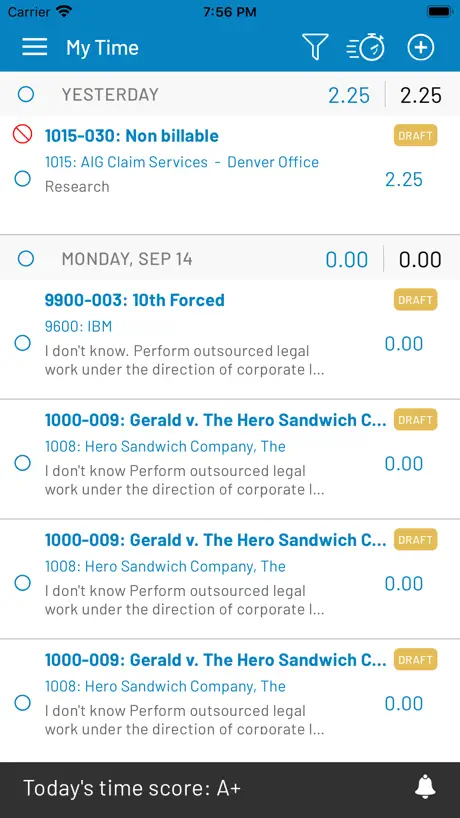
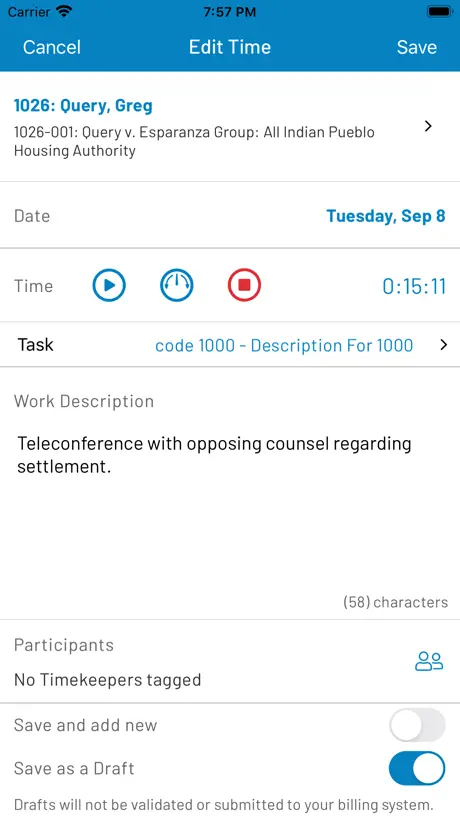
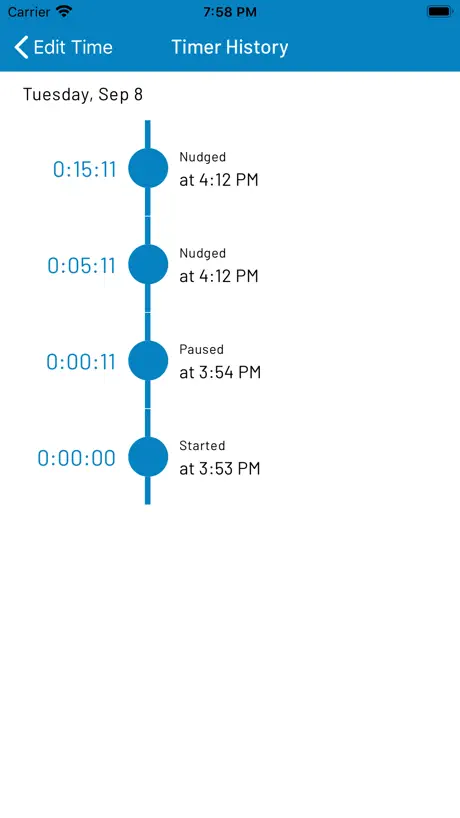
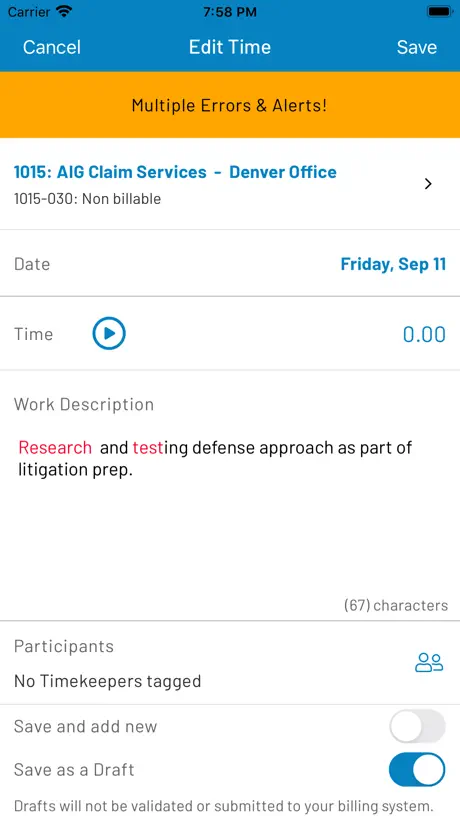
How much does iTimekeep cost?
Prices are current as of 31 Aug 2026.
iTimekeep has no in-app products on record in the United States.
10+ alternatives to iTimekeep
| iTimekeep |   The ZO App The ZO App |   SpaceIQ SpaceIQ |   Intapp Time Legacy Intapp Time Legacy |   cohesion cohesion |   iManage Work 10 Mobility iManage Work 10 Mobility |   Legora Legora |   Tungsten Power PDF Mobile Tungsten Power PDF Mobile |   Intapp Legacy Intapp Legacy |   3E 3E |   Intapp Intapp | |
|---|---|---|---|---|---|---|---|---|---|---|---|
| Rating / 5 | 3.1 | 3.4 | 1.6 | 2.0 | 3.3 | 3.4 | 4.4 | 3.6 | 4.0 | 3.4 | 5.0 |
| Reviews | 191 | 98 | 96 | 87 | 47 | 37 | 24 | 17 | 13 | 10 | 9 |
| Released | 2011 | 2017 | 2017 | 2014 | 2019 | 2017 | 2026 | 2022 | 2015 | 2024 | 2023 |
iTimekeep reviews
3.1 out of 5, based on 191 reviews.
Best mobile time entry
Really good for time entry on the go. Clean and simple UI, makes my life easier.
Horribly Designed Ap
The use of the space on this is horrible. They have tiny font and all white space Can barely see it. Also crashes on iPad and Magic Keyboard all the time. It just kinda sucks. Also the search function for new matters is clunky. No real AI entry engine. I do not recommend it.
It's good but has glitches
When I am typing an entry it sometimes (at least twice or three times a day) will just delete the word I am typing and overtype it. A feature I would like to see is a minimized widget that just shows your timer so you can quickly pause and resume it without having the full app open.
The new version is worse
I’ve been using iTimeKeep for years. I’d give the version with a blue-on-white icon a 3 or 4. But there’s a “new” iTimeKeep with a white A on a black background icon and it is literally the worst app ever. It’s infuriating, clunky, glitchy, laggy. It loses time entries, doesn’t allow basic time edits, makes mistakes, and makes me want to throw my phone against the wall every time I use it. I’d give that one zero stars. It’s so much worse than this version with the blue-on-white background. I redownloaded the older version and life is back to normal. So my 2-Star review is between the new and old versions.
Often frustrating
While this app provides an easy way to document time, far too often it closes down in the middle of inputting the narrative deleting everything I had input. It is extremely frustrating and I have to go into my computer to do my time making the app obsolete.
Easy to use!
Super clean and simple interface. Easy to navigate!
Time lost
This app was working fine in 2024. But in 2025 it was a disaster for my practice. The app would not open for me. When it opened, it would not synch for me. When it synched, it would round up or down to the nearest whole number. The desktop version even crashed multiple times for my entire firm. I shudder to think how much money we might have lost.
It solves a problem.
I would like it if it held more matters, longer and had a better matter look up facility, but that may be on our end. Works well and consistently.
Unreliable when you need it most
This application consistently has issues at month end, a time when you need it the most. Also, for whatever reason, the application has chosen not to display a month in a normal way. It is also difficult to scroll back to a prior month. Not user-friendly. Tedious to use.
Spotty Performance
In theory, great app and supplement to the desktop site. When it works, great and easy to use. At times though, very slow to load. Have been multiple occasions where it is frozen on the welcome screen for 30 seconds +and then closes automatically and I can access the app. I’ll try and close out and then reopen and same thing. Other times, the prompt to rate the review remains frozen on the welcome screen and despite me selecting all three options, the touch pad unresponsive. Manually writing this review now through AppStore in hopes the app it will realize I have reviewed it and let me log on.
Convenient Access to Timekeeping
The app allows me to use my mobile devices to track time while on business travel or in meetings or at events out of the office. This is often where it is more difficult to keep track. This is a very useful and user friend app with an intuitive interface.
Originally great. Now awful.
I began using this app many years ago at a prior firm and it was fantastic for someone who needed a mobile option. I’m disappointed to report that the service has gotten progressively worse over time. It’s ridiculously glitchy, crashes mid-entry, and painfully slow just trying to scroll to a different day. I’m so disappointed to see similar comments and a lack of developer response.
Significant Issues with Recent Update - FIXED
1. Right after the update, it did not remember my login info, then I had to reset my password because it didn’t remember it. 2. Each time I launch the app, it asks if I want notifications (it did this before the update but would load the app) and although I select No it still takes me to the device settings to allow notifications. 3. Regardless of whether you want the date to default to Today or the date you were using for the last entry, it always returns to Today. Please fix these issues. 9 April 2019 - Update The above issues were fixed with the most recent update. I’ve changed my review and star rating.
Great concept - poor execution
Was really excited that this app would make timekeeping easier but is too unstable and unreliable.
Good when it works
It’s great when it works but especially after the last update I can’t even get it to open half the time, it keeps crashing and closing at the login stage.
Top notch time keeper for lawyers
This system is excellent. Goes across many different platforms, computer, iPad and iPhone just to name a few. Allows for dictation on the phone and is quite accurate. I was the first to use it at my firm and others have joined me. Excellent for capturing your time
Progressively worse over time due to lack of foresight and solution
Update: 3-4 months of end-of-month failures now. Unbelievable lack of preparation and problem solving. You’re a lawyer reading this? Good. Please note that when billing comes due at the turn of the month, this app and its desktop version crash notoriously. Not only that. It has been getting progressively worse. As more people use it, I suppose, or their login cache and queue are overloaded, the service has failed to address and provide a real solution to the increase in traffic.
Great time saver.
On the whole, the program is great. It needs to learn recurrent use of proper nouns, idioms and phrases. I end up having to correct the same passages that I use everyday. Also, for some unexplained reason, it will duplicate some entries which then requires me to take the time to delete the duplicate verbiage. Nonetheless, it is still a great timesaver for all-thumbs typists.
Glitchy
The app can be more user friendly. The UX is not high for such a simple function app
Fantastic intuitive billing/timekeeping app
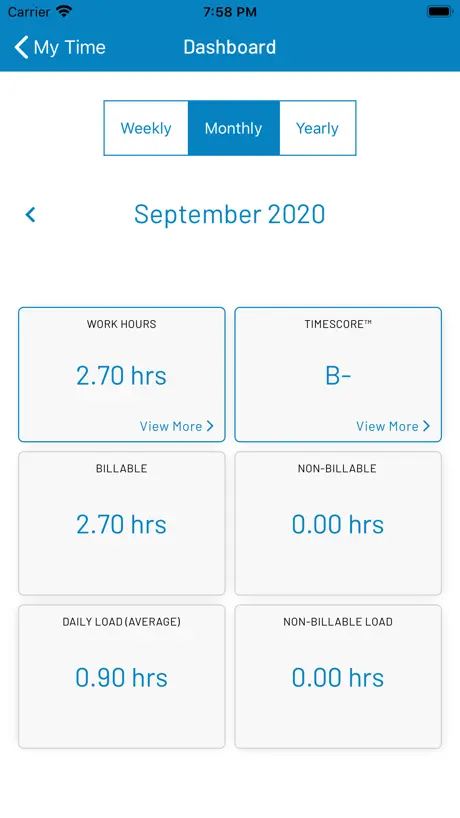
So far superior to the one on our office system that I enter my time in iTimekeep even when sitting at my desk. Can enter time quickly when out and about and appreciate the quick access to monthly totals.
Terrible
This is the most non-intuitive, unhelpful app ever. Nothing makes sense about it and it has a lot of random limitations. Do not recommend the app or iTimeKeep in general.
Frustratingly freezes and shuts down in middle of entry
Apparently others have had the same problem which has persist for me for the last 4 or so years but the developer does nothing to fix it after many negative reviews like this one. Frustratingly freezes and shuts down in middle of an entry.
CONSTANTLY CRASHES
Gutter tier app that crashes constantly and, thus, is essentially unusable. Really, really unintelligent people involved in the design and implementation of this app.
Poor User Interface
Bulky and blocky; screen space is eaten up by needless bubble-and-block design; priority is on graphical layout and not on usability or readability of substance
You’d think it’d work…
This app is inexplicably bad. The features are very simple (start/stop timers, add task descriptions), yet it still manages to fail to work properly in the daily. App is unresponsive to taps. App doesn’t let me stop my timer. What is going on? It’s 2024 not 2007. Such low levels of quality can only be explained by the supplier having entrenched itself with law firms and facing no serious competition.
Not very user friendly
Doesn’t give users recently used entries to enter very often; have to search for them. When searching for a client, app doesn’t return near misses when typing the client’s name.
Absurdly buggy; Terrible interface, barely useable
iTimekeep seems promising, but when you actually begin using it, it’s very frustrating. There is so much friction in the interface that makes putting in time a headache. The Apple Watch app is useless because it never connects. I receive a “login from the phone” message every time and the developer’s troubleshooting instructions do not solve the problem. For supposedly enterprise-quality software, this app leaves a lot to be desired. I’m lobbying my firm to look into alternatives. Update as of 1/9/23 - No improvements.
Shoddy DTE replacement
Slow, clunky UI, and generally worse all around than other options. Presumably it’s cheaper and thus popular with penny-wise, pound-foolish beancounters at cheaper firms.
Unreliable, unstable, loses draft time regularly
My experience is that the app is unstable if you’re using a mobile device (which of course you are if you’re using an app). I regularly lose draft time because of interruptions in service in cars, on trains, and on flights. Entering time is already a huge headache and having an unreliable app makes it even worse. Few things are as frustrating as entering a series of detailed time entries only to have them disappear before you can submit them. I recommend users considering iTimekeep find an alternative.
Keeps crashing
Any time I take a phone call, change apps or my phone goes to sleep the iTimeApp freezes and I have to crash the app and restart. Login again and everything. The clock keeps running so that’s good, but it ain’t working great.
App has different features than browser
I do not like the browser version either, but it has more features than the app, including calendar view for each month. I cannot view anything other than current month, which is very limiting. Also entering numbers for time with keyboard does not work- you have to click each number on the screen.
Does not work with dark mode.
Work description is blacked out.
iTimekeep FAQ
- Is iTimekeep free?
- Yes. The app is free, in all 74 countries it sells in, and it sells nothing inside it.
- Does iTimekeep have a free trial?
- No. None of its offers (US) come with a free trial.
- What are the best alternatives to iTimekeep?
- The ZO App (3.4 from 98 reviews), SpaceIQ (1.6 from 96 reviews) and Intapp Time Legacy (2.0 from 87 reviews).
iTimekeep download
Last updated 2 years ago.
iTimekeep sells in 74 countries. It was released 15 years and 2 months ago, on 26 Jul 2011. It holds a 3.1 rating from 191 reviews.
How much does iTimekeep make?
Third-party estimates for the last 30 days, worldwide — not the store's own figures, which Apple publishes for nobody.