pdf-notes for iPad
How much does pdf-notes for iPad cost?
Prices are current as of 18 Nov 2026.
pdf-notes for iPad has no in-app products on record in the United States.
pdf-notes for iPad download price by country
| Country | Price |
|---|---|
| South Korea | ₩17,000 |
| United States | $9.99 |
| Italy | €9.99 |
| China | CN¥68.00 |
| Germany | €9.99 |
| Spain | €9.99 |
| Brazil | R$59.90 |
| United Kingdom | £9.99 |
| India | ₹999.00 |
| Japan | ¥1,500 |
| Argentina | $9.99 |
| Australia | A$14.99 |
| Canada | CA$12.99 |
| France | €9.99 |
| Hong Kong | HK$88.00 |
| Mexico | MX$199.00 |
| Malaysia | MYR 49.90 |
| Netherlands | €9.99 |
| Austria | €9.99 |
| Switzerland | CHF 9.00 |
| Colombia | COP 49,900 |
| Czech Republic | CZK 249.00 |
| Denmark | DKK 89.00 |
| Greece | €9.99 |
| Hungary | HUF 4,490 |
| Jordan | $9.99 |
| Sri Lanka | $9.99 |
| Philippines | ₱599.00 |
| Russia | RUB 899.00 |
| Saudi Arabia | SAR 39.99 |
| Sweden | SEK 129.00 |
| Singapore | SGD 14.98 |
| Thailand | THB 399.00 |
| Taiwan | NT$320.00 |
| Belgium | €9.99 |
| Bulgaria | €9.99 |
| Bolivia | $9.99 |
| Chile | CLP 9,990 |
| Cyprus | €9.99 |
| Egypt | EGP 499.99 |
| Finland | €9.99 |
| Guatemala | $9.99 |
| Honduras | $9.99 |
| Indonesia | IDR 199,000 |
| Israel | ₪29.90 |
| Cambodia | $9.99 |
| Kuwait | $9.99 |
| Luxembourg | €9.99 |
| Norway | NOK 129.00 |
| New Zealand | NZ$19.99 |
| Oman | $9.99 |
| Panama | $9.99 |
| Peru | PEN 44.90 |
| Pakistan | PKR 2,900 |
| Poland | PLN 49.99 |
| Portugal | €9.99 |
| Romania | RON 49.99 |
| Slovakia | €9.99 |
| Turkey | TRY 499.99 |
| Trinidad and Tobago | $9.99 |
| South Africa | ZAR 199.99 |
| United Arab Emirates | AED 39.99 |
| Afghanistan | $9.99 |
| Antigua And Barbuda | $9.99 |
| Anguilla | $9.99 |
| Albania | $11.99 |
| Armenia | $11.99 |
| Angola | $9.99 |
| Azerbaijan | $11.99 |
| Bosnia & Herzegovina | €9.99 |
| Barbados | $11.99 |
| Burkina Faso | $9.99 |
| Bahrain | $9.99 |
| Benin | $11.99 |
| Bermuda | $9.99 |
| Brunei Darussalam | $9.99 |
| Bahamas | $9.99 |
| Bhutan | $9.99 |
| Botswana | $9.99 |
| Belarus | $11.99 |
| Belize | $9.99 |
| Congo, Democratic Republic | $9.99 |
| Congo | $11.99 |
| Cote Divoire | $11.99 |
| Cameroon | $11.99 |
| Costa Rica | $9.99 |
| Cape Verde | $9.99 |
| Dominica | $9.99 |
| Dominican Republic | $9.99 |
| Algeria | $9.99 |
| Ecuador | $9.99 |
| Estonia | €9.99 |
| Fiji | $9.99 |
| Micronesia | $9.99 |
| Gabon | $9.99 |
| Grenada | $9.99 |
| Georgia | $11.99 |
| Ghana | $11.99 |
| Gambia | $9.99 |
| Guinea-bissau | $9.99 |
| Guyana | $9.99 |
| Croatia | €9.99 |
| Ireland | €9.99 |
| Iraq | $9.99 |
| Iceland | $11.99 |
| Jamaica | $9.99 |
| Kenya | $11.99 |
| Kyrgyzstan | $9.99 |
| St. Kitts and Nevis | $9.99 |
| Cayman Islands | $9.99 |
| Kazakhstan | KZT 5,990.00 |
| Lao Peoples Democratic Republic | $9.99 |
| Lebanon | $9.99 |
| St. Lucia | $9.99 |
| Liberia | $9.99 |
| Lithuania | €9.99 |
| Latvia | €9.99 |
| Libya | $9.99 |
| Morocco | $11.99 |
| Moldova | $11.99 |
| Montenegro | €9.99 |
| Madagascar | $9.99 |
| Macedonia | $9.99 |
| Mali | $9.99 |
| Myanmar | $9.99 |
| Mongolia | $9.99 |
| Macao | $9.99 |
| Mauritania | $9.99 |
| Montserrat | $9.99 |
| Malta | €9.99 |
| Mauritius | $11.99 |
| Maldives | $9.99 |
| Malawi | $9.99 |
| Mozambique | $9.99 |
| Namibia | $9.99 |
| Niger | $9.99 |
| Nigeria | NGN 14,900.00 |
| Nicaragua | $9.99 |
| Nepal | $11.99 |
| Nauru | $9.99 |
| Papua New Guinea | $9.99 |
| Palau | $9.99 |
| Paraguay | $9.99 |
| Qatar | QAR 39.99 |
| Serbia | €9.99 |
| Rwanda | $9.99 |
| Solomon Islands | $9.99 |
| Seychelles | $9.99 |
| Slovenia | €9.99 |
| Sierra Leone | $9.99 |
| Senegal | $11.99 |
| Suriname | $9.99 |
| Sao Tome & Principe | $9.99 |
| El Salvador | $9.99 |
| Swaziland | $9.99 |
| Turks and Caicos | $9.99 |
| Chad | $9.99 |
| Tajikistan | $9.99 |
| Turkmenistan | $9.99 |
| Tunisia | $9.99 |
| Tonga | $9.99 |
| Tanzania | TZS 29,900.00 |
| Ukraine | $11.99 |
| Uganda | $11.99 |
| Uruguay | $9.99 |
| Uzbekistan | $9.99 |
| St. Vincent & The Grenadines | $9.99 |
| Venezuela | $9.99 |
| British Virgin Islands | $9.99 |
| Vietnam | ₫299,000 |
| Vanuatu | $9.99 |
| Kosovo | €9.99 |
| Yemen | $9.99 |
| Zambia | $11.99 |
| Zimbabwe | $11.99 |
10+ alternatives to pdf-notes for iPad
| pdf-notes for iPad |   Polaris Office Mobile | 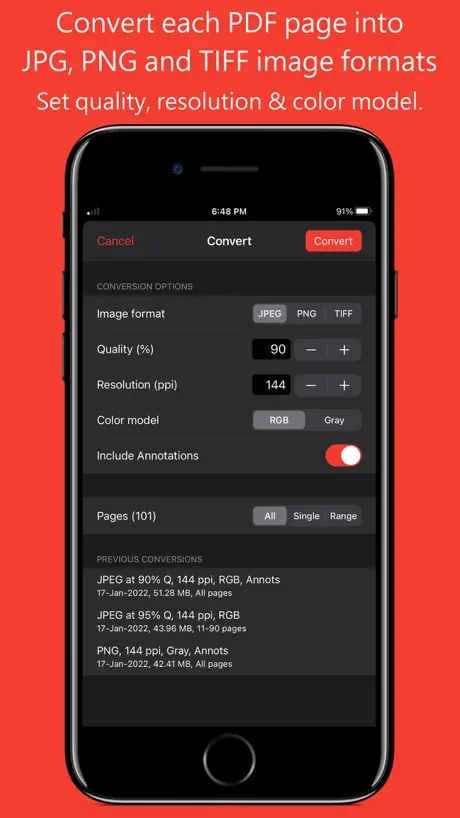  PDF to JPG - Converter |   KERoster |   Reader's Bench |   Aido - AI To-do Planner |   PDF to Markdown: Smart Export |   Eklo |   PDF to Markdown: PDF Lift |   AnyMarkdown - PDF to Markdown |   MWorks | |
|---|---|---|---|---|---|---|---|---|---|---|---|
| Rating / 5 | 4.1 | 4.6 | 4.7 | 4.8 | 4.2 | 5.0 | 1.0 | 5.0 | 5.0 | 5.0 | — |
| Reviews | 220 | 8.9K | 500 | 22 | 12 | 6 | 2 | 1 | 1 | 1 | — |
| Released | 2011 | 2012 | 2014 | 2025 | 2023 | 2026 | 2026 | 2026 | 2026 | 2026 | 2026 |
pdf-notes for iPad reviews
4.1 out of 5, based on 220 reviews.
What people like
- Works great on scanned PDFs without text
- Loads heavy graphics and large files fast
- Smooth handwriting annotation experience
What they complain about
- No split screen support
- Cloud backup is unreliable or missing
- App crashes frequently after updates
apple pencil pro
this app is so great!!!! and plz update about apple pencil pro....!
Crashes everytime I try to bookmark
Very disappointed. I have paid for this app and have been using it for years, but during the last week it’s been crashing every time I try to add a bookmark which makes it unusable to me. I have backed up my files and deleted the app and reinstalled. I have even updated my iOS but it crashes with the older 18.7.2 iOS version and the new iOS 26.2 version so I don’t know what’s going on, but the app is now useless and worthless.
Doesn’t support split view
This apps doesn’t support split view
애플펜슬 일부 부분 인식 불량
아이패드 프로 10.5 에서 애플펜슬 사용 시 액정의 특정 부분에 인식이 되지 않습니다. 손으로 하면 그 부분 인식이 잘 됩니다. 인식이 안되는 액정 부분을 다른 앱을 사용하면 애플펜슬도 인식이 잘 됩니다. Pdf 앱의 오류같습니다. 확인해주세요.
유료로 구매했던 어플이 사용안됨
구매복원을 누르라는데, 해당버튼은 활성화도 안되어 눌리지도 않음
Excellent app for heavy PDFs.
This is the only app that use to read most of my TTRPG books. This application handles heavy graphics PDFs like no other, and due to caching the pages you won’t have any ‘loading’ or blank pages when quickly accessing your PDFs. I find it amazing that anybody could use any other app for PDF reading after using this one. This application will definitely spoil you. I really wanna thank the developers for creating this app an let them know that your app is the ONLY one that I suggest to anybody that ever asks me for a pdf reader on the iPad. Thank you again.
유로 구매했는데 왜 광고가 계속 뜹니까?
업데이트 되고 나면 이런 일이 한 두번이 아닙니다. 빠른 시정바랍니다.
Night mode missing
I have been using your app for a few years now with great satisfaction. What I am missing is the night mode. Can you introduce it as soon as possible? If it is already available, Kindly let me know how to access it. Thanks, Swami
이미지 저장 문제 보고
아이패드 air2입니다. 현재 페이지 캡쳐 후 이미지 저장하면 앱 튕깁니다. 구글에 올려서 다시 이미지 저장 하는 방식으로 이용 중입니다. 업뎃 부탁드려요
업그레이드후 ……
업그레이드후 카톡에서 불러오기가 잘 안되고 일에서 내려받기가 잘안되는 현상발생 다시설치하니 이전 자료 사라짐 라이센스 복원 해도 안돌아옴 이 무슨일이고 ~~~~
Great App
I use this app for three years and always satisfied with it. It has enough functionality which works smoothly. After last update adding notes function close the app. I have tried it with different pdf and opening old notes do the same. Please fix the bug :)
The most worsts app
I use this app for a long time . I remove the app and install it with pay 9.99$ still have a stupid ads on it !!!
Cannot read a word with apostrophe while using search.
It’s been 3 years I encounter this bug. Had a hard time looking for files titled with words containing apostrophe.
CRASH CONTINUI!
Non è possibile che non posso scorrere tra le pagine senza che crashi in continuazione
구글드라이브 대량 파일 가져오기
구글드라이브에서 대량으로 파일을 불러오려 하는데 통신이 안된다는 문구가 뜹니다. 어떻게 해야 하나요?
Bug still not addressed : UPDATED
UPDATED REVIEW: I ended up trying to install the free version to see if that worked. I ran into the same issue as with the paid version so I uninstalled the free version. The very next time I launched the paid version, it worked. Perhaps an update for the paid version was stalled or something and the installation of the free version somehow cleared that. At any rate, the app now works again and upgrading to five stars because it’s not clear whether or not the issue has to do with the app itself and I’m otherwise very happy with it. Also, tech support did reach out to me fairly quickly with an alternative solution, which I ended up not being able to try. I have had the paid version for several years now and have been pretty consistently happy with the app and it’s improvements. However, since the two updates ago, I’ve been unable to launch the app at all. The launch graphic shows up on the iPad screen and then it simply shrinks to the background. It continues to run in the background, but it will not expand to full screen and is completely unusable as it is. There have been two updates since the problem arose, both for “bug fixes”, but the problem remains. What gives?
유료버전이 무료버전으로 바꼈음
유료버전 사용중. 갑자기 무료버전으로 바뀜 사용료를 내든지 유료버전을 사라고 함 유료버전을 다시 다운받음 유료버전 무료버전 두개가 설치됨 모든 자료는 무료버전에 있고 유로버전은 텅비었음 진짜 미치겠음 무료버전에 있는 자료들이 유료버전으로 옮겨지지도 않음 계속 무료버전 써야함 사기당한 기분
Would love to have multitasking
The app is great, opens pdf files very nicely and true to the colors, but could adapt to the ipad pro to provide with the multitasking features. I use this App very frequently and love the way the interface is made, simple and straight forward. Another feature that would make this app the best pdf reader would be to include palm rejection with the iPencil.
Hate the message on the palm rest.
Love the Shelf look, the gestures, picture addition and the inking option. But, HATE the message to "disable multitasking gesture in setting" that appear on the palm rest, having been requesting the developer to have and option to disable the message but seems the developer doesn't seem to care.
구글 연동 문제
PDF 유료버전 사용자입니다. 최근 업데이트 이후로 구글 드라이브로 연동하여 잘 사용했는데 갑자기 구글 연동이 사라졌습니다. 아이 클라우드와 통합 되면서 이제는 구글 연동을 할수 없나요? 아니면 기존처럼 구글 드라이브와 연동하는 방법이 따로 있는지요? 아니면 또 다른 pdf 노트 앱을 깔아서 사용해야 하는지요? 급합니다. 답변 주시면 감사하겠습니다.
Best app, wish it supported split screen
This has been my favorite app for many years, I have all my books and worksheets on it, I love the shelf formats for arranging my books, and I love the pen feature to add on my Notes. Now using the new iPad I feel disappointed that the split screen feature is not supported, that and the pen is the main reason I got the new iPad, I really hope you add the split function in the next update
빠른 답변/해결 부탁드립니다(유료버전)
이전 무료버전 잘사용하다가 글이안보이는경우가 많이 발생해서 유료버전 구입했는데 똑같은 상황이 발생하네요 Pdf ocr파일인데 책안의 내용이 글이 표시되지않고 흰색바탕의 아무것도 없는 페이지로 표시되네요 껐다켜봐도, 지우고 다시깔아도 계속반복됩니다. 요 근래 갑자기 이런상황이 벌어지는데 다른앱에서는 문제없이 되는데 단어검색이 pdf노트만큼 빠르고 편하지 않아서 유료버전 구매해봤지만 똑같은 상황이 발생했습니다 왜 pdf노트에서만 이러는지 해결부탁드립니다
I love this app but..
I loved the free version so I got the paid one. Intuitive, easy, import pdf directly from the web and save.. it's awesome!!! The reason I gave a 4 star though is because I wish it had a way to easily backup all annotated files to cloud. I have some important notes on mine and would hate to lose it if i lose the ipad. I'd be willing to pay extra bucks if pdf-notes upgrade to include a cloud backup.
Lost files
The actual function is great, but when I upgraded from Notes free to the paid version, it loaded over all of my annotated files--work files, short stories, e-books. It all looked kosher, so I deleted the free version of the app. Poof! All of my files were deleted from my paid version of the app too. So basically I paid $10 to lose all of my files. Extremely frustrating.
앱을 업데이트 했더니 이상해요
앱을 업데이트 했는데 반응속도가 느려져서 펜슬로 원을 그리면 선이 펜을 못따라오고 원도 이상하게 그려집니다 그리고 형광 펜슬 색상도 이전것이 좋았는데 왜 진하게 바꼈는지 모르겠네요 형광팬의 색상 진하기도 설정할수 있으면 좋겠네요
Best app to read pdf books!
I've tried many pdf apps to read pdf files of old books I download from Google Books (usually printed before 1900) and this app is the best! Many of those old books used very small print and I enlarge the pages to make them easier to read. PDF Notes allows me to instantly move around the enlarged pages without the highly annoying lag and temporary blurriness of other apps. I can also easily download books from Dropbox and Google Drive. My only request would be to allow selection of which page to show on the shelves. Google Books all have the same first page so all my books look the same. I'd love to pick which image to use. I understand I can change the color of the icon, but I'd much rather have the actual book cover, which means selecting a different page than the first one.
유료앱 유클라우드 안되나요?
드롭박스 구글드라이브는 있는데 유클라우드가 안떠요 유클라우드 된다해서 유료앱을 구매했는데 아무리 찾아도 없어요 ㅜㅜ
Great PDF viewer and mark up tool
Is there IOS7 version in the works. This app is awesome but looks quite dated.
ペン機能が使えなくなる
打ち合わせや会議のメモに重宝して、しばらく使っていましたが、ごくたまにペン機能と消しゴム機能が反応しなくなります。 そこが残念。
유료버전 사용중에…
갑자기 광고가 뜨면서 구입하여 광고를 제거하라고 하네요. 어처구니없게도. 재부팅하여도 계속 반복 현상 나와요. 빨리 조치바랍니다
Amazing app
The PDF notes is amazing. The new update allows PDF notes to be on the "open in" menu. Very nice. The best thing about this app is the speed of PDF regeneration, access and editing. My only request is: in a future update please add a text tool without the "post it note" feature...I.e. real text on the PDF. And add cloud back-up. Thanks...great work...this is by far the best PDF app out there.
hi
is working but not good for ios9 i think the company is close is not any new update !!
Great but flawed tool
This is a great text reader and note take but there are a few buggy and weird things. Highlighting text starts fine but when expanding it, the highlights go all over the place. That's a bug that I'm sure will be worked out, but something that seems a strange choice is how text is written. When I hold my finger down a text box pops up for me to fill in, but the middle of the box is where I place my finger, instead of the beginning. Not very intuitive. Who thinks place text based on the middle of a sentence? It would be so much simpler to use if the text began where I placed my finger. Instead, every time, after I type, I then need to reposition the text. Those are some complaints, but it really is great otherwise.
Disappointed!
I was REALLY excited about this app at first - I bought the full cost version after poking around a bit with the free one. It is super easy to use. Navigating and making annotations works very very well after you get the hang of it, especially the ability to change pens with a tri-finger tap, undo by swiping with three fingers, easy navigation by swiping with two fingers, etc. I was well impressed and spent 3 hours annotating a paper for a colleague. Unfortunately, when I tried to send it to her, she received a mess with all my errors, scribbles and erased annotations! SO disappointed! This is a great tool if you are a student looking to annotate for yourself, but not useful if you want to share annotated files. Wished I'd tried sending one before buying the full version.
화면에 두 페이지 함께 보게하는 기능 만들어 주시면 안될까요?
그것만 되면 가장 완벽한 앱이 될거 같은데.. 그리고 pdf에 있는 텍스트를 복사하면 뛰어쓰기가 다 생략된 채 복사가 돼서 붙여넣기 할때 많이 불편해요. 띄어쓰기도 고려해서 복사되었으면 좋겠어요.
Great for school
I've used this during undergrad(for 4 years), and still my top choice now. Currently using it in medical school, and love it still. Thank you... (doctor recommended lol)
No me deja actualizar la APP
Spanish - He comprado la App y no me deja descargar las actualizaciones.... Muy mal.
Love it...but two requests
I totally love this app. I use it all of the time for school and have used it for almost a year now. I love the new text feature that allows you to type in notes as well as being able to highlight behind the text. Two thing that I would like to see added in the future is the ability to add a picture into the PDF from photos and being able to delete a page. Otherwise...COULD NO LONGER LIVE WITHOUT IT!
ma come si esporta un pdf?
quello che fa, lo fa bene, ma è quello che non fa il problema! avevo la versione free e pensavo che la funzione di esportazione in pdf con le modifiche fosse prerogativa della versione a pagamento, allora l'ho comprata. ma la funzione sul menu non si è abilitata e il messaggio è sempre lo stesso: "this file contains encripted contents so that current version can not export your writing notes....! ma che significa? la presenza sul menu di una funzione che non viene abilitata neanche comprando la versione integrale (che non costa poco...) è solo uno "specchietto per le allodole?" sono deluso.
Freezing issue
When I switch from pencil to eraser and vice Versace, the app freezes and I have to close out.
Best app
I've been using this app for many years. It has everything I need for pdf reading and annotation. Display speed is really good. I give lectures at school using this app. Worth 5 star!!!
Looks good on the surface but ultimately is a let down.
I tried the free version and thought "Great! iBooks with added functionality". But the reality of the app is that it is in my opinion sorely lacking. I had been using iBooks and liked the bookshelf arrangement where I could see the covers but was disappointed with the lack of annotation and the fact that you couldn't move the PDFs out of iBooks without connecting your iPad to your laptop via iTunes. With this app I could both annotate and email and/or use Dropbox etc to move and back up my files. But that was where the excitement ended. First at £6.99 it is 2-3 times more expensive than what else is available out there. Secondly it cannot cope very well with bulk imports of PDFs. I have a large selection of books and even though they can be bulk imported, once imported each individual file then needs to be pre-loaded again and this takes a) considerable time and b) the full book cannot be accessed until it has gone through this process (though you can access what has been loaded as the process continues). For myself who likes to, and needs to, have very rapid access to my books and papers etc this renders the app basically unusable. Thirdly, another 'bug' is that I have just noticed that there are gaps in the bookshelf where books should be. On tapping the space I notice that an unloaded book (as in the second point above) is actually present and only shows itself once this space has been tapped. So I have no idea what's missing even until I tap this space. Not very helpful at all. This could be a great app but isn't. Until these bugs/issues get fixed I am using other (better) products out there. I would really like a refund as it is, for me at least, unusable in its present form.
Auto-uploading
If this app could link to the cloud and auto-upload/sync that would be great. As of now, each time you save your annotations to the cloud it creates a new file, even if you're just uploading an edited version of a file already in there.
leider nicht für das iPad 2 und HDMI-Adapter / Zoom geeignet
Hatte mir das App gekauft, um damit Präsentationen (mittels Apple HDMI Adapter und Beamer) zu zeigen, in denen ich zeichnen kann. Leider funktioniert das zoomen dabei nicht. Ich hoffe auf ein Update, damit sich das Problem löst, ansonsten ist das App ok. Die Zoomfunktion ist aber so wichtig, dass ich das App so noch nicht gebrauchen kann. Nehme daher nun Apples iBooks und einen Laserpointer, bis hoffentlich ein Update geliefert wird.
Freezes up a lot since recent update
I’m frustrated by the app freezing and not executing edit commands. Using ios 11 on an ipad Air. It happens once an hour or two as I’m marking papers. Each time I need to reboot the ipad (not just the app), and it’s really testing my patience. Anyone else having this problem?
It just works
UPDATE: Still the best; and the only PDF annotation app that can highlight docs that don't have OCR-able text. As a PhD student, I spend a great deal of my time reading and editing PDFs. This app has, in the months I've been using it, become the core of my workflow. It allows me to highlight and annotate with my own hand, regardless of whether the file is a scanned image of an old book (without OCR text) or a modern PDF with searchable text. Dropbox integration has been flawless. The app lets me save the original (unedited) file and versions with my notes and highlights on them. Put simply: it just works.
Do not buy it
This is very unreliable software. When uploaded I lost all my hard work files for my thesis. Although bug fixed, on later version , I lost many important files. Better to use kindle or iBook . I wish to rate 0 .
Too slow to open a new file
It takes 2~3 minutes to open a 6Mb file.
PDF editor
A great app - if only there weren't so many bugs. Crashes every time you try to email the annotated PDF. :-( Also - failed to import all previous dice when upgraded to paid version.
Bad update
I loved and depended on this app however today, after loading the the newest iOS I cannot load any new PDF's. The screen simply goes black, then back to the desktop. Please fix it.
pdf-notes for iPad FAQ
- Is pdf-notes for iPad free?
- No. pdf-notes for iPad costs $9.99 (US) to download.
- Does pdf-notes for iPad have a free trial?
- No. None of its offers (US) come with a free trial.
- What are the best alternatives to pdf-notes for iPad?
- Polaris Office Mobile (4.6 from 8,865 reviews), PDF to JPG - Converter (4.7 from 500 reviews) and KERoster (4.8 from 22 reviews).
pdf-notes for iPad download
Last updated 7 months ago.
pdf-notes for iPad sells in 175 countries. It was released 15 years and 9 months ago, on 3 Feb 2011. It holds a 4.1 rating from 220 reviews.
Supports 2 languages: English, Korean.
How much does pdf-notes for iPad make?
Third-party estimates for the last 30 days, worldwide — not the store's own figures, which Apple publishes for nobody.