
myTracks - The GPS-Logger
How much does myTracks - The GPS-Logger cost?
Prices are current as of 7 Oct 2026.
2 subscriptions from $0.99
In the United States, myTracks - The GPS-Logger has 2 subscriptions priced $0.99 – 4.99. It comes with a 14 days free trial.
| Subscription | Period | Price |
|---|---|---|
| myTracks Premium | Monthly | $0.99 |
| myTracks Premium | AnnualTrial: 14 days | $4.99 |
8 one-time purchases from $0.99
In the United States, myTracks - The GPS-Logger has 8 one-time purchases priced $0.99 – 2.99.
| Product | Price |
|---|---|
| Arizona | $0.99 |
| California | $0.99 |
| Colorado | $0.99 |
| Florida | $0.99 |
| New York | $0.99 |
| Oregon | $0.99 |
| Texas | $0.99 |
| Extension Pack 1 | $2.99 |
See what myTracks - The GPS-Logger costs in all 175 countries →
10+ alternatives to myTracks - The GPS-Logger
| myTracks - The GPS-Logger |   GPS Tracks GPS Tracks |   RouteHistory RouteHistory |   GeoTracker Lite GeoTracker Lite |   Track My Journey - Travel Log Track My Journey - Travel Log |   FollowMee GPS Location Tracker FollowMee GPS Location Tracker |   MyTracks: GPS Recorder MyTracks: GPS Recorder |   WayLog - Simple GPS Tracker WayLog - Simple GPS Tracker |   Open GPX Tracker Open GPX Tracker |   Geo Tracker - GPS Tracker Geo Tracker - GPS Tracker |   GeoLogger - GPS Speedometer GeoLogger - GPS Speedometer | |
|---|---|---|---|---|---|---|---|---|---|---|---|
| Rating / 5 | 4.1 | 4.7 | 4.6 | 4.5 | 4.6 | 4.4 | 4.7 | 4.5 | 4.1 | 4.5 | 4.5 |
| Reviews | 886 | 37K | 7.8K | 2.9K | 2.8K | 2.7K | 1.3K | 722 | 722 | 540 | 435 |
| Released | 2010 | 2011 | 2019 | 2021 | 2017 | 2013 | 2019 | 2022 | 2015 | 2024 | 2017 |
| Monthly price | $0.99 | — | $12.99 | — | $9.99 | — | — | — | — | — | — |
| Annual price | $4.99 | $29.99 | — | — | $59.99 | — | — | — | — | — | — |
| One-time price | $0.99 | $2.99 | $14.99 | — | $29.99 | — | $9.99 | — | — | — | — |
The going rate for each plan in United States, in its own currency, shaded from the cheapest price on the row to the dearest.
myTracks - The GPS-Logger reviews
4.1 out of 5, based on 886 reviews.
What people like
- Simple and easy to use
- Does not collect your data
- Works well without cell service
- Great for logging work routes
What they complain about
- App freezes and crashes often
- Tracks disappear after restarting phone
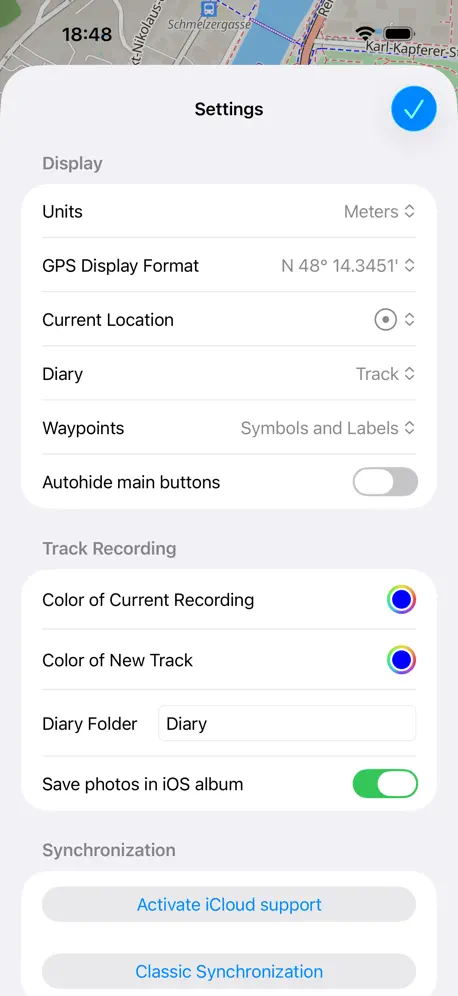
- Hidden settings menu is confusing
- Drains battery very quickly
Works good for garbage men
I use this app to keep track of my garbage routes. I pull it up side by side with the paper route map I’m given to see what streets I’ve finished / still need to go down. Works great for that
Neat app, no functionality.
I like everything this app promises, there’s only one problem, it doesn’t work at all!!!! I fiddled with the saying for more than long enough and it didn’t even record my track after I stopped recording, there was no tracks saved. It’s a shame, none of the other apps promised what I needed but I guess I’ll have to go with one of those now.
Just one issue: offline maps
This is an extremely well thought through app with a clean UI. Some most useful features include a diary/journal mode which is perfect for worry-free geotagging photos with minimal penalty on battery and storage, as well as a clever short recording mode. However, the offline maps are raster type as explained in QA. I wasn’t able to make them work. Any attempt to zoom makes the map disappear and only hill shades are displayed at best. Is there a way to use a different (paid?) server for vector OS offline maps - for those who value this capability and are willing to pay a premium? Currently, I have to keep AllTrails/Komoot as a backup for offline use.
Don’t pause
If you pause a recording and restart later, myTracks doesn’t remove the paused section which makes a mockery of your statistics. Distance travelled and time taken should be removed from the GPX file. Only 2 stars for this.
Problem
It won’t allow me to record anymore it just froze. I don’t know what to do I have tried everything I know how to do. Should I delete and reinstall?
I am happy now but I need something
myTracks now supports Shortcuts for starting and stopping recordings. For route work, the most important missing action is the ability to add a flag/waypoint/marker at the current GPS location from Shortcuts while a track is recording. I use route tracking for work routes. I need to mark stops or events hands-free or with one tap, without opening the app. Existing route-tracking apps are too bloated, but myTracks already has the tracking simplicity right. Adding shortcut-accessible flags would make it much more useful for field work, deliveries, hauling routes, inspections, and similar real-world route logging. Requested Shortcut actions: * Add waypoint/flag at current location * Add waypoint/flag with custom name * Add waypoint/flag with dictated note * Add waypoint/flag with preset category * Optional: attach photo to current location marker * Optional: return current recording status * Optional: return current track name or ID
Doesn’t record anything
So I clicked Record button on the Watch, then after a hike clicked Stop. Now what? Where is recorded track? The app on the iPhone is empty. This is version 7 of it. So after 7 major updates it’s still a lemon. Like waaat
Working man's app
You perfect for garbage truck driver or anyone that does routes
No indication when “Premium” is required
I was testing the “free” version and about 3 miles into my walk a “premium is required to use this” popped up so I had to subscribe to get back to my route. I didn’t see where there was a time or distance limit that required paying to exceed. Very irritating.
App freeze
I’ve been using this app for work everyday, it just started to freeze the screen. I would go to zoom in and my map would be frozen and I’m unable to do anything. I’ve also had my phone completely shut down while using this app. Hoping with the new update it’ll work better. Planning on updating my phone tonight.
Wonderful app
Simple and straight to the point. It does everything it advertises perfectly and does it all without collecting any user data!
Frozen
Opened this morning to a frozen screen. Not sure why.
Like it. Data safe.
I’ve been using this app for many years now. It does what I want it to do, tracking, recording. It gives me an off-line OSM. And, most importantly, IT DOESN’T EXPLOIT MY DATA. My only request: a pro version with all the premium functions. I don’t do in-app purchases, but I don’t mind paying more for the app.
Stopped working
I loved this so until it glitched and can’t open at all anymore
Was free, now pestering me to pay
Have been using the app free for over a year. Now it says I need to pay $4.99/year for premium just to record a track. Why did it change?
myTracks review
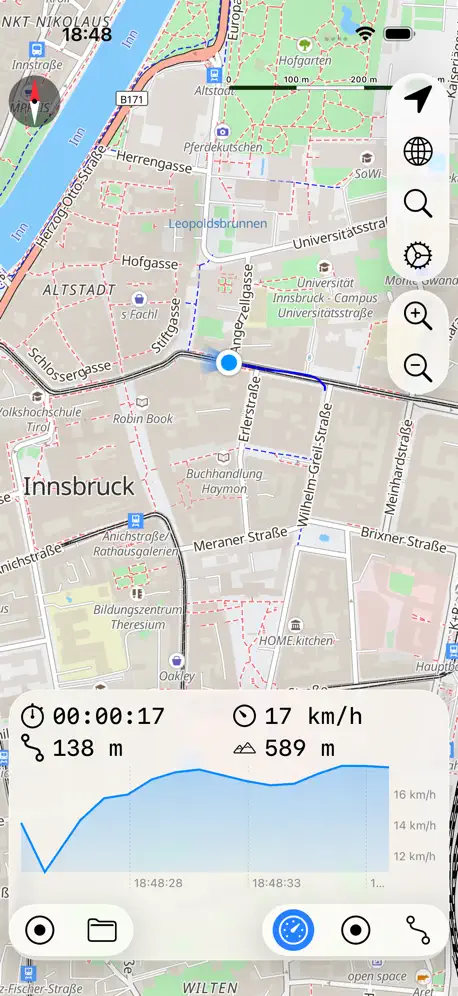
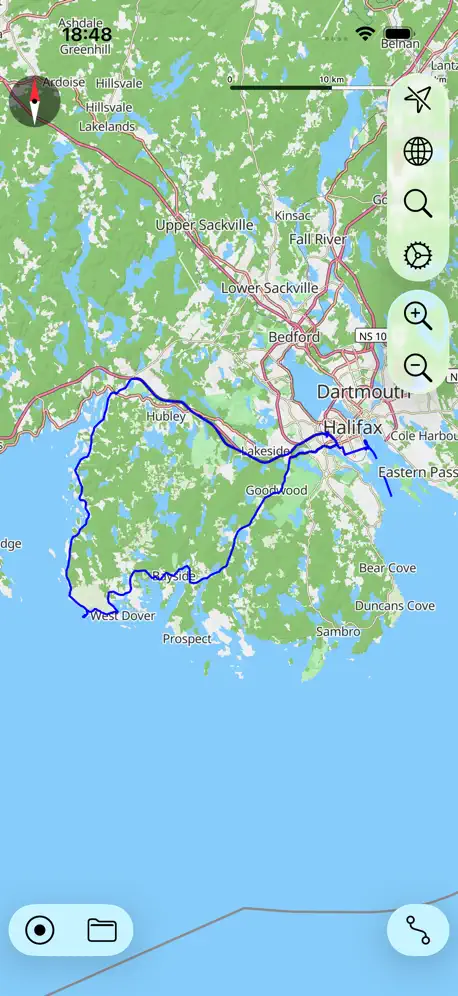
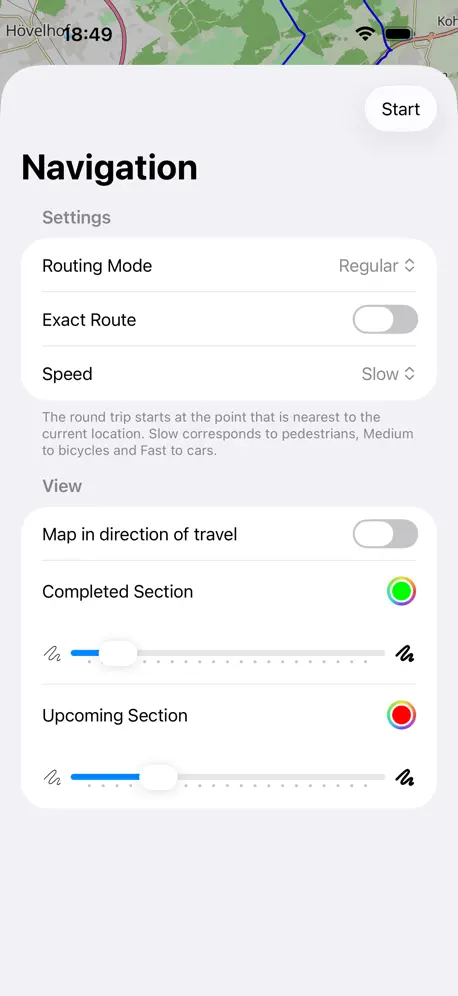
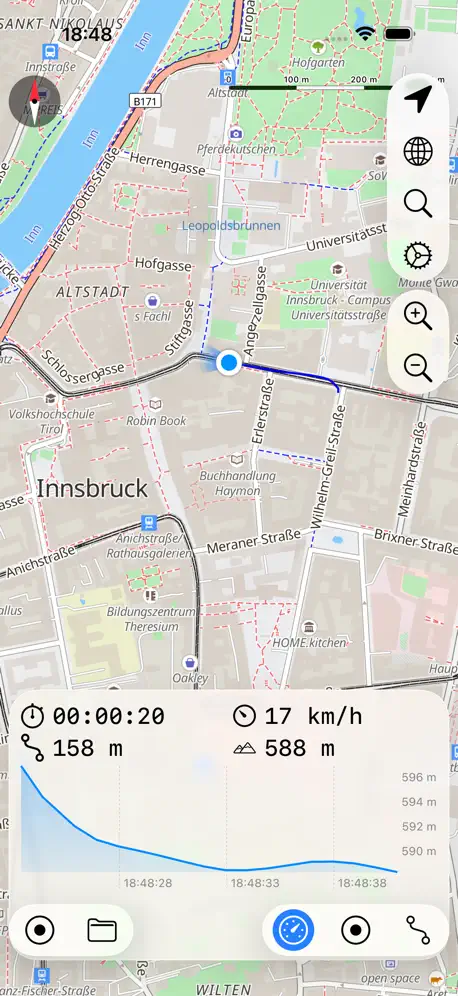
Excellent GPS app for recording hikes. Plus: low cost offline subscription, vector Open Street Maps reduce storage, multiple map areas download, iCloud sync with Mac app, track photos, statistics: length, duration, elevation profile, speed profile. Minus: offline map rotation is jerky.
Unresponsive...
Used this app for a couple of years and it perform well. Now after completing a long trek from WA to CA the app will not save the track to files and reset. So every time I try to stop recording and start a new tract the app simply closes and forces me back to my home screen. Trying to use support and email the problem description to the developer generated zero support. Bad App!!
Version 7.0.2 won’t launch
Generally love this app but just want to report iOS version 7.0.2 won’t launch - it crashes immediately on my iPhone 8+ running iOS 13.1.2 so please fix because I had to dig out my old garmin today.
Stopped working completely
I have use this app for about five years. It has always been dependable. I ride a donkey or horses. I need this app to work for exercise rides. I need to know how far I go and how long it takes. Three rides ago it just stopped. This morning I updated and loaded the map at the house. Drove the truck to the trail head which is about a half a mile away and it just stopped working again. It shows where I’m at but nothing else.
It recorded part of my travel well…
When I got home, after completing an all day road trip myTracks only recorded part of the journey. I didn’t quit it at anytime…so that blows.
Did 60 Mikes of Snowmobile Trails - Awesome
We needed a quick easy solution for all our volunteers to map our snowmobile trails, which is required every three years. the myTracks app hit the nail right on the head. We couldn’t be happier simple to use simple to download email files to our administrator all GPX files ready to convert to shape files. I highly recommend it for everyone.
11/01/19 Update crashes when opening
iOS 12 on iphone 7
Decent
Use it only to track where I drive. But I noticed that it doesn’t let me track all my driving on one map; every time I stop recording and start again it creates another file and separates my tracks, which is not what I want it to do. When I use the “pause recording” function to solve this, the recording stops but the timer continues...so the timer would constantly be running on my phone while I’m not using it. A resolution to these simple things would make this app fantastic.
No longer records tracks accurately
Misses too many points for this version to be of any use. Gps doesn’t seem to work properly any more.
Worked beautifully – for a while
I was all set to give this ⭐️⭐️⭐️⭐️ or maybe even 5, when all of a sudden this morning it positively refused to work. Opened multiple times, each time to a screen freeze. But for ten days it gave very accurate plots of my walks (all in the 2- to 7-mile range), in real time etc. I was going to inquire whether you were considering extending this to the GoogleMaps route tracking that do-no-evil removed… I have 186 maps of previous walks (in Italy) just waiting to back up on my website… But question now moot until this is fixed. It may be an interaction with the mos recently issued iPhone system?
Nice app
I really want to thank the developer for making a real nice free app and continually updating it and making it better. I’ve only used it occasionally to walk trails on mine and my parents property and make satellite image maps with the tracks overlaid on them. It’s a great way to visualize where you’ve been.
Why did you break it?
I am really sad. This worked one year ago. Now I updated and the new version won’t record my tracks, I can only see my old ones from last year. It shows me where I am so I know the location works. Even the diary updates. But although it claims to record tracks, timer runs and everything, no new tracks are there once I ask it to stop recording. I am deleting it, very sadly, and trying new apps. I used to live this app.
Does what I want
Unlike most of the GNSS logging apps this doesn’t try to be a social network app. It also works just fine even without cell coverage. It is simple, does what I want and does do what I don’t want.
They screw you at the end
Great software, works well. But if you want the tracks you made PLEASE PAY!! As well as them gathering your track data for for marketing who knows what. They win both ways. On sell your private data and ask you to pay to get it out. Typical, makes me want to write my own that will not screw you over.
Ability to edit tracks name after saving a track
Overall app is okay.
Very Flexible
This app is very flexible in its recording options. I have tried both the Diary mode and the normal mode. Both worked fine. I’m going to stick with the normal mode for more detail at the expense of more battery usage. I will use it to record tracks of my vacation travels and upload the GPX files into Google Maps.
Disappointing
The app writeup fails to mention that there is no way to export the data other than to buy the Mac OS app for $17.99, or purchase an “extension” for 2.99. The app is worthless if you can’t export data, so why not just ask for $2.99 up front? Be *honest* about it!
Adding pictures and Waypoints
The inability to add sync waypoints between the mobile and desktop apps is the only reason this app is not my go-to for GPS tracking. Please consider this! Also, the ability to add pictures to a track AFTER recording (like the desktop app), would be great!
Can no longer export data
When I downloaded this app about two years ago, I could export the data to Google Earth, display the track, elevation profile, and speed. Now I need to fork over $2.99. No thanks.
Privacy options
Seems to work ok. The No and Always tracking options are a bit rubbish though. An Only When Using The App option would be better.
I’ve used this app everyday for the past 2-3 months.
I was hesitant at first because I did see some negative reviews, especially ones suggesting that the app suddenly stops working for them. However, I believe the development team has taken note of these reviews and problems and actually fixed them. Not only that but the app is free compared to many others on the App Store that do the same thing, and the only one out of at least 10 that efficiently tracked my vehicle. I use it to track my drives through neighborhoods and it worked perfectly everytime. I think the reviews are low because of past problems with the app, but believe if downloaded today that you will prob have a better experience with it. Would suggest the app to allow up to 3 files. Each that hold a separate map lined out wherever you traveled but only when you access that specific map. I use this app to build a map and keep track of all the roads I drive on. There is only 1 map already marked and if I wanted to track a run or use the app for any other purpose I have to completely delete my progress to start another. If the map and its track could be saved to reopen and continue to track later this app will be golden!
Horrible Business model change
Already purchased ability to download offline maps, but they switched to pay for regions and you have to pay again to use. Not a fan. Not going to pay again. Not going to use anymore. Too bad!
Almost perfect
I think I had a minor learning curve at the beginning. Maybe a brief FAQ about tips and apparent quirks would help newbies. I’ve used this app long enough now to understand how it works. Free offline maps would be great, but not if that requires a bunch of ads found in other apps. My biggest gripe (and it’s really a small gripe) is that all new tracks are always added to the bottom of the list, no matter how it’s sorted. After two years of tracks, it takes a while to scroll. All in all, this is a great app. It may or may not have been one star all those years ago, but it’s four or five stars now.
Battery Life Eater!
Neat app, but it eats battery life on my 1st gen Apple Watch, even tho not using the app. Will wait for updates to this issue before using the app to track workouts.
A little disappointing
The app does what it says on the tin. However, I have been using it to track a road trip across the US this week and 2 out of the six days haven't tracked properly. I get to the end of the day and realise it stopped recording around midday.
Bait and switch? Nope, just a glitch
Update 2021-05-19: Since I complained about a feature that disappeared, it’s only fair to acknowledge that it’s back with 7.2.1, so I can relax and enjoy the other improvements. A great app that works well. Previous review: Been using this for a couple of years and quite happy with it. Today a notification of an upgrade to 7.2.0 with some features that sounded good. The notification didn’t mention that from now on I won’t be able to open a track in a different app unless I pay. Note that opening a single track in another app, e.g., File Transfer, has been free until now. I don’t begrudge Mr Stichling the few bucks but I can’t help feeling this was a sneaky way to get it. Also, why would anyone want to upload a single file as a zip archive?
Good idea but a horribly buggy battery hog
The idea is great but the app doesn't really work. If you accidentally close the app, or the battery dies, or your phone restarts you have to start a new track. It's also a huge battery hog even when running just in the background. When using it it's responsible for 30% of my battery drain just tuning in the background. The Geotags app suffers from none of those problems.
Could be easily improved
The map packages are too big, if the UK could be split by county it'd be significantly more useful.
Crashing
Great app, but it keeps crashing all the time. I’ve removed it, reinstalled it and rebooted my phone but still keeps crashing
Can't publish to social networks
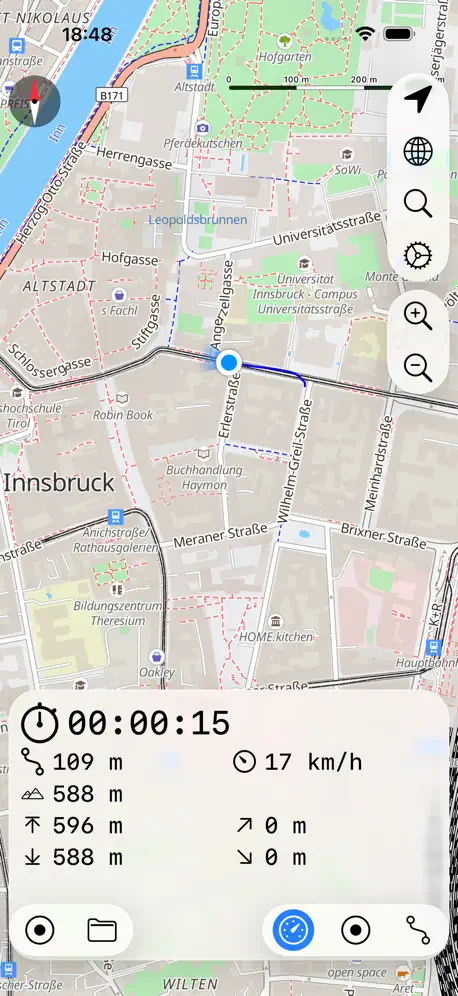
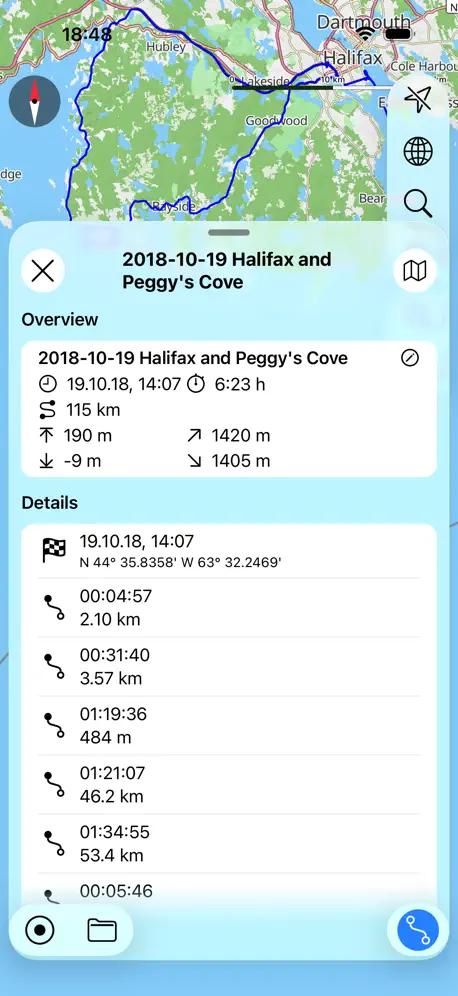
I do a lot of exploring and wandering around in new places, so wanted an app that could use GPS to plot my route for a day, but that wasn't fitness focussed. And in that regard, this app is perfect. You set it to start recording, and it will map everywhere that you go. You can also take photos and they will be plotted to their exact location on your route, so you can easily find that shop or restaurant that you want to return to. Or if a photos is not appropriate, you can add little markers to your map. It does all of this perfectly, and tells you other information about your route such as elevation and how far you've been and how long you've been recording for, all the while not using up too much of your phone's battery (in my experience). In terms of recording your route, I couldn't ask for anything more. Where this app falls short though, is once you're home again. The layout of the app manages to be basic and confusing at the same time, and there is no kind of tutorial or help section; you just learn by doing. But having spent a long time exploring the app, I'm struggling to export my routes to anywhere useful outside the app. And I've bought the IAP. The description says that you can publish your maps to social networks. You can't. You can email them but... well who cares? If I could send my maps and photos to my friends on Facebook, or publish them to my Facebook news feed, this app would be absolute gold. I could easily show people where I'd been and what I saw there. There isn't that option though. This app will be very useful for my own personal use; for recording where and how far I go in a new city. It's not a good app if you plan on sharing your maps with others though, and it's where this app falls short. Hence only three stars.
Deleted files
Is there a way to recover deleted tracks?
No speed profiles in free mode, description doesn't tell you
Until this changes, beware.
Great gps tracker
This app has come a long way!
Lacks user friendliness
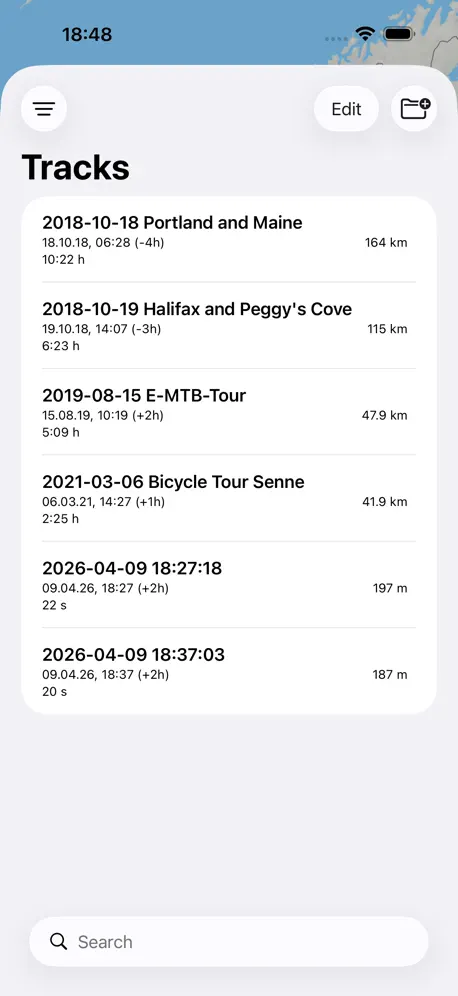
"Settings" menu hidden under the Favorites/Bookmarks menu in a weird left right left arrow pattern. Normally "Settings" are found under the app settings in iOS settings or under a gear icon or 3 horizontal lines as google has forced upon us. The settings menu would also be a good place to put accuracy, map type, empty map cache, syncronization settings, and other miscellaneous things. Instead, they are scattered throughout the "record" button, "world/map" button, and hidden in weird places. I don't know how to add a bookmark/favorite yet. I also am not sure how I'm supposed to move the files into a folder. There is no "move" button, though there is a custom sort option (hold the "settings" icon on the individual track while editing tracks) which lets you drag 1 individual track up or down. Selecting multiple tracks does nothing other than let you mass delete. Turning on and off recording is usually a one touch thing, but on this app there's no big red record button. Instead you have to press 2 times. The maps are nice, but I found the "best" accuracy a bit too accurate for stops. I have since lowered the accuracy to hopefully get a better average reading, because I care about my average more than the exact distance. GPS is notoriously inaccurate for single points and inside buildings. I would appreciate a 500m option for accuracy as well. 3 km is a bit steep. I recently came from "My Tracks" on google play and was disappointed that there was no iOS port even though it is open source. While I use "myTracks" I don't really like it because it's not easy to use. I like the lack of features which keeps the program simple, but it's poorly executed.
Good functionality, UI/UX could use a little help
I have been using this app to track mileage on horseback and it's working really well. My two complaints are: 1. It only seems to track in metric, which means I have to do mental calisthenics to convert to the miles that my American brain thinks in. 2. I cannot seem to find a settings option or other means to allow me to name my tracks. The example track is named, but I can't seem to call mine anything but what it defaults to, which at the moment is fine because there are only three of them, but will become less so as I map out more of my regular routes and the list grows longer.
myTracks - The GPS-Logger price by country
A one-time purchase costs $0.70 in Canada and $1.59 in Hungary — 2× more for the same thing. Below is the going rate for each plan in every country that sells it — the middle price of what the app charges there, in the country's own currency with the dollar equivalent beneath it.
| Country | Monthly | Annual | One-time |
|---|---|---|---|
| Afghanistan | $0.99 | $4.99 | $0.99 |
| Albania | $1.19 | $5.99 | $0.99 |
| Algeria | $0.99 | $4.99 | $0.99 |
| Angola | $0.99 | $4.99 | $0.99 |
| Anguilla | $0.99 | $4.99 | $0.99 |
| Antigua And Barbuda | $0.99 | $4.99 | $0.99 |
| Argentina | $0.99 | $4.99 | $0.99 |
| Armenia | $0.99 | $5.99 | $0.99 |
| Australia | A$1.49$1.04 | A$7.99$5.59 | A$1.99$1.39 |
| Austria | €0.99$1.11 | €5.99$6.74 | €0.99$1.11 |
| Azerbaijan | $0.99 | $4.99 | $0.99 |
| Bahamas | $0.99 | $4.99 | $0.99 |
| Bahrain | $0.99 | $4.99 | $0.99 |
| Barbados | $0.99 | $5.99 | $0.99 |
| Belarus | $0.99 | $5.99 | $0.99 |
| Belgium | €0.99$1.15 | €5.99$6.96 | €0.99$1.15 |
| Belize | $0.99 | $4.99 | $0.99 |
| Benin | $0.99 | $4.99 | $0.99 |
| Bermuda | $0.99 | $4.99 | $0.99 |
| Bhutan | $0.99 | $4.99 | $0.99 |
| Bolivia | $0.99 | $4.99 | $0.99 |
| Bosnia & Herzegovina | €0.99$1.15 | €5.99$6.96 | €0.99$1.15 |
| Botswana | $0.99 | $4.99 | $0.99 |
| Brazil | R$3.90$0.76 | R$29.90$5.85 | R$6.90$1.35 |
| British Virgin Islands | $0.99 | $4.99 | $0.99 |
| Brunei Darussalam | $0.99 | $4.99 | $0.99 |
| Bulgaria | €0.99$1.15 | €4.99$5.80 | €0.99$1.15 |
| Burkina Faso | $0.99 | $4.99 | $0.99 |
| Cambodia | $0.99 | $4.99 | $0.99 |
| Cameroon | $0.99 | $5.99 | $0.99 |
| Canada | CA$0.99$0.70 | CA$6.99$4.92 | CA$0.99$0.70 |
| Cape Verde | $0.99 | $4.99 | $0.99 |
| Cayman Islands | $0.99 | $4.99 | $0.99 |
| Chad | $0.99 | $4.99 | $0.99 |
| Chile | CLP 890$0.96 | CLP 4,990$5.38 | CLP 990$1.07 |
| China | CN¥6.00$0.89 | CN¥38.00$5.65 | CN¥8.00$1.19 |
| Colombia | COP 4,500$1.45 | COP 29,900$9.62 | COP 4,900$1.58 |
| Congo | $0.99 | $4.99 | $0.99 |
| Congo, Democratic Republic | $0.99 | $4.99 | $0.99 |
| Costa Rica | $0.99 | $4.99 | $0.99 |
| Cote Divoire | $0.99 | $4.99 | $0.99 |
| Croatia | €1.06$1.23 | €5.99$6.96 | €0.99$1.15 |
| Cyprus | €0.99$1.15 | €5.99$6.96 | €0.99$1.15 |
| Czech Republic | CZK 29.00$1.39 | CZK 149.00$7.14 | CZK 29.00$1.39 |
| Denmark | DKK 8.00$1.20 | DKK 49.00$7.38 | DKK 9.00$1.36 |
| Dominica | $0.99 | $4.99 | $0.99 |
| Dominican Republic | $0.99 | $4.99 | $0.99 |
| Ecuador | $0.99 | $4.99 | $0.99 |
| Egypt | EGP 15.99$0.31 | EGP 129.99$2.53 | EGP 49.99$0.97 |
| El Salvador | $0.99 | $4.99 | $0.99 |
| Estonia | €0.99$1.15 | €5.99$6.96 | €0.99$1.15 |
| Fiji | $0.99 | $4.99 | $0.99 |
| Finland | €0.99$1.11 | €5.99$6.74 | €0.99$1.11 |
| France | €0.99$1.11 | €5.99$6.74 | €0.99$1.11 |
| Gabon | $0.99 | $4.99 | $0.99 |
| Gambia | $0.99 | $4.99 | $0.99 |
| Georgia | $0.99 | $5.99 | $0.99 |
| Germany | €0.99$1.11 | €5.99$6.74 | €0.99$1.11 |
| Ghana | $0.99 | $5.99 | $0.99 |
| Greece | €0.99$1.15 | €5.99$6.96 | €0.99$1.15 |
| Grenada | $0.99 | $4.99 | $0.99 |
| Guatemala | $0.99 | $4.99 | $0.99 |
| Guinea-bissau | $0.99 | $4.99 | $0.99 |
| Guyana | $0.99 | $4.99 | $0.99 |
| Honduras | $0.99 | $4.99 | $0.99 |
| Hong Kong | HK$5.00$0.64 | HK$38.00$4.85 | HK$8.00$1.02 |
| Hungary | HUF 399$1.27 | HUF 2,490$7.93 | HUF 499$1.59 |
| Iceland | $1.23 | $5.99 | $0.99 |
| India | ₹79.00$0.83 | ₹499.00$5.22 | ₹99.00$1.04 |
| Indonesia | IDR 13,000$0.74 | IDR 99,000$5.64 | IDR 19,000$1.08 |
| Iraq | $0.99 | $4.99 | $0.99 |
| Ireland | €0.99$1.15 | €5.99$6.96 | €0.99$1.15 |
| Israel | ₪1.90$0.63 | ₪17.90$5.89 | ₪2.90$0.95 |
| Italy | €0.99$1.11 | €5.99$6.74 | €0.99$1.11 |
| Jamaica | $0.99 | $4.99 | $0.99 |
| Japan | ¥120$0.76 | ¥800$5.06 | ¥150$0.95 |
| Jordan | $0.99 | $4.99 | $0.99 |
| Kazakhstan | KZT 429.00$0.95 | KZT 2,490.00$5.54 | KZT 499.00$1.11 |
| Kenya | $0.99 | $5.99 | $0.99 |
| Kosovo | €0.99$1.15 | €5.99$6.96 | €0.99$1.15 |
| Kuwait | $0.99 | $4.99 | $0.99 |
| Kyrgyzstan | $0.99 | $4.99 | $0.99 |
| Lao Peoples Democratic Republic | $0.99 | $4.99 | $0.99 |
| Latvia | €0.99$1.15 | €5.99$6.96 | €0.99$1.15 |
| Lebanon | $0.99 | $4.99 | $0.99 |
| Liberia | $0.99 | $4.99 | $0.99 |
| Libya | $0.99 | $4.99 | $0.99 |
| Lithuania | €0.99$1.15 | €5.99$6.96 | €0.99$1.15 |
| Luxembourg | €0.99$1.15 | €5.99$6.96 | €0.99$1.15 |
| Macao | $0.99 | $4.99 | $0.99 |
| Macedonia | $0.99 | $4.99 | $0.99 |
| Madagascar | $0.99 | $4.99 | $0.99 |
| Malawi | $0.99 | $4.99 | $0.99 |
| Malaysia | MYR 3.90$0.96 | MYR 22.90$5.63 | MYR 4.90$1.20 |
| Maldives | $0.99 | $4.99 | $0.99 |
| Mali | $0.99 | $4.99 | $0.99 |
| Malta | €0.99$1.15 | €5.99$6.96 | €0.99$1.15 |
| Mauritania | $0.99 | $4.99 | $0.99 |
| Mauritius | $0.99 | $4.99 | $0.99 |
| Mexico | MX$19.00$1.12 | MX$99.00$5.83 | MX$19.00$1.12 |
| Micronesia | $0.99 | $4.99 | $0.99 |
| Moldova | $0.99 | $5.99 | $0.99 |
| Mongolia | $0.99 | $4.99 | $0.99 |
| Montenegro | €0.99$1.15 | €4.99$5.80 | €0.99$1.15 |
| Montserrat | $0.99 | $4.99 | $0.99 |
| Morocco | $0.99 | $4.99 | $0.99 |
| Mozambique | $0.99 | $4.99 | $0.99 |
| Myanmar | $0.99 | $4.99 | $0.99 |
| Namibia | $0.99 | $4.99 | $0.99 |
| Nauru | $0.99 | $4.99 | $0.99 |
| Nepal | $0.99 | $4.99 | $0.99 |
| Netherlands | €0.99$1.11 | €5.99$6.74 | €0.99$1.11 |
| New Zealand | NZ$1.49$0.87 | NZ$9.99$5.81 | NZ$1.99$1.16 |
| Nicaragua | $0.99 | $4.99 | $0.99 |
| Niger | $0.99 | $4.99 | $0.99 |
| Nigeria | NGN 400.00$0.30 | NGN 2,500.00$1.89 | NGN 1,500.00$1.13 |
| Norway | NOK 10.00$1.08 | NOK 59.00$6.36 | NOK 9.00$0.97 |
| Oman | $0.99 | $4.99 | $0.99 |
| Pakistan | PKR 180$0.65 | PKR 1,100$3.96 | PKR 300$1.08 |
| Palau | $0.99 | $4.99 | $0.99 |
| Panama | $0.99 | $4.99 | $0.99 |
| Papua New Guinea | $0.99 | $4.99 | $0.99 |
| Paraguay | $0.99 | $4.99 | $0.99 |
| Peru | PEN 2.90$0.86 | PEN 19.90$5.92 | PEN 4.90$1.46 |
| Philippines | ₱45.00$0.72 | ₱299.00$4.77 | ₱49.00$0.78 |
| Poland | PLN 4.99$1.29 | PLN 29.99$7.73 | PLN 4.99$1.29 |
| Portugal | €0.99$1.15 | €5.99$6.96 | €0.99$1.15 |
| Qatar | QAR 2.99$0.82 | QAR 19.99$5.49 | QAR 2.99$0.82 |
| Romania | RON 4.99$1.10 | RON 29.99$6.63 | RON 4.99$1.10 |
| Russia | RUB 59.00$0.70 | RUB 349.00$4.14 | RUB 99.00$1.17 |
| Rwanda | $0.99 | $4.99 | $0.99 |
| Sao Tome & Principe | $0.99 | $4.99 | $0.99 |
| Saudi Arabia | SAR 3.69$0.98 | SAR 19.99$5.33 | SAR 4.99$1.33 |
| Senegal | $0.99 | $4.99 | $0.99 |
| Serbia | €0.99$1.15 | €5.99$6.96 | €0.99$1.15 |
| Seychelles | $0.99 | $4.99 | $0.99 |
| Sierra Leone | $0.99 | $4.99 | $0.99 |
| Singapore | SGD 0.98$0.77 | SGD 6.98$5.50 | SGD 0.98$0.77 |
| Slovakia | €0.99$1.15 | €5.99$6.96 | €0.99$1.15 |
| Slovenia | €0.99$1.15 | €5.99$6.96 | €0.99$1.15 |
| Solomon Islands | $0.99 | $4.99 | $0.99 |
| South Africa | ZAR 14.99$0.93 | ZAR 99.99$6.18 | ZAR 19.99$1.23 |
| South Korea | ₩1,200$0.89 | ₩7,700$5.72 | ₩1,100$0.82 |
| Spain | €0.99$1.15 | €5.99$6.96 | €0.99$1.15 |
| Sri Lanka | $0.99 | $4.99 | $0.99 |
| St. Kitts and Nevis | $0.99 | $4.99 | $0.99 |
| St. Lucia | $0.99 | $4.99 | $0.99 |
| St. Vincent & The Grenadines | $0.99 | $4.99 | $0.99 |
| Suriname | $0.99 | $4.99 | $0.99 |
| Swaziland | $0.99 | $4.99 | $0.99 |
| Sweden | SEK 11.00$1.10 | SEK 69.00$6.91 | SEK 9.00$0.90 |
| Switzerland | — | — | CHF 1.00$1.20 |
| Taiwan | NT$30.00$0.95 | NT$150.00$4.75 | NT$30.00$0.95 |
| Tajikistan | $0.99 | $5.99 | $0.99 |
| Tanzania | TZS 1,900.00$0.72 | TZS 12,900.00$4.88 | TZS 2,900.00$1.10 |
| Thailand | THB 29.00$0.88 | THB 199.00$6.03 | THB 29.00$0.88 |
| Tonga | $0.99 | $4.99 | $0.99 |
| Trinidad and Tobago | $0.99 | $4.99 | $0.99 |
| Tunisia | $0.99 | $4.99 | $0.99 |
| Turkey | TRY 18.99$0.39 | TRY 129.99$2.68 | TRY 49.99$1.03 |
| Turkmenistan | $0.99 | $4.99 | $0.99 |
| Turks and Caicos | $0.99 | $4.99 | $0.99 |
| Uganda | $0.99 | $5.99 | $0.99 |
| Ukraine | $0.99 | $5.99 | $0.99 |
| United Arab Emirates | AED 2.99$0.81 | AED 19.99$5.45 | AED 2.99$0.81 |
| United Kingdom | £0.79$1.05 | £4.99$6.62 | £0.99$1.31 |
| United States | $0.99 | $4.99 | $0.99 |
| Uruguay | $0.99 | $4.99 | $0.99 |
| Uzbekistan | $0.99 | $5.99 | $0.99 |
| Vanuatu | $0.99 | $4.99 | $0.99 |
| Venezuela | $0.99 | $4.99 | $0.99 |
| Vietnam | ₫19,000$0.73 | ₫129,000$4.98 | ₫29,000$1.12 |
| Yemen | $0.99 | $4.99 | $0.99 |
| Zambia | $0.99 | $4.99 | $0.99 |
| Zimbabwe | $0.99 | $5.99 | $0.99 |
myTracks - The GPS-Logger FAQ
- Is myTracks - The GPS-Logger free?
- Yes. The app and its basic features are free, in all 175 countries it sells in. Premium features are paid: they start from $0.99 (US), across 2 subscriptions and 8 one-time purchases.
- How much does myTracks - The GPS-Logger cost per month?
- myTracks Premium is $0.99 (US). The annual plan works out cheaper per month: $4.99 a year.
- Does myTracks - The GPS-Logger have a free trial?
- Yes — a 14 days free trial (US).
- Where is myTracks - The GPS-Logger cheapest?
- A one-time purchase costs CA$0.99 (≈$0.70) in Canada and HUF 499 (≈$1.59) in Hungary, its cheapest and dearest countries.
- What are the best alternatives to myTracks - The GPS-Logger?
- GPS Tracks (4.7 from 37,397 reviews, premium from $2.99), RouteHistory (4.6 from 7,783 reviews, premium from $12.99) and GeoTracker Lite (4.5 from 2,887 reviews).
myTracks - The GPS-Logger download
Last updated 1 month ago.
myTracks - The GPS-Logger sells in 175 countries. It was released 16 years and 6 months ago, on 19 Mar 2010. It holds a 4.1 rating from 886 reviews.
Supports 7 languages: English, French, German, Italian, Japanese, Chinese, Spanish.
How much does myTracks - The GPS-Logger make?
Third-party estimates for the last 30 days, worldwide — not the store's own figures, which Apple publishes for nobody.
Revenue by plan
- One-time 65%
- Annual 21%
- Monthly 14%
Revenue by country
- United States 31%
- Germany 30%
- Switzerland 5%
- Japan 4%