
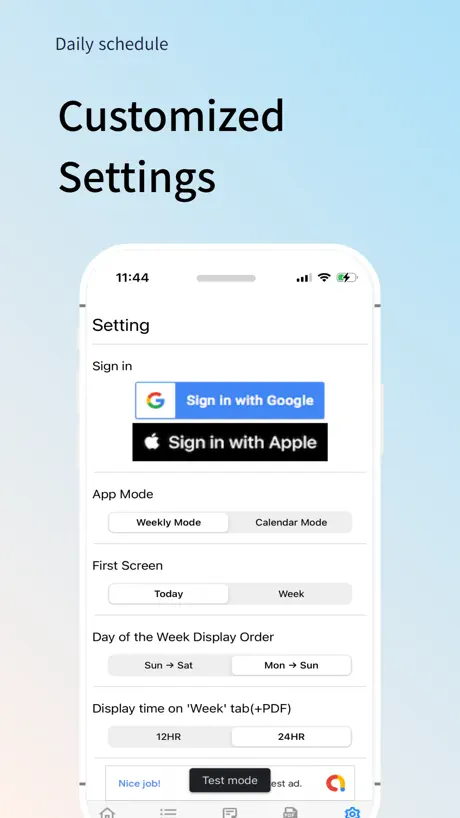
Daily Schedule -easy timetable
Multi-timetable,PDF conversion
How much does Daily Schedule -easy timetable cost?
Prices are current as of 5 Oct 2026.
1 one-time purchase from $19.99
In the United States, Daily Schedule -easy timetable has 1 one-time purchase priced $19.99.
| Product | Price |
|---|---|
| Premium Version(No Ads) | $19.99 |
See what Daily Schedule -easy timetable costs in all 175 countries →
10+ alternatives to Daily Schedule -easy timetable
| Daily Schedule -easy timetable | 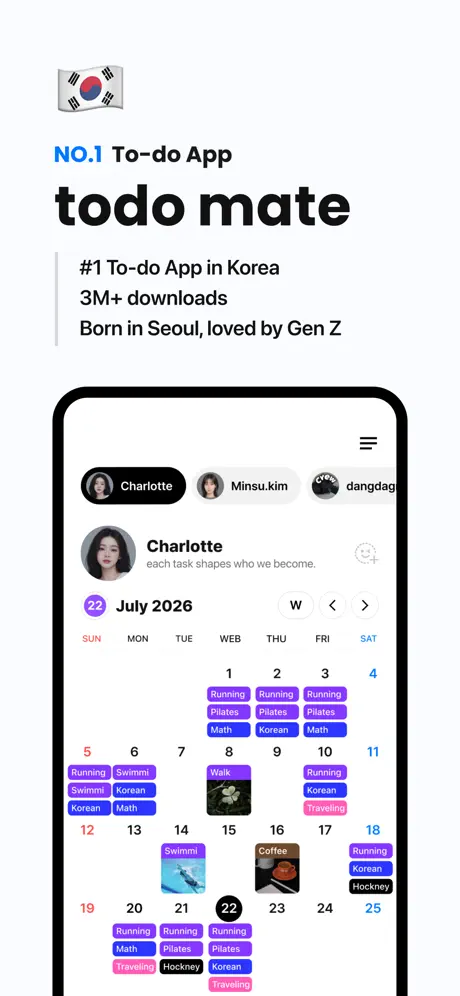  todo mate: To-Do List, Routine todo mate: To-Do List, Routine | 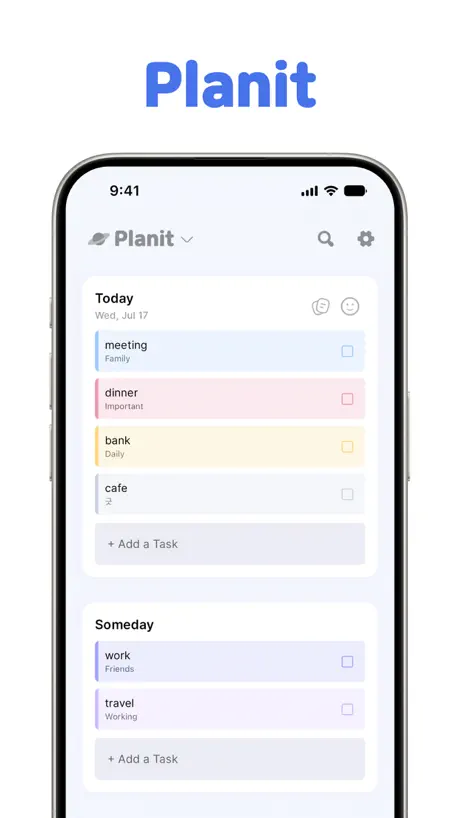  Planit - To-Do List & Calendar Planit - To-Do List & Calendar |   타임스프레드: 구독캘린더, 최애 일정, 시간표, 캘린더 타임스프레드: 구독캘린더, 최애 일정, 시간표, 캘린더 |   Ultimate Focus - Visual Timer Ultimate Focus - Visual Timer | 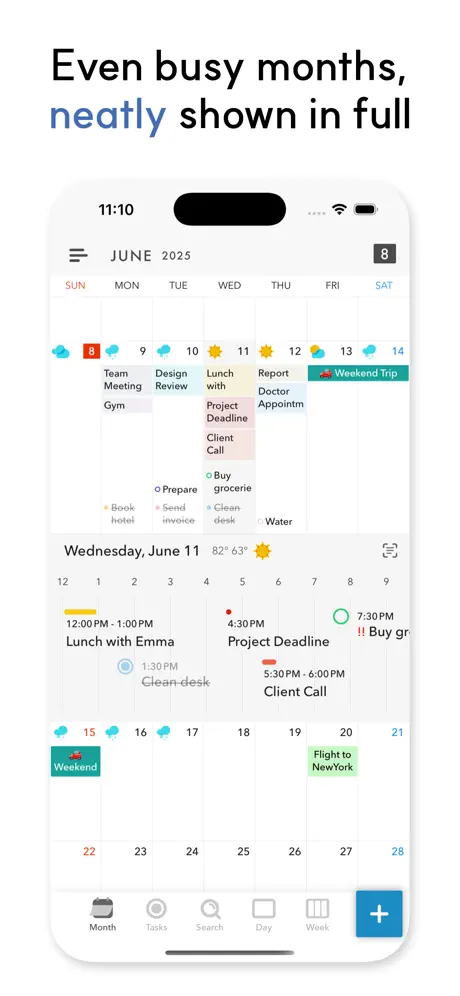  Across: Calendar, Your Way Across: Calendar, Your Way |   오늘의목표 - 목표 습관 루틴 챌린지 관리 오늘의목표 - 목표 습관 루틴 챌린지 관리 |   Turning: App Blocker for Study Turning: App Blocker for Study |   Eisenhower Matrix: Todo & Task Eisenhower Matrix: Todo & Task |   DayRoutine - Pie Timetable DayRoutine - Pie Timetable | |
|---|---|---|---|---|---|---|---|---|---|---|
| Rating / 5 | 3.8 | 4.8 | 4.8 | 4.3 | 4.8 | 4.8 | 4.8 | 4.1 | 4.5 | 4.4 |
| Reviews | 270 | 113K | 41K | 14K | 11K | 9.6K | 5.5K | 3.9K | 2.8K | 67 |
| Released | 2023 | 2020 | 2022 | 2011 | 2023 | 2022 | 2020 | 2023 | 2023 | 2024 |
| Monthly price | — | $1.99 | $0.99 | — | $2.99 | $1.49 | — | $3.99 | $2.99 | — |
| Annual price | — | $7.49 | $12.99 | — | $17.99 | $9.99 | — | $34.99 | $17.99 | — |
| One-time price | $19.99 | $3.99 | $2.99 | — | $39.99 | $3.99 | $3.99 | $89.99 | $29.99 | — |
The going rate for each plan in United States, in its own currency, shaded from the cheapest price on the row to the dearest.
Daily Schedule -easy timetable reviews
3.8 out of 5, based on 270 reviews.
What people like
- Clean design that is simple to use
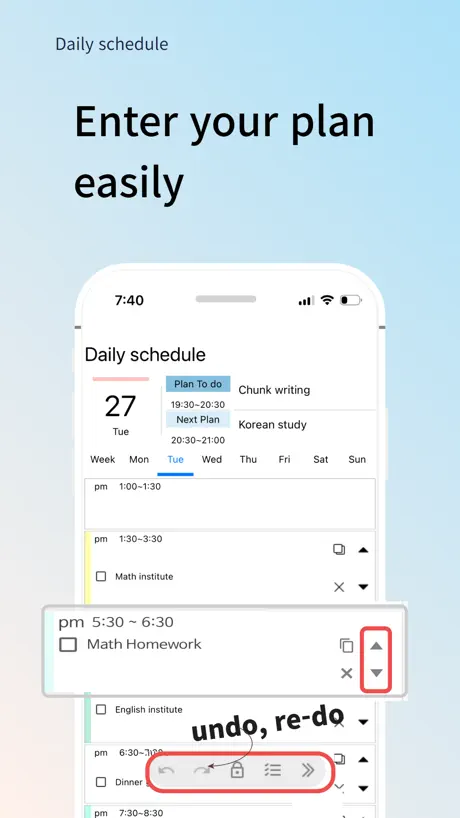
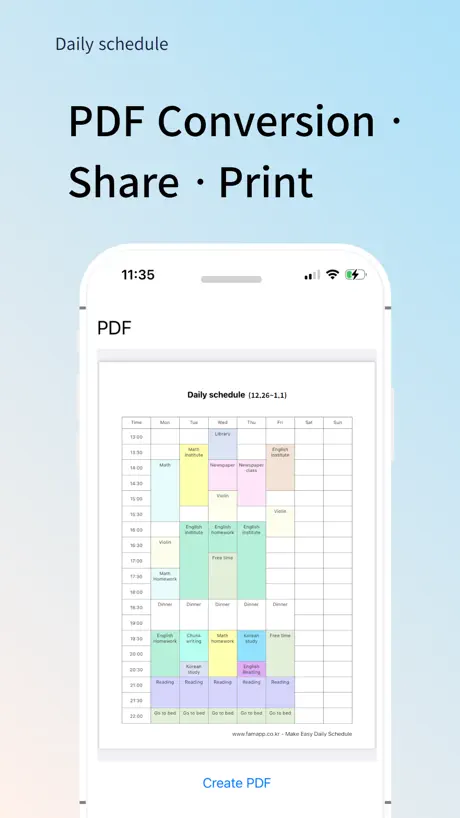
- You can easily export schedules as PDF
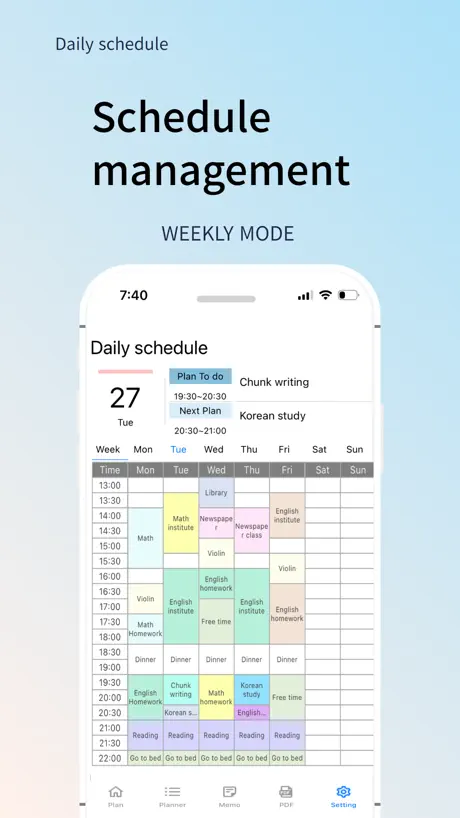
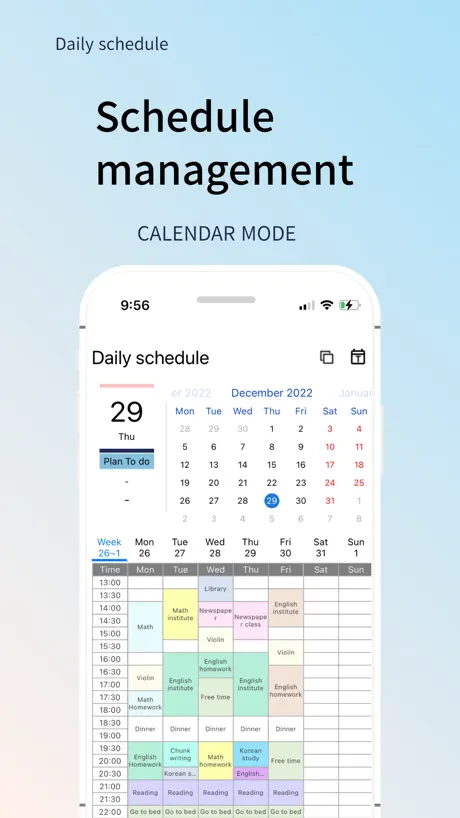
- Color coding helps organize your week clearly
What they complain about
- Ads pop up constantly while you work
- App crashes frequently and loses your data
- Widgets do not display correctly on iPhone
- Account sync fails across different devices
One of a Kind
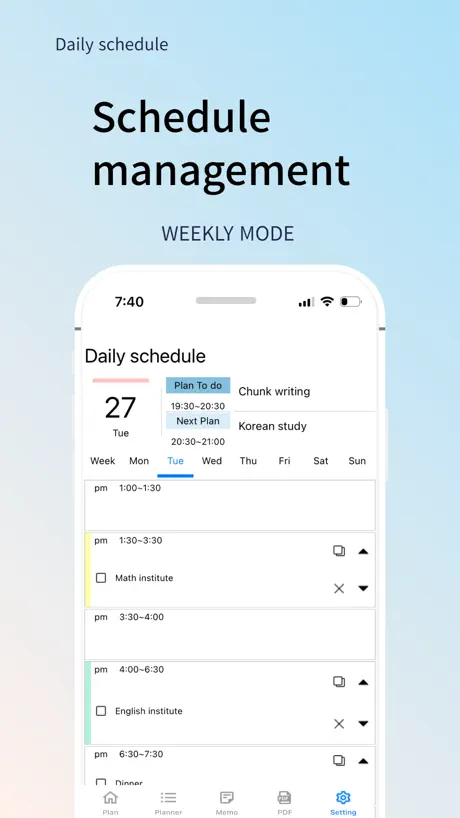
This app is simple and easy to use. Not over complicated. Allows you to visually display and organize a weekly schedule with color coding and clear font.
유료어플인데 광고가 계속 떠요
33000원 내고 구매했는데, 광고 제거하려면 14900원을 추가로 지불하고 프리미엄 이용권을 구매해야 합니다. 환불받고 이용 안하고 싶어요.
다 좋은데 글씨만 수정해주세요
깔끔하고 시간 설정도 다른 앱에 비해 훨씬 좋아요 위젯기능과 pdf로 만들때 글씨 크기수정만 바꾸면 좋을것같아요 글씨가 작은데 키우면 칸을 넘기고 차라리 중앙에 있는 게 좋을것같아요
광고때문에
스케줄 하나 저장할때마다 뜨는 광고때문에 지움
︎ ︎ ︎
저는 30분, 1시간 단위로 딱딱 끊어서 사는 게 아닌데 한 번 정하면 못 바꾸니까 시간표랑 안 맞을 때도 있어서 너무 불편해요 시간 단위 없애주세요
제발 전체 일정표만 계속 볼 수 있게 해주세요
아니 씨발 진짜 다 좋거든요? 근데 제가 다른 어플을 보면서 시간표를 짜야 하는데 자꾸 오늘 요일로 돌아가니까 짜증이 ㅈㄴ뻗쳐요 걍 힘 쭉 빠지고 일정표 짜기 싫어지고;; 그리고 그 잠금표시는 대체 왜 있는거죠 그 잠금표시로 전체 일정표로 고정 이런거나 해놓지; 제발 전체 일정표만 계속 볼 수 있게 해주세요 데발 ㅠㅠㅠㅠ
비추합니다
리뷰 처음 써 보는데 다른 기기 간 계정연동 안 돼요. 된다고 해서 다운받은건데... 그래서 Q&A 게시판에 문의사항 남겼는데 제가 기분이 나쁘다는 이유로 뭐 비속어를 쓴 것도 아니고 욕을 한 것도 아니고 왜 악성 게시물이라면서 차단하는지... 황당하네요 앱 사용하고 싶어서 다운받은 사용자한테 운영자가 이렇게 대응해도 되는 건지... 소규모 쇼핑몰 사이트든 어플 문의창이든 어떤 곳도 이렇게는 안 하죠... 이미 계정 연동 관련해서 다른 분들이 남기신 글 다 읽어보고 나서도 해결이 안 되는 문제라서 일부러 제 글만 차단하신 건 아닐 거라고 믿고 싶네요 관리자에게 문의하라는데 관리자한테는 또 어떻게 연락하라는 건가요? 연락처가 사이트에 안 나와 있는데...
강제종료되는 현상 고쳐주세열..
잘쓰고 있다가 갑자기 튕겨열
유료구입했는데 광고가 뜨네요
광고가 왜 뜨죠 유료구입했는데
위젯
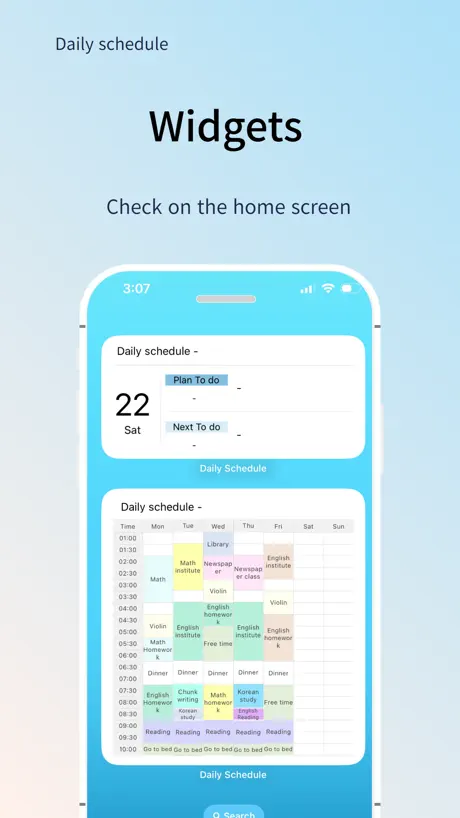
아이폰 유저인데 계획표를 보기 편하게 위젯으로 만들어서 띄웠는데 앱에서 만든 시간표가 다 나오는게 아니라 잘려서 나오는데 이건 어떻게 해야되죠? 원래 다 안나오는게 맞는건가요?
Absolutely incredible
Honestly, I am not a person who writes these but this app, THIS APP, it works in every way you could ever need it to. The entire layout,functionality and usability is so well designed and easy to navigate. The personal user experience is impressive and I am able to organise my time in a way that makes sense to me. But wait. I haven’t even mentioned the best part…You can download your week in pdf form, revolutionary! I will never use another app to organise my time, unless the ads go up.
ㅠ
처음 다운받아 사용중인데 광고는 이해해요. 근데 성인용품이라니… 아이와 같이 쓰려는데 당장 삭제해야겠어요
중간에 애플 계정 로그인 했는데 튕겨요
계속 들어가지지 않고 튕기는데 제발 고쳐주세요 ㅠ 이거 너무너무 쓰고싶은데 계속 지우고 깔아도 안돼요
데이터 동기화가 안돼요
폰으로 사용하다가 패드에도 깔아서 로그인하고 동기화하려 했는데 데이터 백업을 아무리 눌러도 새 플래너만 자꾸 뜨더라구요 그리고 바탕화면 위젯을 하려고하면 계획이 있어도 계속 하얗게만 뜨네요..
30분 간격 오류
30분 간격으로 스케줄 표 짜놓고 PDF 이미지로 보면 30분 단축되어있습니다.. 9시30분으로 설정했는데 9시로 뜨고 ㅜㅜ 불편해여 다 좋은데...
위젯 안보임
아이폰 배경화면에서 사용자화 - 투명 or 틴트 설정 시 위젯 시간표 내용이 하얗게만 뜨고 안보입니다. 원래 보였었는데 갑자기 업데이트 하고 나서 안보이네요. 사용자화에서 다른 설정으로 하면 보이는데 투명이나 틴트설정 시 안보입니다.
광고때매 짜증나네요
비추에요
너무 잘쓰고 있는데 2026년 1월달 첫째 주 업데이트가 안되는것 같아요
보기에도 편하고, PDF로 뽑아쓰면 한번에 스케줄, 메모 내역 까지 전부 나와서 정말 요긴히 쓰고있는 앱인데요 2026년 1월 1일부터 일주일간 PDF로 변환하니 아무것도 뜨지 않아서 요부분 수정해 주실 수 있을까요! 정말로 유용한 앱 만들어 주셔서 감사합니다
開けない
アプリ自体は結構良かったのだが、急に開こうとしても落ちてしまってスケジュールの設定すらできなくなってしまった。困っているので早急に改善して欲しい。
버튼 잘 안눌려요
24hours로 바꾸고싶은데 광고때문인지 버튼이 안눌려서 변환이 안되네요
너무 잘쓰고 있는데…
pdf 출력할 때 계획이 상단말고 중앙으로 정렬되면 더 좋을 거 같아요! 프리미엄 버전이 나와도 돈 주고 쓸테니 업데이트 자주 부탁드립니다ㅜㅜ!!
광고
스케줄을 하나만들때마다 광고 하나를 봐야하는건가요 광고 좀 줄여주세요 ㅜㅠ
다 좋은데 하나만 더 추가되면 좋겠어요!
깔끔하고 일정 추가하기도 좋은데 시간 단위를 한가지로 밖에 쓸 수 없는게 아쉬워요.. 저는 학생이라 학교에서 수업하는 수업시간과 그 외에 시간을 나눠서 등록하고 싶은데 30분으로 설정해놓으니 수업 시간대를 설정하기가 너무 어려워요… 시간대를 자유자제로 1시간, 1시간 반, 50분, 10분 이런식으로 바꿀 수 있으면 좋겠어요.. 시간만 마음대로 선택할 수 있으면 진짜 말이 필요없는 완벽한 앱이에요ㅠ
좋긴 해용
UI가 좀 헷갈리고 복잡해요 다음 달 거나 다음 주 거 쓸 때 일정 하나 적고 오늘로 돌아와서 다시 짜고 있는 날짜 눌러야 한다는게 너무 불편해요 색도 파스텔 톤 더 넣어주세요
제가 원하던 앱입니다
타임테이블이 나오는 앱을 원했는데 정말 제가 원하던 앱입니다 근데 타임테이블을 위젯으로 하면 크기 때문인지 전체가 다 보이지는 않더라고요 시간표가 좀 작게 보이는 한이 있어도 전체 다 보이면 좋을텐데 그게 좀 아쉽습니다 ㅠㅠ
지워주세요
안지워집니다
깔끔하고 좋아요
이번에 이것저것 다 깔아봤는데 그중 제일 깔끔하고 세밀하게 시간을 설정할 수 있어서 좋네요 다만 일정이 없는 요일은 감출수있었으면 좋겠어요 주말 일정이 없어서 안보여도 되는데 공간만 차지하는 느낌이예요
애플로 로그인하려고 로그인버튼 누르니까 그 이후로 앱 접속 자체가 안되고 튕겨요 핸드폰으로도 하고 패드로도 했는데 둘다 이제 튕겨서 못쓰게 됬네요..
앱 자체는 너무 좋아서 잘쓰고있었어요
연동이 안돼요
너무 좋은데 아이패드에서 애플로 로그인했는데 아이폰에서 애플로 로그인해도 안보여요..
플래너하나 적고 광고 또하나 적고 광고..
시간표 만들려고 위클리너모드 하나 적고 광고.. 또 하나 적고 광고나오고.. 광고나오는건 이해하는데 하나적을때마다 셋트인것마냥 광고를 봐야되는데 너무하네요 스케쥴10분만에 만들거 광고를 몇십분봐야되네요 에효효… 그냥 어플 지우렵니다..
너무조은데..
앱은정말좋은데 자꾸 튕겨요ㅠㅜ저장공간 충분하고 기종도 최신이에요ㅠ튕김만 제발 고쳐주세요..
최애앱인데..앱튕김
유료버전으로 사용하고 있는데 애플로그인 설정하고 앱이 계속 튕겨요 클릭만하면 바로 꺼집니다 ㅠ
광고가 너무 자극적임
후기가 나쁘지 않아서 우선무료로 써보고 유료결제 할까했는데 하단에 te**광고가 너무 성인광고 처럼 작게떠서(크게 보면 아닌데 작은창으로 보면 살색가득한 성인광고같음) 놀래서 삭제. 광고좀 가려 받던지 창 열때마다 놀래서 황급히 닫았습니다
광고를 끌수도 없게 해놓았네요
스케줄표를 만들려고 하면 광고가 뜨는데 그 창을 종료시킬수가 없어요 종료가 되는 창이 나올때까지 몇번이고 해봐야합니다 계속 광고만 뜨고 스케줄표가 만들어지지않아서 못 쓰겠네요
심플하고 필요했던 것 다 있어 좋아요
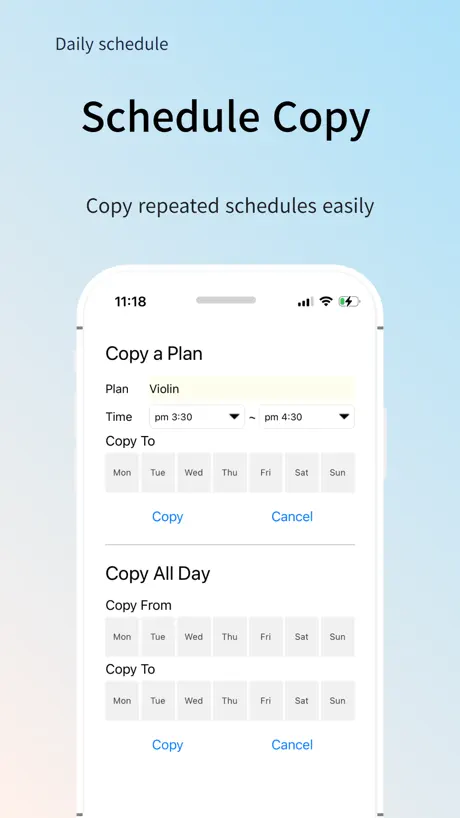
다좋은데 일정 복사 시 시간이 제대로 안되는 것 같습니다 ㅠㅠ
리뷰 첨쓸만큼 좀 불편합니다..
다른거 다좋은데 왜 5,10,30,1시간 간격으로 해두고 뭐 해둬서 딱히 세세한 1분정도의 계획을 바라는건 전혀 아니지만, 5분으로 설정을 해뒀을때 계획표의 길이와 두께가 상당히 두껍고 길어져서.. 한눈에 보기가 좀 어렵습니다ㅜㅜ
너무 좋아요
너무 좋아요 그동안 썼던 앱과는 다름!! 근데 색을 제가 바꿀 수 잇는 게 있엇음 더 조켓어요 없어도 정말 맘에드는 앱입니다
튕김현상
몇시간동안 정리한 플래너가 튕기더니 업데이트 재부팅에도 해결이 안되서 결국 지웠다가 다시 깔았는데 데이터 다 날라갔네요. 정말 잘 쓰고있었는데 솔직히 몇시간 날려버린거라 매우 기분이 안좋네요. 다시 할거 생각하니 답답합니다. 자동 업데이트 기능이 있으면 좋을것 같네요.
ウィジェットが使えないです
シンプルかつ利便性が高く、ありがたく使わせて頂いています。 しかし、ウィジェット機能があるとの事ですが、iPhoneのウィジェット追加ボタンを押してもそもそもこのアプリが表示されません。iOS18です。
아이패드용
너무 좋아요 제가 찾던 딱 스케줄앱이라 너무 좋은데 아이패드용도 있으면 좋겠어요 ㅜㅜ. 그 외에는 아직까진 만족 오천개!
위젯 안뜨는게..
위젯이 안떠요 아이폰 저만 그런건가요?
思ってたのと違った
タイムスケジュールを作ろうという所までは良かったのですが、基本的にプラン設定した時間の中でのみのスケジュール管理なので早番遅番等不規則勤務になった時にスケジュール全部の予定を入れ直し若しくは一つずつコピーで記入しないとなのでめんどくさかったです。
Daily Schedule -easy timetable price by country
A one-time purchase costs $17.66 in Pakistan and $36.81 in South Korea — 2× more for the same thing. Below is the going rate for each plan in every country that sells it — the middle price of what the app charges there, in the country's own currency with the dollar equivalent beneath it.
| Country | One-time |
|---|---|
| Afghanistan | $19.99 |
| Albania | $22.99 |
| Algeria | $19.99 |
| Angola | $19.99 |
| Anguilla | $19.99 |
| Antigua And Barbuda | $19.99 |
| Argentina | $19.99 |
| Armenia | $22.99 |
| Australia | A$29.99$21.58 |
| Austria | €22.99$26.73 |
| Azerbaijan | $22.99 |
| Bahamas | $19.99 |
| Bahrain | $19.99 |
| Barbados | $22.99 |
| Belarus | $22.99 |
| Belgium | €22.99$26.73 |
| Belize | $19.99 |
| Benin | $22.99 |
| Bermuda | $19.99 |
| Bhutan | $19.99 |
| Bolivia | $19.99 |
| Bosnia & Herzegovina | €22.99$26.73 |
| Botswana | $19.99 |
| Brazil | R$129.90$25.47 |
| British Virgin Islands | $19.99 |
| Brunei Darussalam | $19.99 |
| Bulgaria | €22.99$26.73 |
| Burkina Faso | $19.99 |
| Cambodia | $19.99 |
| Cameroon | $22.99 |
| Canada | CA$24.99$18.11 |
| Cape Verde | $19.99 |
| Cayman Islands | $19.99 |
| Chad | $19.99 |
| Chile | CLP 22,990$24.61 |
| China | CN¥148.00$21.99 |
| Colombia | COP 99,900$31.94 |
| Congo | $19.99 |
| Congo, Democratic Republic | $19.99 |
| Costa Rica | $19.99 |
| Cote Divoire | $22.99 |
| Croatia | €22.99$26.73 |
| Cyprus | €22.99$26.73 |
| Czech Republic | CZK 499.00$23.97 |
| Denmark | DKK 179.00$27.84 |
| Dominica | $19.99 |
| Dominican Republic | $19.99 |
| Ecuador | $19.99 |
| Egypt | EGP 999.99$19.60 |
| El Salvador | $19.99 |
| Estonia | €22.99$26.73 |
| Fiji | $19.99 |
| Finland | €22.99$26.73 |
| France | €22.99$26.73 |
| Gabon | $19.99 |
| Gambia | $19.99 |
| Georgia | $22.99 |
| Germany | €22.99$26.73 |
| Ghana | $22.99 |
| Greece | €22.99$26.73 |
| Grenada | $19.99 |
| Guatemala | $19.99 |
| Guinea-bissau | $19.99 |
| Guyana | $19.99 |
| Honduras | $19.99 |
| Hong Kong | HK$148.00$18.88 |
| Hungary | HUF 8,990$28.74 |
| Iceland | $22.99 |
| India | ₹1,999.00$21.08 |
| Indonesia | IDR 349,000$19.80 |
| Iraq | $19.99 |
| Ireland | €22.99$26.73 |
| Israel | ₪69.90$23.15 |
| Italy | €22.99$26.73 |
| Jamaica | $19.99 |
| Japan | ¥3,000$19.50 |
| Jordan | $19.99 |
| Kazakhstan | KZT 11,990.00$26.40 |
| Kenya | $22.99 |
| Kosovo | €22.99$26.73 |
| Kuwait | $19.99 |
| Kyrgyzstan | $19.99 |
| Lao Peoples Democratic Republic | $19.99 |
| Latvia | €22.99$26.73 |
| Lebanon | $19.99 |
| Liberia | $19.99 |
| Libya | $19.99 |
| Lithuania | €22.99$26.73 |
| Luxembourg | €22.99$26.73 |
| Macao | $19.99 |
| Macedonia | $19.99 |
| Madagascar | $19.99 |
| Malawi | $19.99 |
| Malaysia | MYR 99.90$24.61 |
| Maldives | $19.99 |
| Mali | $19.99 |
| Malta | €22.99$26.73 |
| Mauritania | $19.99 |
| Mauritius | $22.99 |
| Mexico | MX$399.00$23.57 |
| Micronesia | $19.99 |
| Moldova | $22.99 |
| Mongolia | $19.99 |
| Montenegro | €19.99$23.24 |
| Montserrat | $19.99 |
| Morocco | $19.99 |
| Mozambique | $19.99 |
| Myanmar | $19.99 |
| Namibia | $19.99 |
| Nauru | $19.99 |
| Nepal | $22.99 |
| Netherlands | €22.99$26.73 |
| New Zealand | NZ$39.99$23.39 |
| Nicaragua | $19.99 |
| Niger | $19.99 |
| Nigeria | NGN 29,900.00$22.62 |
| Norway | NOK 249.00$26.95 |
| Oman | $19.99 |
| Pakistan | PKR 4,900$17.66 |
| Palau | $19.99 |
| Panama | $19.99 |
| Papua New Guinea | $19.99 |
| Paraguay | $19.99 |
| Peru | PEN 89.90$26.84 |
| Philippines | ₱1,290.00$20.63 |
| Poland | PLN 99.99$26.95 |
| Portugal | €22.99$26.73 |
| Qatar | QAR 69.99$19.23 |
| Romania | RON 99.99$22.12 |
| Russia | RUB 1,790.00$20.71 |
| Rwanda | $19.99 |
| Sao Tome & Principe | $19.99 |
| Saudi Arabia | SAR 89.99$24.00 |
| Senegal | $22.99 |
| Serbia | €22.99$26.73 |
| Seychelles | $19.99 |
| Sierra Leone | $19.99 |
| Singapore | SGD 29.98$23.79 |
| Slovakia | €22.99$26.73 |
| Slovenia | €22.99$26.73 |
| Solomon Islands | $19.99 |
| South Africa | ZAR 399.99$25.00 |
| South Korea | ₩49,500$36.81 |
| Spain | €22.99$26.73 |
| Sri Lanka | $19.99 |
| St. Kitts and Nevis | $19.99 |
| St. Lucia | $19.99 |
| St. Vincent & The Grenadines | $19.99 |
| Suriname | $19.99 |
| Swaziland | $19.99 |
| Sweden | SEK 249.00$25.96 |
| Switzerland | CHF 18.00$22.22 |
| Taiwan | NT$690.00$21.90 |
| Tajikistan | $19.99 |
| Tanzania | TZS 59,900.00$22.64 |
| Thailand | THB 699.00$21.25 |
| Tonga | $19.99 |
| Trinidad and Tobago | $19.99 |
| Tunisia | $19.99 |
| Turkey | TRY 999.99$20.63 |
| Turkmenistan | $19.99 |
| Turks and Caicos | $19.99 |
| Uganda | $22.99 |
| Ukraine | $22.99 |
| United Arab Emirates | AED 79.99$21.80 |
| United Kingdom | £19.99$27.09 |
| United States | $19.99 |
| Uruguay | $19.99 |
| Uzbekistan | $19.99 |
| Vanuatu | $19.99 |
| Venezuela | $19.99 |
| Vietnam | ₫599,000$23.10 |
| Yemen | $19.99 |
| Zambia | $22.99 |
| Zimbabwe | $22.99 |
Daily Schedule -easy timetable FAQ
- Is Daily Schedule -easy timetable free?
- Yes. The app and its basic features are free, in all 175 countries it sells in. Premium features are paid: they start from $19.99 (US), across 1 one-time purchase.
- Does Daily Schedule -easy timetable have a free trial?
- No. None of its offers (US) come with a free trial.
- Where is Daily Schedule -easy timetable cheapest?
- A one-time purchase costs PKR 4,900 (≈$17.66) in Pakistan and ₩49,500 (≈$36.81) in South Korea, its cheapest and dearest countries.
- What are the best alternatives to Daily Schedule -easy timetable?
- todo mate: To-Do List, Routine (4.8 from 113,247 reviews, premium from $0.99), Planit - To-Do List & Calendar (4.8 from 40,523 reviews, premium from $0.99) and 타임스프레드: 구독캘린더, 최애 일정, 시간표, 캘린더 (4.3 from 14,021 reviews).
Daily Schedule -easy timetable download
Last updated 7 days ago.
Daily Schedule -easy timetable sells in 175 countries. It was released 3 years and 9 months ago, on 1 Jan 2023. It holds a 3.8 rating from 270 reviews.
Supports 3 languages: English, Japanese, Korean.
How much does Daily Schedule -easy timetable make?
Third-party estimates for the last 30 days, worldwide — not the store's own figures, which Apple publishes for nobody.
Revenue by plan
- One-time 100%
Revenue by country
- South Korea 93%
- Japan 4%
- United States 2%
- Canada 0%