IQ Installer Interface
No in-app products collected for this app.
| Rating | |||
|---|---|---|---|
| United States | 69%11 | 2.36 | |
| Canada | 19%3 | 3.67 | |
| Spain | 6%1 | 5.00 | |
| Sweden | 6%1 | 1.00 | |
| United Arab Emirates | <1%0 | — | |
| Afghanistan | <1%0 | — | |
| Antigua And Barbuda | <1%0 | — | |
| Anguilla | <1%0 | — | |
| Albania | <1%0 | — | |
| Armenia | <1%0 | — |
Description
IQ Installer is a powerful setup and configuration tool designed specifically for the IQ 4, IQ HUB, IQ NS and IQ Pro Johnson Control security panels. Using a secure local connection, the app enables professional installers to quickly and efficiently configure systems without requiring cloud access.
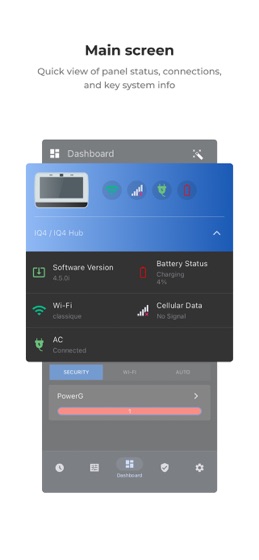
The intuitive interface includes a centralized dashboard and a step-by-step installation wizard, providing streamlined access to all essential setup functions.
Key features include:
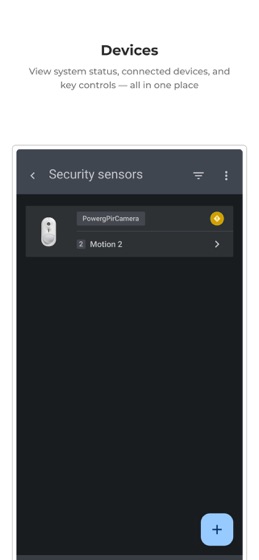
Device Programming – Easily add, configure, and manage security devices.
User Management – Create and modify user profiles, access levels, and credentials.
Software Upgrades – Update panel firmware directly through the app for optimal performance and new features.
System Configuration – Customize panel behavior, automation rules, network settings, and more.
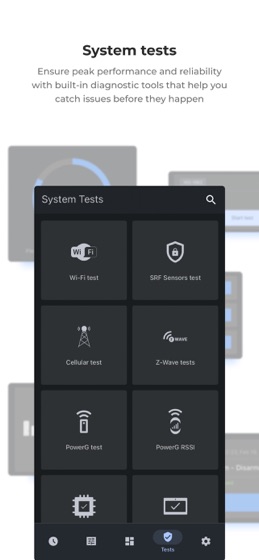
To ensure a successful installation, the app also provides built-in system tests, including sensor checks and communication diagnostics, as well as access to event history logs for real-time verification and troubleshooting.
Whether deploying a single panel or managing a complex installation, IQ Installer delivers the tools and visibility professionals need for a reliable and efficient setup process.