
Remux - Video Converter
Video Compressor & Converter
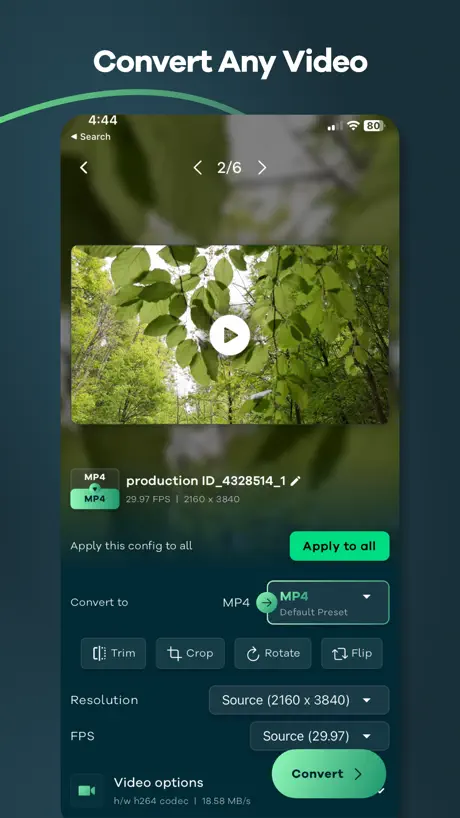
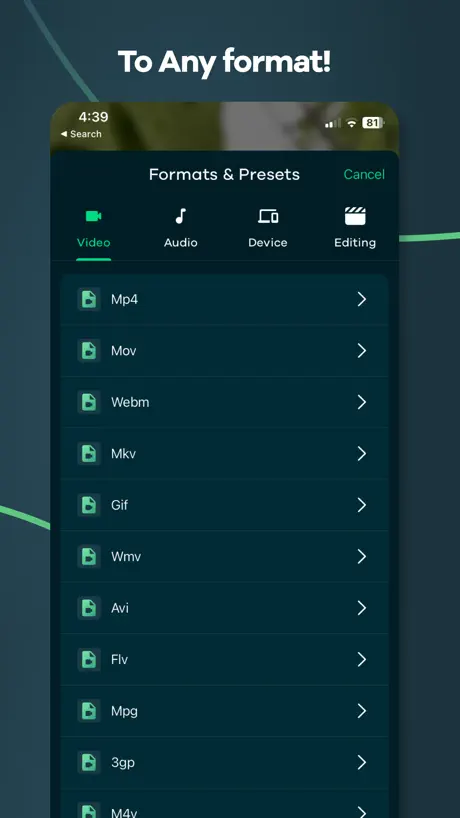
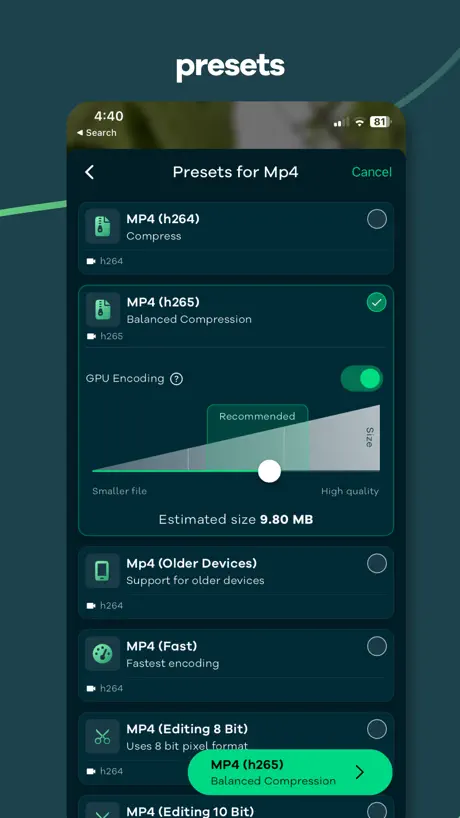
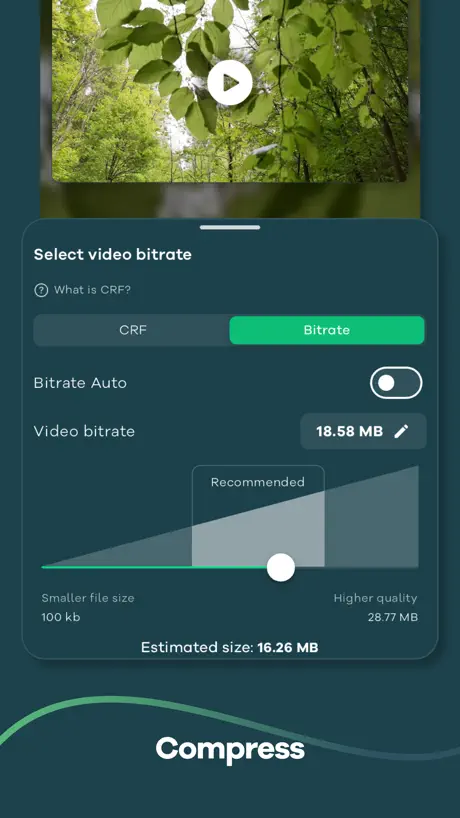
How much does Remux - Video Converter cost?
Prices are current as of 5 Oct 2026.
3 subscriptions from $4.99
In the United States, Remux - Video Converter has 3 subscriptions priced $4.99 – 19.99.
| Subscription | Period | Price |
|---|---|---|
| Unlock Pro for 1 Month | Monthly | $4.99 |
| Unlock Pro for 1 Year | Annual | $9.99 |
| Yearly | Annual | $19.99 |
1 one-time purchase from $69.99
In the United States, Remux - Video Converter has 1 one-time purchase priced $69.99.
| Product | Price |
|---|---|
| Lifetime | $69.99 |
See what Remux - Video Converter costs in all 175 countries →
10+ alternatives to Remux - Video Converter
| Remux - Video Converter | 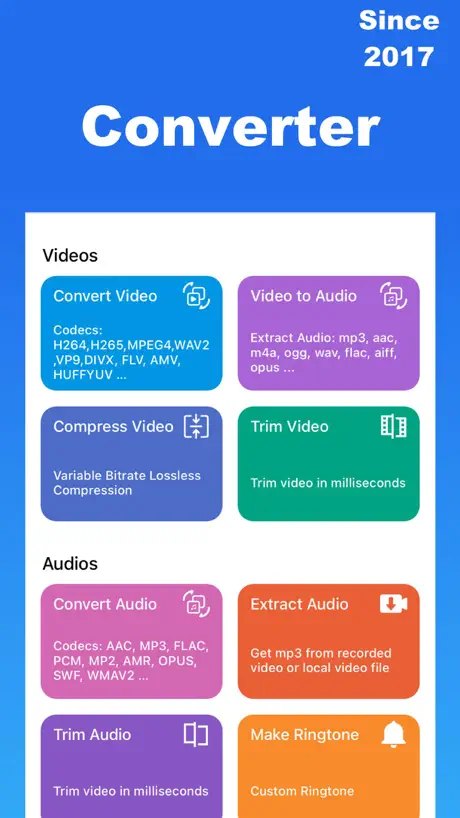  Media Converter - video to mp3 Media Converter - video to mp3 | 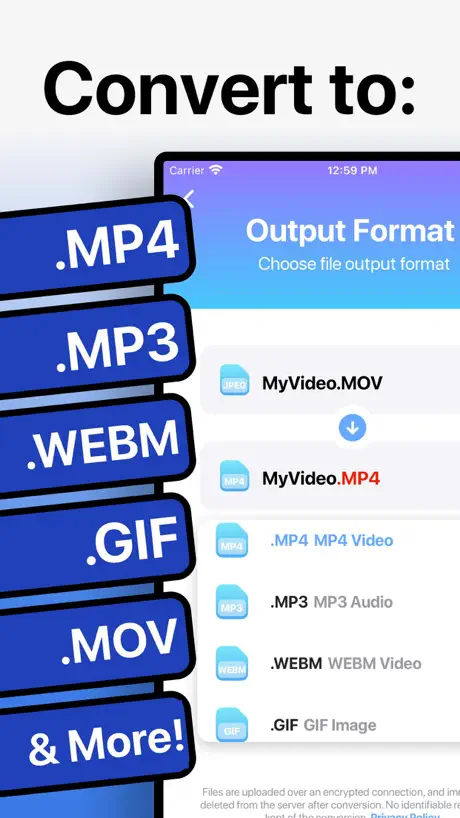  The Video Converter The Video Converter | 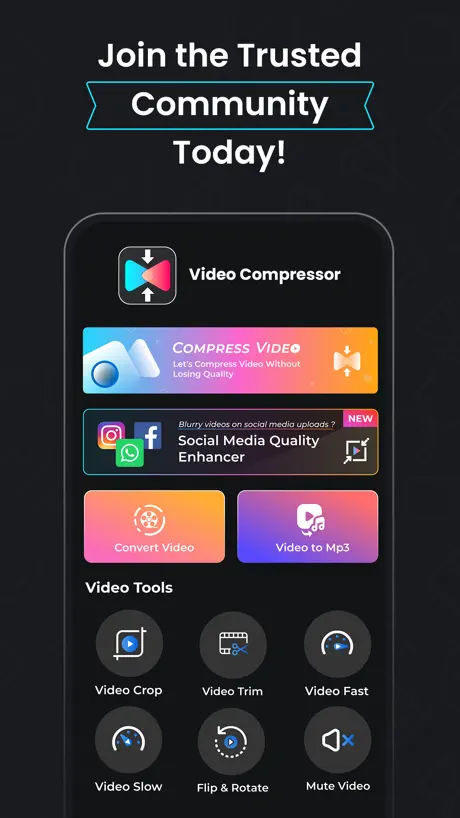  Video Compressor - VidPress Video Compressor - VidPress | 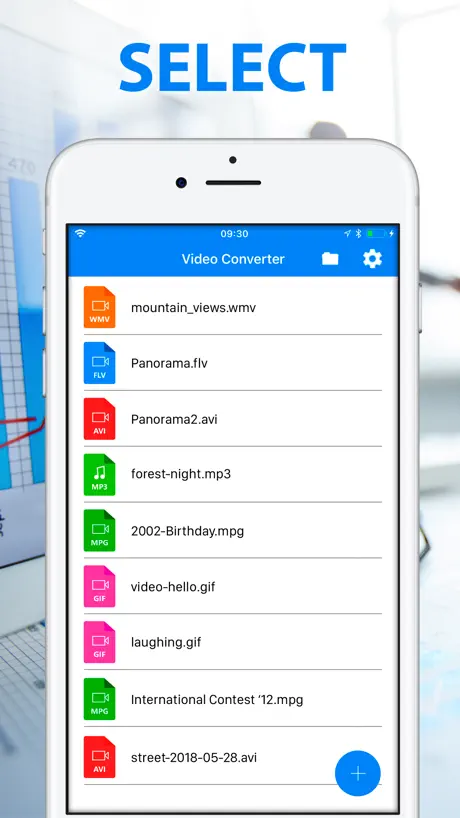  Video Files Converter MP3 GIF Video Files Converter MP3 GIF |   Video Converter MP4 Video Converter MP4 |   Video Files Converter: MP4,MP3 Video Files Converter: MP4,MP3 |   MKV Converter, MKV to MP4 MKV Converter, MKV to MP4 |   MOV Converter, MOV to MP4 MOV Converter, MOV to MP4 |   WEBM Converter, WEBM to MP4 WEBM Converter, WEBM to MP4 |   Video Converter - Compressor Video Converter - Compressor | |
|---|---|---|---|---|---|---|---|---|---|---|---|
| Rating / 5 | 4.6 | 4.7 | 4.4 | 4.6 | 3.7 | 4.5 | 4.5 | 2.2 | 2.4 | 2.5 | 4.3 |
| Reviews | 3.1K | 124K | 31K | 1.8K | 1.2K | 308 | 199 | 176 | 120 | 107 | 94 |
| Released | 2022 | 2017 | 2014 | 2021 | 2018 | 2023 | 2023 | 2021 | 2021 | 2021 | 2023 |
| Weekly price | — | — | — | $4.99 | $1.99 | — | — | — | — | — | — |
| Monthly price | $4.99 | $2.99 | $1.99 | — | $2.99 | — | — | — | — | — | — |
| Annual price | $9.99 | $9.99 | $9.99 | — | $36.99 | — | — | — | — | — | — |
| One-time price | $69.99 | $0.99 | $12.99 | $39.99 | — | — | — | — | — | — | — |
The going rate for each plan in United States, in its own currency, shaded from the cheapest price on the row to the dearest. Plans fewer than four in ten of the priced apps sell are left out.
Remux - Video Converter reviews
4.6 out of 5, based on 3,079 reviews.
What people like
- Super easy and intuitive to use
- No annoying ads interrupting your work
- Basic features remain free forever
What they complain about
- Now asks for money to work
- Keeps crashing or freezing on launch
- Loses audio when converting high-res files
- Converts take way too long
FINALLY A FREE CONVERTER APP
I’m not sure what the other reviews are talking about, but this app is amazing. You can *finally* convert things to mp3 files for free, without having to pay a subscription. There is a subscription thing, but it isn’t necessary at all really. No conversions are locked behind a paywall or anything
Edited review
Not happy with the needing to be online for all functionality, but my initial conscern about accessing my contacts list seems unfounded and was likely another app. That modal dialog box that asks us to rate without giving us a chance to first try the app has to go - as another review points out. It freezes you out until you OBEY, not a good look.
True Remux
Please we NEED a true remux option
the app isn’t overall bad
im just disappointed with how ive been using it for such a long time and now no matter how hard i try it wont let me make any gifs. whats the issue with this? is this happening to anyone else? because ive been contacting you guys for a long time yet it hasn’t been fixed.
New update is broken
No matter what settings I choose the full audio track is lost when converting from 4k or higher to a lower resolution. Very frustrating
Good app
Ats all i want.
Poor App
This just heats up my device
Need lower compress
Would like to compress more.
Update…
But you actually are shoving payment now by advertising paying as “unlimited videos,” I don’t know how many iOS users are familiar with this app over on Play Store, but this version in comparison, is worse than Androids, Android has AV1 Video Codec under Matroska (MKV) & WebMs format containers, and for those unaware, AV1 is the VERY BEST codec on the market, better than HEVC, better than VP9 etc. and your charging IOS users for not having nearly as many options & barely ever update? So fair…
Great but needs fixing
The app was perfect before the latest update. But ever since I updated it I can’t trim long 4k files to just a small part. It keeps showing me “Video is not playable” error. Hopefully it can be fixed soon!
amazing
This software perfectly solves the problem of format conversion.
MAJOR BUG
It keeps asking me “tell us how we can improve” and it won’t let me click cancel or submit. It just stays there and won’t let me go further. I have to do a force close and reopen. Then it does it again and again. Totally unusable.
Improve some feature
To be honest it’s a mind blowing software but there should be one more option to add subtitles in the video.
Broken
Cannot convert to audio file pls fix
Update broke MOV/MP4 conversions
Awesome app, but this update won’t let me convert anything right now. It’s telling me that my videos may be corrupted. It’s probably something you’ve encountered or have seen reported, but I wanted to report here just in case.
App stopped working on my end
I can no longer convert files, the file select screen stays up after I hit open and stays that way with no indication of processing, and attepting to change any app settings yields the same result. I was able to covert mabe 5 files before this occured
****WAS**** THE BEST AD-FREE VIDEO COMPRESSOR!!
NEW: Well seems like they added monetization which is expected as the app started to get far too many features to stay free. Back to looking for a free compressor, I guess. I don't need any complex features, just a few options to lower resolution and FPS. OLD: I have spend an hour trying to find a good video compressor to send clips over discord. Most others had ads or various small issues and annoyances. This one however is great! No ads (so far) and completely free with a lot more features than expected. I really hope the developer doesn’t add any ads to this app. I’m so glad a ad free video compressor is on the AppStore
Perfect
Easy to use thank you”
What a JOKE.
In the middle of a conversion. I opened the photo app, didn’t close this app, yet the file in process vanished when I returned. Decade old apps on a decade old Mac can work in the background. No excuse for modern app on a modern device to be so pathetically incapable.
Mts converter
This is a great app for converting mts files on your iPad. I have been searching all over and tried various other applications, but could not find one that worked for me. I am planning on recording videos in mts. Format and download them to my iPad to edit and save. My iPad will not recognize or play mts. Files, this is where video converter comes in, thank you for this excellent app. Intend too purchase unlimited version soon. Thank you
Free means free
This app literally demands money as soon as you launch it. Apple needs to crack down on apps that require a paid subscription for functionality. Just charge for the app if you’re going to do that. At least be honest and up front about it being useless without paying for a subscription.
Gghjhfffgfgvh
Ffghhhi
Not working
No conversion, nothing happening when I try or choose a file
Hidden gem
What a find. Like handbrake for iOS but with possibly an even better UI.
Cannot convert a single video
I ONLY get errors saying cannot load thumbnail, and can’t convert ANY videos.
amazing
holy macaroni! I have been looking for a conversion tool this easy to use on go. Holy crap this was idiotically simple to use. That is a good thing. Super intuitive and if you know all about codec you will love how easy this makes your life for quick reference work.
useless
on a 1 minute filmed with phone says conversion 8 days
Really good
completely free for basic usage, and no ads at all, thanks for the developer
NO
I’m all for apps expanding and if you choose to jump on the subscription train by all means. If you’re going to turn a once free app into one that requires a subscription then don’t take current features and place them behind a pay wall. create new features which you did which is cool but you also took away functionality of the app that was previously free,. If you’re going to include a subscription make sure you’re offering a service that warrants the customer continued patronage i.e. earn it. However you do offer a one time charge which is kinda high or at least the most I’ve paid for a single app however big picture I’d likely spend more if I subscribed so my choice is clear. My review began out of frustration and ends having thought it through and so I’ll say thank you for making such a great user friendly app that work so well.
Remux - Video Converter price by country
A monthly subscription costs $1.10 in the Philippines and $1,000.00 in Argentina — 909× more for the same thing. Below is the going rate for each plan in every country that sells it — the middle price of what the app charges there, in the country's own currency with the dollar equivalent beneath it.
| Country | Monthly | Annual | One-time |
|---|---|---|---|
| Afghanistan | $1.99 | $5.99 | $69.99 |
| Albania | $2.49 | $9.99 | $34.99 |
| Algeria | $690.00 | $5.99 | $69.99 |
| Angola | $1.29 | $4.99 | $17.99 |
| Anguilla | $2.99 | $9.99 | $69.99 |
| Antigua And Barbuda | $2.99 | $9.99 | $69.99 |
| Argentina | $1,000.00 | $9.99 | $69.99 |
| Armenia | $490.00 | $6.99 | $79.99 |
| Australia | A$7.99$5.55 | A$14.99$10.41 | A$99.99$69.44 |
| Austria | €4.99$5.61 | €11.99$13.49 | €69.99$78.73 |
| Azerbaijan | $2.29 | $5.99 | $29.99 |
| Bahamas | $2.99 | $9.99 | $79.99 |
| Bahrain | $1.49 | $5.49 | $18.99 |
| Barbados | $3.99 | $11.99 | $79.99 |
| Belarus | $4.49 | $12.99 | $57.99 |
| Belgium | €4.99$5.61 | €11.99$13.49 | €69.99$78.73 |
| Belize | $2.99 | $9.99 | $69.99 |
| Benin | $1.29 | $4.99 | $17.99 |
| Bermuda | $4.99 | $9.99 | $69.99 |
| Bhutan | $2.99 | $9.99 | $69.99 |
| Bolivia | $17.99 | $9.99 | $239.99 |
| Bosnia & Herzegovina | €2.49$2.80 | €9.99$11.24 | €34.99$39.36 |
| Botswana | $16.99 | $5.99 | $219.99 |
| Brazil | R$12.90$2.47 | R$49.90$9.56 | R$169.90$32.55 |
| British Virgin Islands | $2.99 | $9.99 | $69.99 |
| Brunei Darussalam | $2.99 | $9.99 | $69.99 |
| Bulgaria | €4.99$5.61 | €11.49$12.92 | €64.99$73.10 |
| Burkina Faso | $1.29 | $4.99 | $17.99 |
| Cambodia | $1.29 | $4.99 | $17.99 |
| Cameroon | $790.00 | $6.99 | $79.99 |
| Canada | CA$6.99$4.92 | CA$12.99$9.15 | CA$89.99$63.37 |
| Cape Verde | $1.99 | $5.99 | $69.99 |
| Cayman Islands | $2.99 | $9.99 | $69.99 |
| Chad | $1.99 | $5.99 | $69.99 |
| Chile | CLP 2,490$2.52 | CLP 9,490$9.61 | CLP 32,900$33.30 |
| China | CN¥22.00$3.28 | CN¥68.00$10.13 | CN¥498.00$74.22 |
| Colombia | COP 9,900$2.99 | COP 37,900$11.45 | COP 129,900$39.26 |
| Congo | $1.99 | $5.99 | $79.99 |
| Congo, Democratic Republic | $1.99 | $5.99 | $69.99 |
| Costa Rica | $1,000.00 | $9.99 | $69.99 |
| Cote Divoire | $790.00 | $5.99 | $79.99 |
| Croatia | €3.99$4.49 | €11.99$13.49 | €49.99$56.23 |
| Cyprus | €3.99$4.49 | €11.99$13.49 | €49.99$56.23 |
| Czech Republic | CZK 89.00$4.10 | CZK 299.00$13.76 | CZK 1,149.00$52.88 |
| Denmark | DKK 39.00$5.86 | DKK 99.00$14.89 | DKK 499.00$75.04 |
| Dominica | $2.99 | $9.99 | $69.99 |
| Dominican Republic | $149.00 | $9.99 | $69.99 |
| Ecuador | $2.49 | $9.99 | $34.99 |
| Egypt | EGP 64.99$1.24 | EGP 199.99$3.83 | EGP 849.99$16.27 |
| El Salvador | $2.49 | $9.99 | $34.99 |
| Estonia | €3.99$4.49 | €11.99$13.49 | €49.99$56.23 |
| Fiji | $2.49 | $9.99 | $34.99 |
| Finland | €4.99$5.61 | €11.99$13.49 | €69.99$78.73 |
| France | €3.99$4.49 | €11.99$13.49 | €49.99$56.23 |
| Gabon | $1.99 | $5.99 | $69.99 |
| Gambia | $1.99 | $5.99 | $69.99 |
| Georgia | $4.99 | $6.99 | $69.99 |
| Germany | €3.99$4.49 | €11.99$13.49 | €49.99$56.23 |
| Ghana | $19.99 | $6.99 | $249.99 |
| Greece | €3.99$4.49 | €11.99$13.49 | €49.99$56.23 |
| Grenada | $2.99 | $9.99 | $69.99 |
| Guatemala | $19.99 | $9.99 | $249.99 |
| Guinea-bissau | $1.29 | $4.99 | $17.99 |
| Guyana | $2.99 | $9.99 | $69.99 |
| Honduras | $2.49 | $9.99 | $34.99 |
| Hong Kong | HK$38.00$4.84 | HK$88.00$11.21 | HK$498.00$63.44 |
| Hungary | HUF 990$3.02 | HUF 3,790$11.57 | HUF 12,990$39.64 |
| Iceland | $4.99 | $12.99 | $69.99 |
| India | ₹129.00$1.34 | ₹499.00$5.18 | ₹1,699.00$17.62 |
| Indonesia | IDR 20,000$1.12 | IDR 80,000$4.47 | IDR 270,000$15.07 |
| Iraq | $1.99 | $5.99 | $69.99 |
| Ireland | €4.99$5.61 | €11.99$13.49 | €69.99$78.73 |
| Israel | ₪16.90$5.56 | ₪19.90$6.55 | ₪209.90$69.05 |
| Italy | €3.99$4.49 | €11.99$13.49 | €49.99$56.23 |
| Jamaica | $2.49 | $9.99 | $34.99 |
| Japan | ¥600$3.80 | ¥1,500$9.51 | ¥7,500$47.55 |
| Jordan | $2.99 | $5.99 | $36.99 |
| Kazakhstan | KZT 890.00$1.98 | KZT 3,390.00$7.55 | KZT 11,490.00$25.60 |
| Kenya | $169.00 | $6.99 | $79.99 |
| Kosovo | €2.99$3.36 | €9.99$11.24 | €79.99$89.98 |
| Kuwait | $1.29 | $4.49 | $15.99 |
| Kyrgyzstan | $119.00 | $9.99 | $79.99 |
| Lao Peoples Democratic Republic | $1.29 | $4.99 | $17.99 |
| Latvia | €3.99$4.49 | €11.99$13.49 | €49.99$56.23 |
| Lebanon | $2.49 | $5.99 | $34.99 |
| Liberia | $1.99 | $5.99 | $69.99 |
| Libya | $2.49 | $5.99 | $34.99 |
| Lithuania | €3.99$4.49 | €11.99$13.49 | €49.99$56.23 |
| Luxembourg | €4.99$5.61 | €11.99$13.49 | €69.99$78.73 |
| Macao | $39.99 | $9.99 | $400.00 |
| Macedonia | $2.49 | $9.99 | $34.99 |
| Madagascar | $1.99 | $5.99 | $69.99 |
| Malawi | $1.99 | $5.99 | $69.99 |
| Malaysia | MYR 10.90$2.67 | MYR 42.90$10.51 | MYR 144.90$35.51 |
| Maldives | $2.49 | $9.99 | $34.99 |
| Mali | $1.29 | $4.99 | $17.99 |
| Malta | €3.99$4.49 | €11.99$13.49 | €49.99$56.23 |
| Mauritania | $1.99 | $5.99 | $69.99 |
| Mauritius | $1.99 | $5.99 | $79.99 |
| Mexico | MX$49.00$2.69 | MX$189.00$10.39 | MX$649.00$35.68 |
| Micronesia | $2.99 | $9.99 | $69.99 |
| Moldova | $2.49 | $9.99 | $34.99 |
| Mongolia | $2.99 | $9.99 | $69.99 |
| Montenegro | €2.99$3.36 | €9.99$11.24 | €69.99$78.73 |
| Montserrat | $2.99 | $9.99 | $69.99 |
| Morocco | $24.99 | $5.99 | $329.00 |
| Mozambique | $1.29 | $4.99 | $17.99 |
| Myanmar | $2.99 | $9.99 | $69.99 |
| Namibia | $1.99 | $5.99 | $69.99 |
| Nauru | $2.99 | $9.99 | $69.99 |
| Nepal | $169.00 | $9.99 | $79.99 |
| Netherlands | €4.99$5.61 | €11.99$13.49 | €69.99$78.73 |
| New Zealand | NZ$8.99$5.05 | NZ$19.99$11.23 | NZ$109.99$61.79 |
| Nicaragua | $2.49 | $9.99 | $34.99 |
| Niger | $1.29 | $4.99 | $17.99 |
| Nigeria | NGN 1,900.00$1.43 | NGN 2,900.00$2.18 | NGN 24,900.00$18.70 |
| Norway | NOK 59.00$6.13 | NOK 129.00$13.41 | NOK 749.00$77.86 |
| Oman | $1.49 | $5.49 | $18.99 |
| Pakistan | PKR 399$1.44 | PKR 1,499$5.40 | PKR 4,999$18.02 |
| Palau | $2.99 | $9.99 | $69.99 |
| Panama | $2.49 | $9.99 | $34.99 |
| Papua New Guinea | $1.29 | $4.99 | $17.99 |
| Paraguay | $2.99 | $9.99 | $69.99 |
| Peru | PEN 8.90$2.57 | PEN 34.90$10.09 | PEN 119.90$34.65 |
| Philippines | ₱69.00$1.10 | ₱249.00$3.98 | ₱849.00$13.56 |
| Poland | PLN 16.99$4.36 | PLN 59.99$15.38 | PLN 209.99$53.84 |
| Portugal | €3.99$4.49 | €11.99$13.49 | €49.99$56.23 |
| Qatar | QAR 14.99$4.12 | QAR 19.99$5.49 | QAR 189.99$52.20 |
| Romania | RON 12.99$2.73 | RON 49.99$10.52 | RON 169.99$35.79 |
| Russia | RUB 169.00$2.02 | RUB 649.00$7.74 | RUB 2,200.00$26.25 |
| Rwanda | $1.29 | $4.99 | $17.99 |
| Sao Tome & Principe | $1.99 | $5.99 | $69.99 |
| Saudi Arabia | SAR 14.99$4.00 | SAR 24.99$6.66 | SAR 189.99$50.66 |
| Senegal | $790.00 | $5.99 | $79.99 |
| Serbia | €289.00$325.08 | €11.99$13.49 | €79.99$89.98 |
| Seychelles | $1.99 | $5.99 | $69.99 |
| Sierra Leone | $1.99 | $5.99 | $69.99 |
| Singapore | SGD 6.98$5.45 | SGD 14.98$11.70 | SGD 89.98$70.30 |
| Slovakia | €3.99$4.49 | €11.99$13.49 | €49.99$56.23 |
| Slovenia | €3.99$4.49 | €11.99$13.49 | €49.99$56.23 |
| Solomon Islands | $2.99 | $9.99 | $69.99 |
| South Africa | ZAR 44.99$2.70 | ZAR 119.99$7.20 | ZAR 579.99$34.81 |
| South Korea | ₩4,900$3.65 | ₩15,000$11.19 | ₩66,000$49.22 |
| Spain | €3.99$4.49 | €11.99$13.49 | €49.99$56.23 |
| Sri Lanka | $399.00 | $9.99 | $69.99 |
| St. Kitts and Nevis | $2.99 | $9.99 | $69.99 |
| St. Lucia | $2.99 | $9.99 | $69.99 |
| St. Vincent & The Grenadines | $2.99 | $9.99 | $69.99 |
| Suriname | $2.99 | $9.99 | $79.99 |
| Swaziland | $1.99 | $5.99 | $69.99 |
| Sweden | SEK 59.00$6.15 | SEK 129.00$13.45 | SEK 749.00$78.10 |
| Switzerland | CHF 5.00$6.04 | CHF 10.00$12.08 | CHF 69.00$83.33 |
| Taiwan | NT$160.00$5.02 | NT$320.00$10.04 | NT$1,990.00$62.44 |
| Tajikistan | $14.99 | $12.99 | $194.99 |
| Tanzania | TZS 3,300.00$1.25 | TZS 12,500.00$4.72 | TZS 42,900.00$16.20 |
| Thailand | THB 89.00$2.65 | THB 339.00$10.10 | THB 1,150.00$34.26 |
| Tonga | $2.99 | $9.99 | $69.99 |
| Trinidad and Tobago | $2.49 | $9.99 | $34.99 |
| Tunisia | $2.49 | $5.99 | $34.99 |
| Turkey | TRY 89.99$1.83 | TRY 229.99$4.68 | TRY 1,149.99$23.39 |
| Turkmenistan | $4.99 | $9.99 | $64.99 |
| Turks and Caicos | $2.99 | $9.99 | $69.99 |
| Uganda | $1.99 | $6.99 | $79.99 |
| Ukraine | $99.00 | $12.99 | $79.99 |
| United Arab Emirates | AED 14.99$4.08 | AED 22.99$6.26 | AED 189.99$51.77 |
| United Kingdom | £4.49$5.94 | £9.99$13.21 | £57.99$76.71 |
| United States | $4.99 | $9.99 | $69.99 |
| Uruguay | $99.00 | $9.99 | $69.99 |
| Uzbekistan | $3.99 | $9.99 | $79.99 |
| Vanuatu | $2.99 | $9.99 | $69.99 |
| Venezuela | $2.99 | $9.99 | $69.99 |
| Vietnam | ₫29,000$1.12 | ₫109,000$4.20 | ₫369,000$14.22 |
| Yemen | $1.99 | $5.99 | $69.99 |
| Zambia | $1.29 | $4.99 | $17.99 |
| Zimbabwe | $1.29 | $4.99 | $17.99 |
Remux - Video Converter FAQ
- Is Remux - Video Converter free?
- Yes. The app and its basic features are free, in all 175 countries it sells in. Premium features are paid: they start from $4.99 (US), across 3 subscriptions and 1 one-time purchase.
- How much does Remux - Video Converter cost per month?
- Unlock Pro for 1 Month is $4.99 (US). The annual plan works out cheaper per month: $9.99 – 19.99 a year.
- Does Remux - Video Converter have a free trial?
- No. None of its offers (US) come with a free trial.
- Where is Remux - Video Converter cheapest?
- A monthly subscription costs ₱69.00 (≈$1.10) in the Philippines and $1,000.00 in Argentina, its cheapest and dearest countries.
- What are the best alternatives to Remux - Video Converter?
- Media Converter - video to mp3 (4.7 from 124,145 reviews, premium from $0.99), The Video Converter (4.4 from 31,391 reviews, premium from $1.99) and Video Compressor - VidPress (4.6 from 1,785 reviews, premium from $4.99).
Remux - Video Converter download
Last updated 5 months ago.
Remux - Video Converter sells in 175 countries. It was released 4 years and 6 months ago, on 6 Apr 2022. It holds a 4.6 rating from 3,079 reviews.
Supports 1 language: English.
How much does Remux - Video Converter make?
Third-party estimates for the last 30 days, worldwide — not the store's own figures, which Apple publishes for nobody.
Revenue by plan
- Monthly 57%
- Annual 32%
- One-time 11%
Revenue by country
- United States 40%
- United Kingdom 5%
- Saudi Arabia 5%
- India 4%