Image Converter : PDF Photos
ProductivityPhoto & Video

Image Converter : PDF Photos

Bijal Patel · released 10 Apr 2022 · Open in App Store ↗

Revenue 30d not estimated
Downloads 30d not estimated
Rating 4.64 194 reviews

No in-app products collected for this app.

Rating
United States97%1894.66
Albania1%22.50
Afghanistan<1%15.00
United Kingdom<1%15.00
India<1%15.00
United Arab Emirates<1%0
Antigua And Barbuda<1%0
Anguilla<1%0
Armenia<1%0
Angola<1%0

The store shows a different set in every country

Description

The Ultimate Image Converter — Convert Photos to PDF Instantly

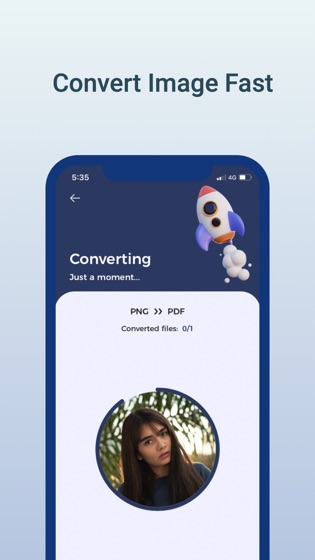
Say goodbye to “Unsupported File” errors. Image Converter is a fast and reliable photo and document conversion app for iPhone and iPad. Convert a single JPG to PDF or batch process HEIC files to PNG in just a few taps.

Important Pricing Disclosure

Image Converter includes both free and paid features.

Free version includes core conversion tools with limits.

Pro subscription (In-App Purchase required) unlocks unlimited and premium features.

Some formats and advanced tools require Pro access.

Trusted by students, professionals, designers, and everyday users who need a dependable converter on the go.

The Complete Image & Document Converter

Avoid unreliable web converters. Image Converter helps you convert files directly on your device with a simple workflow and high-quality output.

Import from Camera Roll, Files app, iCloud Drive, Dropbox, Google Drive, or directly from a URL. Export and share in seconds.

25+ Supported Formats — All in One App

PDF, SVG, JPEG, GIF, JPG, PNG, BMP, TIFF, PSD, WEBP, HEIC, EPS, PS, EXR, TGA, WBMP, ODD, TIF, CUR, XBM, OTB, AVS, BMP, and more.

Batch Conversion — Save Time

Select multiple images and convert them in one flow. Import from Gallery, Files, iCloud, or cloud storage, then export to your preferred destination.

Powerful Tools Inside

Photo to PDF Scanner — Scan receipts, contracts, notes, and documents

HEIC to JPG Converter — Improve compatibility for sharing

WebP & SVG Converter — Useful for creators and developers

Files App & Share Sheet Integration — Optimized for iOS

High-Quality Output — Clean results ready to share

Built for Every Type of User

Students — Share notes and PDFs quickly

Professionals — Manage documents on the go

Designers — Export assets in multiple formats

Developers — Convert image assets faster

Everyday Users — Convert and share with ease

Share Anywhere, Instantly

Export via Email, AirDrop, iCloud Drive, or any app using iOS Share Sheet.

Why Users Choose Image Converter

Simple and fast workflow

No account required to start

Clean export experience

Flexible import and share options

How It Works — 3 Simple Steps

Select images from Gallery, Files, iCloud, or URL

Choose output format

Tap Convert and share instantly

Pro Subscription

Unlock unlimited batch conversions, premium formats, and faster processing with Pro.

Subscription auto-renews unless cancelled at least 24 hours before renewal.

Manage anytime in Apple ID Settings.

Terms of Use: https://tracewavetransparency.com/privacy/terms-condition

Privacy Policy: https://tracewavetransparency.com/privacy/privacy-policy