
KineMaster - AI Video Editor
AI Video Editor & Vlog Maker
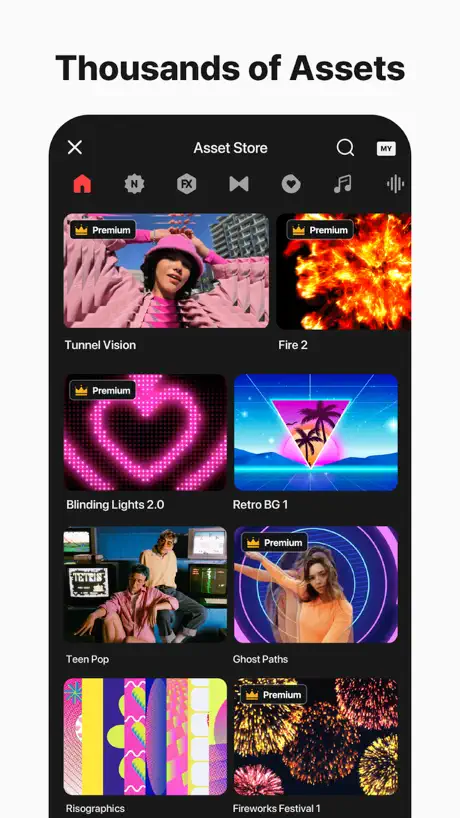
How much does KineMaster - AI Video Editor cost?
Prices are current as of 27 Sept 2026.
3 subscriptions from $8.49
In the United States, KineMaster - AI Video Editor has 3 subscriptions priced $8.49 – 59.99. It comes with a 3 days free trial.
| Subscription | Period | Price |
|---|---|---|
| Premium (Monthly) | Monthly | $8.49 – 9.99 |
| KineMaster's Premium(Monthly) | Monthly | $11.99 |
| Premium (Annual) | AnnualTrial: 3 days | $49.99 – 59.99 |
1 one-time purchase from $9.49
In the United States, KineMaster - AI Video Editor has 1 one-time purchase priced $9.49.
| Product | Price |
|---|---|
| Premium (30 days) | $9.49 |
See what KineMaster - AI Video Editor costs in all 175 countries →
10+ alternatives to KineMaster - AI Video Editor
| KineMaster - AI Video Editor |   VN: Photo & Video Editor VN: Photo & Video Editor |   Funimate Video & Motion Editor Funimate Video & Motion Editor |   VLLO- Video Editor, Vlog Edits VLLO- Video Editor, Vlog Edits |   Filmmaker Pro - Video Editor Filmmaker Pro - Video Editor |   VideoShow AI Video Editor VideoShow AI Video Editor |   VITA - Video Editor & Maker VITA - Video Editor & Maker |   Alight Motion Alight Motion |   PowerDirector: AI Video Editor PowerDirector: AI Video Editor |   Filmigo Video Maker & Editor Filmigo Video Maker & Editor |   Pixel Lab:Photo & Video Editor Pixel Lab:Photo & Video Editor | |
|---|---|---|---|---|---|---|---|---|---|---|---|
| Rating / 5 | 4.7 | 4.7 | 4.6 | 4.8 | 4.6 | 4.7 | 4.7 | 4.3 | 4.6 | 4.8 | 4.3 |
| Reviews | 200K | 4.8M | 1.1M | 936K | 533K | 442K | 423K | 304K | 136K | 51K | 29K |
| Released | 2022 | 2018 | 2014 | 2015 | 2016 | 2014 | 2019 | 2019 | 2019 | 2019 | 2018 |
| Weekly price | — | — | $3.99 | $3.49 | $7.99 | $4.99 | — | $4.99 | — | $6.99 | — |
| Monthly price | $8.99 | $7.99 | $8.99 | $6.49 | $15.99 | $7.99 | — | $6.99 | $6.99 | $11.99 | $4.99 |
| Annual price | $49.99 | $69.99 | — | $19.99 | $59.99 | $35.99 | — | — | $34.99 | $45.99 | $49.99 |
| One-time price | $9.49 | $3.00 | $6.99 | $59.99 | $4.99 | $1.99 | — | — | — | — | — |
The going rate for each plan in United States, in its own currency, shaded from the cheapest price on the row to the dearest. Plans fewer than four in ten of the priced apps sell are left out.
KineMaster - AI Video Editor reviews
4.7 out of 5, based on 199,920 reviews.
What people like
- Easy for beginners to use.
- Lots of powerful editing features.
- Good option if you already pay.
What they complain about
- Ads interrupt you constantly.
- Updates cause crashes and bugs.
- Exporting videos often fails.
The effects don’t work
I tried to add the blaze effect for an edit and it didn’t appear i tried the order button to bring it forward and backwards and I was only able to see it once but if I played the video it would disappear again it also does it on every project i made
Blue’s clues uk were ready to sit in our thinking chair (season 4) (My Version)
My video
Editing easier
I can edit well in this app
2
Would not recommend CapCut better
Erm what?
Every time it lags on too much layers, I don’t like it, if I was happy if no lagging here
Decent app overall!
Pretty cool app, has cool stuff, better than CapCut.
this app SUCKS!!!!!!!
it gave me -10130 points while I was trying to get My KineMaster Premium. SO DON’T TRY THIS APP!!!! IT’S LIKE CAPCUT BUT COMEPLETELY WORSE
This glitch has been annoying me
Every time I try to make a video, the screen says that the video cant be used because it “exceeds the device performance” which basically means that I can’t make videos in this app, making it useless. How do I fix it?
★★
Everytime I go on it I see my old vids and pics
Please fix this.
It always says there is an error in my internet when there is not and it doesn’t let me upload which is very annoying.
10/10
Ok!
PLEASE STOP THIS
Stop this Storage full thing it’s getting me annoyed and working all my hard work.
Nice
Super se uper
画面の投下が消える
編集中、別のアプリを使って透過された画像を使おうとしてるんですが、その透過が毎回解除されて本当にうざいです。毎回編集中にそのせいでストレス溜まるしめんどくさいです。これ直して欲しい
...
It always upload preparing failed, is it THAT hard to render pixels? ISNT IT!?
Ease of use
It is quite literally very easy to use, even for a novice like myself.
Ek dam ghatiya
Bilkul baluwas video editor.
Feature request
Could add a feature to export edited vedio into wav or mp3
見ない内に変わった
昔とても愛用していました。しばらく動画制作をしなくなり、今回久々に使おうと思ったら凄い使いづらくなっててびっくりです。なんて言う名前の機能か分かりませんが、昔は鍵マークだった立ち絵や文字を動かすのに使うやつ。あれが本当に使いづらい!というか扱えない。同じ機能がついたアプリって他にあるのでしょうか。ここにしかなかったなら非常に困る。あとフェードイン(アウト)とかって速度速く出来ませんでしたっけ?なんか……色々退化してませんか??他の編集アプリ探そうと思います……
Didn’t remove the sound
When I turned Noise Remover on, it didn’t remove the sound, but that’s what it’s meant to do. Also, when I click on a video, it selects another video.
Peak app 🥹
I used to use this app aways bc I made videos on this app 5 STAR RATING
Importing video files issue
Importing video files taking wayyy too long for the last few days. Facing difficulties.If the issue solve, give 5 stars.
good app, things need fixing.
great app all around, my only problem is the fact that on a mobile device, trying to move something small with your fingers without accidentally fatfingering the resize or rotate buttons causing you to resize or rotate the thing you were editing is really difficult and I think there should be an option somewhere in a settings menu if there is one to make resizing and rotating separate buttons somewhere else instead of being attached to the lined box where you move stuff which I think would be very useful for moving stuff without accidentally resizing or rotating something. Additionally, there seems to be a bug where if you enable the Blur background, the video drops in frames to like 1 or 2 fps and then freezes until you switch to a different background, please fix this.
너무 잘 쓰고 있는데요ㅠ
자막창 바뀐거 너무 불편해요ㅠ 예전엔 내가 다운받은거 언어별로 볼수 있었는데 지금은 다 뒤죽박죽 내가 다윤 받은거 안 받은거 섞여 있네요… 그래도 MY탭 들어가면 내가 다운한거만 뜨긴뜨는데 언어별로 안 나눠져 있어서 전에 쓰던 폰트 찾기가 너무 어려운데 언어별로 다시 나눠주시면 안될까요?
Idk
I like the fact you can make things shorter or longer but I hate the fact I can’t have ai voices and I can’t play with full storage
I love KineMaster but…
I love KineMaster but there’s some ads when saving videos to photos
Worst app for Mac users
On Mac I can’t add media files from my internal storage, lot of bugs are in this app, using it more than a year (paid version), but still this is not working, Basic apps provide drag and drop media facility now a days, but inspite of having premium version, you can’t do this on this app, lot of updation is required in this app, No AI updation is here, looks like, someone made this app and forgot.
Blending mode bug on iPad Air M3 (v26.4.2)
I love using KineMaster, but the latest update has a severe rendering bug on the new M3 iPad Air. When I use a blending mode on any Handwriting/drawing layer, the image pixelates and distorts. Moving the layer completely splits and slices the drawing apart. Standard troubleshooting doesn't fix it. The rendering engine is clearly failing to calculate vector paths and alpha channel blending on the M3 GPU. Please patch this optimization issue soon!
あんまり良くなってない…
キネマスター大好きでかれこれ4、5年近く愛用してますがここ最近はアップデートが多く、その割に何が変わったのか分かりづらくどちらかと言うとバグが結構目立ちます。前はクロマキーの色が変更できなくなるバグが発生したりしてました。(今は直ってる?)今回のアプデではレイヤーのキーフレームが機能しなくなり、特に困ったのが仕様かバグか分かりませんが編集中の動画を再生していなくてもスタンプのアニメーションが動き続ける現象です。スタンプがずっと動いてるとフレームごとにキーフレームを付けれないのでめっちゃっくっちゃ使いづらいです。自分はとくにスタンプをよく使うのでこれが本当に致命的なのでバグなのでしたら早急に対応お願いします。色んな機能が増えてて編集の幅が広がるのはとても助かってて工夫で色んな編集ができるのがキネマスターのいい所だと思うので既存の機能はあんまりいじらないで頂きたい!😭割と最近出たコーナーピンやレイヤースタイルの追加は凄い便利で楽しめます。
More English TTS Voices
Hey KineMaster, not a depressing review but, I was really hoping you could add more tts voices for the English language, because it’s just Scarlett and no others, for example of names: Matt Jim Jacob Molly Daniel Dylan Yep, 6 of them need to be added, please, because Scarlett is boring, it’s just a weird voice, but anyway, that’s it for this review. If you guys reach me, that would mean a lot. From Riley B
Great 5 stars
Only thing bad is I can't post a d it says error! Good app! Also I quit! 😄😁🩷 cuz I can't post anything h ing so how am I gonna get views if I can't post???? Anyways I guess I like
Ai
Ai beckround change add to KineMaster
over voice problem i phone
If you record voice from the iPhone's voice mom apps, the voice is very beautiful and takes a little less noise. But if you give voice from inside Kine Master, that voice is excessive and plus the age is bursting. Please update to keep the voice natural on the iPhone
Tôi đã đăng ký bản cao cấp
Đăng ký rồi mà vẩn xuất hiện hình mờ ., email hổ trợ thì không bấm dk , giờ ko biết làm cách nào
Love to use
My best apps for editing, but the subscription amount is little bit costly. All over very nice apps👍
Let’s me make funny vids
5 stars
Not good
Bad editing
Question
Hello KineMaster Team I hope you’re doing well first off I want to say how amazing this app is all the effects and everything is just amazing but there’s this one question i have every time when I open the app it keeps asking to update it so may I ask it is a glitch or something else if it’s a glitch please fix it cuz it’s kinda annoying that I can’t work on my projects. Once again this app is amazing
STOP RUINING IT
I TRY MAKING END CREDITS BUT THEY DISSAPEARED YOU BEST FIX THIS OR REMOVE THE APP
After Updating Its Slow Down
I’ve been using KineMaster Premium for several years, and it has always been one of my favorite mobile video editors because of its smooth interface, powerful features, and ease of use. It has helped me create many YouTube videos efficiently. However, after the February 2026 update, I started experiencing performance issues. The app feels noticeably slower — timeline lag, delayed rendering, and occasional frame drops while editing. Even simple tasks like trimming clips or adding effects now take more time than before, which affects my workflow. As a long-time premium user, I expected performance improvements with updates, not slowdowns. I hope the developers address these optimization issues quickly, especially for creators who rely on KineMaster daily for content production. KineMaster is still a strong editor with great features, but stability and speed are crucial. If the performance problems continue, many loyal users like me may consider shifting to other editing apps. I sincerely request the KineMaster team to release a fix or optimization update soon so creators can continue using the app smoothly.
The only thing
Great app for editing! The only thing I’d like to see would be opaque change for the sound wave on the main video edit line.. I love that they have it but sometimes it’s very hard to see! This would make life easier 😏
Error 5 while downloading pixabay images
I have premium membership of kinemaster but still I am not able to download pixabay images on my iPhone. It keeps showing error 5 each time. I have updated the app, reinstalled, no network issues, no storage problem. What should I do?
Volume envelope not working properly after recent update
Volume envelope not working properly after recent update
I don’t like the app anymore
It’s not cool though😞
ภาพค้างตอนตัดต่อ
หลังจากอัพเดตภาพค้างไปแต่เสียง
Nice!
This inspired me to make logo effects and speedy exports videos
unable to open music
I’m using this app from 2/3 years ago but recently unable to open background music and not perform smooth. So I change another app.
rupsong
rupsong
งานดี ใช้งานง่ายเหมาะสำหรับ คนที่อยากมีผลงาน
ดีใจมากค่ะที่มีโปรแกรมนี้
Music Copyright issue
I work on YouTube. If I upload any KineMaster audio to YouTube, I'm faced with copyright issues.
KineMaster - AI Video Editor price by country
A monthly subscription costs $2.23 in China and $8.99 in the United States — 4× more for the same thing. Below is the going rate for each plan in every country that sells it — the middle price of what the app charges there, in the country's own currency with the dollar equivalent beneath it.
| Country | Monthly | Annual | One-time |
|---|---|---|---|
| Afghanistan | $5.99 | $39.99 | — |
| Albania | $6.99 | $49.99 | — |
| Algeria | $5.99 | $39.99 | — |
| Angola | $5.99 | $39.99 | — |
| Anguilla | $5.99 | $39.99 | — |
| Antigua And Barbuda | $5.99 | $39.99 | — |
| Argentina | $5.99 | $39.99 | — |
| Armenia | $6.99 | $49.99 | — |
| Australia | A$9.99$7.04 | A$59.99$42.25 | — |
| Austria | €6.99$7.96 | €44.99$51.24 | — |
| Azerbaijan | $5.99 | $39.99 | — |
| Bahamas | $5.99 | $39.99 | — |
| Bahrain | $6.99 | $39.99 | — |
| Barbados | $5.99 | $39.99 | — |
| Belarus | $6.99 | $49.99 | — |
| Belgium | €6.99$7.96 | €44.99$51.24 | — |
| Belize | $5.99 | $39.99 | — |
| Benin | $5.99 | $39.99 | — |
| Bermuda | $6.99 | $49.99 | — |
| Bhutan | $5.99 | $39.99 | — |
| Bolivia | $5.99 | $39.99 | — |
| Bosnia & Herzegovina | €5.99$6.82 | €44.99$51.24 | — |
| Botswana | $5.99 | $39.99 | — |
| Brazil | R$29.90$5.76 | R$199.90$38.52 | R$32.90$6.34 |
| British Virgin Islands | $5.99 | $39.99 | — |
| Brunei Darussalam | $5.99 | $39.99 | — |
| Bulgaria | €6.49$7.39 | €44.99$51.24 | — |
| Burkina Faso | $5.99 | $39.99 | — |
| Cambodia | $5.99 | $39.99 | $6.49 |
| Cameroon | $5.99 | $49.99 | — |
| Canada | CA$8.99$6.38 | CA$49.99$35.45 | — |
| Cape Verde | $5.99 | $39.99 | — |
| Cayman Islands | $5.99 | $39.99 | — |
| Chad | $5.99 | $39.99 | — |
| Chile | CLP 5,590$5.80 | CLP 39,990$41.53 | — |
| China | CN¥15.00$2.23 | CN¥88.00$13.08 | — |
| Colombia | COP 24,900$7.64 | COP 199,900$61.37 | — |
| Congo | $5.99 | $39.99 | — |
| Congo, Democratic Republic | $5.99 | $39.99 | — |
| Costa Rica | $5.99 | $39.99 | — |
| Cote Divoire | $5.99 | $39.99 | — |
| Croatia | €6.99$7.96 | €44.99$51.24 | — |
| Cyprus | €6.99$7.96 | €44.99$51.24 | — |
| Czech Republic | CZK 149.00$6.97 | CZK 999.00$46.73 | — |
| Denmark | DKK 49.00$7.47 | DKK 349.00$53.20 | — |
| Dominica | $5.99 | $39.99 | — |
| Dominican Republic | $5.99 | $39.99 | — |
| Ecuador | $5.99 | $39.99 | — |
| Egypt | EGP 299.99$5.80 | EGP 1,299.99$25.12 | — |
| El Salvador | $5.99 | $39.99 | — |
| Estonia | €6.99$7.96 | €44.99$51.24 | — |
| Fiji | $6.99 | $44.99 | — |
| Finland | €6.99$7.96 | €44.99$51.24 | — |
| France | €6.99$7.96 | €44.99$51.24 | — |
| Gabon | $5.99 | $39.99 | — |
| Gambia | $5.99 | $39.99 | — |
| Georgia | $6.99 | $49.99 | — |
| Germany | €6.99$7.96 | €44.99$51.24 | — |
| Ghana | $5.99 | $49.99 | — |
| Greece | €6.99$7.96 | €44.99$51.24 | — |
| Grenada | $5.99 | $39.99 | — |
| Guatemala | $5.99 | $39.99 | — |
| Guinea-bissau | $5.99 | $39.99 | — |
| Guyana | $5.99 | $39.99 | — |
| Honduras | $5.99 | $39.99 | — |
| Hong Kong | HK$48.00$6.12 | HK$288.00$36.73 | — |
| Hungary | HUF 2,490$7.91 | HUF 17,990$57.18 | — |
| Iceland | $6.99 | $49.99 | — |
| India | ₹599.00$6.25 | ₹3,999.00$41.71 | ₹659.00$6.87 |
| Indonesia | IDR 99,000$5.53 | IDR 699,000$39.05 | IDR 109,000$6.09 |
| Iraq | $5.99 | $39.99 | — |
| Ireland | €6.99$7.96 | €44.99$51.24 | — |
| Israel | ₪22.90$7.53 | ₪149.90$49.31 | — |
| Italy | €6.99$7.96 | €44.99$51.24 | — |
| Jamaica | $5.99 | $39.99 | — |
| Japan | ¥890$5.65 | ¥5,000$31.76 | — |
| Jordan | $5.99 | $39.99 | — |
| Kazakhstan | KZT 2,990.00$6.75 | KZT 19,990.00$45.11 | — |
| Kenya | $5.99 | $49.99 | — |
| Kosovo | €5.99$6.82 | €44.99$51.24 | — |
| Kuwait | $5.99 | $39.99 | — |
| Kyrgyzstan | $5.99 | $39.99 | — |
| Lao Peoples Democratic Republic | $5.99 | $44.99 | $9.99 |
| Latvia | €6.99$7.96 | €44.99$51.24 | — |
| Lebanon | $5.99 | $39.99 | — |
| Liberia | $5.99 | $39.99 | — |
| Libya | $5.99 | $39.99 | — |
| Lithuania | €6.99$7.96 | €44.99$51.24 | — |
| Luxembourg | €6.99$7.96 | €44.99$51.24 | — |
| Macao | $6.99 | $44.99 | — |
| Macedonia | $5.99 | $39.99 | — |
| Madagascar | $5.99 | $39.99 | — |
| Malawi | $5.99 | $39.99 | — |
| Malaysia | MYR 29.90$7.33 | MYR 199.90$49.00 | MYR 32.90$8.06 |
| Maldives | $5.99 | $39.99 | — |
| Mali | $5.99 | $39.99 | — |
| Malta | €6.99$7.96 | €44.99$51.24 | — |
| Mauritania | $5.99 | $39.99 | — |
| Mauritius | $5.99 | $39.99 | — |
| Mexico | MX$149.00$8.42 | MX$999.00$56.47 | — |
| Micronesia | $5.99 | $39.99 | — |
| Moldova | $6.99 | $49.99 | — |
| Mongolia | $5.99 | $39.99 | — |
| Montenegro | €5.99$6.82 | €39.99$45.55 | — |
| Montserrat | $5.99 | $39.99 | — |
| Morocco | $5.99 | $39.99 | — |
| Mozambique | $5.99 | $39.99 | — |
| Myanmar | $5.99 | $39.99 | $6.49 |
| Namibia | $5.99 | $39.99 | — |
| Nauru | $5.99 | $39.99 | — |
| Nepal | $5.99 | $39.99 | $6.49 |
| Netherlands | €6.99$7.96 | €44.99$51.24 | — |
| New Zealand | NZ$9.99$5.64 | NZ$69.99$39.54 | — |
| Nicaragua | $5.99 | $39.99 | — |
| Niger | $5.99 | $39.99 | — |
| Nigeria | NGN 8,500.00$6.40 | NGN 19,900.00$14.98 | — |
| Norway | NOK 79.00$8.31 | NOK 499.00$52.47 | — |
| Oman | $5.99 | $39.99 | — |
| Pakistan | PKR 1,500$5.42 | PKR 9,900$35.74 | PKR 1,650$5.96 |
| Palau | $6.99 | $44.99 | — |
| Panama | $5.99 | $39.99 | — |
| Papua New Guinea | $5.99 | $39.99 | — |
| Paraguay | $5.99 | $39.99 | — |
| Peru | PEN 21.90$6.44 | PEN 149.90$44.09 | — |
| Philippines | ₱299.00$4.78 | ₱2,290.00$36.63 | ₱329.00$5.26 |
| Poland | PLN 29.99$7.81 | PLN 199.99$52.08 | — |
| Portugal | €6.99$7.96 | €44.99$51.24 | — |
| Qatar | QAR 22.99$6.32 | QAR 149.99$41.21 | — |
| Romania | RON 29.99$6.48 | RON 199.99$43.19 | — |
| Russia | RUB 499.00$5.92 | RUB 3,490.00$41.41 | — |
| Rwanda | $5.99 | $39.99 | — |
| Sao Tome & Principe | $5.99 | $39.99 | — |
| Saudi Arabia | SAR 24.99$6.66 | SAR 179.99$48.00 | — |
| Senegal | $5.99 | $39.99 | — |
| Serbia | €5.99$6.82 | €44.99$51.24 | — |
| Seychelles | $5.99 | $39.99 | — |
| Sierra Leone | $5.99 | $39.99 | — |
| Singapore | SGD 8.98$7.02 | SGD 59.98$46.86 | — |
| Slovakia | €6.99$7.96 | €44.99$51.24 | — |
| Slovenia | €6.99$7.96 | €44.99$51.24 | — |
| Solomon Islands | $5.99 | $39.99 | — |
| South Africa | ZAR 109.99$6.74 | ZAR 799.99$49.05 | — |
| South Korea | ₩8,900$6.56 | ₩55,000$40.53 | — |
| Spain | €6.99$7.96 | €44.99$51.24 | — |
| Sri Lanka | $5.99 | $39.99 | — |
| St. Kitts and Nevis | $5.99 | $39.99 | — |
| St. Lucia | $5.99 | $39.99 | — |
| St. Vincent & The Grenadines | $5.99 | $39.99 | — |
| Suriname | $5.99 | $39.99 | — |
| Swaziland | $5.99 | $39.99 | — |
| Sweden | SEK 79.00$7.97 | SEK 499.00$50.35 | — |
| Switzerland | CHF 6.00$7.24 | CHF 40.00$48.25 | — |
| Taiwan | NT$190.00$6.00 | NT$1,290.00$40.75 | — |
| Tajikistan | $5.99 | $39.99 | — |
| Tanzania | TZS 14,900.00$5.61 | TZS 99,900.00$37.61 | — |
| Thailand | THB 199.00$5.96 | THB 1,490.00$44.62 | — |
| Tonga | $5.99 | $39.99 | — |
| Trinidad and Tobago | $5.99 | $39.99 | — |
| Tunisia | $5.99 | $39.99 | — |
| Turkey | TRY 219.99$4.50 | TRY 999.99$20.45 | — |
| Turkmenistan | $5.99 | $39.99 | — |
| Turks and Caicos | $5.99 | $39.99 | — |
| Uganda | $5.99 | $49.99 | — |
| Ukraine | $6.99 | $49.99 | — |
| United Arab Emirates | AED 22.99$6.26 | AED 149.99$40.87 | — |
| United Kingdom | £5.99$7.93 | £39.99$52.97 | — |
| United States | $8.99 | $49.99 | $9.49 |
| Uruguay | $5.99 | $39.99 | — |
| Uzbekistan | $5.99 | $39.99 | — |
| Vanuatu | $5.99 | $44.99 | — |
| Venezuela | $5.99 | $39.99 | — |
| Vietnam | ₫149,000$5.74 | ₫999,000$38.49 | — |
| Yemen | $5.99 | $39.99 | — |
| Zambia | $5.99 | $39.99 | — |
| Zimbabwe | $5.99 | $49.99 | — |
KineMaster - AI Video Editor FAQ
- Is KineMaster - AI Video Editor free?
- Yes. The app and its basic features are free, in all 175 countries it sells in. Premium features are paid: they start from $8.49 (US), across 3 subscriptions and 1 one-time purchase.
- How much does KineMaster - AI Video Editor cost per month?
- KineMaster's Premium(Monthly) is $8.49 – 11.99 (US). The annual plan works out cheaper per month: $49.99 – 59.99 a year.
- Does KineMaster - AI Video Editor have a free trial?
- Yes — a 3 days free trial (US).
- Where is KineMaster - AI Video Editor cheapest?
- A monthly subscription costs CN¥15.00 (≈$2.23) in China and $8.99 in the United States, its cheapest and dearest countries.
- What are the best alternatives to KineMaster - AI Video Editor?
- VN: Photo & Video Editor (4.7 from 4,807,183 reviews, premium from $1.00), Funimate Video & Motion Editor (4.6 from 1,078,955 reviews, premium from $2.99) and VLLO- Video Editor, Vlog Edits (4.8 from 935,593 reviews, premium from $3.49).
KineMaster - AI Video Editor download
Last updated 21 days ago.
KineMaster - AI Video Editor sells in 175 countries. It was released 4 years and 5 months ago, on 1 May 2022. It holds a 4.7 rating from 199,920 reviews.
Supports 20 languages: English, Arabic, French, German, Hindi, Indonesian, Italian, Japanese, Korean, Malay, Marathi, Portuguese, Russian, Chinese, Spanish, Tamil, Telugu, Thai, Turkish, Vietnamese.
How much does KineMaster - AI Video Editor make?
Third-party estimates for the last 30 days, worldwide — not the store's own figures, which Apple publishes for nobody.
Revenue by plan
- Monthly 59%
- Annual 41%
- One-time 0%
Revenue by country
- United States 44%
- Thailand 6%
- Saudi Arabia 5%
- South Korea 5%