Omniscient - Blender CGI Lidar
Graphics & DesignPhoto & Video

Omniscient - Blender CGI Lidar

Stellaxis OÜ · released 16 Oct 2022 · Open in App Store ↗

Revenue 30d not estimated
Downloads 30d not estimated
Rating 4.65 234 reviews

No in-app products collected for this app.

Rating
United States29%684.57
France8%195.00
Brazil6%144.93
United Kingdom6%134.77
Canada5%125.00
Russia5%114.64
Australia4%105.00
Spain4%94.11
Germany3%74.86
Italy3%64.17
Japan3%64.33
India2%54.60
United Arab Emirates2%45.00
Poland2%45.00
China1%33.67
South Korea1%34.67
Mexico1%35.00
Netherlands1%34.33
Ukraine1%34.67

The store shows a different set in every country

Description

Capture video and camera animation inside a scan of your environment, all at a real-world scale of 1 meter per unit. Manage your shots by project or sequence and export them effortlessly in industry-standard formats compatible with leading VFX software.

Scan directly into Blender! Animate your Blender camera by moving your phone and scan your scene directly into Blender.

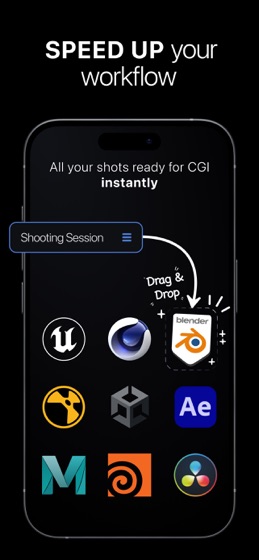
Easily import your shots into Blender, Cinema 4D, Unreal Engine, and Unity with the Omniscient add-ons, or export them to After Effects or Apple Motion. Thanks to our industry-standard format output, Omniscient is fully compatible with most 3D software, including Maya, Houdini, Nuke, and more.

For users with LiDAR-equipped devices, capture even more precise 3D scans and depth data for enhanced scene understanding.

With our integrated advanced 3D player, you can preview the 3D scene and camera tracking directly in the app, including a real-time preview of the camera projection onto the scan. The player also includes trimming and post-stabilization features, allowing you to edit your shots before exporting.

Export includes:

Video Files (.mov)

Camera Data (.abc, .usda, .fbx)

3D Scans (.obj)

Key Features:

Video Quality: 4K, HD, or SD

Video Encoding: HDR or SDR

Frame Rates: 24, 25, 30, 48, 50, and 60 fps (4K recording up to 30 fps)

Real-Time Control: Adjust exposure, white balance, and focus on the fly

Depth Recording: Capture depth maps up to 5 meters (on LiDAR-equipped devices)

Shot Editing: Trim and stabilize your video before exporting

Fast Import: Seamlessly import into Blender, Maxon’s Cinema 4D, Epic Games’ Unreal Engine, and Unity using the Omniscient add-ons

Third-Party Export: Export directly to Adobe After Effects (.jsx) or Apple Motion (.motn)

Other Compatibility: Maya, Houdini, Nuke, DaVinci Resolve, 3ds Max, and more

Additional Options:

Portrait or Landscape Modes: Create content for social media in Portrait mode or cinematic videos in Landscape mode

Advanced Codecs: Choose from H.264, HEVC, or ProRes (ProRes on compatible devices)

GPS Metadata: Add GPS location data to your shots

Audio Recording: Capture sound along with your video using an internal or external microphone

External Drive Support: Save captured data directly to external storage

LTC: Output Linear Timecode during recording

Terms of Use: https://docs.omniscient-app.com/policy/ios/omniscient-terms-and-conditions