Take orders POS Print System
Cash Register POS fast-food
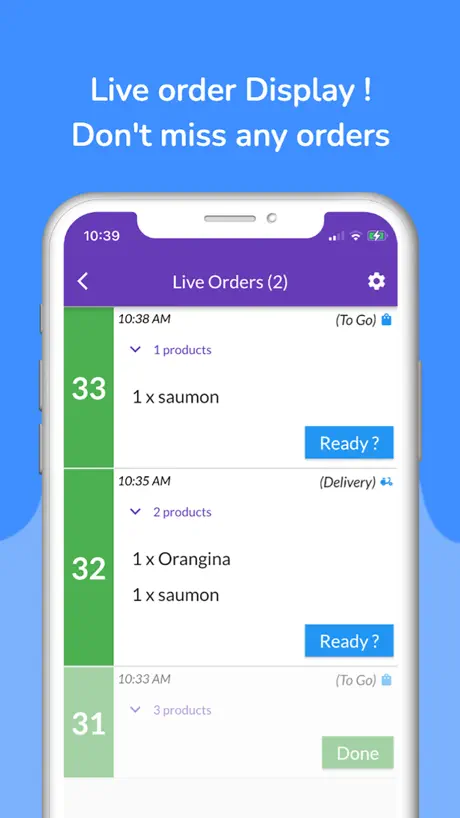
How much does Take orders POS Print System cost?
Prices are current as of 6 Oct 2026.
2 subscriptions from $3.99
In the United States, Take orders POS Print System has 2 subscriptions priced $3.99 – 44.99. It comes with a 7 days free trial.
| Subscription | Period | Price |
|---|---|---|
| Take Orders Pro | MonthlyTrial: 7 days | $3.99 |
| 12 months | Annual | $44.99 |
See what Take orders POS Print System costs in all 175 countries →
10+ alternatives to Take orders POS Print System
| Take orders POS Print System | 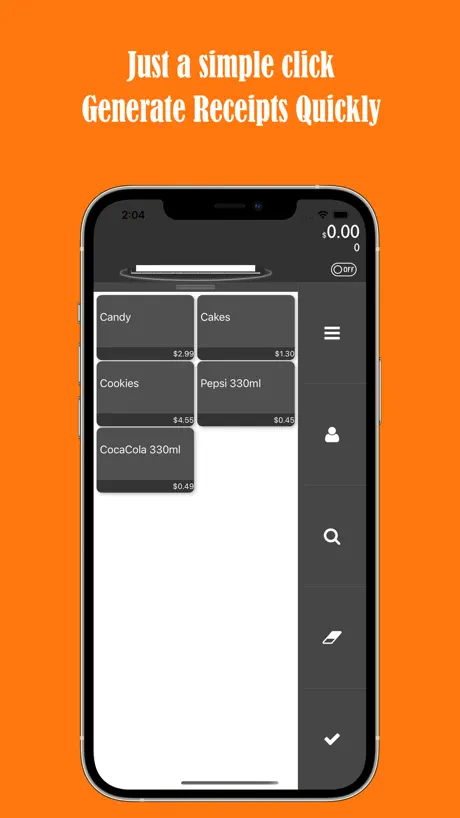  TinyPOS:Tools for Business TinyPOS:Tools for Business |   Silom POS - Point of Sale Silom POS - Point of Sale |   Popina Popina | 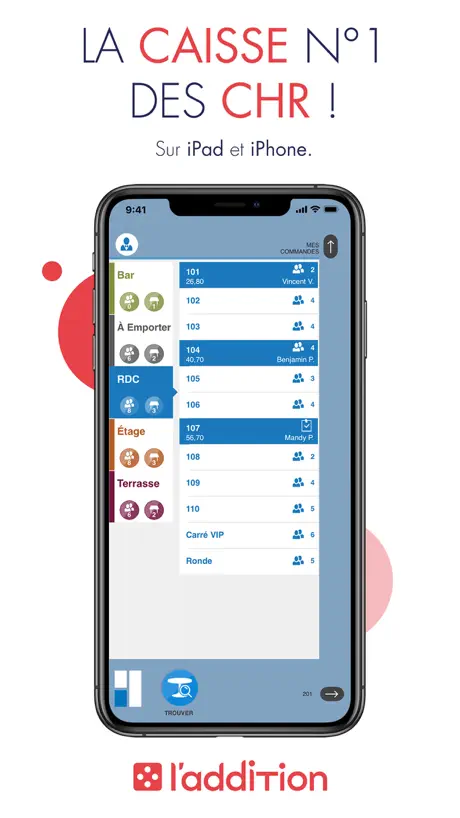  L'Addition Origine L'Addition Origine |   Tunder · Offline Cash Register Tunder · Offline Cash Register |   Register Helper - Easy Cash Register Helper - Easy Cash |   Shopcaisse - Cash register Shopcaisse - Cash register |   POS Simple- Tap to Pay Receipt POS Simple- Tap to Pay Receipt |   PosKing PosKing |   Loyverse CDS Customer Display Loyverse CDS Customer Display | |
|---|---|---|---|---|---|---|---|---|---|---|---|
| Rating / 5 | 4.2 | 4.7 | 4.8 | 4.4 | 4.6 | 4.8 | 4.7 | 4.5 | 4.7 | 3.8 | 4.1 |
| Reviews | 320 | 5.9K | 2.9K | 2K | 1.3K | 825 | 666 | 384 | 247 | 110 | 102 |
| Released | 2021 | 2018 | 2017 | 2013 | 2013 | 2020 | 2023 | 2021 | 2022 | 2020 | 2017 |
| Monthly price | $3.99 | $17.99 | — | — | — | — | $3.99 | — | $3.99 | — | — |
| Annual price | $44.99 | $69.99 | — | — | — | — | — | — | $24.99 | — | — |
The going rate for each plan in United States, in its own currency, shaded from the cheapest price on the row to the dearest. Plans fewer than four in ten of the priced apps sell are left out.
Take orders POS Print System reviews
4.2 out of 5, based on 320 reviews.
What people like
- Very simple and easy to use
- Cheap plan for small businesses
- Works well with credit card readers
- Fast setup and smooth navigation
What they complain about
- App crashes frequently on some devices
- Support team ignores your questions
- Printer connection via Bluetooth often fails
- Cannot split payments between cash and card
Love it
I love this app. It’s very simple and it’s not a hard system. I will recommend this to anyone who doesn’t want to pay for. They have a very cheap plan and you’re very simple and I love it when you’re in order.
Encaisser avec deux moyen de paiement différent
je trouve dommage qu’il n’ait pas possible d’encaisser avec deux moyens de paiement different
Great app
Love this app for our food truck ordering system. Have used it for years. The new update has added a lot of kool things, but now some of the settings are in French and I can’t change it. There is no language setting.
Áreas de oportunidad
funciona para tener inventario pero al final no suma a una misma cuenta o número el total
Buena pero muy cara
Deja solo usar unos días y después cobra
Top pour une petite entreprise
Top
Sucks
I put in four oddrrs and then it told me to buy a mouth and year thing to keep ordering I almost lost my job because of this!
Super simple d’utilisation
Super application simple à utiliser . Par contre j’ai questionné le support pour savoir quelle imprimante était compatible avec l’application mais je n’ai pas eut de réponse .
Crash
Lappli marche sur mon iPhone 13, j’ai investie un iPad 3 mini pour celui-ci mais lappli crash à chaque fois
Petit mise à jour
Vous devriez rajouter les vente par jour , vous avez semaine , mois , année . Dans les historiques de vente sa serai superbe autrement bon logiciel simple et efficace Et pour la fonctionnalité payante rajoute plus option merci
Great app!
Quick and easy app we used for our brat fry! Easy to setup and use. Also easy to modify as needed.
Pas d’interlocuteur
En cas de problème, personne ne répond, malgré l’envoi de plusieurs mails de plus l’application n’est pas aux normes pour la comptabilité.
Good but some problems
Thais was so fun for me and my siblings to play restaurant with and probably is amazing for business but there was a limit an we had to stop because i could only continue if we bought a subscription :(
O App tem suas qualidades, mas tem outros melhores com valores menores .
Quando tava no valor de 10 ainda dava pra pagar, mas a 20,00 , tem App que são mais competitivos
Best support team
Great app for kitchen businesses fast and smooth navigation made my business a whole lot easier to run. Support team always there to help you wish these developers nothing but success
I don’t know how to like work is
Look at the title
Simple et efficace
Application très utile, efficace et simple d utilisation. Multicaisse. 2 suggestions : - rajouter la possibilité de payer de 2 manières différentes (une partie en espèces et une partie cartes bancaires) - pour le bilan : rajouter un recap par moyen de paiements. Total paiement espèces, total cartes bancaires…
Unfortunately
Because it only let me do a certain amount
Awesome App
This make MrBrown very happy. Very happy indeed.
Total lack of support
Regretfully we paid for a whole year in advance. They changed the way you log in, before you were able to log in with your email but now that’s gone and you can only log in with Google account or phone number, but my account was created with a Hotmail account and now I can’t log back in I sent several emails to them but we never got an answer. Support is non existant and would NOT trust this app my restaurant operation if I were you, stay away!
Très bon application
Très bon application pour petit commerce cependant elle n'est pas complète et manque pas mal d’amélioration. Par exemple ya pas de sous catégorie, si par exemple je choisi un tacos 1 ou 2 viandes, quelle sorte de viande, quelle sauce, quelle supplément, tout ça je le trouve que dans supplément et c'est plus long, et quand la liste et long il faut chercher!? Aussi les catégories on ne peut pas mettre d’images dommage.
Modalités de paiement
L’appli est super facile d’utilisation. Toutefois, je rencontre un problème lors du paiement quand il s’agit de séparer la note en deux ? Et lorsque le paiement se fait pour une part en espèces et l’autre en CB ? Je n’arrive pas faire la manipulation. Pouvez vous m’aider, merci
This App Is Amazing
Whether it’s a real mini business or a fake game you like to play families or friends, it’s such a great app, and you can send recipts as emails, and get paid through the app if you have a card scanner connected, as well as a printer. But you should use this app for any businesses I am telling you this app is amazing.
Sub total amount
Taxes are not added on the final sales prices
Problème imprimante thermique
Bonjour votre application est super mais je n’arrive pas a imprimer les commandes avec l’imprimante thermique qui est pourtant la même que celle sur vos photos.
Problème
Bonjour j’ai supprimer mes historique de commande par mauvaise manip comment les récupèré??
Love this app
Nice and easy and simple deserves more attention for small businesses
Not accurate sales statistics
The sales statistics are not accurate for the total amount. Disappointing
Nn
Dommage qu’on ne puisse pas numéroter les paniers reste une bonne application
Érgonomique et rapide mais pas de synchronisation
Simple d’utilisation pour prendre une commande, mais ne se synchronise pas avec un autre appareil
Want more stuff
Printer access ,online credit card reader
Problème connexion
Très bonne application en revanche impossible de connecter mon imprimante Epson avec le Bluetooth
Bonne appli mais
Dommage je ne trouve nul part de téléphone pour joindre quelqu’un. J’aimerais savoir comment ouvrir et fermer caisse et ainsi imprimer un ticket de clôture de caisse.
Poderia melhorar
Gostei bastante, mas poderia ter a opção de anotar por mesa
Clean abs simple UI but a powerful app.
This app is a prime example of what a delightful product should be.
Best
Can’t delete extra And only can do it for a couple hours without having to pay
Super application mais
L’application est super clair et net par contre j’ai deux points négatifs à souligner c’est que les notifications pour les commandes s’affichent seulement lorsque qu’on est sur l’onglet “ commande “ alors qu’il serait plus judicieux que ça soit même lorsque le téléphone est verrouillé . Le deuxième point c’est qu’il manque une notification pour dire que l’application est prête . Est t-il possible de mettre une option « payer plus tard « car on est obligé d’encaisser tout de suite pour lancer la commande
Bug
Bonjour, je n’arrive plus à utiliser l’application "Store not available "
Amazing
This is the best app ever I love this app keep up the good apps
Tickets
Tout ressort en double ou même en triple sur le ticket pour c’est écrit n’importe comment impossible de régler se problème
Opciones
Me encanta la app pero le añadiría unas opciones adicionales. Que gire la pantalla y cambiar la moneda. Que no sólo sea en Euros
Pas mal
Pas mal mais si on pouvait mettre les notes en attente ça serait génial, je pense d’ailleurs qu’il ne manque plus que ça pour que l’application soit complète
Take orders POS Print System price by country
A monthly subscription costs $3.09 in Turkey and $6.36 in Colombia — 2× more for the same thing. Below is the going rate for each plan in every country that sells it — the middle price of what the app charges there, in the country's own currency with the dollar equivalent beneath it.
| Country | Monthly | Annual |
|---|---|---|
| Afghanistan | $3.99 | $44.99 |
| Albania | $4.99 | $49.99 |
| Algeria | $3.99 | $44.99 |
| Angola | $3.99 | $44.99 |
| Anguilla | $3.99 | $44.99 |
| Antigua And Barbuda | $3.99 | $44.99 |
| Argentina | $3.99 | $44.99 |
| Armenia | $4.99 | $49.99 |
| Australia | A$5.99$4.31 | A$69.99$50.35 |
| Austria | €4.99$5.80 | €49.99$58.13 |
| Azerbaijan | $3.99 | $49.99 |
| Bahamas | $3.99 | $49.99 |
| Bahrain | $3.99 | $49.99 |
| Barbados | $4.99 | $49.99 |
| Belarus | $4.99 | $49.99 |
| Belgium | €4.99$5.80 | €49.99$58.13 |
| Belize | $3.99 | $44.99 |
| Benin | $4.99 | $49.99 |
| Bermuda | $3.99 | $44.99 |
| Bhutan | $3.99 | $44.99 |
| Bolivia | $3.99 | $44.99 |
| Bosnia & Herzegovina | €4.99$5.80 | €49.99$58.13 |
| Botswana | $3.99 | $44.99 |
| Brazil | R$19.90$3.90 | R$299.90$58.80 |
| British Virgin Islands | $3.99 | $44.99 |
| Brunei Darussalam | $3.99 | $44.99 |
| Bulgaria | €4.49$5.22 | €49.99$58.13 |
| Burkina Faso | $3.99 | $44.99 |
| Cambodia | $3.99 | $49.99 |
| Cameroon | $4.99 | $49.99 |
| Canada | CA$4.99$3.62 | CA$59.99$43.47 |
| Cape Verde | $3.99 | $44.99 |
| Cayman Islands | $3.99 | $44.99 |
| Chad | $3.99 | $44.99 |
| Chile | CLP 3,990$4.27 | CLP 49,990$53.51 |
| China | CN¥28.00$4.16 | CN¥298.00$44.28 |
| Colombia | COP 19,900$6.36 | COP 199,900$63.92 |
| Congo | $3.99 | $44.99 |
| Congo, Democratic Republic | $3.99 | $44.99 |
| Costa Rica | $3.99 | $44.99 |
| Cote Divoire | $4.99 | $49.99 |
| Croatia | €4.99$5.80 | €49.99$58.13 |
| Cyprus | €4.99$5.80 | €49.99$58.13 |
| Czech Republic | CZK 99.00$4.76 | CZK 1,190.00$57.16 |
| Denmark | DKK 39.00$6.07 | DKK 399.00$62.05 |
| Dominica | $3.99 | $44.99 |
| Dominican Republic | $3.99 | $44.99 |
| Ecuador | $3.99 | $44.99 |
| Egypt | EGP 199.99$3.92 | EGP 2,499.99$49.00 |
| El Salvador | $3.99 | $44.99 |
| Estonia | €4.99$5.80 | €49.99$58.13 |
| Fiji | $3.99 | $44.99 |
| Finland | €4.99$5.80 | €49.99$58.13 |
| France | €4.99$5.61 | €49.99$56.23 |
| Gabon | $3.99 | $44.99 |
| Gambia | $3.99 | $44.99 |
| Georgia | $4.99 | $49.99 |
| Germany | €4.99$5.80 | €49.99$58.13 |
| Ghana | $4.99 | $49.99 |
| Greece | €4.99$5.80 | €49.99$58.13 |
| Grenada | $3.99 | $44.99 |
| Guatemala | $3.99 | $44.99 |
| Guinea-bissau | $3.99 | $44.99 |
| Guyana | $3.99 | $44.99 |
| Honduras | $3.99 | $44.99 |
| Hong Kong | HK$32.00$4.08 | HK$368.00$46.94 |
| Hungary | HUF 1,790$5.72 | HUF 19,990$63.91 |
| Iceland | $4.99 | $49.99 |
| India | ₹399.00$4.21 | ₹4,999.00$52.71 |
| Indonesia | IDR 69,000$3.91 | IDR 799,000$45.32 |
| Iraq | $3.99 | $44.99 |
| Ireland | €4.99$5.80 | €49.99$58.13 |
| Israel | ₪14.90$4.93 | ₪149.90$49.64 |
| Italy | €4.99$5.80 | €49.99$58.13 |
| Jamaica | $3.99 | $44.99 |
| Japan | ¥600$3.90 | ¥7,000$45.51 |
| Jordan | $3.99 | $44.99 |
| Kazakhstan | KZT 1,990.00$4.38 | KZT 24,990.00$55.02 |
| Kenya | $4.99 | $49.99 |
| Kosovo | €4.99$5.80 | €49.99$58.13 |
| Kuwait | $3.99 | $44.99 |
| Kyrgyzstan | $3.99 | $49.99 |
| Lao Peoples Democratic Republic | $3.99 | $49.99 |
| Latvia | €4.99$5.80 | €49.99$58.13 |
| Lebanon | $3.99 | $44.99 |
| Liberia | $3.99 | $44.99 |
| Libya | $3.99 | $44.99 |
| Lithuania | €4.99$5.80 | €49.99$58.13 |
| Luxembourg | €4.99$5.80 | €49.99$58.13 |
| Macao | $3.99 | $44.99 |
| Macedonia | $3.99 | $44.99 |
| Madagascar | $3.99 | $44.99 |
| Malawi | $3.99 | $44.99 |
| Malaysia | MYR 19.90$4.90 | MYR 199.90$49.24 |
| Maldives | $3.99 | $44.99 |
| Mali | $3.99 | $44.99 |
| Malta | €4.99$5.80 | €49.99$58.13 |
| Mauritania | $3.99 | $44.99 |
| Mauritius | $3.99 | $49.99 |
| Mexico | MX$89.00$4.89 | MX$999.00$54.92 |
| Micronesia | $3.99 | $44.99 |
| Moldova | $4.99 | $49.99 |
| Mongolia | $3.99 | $44.99 |
| Montenegro | €3.99$4.64 | €39.99$46.50 |
| Montserrat | $3.99 | $44.99 |
| Morocco | $3.99 | $44.99 |
| Mozambique | $3.99 | $44.99 |
| Myanmar | $3.99 | $44.99 |
| Namibia | $3.99 | $44.99 |
| Nauru | $3.99 | $44.99 |
| Nepal | $4.99 | $49.99 |
| Netherlands | €4.99$5.80 | €49.99$58.13 |
| New Zealand | NZ$6.99$4.09 | NZ$79.99$46.78 |
| Nicaragua | $3.99 | $44.99 |
| Niger | $3.99 | $44.99 |
| Nigeria | NGN 6,900.00$5.22 | NGN 69,900.00$52.87 |
| Norway | NOK 49.00$5.30 | NOK 599.00$64.83 |
| Oman | $3.99 | $44.99 |
| Pakistan | PKR 1,100$3.96 | PKR 11,900$42.88 |
| Palau | $3.99 | $44.99 |
| Panama | $3.99 | $44.99 |
| Papua New Guinea | $3.99 | $44.99 |
| Paraguay | $3.99 | $44.99 |
| Peru | PEN 14.90$4.45 | PEN 199.90$59.67 |
| Philippines | ₱199.00$3.18 | ₱2,990.00$47.74 |
| Poland | PLN 19.99$5.39 | PLN 199.99$53.91 |
| Portugal | €4.99$5.80 | €49.99$58.13 |
| Qatar | QAR 14.99$4.12 | QAR 149.99$41.21 |
| Romania | RON 19.99$4.42 | RON 249.99$55.31 |
| Russia | RUB 349.00$4.04 | RUB 3,990.00$46.17 |
| Rwanda | $3.99 | $44.99 |
| Sao Tome & Principe | $3.99 | $44.99 |
| Saudi Arabia | SAR 17.99$4.80 | SAR 199.99$53.33 |
| Senegal | $3.99 | $49.99 |
| Serbia | €4.99$5.80 | €49.99$58.13 |
| Seychelles | $3.99 | $44.99 |
| Sierra Leone | $3.99 | $44.99 |
| Singapore | SGD 5.98$4.75 | SGD 59.98$47.60 |
| Slovakia | €4.99$5.80 | €49.99$58.13 |
| Slovenia | €4.99$5.80 | €49.99$58.13 |
| Solomon Islands | $3.99 | $44.99 |
| South Africa | ZAR 79.99$5.00 | ZAR 999.99$62.50 |
| South Korea | ₩5,500$4.10 | ₩77,000$57.43 |
| Spain | €4.99$5.80 | €49.99$58.13 |
| Sri Lanka | $3.99 | $44.99 |
| St. Kitts and Nevis | $3.99 | $44.99 |
| St. Lucia | $3.99 | $44.99 |
| St. Vincent & The Grenadines | $3.99 | $44.99 |
| Suriname | $3.99 | $49.99 |
| Swaziland | $3.99 | $44.99 |
| Sweden | SEK 49.00$5.11 | SEK 599.00$62.46 |
| Switzerland | CHF 4.00$4.94 | CHF 40.00$49.38 |
| Taiwan | NT$120.00$3.81 | NT$1,490.00$47.30 |
| Tajikistan | $3.99 | $49.99 |
| Tanzania | TZS 11,900.00$4.50 | TZS 129,900.00$49.10 |
| Thailand | THB 149.00$4.53 | THB 1,490.00$45.29 |
| Tonga | $3.99 | $44.99 |
| Trinidad and Tobago | $3.99 | $44.99 |
| Tunisia | $3.99 | $44.99 |
| Turkey | TRY 149.99$3.09 | TRY 2,499.99$51.58 |
| Turkmenistan | $3.99 | $44.99 |
| Turks and Caicos | $3.99 | $44.99 |
| Uganda | $4.99 | $49.99 |
| Ukraine | $4.99 | $49.99 |
| United Arab Emirates | AED 14.99$4.08 | AED 179.99$49.04 |
| United Kingdom | £3.99$5.41 | £44.99$60.96 |
| United States | $3.99 | $44.99 |
| Uruguay | $3.99 | $44.99 |
| Uzbekistan | $3.99 | $49.99 |
| Vanuatu | $3.99 | $44.99 |
| Venezuela | $3.99 | $44.99 |
| Vietnam | ₫99,000$3.82 | ₫1,299,000$50.09 |
| Yemen | $3.99 | $44.99 |
| Zambia | $4.99 | $49.99 |
| Zimbabwe | $4.99 | $49.99 |
Take orders POS Print System FAQ
- Is Take orders POS Print System free?
- Yes. The app and its basic features are free, in all 175 countries it sells in. Premium features are paid: they start from $3.99 (US), across 2 subscriptions.
- How much does Take orders POS Print System cost per month?
- Take Orders Pro is $3.99 (US). The annual plan works out cheaper per month: $44.99 a year.
- Does Take orders POS Print System have a free trial?
- Yes — a 7 days free trial (US).
- Where is Take orders POS Print System cheapest?
- A monthly subscription costs TRY 149.99 (≈$3.09) in Turkey and COP 19,900 (≈$6.36) in Colombia, its cheapest and dearest countries.
- What are the best alternatives to Take orders POS Print System?
- TinyPOS:Tools for Business (4.7 from 5,856 reviews, premium from $17.99), Silom POS - Point of Sale (4.8 from 2,856 reviews) and Popina (4.4 from 1,995 reviews).
Take orders POS Print System download
Last updated 16 days ago.
Take orders POS Print System sells in 175 countries. It was released 4 years and 11 months ago, on 23 Oct 2021. It holds a 4.2 rating from 320 reviews.
Supports 8 languages: English, French, German, Italian, Japanese, Portuguese, Spanish, Turkish.
How much does Take orders POS Print System make?
Third-party estimates for the last 30 days, worldwide — not the store's own figures, which Apple publishes for nobody.
Revenue by plan
- Monthly 84%
- Annual 16%
Revenue by country
- France 33%
- United States 27%
- Spain 6%
- Mexico 5%