YINMIK
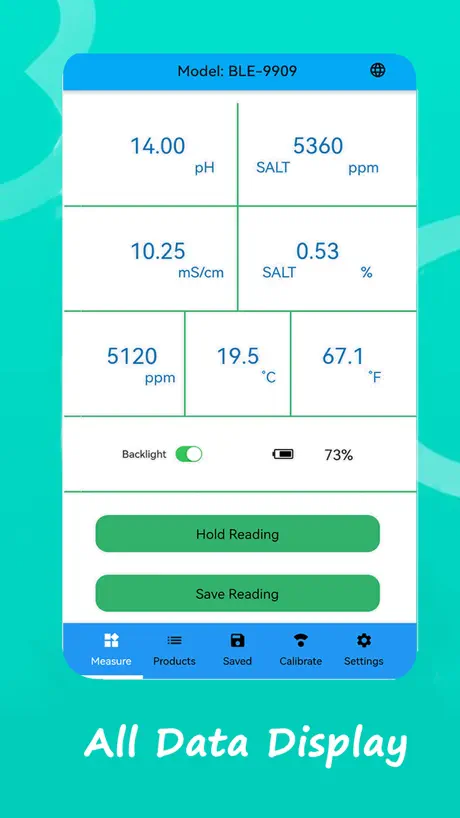
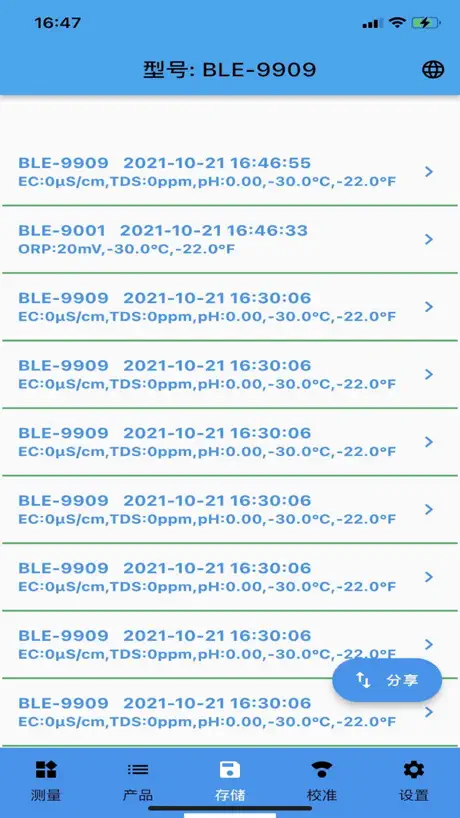
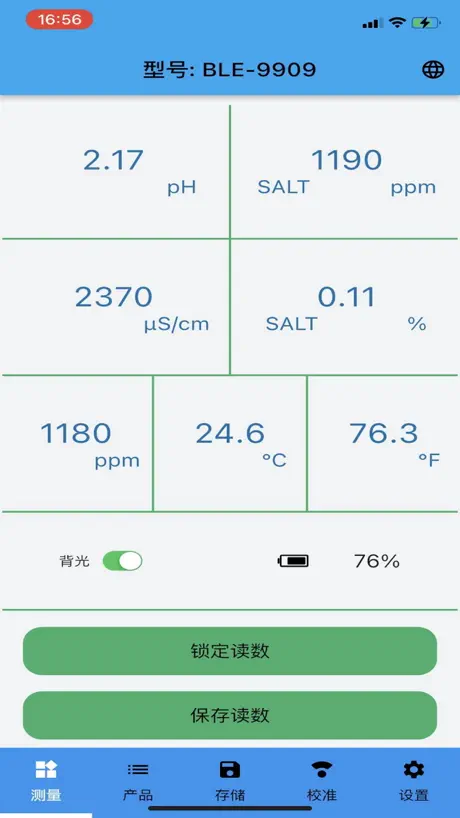
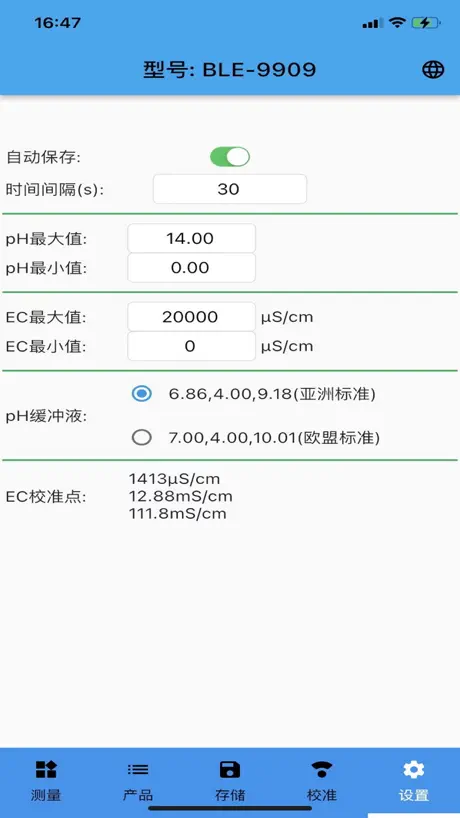
YINMIK 是一款方便记录测试数据的智能蓝牙软件
How much does YINMIK cost?
Prices are current as of 9 Nov 2026.
YINMIK has no in-app products on record in the United States.
10+ alternatives to YINMIK
| YINMIK | 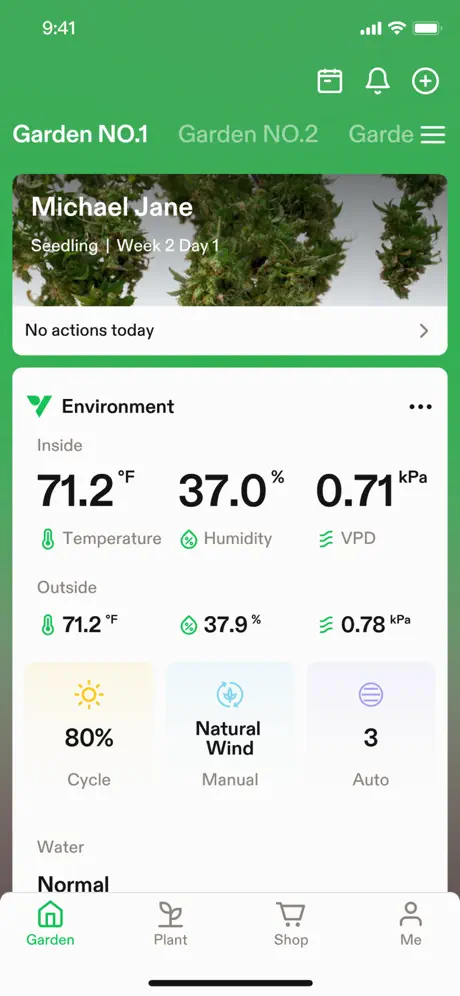  VIVOSUN |   Grow with Jane - Grow journal |   Jebao Aqua |   Spider Farmer |   Mars Legacy |   PPFD METER - Grow Light Meter |   Mars Hydro |   ZenTest-Smart Water Tester |   Hanna Lab |   Kactoily | |
|---|---|---|---|---|---|---|---|---|---|---|---|
| Rating / 5 | 1.9 | 4.7 | 4.3 | 1.7 | 3.4 | 1.5 | 4.7 | 2.8 | 4.3 | 3.2 | 2.4 |
| Reviews | 106 | 10K | 910 | 479 | 358 | 354 | 340 | 192 | 94 | 36 | 14 |
| Released | 2021 | 2022 | 2019 | 2018 | 2024 | 2022 | 2024 | 2024 | 2018 | 2014 | 2025 |
| Monthly price | — | — | $4.99 | — | — | — | $1.99 | — | — | — | — |
| Annual price | — | — | $35.99 | — | — | — | — | — | — | — | — |
| One-time price | — | — | — | — | — | — | $29.99 | — | — | — | — |
The going rate for each plan in United States, in its own currency, shaded from the cheapest price on the row to the dearest.
YINMIK reviews
1.9 out of 5, based on 106 reviews.
What people like
- Connects quickly and reliably via Bluetooth.
- You can export data to spreadsheets.
- Works perfectly for testing fountain pen ink.
What they complain about
- Bluetooth connection keeps dropping randomly.
- Requires location permission just to connect.
- Data often lost when phone sleeps.
Не коннектится по Bluetooth- зажмите на секунду кнопку выключения !!! Законнектилось)
Мой апдейт - зажала ради интереса кнопку включения на полную секунду и тут же появился значок Блютус на аппаратике! Пробуйте ! Вот мой прошлый отзыв : «К сожалению, не отображается в телефоне и в Bluetooth аппарат Y-1030 не виден и не соединяется с телефоном. Надеюсь на обновления! Спасибо»
Bluetooth connection fails
This tester’s Bluetooth connection USED to work, but no longer. It can be selected in Bluetooth settings but the connection is dropped as soon as you click away, and the app receives no data. Please fix this app!!!
Works well
Connecting to Bluetooth is fairly straightforward. Hold down power button to turn Bluetooth on, it should then connect directly to the app without pairing (iPhone). Can save readings and export to a spreadsheet. However can not export calibration records that I can tell, which is a shame.
Cannot extract data
Functinality wise is good. However it fails to extract the excel files for all the data collected. Also, all the data collected are suspiciously being sent to the headquarter due to the requirement to “share location” to connect bluetooth. I feel my data privacy is at stake and yet the app does not fully functioned as i would have like.
noch verbesserungswürdig
Die App ist die Voraussetzung für ein 8 in 1 -Boden und Wasser Testgerät. (PH, EC, Salz) Die App startet zügig und läuft ohne Abstürze. Sprachen kann man nur chinesisch oder englisch auswählen. Die Bluetooth Kopplung zum Test Gerät funktioniert binnen 2 Sec- wirklich schnell und zuverlässig. Einziges Mango sind die 1000 Daten- Speicher Punkte, die man nutzen kann um die Meßwerte zu speichern. Diese kann man nicht benennen und heißen alle S - 06. Dadurch das man sie nicht benennen kann, muss man jeden Speicher Punkt einzeln öffnen um henein zu schauen welche Pflanzen gemessen wurden. Bitte fixen Sie das - die Namen der Speicher Punkte müssen frei wählbar sein und nich alle S-06 lauten. Danke
Funktioniert
Hab das Gerät spontan gebraucht gekauft und erst im Nachhinein die schlechten Bewertungen gesehen. Mir war aber auch nicht bewusst, dass es dazu eine App gibt. Bei meinem iPhone mit iOS 17.4.1 funktioniert die Bluetooth Verbindung. Ansonsten hätte ich auch kein Problem gehabt die Werte direkt am Gerät abzulesen.
Doesn’t work
YY-1030 doesn’t connect.
Works Fine on iPhone 14, IOS 17.0
Not certain what the other poor reviews are talking about. The app is unremarkable, but the BT connects properly and records the data as indicated. The application functions are extremely minimalist to be sure but the app is designed to read and record data whilst the probe is inserted in the ground. It records date, time, temperature, and pH. It is a bit annoying that the “save reading” button doesn’t actually save the data, you have to press the “disk” icon in the top right corner to actually save the data point. The instructions that come with the probe are not exactly well written (which instructions are these days?), but one can probably figure it out without too much effort. The device itself seems very fragile so users need to be careful handling the probe end especially when inserting it into soil with the metal protection “spear head”. And like the instructions indicate “NEVER unscrew the metal tip BEFORE removing any packed in soil or you will break the glass tip.
Тестер ble c600
Тестер не отображается в приложении. Как только не пробовал
Bluetooth data is lost
This App works on both iOS 18.3.2 and MacOS 15.3.2 but pH meter data is often lost. For example, on an iPhone 15 the data will stop collecting if the phone goes to sleep or another app is used. For this reason I tried it on a MacAir (M3, 2024) so that I could maintain the Bluetooth connection. Unfortunately, data collected on the MacAir cannot be shared so you can only see the data on the screen. By contrast, data collected on the iPhone can be shared. I’m using it with a YIYEGO Ph Meter for Food (YY-1030).
Worked
It worked … i connected Bluetooth First, than Open App. On other Smartphone i Need to reinstall it to work.
Not working
No Bluetooth connectivity to apple phone. No CL value visible.
Работает норм
Дайте права на геопозицию постоянно и все будет работать
L'application ne fonctionne pas avec l'iPhone 15
Madame Monsieur bonjour, pouvez-vous me dire pourquoi l'application ne fonctionne pas avec l'iPhone 15 merci de votre réponse
Trouble putting it in chlorine levels
Any one know how to take this out of salt mode to chlorine mode? That’s one of the reasons I purchased this for my PH levels and chlorine levels
YINMIK BLE-P-3 Bluetooth 2 in 1 Water Quality Tester
I purchased this tester for reading my PH levels for my 40 Gal and 75 Gal fish tank. It works good for reading PH levels but as far as Bluetooth connectivity it’s trash. You can go to settings on your phone to select it and it will connect that way until you go back to the app to see if it’s connected. It does not connect to the app period so you are better off purchasing the model that’s no Bluetooth
Läuft doch, aber will man das?
Man bekommt die App zum laufen. Dazu muss man aber erstmal Bluetooth am Gerät anschalten (On und Mode für ca. 30 Sekunden gedrückt halten bis das Bluetooth-Symbol oben links erscheint) und dann in der App sowohl dem Privacy-Dingens zustimmen (Accept) und dann der Geo-Lokalisationsfrage ebenfalls zustimmen. („Bei Benutzung“ sollte reichen.) Aber will man das? Zumal diese Geräte nicht unbedingt als zuverlässige Messinstrumente bekannt sind. Da hilft auch keine App.
This works for me as a very basic tool…
I’ve seen one other favorable review in here, which was quite thorough, & I follow along with that review. I use an iPhone 12 Pro Max, I have no Bluetooth connectivity issues, as some others are describing, perhaps that has something to do with the model of the testing unit vs the app (i’m using the YY–1030 tester), not sure? On the iPhone 12 PM, I’m running iOS 17.2, but I’ve used the latest version of this app from today, as well as recent versions across the last year approx, without any problems on the same model phone & previous iOS’s in that timeframe. I collect fountain pens, & I have a number of vintage fountain pens made out of celluloid, and and you need to be aware of the pH levels of inks, so I use this meter to test pH levels of fountain pen ink. It really works fantastic for this purpose. The other reviewer did mention about having to click the disk icon to save, that’s fine I’ve gotten used to it, I agree it’s a bare bones app. Otherwise… I’m grateful it can share out a data file, I wish it had a function to synchronize data between versions of the app installed on multiple iOS devices, for when you might use it with more than one copy of the app, ideally to take advantage of iCloud syncing, but it would be nice to open the app on my iPad, as well as my iPhone, and have all of the readings there synchronized… At present, there is no way to manage merging data between two installations of the app. ***As a feature request, it would be nice to see some type of data syncing functionality / choice, if the user wanted it, especially since an iOS app can ask permission to sync by saving a file on the iCloud Drive of the user. I see the developers release notes are always in Chinese, so I’m not sure if the developer actually reads the English reviews or if they get translated back to the developer automatically, but that would be my ONE wish list item, I’m otherwise very content with this highly functional bare bones tool!
Bluetooth funktioniert nicht. Verbindet sich nicht mit dem Gerät.
PH Tester BLE 9908
Doesn't stay connect with IPhone
Was able to connect, see the result on phone, but it doesn't stay connected. Will have to power off then power on to connect and see history result. Not what is expected for app, waste of time. Anyone know what device will work?
Bluetooth Not Compatible with iPhone
Spent 2 hours trying to connect app. It is not compatible with iPhone. Don’t waste your time.
Useless
Tye app doesn’t connect with pen BLE-c600
DOES NOT WORK ON IPHONE 14 pro
Have read instructions and tried to connect it several times. It doesn’t work on iphone 14 pro at all. Two thumbs down i need this for work.
Bluetooth
Does not work on iPhone
YINMIK FAQ
- Is YINMIK free?
- Yes. The app is free, in all 175 countries it sells in, and it sells nothing inside it.
- Does YINMIK have a free trial?
- No. None of its offers (US) come with a free trial.
- What are the best alternatives to YINMIK?
- VIVOSUN (4.7 from 10,490 reviews), Grow with Jane - Grow journal (4.3 from 910 reviews, premium from $4.99) and Jebao Aqua (1.7 from 479 reviews).
YINMIK download
Last updated 11 months ago.
YINMIK sells in 175 countries. It was released 5 years ago, on 25 Oct 2021. It holds a 1.9 rating from 106 reviews.
Supports 1 language: English.
How much does YINMIK make?
Third-party estimates for the last 30 days, worldwide — not the store's own figures, which Apple publishes for nobody.