Wavebox Audio Editor
Audio Editor
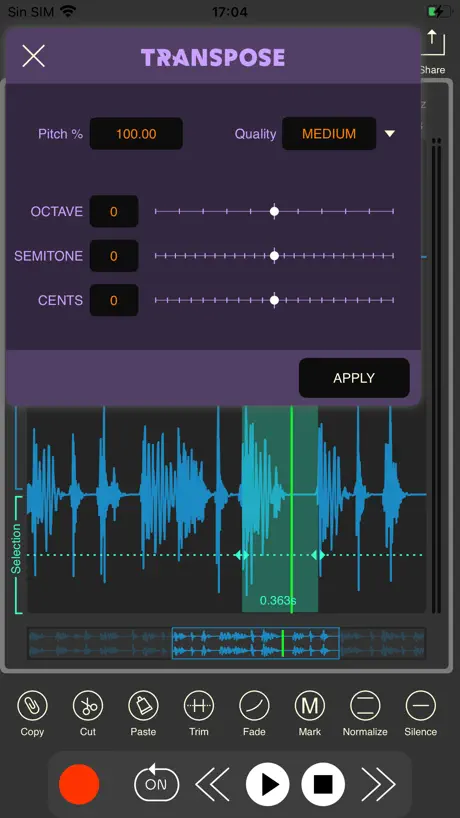
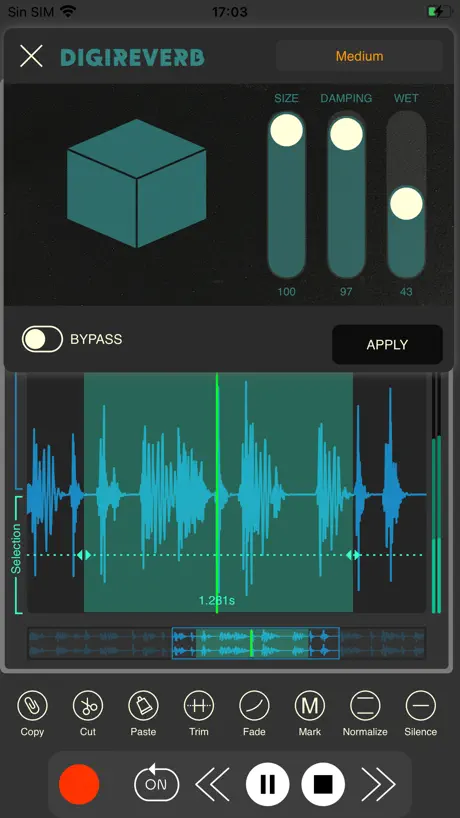
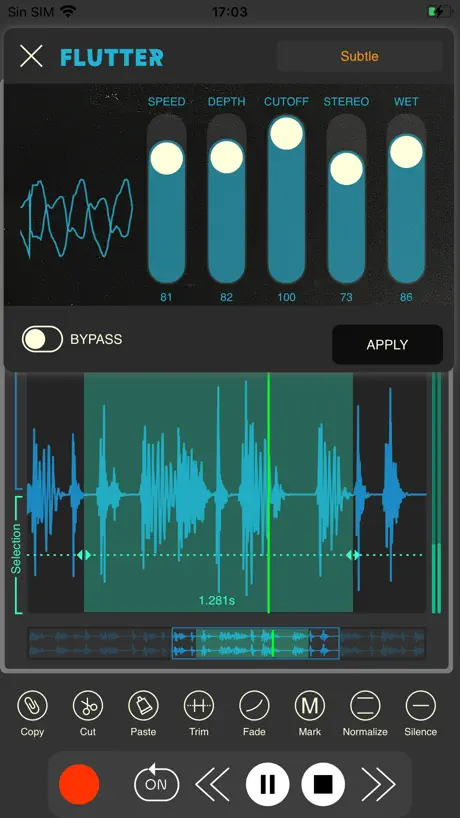
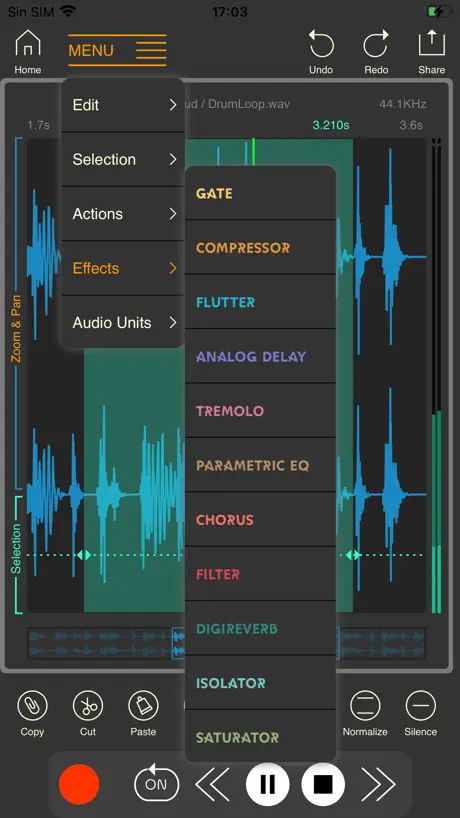
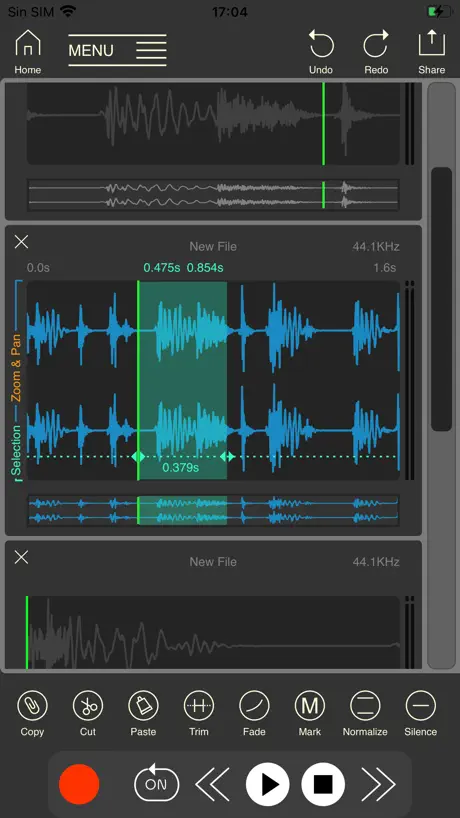
How much does Wavebox Audio Editor cost?
Prices are current as of 8 Sept 2026.
Wavebox Audio Editor has no in-app products on record in the United States.
Wavebox Audio Editor download price by country
| Country | Price |
|---|---|
| United States | $7.99 |
| Germany | €8.99 |
| United Kingdom | £7.99 |
| Australia | A$12.99 |
| Spain | €8.99 |
| Canada | CA$9.99 |
| China | CN¥28.00 |
| France | €8.99 |
| Japan | ¥1,300 |
| Russia | RUB 699.00 |
| Sweden | SEK 99.00 |
| Netherlands | €8.99 |
| Denmark | DKK 69.00 |
| Belgium | €8.99 |
| Switzerland | CHF 7.00 |
| Italy | €8.99 |
| Norway | NOK 99.00 |
| Austria | €8.99 |
| Brazil | R$49.90 |
| Colombia | COP 39,900 |
| Finland | €8.99 |
| Hong Kong | HK$58.00 |
| Taiwan | NT$290.00 |
| Argentina | $7.99 |
| Chile | CLP 9,990 |
| Czech Republic | CZK 199.00 |
| Greece | €8.99 |
| Israel | ₪29.90 |
| India | ₹799.00 |
| South Korea | ₩12,000 |
| Lithuania | €8.99 |
| Macedonia | $7.99 |
| Mexico | MX$179.00 |
| Poland | PLN 39.99 |
| Romania | RON 39.99 |
| Thailand | THB 299.00 |
| Turkey | TRY 399.99 |
| Ukraine | $9.99 |
| South Africa | ZAR 149.99 |
| United Arab Emirates | AED 29.99 |
| Afghanistan | $7.99 |
| Antigua And Barbuda | $7.99 |
| Anguilla | $7.99 |
| Albania | $9.99 |
| Armenia | $9.99 |
| Angola | $7.99 |
| Azerbaijan | $9.99 |
| Bosnia & Herzegovina | €8.99 |
| Barbados | $9.99 |
| Burkina Faso | $7.99 |
| Bulgaria | €8.99 |
| Bahrain | $8.99 |
| Benin | $9.99 |
| Bermuda | $7.99 |
| Brunei Darussalam | $7.99 |
| Bolivia | $7.99 |
| Bahamas | $8.99 |
| Bhutan | $7.99 |
| Botswana | $7.99 |
| Belarus | $9.99 |
| Belize | $7.99 |
| Congo, Democratic Republic | $7.99 |
| Congo | $7.99 |
| Cote Divoire | $9.99 |
| Cameroon | $9.99 |
| Costa Rica | $7.99 |
| Cape Verde | $7.99 |
| Cyprus | €8.99 |
| Dominica | $7.99 |
| Dominican Republic | $7.99 |
| Algeria | $7.99 |
| Ecuador | $7.99 |
| Estonia | €8.99 |
| Egypt | EGP 399.99 |
| Fiji | $7.99 |
| Micronesia | $7.99 |
| Gabon | $7.99 |
| Grenada | $7.99 |
| Georgia | $9.99 |
| Ghana | $9.99 |
| Gambia | $7.99 |
| Guatemala | $7.99 |
| Guinea-bissau | $7.99 |
| Guyana | $7.99 |
| Honduras | $7.99 |
| Croatia | €8.99 |
| Hungary | HUF 3,490 |
| Indonesia | IDR 129,000 |
| Ireland | €8.99 |
| Iraq | $7.99 |
| Iceland | $9.99 |
| Jamaica | $7.99 |
| Jordan | $7.99 |
| Kenya | $9.99 |
| Kyrgyzstan | $8.99 |
| Cambodia | $8.99 |
| St. Kitts and Nevis | $7.99 |
| Kuwait | $7.99 |
| Cayman Islands | $7.99 |
| Kazakhstan | KZT 4,990.00 |
| Lao Peoples Democratic Republic | $8.99 |
| Lebanon | $7.99 |
| St. Lucia | $7.99 |
| Sri Lanka | $7.99 |
| Liberia | $7.99 |
| Luxembourg | €8.99 |
| Latvia | €8.99 |
| Libya | $7.99 |
| Morocco | $7.99 |
| Moldova | $9.99 |
| Montenegro | €6.99 |
| Madagascar | $7.99 |
| Mali | $7.99 |
| Myanmar | $7.99 |
| Mongolia | $7.99 |
| Macao | $7.99 |
| Mauritania | $7.99 |
| Montserrat | $7.99 |
| Malta | €8.99 |
| Mauritius | $9.99 |
| Maldives | $7.99 |
| Malawi | $7.99 |
| Malaysia | MYR 39.90 |
| Mozambique | $7.99 |
| Namibia | $7.99 |
| Niger | $7.99 |
| Nigeria | NGN 12,900.00 |
| Nicaragua | $7.99 |
| Nepal | $9.99 |
| Nauru | $7.99 |
| New Zealand | NZ$14.99 |
| Oman | $7.99 |
| Panama | $7.99 |
| Peru | PEN 34.90 |
| Papua New Guinea | $7.99 |
| Philippines | ₱499.00 |
| Pakistan | PKR 2,200 |
| Portugal | €8.99 |
| Palau | $7.99 |
| Paraguay | $7.99 |
| Qatar | QAR 29.99 |
| Serbia | €8.99 |
| Rwanda | $7.99 |
| Saudi Arabia | SAR 34.99 |
| Solomon Islands | $7.99 |
| Seychelles | $7.99 |
| Singapore | SGD 9.98 |
| Slovenia | €8.99 |
| Slovakia | €8.99 |
| Sierra Leone | $7.99 |
| Senegal | $9.99 |
| Suriname | $8.99 |
| Sao Tome & Principe | $7.99 |
| El Salvador | $7.99 |
| Swaziland | $7.99 |
| Turks and Caicos | $7.99 |
| Chad | $7.99 |
| Tajikistan | $8.99 |
| Turkmenistan | $7.99 |
| Tunisia | $7.99 |
| Tonga | $7.99 |
| Trinidad and Tobago | $7.99 |
| Tanzania | TZS 22,900.00 |
| Uganda | $9.99 |
| Uruguay | $7.99 |
| Uzbekistan | $8.99 |
| St. Vincent & The Grenadines | $7.99 |
| Venezuela | $7.99 |
| British Virgin Islands | $7.99 |
| Vietnam | ₫249,000 |
| Vanuatu | $7.99 |
| Kosovo | €8.99 |
| Yemen | $7.99 |
| Zambia | $9.99 |
| Zimbabwe | $9.99 |
10+ alternatives to Wavebox Audio Editor
| Wavebox Audio Editor |   Slideshow Master Pro - Maker Slideshow Master Pro - Maker |   ComicBook! ComicBook! |   Magic Photo Eraser Magic Photo Eraser |   Luca - Photo Editor & Filters Luca - Photo Editor & Filters |   Artista Impresso Artista Impresso |   Image Resizer - Photo Compress Image Resizer - Photo Compress |   Video Compressor Gold Video Compressor Gold |   TAPCA TAPCA |   LUCH: Photo Effects & Filters LUCH: Photo Effects & Filters |   Optika – Pro Manual Camera Optika – Pro Manual Camera | |
|---|---|---|---|---|---|---|---|---|---|---|---|
| Rating / 5 | 4.5 | 4.7 | 4.7 | 4.4 | 4.7 | 4.7 | 4.6 | 4.5 | 4.4 | 3.8 | 4.1 |
| Reviews | 224 | 3.8K | 3.6K | 3.2K | 1.4K | 863 | 716 | 672 | 349 | 191 | 67 |
| Released | 2021 | 2017 | 2011 | 2020 | 2022 | 2015 | 2021 | 2016 | 2016 | 2020 | 2018 |
| Monthly price | — | — | $0.99 | — | — | — | — | — | — | — | — |
| One-time price | — | — | $0.99 | — | — | — | — | — | — | — | — |
The going rate for each plan in United States, in its own currency, shaded from the cheapest price on the row to the dearest.
Wavebox Audio Editor reviews
4.5 out of 5, based on 224 reviews.
What people like
- Great for chopping up long audio files
- Interface is clean and easy to use
- Supports AUv3 plugins for extra effects
- Fast to open and save simple edits
What they complain about
- Crashes with large or long files
- Saving takes way too long
- Bluetooth headphones sometimes don't work
- Screen recording audio gets out of sync
Simple and clear
This is the best software I have to make simple clear edits to a piece of audio when that's all I need. It is fast to open and fast to save. It can use my favorite plugins if I need to go that deep, but generally I use it to easily create new clips and highlights from much longer tracks.
doesn’t work with VoiceOver
I was looking forward to use Wavebox to record internal audio on my iphone, but VoiceOver can’t read anything on the opening screen. I understand that VO can’t really work with a visual wave editor, but maybe Wavebox could open on an accessible screen that offered internal audio record, or wave editor screen. And a screen to play recordings, or save internalaudio just recorded. just some thoughts.
Why is iPhone limited compared to the iPad version?
I like this app but apparently you can’t choose to enable multitrack mode (only individual solo tracks that you can toggle between)and you can’t import files (only paste from clipboard) while on the editing page on iPhone. You can’t even access the browser while editing on iPhone. There’s no good reason for that to be the case. Are these options extremely well hidden or just missing? I do appreciate the easy system audio recording (without having to save the video) and the fact that the file browser (only on iPad, apparently) doesn’t duplicate audio files in order to browse and preview them. Much credit for unique features like that which can’t really be found in other apps. On top of that, it’s available on iPhone, iPad and Mac. But, please continue to improve the experience. The same feelings go for Dawnbeat which has so much potential as long as it’s not abandoned.
Large Files Not Supported
I bought this specifically to cut 2 seconds off the very beginning of a nearly 120 minute recording. Unfortunately, every time I try to cut that small section, wavebox deletes the entire recording. It works as it should for smaller files/recordings, but it didn’t work at all on the large file I needed to edit.
Something bad occurred
This app used to be near perfect. Now, all of a sudden, whenever I record using the SCREEN RECORD function, the visuals of the incoming signal are all distorted and randomly out of sync. I don’t know if the latest update did this, but could you please look into it and try to restore the previous functionality?
🚨🚨🚨🚨🚨🚨🚨🚨
Can you Please add a metronome
iPadOS 26 Crashes
Every time I stop a recording the entire app crashes
Sencilla y practica.
Me encanta.
Does not work with bluetooth headphones
All I need is a wave editor that will let me loop sections of songs to practice. This app seems perfect, except that it doesn't play at all when my bluetooth headphones are paired up.
Great App-A Few Suggestions
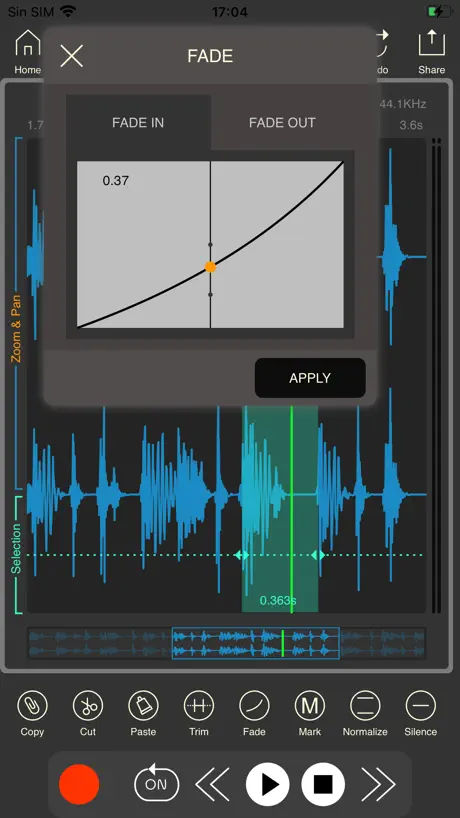
I use this app as part of my daily workflow & consider it to be essential. Its design is very clever and efficient. I do however, have a few very important suggestions. The latest update removed the “Zero Crossing” option from the main screen and buried it at the bottom of a menu. Please consider putting it back where it was. I regularly switch it on and off and its new location slows me down quite a bit. Also, the “Fade in” and “Fade out” buttons are combined. I understand that this saves space, but I always use Fade out and only sometimes use Fade in. I use the Zero Crossing function for sample start points and Fade out for the end points. If I want to alter the start point, I turn off Zero Crossing, set the location, and apply a Fade in. The way things are laid out presently, adds lots of button presses to that task. If there was an option to store desired buttons in the taskbar, everyone could customize the GUI to suit their needs. Finally, and this one is minor, when you select an action or effect, the item opens up and covers the play button. This requires us to always need to slide it out of the way in order to audition the change. As I mentioned, this app is essential to me and I think you’ve done an excellent job with it. I also appreciate the fact that you continue to update it. I’ve written multiple emails to the support address, but never received a response, so I’m attempting to contact you here. I don’t know if Apple allows us to roll back to older versions of apps. If so, I definitely would if only to regain easy access to the Zero Crossing button. Thank you for creating this great app and I would love to hear your thoughts.
Unusable Now
After updating to the most recent version, the app crashes every time I open a long (30-60 minute) audio file. I’m on an iPad Pro, running iPadOS 17.7.8.
top, but some wishes...
has the potential to become a swiss army knife. but there is still some room for improvement. A high-pass filter/limiter that can be switched on for recording (live) would be desirable. A function to simply continue an existing recording at a later point in time is still missing (start record from the end or punch in record function). This can all be done somehow afterwards, but it takes time and hinders the workflow. Saving takes a long time, even when recordings of just a few minutes. If this cannot be speeded up significantly, at least a process display would be helpful. good work! thx ✌️
Fantastic! Nice replacement for AudioShare
Been using AudioShare for years as a simple audio editor and happy to say this app very quickly replaced it!
Delete not possible
Can’t delete a file!
The GOAT of Audio Editors on iOS
Just keeps getting updated with better and better features. It’s all you could want for editing audio files. Not a single complaint. Beautiful app.
Website not safe
I went www(dot)laranxaworks.com/dawnbeat/guide.html#screenrecordinganchor an chrome warning says website not safe.
Wonderfully audio editor
EDIT: Large files can now be opened! Woohoo! WONDERFUL audio editor… Just can’t open “large” files, when most other editors can (can’t process my podcast sessions 🫤).
Garbage
This app keeps crashing every time I try to cut my audio!!! So horrible🤐
Amazing editor!
Luis thought of everything on this app that is needed to edit a sample or longer piece of audio. From the built in effects, auv3 effects hosting, live recording, trimming, fading, marking… the list goes on and on. If you want to sample and edit audio… this is the app to get! An amazing value at the current price and worth so much more! 5/5 on this! No complaints!
What kind of interface is that?!
I have never seen a worst way of editing a text field in my life. If you want to generate a wave and increase the frequency you have to put your finger on the field and pan away from it, up/right to increase and down/left to decrease. It changes the frequency less than 1 Hz per point! I can only increment the frequency by 150 Hz at a time! I have to scroll 100 times to get to a frequency of 15 kHz! This is absolutely crazy! There are rotating slider components that you call turn infinitely without lifting the finger that would have so much better already, but really… what’s wrong with a keyboard?! Even a custom one would have been better!
Really good app
Reminds me of cool edit pro. Can zoom into the line and create the perfect loop. Perfect for beat making. 100 of out 10
Useless
Tells me my 32mb file is too large. Doesn't bother to tell me how big is too big. The whole point to buying this app was to split the file into smaller pieces. WA wste of time and money
Goldilocks editor
I own Ableton, and Logic, and know how to go crazy on a track when I need to. And I know Audacity is free, powerful, etc... but I've always felt it clunky, like it was designed by linux hackers in 2005. Wavebox, OTOH, does just enough for simple editing tasks, without getting bogged down in trying to do everything. Its interface is very Mac, and "just works". It's going to be my new go-to for quick audio editing, and it well worth the very reasonable purchase price.
Don't wase your time
Doesn't record crap.
Favorite overall audio editing app…
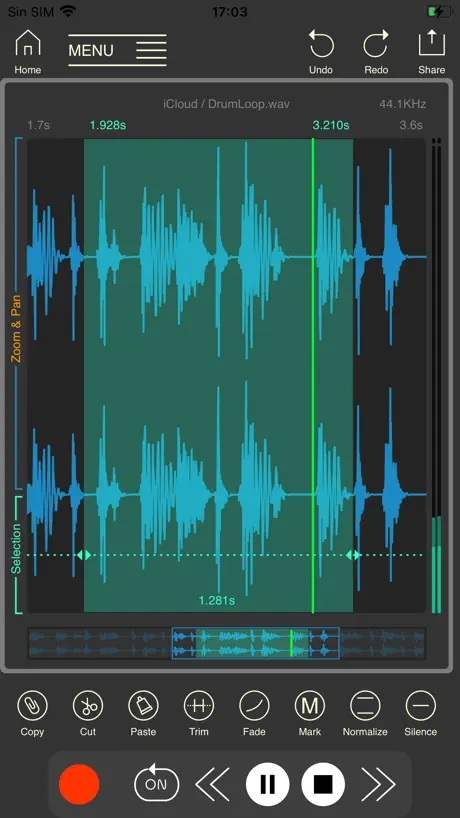
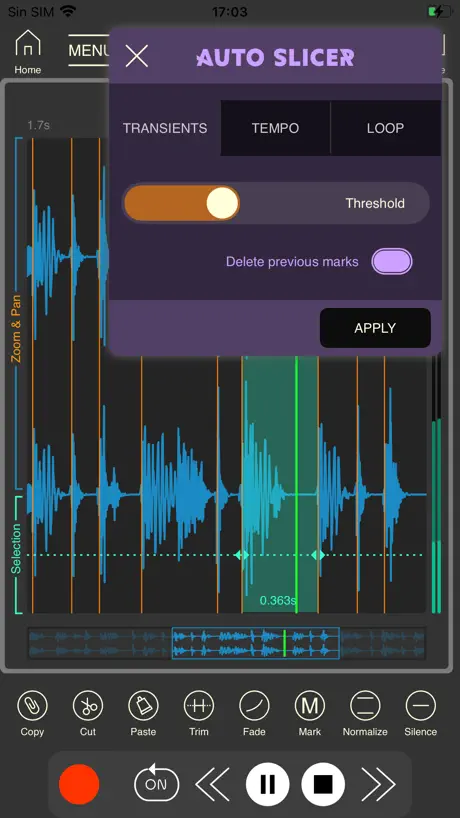
I own pretty much all of the audio editing apps on iOS like auditor, twisted wave, koala, and various daws, etc. And this is my favorite to use overall. The best part is the ability to enter markers in real time, and then split this into smaller files that you can edit further and see all at once. Don’t sleep on this app! Especially useful in chopping up long files that have multiple loops all in one file.
Waste of time
Crashes as soon as I hit record. Could never get it to work.
Wavebox Audio Editor FAQ
- Is Wavebox Audio Editor free?
- No. Wavebox Audio Editor costs $7.99 (US) to download.
- Does Wavebox Audio Editor have a free trial?
- No. None of its offers (US) come with a free trial.
- What are the best alternatives to Wavebox Audio Editor?
- Slideshow Master Pro - Maker (4.7 from 3,769 reviews), ComicBook! (4.7 from 3,556 reviews, premium from $0.99) and Magic Photo Eraser (4.4 from 3,182 reviews).
Wavebox Audio Editor download
Last updated 6 months ago.
Wavebox Audio Editor sells in 175 countries. It was released 5 years and 2 months ago, on 21 Jul 2021. It holds a 4.5 rating from 224 reviews.
Supports 3 languages: English, Chinese, Spanish.
How much does Wavebox Audio Editor make?
Third-party estimates for the last 30 days, worldwide — not the store's own figures, which Apple publishes for nobody.