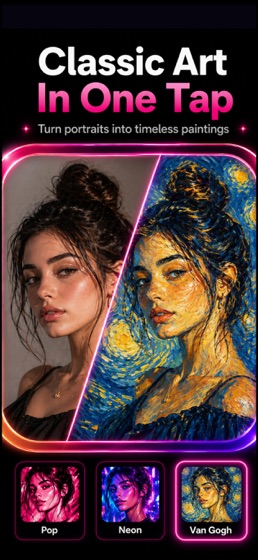
Photo to Painting Art Filters
Photo & VideoEntertainment

Photo to Painting Art Filters

Entertainment Apps MCHJ · released 14 Jul 2021 · Open in App Store ↗

Revenue 30d not estimated
Downloads 30d not estimated
Rating 4.56 178 reviews

No in-app products collected for this app.

Rating
United States51%904.46
Australia6%114.91
Canada6%104.90
United Kingdom5%94.56
Mexico3%65.00
Russia3%64.83
Germany3%54.20
Spain2%45.00
Netherlands2%44.50
Uzbekistan2%45.00
Italy2%33.67
Azerbaijan1%25.00
Switzerland1%24.50
Sweden1%25.00

The store shows a different set in every country

Description

Turn photos into paintings, cartoons, sketches and AI art with Art Filters.

Choose from 400+ art filters to transform portraits, selfies, pets, product shots and everyday photos into oil painting, watercolor, pencil sketch, charcoal, comic and anime-style artwork. Use the background remover, collage maker and editing controls to finish every image in one place.

What you can make:

Photo to painting: oil paint, watercolor, acrylic, ink and fine art looks

Cartoon portraits: create cartoon, comic and anime-style profile images

Sketch effects: pencil drawing, line art, charcoal and black-and-white styles

Background remover: remove or replace backgrounds for clean cutouts

Collages: combine edited photos with layouts, frames, stickers and text

Photo editor tools: brightness, contrast, saturation, shadows, temperature, sharpness and clarity

How it works:

1. Open a photo from your camera or gallery.

2. Choose an AI art filter, cartoon effect, painting style or sketch filter.

3. Adjust the image and remove the background if needed.

4. Save in HD or share your finished artwork.

Art Filters Pro unlocks premium filters, removes ads, enables Ultra HD export and adds unlimited background removals. Subscriptions renew through your App Store account and can be managed or canceled in your account settings.

Some AI styles require an internet connection. Many standard art filters work on device.