Defter Notes
ProductivityEducation

Defter Notes
Deft Works ApS · released 9 Jan 2022 · Open in App Store ↗

Revenue 30d not estimated
Downloads 30d not estimated
Rating 4.55 244 reviews

No in-app products collected for this app.

Rating
United States30%734.44
Germany7%174.24
United Kingdom6%154.73
Australia5%134.08
India4%95.00
China3%75.00
Brazil2%65.00
Canada2%64.83
France2%64.50
Turkey2%64.67
Switzerland2%45.00
Japan2%44.50
South Korea2%44.75
Russia2%45.00
Sweden2%43.75
Vietnam2%45.00
Austria1%35.00
Chile1%34.67
Hungary1%33.33
Italy1%34.67
Mexico1%35.00
Malaysia1%34.67
Norway1%35.00
Peru1%34.33
Philippines1%35.00
Pakistan1%35.00

The store shows a different set in every country

Description

Defter Notes is loved by academics, students, teachers, researchers, journal keepers, knowledge workers, designers, architects, engineers, writers, and anyone who thinks best with their hands and eyes.

It’s built for people who see ideas as living things: connected, evolving, and worth exploring.

Think without boundaries

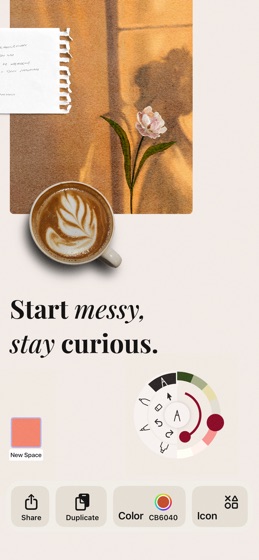
Defter Notes gives you an infinite canvas for spatial thinking. Drop ideas anywhere. Draw connections. Expand as far as your thoughts take you. Enjoy pure creative flow.

Capture ideas your way

Whether it starts as a quick sketch, a handwritten note, or a PDF you’re diving into, Defter Notes adapts to your process. Write, draw, or type; then move, link, and layer it all together. Your ideas stay flexible and alive.

Work the way your brain works

Move items freely. Zoom in and out of context. Build hierarchies of Spaces that let you go deeper into your projects. Defter Notes stays out of the way so your focus stays on thinking.

Top features

Stacks for deep work: Ideal for reading, studying, or comparing multiple resources.

Deft movement with gestures: Drag pages or extract text directly out of PDFs.

Cross-reference and multitask: View, resize, and reorder documents side by side.

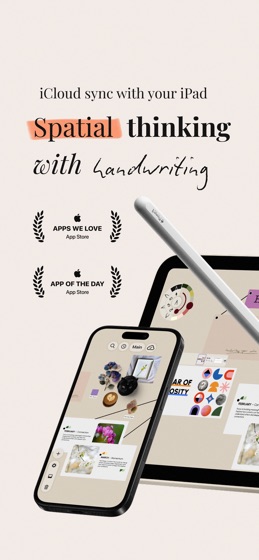
Handwriting and text tools: Combine pen, pencil, marker, and text boxes using Apple Pencil or Scribble.

Fluid editing: Double-tap any item to edit or share.

Intuitive navigation: Use the mini-map, navigation bar, gestures, and select tool to move effortlessly through infinite spaces.

Supports links and files: Drop in PDFs, images, URLs, and attachments right onto your canvas.

Join the community: https://discord.com/invite/GjS5tJSmBW

Terms of use: https://www.apple.com/legal/internet-services/itunes/dev/stdeula/

Privacy policy: https://www.defternotes.com/touprivacypolicy

https://defternotes.com