Brother Pro Label Tool
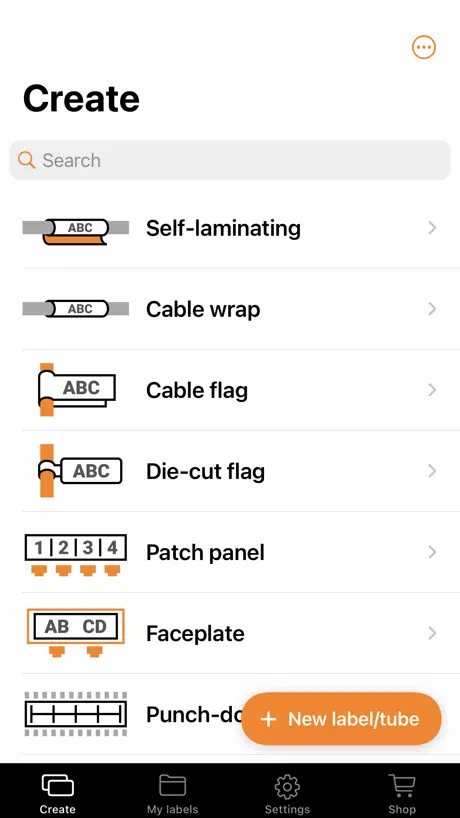
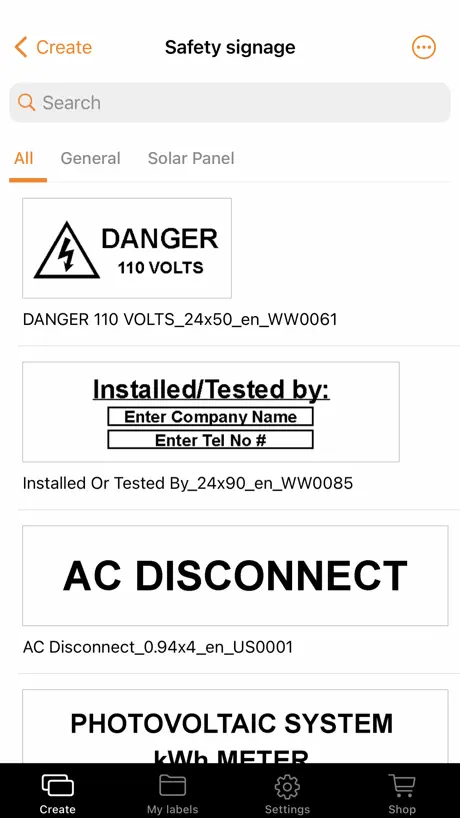
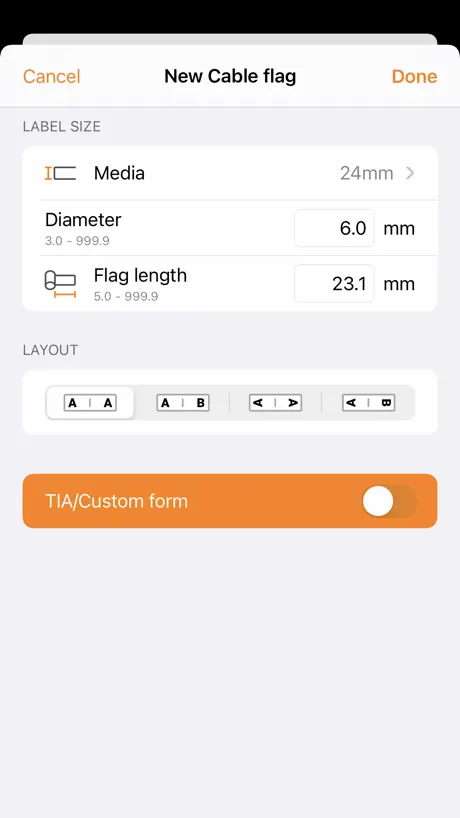
How much does Brother Pro Label Tool cost?
Prices are current as of 11 Sept 2026.
Brother Pro Label Tool has no in-app products on record in the United States.
10+ alternatives to Brother Pro Label Tool
| Brother Pro Label Tool |   iCertifi: Electrical Certs iCertifi: Electrical Certs |   Fluke Connect Fluke Connect |   Tigo Energy Intelligence Tigo Energy Intelligence |   Tradecert: AI Electrical Certs Tradecert: AI Electrical Certs |   MyECS MyECS |   UniFi Design UniFi Design | |
|---|---|---|---|---|---|---|---|
| Rating / 5 | 4.6 | 4.6 | 4.4 | 3.7 | 4.9 | 2.5 | 4.3 |
| Reviews | 2.8K | 7K | 668 | 616 | 64 | 8 | 6 |
| Released | 2022 | 2011 | 2013 | 2014 | 2025 | 2018 | 2024 |
| 3-month price | — | $59.99 | — | — | — | — | — |
| Annual price | — | $24.99 | — | — | — | — | — |
| One-time price | — | $9.99 | — | — | — | — | — |
The going rate for each plan in United States, in its own currency, shaded from the cheapest price on the row to the dearest.
Brother Pro Label Tool reviews
4.6 out of 5, based on 2,803 reviews.
What people like
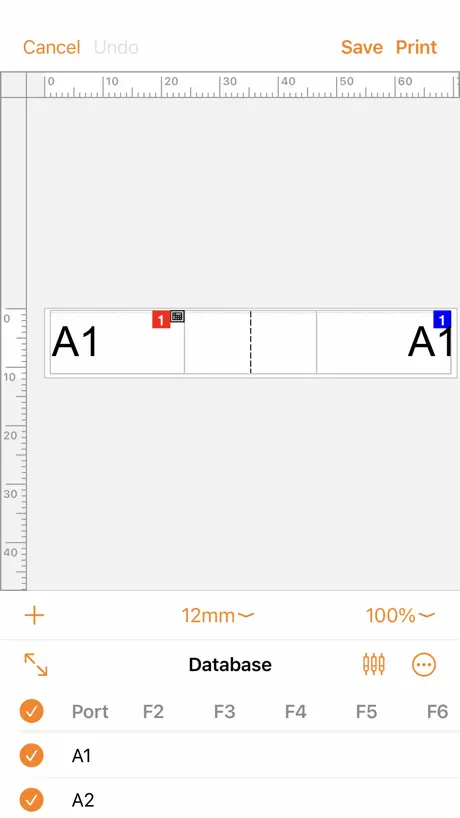
- Makes electrical wiring labels look professional.
- Easy to design custom labels on phone.
- Can organize prints away from the printer.
What they complain about
- Bluetooth connection is awful and unreliable.
- App hangs when cancelling a print job.
- No option to add borders around text.
- Hard to use for average people.
Excellent products. Used manual labellers and these fancy new ones.
30 years plus on brother hand held up to 7 line printing. Cartridge is simple. Do not put in spot where high heat can be an issue. Tape may not work as expected. Plenty of colors. Lots of options for battery unless you roll into the Bluetooth labellers that come with an excellent battery. Rechargeable. Common USB-C connector. Bluetooth took a minute the first day. Second day printing with the Bluetooth and is marvelous. Like learning all the options. Tutorial available. NICE! Enjoy the adventure!!
Garbage
Spent 150 dollars so I could print names for files without having to enter each one individually and print, come to find out this expensive machine that says it connects via bluetooth and it prints from excel files will only work if you download their clunky software that my job will not permit and it doesn’t work on iPads, only Mac or pc. Still jumping thru your hoops in 2026 is ridiculous. Do NOT PURCHASE THE PT 610 it’s clunky and not compatible with this app I’m reviewing , which is the only app brother has that allows file printing. I’m returning this paper weight as soon as office max doors open. What a joke. It is advertised for small businesses and many use iPads for everything. This was a dumb mistake. And the machine feels cheap and is ugly and overly large too. I know this is a review for the app. But I am sure people that purchased the 610 came here, like me. Rerun it, like me.
Needs 1 tiny feature
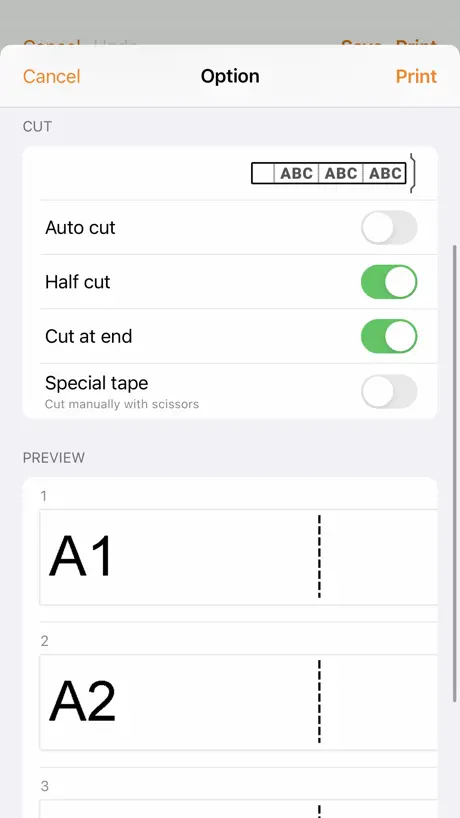
Handy to be able to print from your phone. However if I’ve to print several custom labels it’s easier to type onto one strip. But then you faff with scissors. Why not add a half cut option into where you can add other objects? Or auto half cut after each object? That way one custom strip can be ready to go!
Can’t sync with printer??
Just got a P-touch 560btbp and am surprised that when connected with BT this app syncs no settings from the printer?? It doesn’t appear to detect the loaded tape, can’t read the saved labels (the ones on the printer). Worse: it can’t seem to make an SL label that adjusts its width automatically. How does this app get such high ratings?
Difficulty pairing
Great printer and app is not bad. Difficult getting the app to see the printer, causes delays each time I need to print labels. Half cut feature not available to make peeling the backing off easier
Elektrikář
Pro mé potřeby jakož to elektrikáře na popis kabelů a rozvaděčů úplně úžasný pomocník lepší než počítačová verze p-touch ta je hrozná
Bluetooth Connected - App won’t Connect
PT-E720BT4162: IOS , Bluetooth show connection. In the app, show printer is not connected. Run connection and show’s “select Accessory” with nothing in it. Cancel out, because it doesn’t do anything. Can’t print, can’t save. Printer app is garbage.
Brother Pro Label Tool
Diese App ist super, aber es hat noch verbesserungspotenzial! z.B Blockeinteilungen, es gibt unterschiedliche grössen von Sicherungselemente auf einer Linie um sie schneller einzuleiten zu können
App needs further development
Does the job, although user experience is a bit clumsy. Unfortunately the app is rather limited in features. As the “pro” app, at a minimum it should do everything done by lower-level apps. For example it should be able to draw single/double/thick border around a block of text. Currently it can’t.
Needs some basic functions inc export/import
This needs some basic functions such as copy/paste or at least duplicate items in the layout view. It’s very difficult to nudge items in layout to align things perfectly. IMPORT/EXPORT LABELS: ℹ️ I hadn’t noticed an export/import function to backup all my custom labels, but I’ve just discovered it is possible, it’s just not obvious: In the “My Labels” section of the app, tap on “select” in the top left of the screen and select any labels you want to export. Then click the “share” icon and SAVE TO FILES. If you save to iCloud it will be easier to transfer to another device eg. an iPad or iPhone. To “import” the labels, navigate to the saved files in the Files app on your iOs device, long hold your finger on the file and again select the “share” icon. Then select the Brother “Pro Label Tool” app from the list of apps. If it doesn’t show in the list, select the “…” (more) option and add it. It will open the file in the Pro Label Tool app whereupon you can save it. It’s a bit cumbersome but it works.
Great bit of kit
P-Touch E550w has made such a difference in how my boards look, as well as giving clear labelling to many other things
Constant disconnects
Pairing is awful, and it’s very hard to keep a label centered. Do better Brother!
Good but could be better!
The app makes it very easy to print custom labels with a good selection to choose from. However, connectivity seems to be a bit of an issue.
Not as good as previous version
The app no longer fits my tablet screen fully. The older one did but this one seems a poorer resolution also. Have tried to expand it but no luck. Just seems a step backwards. Have kept the old version as works fine and better for tablets.
Losing WIP labels when printer disconnects
I have a specific recurring bug with the app. Workflow: Create a label -> print. Sometimes the printer disconnects here (fine). Click cancel, the app then hangs on “cancelling”, app has to be restarted. Now my work in progress label is gone. Expected behavior 1: Once the printer is unresponsive, provide a way to “cancel the cancellation”, in other words get back to my wip label so I can save it and try again Alternative expected behavior: Auto save WIP labels so that when I reboot the app I can recover my work. Of course the ideal solution would be robust bluetooth connection, but that’s really hard to solve. One of the two above workflow changes would be straightforward and prevent me from losing labels.
BEST
BEST TOOL!!
Completely broken
Will not print on PT-E310BT over Bluetooth and does not automatically allow for correct media size to be detected. It constantly thinks the wrong media size is inserted when it is not
P750W
The NFC functionality doesn’t work. This could be a limitation of the NFC function on iPhones, if this is the case I wish it was clearly stated so on the product description. The app is quite good. Sharing templates doesn’t work, can’t import them the files are greyed out.
Clunky but OK
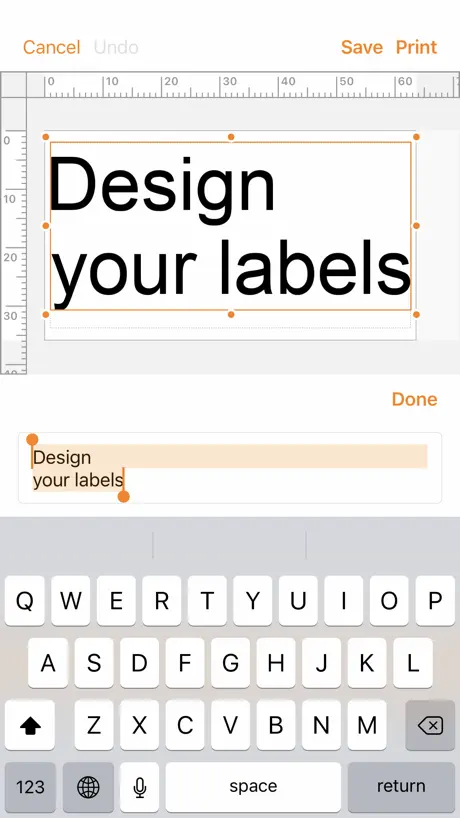
I love that I can design and organise prints away from the printer. fabulous. but the app is very clunky. editing and formatting not easy at all. with an updated interface, it could be amazing. happy to be a Beta tester if required
Time saver
Absolutely class app.
Very frustrating app
Repeatable disconnect after printing multiple labels. Then the app gets stuck in “Cancelling”. The only way out is to force close the app and power-cycle the labeler. Of course you lose what you were working on ;). Huge bug in printing HSe-251 heat shrink tubing. The tubing is .94mm but the closest option in the app is .93mm and it refuses to print on mismatched media. Argh!!!
Please support additional label printer
Please add support for PT-P910BT. PT-P950NW with battery is too large and heavy to bring to the work site.
For an electricians printer
It’s not got any clip art of circuits for consumer units. So spent a considerable time adding some to the app. But then they don’t show on the pc. Also can’t delete any created labels!!! Add icons and fix the issue with saved labels and the 560 printer I have will be the bees knees
Limited labels
After saving some of our labels, the app filled up! It has a maximum number of labels you can save, don’t know why! VERY FRUSTRATING
Good app but needs a small change
The app works well and meets most of my needs. What would make it better would be the ability to change the default path of the my labels tab. I would like to be able to link to OneDrive so labels are available on my iPhone, iPad and desktop so the change in one area is reflected on all devices. It would also mean my employees have the latest labels available without having to come to the office to update their devices when we make changes.
Tolle app, aber idealerweise auch mit einem mobileren Drucker kompatibel
Bitte diese App mit dem P-Touch Cube kompatibel machen, dann kann man auch unterwegs sinnvoll und platzsparend Etiketten drucken.
Hard to use (no text boarders ?)
Hard to use. Spends more time getting you to try watch a YouTube videos that doesn’t explain what you need. When creating your own label virtually no options can’t even put a box round your text which you can on the machine with several options of box as well. Serialised makes no sence to the average Joe and and should not be in a main box every time you create a label. 99% of people won’t use this option so should be a separate label option if you want to do all that so it’s not in the way everytime
Obtuse interface
The app is useful, but could much better. The interface to create a database doesn’t allow for entry of more than one row without serializing (or at least it’s not obvious how to do so). And there are no out of the box templates for repeating cat5 cable wrap labels. Instead, once must create them on their own.
Very difficult to connect to wifi
Not friendly user
Needs BT support
Please make this app compatible with Bluetooth P-touches like the PT-P910BT. It’s called the “Cube PRO” after all.
“Pro” label app but no borders etc
Can’t seem to put borders round labels?
Brother Pro Label Tool FAQ
- Is Brother Pro Label Tool free?
- Yes. The app is free, in all 175 countries it sells in, and it sells nothing inside it.
- Does Brother Pro Label Tool have a free trial?
- No. None of its offers (US) come with a free trial.
- What are the best alternatives to Brother Pro Label Tool?
- iCertifi: Electrical Certs (4.6 from 6,975 reviews, premium from $0.99), Fluke Connect (4.4 from 668 reviews) and Tigo Energy Intelligence (3.7 from 616 reviews).
Brother Pro Label Tool download
Last updated 1 month ago.
Brother Pro Label Tool sells in 175 countries. It was released 4 years and 9 months ago, on 5 Jan 2022. It holds a 4.6 rating from 2,803 reviews.
Supports 25 languages: English, Arabic, Croatian, Czech, Danish, Dutch, Finnish, French, German, Hungarian, Italian, Japanese, Korean, Norwegian Bokmål, Polish, Portuguese, Romanian, Russian, Chinese, Slovak, Spanish, Swedish, Thai, Turkish, Vietnamese.
How much does Brother Pro Label Tool make?
Third-party estimates for the last 30 days, worldwide — not the store's own figures, which Apple publishes for nobody.