
Translate Video: AI Subtitles
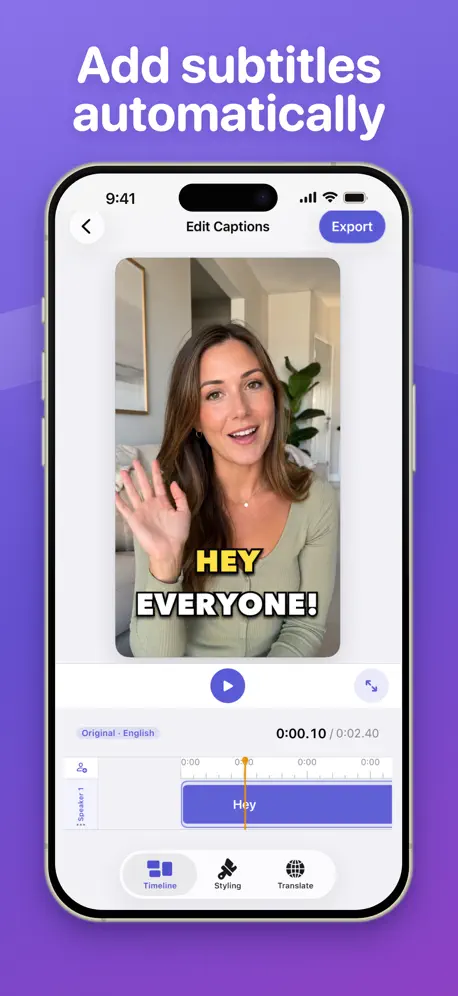
Auto Captions & Speech-to-Text
How much does Translate Video: AI Subtitles cost?
Prices are current as of 7 Oct 2026.
1 subscription from $5.49
In the United States, Translate Video: AI Subtitles has 1 subscription priced $5.49.
| Subscription | Period | Price |
|---|---|---|
| Add Subtitles Video Premium | Monthly | $5.49 |
2 one-time purchases from $1.99
In the United States, Translate Video: AI Subtitles has 2 one-time purchases priced $1.99 – 3.99.
| Product | Price |
|---|---|
| 20 Minute Translation Pack | $1.99 |
| 60 Minute Translation Pack | $3.99 |
See what Translate Video: AI Subtitles costs in all 175 countries →
10+ alternatives to Translate Video: AI Subtitles
| Translate Video: AI Subtitles |   MixCaptions: Video Captions MixCaptions: Video Captions |   Auto Captions: Video Subtitles Auto Captions: Video Subtitles |   AI Captions for Videos: VidCap AI Captions for Videos: VidCap |   Subcap: Captions AI, Subtitles Subcap: Captions AI, Subtitles |   Lingvotube: Video translator Lingvotube: Video translator |   AI Video Translator AI Video Translator |   Translate Video: Subtitles Translate Video: Subtitles |   CapCap: Auto Video Captions CapCap: Auto Video Captions |   Dub AI: Lip Sync・Video Dubbing Dub AI: Lip Sync・Video Dubbing |   Subtitles Video Translator Subtitles Video Translator | |
|---|---|---|---|---|---|---|---|---|---|---|---|
| Rating / 5 | 4.5 | 4.6 | 4.6 | 4.6 | 4.6 | 4.3 | 4.2 | 4.3 | 4.5 | 4.2 | 4.2 |
| Reviews | 7.5K | 13K | 9.4K | 9.4K | 7.7K | 3.6K | 1.4K | 984 | 630 | 511 | 181 |
| Released | 2021 | 2019 | 2013 | 2022 | 2021 | 2022 | 2023 | 2021 | 2023 | 2024 | 2025 |
| Weekly price | — | — | — | $3.99 | $7.99 | $4.99 | — | $6.99 | — | — | $8.99 |
| Monthly price | $5.49 | $9.99 | — | $4.99 | $7.99 | $6.99 | — | $12.99 | — | — | $29.99 |
| Annual price | — | $3.99 | $29.99 | $39.99 | $47.99 | $24.99 | — | $49.99 | — | — | $34.99 |
The going rate for each plan in United States, in its own currency, shaded from the cheapest price on the row to the dearest. Plans fewer than four in ten of the priced apps sell are left out.
Translate Video: AI Subtitles reviews
4.5 out of 5, based on 7,487 reviews.
What people like
- Support team can be very helpful and fast.
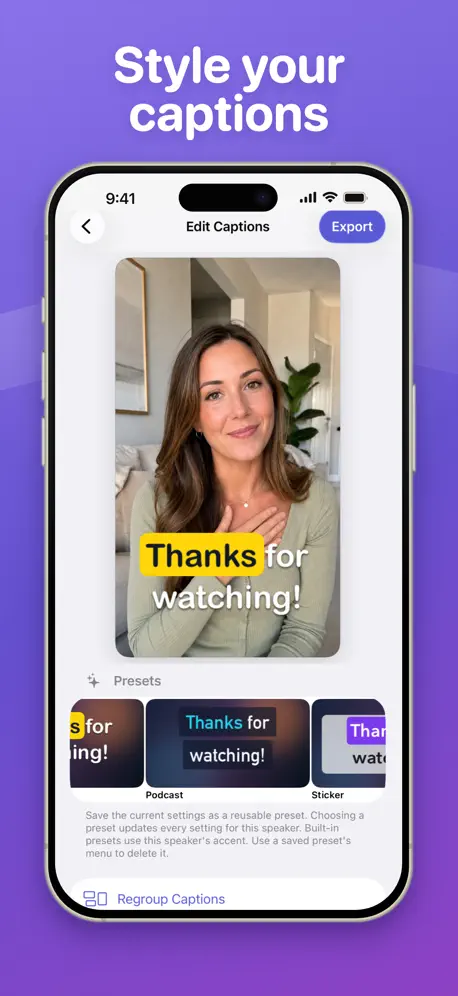
- Manual caption editing is easy and smooth.
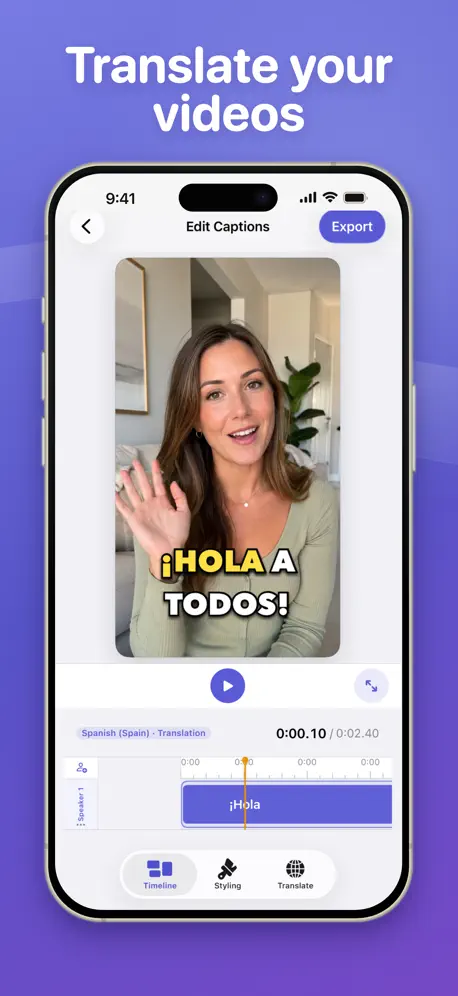
- Great for translating videos between different languages.
What they complain about
- Translation quality is often poor and inaccurate.
- App crashes frequently or fails to work.
- Customer support is unresponsive or unavailable.
- Subscription costs are high for limited use.
Excellent Support and Problem Resolved
I initially encountered an issue where changes to text and background colors wouldn’t save on the Subtitle Font > Colors screen. However, Sajed from the support team has been incredibly responsive and helpful from day one. He communicated every step of the way, keeping me updated on the status and progress. By day 5, the glitch was fixed, and everything is now working perfectly. The support was friendly, professional, and efficient, which turned a frustrating situation into a great experience. I truly appreciate their dedication to resolving issues and improving the user experience. Highly recommend this app, especially with such a responsive team behind it!
A poor choice
App is not functioning. Needs repair.
Useless
Don’t waste your money I think this app is fraud….
It keeps crashing everytime I click the add subtitles button.
It’s been doing this for a while
Drawing attention to my concerns
Many translations are incorrect ( specifically English to Bangladesh/ Bangla! Thank you
English subtitles problem
I emailed you and I didn’t get a answer. Has the English subtitles problem been fixed? Can you please fix the English subtitles problem right now thank you. Please thank you for answering. :)
Don’t download this app
Told me to upgrade to premium for more storage but then when I did it wouldn’t let me download my video that wasn’t even that long I tried to shorten it and it still wouldn’t work, do not waste your money on this app.
😅
برنامج جميل للامانه .. بس مايصلح للاغاني لانه فيها ايقاع وموسيقي تاثر شوي ويترجم بحترافيه بس يحتاج تعدل انته بعض المسطلحات ويعطيك ٥ مرات تعديل مجانا بعدين لازم تشترك وشي الحلو الي فيه يحتاج لمقاطع الطويله بين ٤ ل ٦ دقايق والاشتراك فيه يكلفك ١٤ دولار
Completely inaccurate
Submitted a video in Spanish to be transcribed and translated into English and it did a very poor job of translating. I’d like a refund for my subscription if the team would get back to me please.
🫤
I had been using this app for several months and it has lot of issues translating. I had to correct the translation many times manually until I got tired of it because it made me waste time so I ended my subscription. I suppose to have 44 minutes left to use but the app stop working. I tried to contact customer service thru the link posted here but it says server not available 🙄😒
Won’t work 😔
I have used this app for years and loved it! My friends can send videos in other languages and I can translate them easily. Not it will not work and keeps failing. I cannot find a place to contact developer. I even purchased the premium to see if that would work. 😭
Waste of time
Told me video wasn’t in the language it was in, did nothing. And was unable to try again since it still used up unavailable time. Wasted enough time on this app, not going to waste money for it to fail again
Doesn’t translate well
I tried using this app to translate a man speaking in Italian, and the translation was very bad. I finally deleted it and canceled my subscription.
Translation
Not accurate
Excelent apps
This Apps is wonderfull
Does not work
I paid money for no reason it doesn’t work. You press the button fro it to work it’ll say translating and then just go back to ye screen again
It crashes all the time!!!
This apps acts like it’s free and is not. I pay for it and still crashes all the time, and the translation is not the best, I have to correct a lot. I hope to find something better!
To subtitle
I love this app
did not work
I had a two minute YouTube video about how to use a certain type of wristwatch, the language was Italian and I needed subtitles in English. I did it by copying the YouTube link, I also had it downloaded into my photo library. Getting it into this app was easy, but after going through all the steps they were no subtitles at all, let alone a translation. The ‘simple subtitle’ piece of it also produced nothing. Useless. Deleted.
Best App
Very good
Video upside down
Video upside down
Excelente
Excelente
Does not work
I don't like this app when I tried to translate something it said something went very wrong i hate this app 🤦🏼♀️
good app
i like the best application
“Free”
Not free, gives you 2 minutes free and pay $6 to continue
Great app
Very practical and easy to use. Tried the manual captions options and it was very easy and smooth editing my videos! great job!
Just open the app, of course $5 asked
Do I forget to give one star to this terrible app before removing??? No, forsure. Bye, guys. I dont have $5 to pay you without knowing how good you are in making making video.
Scam
Scam
Translate Video: AI Subtitles price by country
A monthly subscription costs $1.62 in Egypt and $7.78 in Colombia — 5× more for the same thing. Below is the going rate for each plan in every country that sells it — the middle price of what the app charges there, in the country's own currency with the dollar equivalent beneath it.
| Country | Monthly | One-time |
|---|---|---|
| Afghanistan | $5.49 | $1.99 |
| Albania | $6.59 | $1.99 |
| Algeria | $1.69 | $1.99 |
| Angola | $5.49 | $1.99 |
| Anguilla | $5.49 | $1.99 |
| Antigua And Barbuda | $5.49 | $1.99 |
| Argentina | $5.49 | $1.99 |
| Armenia | $6.49 | $1.99 |
| Australia | A$7.99$5.59 | A$2.99$2.09 |
| Austria | €5.49$6.38 | €1.99$2.31 |
| Azerbaijan | $5.49 | $1.99 |
| Bahamas | $5.99 | $1.99 |
| Bahrain | $5.99 | $1.99 |
| Barbados | $6.49 | $1.99 |
| Belarus | $6.49 | $1.99 |
| Belgium | €5.49$6.18 | €1.99$2.24 |
| Belize | $5.49 | $1.99 |
| Benin | $5.49 | $1.99 |
| Bermuda | $5.49 | $1.99 |
| Bhutan | $5.49 | $1.99 |
| Bolivia | $5.49 | $1.99 |
| Bosnia & Herzegovina | €5.49$6.18 | €1.99$2.24 |
| Botswana | $5.49 | $1.99 |
| Brazil | R$30.90$6.20 | R$12.90$2.59 |
| British Virgin Islands | $5.49 | $1.99 |
| Brunei Darussalam | $5.49 | $1.99 |
| Bulgaria | €5.49$6.18 | €1.99$2.24 |
| Burkina Faso | $5.49 | $1.99 |
| Cambodia | $5.99 | $1.99 |
| Cameroon | $6.49 | $1.99 |
| Canada | CA$6.99$4.92 | CA$2.99$2.11 |
| Cape Verde | $5.49 | $1.99 |
| Cayman Islands | $5.49 | $1.99 |
| Chad | $5.49 | $1.99 |
| Chile | CLP 5,200$5.35 | CLP 1,990$2.05 |
| China | CN¥35.00$5.22 | CN¥15.00$2.24 |
| Colombia | COP 24,900$7.78 | COP 9,900$3.09 |
| Congo | $5.49 | $1.99 |
| Congo, Democratic Republic | $5.49 | $1.99 |
| Costa Rica | $5.49 | $1.99 |
| Cote Divoire | $5.49 | $1.99 |
| Croatia | €5.97$6.72 | €1.99$2.24 |
| Cyprus | €5.49$6.18 | €1.99$2.24 |
| Czech Republic | CZK 149.00$6.87 | CZK 49.00$2.26 |
| Denmark | DKK 45.00$6.78 | DKK 19.00$2.86 |
| Dominica | $5.49 | $1.99 |
| Dominican Republic | $5.49 | $1.99 |
| Ecuador | $5.49 | $1.99 |
| Egypt | EGP 84.99$1.62 | EGP 99.99$1.91 |
| El Salvador | $5.49 | $1.99 |
| Estonia | €5.49$6.18 | €1.99$2.24 |
| Fiji | $5.49 | $1.99 |
| Finland | €5.99$6.74 | €1.99$2.24 |
| France | €5.49$6.18 | €1.99$2.24 |
| Gabon | $5.49 | $1.99 |
| Gambia | $5.49 | $1.99 |
| Georgia | $6.49 | $1.99 |
| Germany | €5.49$6.18 | €1.99$2.24 |
| Ghana | $6.49 | $1.99 |
| Greece | €5.99$6.74 | €1.99$2.24 |
| Grenada | $5.49 | $1.99 |
| Guatemala | $5.49 | $1.99 |
| Guinea-bissau | $5.49 | $1.99 |
| Guyana | $5.49 | $1.99 |
| Honduras | $5.49 | $1.99 |
| Hong Kong | HK$43.00$5.48 | HK$18.00$2.29 |
| Hungary | HUF 2,190$6.74 | HUF 999$3.08 |
| Iceland | $6.81 | $1.99 |
| India | ₹180.00$1.87 | ₹199.00$2.06 |
| Indonesia | IDR 29,500$1.68 | IDR 29,000$1.65 |
| Iraq | $1.69 | $1.99 |
| Ireland | €5.99$6.74 | €1.99$2.24 |
| Israel | ₪17.90$5.89 | ₪4.90$1.61 |
| Italy | €5.99$6.74 | €1.99$2.24 |
| Jamaica | $5.49 | $1.99 |
| Japan | ¥650$4.11 | ¥300$1.90 |
| Jordan | $5.49 | $1.99 |
| Kazakhstan | KZT 2,590.00$5.73 | KZT 999.00$2.21 |
| Kenya | $6.49 | $1.99 |
| Kosovo | €5.49$6.18 | €1.99$2.24 |
| Kuwait | $5.49 | $1.99 |
| Kyrgyzstan | $5.99 | $1.99 |
| Lao Peoples Democratic Republic | $5.49 | $1.99 |
| Latvia | €5.49$6.18 | €1.99$2.24 |
| Lebanon | $5.49 | $1.99 |
| Liberia | $5.49 | $1.99 |
| Libya | $5.49 | $1.99 |
| Lithuania | €5.49$6.18 | €1.99$2.24 |
| Luxembourg | €5.49$6.18 | €1.99$2.24 |
| Macao | $5.49 | $1.99 |
| Macedonia | $5.49 | $1.99 |
| Madagascar | $5.49 | $1.99 |
| Malawi | $5.49 | $1.99 |
| Malaysia | MYR 23.90$5.84 | MYR 9.90$2.42 |
| Maldives | $5.49 | $1.99 |
| Mali | $5.49 | $1.99 |
| Malta | €5.49$6.18 | €1.99$2.24 |
| Mauritania | $5.49 | $1.99 |
| Mauritius | $5.49 | $1.99 |
| Mexico | MX$129.00$7.17 | MX$39.00$2.17 |
| Micronesia | $5.49 | $1.99 |
| Moldova | $6.49 | $1.99 |
| Mongolia | $5.49 | $1.99 |
| Montenegro | €4.99$5.61 | €1.99$2.24 |
| Montserrat | $5.49 | $1.99 |
| Morocco | $5.49 | $1.99 |
| Mozambique | $5.49 | $1.99 |
| Myanmar | $5.49 | $1.99 |
| Namibia | $5.49 | $1.99 |
| Nauru | $5.49 | $1.99 |
| Nepal | $5.49 | $1.99 |
| Netherlands | €5.49$6.18 | €1.99$2.24 |
| New Zealand | NZ$8.99$5.05 | NZ$3.99$2.24 |
| Nicaragua | $5.49 | $1.99 |
| Niger | $5.49 | $1.99 |
| Nigeria | NGN 2,400.00$1.81 | NGN 3,200.00$2.41 |
| Norway | NOK 59.00$6.17 | NOK 29.00$3.03 |
| Oman | $5.99 | $1.99 |
| Pakistan | PKR 950$3.43 | PKR 500$1.81 |
| Palau | $5.49 | $1.99 |
| Panama | $5.49 | $1.99 |
| Papua New Guinea | $5.49 | $1.99 |
| Paraguay | $5.49 | $1.99 |
| Peru | PEN 21.90$6.37 | PEN 9.90$2.88 |
| Philippines | ₱105.00$1.68 | ₱129.00$2.06 |
| Poland | PLN 26.99$6.96 | PLN 9.99$2.57 |
| Portugal | €5.99$6.74 | €1.99$2.24 |
| Qatar | QAR 19.99$5.49 | QAR 7.99$2.20 |
| Romania | RON 27.99$5.89 | RON 9.99$2.10 |
| Russia | RUB 299.00$3.52 | RUB 199.00$2.34 |
| Rwanda | $5.49 | $1.99 |
| Sao Tome & Principe | $5.49 | $1.99 |
| Saudi Arabia | SAR 22.99$6.13 | SAR 9.99$2.66 |
| Senegal | $5.49 | $1.99 |
| Serbia | €5.49$6.18 | €1.99$2.24 |
| Seychelles | $5.49 | $1.99 |
| Sierra Leone | $5.49 | $1.99 |
| Singapore | SGD 7.98$6.23 | SGD 2.98$2.33 |
| Slovakia | €5.49$6.18 | €1.99$2.24 |
| Slovenia | €5.99$6.74 | €1.99$2.24 |
| Solomon Islands | $5.49 | $1.99 |
| South Africa | ZAR 94.99$5.75 | ZAR 39.99$2.42 |
| South Korea | ₩7,000$5.23 | ₩3,300$2.46 |
| Spain | €5.49$6.18 | €1.99$2.24 |
| Sri Lanka | $5.49 | $1.99 |
| St. Kitts and Nevis | $5.49 | $1.99 |
| St. Lucia | $5.49 | $1.99 |
| St. Vincent & The Grenadines | $5.49 | $1.99 |
| Suriname | $5.49 | $1.99 |
| Swaziland | $5.49 | $1.99 |
| Sweden | SEK 59.00$5.91 | SEK 29.00$2.90 |
| Switzerland | CHF 5.50$6.61 | CHF 2.00$2.40 |
| Taiwan | NT$170.00$5.35 | NT$60.00$1.89 |
| Tajikistan | $6.49 | $1.99 |
| Tanzania | TZS 12,500.00$4.72 | TZS 5,900.00$2.23 |
| Thailand | THB 199.00$5.92 | THB 79.00$2.35 |
| Tonga | $5.49 | $1.99 |
| Trinidad and Tobago | $5.49 | $1.99 |
| Tunisia | $5.49 | $1.99 |
| Turkey | TRY 179.99$3.66 | TRY 99.99$2.03 |
| Turkmenistan | $5.49 | $1.99 |
| Turks and Caicos | $5.49 | $1.99 |
| Uganda | $6.49 | $1.99 |
| Ukraine | $6.49 | $1.99 |
| United Arab Emirates | AED 20.99$5.72 | AED 7.99$2.18 |
| United Kingdom | £4.99$6.62 | £1.99$2.64 |
| United States | $5.49 | $1.99 |
| Uruguay | $5.49 | $1.99 |
| Uzbekistan | $6.49 | $1.99 |
| Vanuatu | $5.49 | $1.99 |
| Venezuela | $5.49 | $1.99 |
| Vietnam | ₫54,000$2.08 | ₫59,000$2.27 |
| Yemen | $5.49 | $1.99 |
| Zambia | $5.49 | $1.99 |
| Zimbabwe | $6.49 | $1.99 |
Translate Video: AI Subtitles FAQ
- Is Translate Video: AI Subtitles free?
- Yes. The app and its basic features are free, in all 175 countries it sells in. Premium features are paid: they start from $5.49 (US), across 1 subscription and 2 one-time purchases.
- How much does Translate Video: AI Subtitles cost per month?
- Add Subtitles Video Premium is $5.49 (US).
- Does Translate Video: AI Subtitles have a free trial?
- No. None of its offers (US) come with a free trial.
- Where is Translate Video: AI Subtitles cheapest?
- A monthly subscription costs EGP 84.99 (≈$1.62) in Egypt and COP 24,900 (≈$7.78) in Colombia, its cheapest and dearest countries.
- What are the best alternatives to Translate Video: AI Subtitles?
- MixCaptions: Video Captions (4.6 from 13,105 reviews, premium from $0.99), Auto Captions: Video Subtitles (4.6 from 9,400 reviews, premium from $29.99) and AI Captions for Videos: VidCap (4.6 from 9,350 reviews, premium from $2.99).
Translate Video: AI Subtitles download
Last updated 1 month ago.
Translate Video: AI Subtitles sells in 175 countries. It was released 5 years and 8 months ago, on 17 Jan 2021. It holds a 4.5 rating from 7,487 reviews.
Supports 44 languages: English, Arabic, Bangla, Catalan, Croatian, Czech, Danish, Dutch, Finnish, French, German, Greek, Gujarati, Hebrew, Hindi, Hungarian, Indonesian, Italian, Japanese, Kannada, Korean, Malay, Malayalam, Marathi, Norwegian Bokmål, Odia, Persian, Polish, Portuguese, Punjabi, Romanian, Russian, Chinese, Slovak, Slovenian, Spanish, Swedish, Tamil, Telugu, Thai, Turkish, Ukrainian, Urdu, Vietnamese.
How much does Translate Video: AI Subtitles make?
Third-party estimates for the last 30 days, worldwide — not the store's own figures, which Apple publishes for nobody.
Revenue by plan
- Monthly 70%
- One-time 30%
Revenue by country
- United States 47%
- Saudi Arabia 17%
- United Arab Emirates 4%
- United Kingdom 3%