
Green Feathers
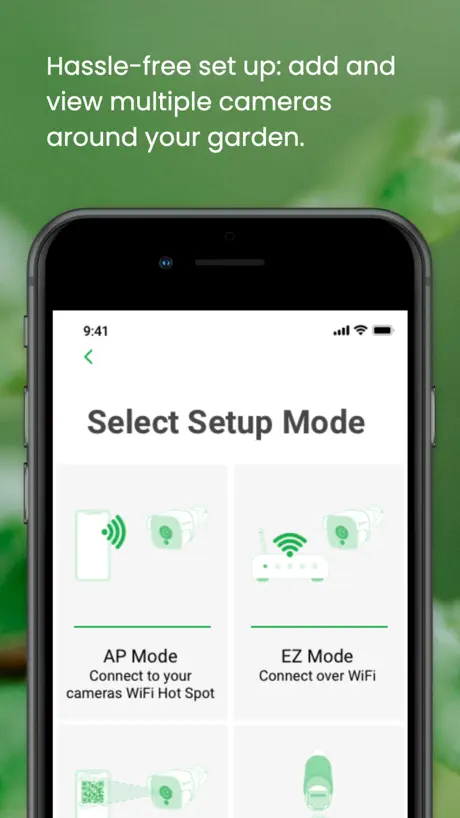
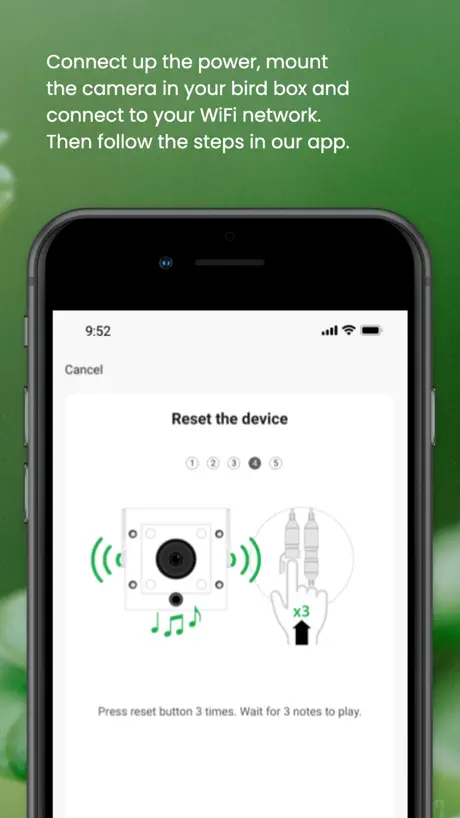
How much does Green Feathers cost?
Prices are current as of 20 Nov 2026.
Green Feathers has no in-app products on record in the United Kingdom.
10+ alternatives to Green Feathers
| Green Feathers |   RHS Grow - Plant & Garden Care |   Camping & Caravanning Magazine |   IRIS: Garden Companion |   BirdGuides |   Birdex: Bird Song Identifier |   Mira Showers |   Texecom Connect |   Nestera Bird Cam |   The Newt in Somerset |   Aqualisa | |
|---|---|---|---|---|---|---|---|---|---|---|---|
| Rating / 5 | 4.5 | 4.7 | 4.7 | 4.6 | 4.8 | 4.8 | 3.7 | 1.6 | 2.8 | 4.2 | 1.0 |
| Reviews | 1.1K | 6.9K | 2.4K | 2.4K | 2K | 649 | 406 | 353 | 42 | 14 | 1 |
| Released | 2021 | 2023 | 2014 | 2021 | 2017 | 2026 | 2020 | 2021 | 2022 | 2022 | 2023 |
| Monthly price | — | £3.99 | — | — | — | £5.99 | — | — | — | — | — |
| Annual price | — | £34.99 | — | — | — | £49.99 | — | — | — | — | — |
The going rate for each plan in United Kingdom, in its own currency, shaded from the cheapest price on the row to the dearest.
Green Feathers reviews
4.5 out of 5, based on 1,069 reviews.
What people like
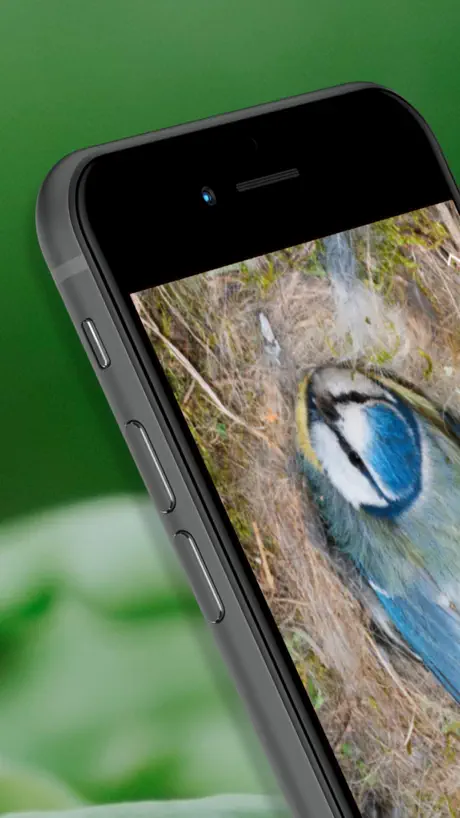
- Live video feed is very clear
- Hardware build quality feels solid
- Company replaces faulty parts quickly
- Easy to connect if you know how
What they complain about
- App is clunky and hard to use
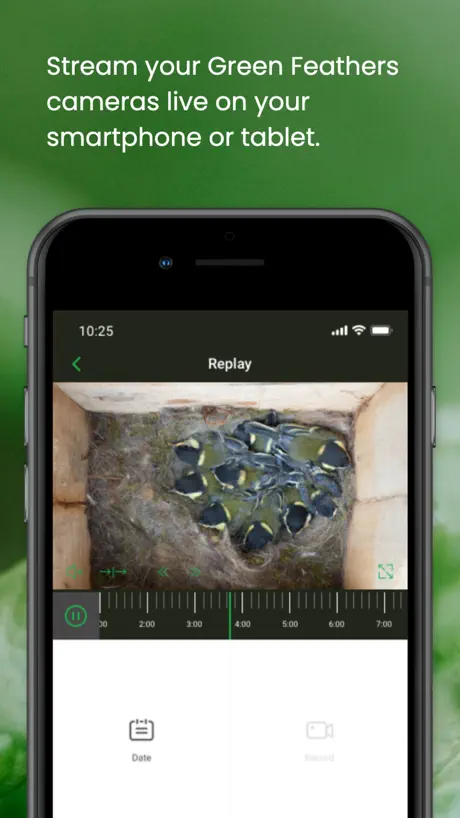
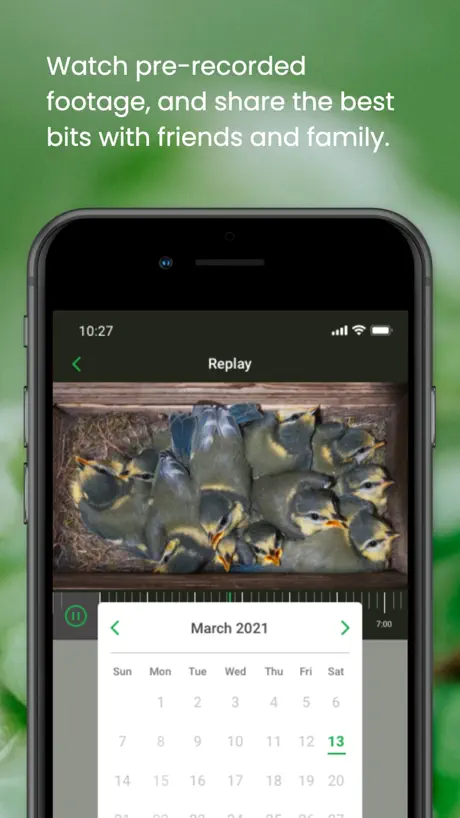
- Playback scrolling is slow and frustrating
- Motion detection often fails or misses clips
- Camera frequently drops offline unexpectedly
- Setup is confusing and difficult for beginners
Which card does this camera need
Does the camera need a card or does it come with one plz
Problems
Why don’t greenfeathers leave the app alone. Since I updated the app I Cannot use on my iPad anymore. It doesn’t fill the whole screen but fine on my iPhone. They have taken away the option to share your camera with friends. Why do that. Its great to see other cameras. Sort this out ASAP greenfeathers.
Easy to use, but missing feature
The app is very easy to use, but for whatever reason they removed the ability to hide the feather and date/time on screen watermark. Please add it back!
Great idea, limited app
The idea with camera nest box is great, but the app has limitations and performance issues. When you get an even notification and press on View you would expect to jump in Playback directly to that moment. But no, you have to wait 1 min for the Playback button to show up, then you press it, browse the calendar and then manually you need to spend minutes to find the moment in time for the notification to play the video. I gave the feedback 2 years ago but the developer chose to ignore it and the UI/UX didn’t evolve at all in all this time. At the time of this review, going to Playback constantly fails with no clear error or reason, so one can’t see any videos recorded…
Could be so much better
Clunky and not particularly user-friendly. Particularly when scrolling through the timeline of the day to find recorded footage - it’s slow to do and cumbersome. There are far better ways, for example the way Ring does it with their camera footage - listing each separate “event” rather than having to scroll painfully across a 24hr time bar. The menu and record/playback options are not especially intuitive. It’s “buggy” too. Far too often you find a clip you want to play back, and it will say “Playback failed to start” - and the only way to fix it is swipe-close the app, relaunch it and find it again. For the price of the hardware, the app isn’t great and really should be better than it is - it’s almost like an afterthought.
I love the cameras but app needs improvement
I love Green-Feather WiFi cameras, they are brilliant but the app needs to be improved!! The 2nd generation cameras on the ICSee pro app show 10 minute thumbnails which can be downloaded and kept. ( I had 11 eggs and watched full videos of them from hatching to flight). On the 3rd gen cameras - Green-Feather app, when I go to view the video of the detected motion the app has missed it or, if you are lucky, you may get one second of action. Please Green-Feathers - it is such a shame your app is just not good enough!!!!!
Bird Camera
If I had known in advance how much trouble this camera has been I would never have asked my daughter to purchase it for my birthday. It has been so time consuming and still is. I’m ready to throw it in the bin.
Good apart from notification issues.
Works pretty good. Some features that would really help: More sophisticated system for controlling when notifications come through. I’m getting too many so will have to turn off completely until the system is more sophisticated. Ideas to combs this: 1. ability to set a time in the day (not just the night) when it’s muted. 2. Ability to set the frequency of notifications. ie. If you get one then set a minimum time before another one is given (in minutes and hours). 3. Ability to mute notifications for a set period. Sound has a constant low frequency crackle on it. Not sure if this is a camera fault or a software issue. I really hope this keeps developing as it is really promising.
App needs a lot of improvement
App is not user friendly, particularly the playback feature. Finding recordings and downloading them is a real faff. There is an odd timeline control you have to use which keeps zipping back to the beginning. Also it has US style dates mm/dd rather than dd/mm that the rest of the world uses.
Ok app til live visning
Rigtig god til at se live visning. Men hen på foråret virker playback ikke mere, da der tilsyneladende er for mange der tilgår serveren. Det er virkelig irriterende at man kun kan se playback i vinterhalvåret, hvor man jo ikke har brug for det
Wi Fi drop out
The Wi-Fi occasionally drops out and has to be reset Very clear video alas to date only a large spider in the box
Greenfeathers’ updates fix issues but cause new issues
Had a Greenfeathers 3rd Gen camera for 4 years now and every year a new problem. This year (2024) I cannot get a stream unless I’m using WiFi. Mobile data (which is enabled in settings) says “Failed to establish encrypted channel”. WiFi stream keeps freezing too anyway. Router, app and camera reset multiple times. Latest iOS and app up to date. No one is checking the app works before issuing updates. Would not buy again. App buttons on home page need user friendly descriptions of what they do. UPDATE I reinstalled both the app and deleted and reinstalled the device - no difference. Still no stream on mobile only Wi-Fi
How I bypassed 2.4 & 5 GHz router settings
Agree with an earlier comment that it would be so much more helpful if the APP can sort out the router issues with 2.4 & 5 GHz. However, I managed to easily by pass not having to make changes to my router which I did find rather daunting. After a couple of hours faffing about and researching how to change my router settings to enable the WiFi connection I read that the 5GHz network is primarily near the router and has more difficulty passing the signal through walls. But, the 2.4GHz signal is found mostly further away from modern routers. All I did was move away from the router and went some 10m into the Conservatory and hey presto I managed to connect to the WiFi instantly using 2.4Ghz and not change/amend any router settings For the App developers. I have WiFi extenders in the house, quite a large home. I was using IPhone X, have BT latest Smart Hub 2 with three extenders in total, one extender being in the Conservatory. App shows current signal strength 86% and video works great, distance from bird box to router circa 12m. Distance from extender circa 6m. Don’t give up on the connecting issue with WiFi. I’m no IT wizard and found Green Feathers responded promptly to my earlier queries about the launch date of the App. Because of the 2.4 & 5 GHz issues I’ve selected 4 star, but like any App, it will be improved over time and has fantastic potential. Mike T
App seems to have been “improved” for the worse.
Bit of a faff to set up to be honest but once that’s done it works okay. However, the app doesn’t seem to work properly with my iPad, the view looks to be designed only for use on a phone. This didn’t use to be the case so something has changed somewhere. Seems okay on my iPhone so I’ve given up trying to use it on my iPad which is a pity. Also, the camera regularly drops offline. While I understand that this may be down to my WiFi signal the Greenfeathers app and camera is the only equipment that doesn’t manage to reset itself after a losing the WiFi signal. I have printers, an EV charger, three TVs, a hiding system and a computer network all managing to use the router flawlessly, with very few problems but not the bird box camera. Once that goes offline it stays offline until I set it up again from scratch, though to be fair, there are occasions when I can get it back by simply unplugging it and plugging it back in again. Those occasions are rare however, it’s usually necessary to do a complete reset, which means going outside and risking disturbing any birds that might have started to nest or show some interest. Quite disappointing to be honest and has prevented me from buying more cameras for my other three bird boxes.
Full screen werkt niet op IPhone 15
Op zich prima app, helaas loopt de app vast als je fullscreen wil kijken.
Once I worked out how to make my Wi-Fi 2.4
It was simple … just get the video up and follow the instructions from you tube. Your wi fi is clever and ‘supposed’ to locate the correct setting but the BT hub isn’t up to it… go to your account online and get into your wi fi settings (you tube again if you have a problem). Alter to 2.4. The upside of this is that although the single is slightly weaker but not notable it goes much further and this is noticeable you have good signal all over the house and garden so I have left mine at 2.4 win win. The camera is amazing with playback and record. We have a nest in process so looking forward to egg time! I did have a problem with my electrical connection but they sent out a new one super quick. Best birthday present ever!
Not a robust design
Worked fine last year when new. This year it was very difficult to get it to connect to the Wi-Fi and recently it has just stopped working. I took a look inside the camera at the beginning of the year when I was having issues connecting and the internal design is not robust enough for outdoor use. There was already corrosion on the circuit boards. This is probably why it has failed now. I have tried to reset the camera but I cannot get any response and no signal to connect. As the box is in use I can’t remove the camera. Would not recommend this camera useless you are willing to replace it every year.
Clunky !
One or two issues. Will not display landscape on iPhone or iPad. Video playback hit and miss, tends to return to earlier events. Two stars for resolution which is good.
Average app
Setup of camera is okay and live streaming is good although often freezes on my iPhone XS even though signal is good (86%). Scrolling through playback is painful and must be able to be improved. You shouldn’t have to start at the beginning of each day every time you want to watch what has happening throughout the day.
Confusing Videos
I have just got a Gen 3 Garden Camera. I found the manual difficult to read due to the colours used on the brown paper, so went to YouTube for a visual version. The first video shown after a search for Green Feathers, is for the Gen 2 bird box camera, which refers to iCee pro. It took a while to find out that this would not work and to find the correct App. Also it is difficult to work out which videos to watch as there are so many. Perhaps you need an introduction explaining what the various set-up modes are and what they achieve.
Always disconnecting
Excellent smart bird box & stylish mini camera but where do I start to complain ?? Hubby bought this (expensive for us but we love to bird watch) for my upcoming birthday. He set it up , really complicated may I add & nothing like how easy they say. Camera would NOT work so we tried our best to work it out as I had tried on occasions to contact someone from Green Feathers ( which again is really complicated to do) We tried all different ways to fix the problem by trolling through the numerous videos on You Tube. We eventually thought it may be that we didn’t have a memory card in. So we went & purchased one. Not knowing a 64gb would NOT work! ! but it says on most of Green Feathers that any card will work even though you have to format it? We did format card on numerous occasions & still nothing!! Then we saw a video saying camera will only take a 32GB so we went & purchased one of these. Camera now worked but still not in the way we thought. We thought when a bird entered box it would automatically start recording but oh no you have to go through a lot of rigmarole to set this up. Can I just say “Green Feathers you should have a much better & easier way of explaining to people who buy your products how to set them up & that you need to buy add ons ie.. memory cards. We have had our bird box for approximately 4 weeks & we have only managed to record my husband on the camera setting up the box. We keep getting notifications that there is a “visitor” in the box but NO videos or pictures are being recorded!! We are past ourselves now & wish we had never bought this bird box. It is pointless saying get in touch with Green Feathers as like I’ve said previously “this is completely hard to do & all they say is “watch the videos” We have & our camera is still “NOT WORKING” Sorry for the rant but don’t buy this if you want to set up your box easily. The product like I said is excellent & excellent quality but complicated. Oh & we even went & purchased a booster for the internet signal in case it was a weak connection.
UI needs some serious work on the user experience
I got the Green Feathers 3rd-Gen Wi-Fi BIrd Box Camera and it does what it is advertised for. I like that such a company exists and the "hardware" is quite sleek. However the app UI, subject of this review, needs serious work on the user experience. For example, from the Message Center, when you click "View" next to a Motion Detected event, it should take you to that event directly and play it. However, you need more that 4 steps each time to see your event. I find this terrible and turn off for using the app entirely. I hope the devs will get a UX expert to look into this ASAP.
Too much manual adjustment
Doesn’t connect? Need to hit reset button. It’s attached to the camera, with the bird box. Need to focus? It’s manual. In the bird box. None of this is practical when you are trying to avoid disturbing the bird box as it has wild animals nesting in it! Otherwise it works ok but given the price things should be less fiddly and unintuitive than this.
Quick delivery, easy set up
Delivered really quickly, easy to set up, great live feed! Just need birds to nest!
Not suitable for iPad
The app is designed for a phone, not an iPad, therefore the screen is limited. Also, when you click “maximise” you actually lose part of the video. I you want to use on an iPad, forget it, it’s useless.
Off line
After watching a single bluetit roosting in the bird box for nearly two months, I get excited when there is more activity during the day. Then the camera goes off line. I switch off for some time, then on again, but no change. I have a good Wi-Fi signal so what’s gone wrong! If I try to access the camera I will disturb the new nest. Can anyone help, please
Hit or miss….
The app works really well at times and gives me a warning of activity. I discovered last week that the HD doesn’t work, I’m not sure why. I turned HD on but the camera continually disconnects when this is active, I only realised this was the case after removing the camera and resetting it in a confirmed good WiFi location. My signal is +70% so I really don’t understand why it can’t operate in HD. Also, activations used to be cued up ready for viewing when I looked at the ‘Playback’ option but the camera has now started to cue to the beginning of the day so I have to scroll through to find the activation. Overall I’m not happy with the camera and it’s associated software and hope that future updates will resolve these issues.
Great camera and box
A really clear picture of the inside of the bird box. Easy to set up. Sadly no birds have chosen to nest in the bird box yet.
Great camera rubbish app
Great little camera which proved easier to connect to this app than the earlier versions with ICSee but the app is useless for viewing what’s going on. It is only for iPhone use and if you try to watch full screen on phone or tablet it just zooms in on the left third of the image and there is no rotation working to landscape format to view it that way. Very disappointing by modern standards.
Broken on iPads
When you run this app on an iPad you get an iPhone-sized view in the middle of the screen. Is this a recent bug? It’s not usable on an iPad in my view - the full screen button just displays a small part of the video stream, and even then no bigger. Please can you fix this? Also, notifications about “movement detected” should not be delivered whilst the app is actually open. These should be handled by the app and silenced. I shouldn’t get continual alarms about movement detection whilst I’m already watching the live stream! This makes the notifications option unusable and we’ve had to turn it off.
Please add fullscreen view when using app on ipad
Please add fullscreen view when using app on ipad
Fails every day
Is there any other software we can use. It either fails to retrieve video stream or shows connection error. Then later works so I know nothing is wrong with the camcorder my WiFi
Record from video stream doesn’t work properly
I like the app for watching the hedgehogs live but if you try to save and share any previously recorded video, the video and sound play at different speeds ( the video at double speed). There is no way to copy the video direct from the SD card either which means the save and share options just don’t work. I reported this to the developers in April only to be told they are aware but nothing has been done about it.
Potentially good
Connected easily on the bench but problems connecting in the bird box. Problem is it doesn’t connect when there is no movement in the box and I think that this is an issue with the app as it is showing plenty of signal. Only on 1.01 at the moment so am looking forward to the next update.
Great (potentially but has some issues)
Easy to install and setup, pretty straight forward. Has lots of potential if the developers support it well. Two issues so far, camera goes “off line” for no apparent reason, signal is great, power is on etc but goes off line and comes back on only if I unplug and re-plug the power. And the second issue is that the motion triggered video capture only captures a few seconds of video and not for as long there is motion in the nest. If these two were to be fixes, then this would be easily by far the best app/camera combo available.
What it says on the tin.
Works well. I did have to separate my WiFi but the guide worked. Only be on it for a month so still getting to understand everything. One improvement I’d like is brighter numbers/ times on the replay bar as I really struggle to see them please.
App is hopeless
The Motion Detection is broken and has never worked since I installed it in January, now we have visitors to the box we dont know when they arrive because the app is broke, I have contacted the developers and all they say is it will be fixed soon… The problem with motion detection not working is you then have to set it to record continuously which makes trying to find the footage of any birds tedious…. When will it be fixed???? its the most crucial part of the app to notify you when you have a bird enter the box… And the latest update has now broke the playback, you cant see the time bar as the recorded footage is the same colour as the time indications so its one great big grey bar, you have to move it then play back and see what the time is, then move it some more.. COME ON PULL YOUR FINGER OUT AND FIX THIS!!!!!!
3rd Gen has only 5 second event recording time!
Once the motion sensor on the camera is triggered, it will only record for 5 seconds, which is totally ridiculous!!! When is this going to be rectified for the 3rd generation camera please? Major problem if you want to immediately capture images of birds entering the nest! Expensive camera to have this kind of oversight!
Really good app, looking forward to more features
I’ve used quite a few CCTV apps over the years and this is one of the easiest and simple to use. Simple camera set up with simple onscreen instructions and I had no problem with the 2.4ghz router issue. Perhaps just certain routers giving problem as almost all common home devices work on 2.4ghz.
Hopeless
I have 2 green-feathers WiFi cameras. Every year they are a ball ache to set up. I can’t understand why it is always so difficult. It looks like the latest version of their app doesn’t support my older cameras. I’m reasonably computer savvy but This year I can’t get either of them to work. Be aware that if you buy their cameras you may well be left out in the cold as the app updates.
Green Feathers FAQ
- Is Green Feathers free?
- Yes. The app is free, in all 174 countries it sells in, and it sells nothing inside it.
- Does Green Feathers have a free trial?
- No. None of its offers (GB) come with a free trial.
- What are the best alternatives to Green Feathers?
- RHS Grow - Plant & Garden Care (4.7 from 6,889 reviews, premium from $5.23), Camping & Caravanning Magazine (4.7 from 2,392 reviews) and IRIS: Garden Companion (4.6 from 2,355 reviews).
Green Feathers download
Last updated 2 months ago.
Green Feathers sells in 174 countries. It was released 5 years and 10 months ago, on 28 Jan 2021. It holds a 4.5 rating from 1,069 reviews.
Supports 11 languages: English, Arabic, French, German, Italian, Japanese, Korean, Portuguese, Russian, Chinese, Spanish.
How much does Green Feathers make?
Third-party estimates for the last 30 days, worldwide — not the store's own figures, which Apple publishes for nobody.