azooKey - Flex Japanese Input
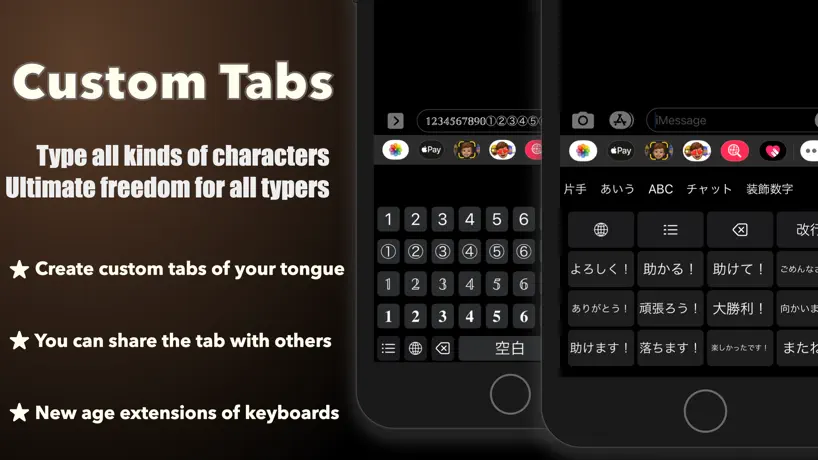
How much does azooKey - Flex Japanese Input cost?
Prices are current as of 10 Sept 2026.
azooKey - Flex Japanese Input has no in-app products on record in the United States.
10+ alternatives to azooKey - Flex Japanese Input
| azooKey - Flex Japanese Input |   flick(フリック) flick(フリック) |   ThreadMaster ThreadMaster |   Sleipnir Mobile Sleipnir Mobile | 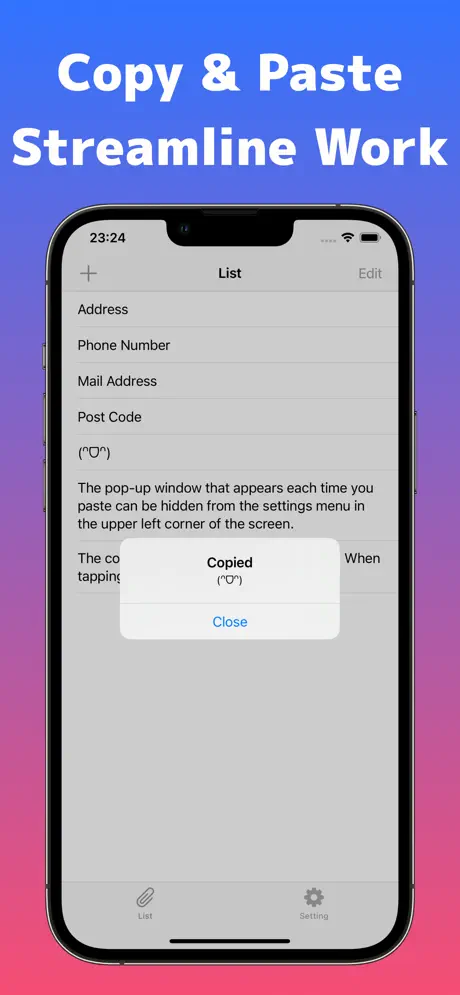  Simple Pasteboard widget Simple Pasteboard widget | 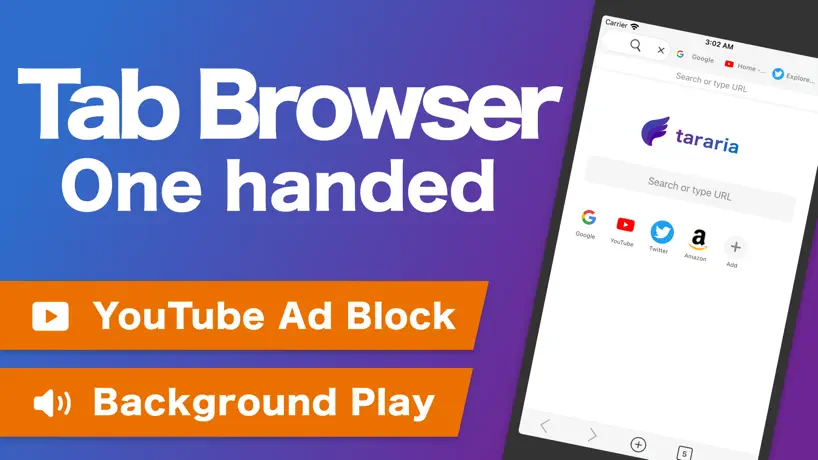  tararia - Multi Tab WebBrowser tararia - Multi Tab WebBrowser |   片手キーボードPRO 片手キーボードPRO |  CalCs - Calendar Complications CalCs - Calendar Complications | |
|---|---|---|---|---|---|---|---|---|
| Rating / 5 | 4.4 | 4.4 | 4.3 | 1.1 | 4.4 | 4.3 | 4.0 | 3.6 |
| Reviews | 732 | 22K | 3.9K | 3.9K | 3.5K | 600 | 549 | 347 |
| Released | 2020 | 2014 | 2023 | 2010 | 2015 | 2022 | 2015 | 2024 |
| Monthly price | — | $2.99 | $0.99 | — | $1.99 | $3.99 | — | — |
| Annual price | — | $1.99 | $9.99 | — | — | $29.99 | — | — |
| One-time price | — | — | $5.99 | — | — | — | — | $1.99 |
The going rate for each plan in United States, in its own currency, shaded from the cheapest price on the row to the dearest. Plans fewer than four in ten of the priced apps sell are left out.
azooKey - Flex Japanese Input reviews
4.4 out of 5, based on 732 reviews.
What people like
- Highly customizable keyboard layout
- No ads or subscription fees
- Great for reducing typing taps
- Helpful manual and support docs
What they complain about
- Conversion accuracy is often poor
- App crashes frequently on launch
- Inappropriate content appears in predictions
- Cursor jumps and breaks text
iPadOS版音声入力方法
フローティングキーボードにすれば、純正の音声入力/ユニバーサルボタンが出ます。 Apple Pencilにショートカット割り当て可能。 Apple Pencil使っていて偶然気づきました。 iOS版と違いiPadOS版で純正音声入力ボタンがあずきキーボードで出ないからしばらく苦労していたが、解決方法共有します。
まともに文字が打てない
キーボードのサイズ、出したくない絵文字など設定できる項目が多い点は、無料だとは思えない程使いやすいのだが… キーボードの動作が重すぎてまともに文字が打てない事が多い。iphone15なのに。かと言ってZenzaiを低にすると滅茶苦茶な変換しか出ない。そもそもの変換性能が非常に悪く、使い物にならない フルアクセスを強要しない所は良心的だし、絵文字と非常識な変換しか出ないappleの害悪キーボードよりはましなので今後に期待
変換機能に癖がある…
まずは、キーボードを自由に作れるのが素晴らしいです。androidで使い慣れたキー配置をまるごと移植できました。 ここからは改善していただきたい箇所です。 1つ目はタイトルにも書いた通り、変換機能が悪いわけではないですが、癖があって使いにくいです。自分が少し不便に感じる点をいくつか挙げさせていただきます。 予測変換で文章や文節を候補に出すのをやめてほしいです。個人的には提案は単語だけの方が使いやすいです。 接続後や文末表現の後に、予測を表示しないでほしいです。 予測変換に出てきた候補に対して、表示の優先度を下げる機能が欲しいです。 2つ目はキー長押しで連打したいです。 変換については難しいかと思いますがご検討の程よろしくお願いします。
新しい
自動変換等面白い他にない機能があります。 変換がぎこちなくて使いにくです。
まだ安定性に欠ける
凄く応援したいし使い続けたいが、 ・打鍵中に急に変換と小文字濁音キーが消え、平仮名しか打てなくなる。 ・入力中に別の部分に挿入するためカーソル移動をしたときにバグって同じ文が二箇所に入ったり文が切れ変な変換になったりする。 以上の2点から現状使い続けるのは難しい。ただ、本当に応援はしている。ゆっくり対応を待ちます。アプリを開発してくれてありがとう
有料でもいい
iOSの変換が馬鹿すぎ、ATOKも値段に見合わない感じで、こちらを使っています。よく使う文字を小キーの上フリックなどに割り振って1動作で入力できるのが便利です。 ただ、blueskyのアプリの入力欄で、一度入力した文字の間に追記しようとすると、入力がおかしくなってしまいます(カーソルがとんだり、先に入力した文字の左側に後から入力した文字が入っていってめちゃくちゃになる) Bluesky側のアプリもおかしいのかもしれませんが、標準キーボードだと起こらない現象なので…これだけなんとかなればなーと思います。
バグだらけ
入力中にカーソルが飛んで文章がめちゃくちゃになったりすることが多く、デフォのキーボードと同じくらいゴミ
応援しています
良い点が沢山あり使いたい気持ちはあるのですが、細かい気になる点が多数あり未だ移行ができていない状況です。 少しずつでも改善いただけたら嬉しく思います。 ・未確定の入力文字に下線が付かないので、確定・未確定の状態が視覚的に分かりにくいと感じます。 ・文字入力時のサウンドと振動によるフィードバックが標準アプリより控えめで分かりにくいと感じます。標準キーボードの強さに近づけてほしいです。 ・空白キー長押しするとカーソルバーでカーソル移動ができますが、標準キーボードの方がスピーディーかつ狙った位置に素早く移動ができて便利に感じます。 ・Blueskyアプリの投稿画面で入力中に挙動がおかしくなることがあります。(標準キーボードでは特に問題なく入力できます。)
文字が消える
方向性はすごくいいんですがバグが多いです。 長めの文字を書いて変換→変換範囲を指定したい時やカーソルを動かして変換中に修正したい時、打った文字をタップすると丸ごと打った文章が消えます。ただし、変換候補部分には文字が残っているので、完全に削除されているわけではなくバグ状態になります。 これだけでも修正して欲しいです。
惜しい
iPhone15、iOS18で利用しました。iPhoneのデフォルトの文字変換があまりにもひどいため乗り換え先を探していました。 文字変換の面ではストレスが減りましたが、日本語フリック入力での小文字・濁点・半濁点ボタンの反応が悪い点、トグル入力ができない点でストレスがあり、ストレス度は±0ということで使わなくなりました。この2点が解消されたらまた利用したいです。
日本語入力ツールとして現在一番
日本語入力のツールという意味では現在最高。 絵文字や着せ替えなど、本質的でない機能の充実を望む人は他のものをどうぞ。 Macでは同様の理由でカワセミ4を使っています。
惜しい
zenaiを有効にするとキーボードがフリーズする 端末はiPhone15です エフォートが低でも発生します
荒削りながらも期待します
ATOKからの乗り換えです。インストール直後はもたつきがひどくて難儀しましたが、気にせず使っているとやがてスムーズに動くようになりました。いまもこれをazooKeyで書いています。まだ時々フリックしたキーが空中で固まったりしますが、設定を色々いじって楽しんでいます。 AIがかな漢字変換に何をしてくれるかには興味があります。どうか楽しみながら、新しい道を切り開いていってください。
無駄が多い
英字でも変換バーが消せない。不便。 アプリアイコンボタンを押さないとアクセスできない機能がある。入力数削減のためのカスタム論理配列キーボードで、入力数を無駄に増やす実装をしているのは設計思想がよくわからない。宣伝のつもりなら金を払うので消させて欲しい。そのアイコンを表示するために無駄に変換バーが太くなっているのも悪。 AIが相当おバカ。これは仕方ない。
絵文字嫌いな人なら選択肢としてあり
前提として標準キーボードやSimejiよりも使う価値があるとすれば、絵文字の少なさ。 私のような絵文字嫌いには嬉しい。なんなら差別化のためにいっそ絵文字を全て消せば良いのではないかと思う。 デメリットは無料と考えればすごいけど、痛いところに手が届かない。 変換能力は弱め、その漢字ないのか…のようなものがあったり『まるいち』などと入れても①は出てこないなど。 まぁユーザー辞書があるけど、いちいち入れるのもなぁ。 他にも変換は全体的に弱め。 あと、便利なつもりなのかもしれないけど一番使うであろう漢字を差し置いてカタカナ変換が一番最初に来ることが多いのが理解不能。 便利と感じる人もいるのかもしれないが。
ipadのキーボードに
レビューを見てインストールしたが使いやすい!設定項目も多く、何よりヘルプがとても親切。 クリップボードの搭載など既存のキーボードで不満を感じていたところにも手が届くのがありがたい
ばぐ
予測変換がばぐって文字化けしてる
特定のワードでの予測変換で、嫌な絵文字を出さないで欲しい。
タイトル通りの内容です。iOSの標準キーボードでどうしても入力したくない文字列を打ち込みたい時に、こちらを使用していますが、使用時に、こちらのキーボードアプリで「知的障がい」や「知的」または「障害者(障がい者)」と入れるとこの絵文字→🤓が出てきて嫌な気持ちになります。 これらの予測変換が出てこないやり方を教えていただくか、「知的障がい」や「知的」「障害者(障がい者)」などのワードでこの絵文字が出てこないように改善していただきたいです。よろしくお願いします。 この点以外はいいアプリです。開発ありがとうございます。
変換第一候補が下ネタ
このアプリは18禁ではなかったように思いますが、変換第一候補が下ネタ、というかavでしか使用しないことばが第一候補で沢山出てきます お掃除 と変換したいだけなのに18禁の変換が第一候補のようです 禁止言葉設定項目があればいいんですが… それ以外は概ね良いです
トグル入力ができない
所謂ガラケー打ちと呼ばれるトグル入力ができない。 自分はそれでしか文字を打てないので使えなかった。 UIのシンプルさや機能などはかなり魅力的だったので、それが本当に残念だった。 デベロッパーからの返信がここ最近ないので、もしかしたらもう開発はしてないのかもしれませんが、トグル入力への対応をどうかお願いします。
標準入力のイライラが解消されました
標準入力だとかなフリック→ABC→QWERTと切り替えていました。azookeyはワンタッチで切り替えできます。QWERT→123に切り替えると、ここからかなに切り替えられませんがカスタマイズで対応可能。これでかなりタッチ数が減りそうです。
変換が酷い。
カスタム性能に全振りしすぎて変換の機能を捨てましたか? 「かんしゃ(感謝)」と打ちたいのに下ネタが1番上に出てきます。大変不愉快です。 そんな感じで変換が終わっています。 文脈を見て変換することができないのかとてもストレスフルです。 また、学習もうまくできず何度も同じ単語を打つ羽目になります。 これを入力している今も誤変換ばかり… 入力した文字全てを一文で変換しようとするのでおかしな文章が1番最初に出てきます。 そのため、単語ごとに区切って文章を打たねばならず大変です。 もう使いません。
素晴らしい
使いやすい、めっちゃオススメだけど…予測変換がとっても残念! 予測変換が改善されれば間違いなく最高のキーボード
一工程多い
あずきボタンを押さないと絵文字ボタンが現れないのが毎回ストレス。絵文字を打ちたい時に、いちいちあずきを押して絵文字ボタンを表示させないといけないのが、一工程多いからめんどくさい。設定で変えられますか?あとカーソル移動も、カーソル移動ボタンを押してカーソル移動を表示させてからしかできないのがめんどくさい… 文字種変更は一つのボタンにまとめて、カーソル移動の左右ボタンと絵文字のボタンを常に表示できるようにしてほしいです!
バグ:アクション
カーソルの移動が動きません
とても使いやすい
とても使いやすいアプリをありがとうございます。某デファクトスタンダードのアプリは怖いため国産のアプリが欲しかったところです。カーソル移動やペーストボタンは長い文章の作成にとても役立っています。 可能であれば純正キーボードと同じように拗音や濁点を入力せずとも変換できるようにしていただきたいです(例:「のうしよう」→「農場」)。開発応援しています。
カスタマイズ性が抜群
余計な広告もなく、シンプルで自分好みにレイアウトをカスタムできるのが良い。英語のキーボード入力(QWERTY配列)のレイアウトも変更できるとなお良し。
can you fix this pls
If I deleted a custom keyboard, the deleted keyboard is still existing
すぐ落ちるのをなんとかしてほしい
iphoneの標準キーボードが使いづらかったので、こちらを使い始めました。 自由にカスタムできるし使いやすさはあるけれど、高頻度で落ちる?iPhone標準に戻るのをなんとかしてほしいです。いちいちこれに戻すのがストレス。 また、変換が得意じゃないみたいで変なところで区切られた変換や、一般的な単語の変換が出てこなくて少し面倒。 文字打つだけなら全然使えます。
ちょっと大人なためのキーボード
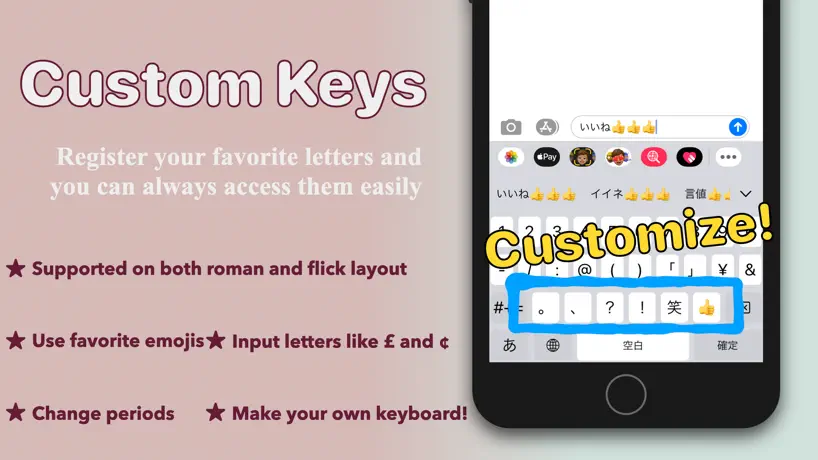
だと個人的に思う。 特色としては、課金無しで出来る高いカスタマイズ性! ・縦幅が調節できて 画面がデカくなるぞ! A██id勢もHappy! ・課金しなくても キーボード上の コマンドアイコンが 好きにいじれる! 某茶キノコ勢にも! 他にも自分でテンプレからキー入力を作れるので気に入らない操作は徹底して削げ替えられます。 全自動変換選択で爆速タイピングも。 徐々に増えていく機能性ゆえかUIのごちゃつき感に滞りを感じるかも、だがさして難しくない。 とりあえずカスタム完了しておいて損はない。 デザインに困ったら「キーボード用 背景 素材」などで検索するといいかも。 個人的に気になるのは小豆ボタンを押さないと上部ボタンにアクセスできないこと、そのボタンの中揃え等がないことだが自分のサーチ漏れなだけかもしれない。 余裕がある人は支援するとよい……と思う。今後に超期待。
あ
キーボードの文字サイズ変更機能が欲しいです
重さと変換機能良ければ神アプリ
Zenzai有効化したら変換機能かなり良くなるが、その分くっそ重くなって結構落ちる、今使ってるのがiPhoneSE 3世代だからかもしれんが、
とても快適!!
デフォのキーボードがなんだかんだで使いやすいんですが、ひとつだけ我慢できないことがありました。 一切使わないのに変化候補に絵文字が大量に出てきて、本来使いたい変換よりも先にわけのわからない不必要な絵文字が出ることすらある 色々方法を調べても出てこないようにする設定はないようだし、キーボードアプリも試してみたけどむしろ絵文字や顔文字を増やすような目的のものばかり こちらのキーボードはまったく出てこないわけでもないけど、!!などを打った時候補の後ろの方に少し出てくる程度でとても快適になりました。 わたしの場合そもそも絵文字自体を使いたくないのですが、絵文字は使いたいけど虫の絵文字が苦手で見たくない人は4種の特に不快に感じやすい絵文字の非表示設定もできるようで、細かい配慮を感じました。 誤字の補正も兼ねての変換はデフォの方がやはり上ですが、そもそも誤字をしないように打てばそこも問題ないので雑なタイプを少しずつでも直していこうと思いました…
基本は神
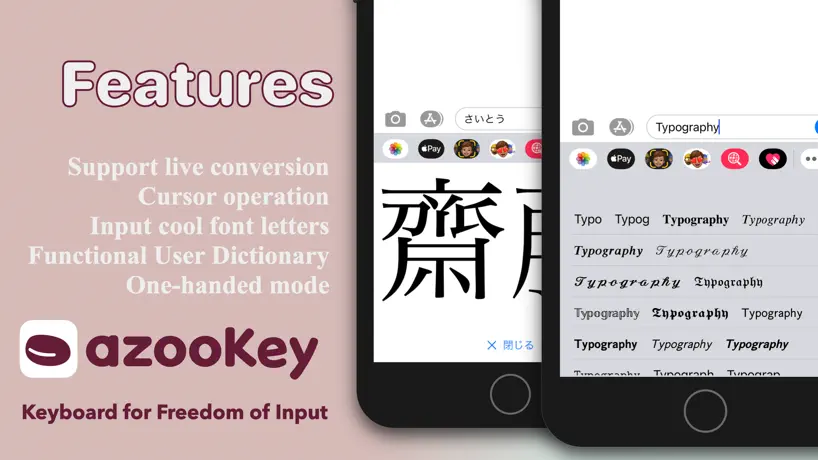
ライブ変換は日常的な言葉を使う分には神がかってる やや重いのは多機能の裏返しだから仕方ないが、長文を書くときはこの挙動の重さはやや気になる
そんなに良いですか?
アプリをインストールしてから二週間ほど経ってから突然動作し始めました。 あまり使いやすいとは思えませんし、文節の認識が苦手なのか入力が捗りません。 変換前なのか確定された文字列なのかも分かりにくいです。
カスタマイズ性がとても良い
長い間使ってきた、買い切り版の旧ATOKから乗り換えました。日本語フリック入力と英字キーボードの両方を深くカスタムして使っています。文字配列やボタンのサイズや数は自由に変更可能。ショートカットも自由に設定。最初は設定項目が多すぎて辟易するが、デフォルトのままではイマイチ使いにくいので、入力環境を設計したい人や、UIカスタマイズに抵抗がない人は少しずつ腰を据えて調整することをオススメします。頑張れば、かなり長期間快適に使えるキーボードが手に入るかもしれません。変換精度はATOKに劣るけど、操作効率の最適化で補填。今後も設定と慣れで使いこなしていきたいと思います。開発者様へ: 現状でも満足ですが、数年後でも、もし可能であれば、数字キーボードのカスタム対応をお願いします。素晴らしいキーボードを作成して頂いて感謝致します。
このアプリが欲しかった
カスタマイズ性が高くて、私の欲しいアプリそのものでした。 しかし物足りない部分も多い。反応が悪く入力されない時も少なくないし、絵文字の一覧を開くと高確率で強制終了する。一部のアプリでは入力すらできないことがある。 今後も使い続けたいので改善希望。
重い
・起動に時間がかかる ・動作が重い ・単語確定前に文章をタップしてもカーソルを移動できない これらの点を除けばいいアプリ
一番使いやすいキーボードアプリ!だからこそ、!
色々カスタムできて楽しいです でもカスタムタブを作る時、日本語や英語のフリックを基に作ることはできるのに、英語のローマ字配列(QWERTY)を基に作れないのが少し残念です、あともう少しカスタマイズ性を高くしてほしいな〜なんで思ったりもします。どうか!お願いします!
カスタム性完璧
これほどカスタムできるキーボードを求めてた 長いこと使ってたSimejiに慣れてしまったので変換の質の違いにまだ慣れないけど悪いものでもない OSの制約などもあるんでしょうが、もっと細かい動作のカスタムができるようになったり、動作の安定性や向上やその他外国語対応してくれたら言うことない
ライブ変換が馬鹿すぎて鬱陶しい
とにかくライブ変換が馬鹿過ぎてウザい、記号の選択出来るタブがないから使えない、絵文字使うのにいちいち邪魔なアズキのマーク押して絵文字押してと手間が増える 極めつけはChatgptで画像選択した後に文字入力しようにもキーボードに隠れて何打ってるか分からないし、決定ボタンが押せないバグで使い物にならない。何とか化けてくれないかと10日間使ってみたがゴミでした
azooKey - Flex Japanese Input FAQ
- Is azooKey - Flex Japanese Input free?
- Yes. The app is free, in all 175 countries it sells in, and it sells nothing inside it.
- Does azooKey - Flex Japanese Input have a free trial?
- No. None of its offers (US) come with a free trial.
- What are the best alternatives to azooKey - Flex Japanese Input?
- flick(フリック) (4.4 from 21,634 reviews, premium from $1.99), ThreadMaster (4.3 from 3,903 reviews, premium from $0.29) and Sleipnir Mobile (1.1 from 3,893 reviews).
azooKey - Flex Japanese Input download
Last updated 1 month ago.
azooKey - Flex Japanese Input sells in 175 countries. It was released 5 years and 10 months ago, on 4 Dec 2020. It holds a 4.4 rating from 732 reviews.
Supports 2 languages: English, Japanese.
How much does azooKey - Flex Japanese Input make?
Third-party estimates for the last 30 days, worldwide — not the store's own figures, which Apple publishes for nobody.