Read+ PDF Reader
ProductivityUtilities

Read+ PDF Reader

B TO J PTY LTD · released 10 Mar 2021 · Open in App Store ↗

Revenue 30d not estimated
Downloads 30d not estimated
Rating 4.25 77 reviews

No in-app products collected for this app.

Rating
Saudi Arabia9%74.71
United States9%74.43
Indonesia8%64.67
Russia8%63.67
Australia5%45.00
Brazil5%42.50
Turkey4%34.33
Canada3%23.00
Ecuador3%24.50
India3%25.00
Jordan3%25.00
Japan3%23.00
Libya3%24.50
Romania3%25.00
Thailand3%25.00
Vietnam3%25.00
Bulgaria1%14.00
Chile1%15.00
Colombia1%15.00
Costa Rica1%15.00
Germany1%11.00
Egypt1%15.00
Spain1%12.00
United Kingdom1%15.00
Kyrgyzstan1%15.00
Cambodia1%11.00
Kazakhstan1%12.00
Lao Peoples Democratic Republic1%15.00
Sri Lanka1%15.00
Mexico1%15.00
Norway1%15.00
Pakistan1%15.00
Poland1%11.00
Paraguay1%15.00
Qatar1%15.00
Ukraine1%14.00
Uzbekistan1%15.00
South Africa1%15.00

The store shows a different set in every country

Description

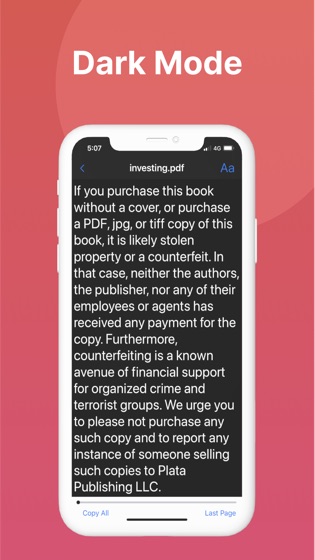
Read PDF files naturally by iRead PDF Reader.

iRead PDF Reader is the best app to read, manage and annotate PDF files and it works beautifully on iOS 14.

The most powerful PDF reader, carefully designed and optimized specially for the iPhone & iPad.

[ KEY FEATURES ]

Naturally read PDF books

Bookmark PDF e-Books

Annotate PDF e-Books

Search texts in entire PDF files

Extract texts by using OCR

Merge PDF files

Rearrange PDF pages by drag & drop

Connect with Google Drive, Dropbox, iCloud, Photos

Import files from Files, Photos, Google Drive, Dropbox

Automatically and securely save PDF files in Files app

Share PDF files via email, text (sms), cloud solutions

Print PDF files

[ Upgrade to subscription version ]

Upgrading to subscription version requires auto-renewal subscription.

Payment will be charged to your Apple ID account at the confirmation of purchase.

The subscription automatically renews unless it is canceled at least 24 hours before the end of the current period.

Your account will be charged for renewal within 24 hours prior to the end of the current period.

You can manage and cancel your subscriptions by going to your App Store account settings after purchase.

Links to Your Privacy Policy and Terms of Use:

http://www.btoj.com.au/privacy.html

http://www.btoj.com.au/terms.html

Please feel free to contact us for anything.