
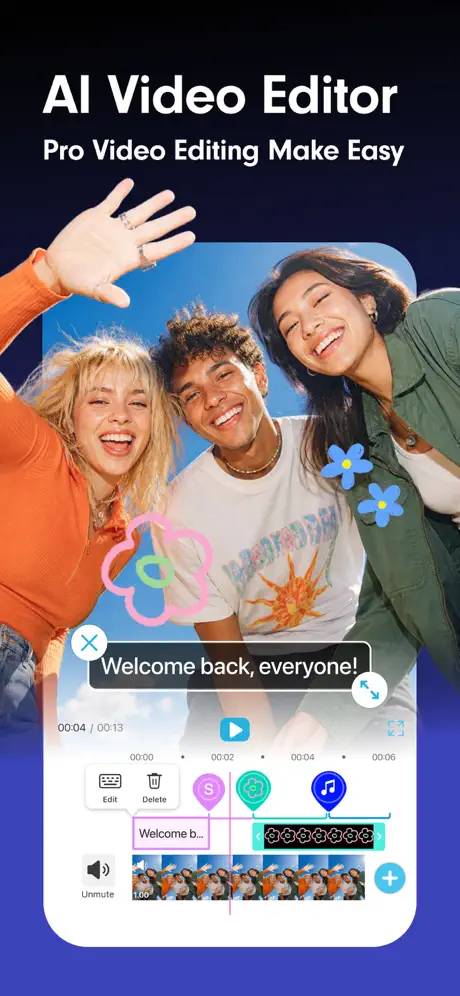
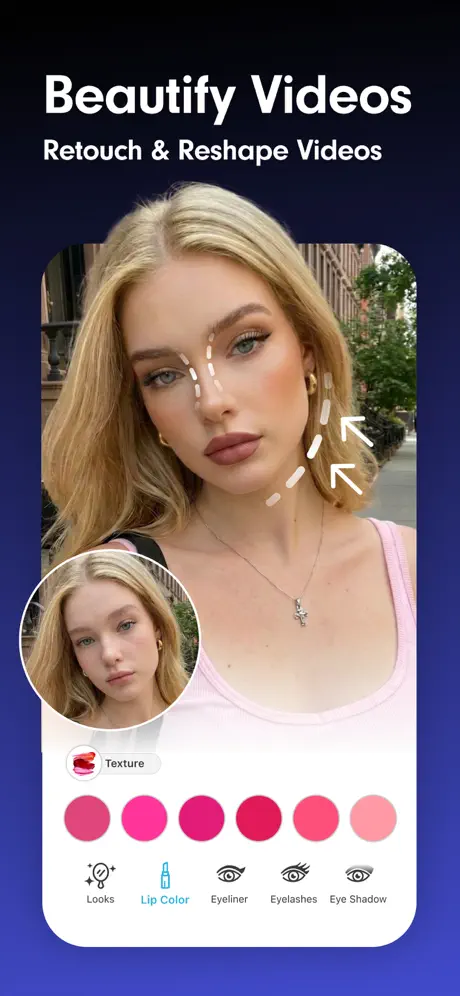
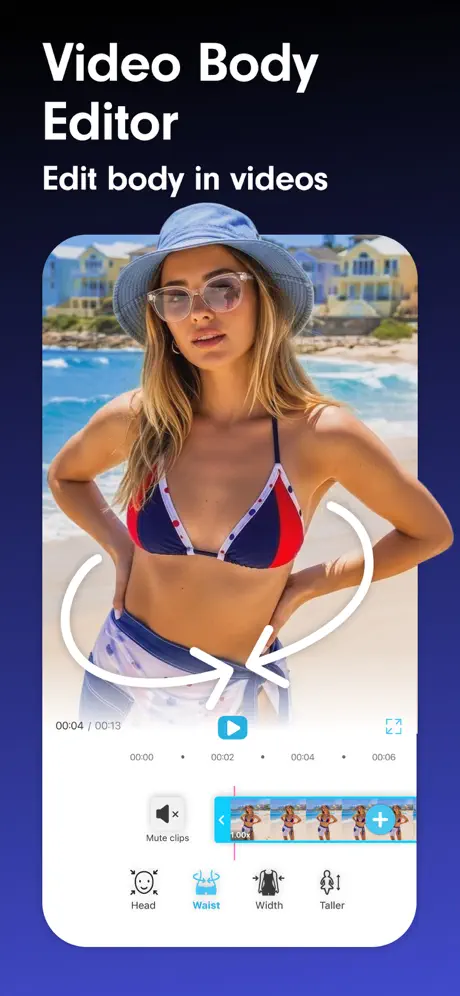
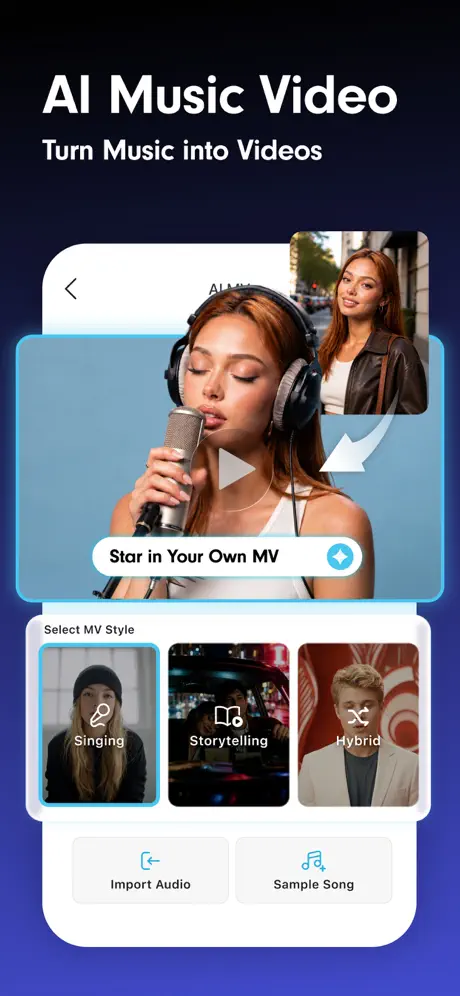
YouCam Video: AI Video Editor
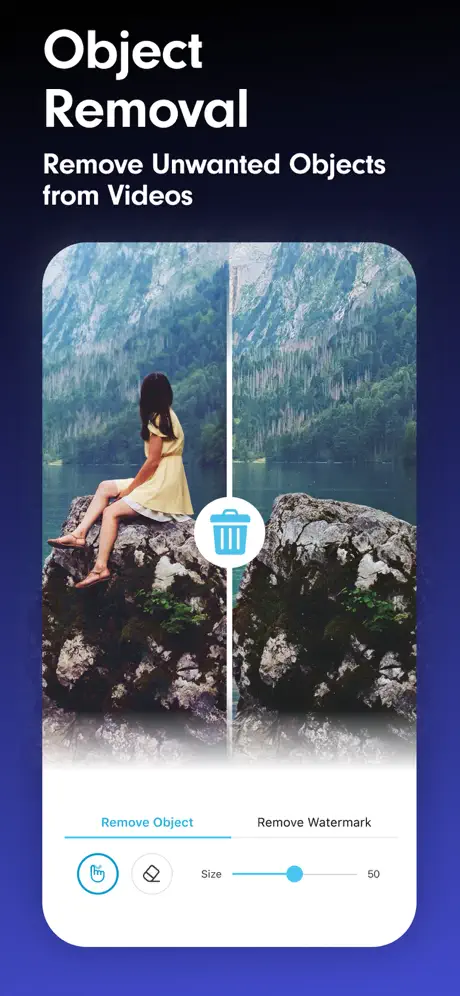
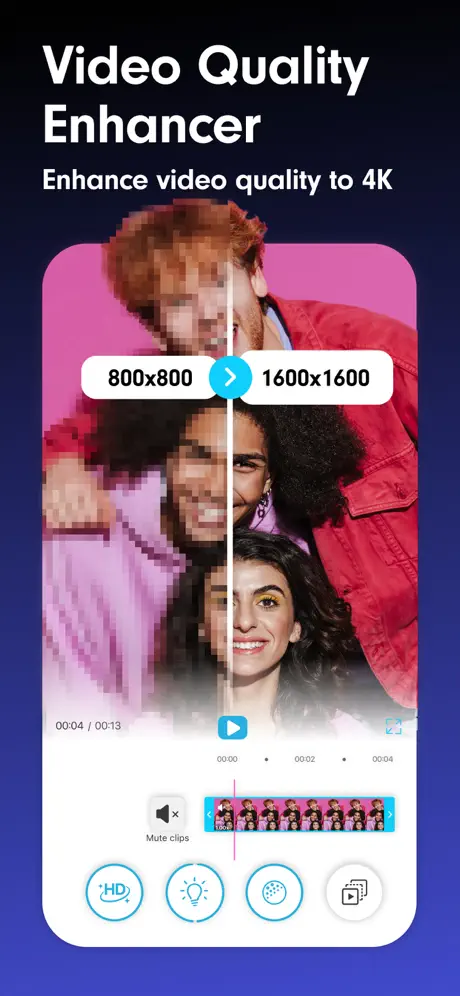
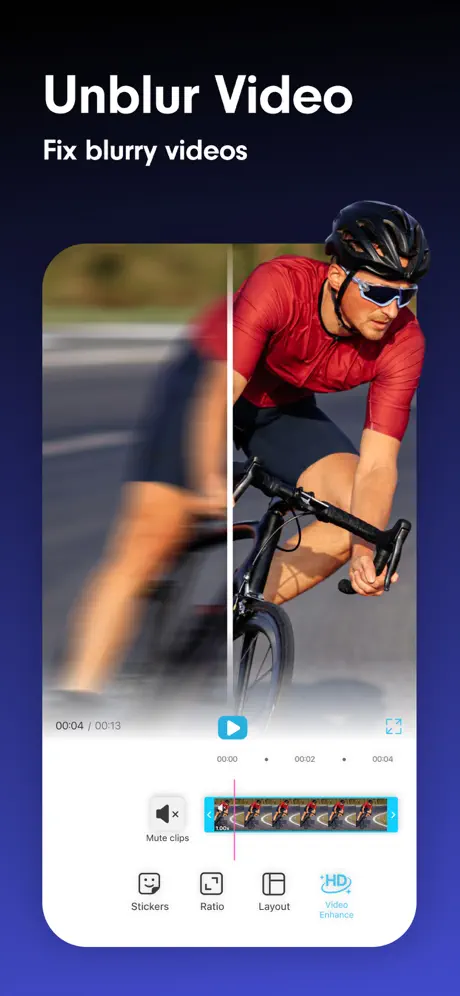
AI Video Editing & Reel Maker



How much does YouCam Video: AI Video Editor cost?
Prices are current as of 6 Oct 2026.
5 subscriptions from $5.99
In the United States, YouCam Video: AI Video Editor has 5 subscriptions priced $5.99 – 49.99. It comes with a 7 days free trial.
| Subscription | Period | Price |
|---|---|---|
| Premium Version (Monthly) | MonthlyTrial: 7 days | $5.99 |
| Monthly Premium No Trial | Monthly | $7.99 |
| Best Face Video Editor | AnnualTrial: 7 days | $31.99 |
| Premium Version (Yearly) | AnnualTrial: 7 days | $39.99 |
| Premium Version (Yearly) | AnnualTrial: 7 days | $23.99 – 49.99 |
See what YouCam Video: AI Video Editor costs in all 174 countries →
10+ alternatives to YouCam Video: AI Video Editor
| YouCam Video: AI Video Editor |   Persona: Beauty Camera Persona: Beauty Camera |   PowerDirector: AI Video Editor PowerDirector: AI Video Editor |   PrettyUp - Body Editor Video PrettyUp - Body Editor Video |   Facey: Face Editor &Makeup Cam Facey: Face Editor &Makeup Cam |   Tune Face & Body: Photo Editor Tune Face & Body: Photo Editor |   Body Editor Booth Thin & Slim Body Editor Booth Thin & Slim |   Blur Video & Mosaic Blur Video & Mosaic |   Retouch Me: Face Editor, Tune Retouch Me: Face Editor, Tune |   Winkit - AI Video Enhancer Winkit - AI Video Enhancer |   Perfect365 Video Makeup Editor Perfect365 Video Makeup Editor | |
|---|---|---|---|---|---|---|---|---|---|---|---|
| Rating / 5 | 4.7 | 4.7 | 4.6 | 4.6 | 4.5 | 4.6 | 4.7 | 4.5 | 4.2 | 4.6 | 4.8 |
| Reviews | 44K | 447K | 136K | 134K | 111K | 70K | 60K | 58K | 39K | 23K | 12K |
| Released | 2021 | 2021 | 2019 | 2020 | 2018 | 2012 | 2015 | 2017 | 2014 | 2024 | 2021 |
| Weekly price | — | $7.00 | — | $7.99 | $2.99 | — | — | — | — | $6.99 | — |
| Monthly price | $5.99 | $7.00 | $6.99 | $7.99 | $4.99 | $5.99 | $5.99 | $3.99 | $9.99 | — | $12.99 |
| Annual price | $31.99 | $35.99 | $34.99 | $34.99 | $29.99 | $29.99 | $29.99 | $24.99 | — | $44.99 | $49.99 |
| One-time price | — | — | — | $1.99 | — | $0.99 | $6.99 | $3.99 | $4.99 | $7.99 | — |
The going rate for each plan in United States, in its own currency, shaded from the cheapest price on the row to the dearest. Plans fewer than four in ten of the priced apps sell are left out.
YouCam Video: AI Video Editor reviews
4.7 out of 5, based on 43,638 reviews.
What people like
- Really easy to use and learn
- Makes boring videos look realistic
- Has many useful editing features
What they complain about
- Support never actually helps
- Keeps crashing when you edit
- Too much is locked behind paywall
- Charges immediately for the free trial
EASY
I’m giving this five stars plus plus plus because it is so easy to use the other apps make it so complicated just to edit a damn video and make it looks better… I wish I could give 10 stars
Garbage
Don’t bother buying it. Doesn’t work well. Credit system (despite subscription) prevents any meaningful use of app.
Oque achei?
Só faltou ser grátis
Bad tool for editing body shape
All I kept getting was a downloading symbol waited 15 minutes tried again and still no luck
Help
I’ve been using this app for almost a year . It’s great! But for the last day the reshape option has been super weird . Makes me chin look extremely pointy and the filters won’t work no matter what I do:( I’ve tired deleting the app but still nothing . Pls fix this bug !!
Love it
Love it
It’s a scam
Offered me 7 days free trial. Charged me $69.99 on day one when I selected the $12 a month option ! I am warning everyone this is a complete SCAM !!!!’ Run
Плохо
Сделайте хотяб чтоб можно было загрузить видео больше 10 секунд ,и подписка вообще не грузит ((
Can’t select part of body you want edited
It chooses for you where your waste is
STOP WASTING MY TIME
You are not entirely clear in your explanation of credits; for example, if I buy 1000 credits for $66.99, would that be considered 40% off? So, explain to me, how much will 1000 credits cost with the 40 percent off as a yearly member, after the free credits are used up entirely
Video
Se ve borroso despues que uso la aplicacion en video. Nino recomiendo
What a pain
Had to delete this app- used to like it but it became so annoying with the ‘Upgrade Now’ button I wanted to Chuck my iPad out the window. Moving on.
.
Уберите водяной знак и эскпиатируй за 10 сек
Tutorial
No encuentro como usarlo con eficiencia en español
Cant save video after video repair.
I cant seem to save my video repair. What might be the cause
Fantastic App
I expected this app to be like all the others. But it takes drab videos and punches them up in a very realistic way. I’m a fan, and can honestly recommend it to others. Keep up the great work YouCam Video!
Worst purchase ever
First of all, I accidentally purchased the full subscription while trying to cancel the last day of my free trial. I was still charged the full amount. I immediately reached out to customer service explained what happened and asked for a refund and they refused since I was stuck paying for it. I decided embrace it and actually give the app a chance. I am a content creator so I figured I could at least use it for editing, unfortunately feature features are disappointing, like blemish removal seriously even basic video capabilities are absolutely useless for an app that charges this much. I expected significantly better features and much better customer service instead I’m stuck with a subscription. I didn’t even want customer service that was completely unhelpful and an editing app that doesn’t work.
Bewertung und verbessernungs Möglichkeiten
Blöd ist das vieles premium ist und Mann dafür Geld ausgeben muss es gibt auch nur zwei Lieder und das Video darf nicht länger als 10 Sekunden gehen das ist blöd
YouCam Video
Not that good
Slight lie
Although this app says that you can redo your brows by going to "retouch" and then selecting "brows", what is doesn't tell you is once you tap "retouch" there is no "brows"section 🤷♀️. So technically you can't actually edit your "brows" unlike what it says.
Love at 2nd sight
Get all the way through one video. All the steps one time. It all made sense after that.
Too many glitches
I am not happy with this app . I paid for a month and can’t even use the videos because they glitch so much
Super
Großartig
2 out 5
Limiting
Не редактирует на 100%
сделайте, чтобы можно было убирать морщины! Приложение платное, а такой функции нет
Generate video
Fantastic and easy to make videos.
Trash!
Do not purchase doesn’t even work.
States Free
Update: pleased received response to my review, however cannot reply to your question as it’s a no-reply email, which defeats object of asking the question!! To answer here: the 7-day free trial does Not activate before payment details have to be provided. Previous Review Immediately tries to charge a fee when it states it’s free.
Hit or Miss
Some off the results from the video AI are outstanding, however some are absolutely pathetic. Bad news is you have no control over what you get and there is no way of refunding the points for awful videos. Considering the fact that the points aren’t cheap, I’m thinking I might delete this soon.
Сбой
После обновления все эффекты стали жестко лагать . Невозможно сделать ничего с видео . У меня pro подписка . До этого проблем не было , все устраивало. А теперь пользоваться невозможно
love it
i love it
this is the worst app on the face of the planet 👎😠
I give it one star cause it has free trials, which is stupid and unnecessary. Like, why would you wanna get an app that only wants to have your money? It is stupid and a waste of my freaking time. therefore I am not gonna put one star on this review cause I hate it so much. You’re welcome for letting you know you YOUCAM!
Вопрос
Подскажите сколько стоят подписки?приложение не показывает(
Update downfall
This app was awesome until the new update… now unfortunately it glitches and closes the app while trying to edit videos and will not save them.
Не открывается приложение
Здравствуйте. У меня перестало открываться приложение(( обновила, но ничего не меняется. В чем может быть проблема?
Errors
I’m still losing credits for images that are corrupted and not showing up. They should be refunded if images doesn’t come up.
Paying but can’t use
I paid for a monthly subscription so I can work and I can’t even SAVE THE VIDEO. It’s useless
Super App
Soweit ist die App perfekt komme damit sehr gut zurecht und hat viele Funktionen. Kann aber leider nicht die Funktion finden um das Wasserzeichen zu entfernen.
Prénium
Je trouve qu’il y a trop de looks prénium ce qui nous force a acheter des maquillages et que les maquillages ne sont pas réel avec les enfants et les arrière-plans bug,le teinture de cheveux pas réaliste etc... Merci de me répondre...
Перестало открываться
Приложение перестало открываться на айфон. Пробовала удалять, скачивать заново, горит заставка и дальше никуда не идёт. Подписка на год платная, еще действует
Video
Lovley application
Don’t waste your $$$$$$
Awful app!!!
Восстановить покупку
Здравствуйте, с покупкой нового телефона не могу восстановить годовалую подписку, помогите пожалуйста восстановить покупку
Meh.
Hardly anything is accessible without buying the premium version. Definitely not worth downloading unless you intend to pay for it.
.
Ok, it was good until your app stopped accepting my purchases and always asked for more and more, what does it mean? I’ve updated it, I did everything, but it’s still doesn’t work, by the way by next purchase should be only next month. What the hell?
mr
goof
Issues not accessible
This App is Not Accessible for very Low vision it purchased twice Accidentally .I don’t want the App or intend to use it I want my money back this App doesn’t make getting your money back easy ..I was checking into it I didn’t want to Purchase.. It’s Very Frustrating.
Хорошее!
Снимаю звезду за то, что нет сохранения видео в качестве 1080. Если добавите, приложение будет огонь!
Idea?
I tried out the app but I think it would be cool to allow you to change your eye colour on your videos from your camera roll
Обман
Купила на год , а через 2 месяца просит опять оплатить и все функции премиум закрылись . Делала все по инструкции разработчика ничего не поменялось , покупка не восстановилась и деньги улетели в трубу .
YouCam Video: AI Video Editor price by country
An annual subscription costs $21.87 in Tanzania and $54.90 in Hungary — 3× more for the same thing. Below is the going rate for each plan in every country that sells it — the middle price of what the app charges there, in the country's own currency with the dollar equivalent beneath it.
| Country | Weekly | Monthly | Annual | One-time |
|---|---|---|---|---|
| Afghanistan | — | $9.99 | $45.99 | — |
| Albania | — | $6.99 | $39.99 | — |
| Algeria | $2.99 | $5.99 | $31.99 | — |
| Angola | — | $9.99 | $36.49 | — |
| Anguilla | $2.99 | $5.99 | $24.99 | — |
| Antigua And Barbuda | — | $9.99 | $24.99 | — |
| Argentina | — | $5.99 | $31.99 | — |
| Armenia | — | $5.99 | $39.99 | — |
| Australia | — | A$9.99$6.94 | A$49.99$34.72 | — |
| Austria | — | €5.99$6.74 | €34.99$39.36 | — |
| Azerbaijan | — | $5.99 | $39.99 | — |
| Bahamas | $2.99 | $6.99 | $24.99 | — |
| Bahrain | $2.99 | $5.99 | $34.99 | — |
| Barbados | — | $6.99 | $39.99 | — |
| Belarus | — | $5.99 | $39.99 | — |
| Belgium | — | €6.99$7.86 | €34.99$39.36 | — |
| Belize | $2.99 | $7.99 | $31.99 | — |
| Benin | — | — | $39.99 | — |
| Bermuda | — | $9.99 | $24.99 | $7.19 |
| Bhutan | — | $9.99 | $45.99 | — |
| Bolivia | — | $5.99 | $24.99 | — |
| Bosnia & Herzegovina | — | €5.99$6.74 | €34.99$39.36 | €7.99$8.99 |
| Botswana | — | $5.99 | $31.99 | — |
| Brazil | — | — | R$199.90$38.30 | — |
| British Virgin Islands | $2.99 | $5.99 | $24.99 | — |
| Brunei Darussalam | $2.99 | $5.99 | $24.99 | — |
| Bulgaria | — | €6.49$7.30 | €34.99$39.36 | — |
| Burkina Faso | — | $5.99 | $36.49 | — |
| Cambodia | — | $6.99 | $24.99 | $5.99 |
| Cameroon | — | $5.99 | $39.99 | — |
| Canada | — | CA$7.49$5.27 | CA$39.99$28.16 | — |
| Cape Verde | — | $9.99 | $39.99 | — |
| Cayman Islands | — | $9.99 | $24.99 | $5.09 |
| Chad | — | $9.99 | $39.99 | — |
| Chile | — | CLP 5,700$5.77 | CLP 39,990$40.48 | — |
| Colombia | — | COP 26,900$8.13 | COP 149,900$45.30 | — |
| Congo | — | $9.99 | $36.49 | $1.99 |
| Congo, Democratic Republic | — | $5.99 | $31.99 | — |
| Costa Rica | — | $5.99 | $31.99 | — |
| Cote Divoire | — | $5.99 | $49.99 | — |
| Croatia | — | €6.37$7.17 | €34.99$39.36 | — |
| Cyprus | €2.99$3.36 | €6.99$7.86 | €22.99$25.86 | — |
| Czech Republic | — | CZK 159.00$7.32 | CZK 659.00$30.33 | CZK 449.00$20.66 |
| Denmark | — | DKK 49.00$7.62 | DKK 349.00$54.28 | — |
| Dominica | — | $9.99 | $45.99 | — |
| Dominican Republic | — | $5.99 | $24.99 | — |
| Ecuador | — | $5.99 | $31.99 | — |
| Egypt | — | EGP 97.99$1.88 | EGP 1,799.99$34.45 | — |
| El Salvador | — | $5.99 | $24.99 | — |
| Estonia | — | €5.99$6.74 | €39.99$44.98 | — |
| Fiji | — | $9.99 | $31.99 | — |
| Finland | — | €5.99$6.74 | €34.99$39.36 | — |
| France | — | €5.99$6.74 | €34.99$39.36 | — |
| Gabon | — | $5.99 | $31.99 | $1.79 |
| Gambia | $2.99 | $5.99 | $24.99 | — |
| Georgia | — | $5.99 | $39.99 | — |
| Germany | — | €6.99$7.86 | €34.99$39.36 | — |
| Ghana | — | $5.99 | $39.99 | — |
| Greece | — | €6.99$7.86 | €34.99$39.36 | — |
| Grenada | $2.99 | $5.99 | $24.99 | — |
| Guatemala | — | $5.99 | $24.99 | — |
| Guinea-bissau | — | $9.99 | $45.99 | — |
| Guyana | — | $9.99 | $31.99 | — |
| Honduras | — | $5.99 | $24.99 | — |
| Hong Kong | — | HK$48.00$6.11 | HK$288.00$36.69 | HK$328.00$41.78 |
| Hungary | — | HUF 2,290$6.99 | HUF 17,990$54.90 | — |
| Iceland | — | $6.99 | $39.99 | — |
| India | — | ₹599.00$6.21 | ₹2,249.00$23.33 | — |
| Indonesia | — | IDR 95,000$5.30 | IDR 499,000$27.85 | — |
| Iraq | — | $7.49 | $39.99 | — |
| Ireland | — | €5.99$6.74 | €34.99$39.36 | — |
| Israel | — | ₪19.90$6.55 | ₪79.90$26.28 | — |
| Italy | — | €6.99$7.86 | €34.99$39.36 | — |
| Jamaica | — | $5.99 | $31.99 | — |
| Japan | — | ¥780$4.95 | ¥6,000$38.04 | ¥800$5.07 |
| Jordan | — | $5.99 | $31.99 | — |
| Kazakhstan | — | KZT 2,590.00$5.77 | KZT 14,990.00$33.40 | — |
| Kenya | — | $5.99 | $39.99 | — |
| Kosovo | — | €7.99$8.99 | €34.99$39.36 | — |
| Kuwait | — | $5.99 | $24.99 | — |
| Kyrgyzstan | — | $5.99 | $34.99 | — |
| Lao Peoples Democratic Republic | — | $9.99 | $49.99 | — |
| Latvia | — | €5.99$6.74 | €34.99$39.36 | — |
| Lebanon | — | $5.99 | $24.99 | — |
| Liberia | — | $5.99 | $24.99 | — |
| Libya | — | $9.99 | $45.99 | $1.79 |
| Lithuania | €2.99$3.36 | — | €39.99$44.98 | — |
| Luxembourg | €2.99$3.36 | €6.49$7.30 | €25.49$28.67 | — |
| Macao | — | $9.99 | $24.99 | $7.19 |
| Macedonia | — | $5.99 | $31.99 | — |
| Madagascar | — | $9.99 | $36.49 | — |
| Malawi | — | $9.99 | $24.99 | — |
| Malaysia | — | MYR 26.90$6.59 | MYR 149.90$36.74 | — |
| Maldives | — | $9.99 | $24.99 | $16.49 |
| Mali | — | — | $36.49 | $7.19 |
| Malta | — | €6.49$7.30 | €25.49$28.67 | — |
| Mauritania | — | $9.99 | $24.99 | — |
| Mauritius | — | $5.99 | $36.49 | — |
| Mexico | — | MX$139.00$7.64 | MX$699.00$38.43 | — |
| Micronesia | — | $9.99 | $45.99 | — |
| Moldova | — | $5.99 | $39.99 | — |
| Mongolia | — | $5.99 | $24.99 | — |
| Montenegro | — | €6.99$7.86 | €34.99$39.36 | — |
| Montserrat | — | $9.99 | $45.99 | — |
| Morocco | — | $5.99 | $36.49 | — |
| Mozambique | — | $9.99 | $31.99 | — |
| Myanmar | — | $9.99 | $45.99 | — |
| Namibia | — | $5.99 | $31.99 | — |
| Nauru | — | $9.99 | $45.99 | — |
| Nepal | — | $5.99 | $39.99 | $1.99 |
| Netherlands | — | €6.49$7.30 | €25.49$28.67 | €1.99$2.24 |
| New Zealand | NZ$4.99$2.80 | NZ$9.99$5.61 | NZ$40.99$23.03 | — |
| Nicaragua | — | $5.99 | $31.99 | $5.09 |
| Niger | — | $9.99 | $31.99 | — |
| Nigeria | — | NGN 2,200.00$1.65 | NGN 59,900.00$44.99 | — |
| Norway | — | NOK 69.00$7.17 | NOK 399.00$41.48 | — |
| Oman | — | $5.99 | $24.99 | $5.09 |
| Pakistan | — | PKR 1,000$3.60 | PKR 8,900$32.07 | — |
| Palau | — | $9.99 | $36.49 | — |
| Panama | — | $5.99 | $31.99 | — |
| Papua New Guinea | — | $9.99 | $45.99 | — |
| Paraguay | — | $5.99 | $31.99 | — |
| Peru | — | PEN 22.90$6.62 | PEN 149.90$43.32 | — |
| Philippines | — | ₱299.00$4.77 | ₱1,790.00$28.58 | — |
| Poland | — | PLN 28.99$7.81 | PLN 199.99$53.91 | — |
| Portugal | — | €5.99$6.74 | €34.99$39.36 | — |
| Qatar | — | QAR 20.99$5.77 | QAR 92.99$25.55 | — |
| Romania | — | RON 29.99$6.31 | RON 179.99$37.89 | — |
| Russia | — | RUB 499.00$5.95 | RUB 2,990.00$35.67 | — |
| Rwanda | — | $9.99 | $39.99 | — |
| Sao Tome & Principe | — | $9.99 | $45.99 | — |
| Saudi Arabia | — | SAR 24.99$6.66 | SAR 97.99$26.13 | — |
| Senegal | $2.99 | $5.99 | $24.99 | — |
| Serbia | — | €9.99$11.24 | €34.99$39.36 | — |
| Seychelles | — | $9.99 | $39.99 | — |
| Sierra Leone | — | $9.99 | $31.99 | — |
| Singapore | — | SGD 8.48$6.63 | SGD 35.98$28.11 | SGD 22.98$17.95 |
| Slovakia | — | €5.99$6.74 | €34.99$39.36 | — |
| Slovenia | — | €5.99$6.74 | €34.99$39.36 | — |
| Solomon Islands | — | $9.99 | $45.99 | — |
| South Africa | — | ZAR 99.99$6.00 | ZAR 699.99$42.02 | — |
| South Korea | ₩3,900$2.90 | ₩7,900$5.88 | ₩44,000$32.72 | — |
| Spain | — | €5.99$6.74 | €34.99$39.36 | — |
| Sri Lanka | — | $5.99 | $24.99 | — |
| St. Kitts and Nevis | — | $9.99 | $39.99 | — |
| St. Lucia | — | $5.99 | $22.49 | — |
| St. Vincent & The Grenadines | — | $9.99 | $36.49 | — |
| Suriname | — | $9.99 | $49.99 | — |
| Swaziland | — | $9.99 | $45.99 | — |
| Sweden | — | SEK 65.00$6.47 | SEK 399.00$39.74 | — |
| Switzerland | — | CHF 6.00$7.25 | CHF 35.00$42.27 | — |
| Taiwan | — | NT$180.00$5.71 | NT$990.00$31.43 | — |
| Tajikistan | — | $9.99 | $39.99 | $5.99 |
| Tanzania | — | TZS 13,900.00$5.25 | TZS 57,900.00$21.87 | TZS 4,900.00$1.85 |
| Thailand | — | THB 199.00$6.05 | THB 1,290.00$39.21 | — |
| Tonga | — | $9.99 | $45.99 | — |
| Trinidad and Tobago | — | $5.99 | $31.99 | — |
| Tunisia | — | $5.99 | $24.99 | — |
| Turkey | — | TRY 65.99$1.34 | TRY 1,499.99$30.51 | — |
| Turkmenistan | — | $9.99 | $45.99 | — |
| Turks and Caicos | — | $5.99 | $31.99 | — |
| Uganda | — | $5.99 | $39.99 | — |
| Ukraine | — | $5.99 | $39.99 | — |
| United Arab Emirates | — | AED 22.99$6.26 | AED 94.99$25.88 | — |
| United Kingdom | — | £5.99$7.92 | £29.99$39.67 | — |
| United States | — | $5.99 | $31.99 | — |
| Uruguay | — | $5.99 | $31.99 | — |
| Uzbekistan | — | $5.99 | $39.99 | — |
| Vanuatu | — | $9.99 | $45.99 | — |
| Venezuela | — | $9.99 | $31.99 | — |
| Vietnam | — | ₫139,000$5.36 | ₫799,000$30.79 | — |
| Yemen | — | $9.99 | $45.99 | — |
| Zambia | — | $5.99 | $39.99 | — |
| Zimbabwe | — | $5.99 | $39.99 | — |
YouCam Video: AI Video Editor FAQ
- Is YouCam Video: AI Video Editor free?
- Yes. The app and its basic features are free, in all 174 countries it sells in. Premium features are paid: they start from $5.99 (US), across 5 subscriptions.
- How much does YouCam Video: AI Video Editor cost per month?
- Monthly Premium No Trial is $5.99 – 7.99 (US). The annual plan works out cheaper per month: $23.99 – 49.99 a year.
- Does YouCam Video: AI Video Editor have a free trial?
- Yes — a 7 days free trial (US).
- Where is YouCam Video: AI Video Editor cheapest?
- An annual subscription costs TZS 57,900.00 (≈$21.87) in Tanzania and HUF 17,990 (≈$54.90) in Hungary, its cheapest and dearest countries.
- What are the best alternatives to YouCam Video: AI Video Editor?
- Persona: Beauty Camera (4.7 from 446,853 reviews, premium from $1.00), PowerDirector: AI Video Editor (4.6 from 136,145 reviews, premium from $5.99) and PrettyUp - Body Editor Video (4.6 from 134,405 reviews, premium from $1.99).
YouCam Video: AI Video Editor download
Last updated 5 days ago.
YouCam Video: AI Video Editor sells in 174 countries. It was released 5 years and 9 months ago, on 3 Jan 2021. It holds a 4.7 rating from 43,638 reviews.
Supports 25 languages: English, Afrikaans, Arabic, Dutch, French, German, Greek, Hebrew, Hindi, Indonesian, Italian, Japanese, Korean, Malay, Polish, Portuguese, Romanian, Russian, Chinese, Spanish, Swedish, Tamil, Thai, Turkish, Ukrainian.
How much does YouCam Video: AI Video Editor make?
Third-party estimates for the last 30 days, worldwide — not the store's own figures, which Apple publishes for nobody.
Revenue by plan
- Annual 84%
- Monthly 16%
- One-time 0%
- Weekly 0%
Revenue by country
- United States 51%
- Germany 5%
- Russia 3%
- Japan 3%